

Bank Transfer Auto-Reconcile screenshots
Real screenshots from our CS-Cart and Multi-Vendor test stores with the add-on installed and the English interface.
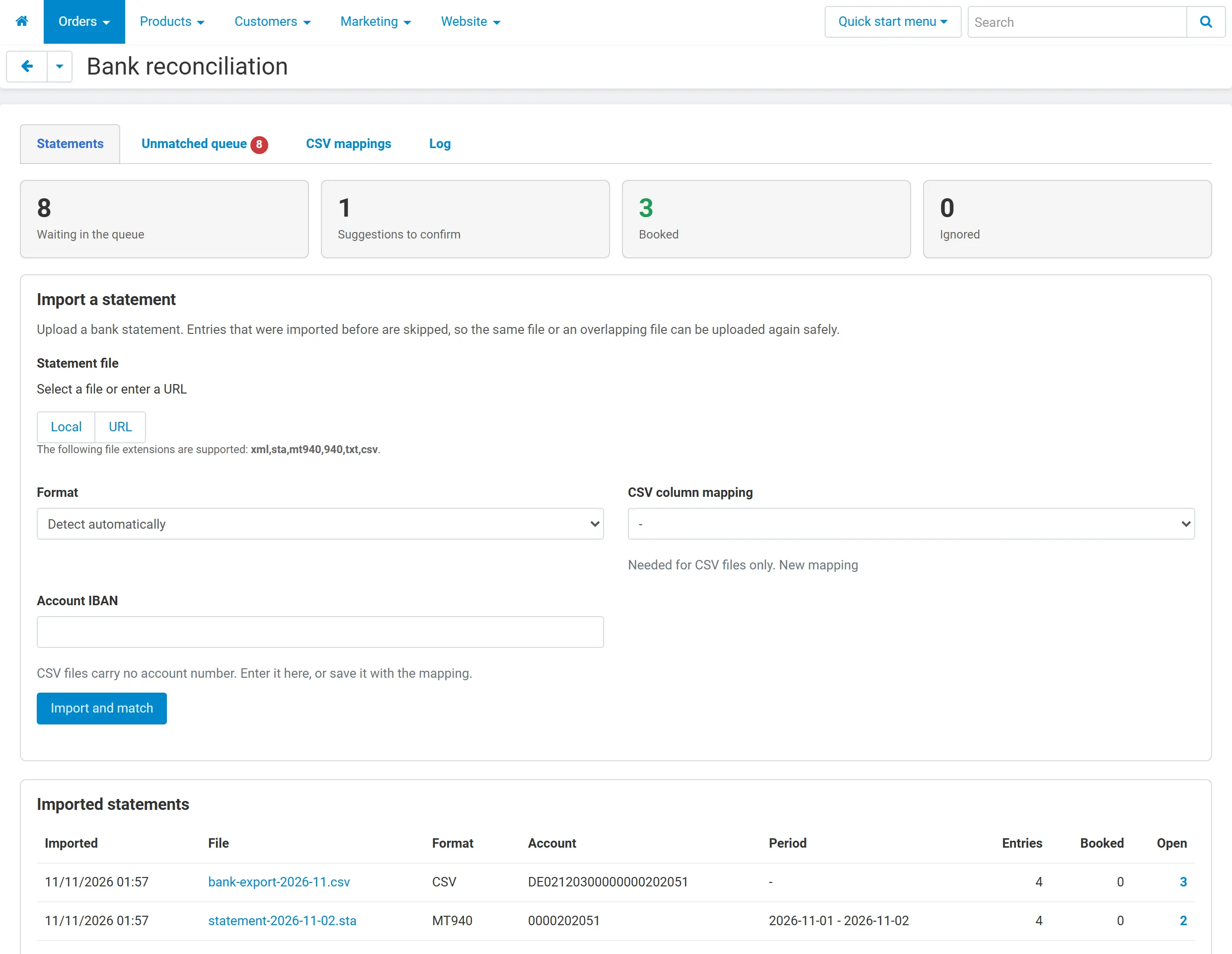
Orders > Bank reconciliation: counters, import form (format, CSV mapping, account IBAN), imported statements (CSV, MT940, camt.053).
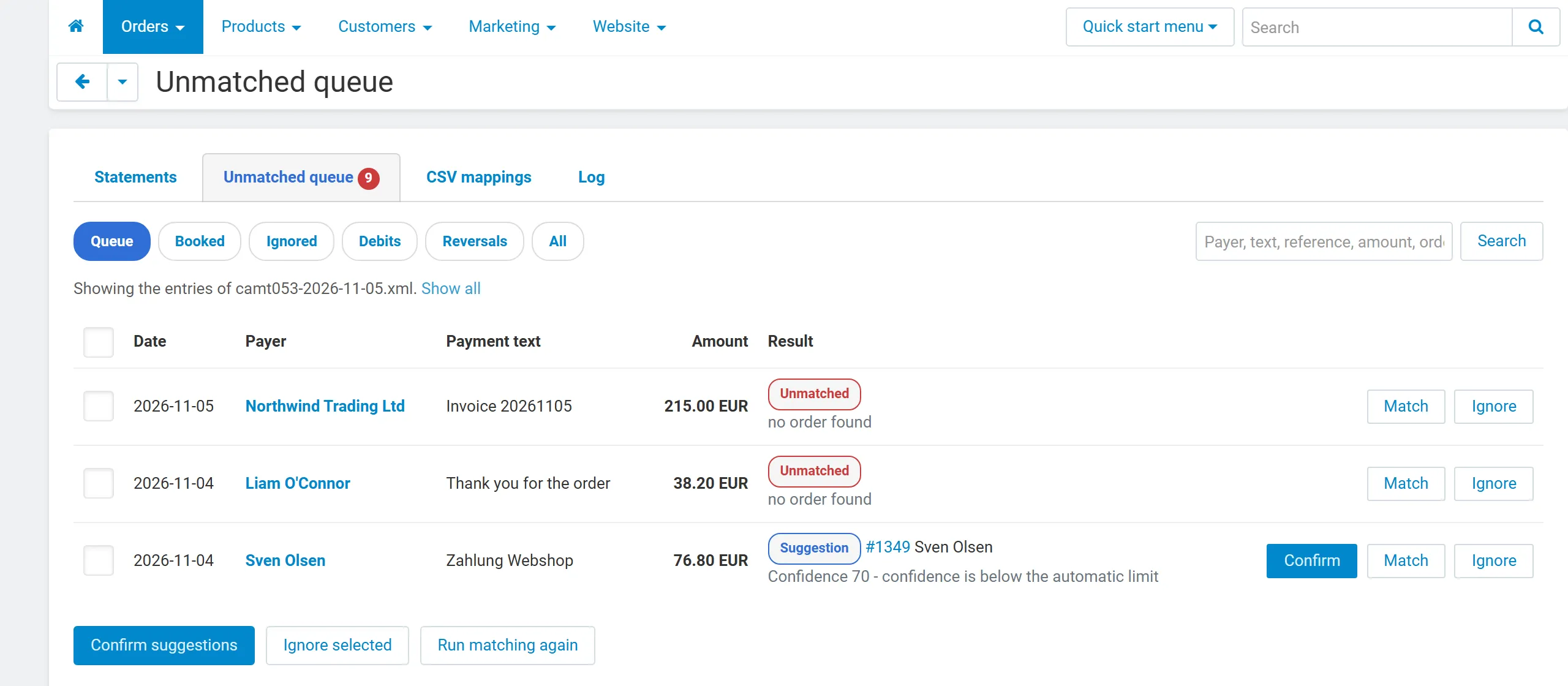
Unmatched queue of one statement: unmatched payments, a suggestion with confidence and reason, bulk actions.
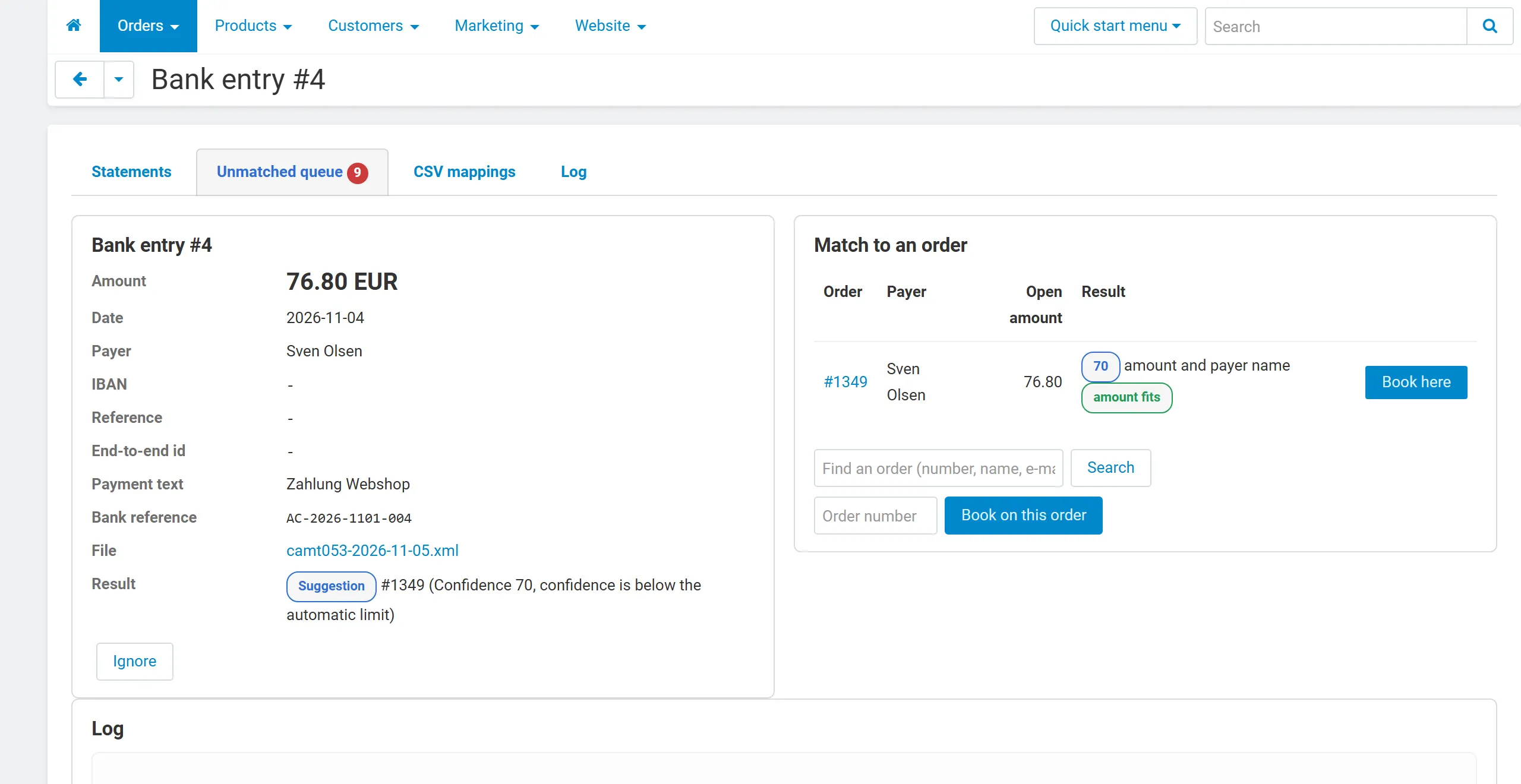
One bank entry: statement data, candidate order with score and rule, search, book on order.
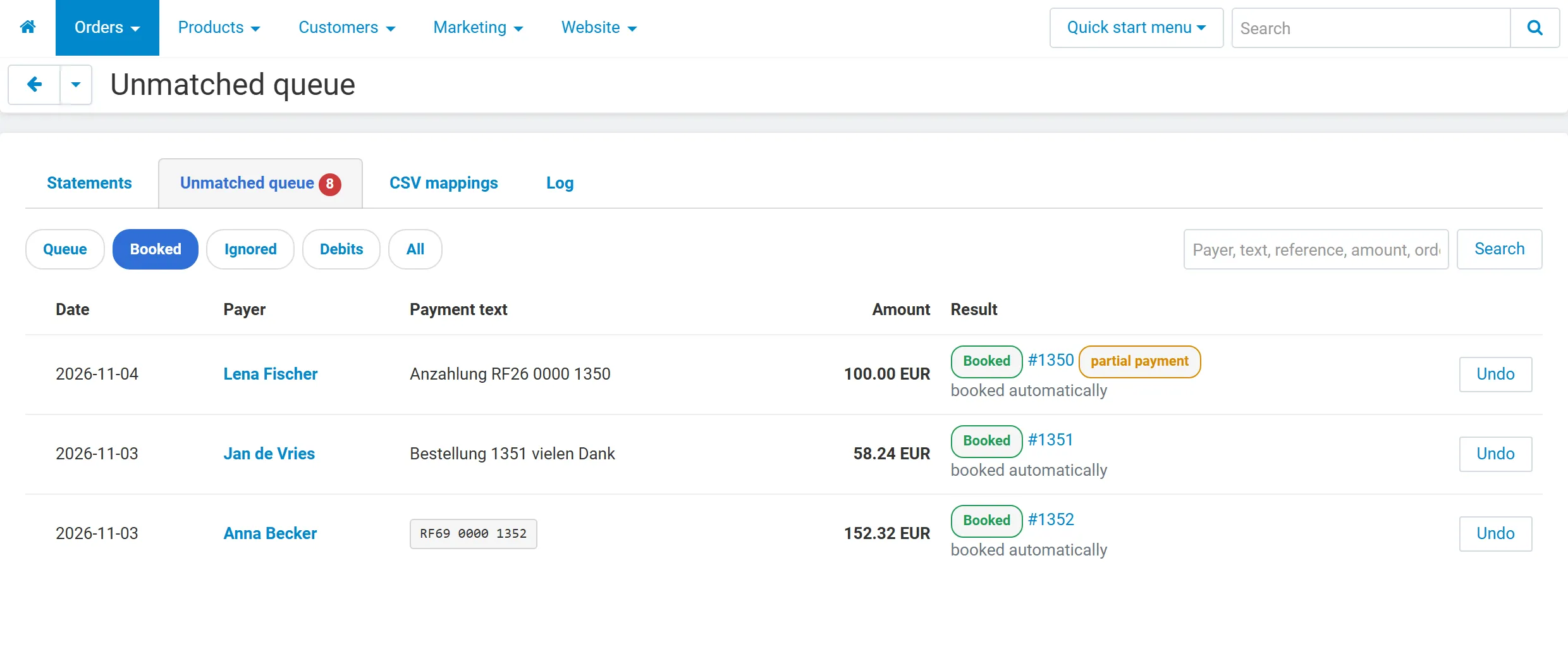
Booked list with the partial-payment flag and Undo.
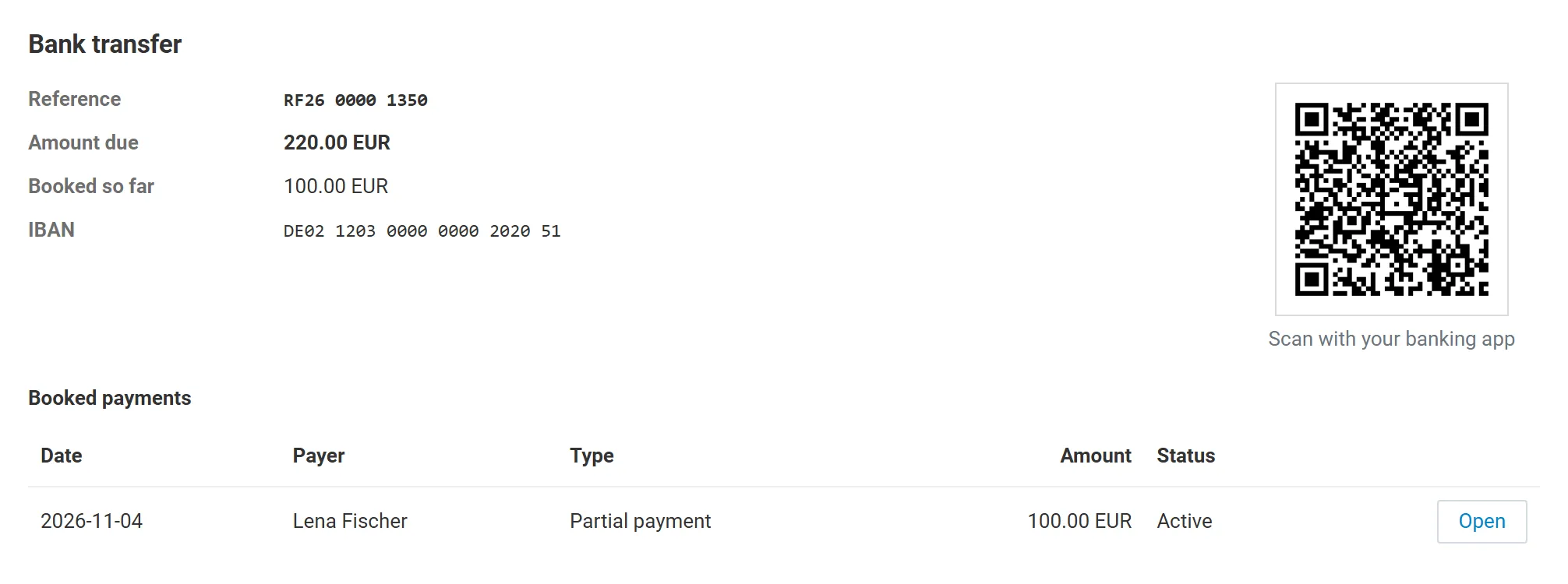
Order page, Bank transfer tab: reference, amount due, booked so far, QR code, booked payments.
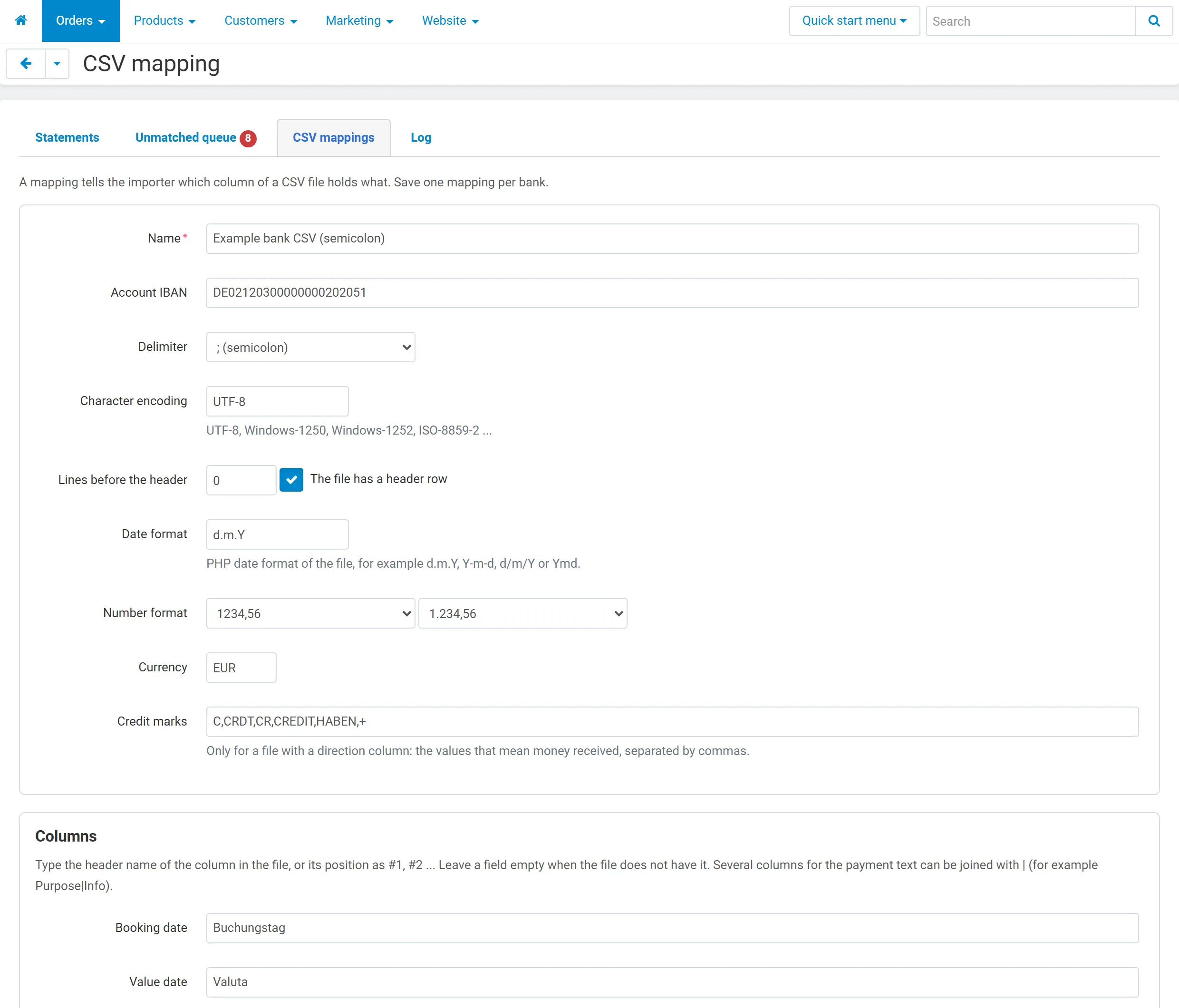
CSV mapping of one bank: delimiter, encoding, date and number format, column names.
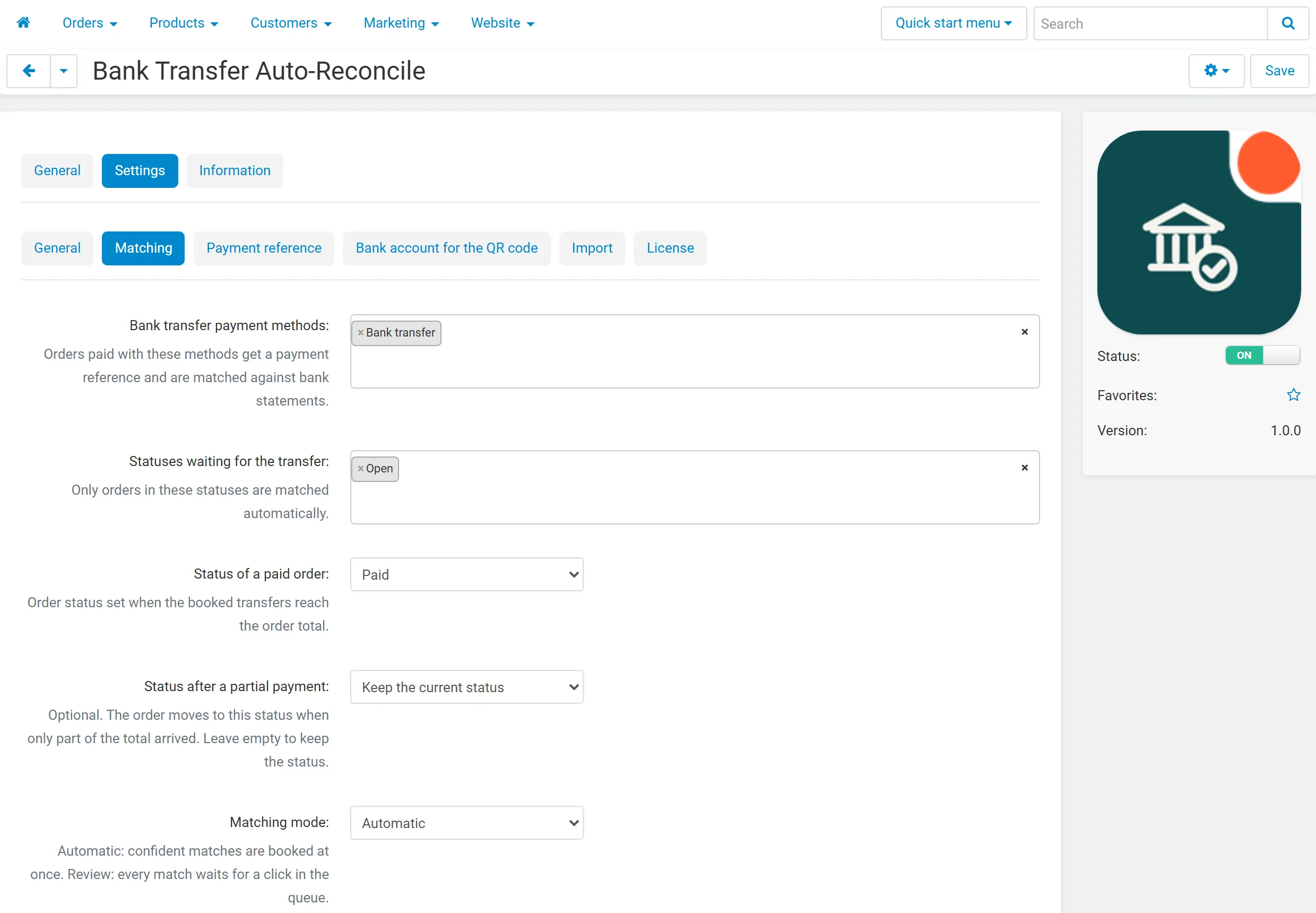
Add-on settings: matching (payment methods, statuses, mode, confidence, tolerance).
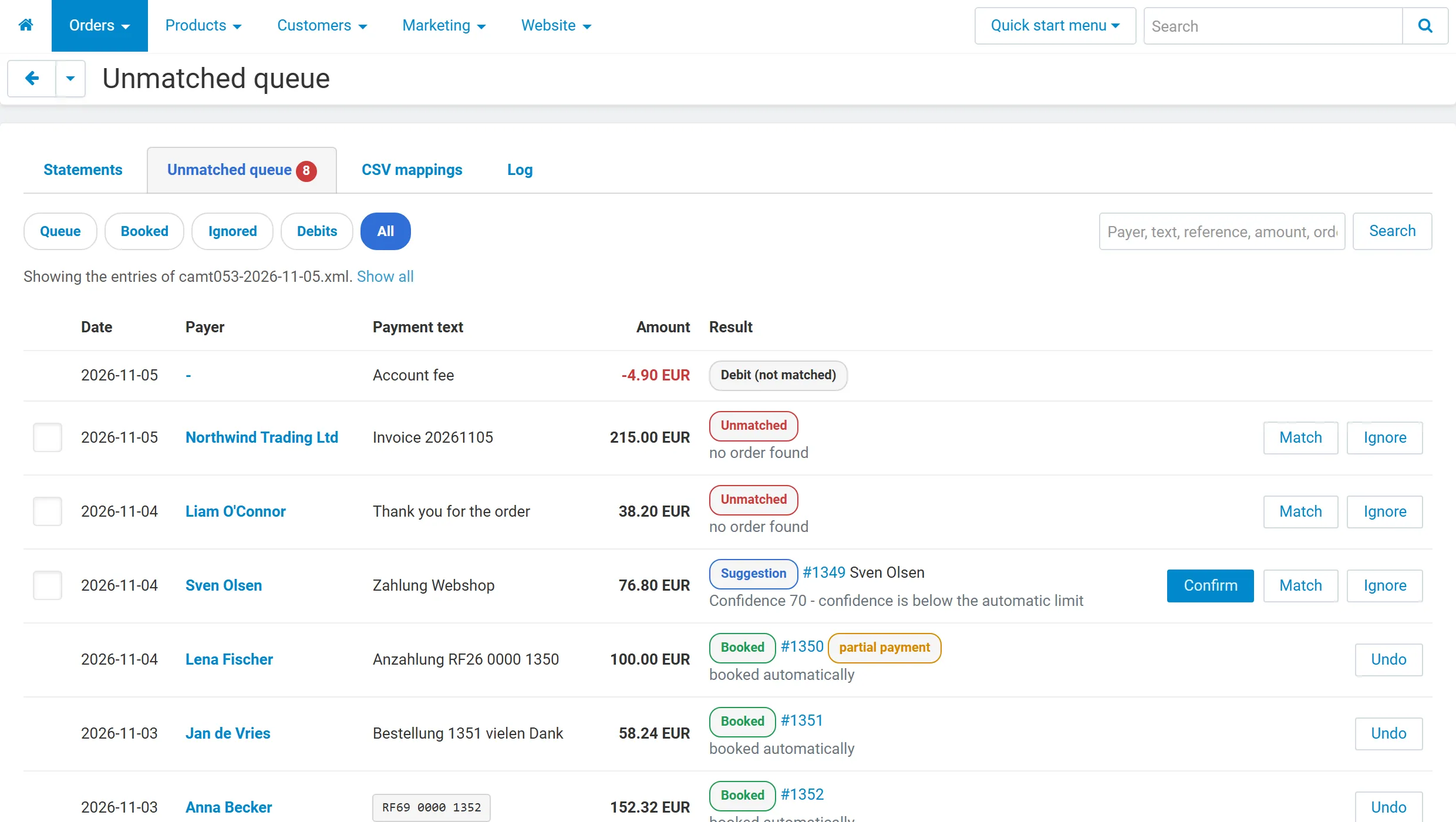
All entries of one statement with their results.
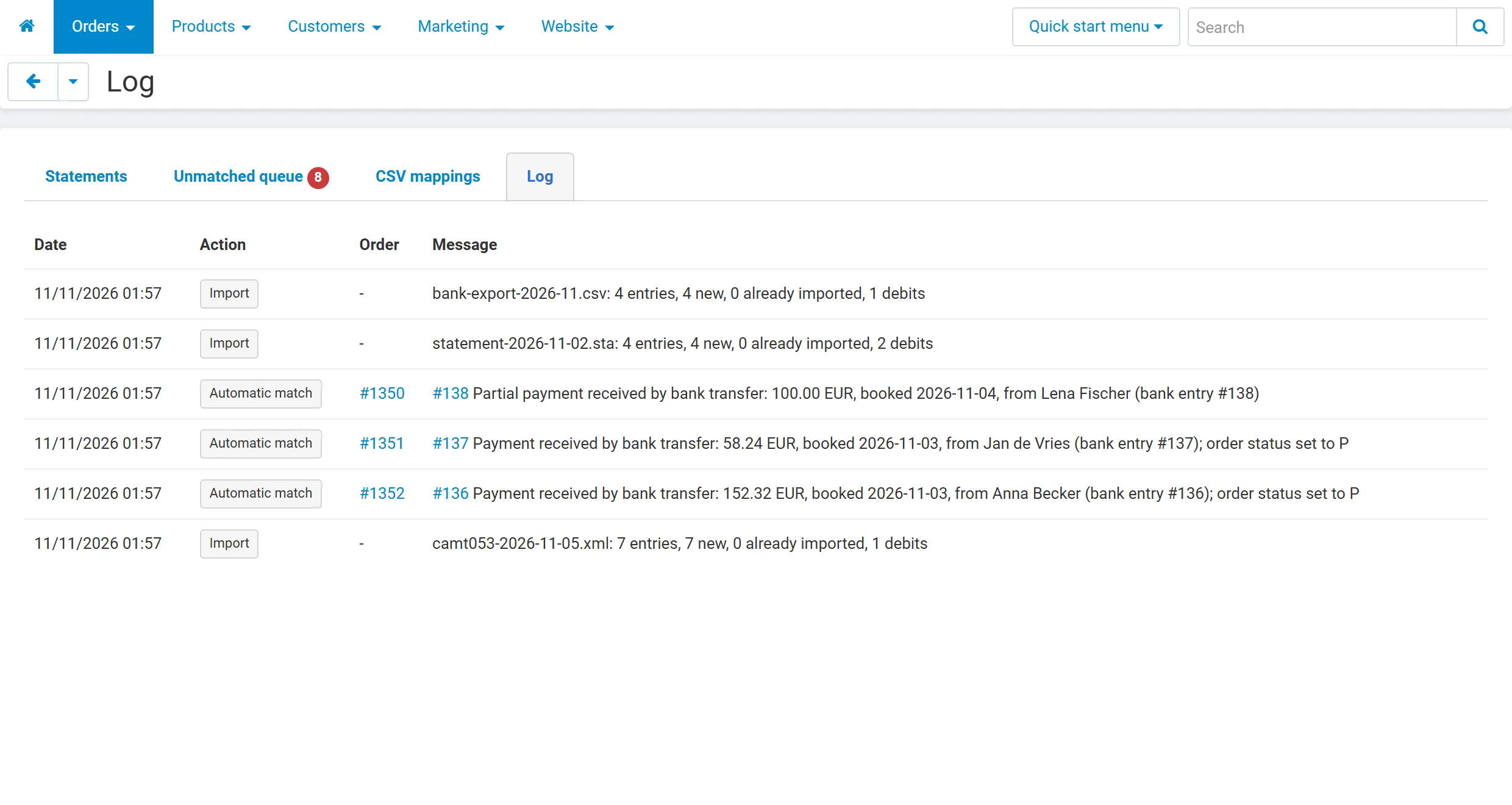
Log of imports, automatic matches and undo.
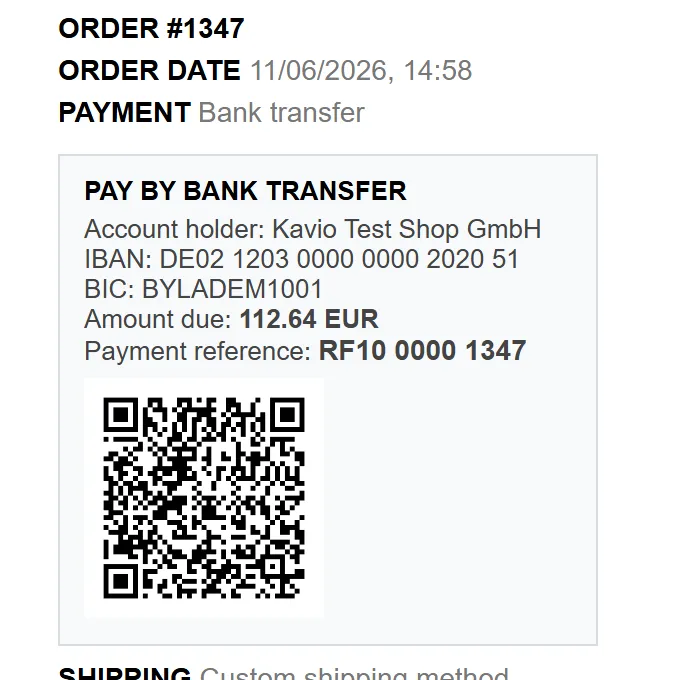
Printed invoice: bank transfer box with reference, amount due and QR code.
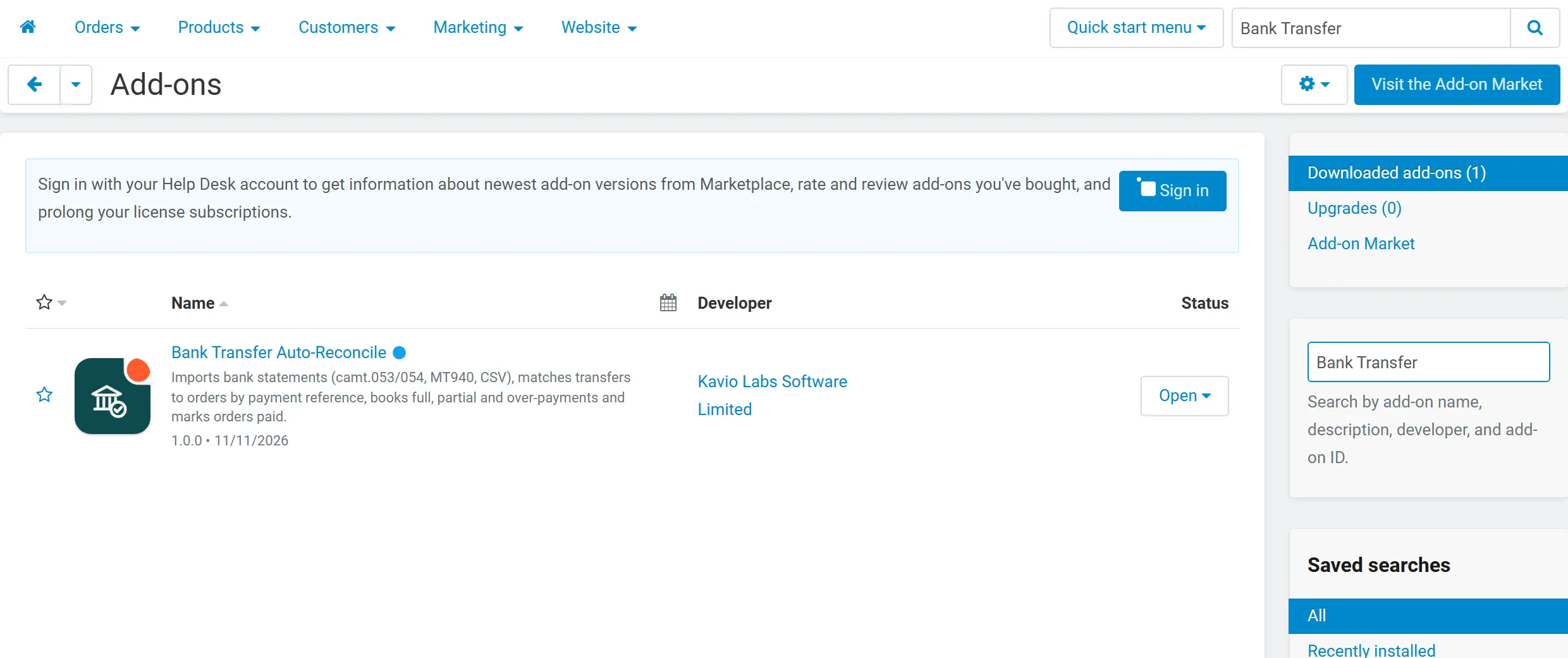
Downloaded add-ons searched for the add-on (icon, version).