

Bulk Quick Order Form screenshots
Real screenshots from our CS-Cart and Multi-Vendor test stores with the add-on installed and the English interface.
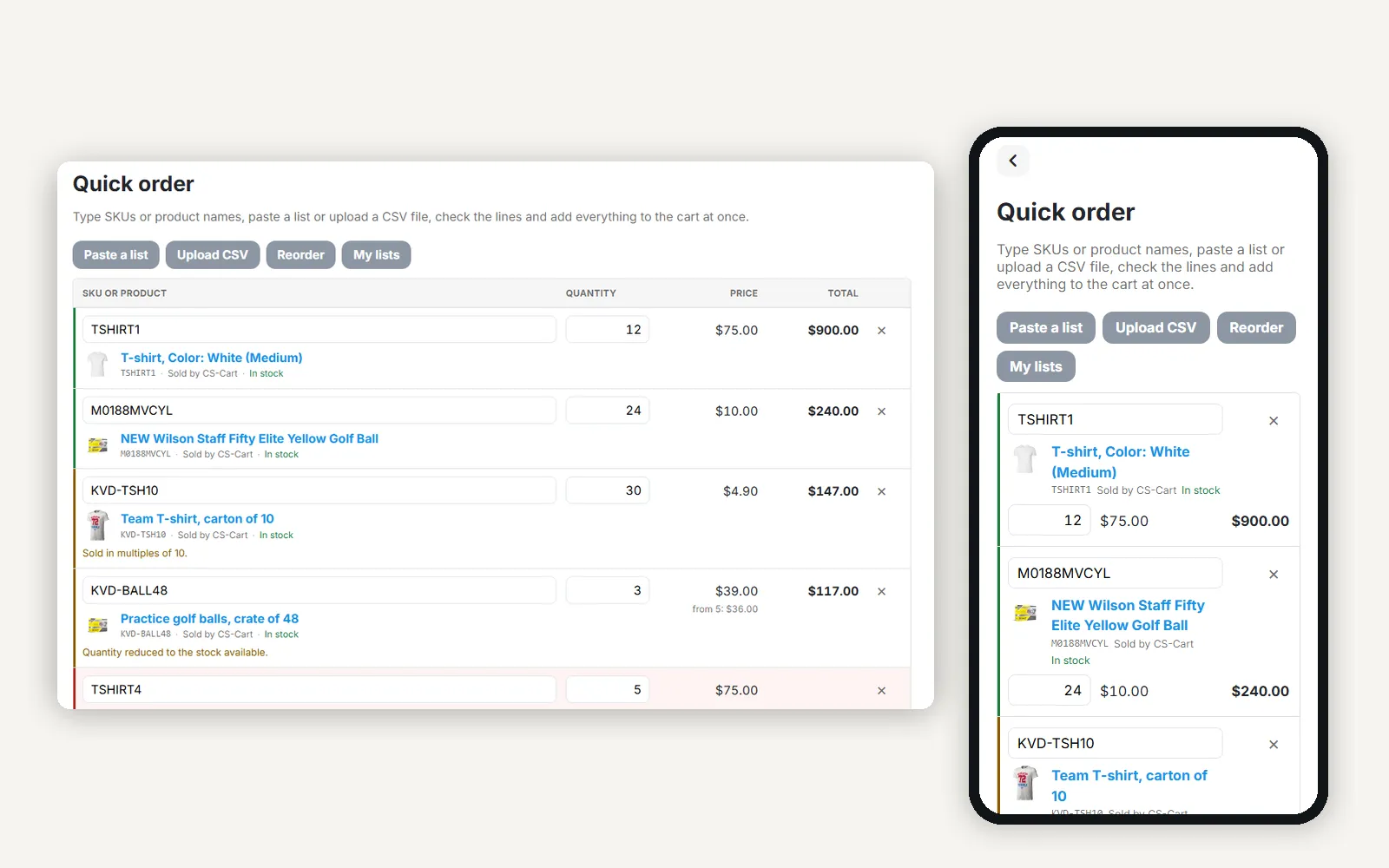
The quick order page with checked lines on a desktop next to the same form on a phone.
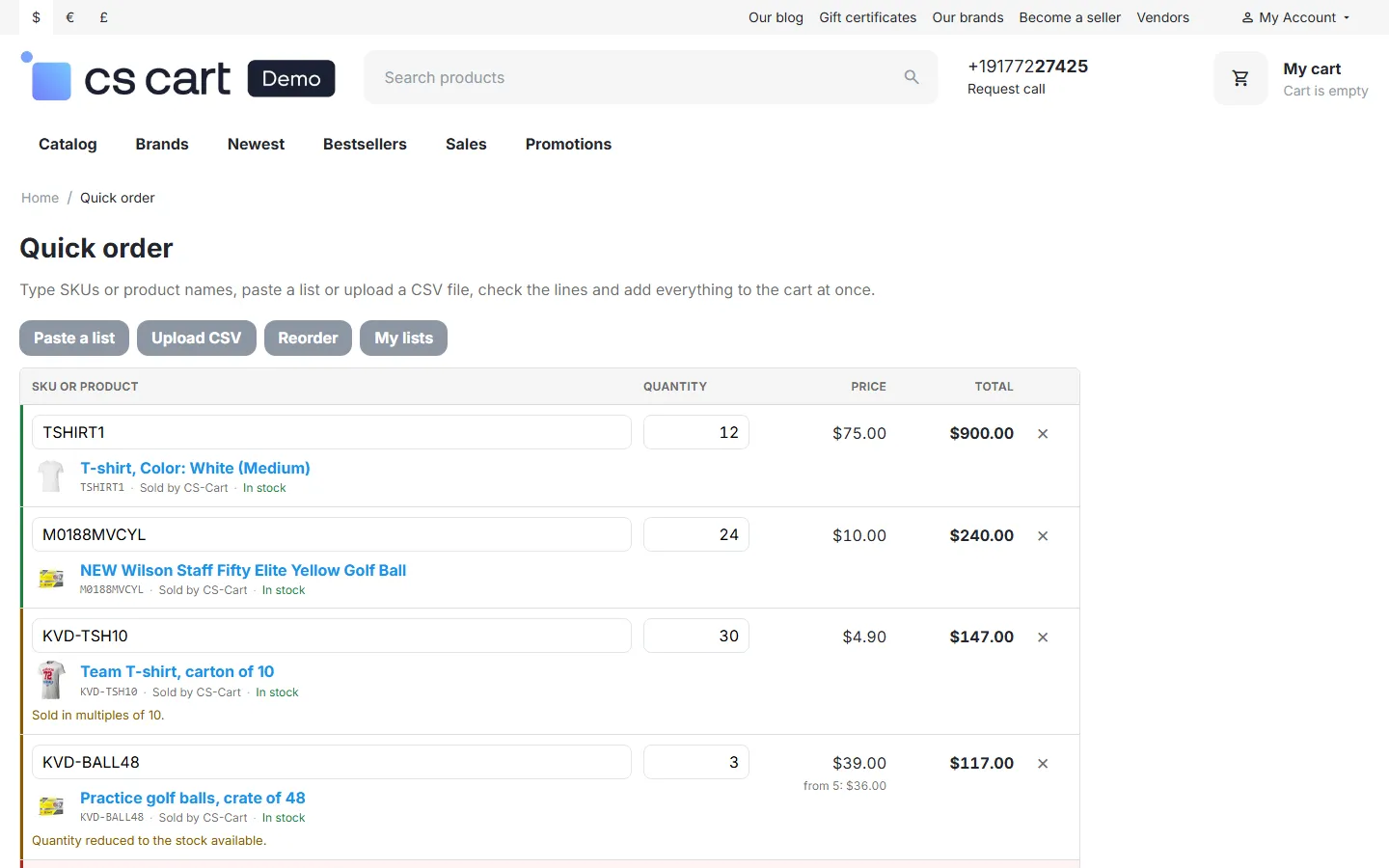
Storefront: quick order with the customer’s prices, a quantity corrected to the product step, stock reduced, out of stock and an unknown SKU.

Type-ahead suggestions with image, SKU, vendor and price.
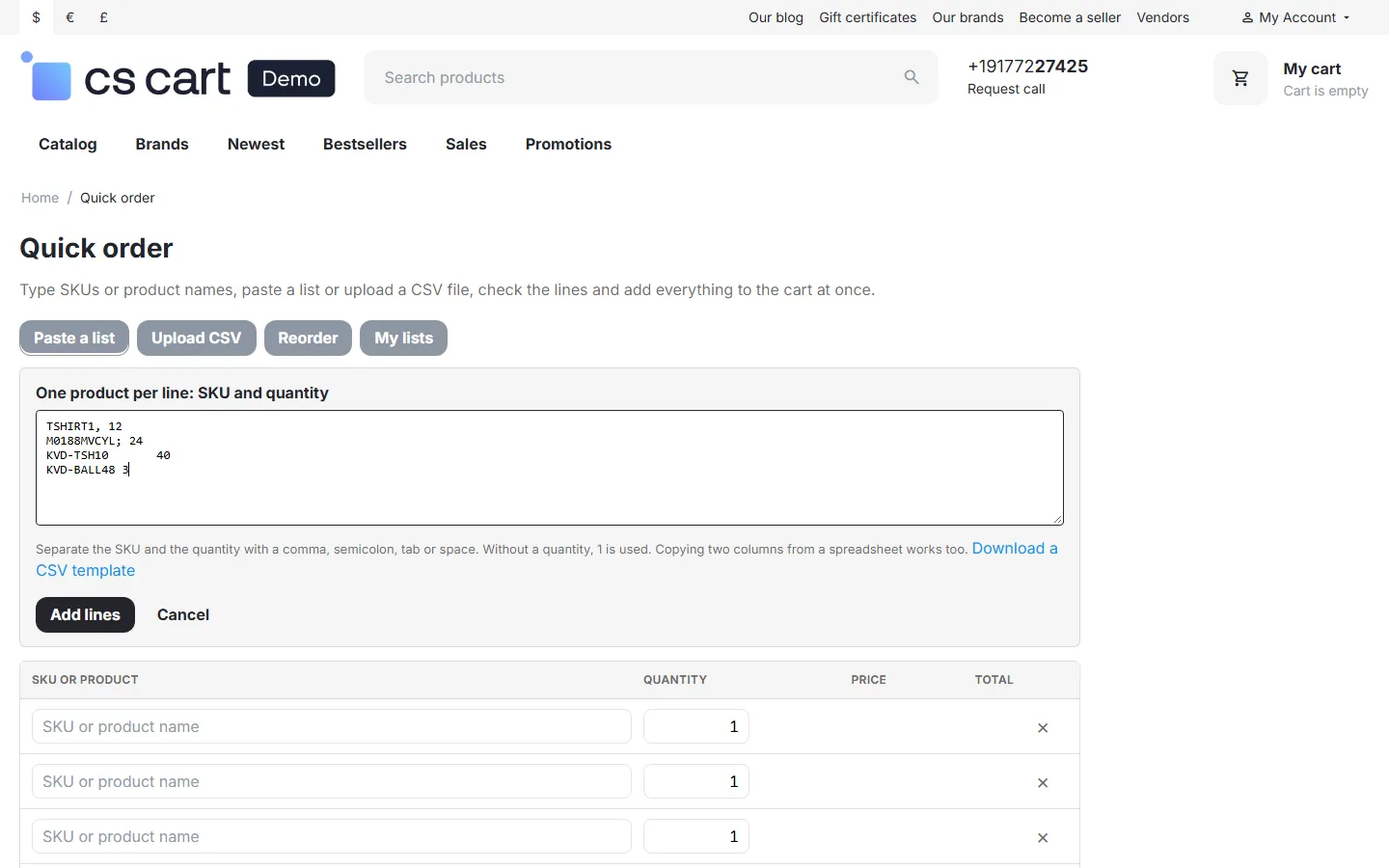
Paste a list of SKU and quantity lines.
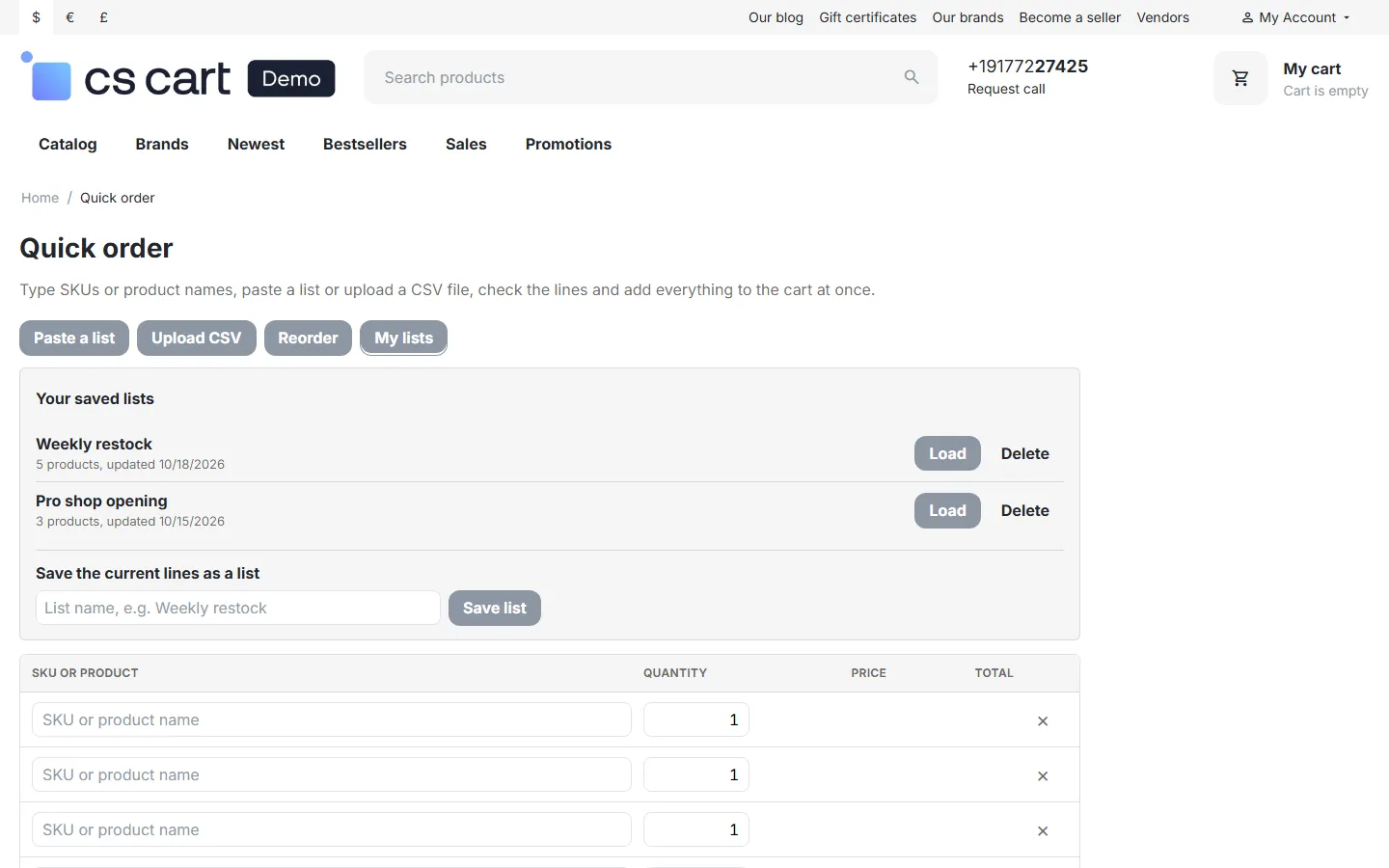
Saved order lists: load, delete, save the current lines.
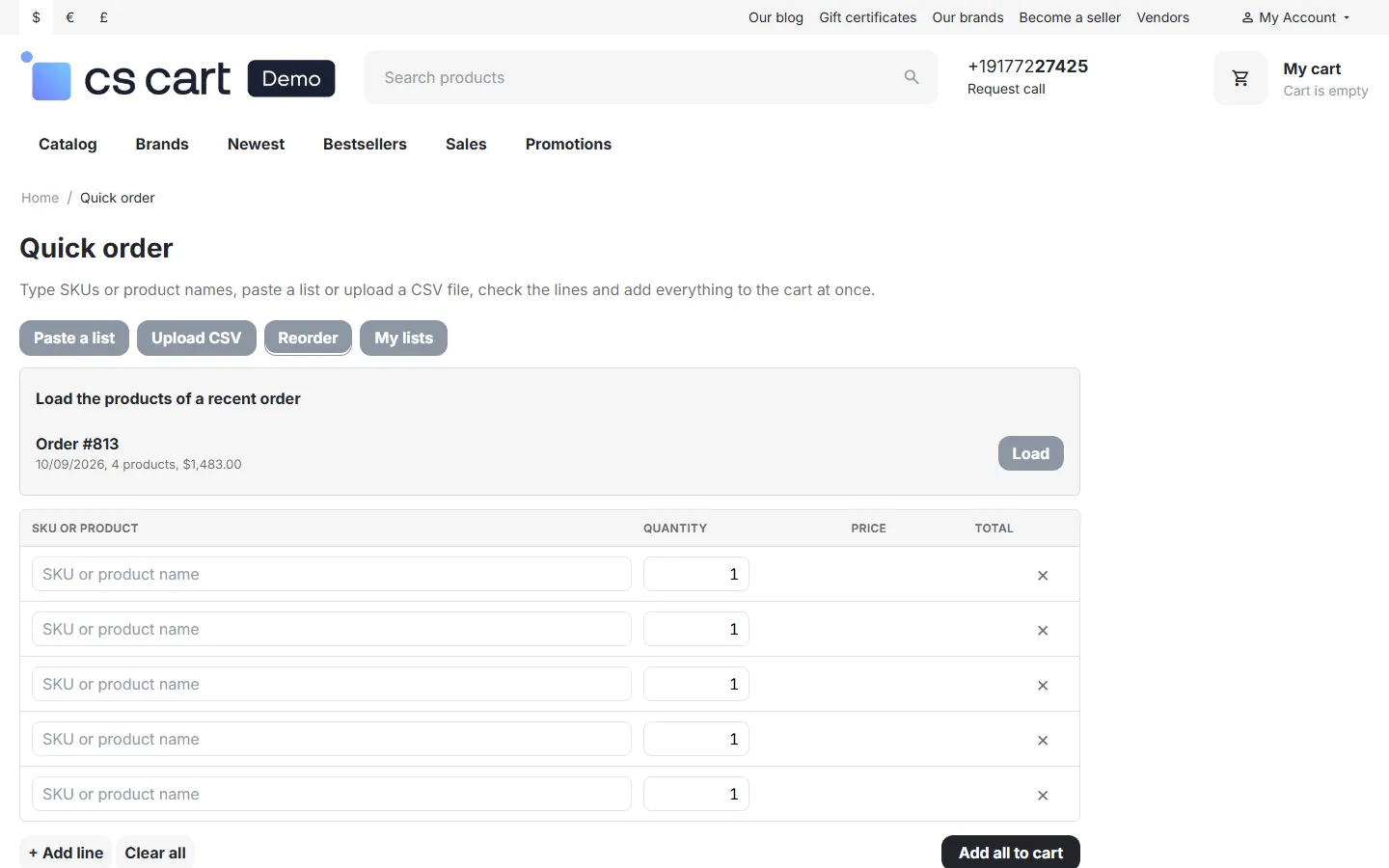
Reorder: load the products of a recent order.

After Add all to cart: added lines left the form, two lines need attention, the header cart is updated.
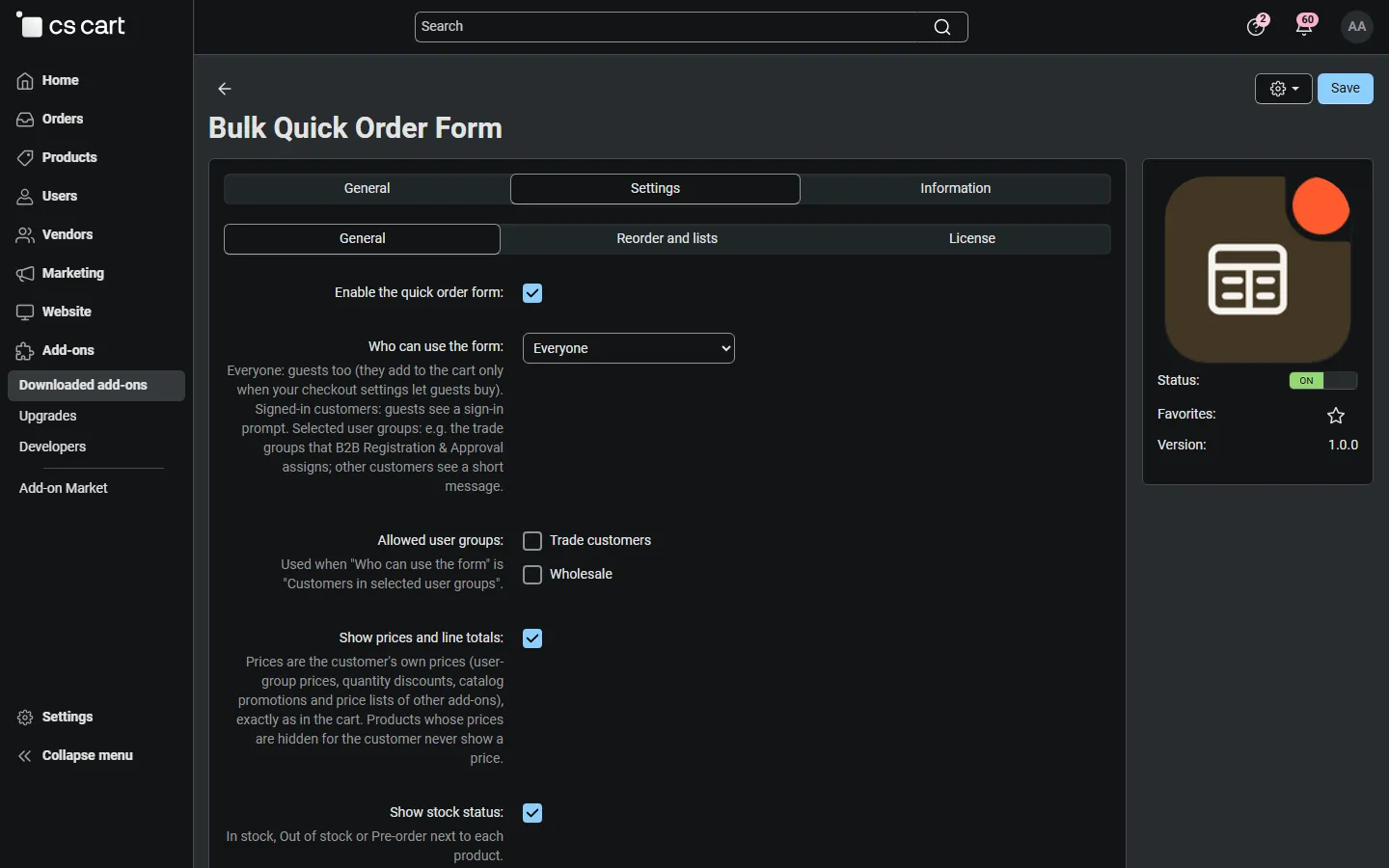
Admin: settings, General tab (access, prices, quantity rules, options).
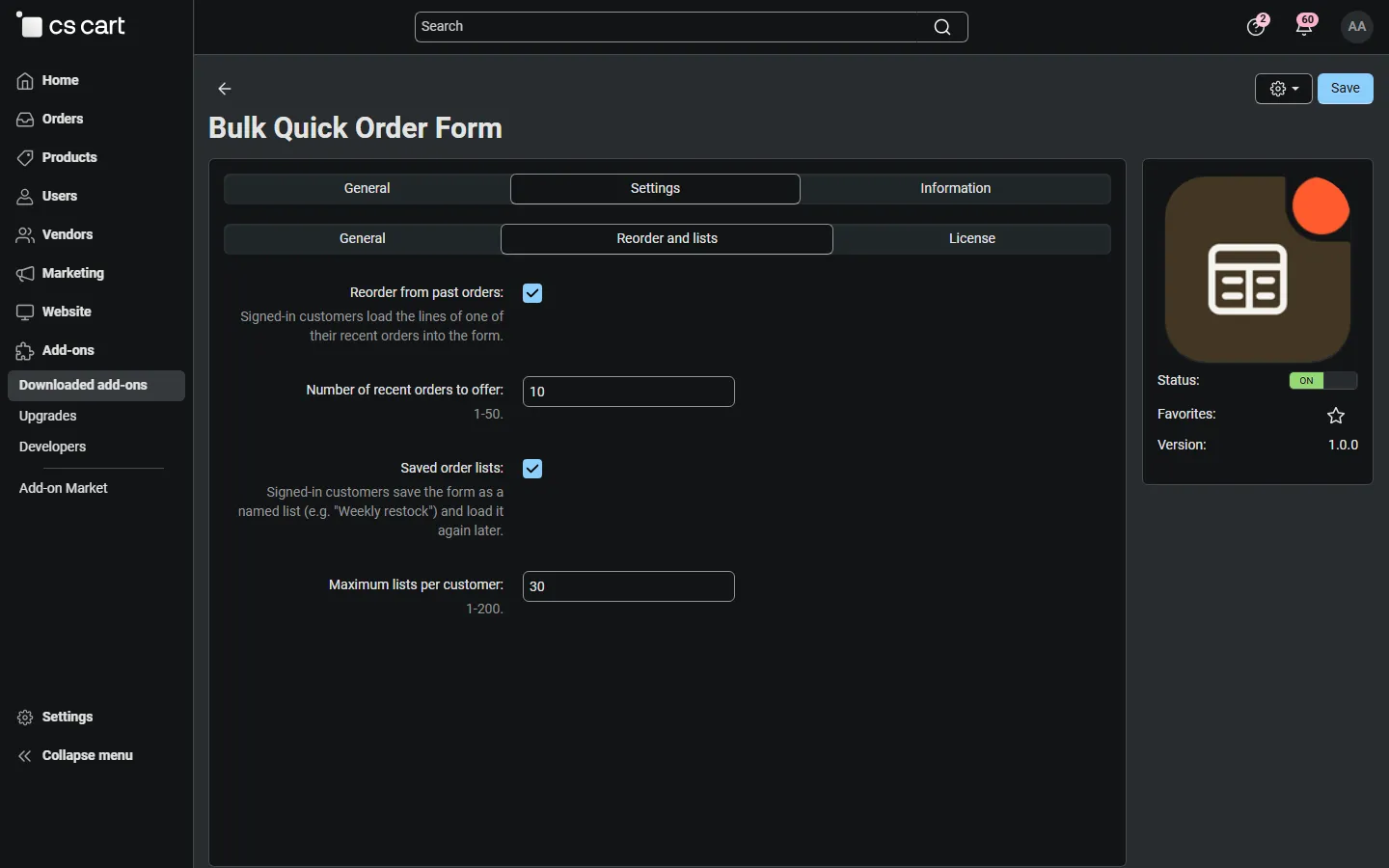
Admin: settings, Reorder and lists tab.
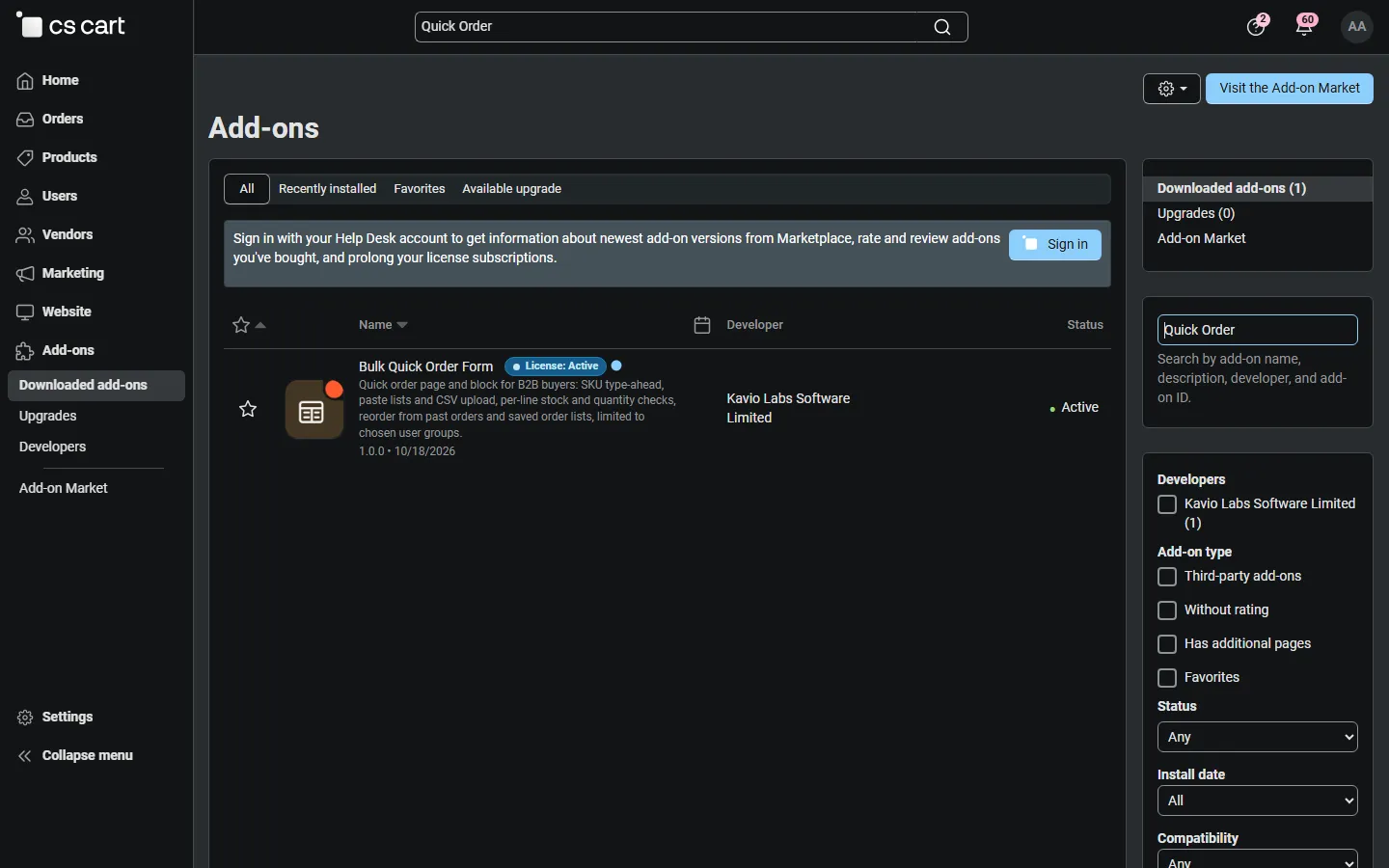
Admin: Add-ons list with Bulk Quick Order Form active.
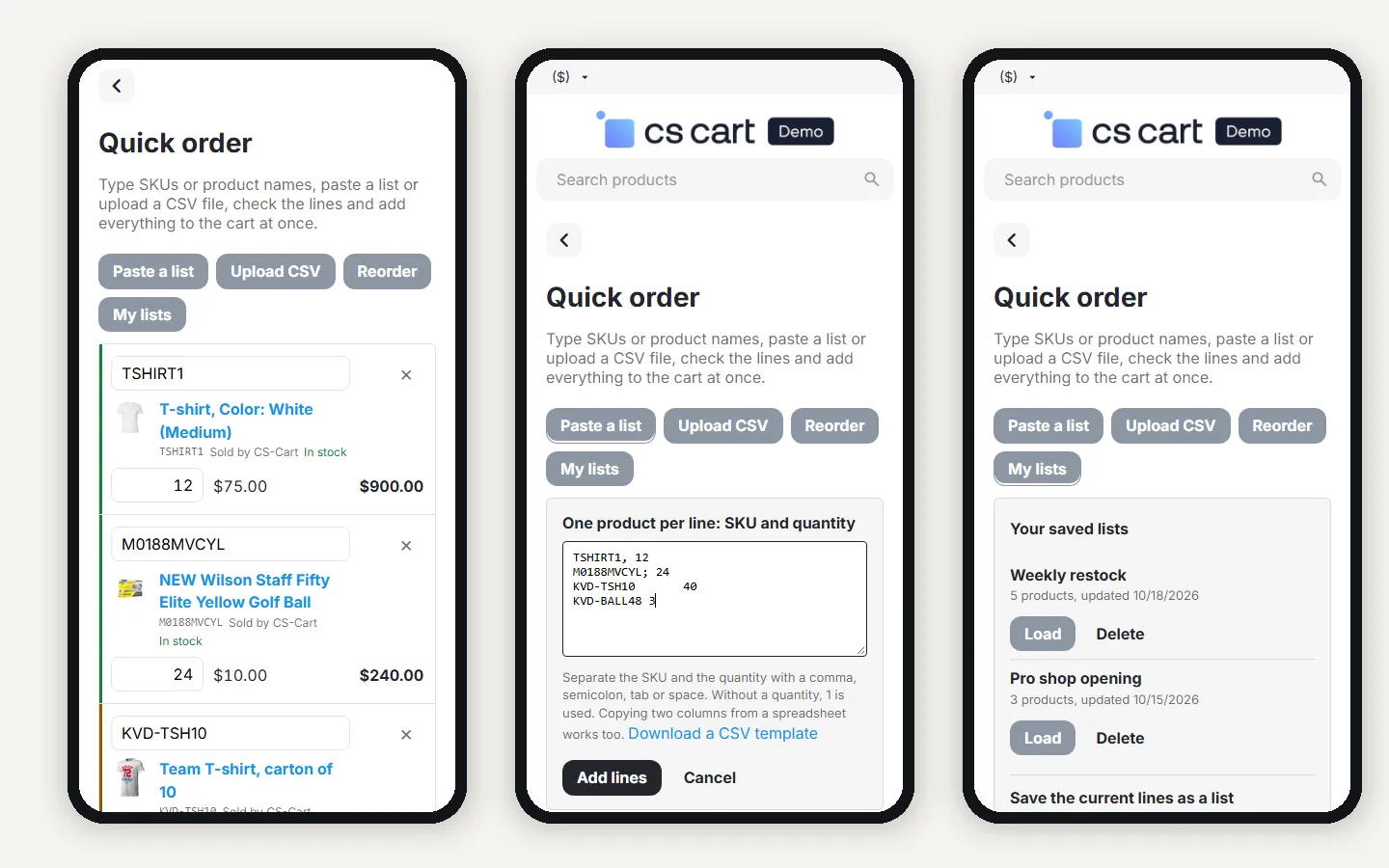
Phones: checked lines, paste a list, saved lists.
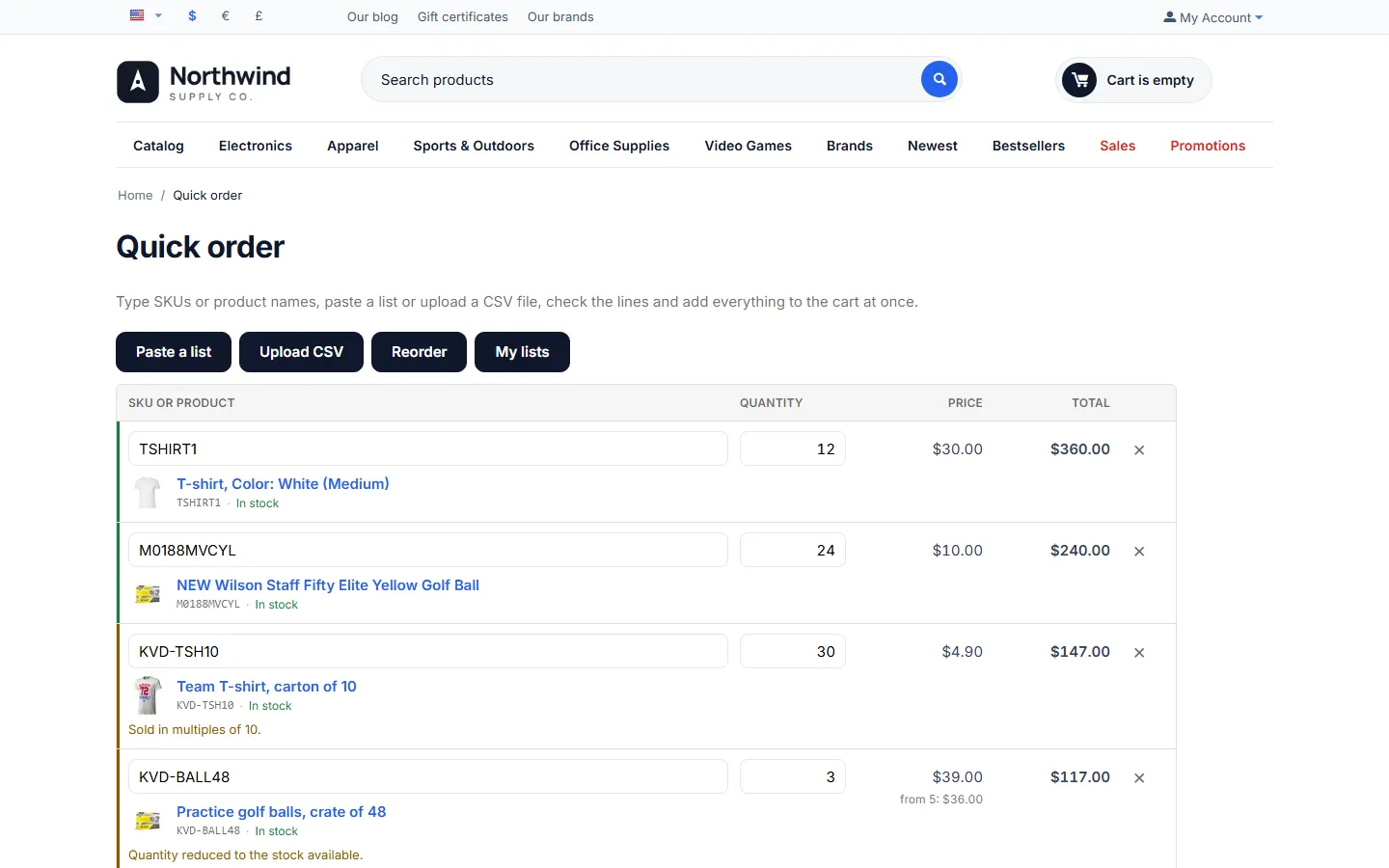
CS-Cart 4.17.2 storefront: the same order lines.
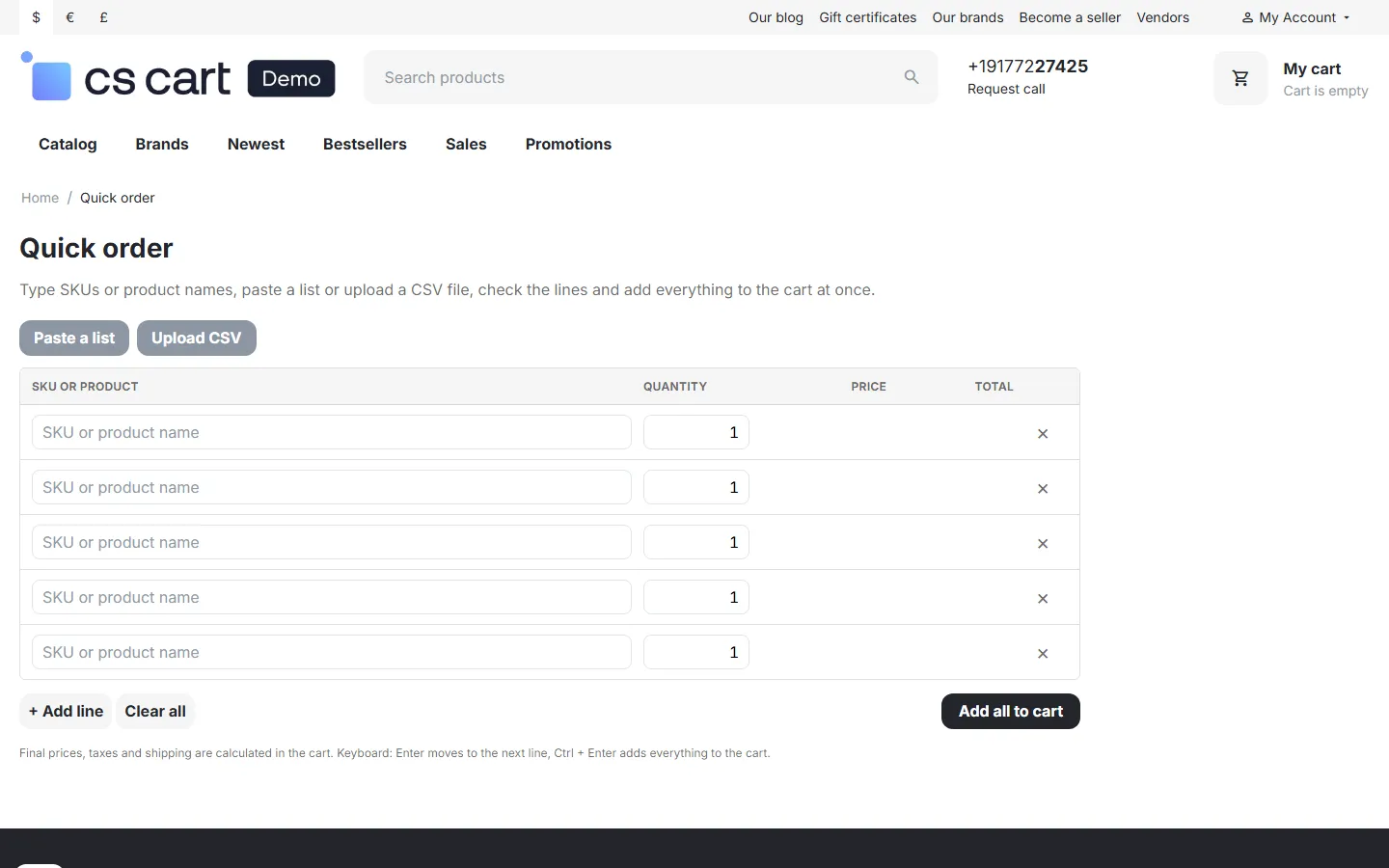
Guest view: the form without Reorder and My lists.