

Usage
How a referral works
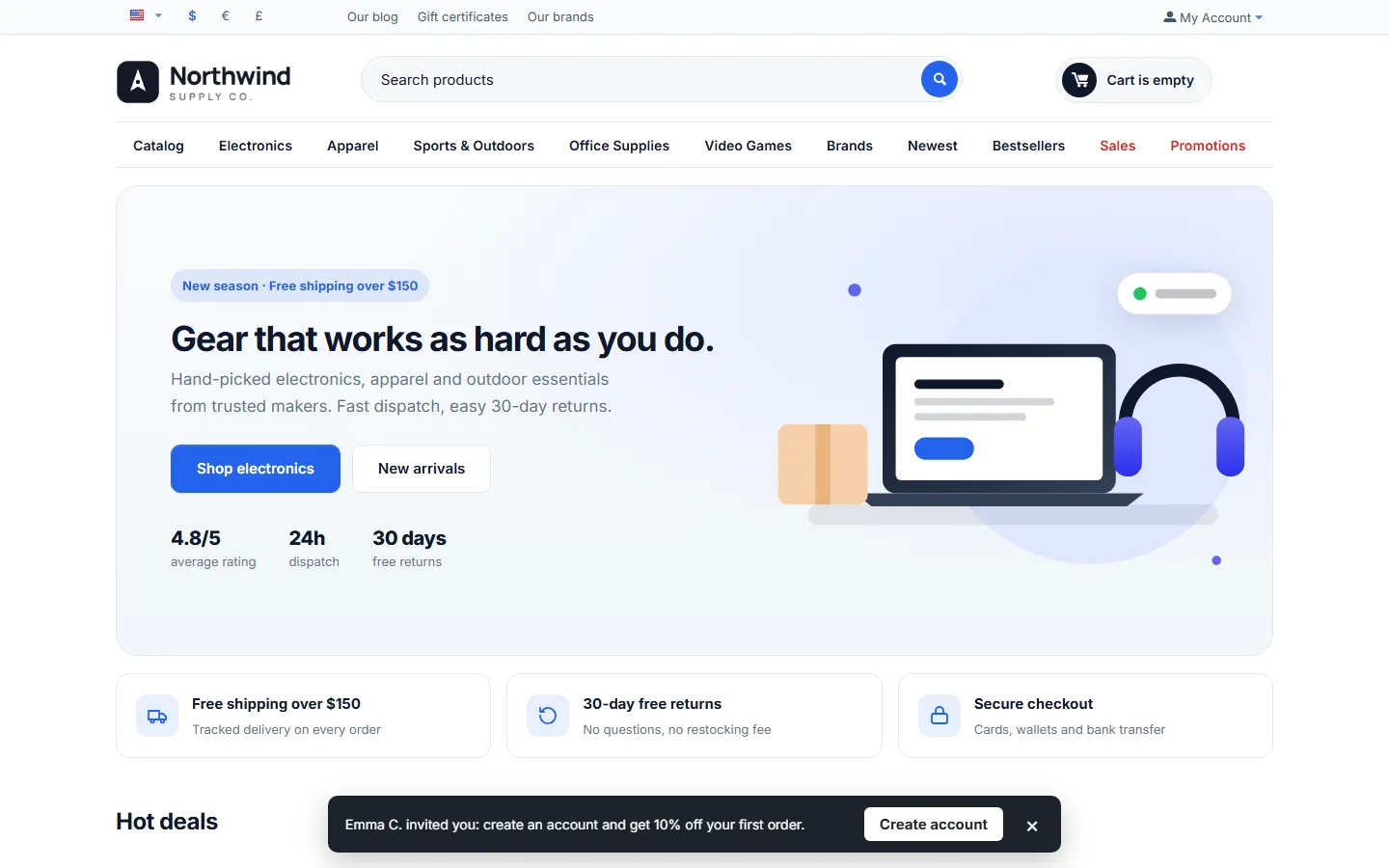
Section titled “How a referral works”- A customer opens My account → Refer a friend. The page shows a personal link (any store page +
?ref=CODE), the code, share buttons and an invite form. The code is created on the first visit: letters of the first name and digits, for exampleANNA4821. - A friend opens the link. The storefront script stores the code (cookie, or the browsing session without consent) and shows the welcome bar. The friend can also type the code in the Referral code field of the registration form.
- The friend creates an account and gets the welcome coupon by e-mail (it also appears on their own Refer a friend page).
- The friend places the first order. A Referral reward entry appears in the ledger as Pending.
- The order reaches a paid status: the hold period starts (14 days by default). A cancel or refund status during the hold rejects the entry.
- When the hold ends, the reward is delivered (store credit, points or a coupon) and the customer gets an e-mail. Entries with fraud flags, or all entries with manual approval, wait in Needs review instead.
One reward per friend: later orders and other vendor orders of the same checkout do not add rewards. A customer who had already ordered before is not a new friend (Existing customer).
How affiliates work
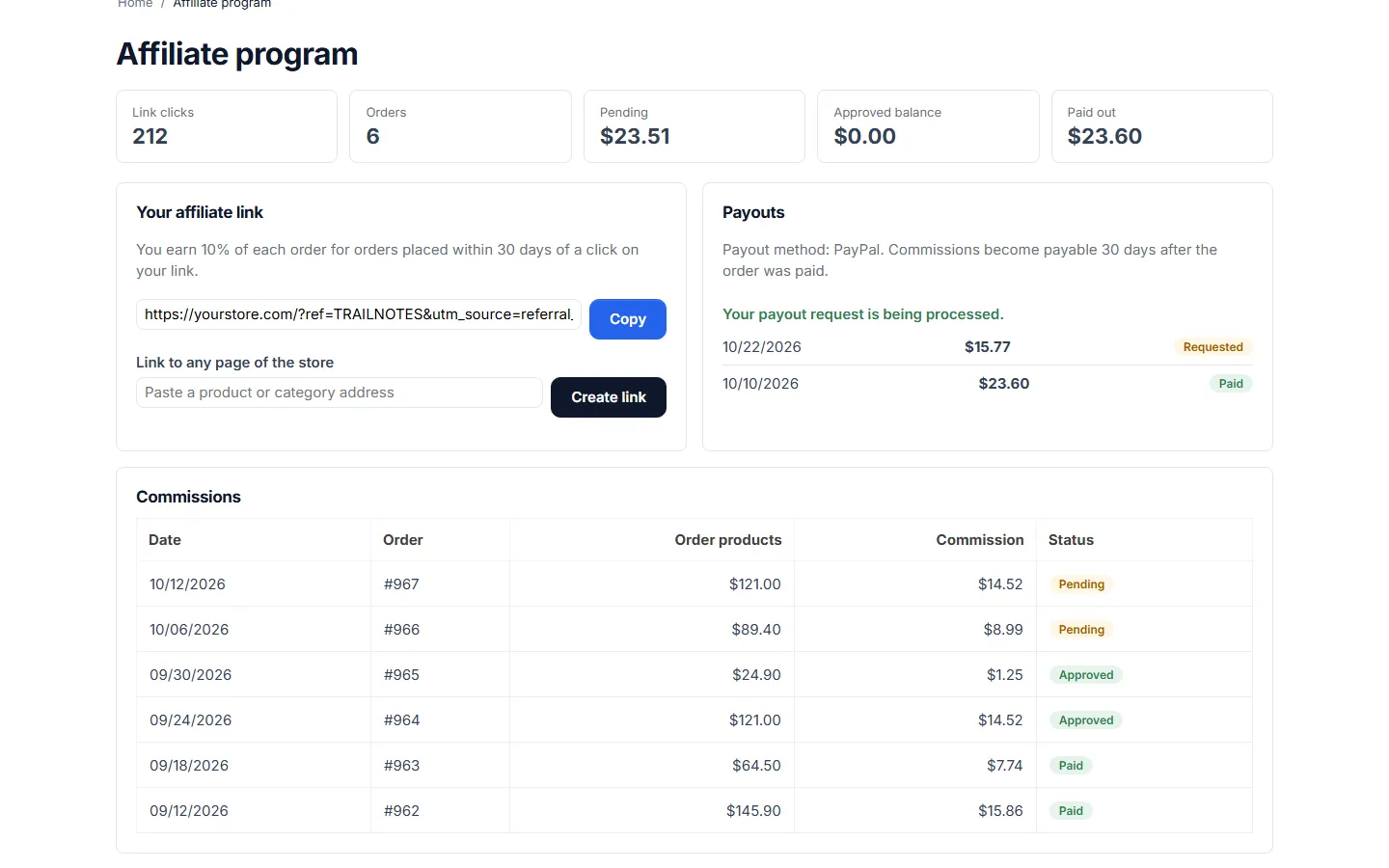
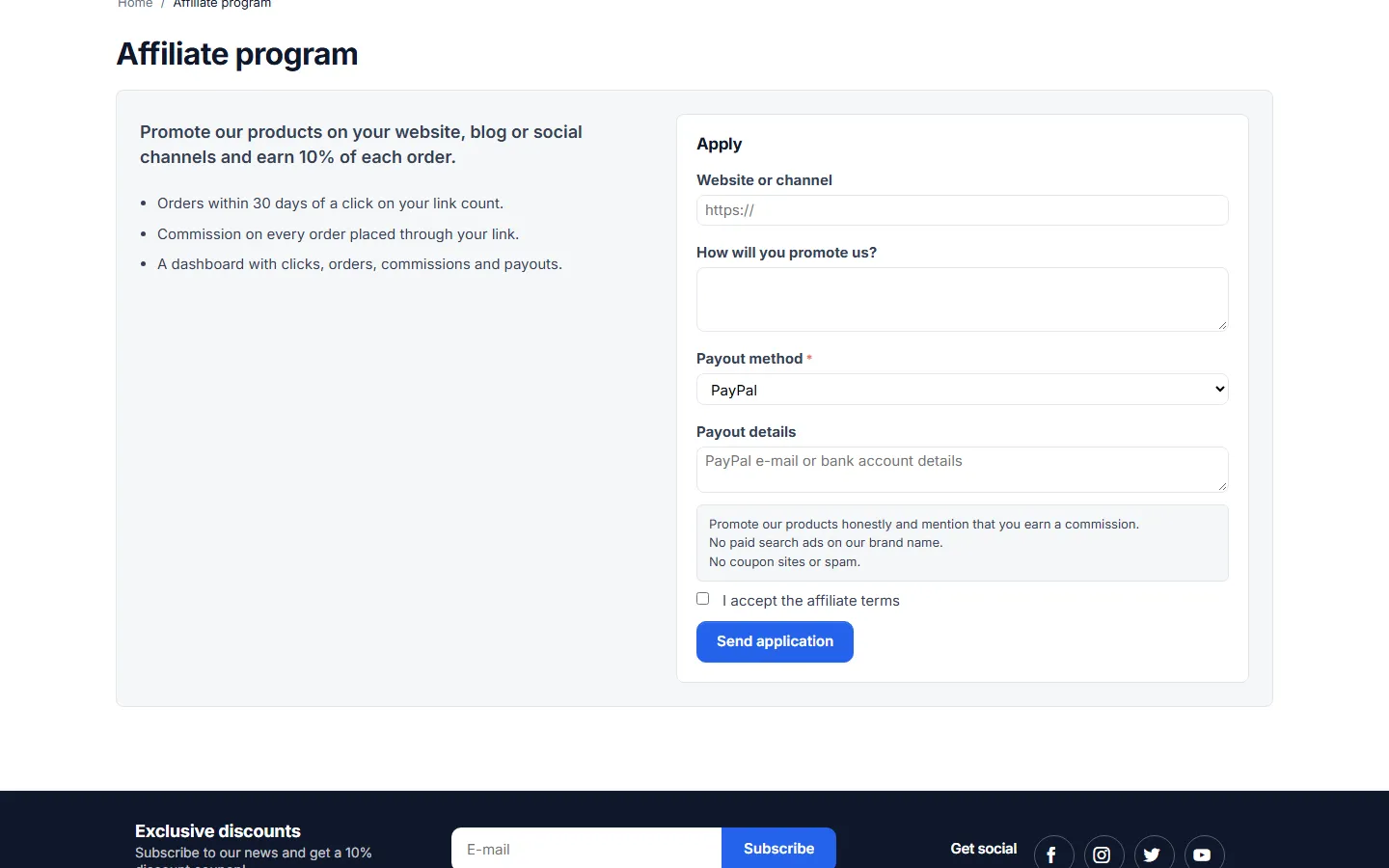
Section titled “How affiliates work”- A customer opens My account → Affiliate program and sends the application: website or channel, how they promote, payout method and details, and your terms.
- You approve it in Marketing → Affiliates (the affiliate gets an e-mail with the link and the rate). You can also add an existing customer as an approved affiliate from the same page.
- Every order placed within the attribution window after a click on the affiliate’s link earns a commission (or only first orders with Commission on new customers only). In Multi-Vendor, each vendor order gets its own commission line.
- The commission waits for a paid status plus the commission hold period, then becomes Approved and counts in the affiliate’s balance.
- The affiliate requests a payout (from the minimum payout). You pay outside the store, then click Mark paid with a reference (for example the PayPal transaction ID). Store credit payouts are credited to the Store Credit Wallet when you mark them paid.
A refund after a commission was paid out creates a negative Adjustment that is deducted from the next payout.
The ledger
Section titled “The ledger”Marketing → Referrals & commissions lists every reward, commission and adjustment:
- totals per status: Pending (waiting for a paid status or the hold), Needs review, Approved (reward delivered / commission payable), Paid, Rejected;
- the beneficiary, the order and friend, the value and the order products it is based on, flags and the payout;
- filters by type, status, customer, order and Flagged only; bulk Approve selected and Reject selected; CSV export;
- Run the scheduler now in the tools menu.
Approving a Pending or Needs review reward delivers it at once. Rejecting an approved, unpaid commission removes it from a requested payout.
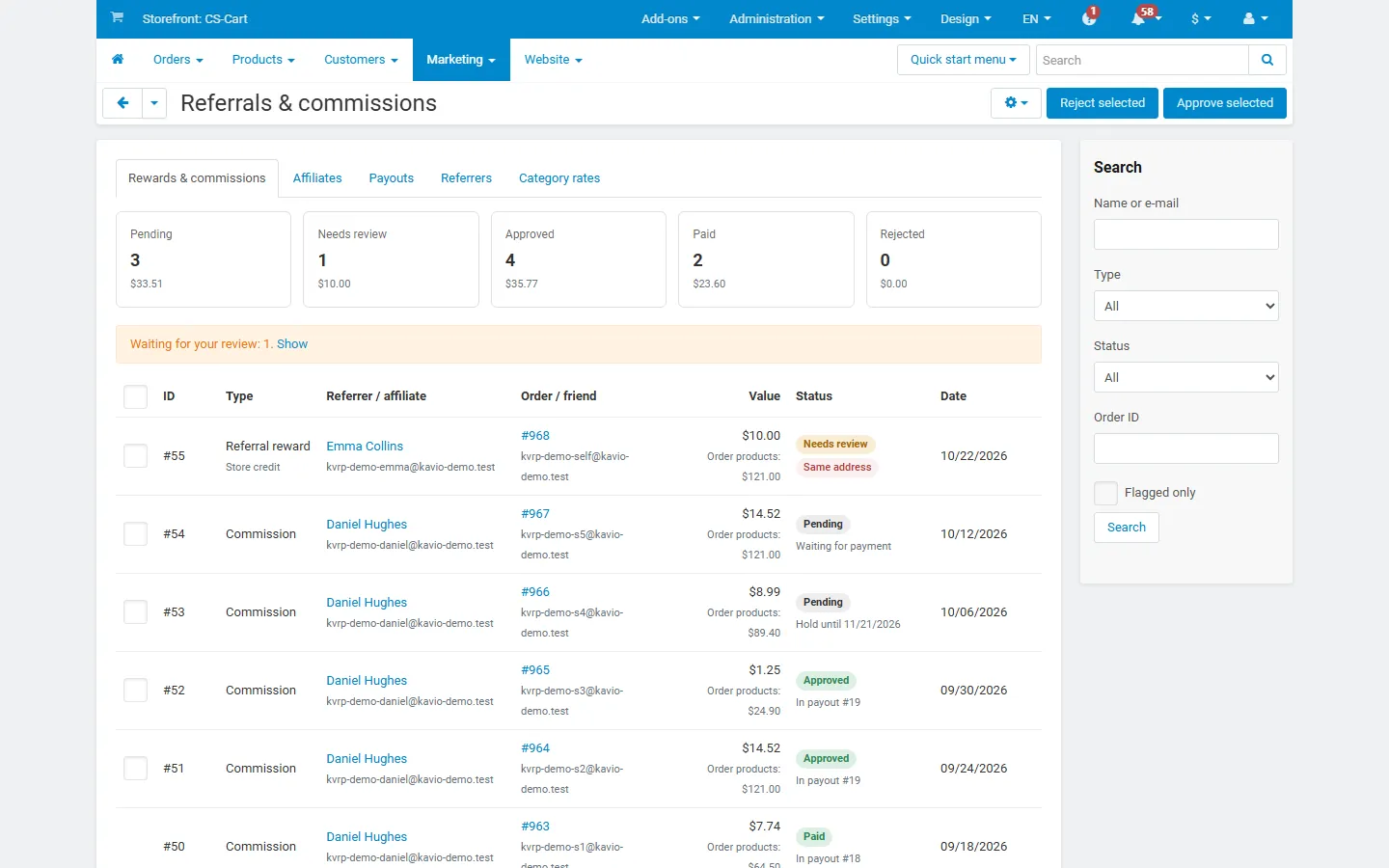
Flags explain why an entry needs a look: Same e-mail (the friend’s mailbox is the referrer’s, dots and +tags ignored), Same IP, Same address, Same phone, Same name (payer name), Duplicate friend (address, phone or name of another friend of the same referrer), Existing customer, Below minimum, Monthly limit, Total limit, Refunded, Not delivered (the reward type was not available).
Affiliates and payouts
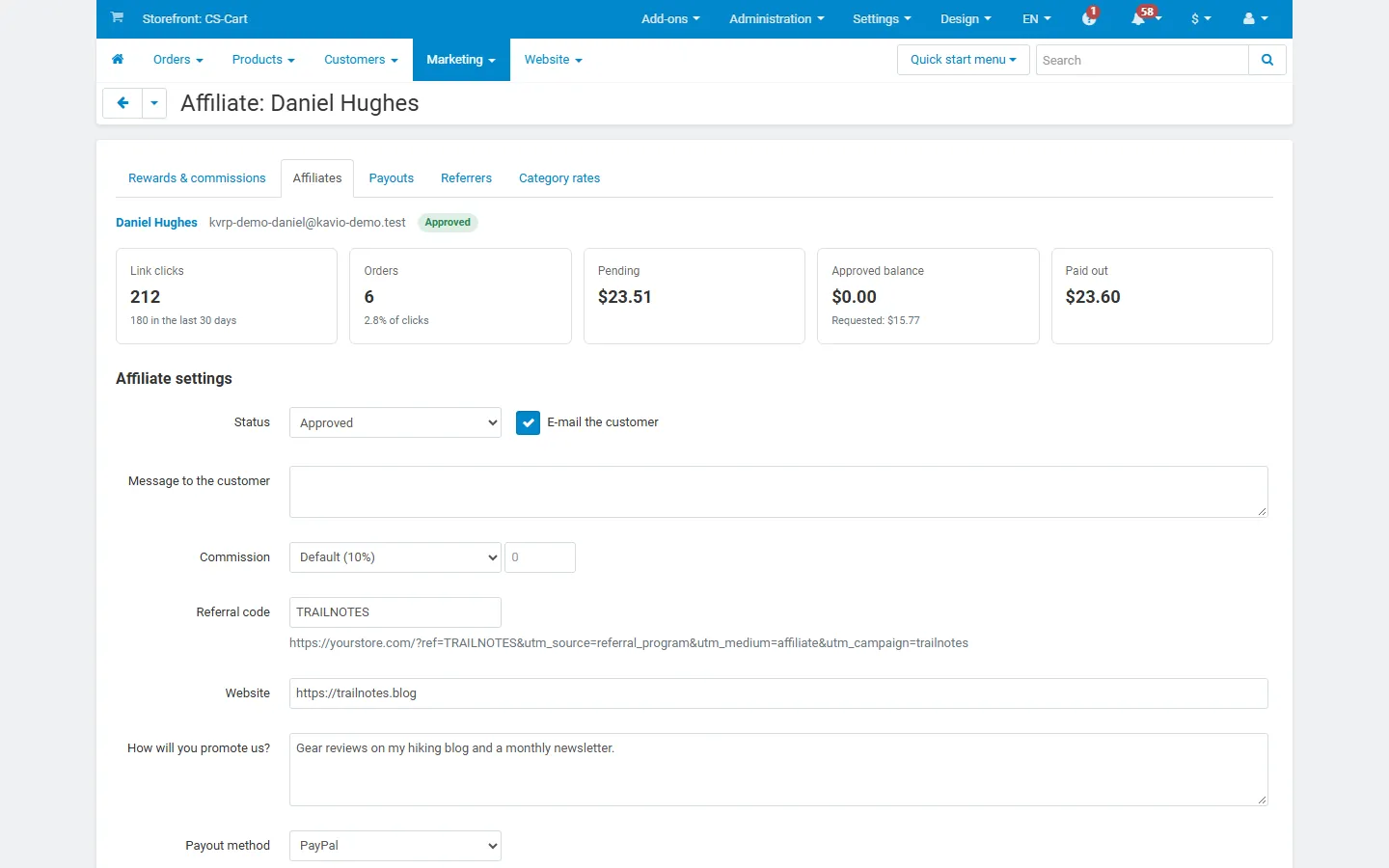
Section titled “Affiliates and payouts”- Marketing → Affiliates: applications first, then all affiliates with status, rate, clicks, orders, balance and paid total.
- Affiliate page: status (Applied, Approved, Suspended, Declined) with an optional message, own rate (percent or fixed), referral code, website, payout method and details, an internal note, commissions and payouts, and Create payout of the balance. A suspended affiliate’s links earn nothing on new orders.
- Payouts tab: requested payouts with Mark paid (reference, note) and Reject (the commissions return to the balance), paid and rejected payouts, CSV export.
Category rates and referrers
Section titled “Category rates and referrers”- Category rates: commission percent per category. Subcategories inherit the nearest parent rate.
- Referrers: every customer with a code, with clicks, friends who joined, attributed orders and rewards; you can change a code (3 to 32 letters, digits,
-or_).
The customer side
Section titled “The customer side”- Refer a friend (My account): link and code with copy buttons, share buttons, invite form with the daily limit, link clicks, friends who joined, pending and earned rewards, the customer’s own welcome code when they joined through a friend.
- Affiliate program (My account): the application form, the being reviewed message, then the dashboard with the link, a link builder for any store page, statistics, commissions, payouts and the payout request button.
- Registration form: an optional Referral code field.
Multi-Vendor
Section titled “Multi-Vendor”Rewards and commissions are a marketplace cost, paid by the marketplace owner. Vendor payouts and vendor commissions do not change, and vendors have no access to the program. A checkout split between vendors gives one referral reward (based on all vendor orders) and one commission line per vendor order. Payouts to affiliates are independent of vendor payouts.
Ultimate
Section titled “Ultimate”Settings and the program are global. Customers and their codes belong to their storefront when customers are not shared. Coupon promotions belong to one storefront.