

Store Credit Wallet screenshots
Real screenshots from our CS-Cart and Multi-Vendor test stores with the add-on installed and the English interface.
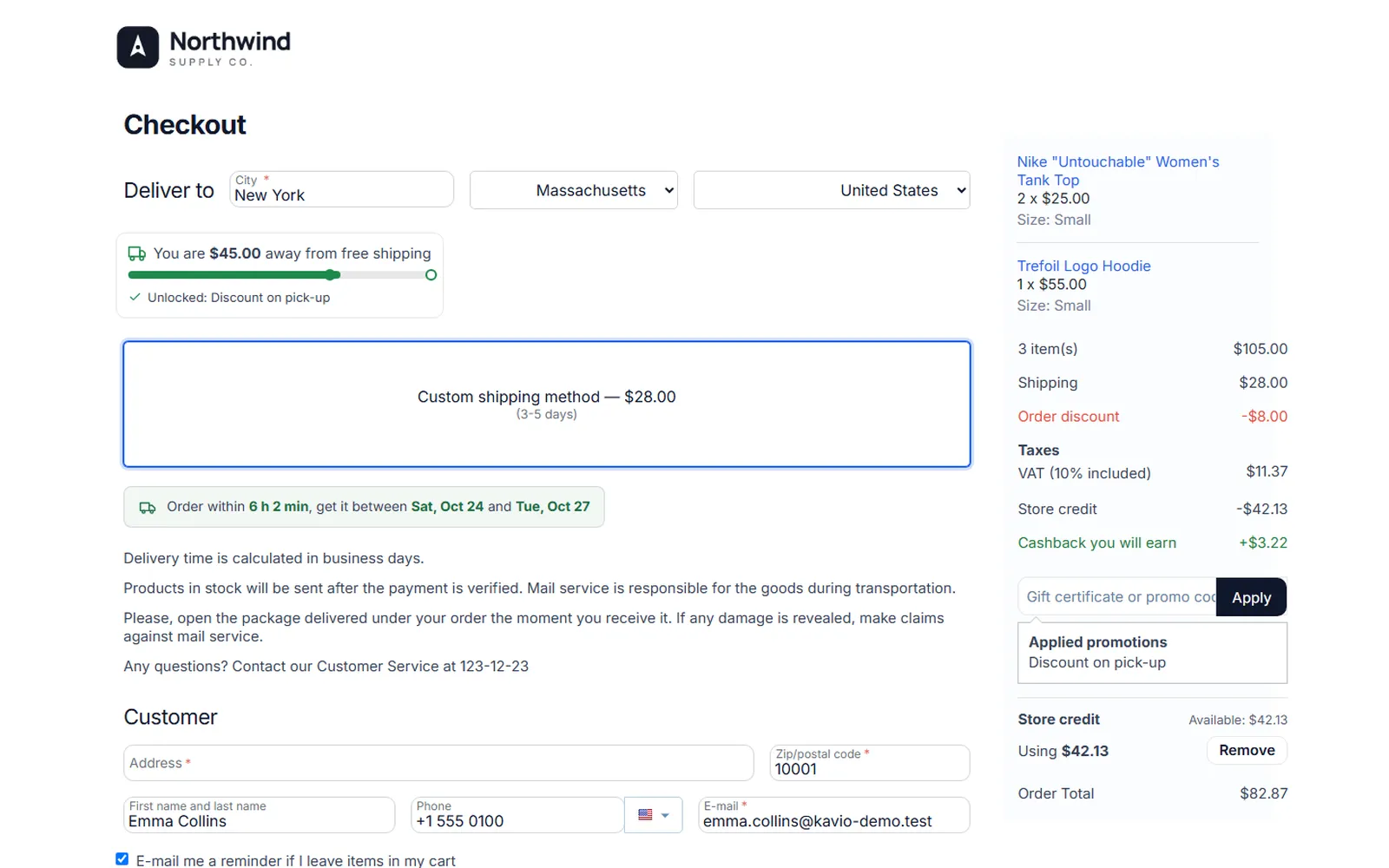
Checkout: store credit pays part of the order, cashback you will earn, new order total.
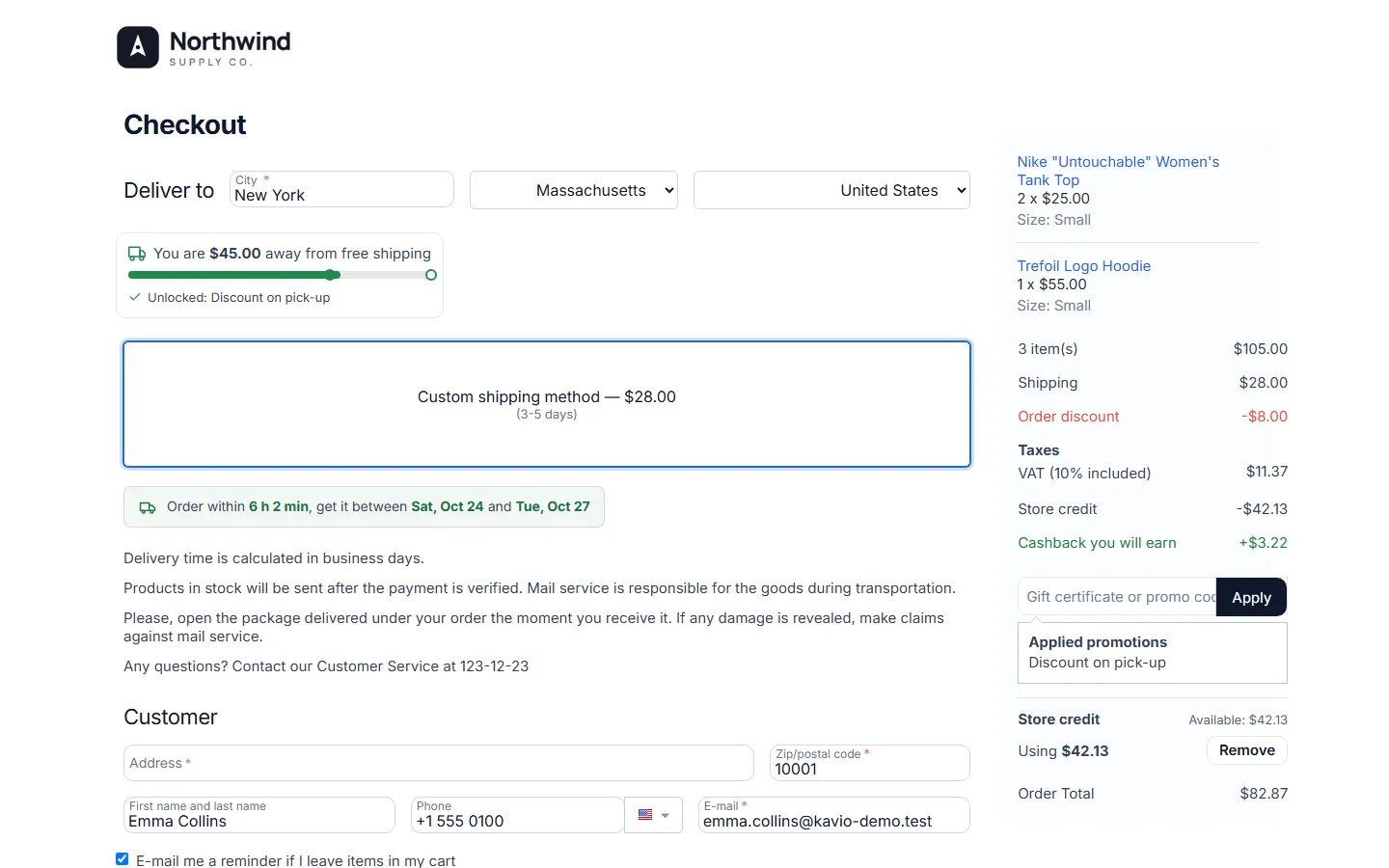
Checkout summary: “Store credit -$42.13”, “Cashback you will earn” and “Using $42.13 / Remove”.
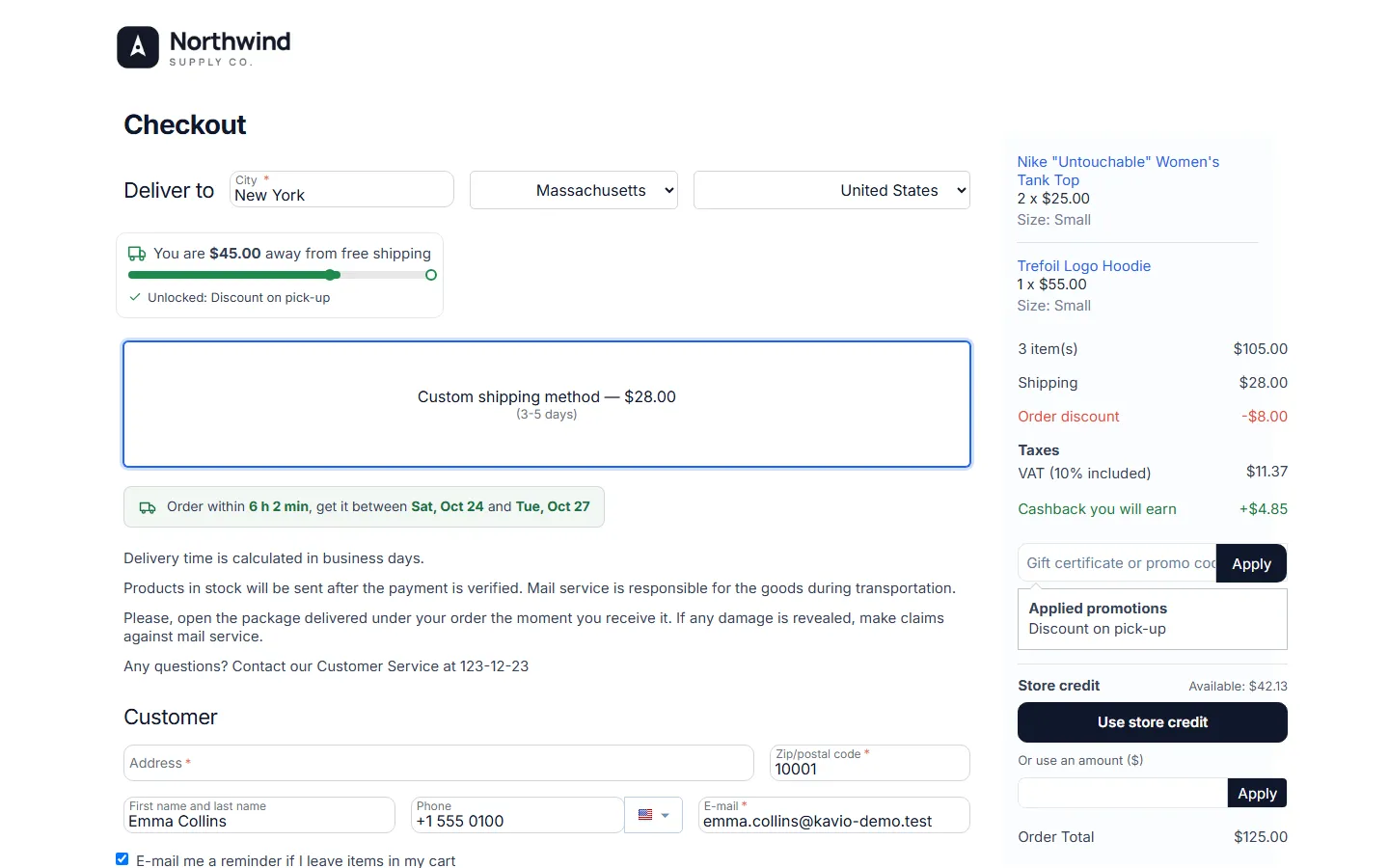
Checkout: available balance, “Use store credit” or an own amount.
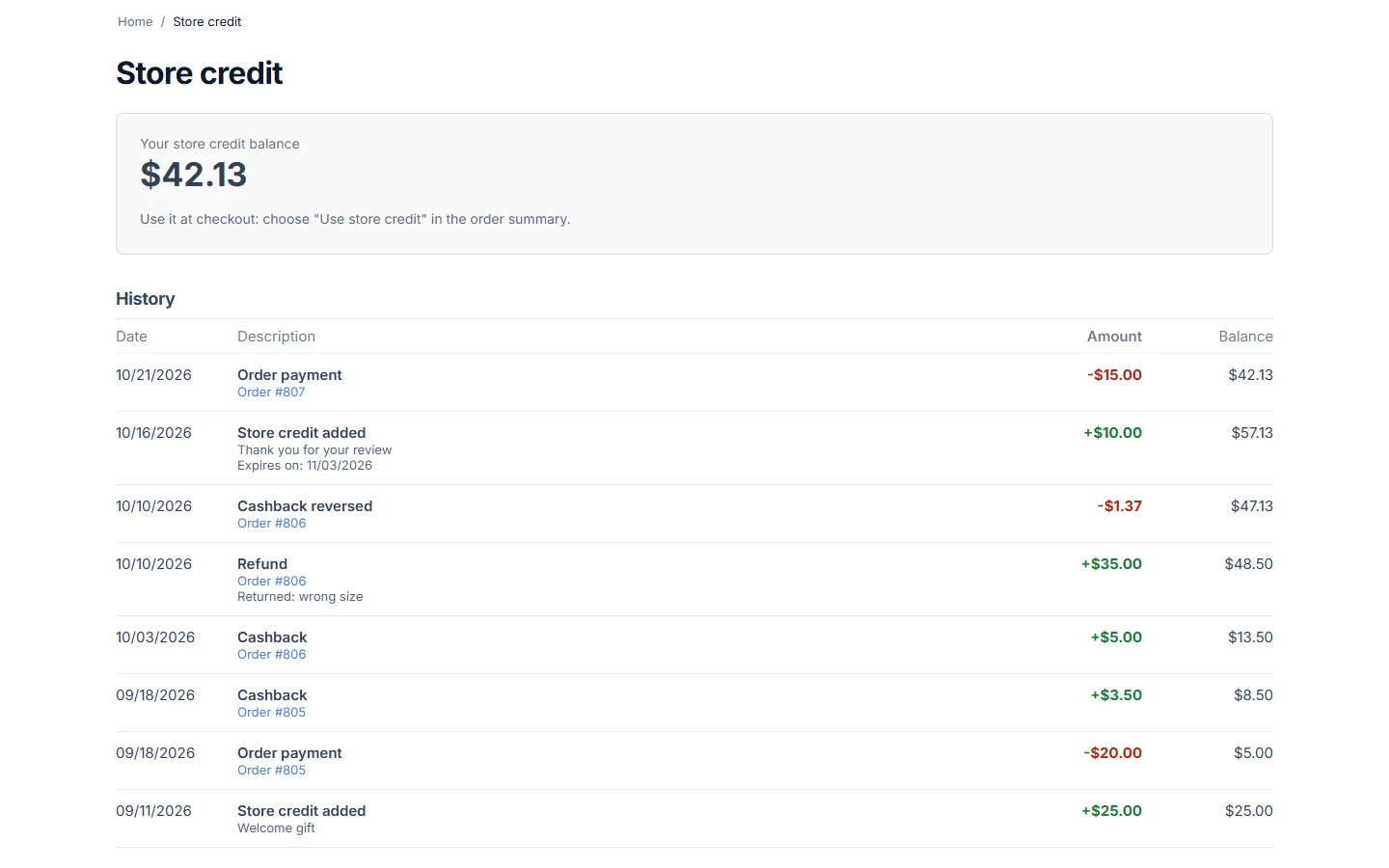
My account > Store credit: balance and full history with orders and notes.
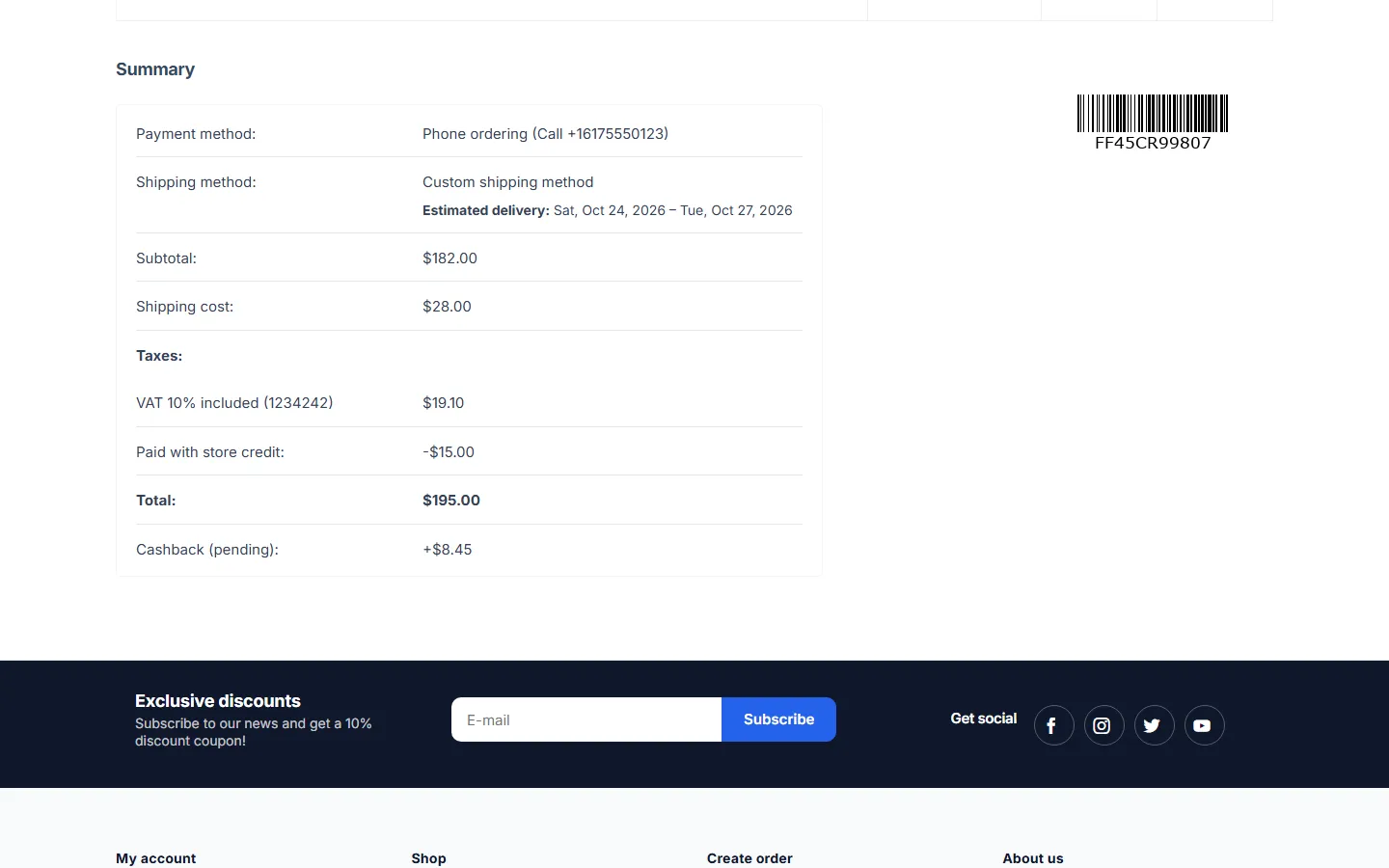
Customer order page: “Paid with store credit” and pending cashback.
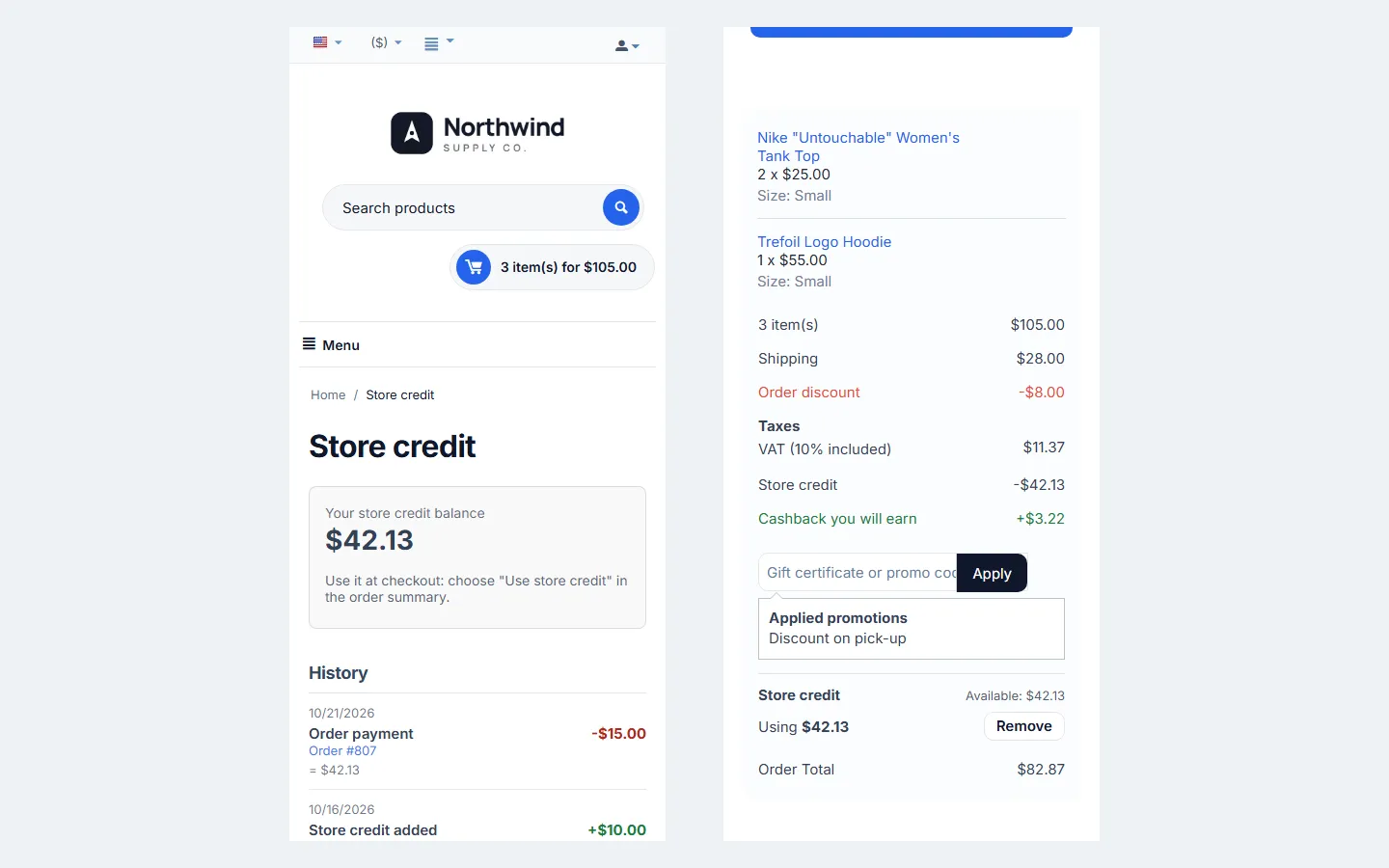
Store credit page and checkout summary at 390 px.
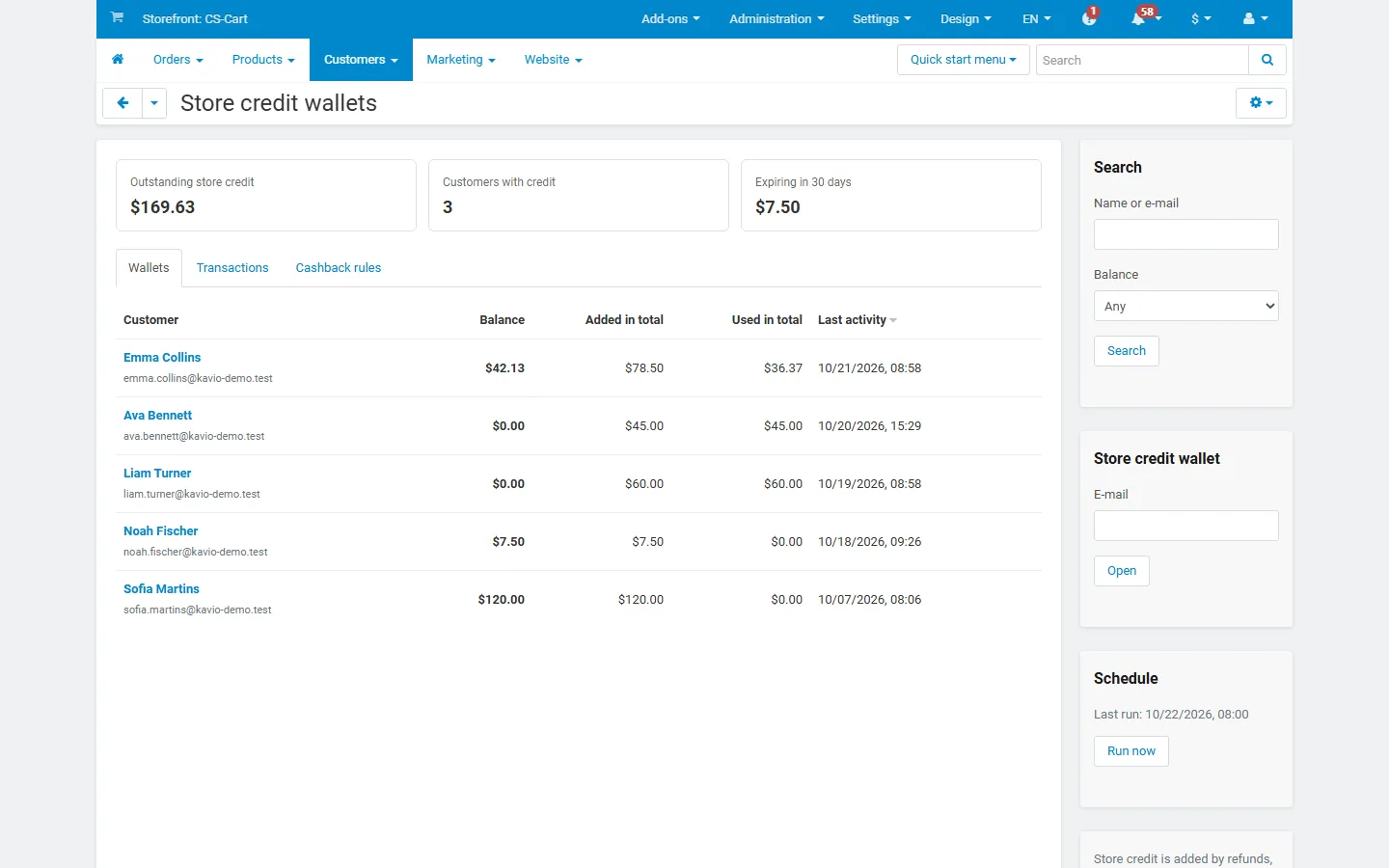
Customers > Store credit wallets: outstanding credit, customers with credit, expiring credit.
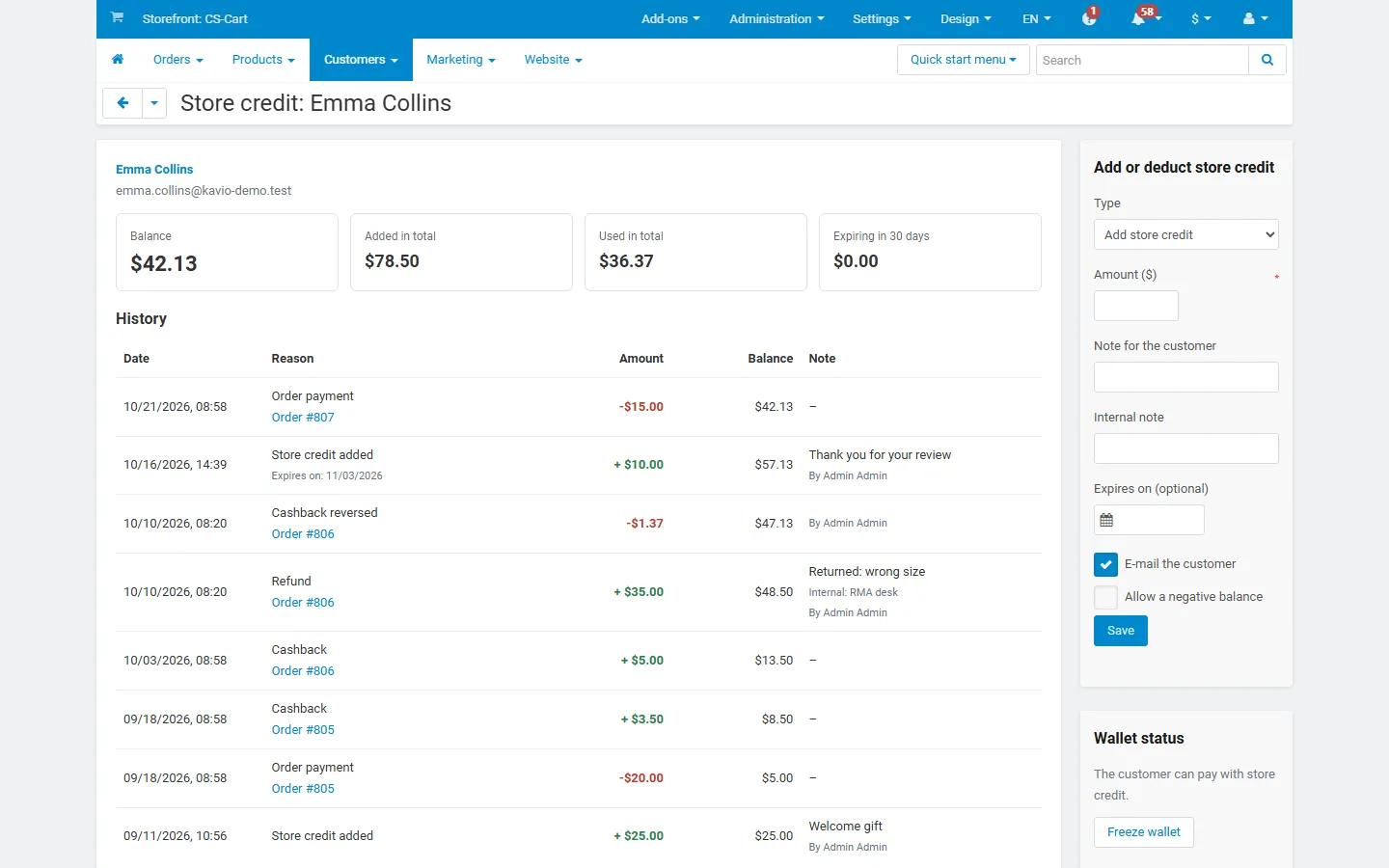
A customer’s wallet: ledger with reasons, orders, notes, add/deduct form and freeze.
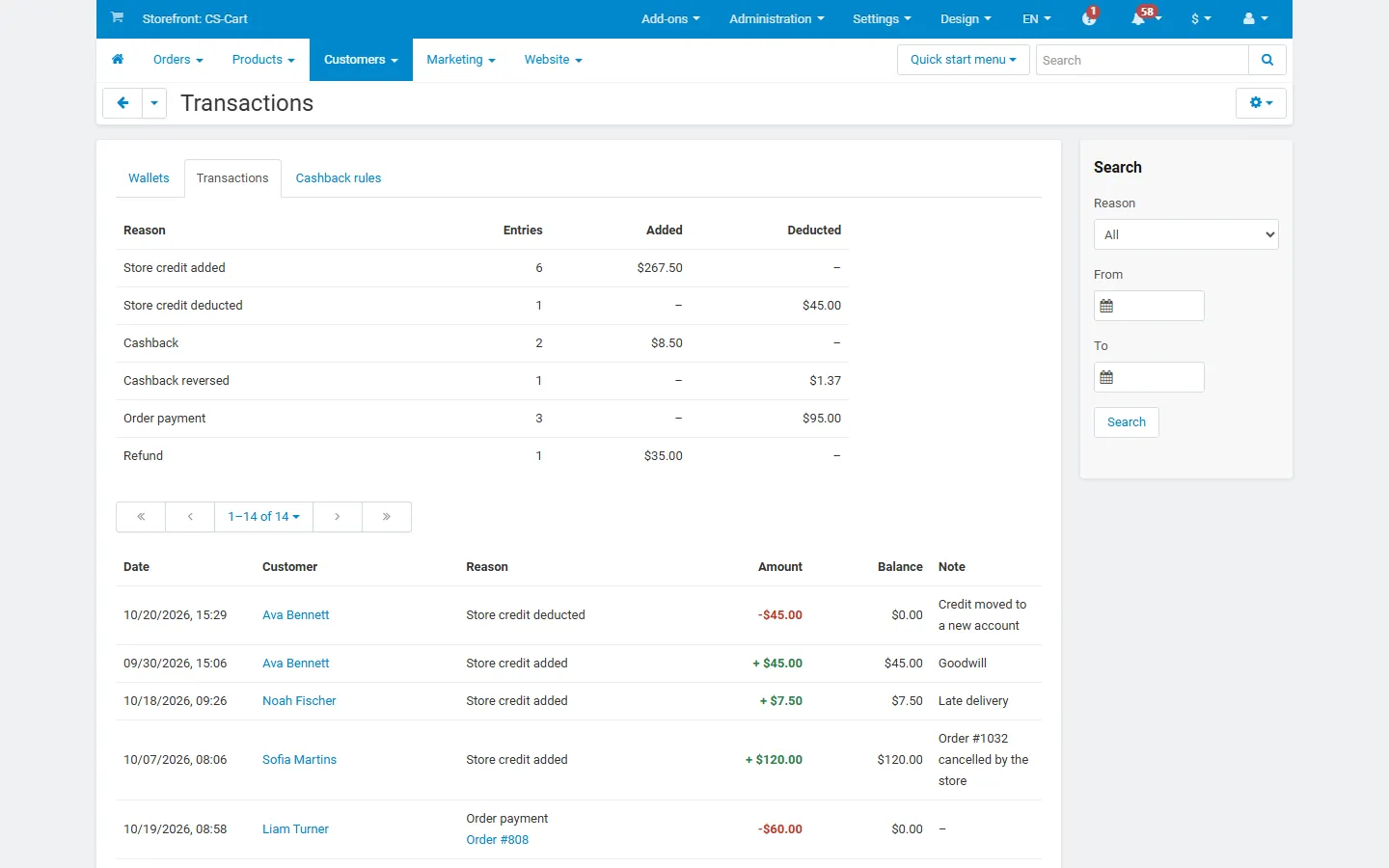
Transactions report: totals by reason, filters and CSV export.
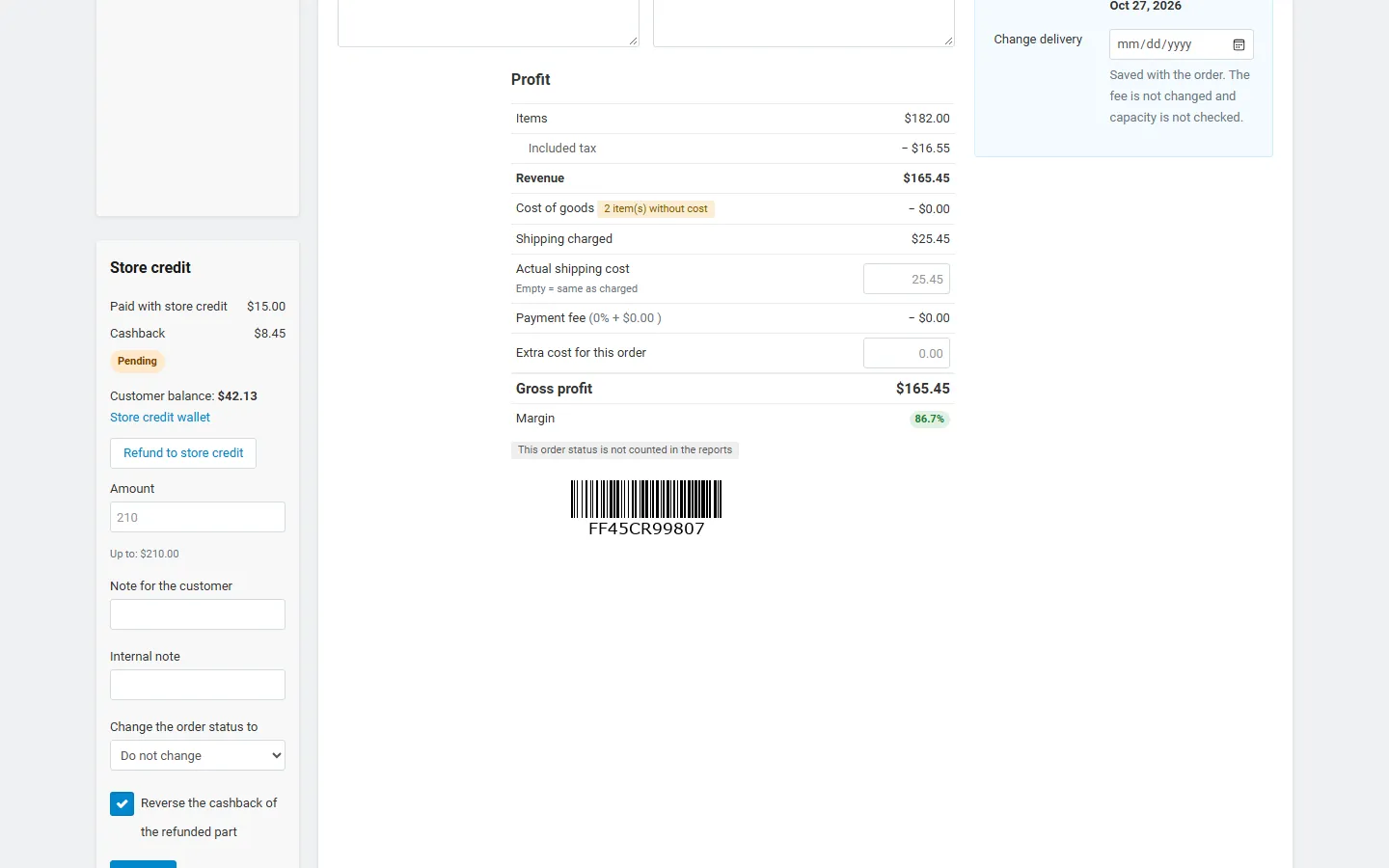
Admin order page: store credit panel with cashback state and “Refund to store credit”.
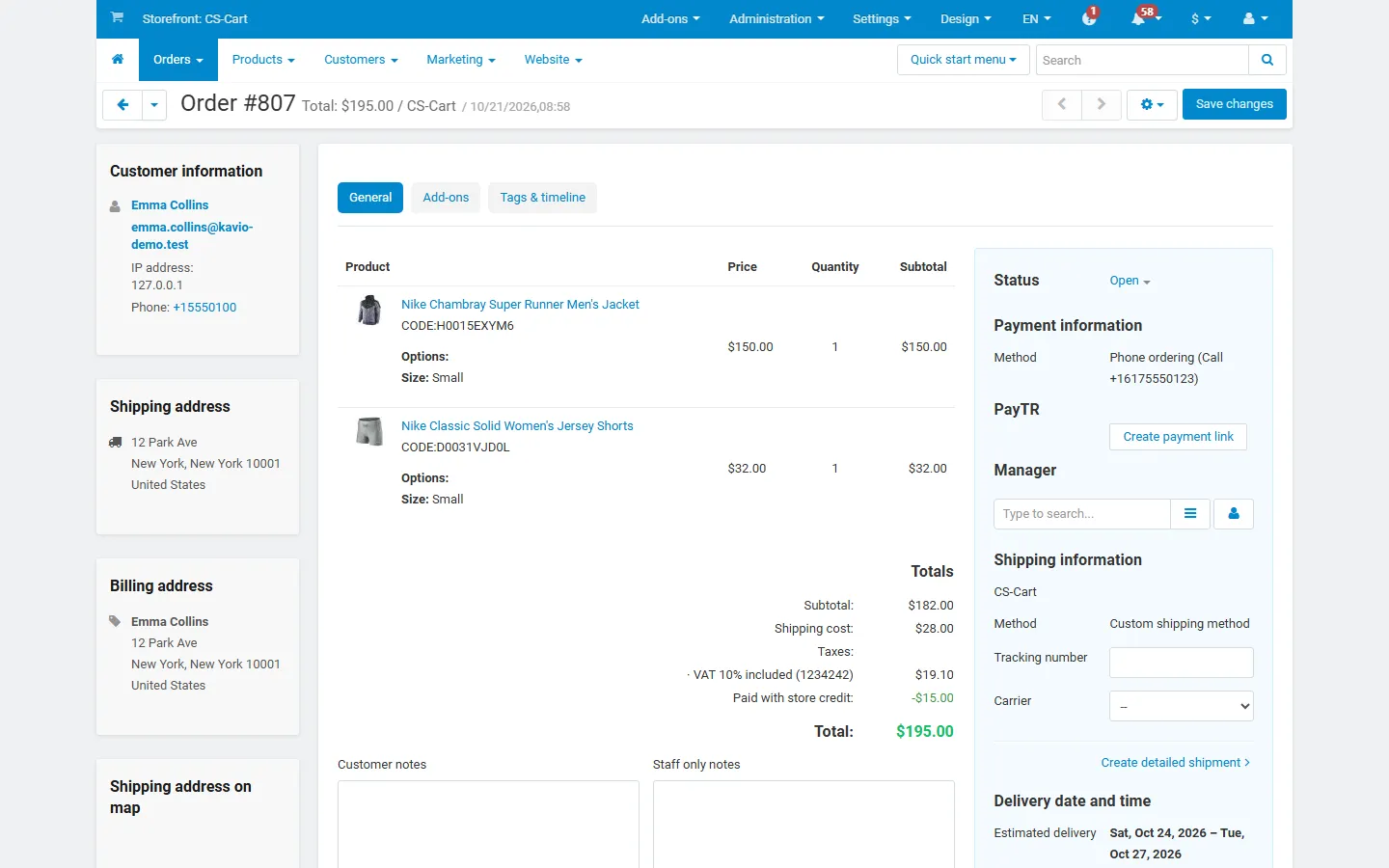
Admin order totals with the “Paid with store credit” line.
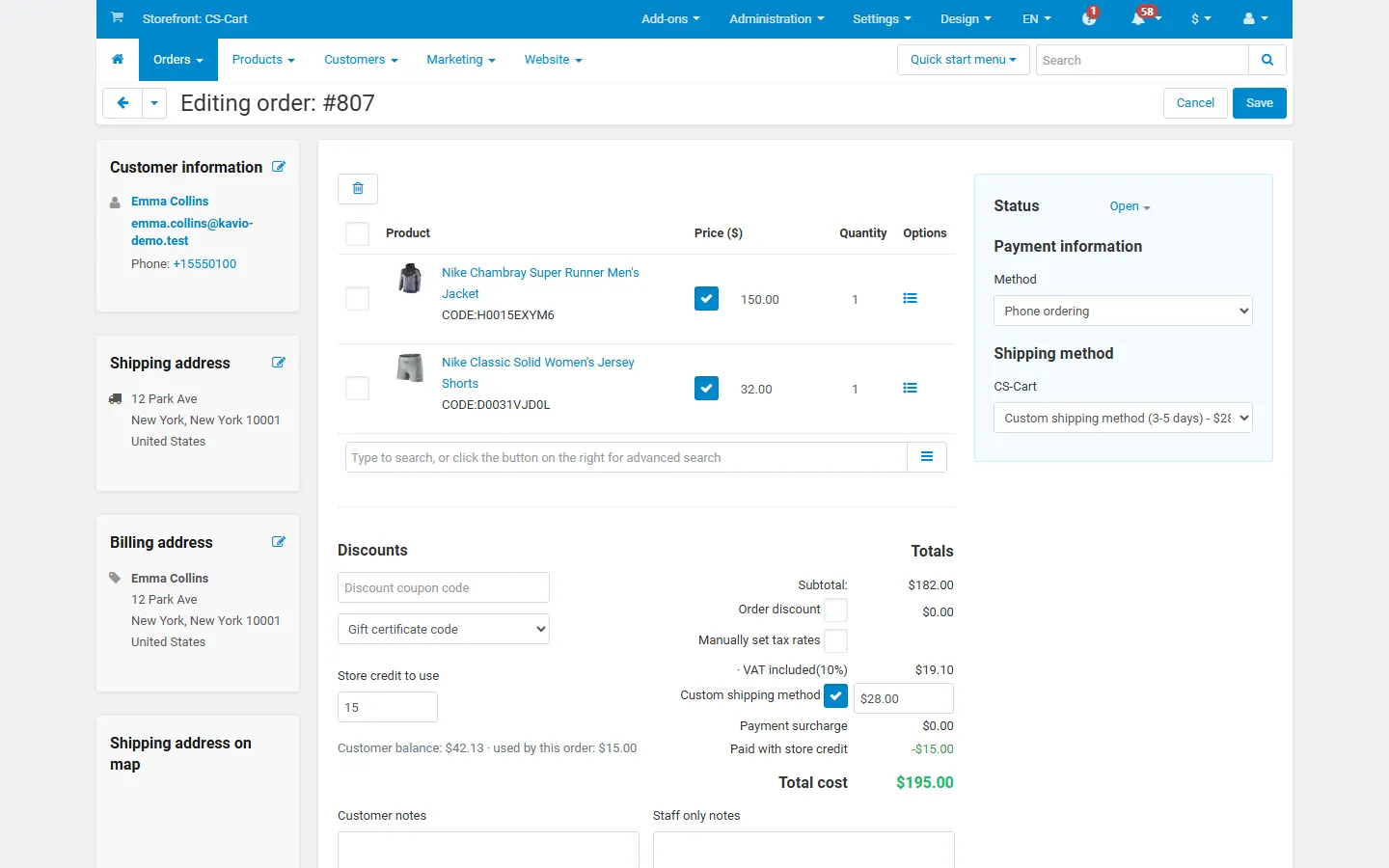
Order editor: “Store credit to use” with the customer balance.
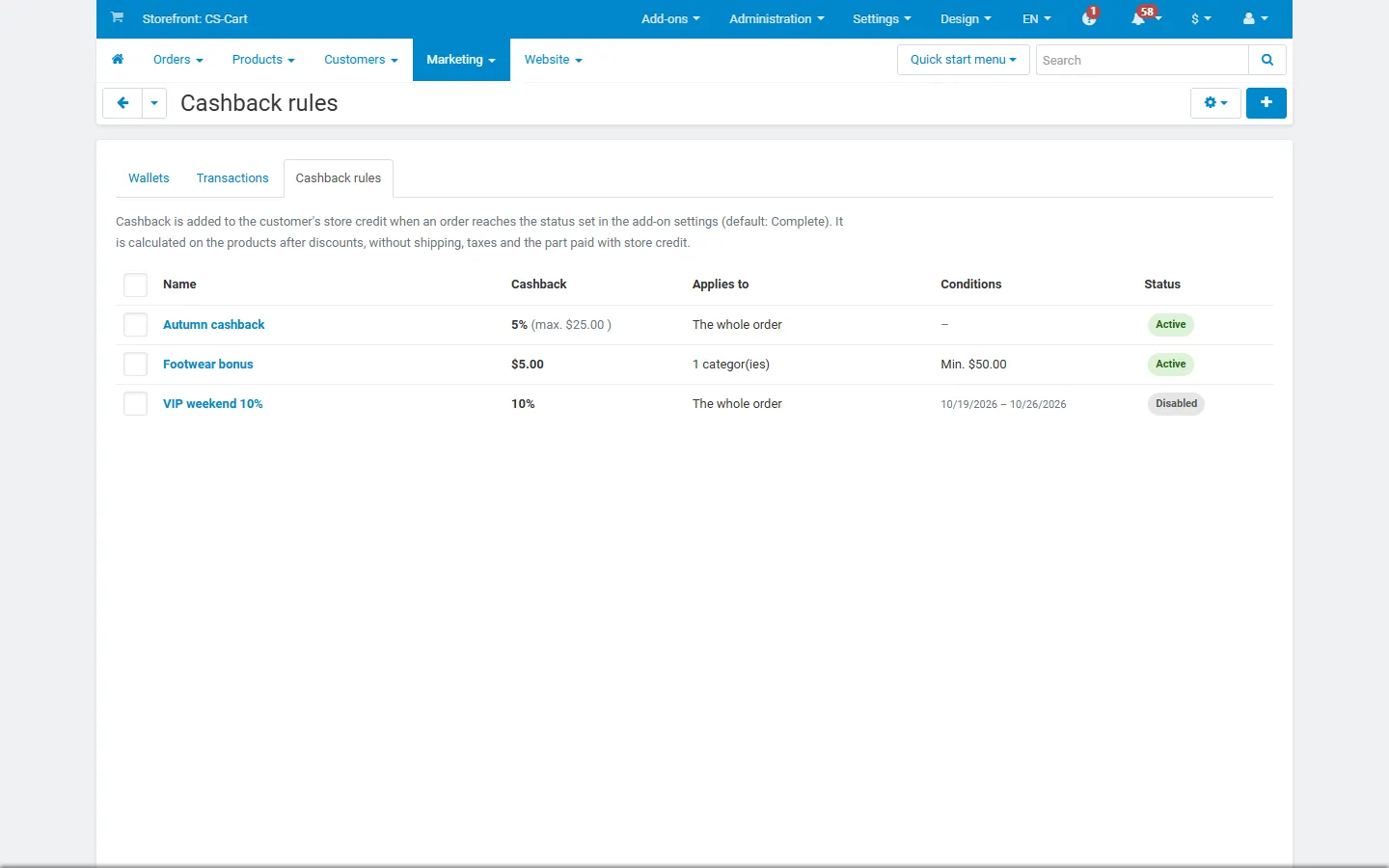
Marketing > Cashback rules.

Cashback rule editor: percent or fixed, categories, minimum, maximum, user groups, dates.
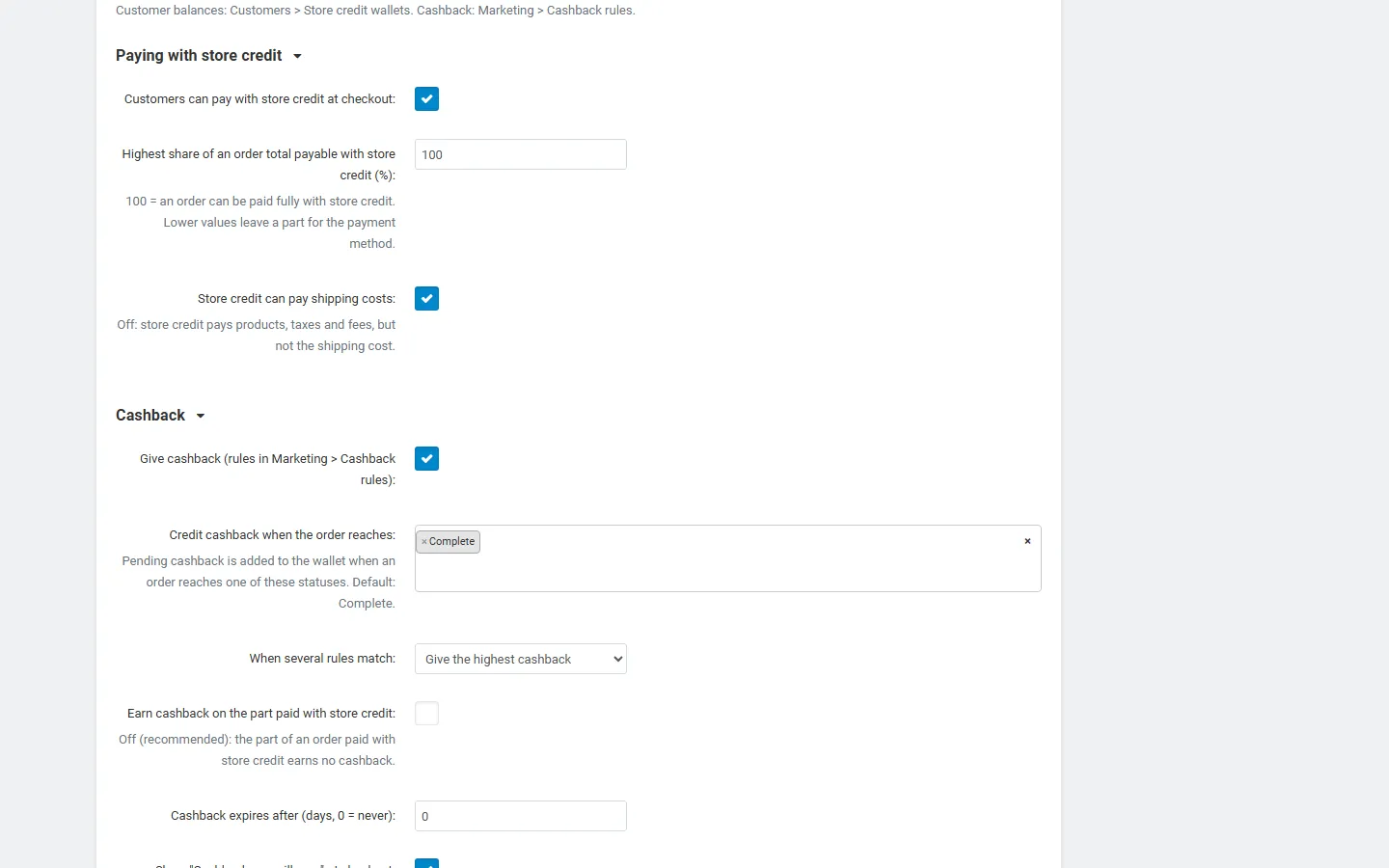
Settings: paying with store credit and cashback.
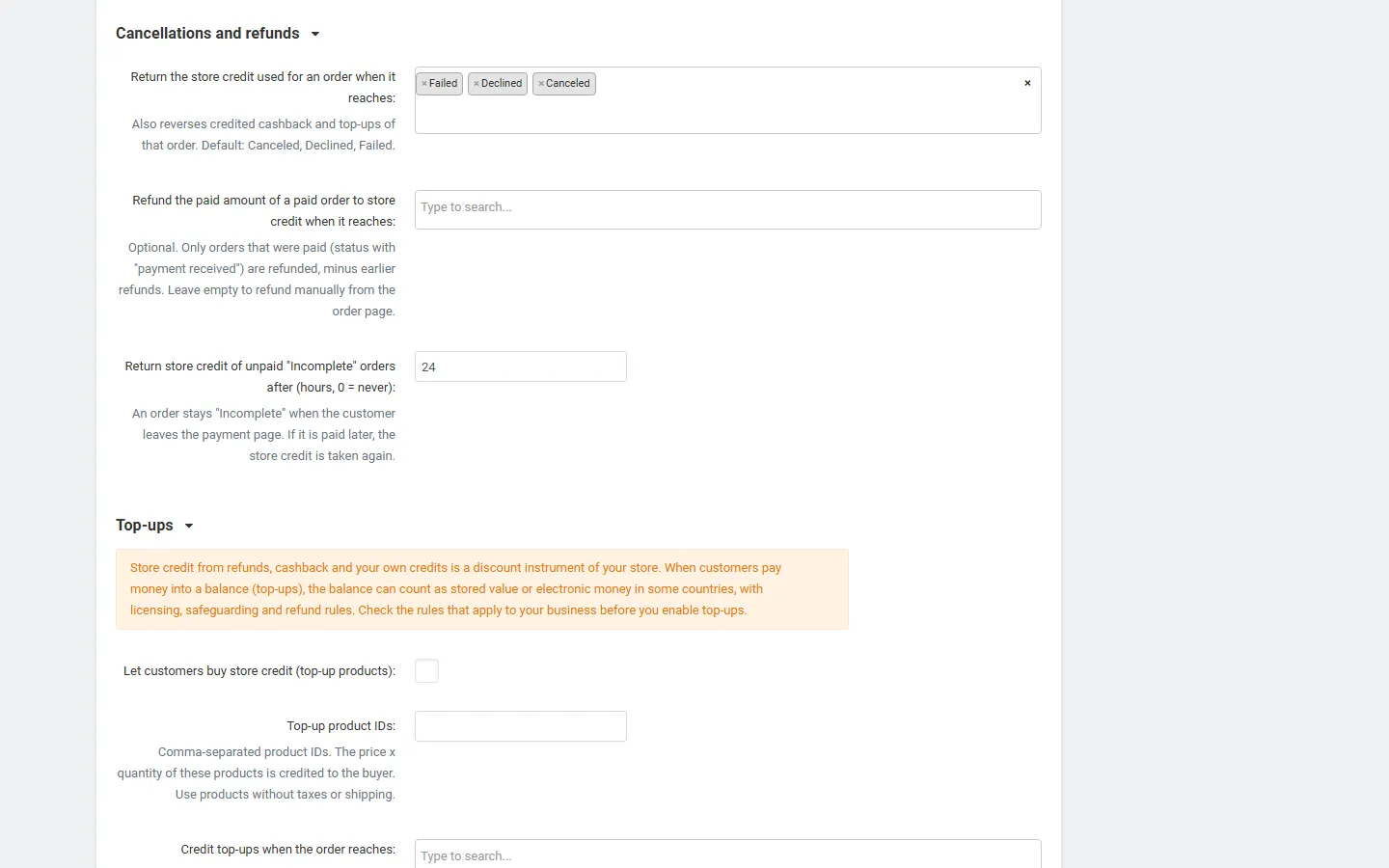
Settings: cancellations and refunds, top-ups (off) with the legal note.
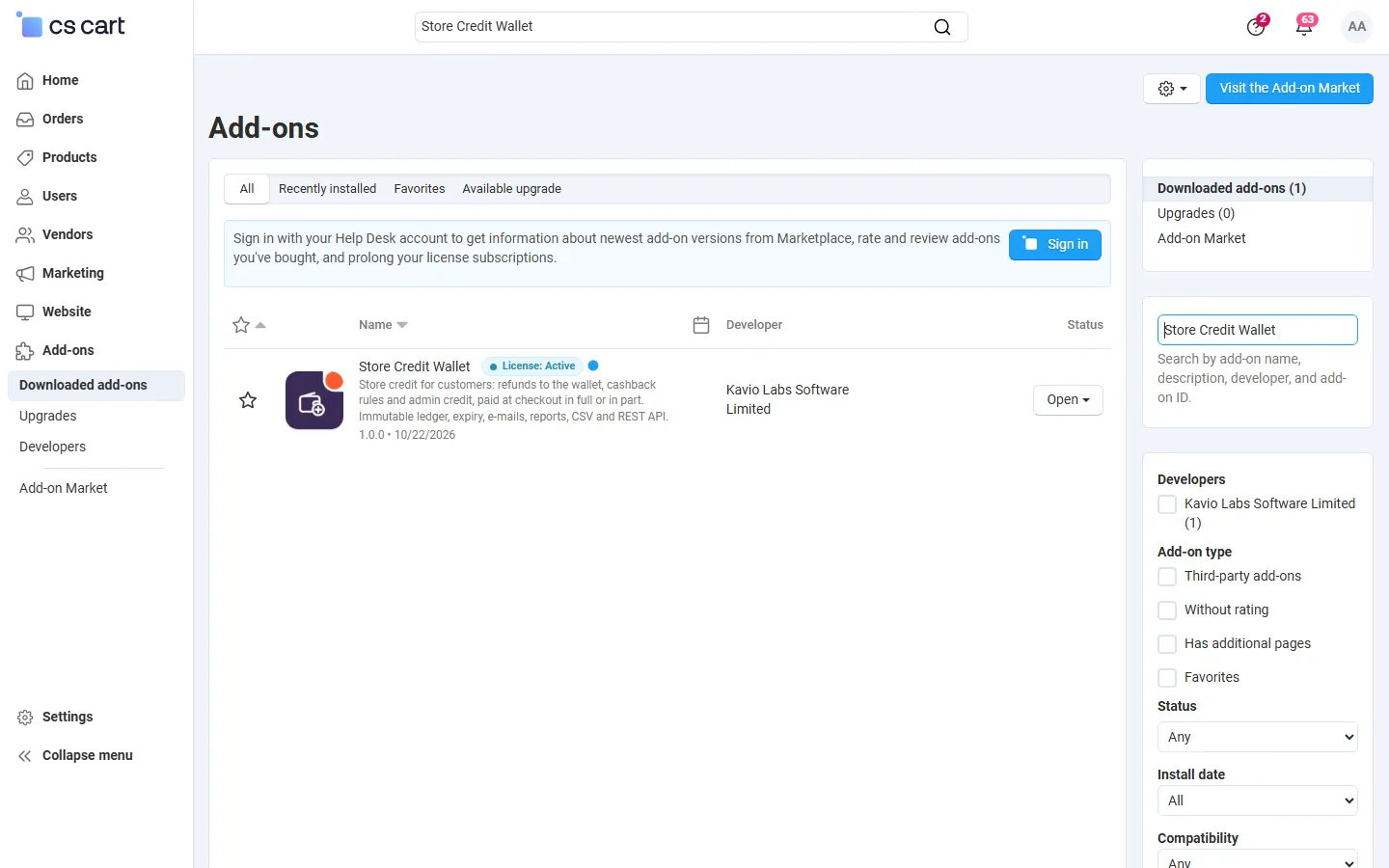
Add-ons list with Store Credit Wallet (placeholder icon until the integration step).
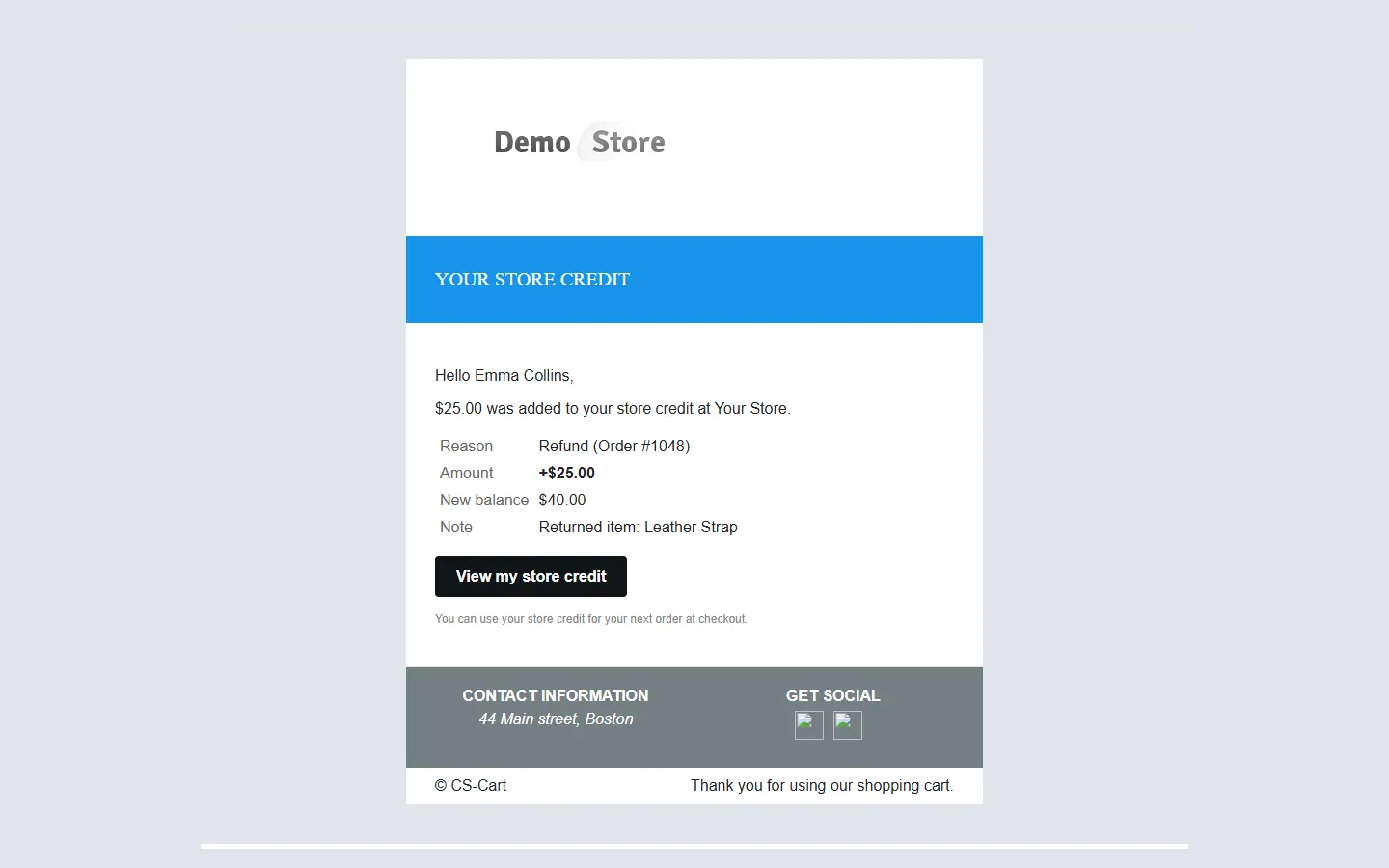
“Store credit added” e-mail.