

Configuration
Add-on settings
Section titled “Add-on settings”Add-ons > Manage add-ons > GPSR Product Safety & EU Guarantee Labels > Settings. On CS-Cart Ultimate the settings can differ per storefront.
General
Section titled “General”| Setting | Default | What it does |
|---|---|---|
| Enable | On | Master switch of the storefront output. The admin pages always work. |
| Show the guarantee and manufacturer card on product pages | On | The card under the “Add to cart” button: legal guarantee row, GARAN badge and manufacturer line. |
| Show the “Product safety” tab on product pages | On | The product tab with the manufacturer, the EU responsible person, the identifiers, warnings and the safety document. It is shown only when a product has something to show. You can move or rename the tab in Design > Product tabs. |
| Show GARAN producer guarantee labels | On | GARAN badge for products with a producer guarantee of more than two years. |
Legal guarantee notice
Section titled “Legal guarantee notice”| Setting | Default | What it does |
|---|---|---|
| Show the notice at checkout | On | A card with the notice before the terms and conditions (pre-contract information). Click opens it full size. |
| Show the legal guarantee row on product pages | On | “2-year legal guarantee” in the product page card; “View notice” opens the notice. |
| Link the legal guarantee page in the footer | On | A “Legal guarantee” link: inside the “Withdraw from contract here” strip of EU Withdrawal Button & Returns Portal (1.0.1 or later) when that strip is shown, otherwise a small line at the bottom of the page. |
| Hide the notice for products without shipping | On | Downloads and services do not show the legal guarantee row; at checkout the card is skipped when no item of the cart needs shipping. |
| Legal guarantee period shown (years) | 2 | 2 years is the EU minimum. Some countries have longer periods; enter the period of the country you sell to (1 – 10). |
Guarantee notice (Products > Product safety (GPSR) > Guarantee notice)
Section titled “Guarantee notice (Products > Product safety (GPSR) > Guarantee notice)”The harmonised notice must not be edited and must be shown in colour online, so the add-on does not draw it: you upload the official file of each language you sell in.
- Click Download the official notice and label files (European Commission, Your Europe). Pick the notice of each language you need.
- Upload one image per storefront language (PNG, JPG or WebP; at least 600 px wide so the QR code stays scannable). The page warns about smaller images.
- Save. A language without its own image shows the image of the default language (or another uploaded one).
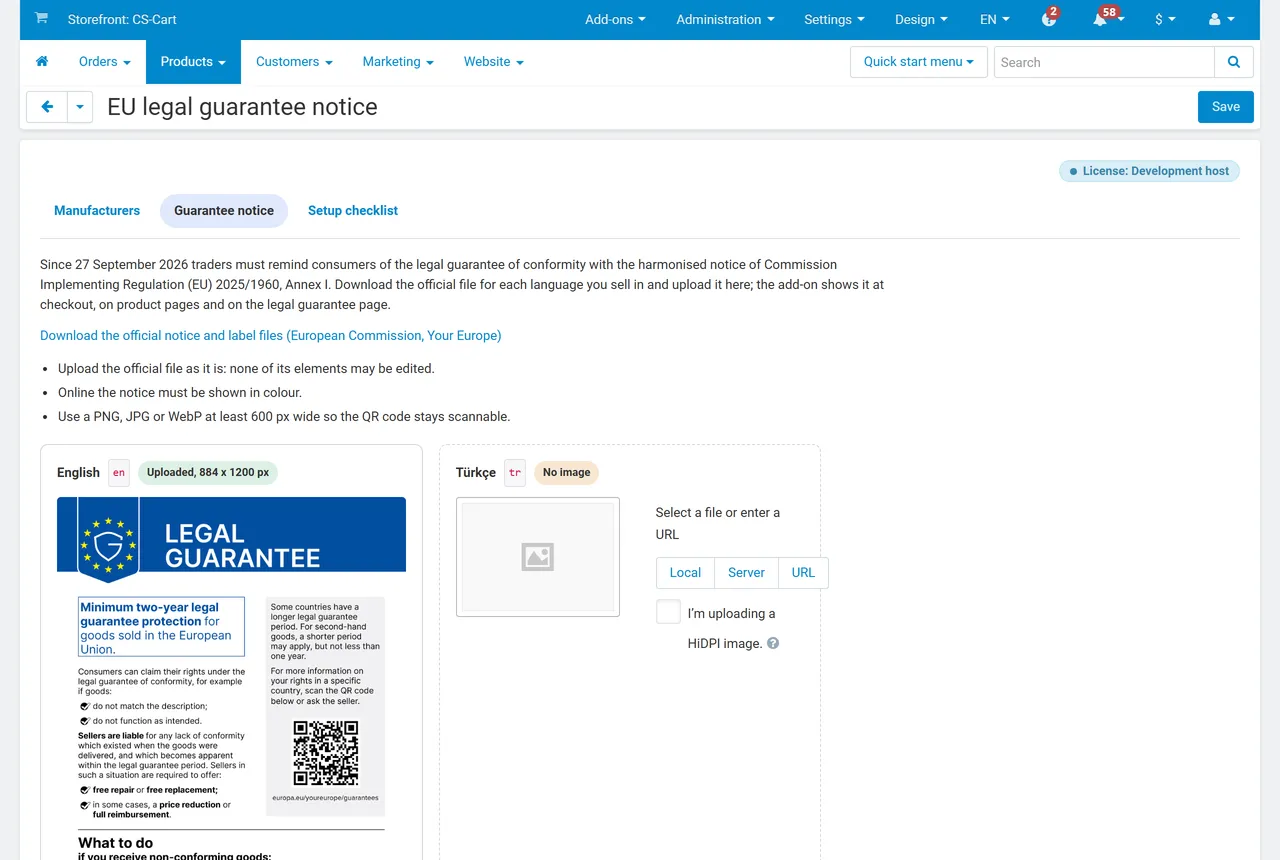
Without any notice image the legal guarantee row, the checkout card and the footer link are not shown, and nothing else changes on the storefront.
Manufacturers (Products > Product safety (GPSR) > Manufacturers)
Section titled “Manufacturers (Products > Product safety (GPSR) > Manufacturers)”Add each manufacturer once:
| Field | Notes |
|---|---|
| Name or trade mark | Shown as “Manufacturer: …” (required). |
| Registered trade name | The company name, when it differs from the brand. |
| Postal address, e-mail, website | GPSR Article 19(a): postal and electronic address. |
| Outside the EU | Shows the EU responsible person fields: name, postal address and e-mail (Article 19(b)). |
| Default manufacturer | Used for products without their own choice and without a linked brand (one per vendor or storefront, plus one shared). |
| Brands | Links “Brand” feature values to the manufacturer: products of these brands use it automatically. |
The list marks records that miss an address, an e-mail or the EU responsible person.
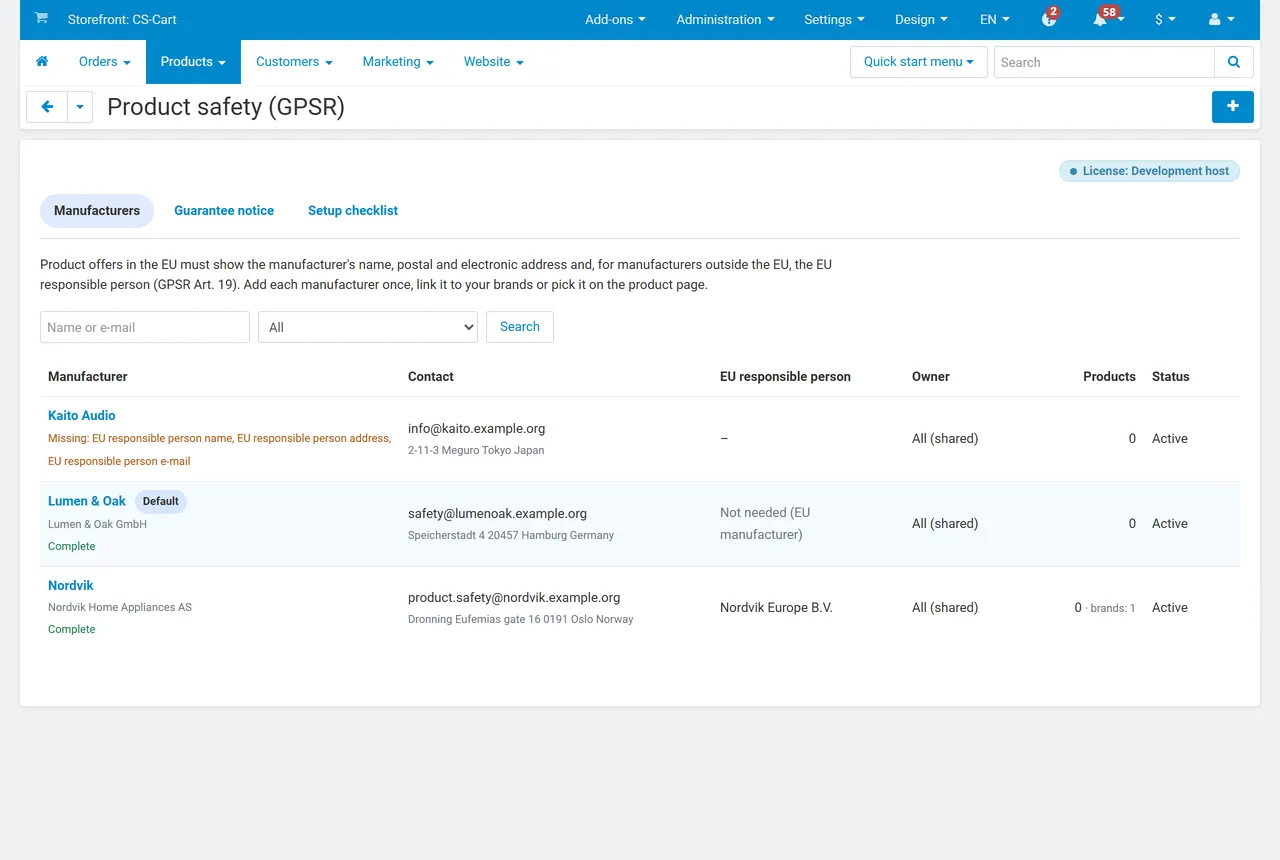
Product tab (Catalog > Products > product > Product safety & guarantee)
Section titled “Product tab (Catalog > Products > product > Product safety & guarantee)”| Field | Notes |
|---|---|
| Manufacturer | “Automatic” uses the brand link, then the default manufacturer. The tab shows which manufacturer applies now and why. |
| GTIN / EAN, MPN, Type, batch or serial number | Shown with the product code in the “Product safety” tab. |
| Warnings and safety information | Per language: switch the content language at the top of the page to enter the other languages. Plain text; line breaks are kept. |
| Safety document link | Instructions or a safety data sheet (PDF). |
| GARAN: producer guarantee (years), brand, model identifier, label image | Shown for more than 2 years. Brand defaults to the product’s brand, the model to the product code. Upload the label the producer gives you. |
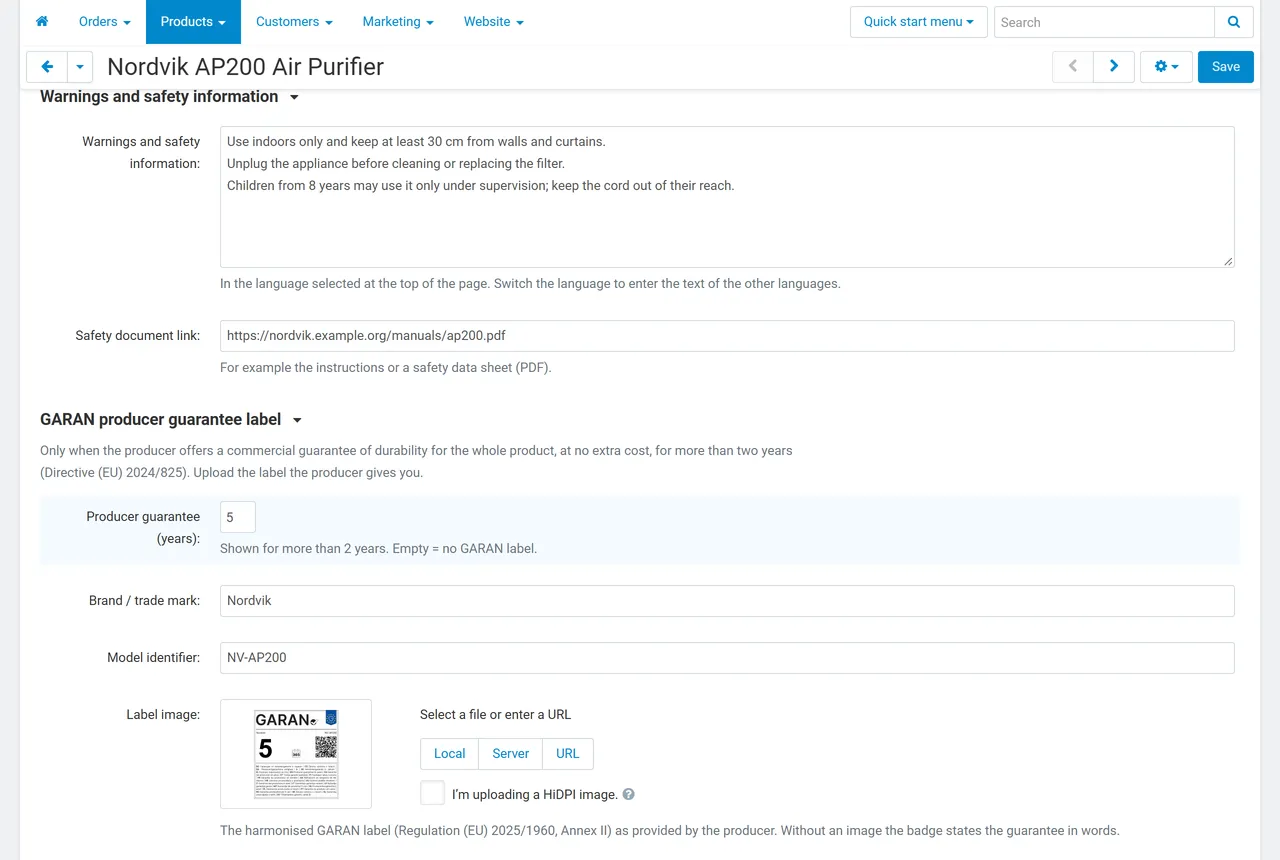
Every storefront text is a language variable (kv_eu_product_safety_gpsr.*), so you can change it per language in Administration > Languages > Translations, for example to use the wording of your country.