

Usage
Product page
Section titled “Product page”The quantity field takes decimals with a dot or a comma (1.25 or 1,25). The plus and minus buttons and the arrow keys move by the step, the preset buttons fill in a quantity, and the line total is shown while the shopper types. Quantities outside the step, the minimum or the maximum are corrected with a short notice (“The quantity of Aged Cheddar was adjusted to 1.235 kg.”).
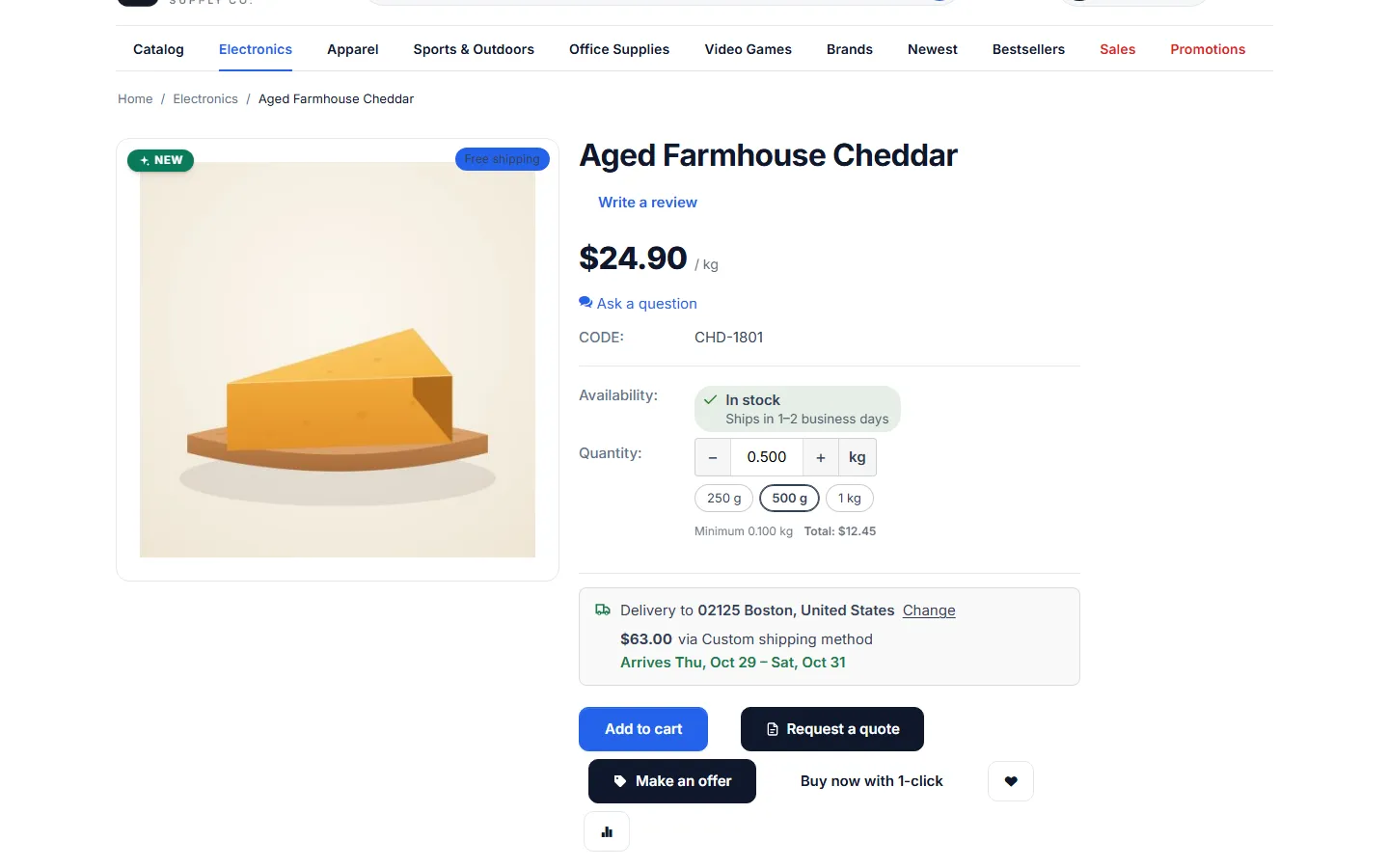
On product lists, Add to cart adds the default quantity of the product (the minimum when no default is set). On Nova (4.21), the add-to-cart stepper is replaced by the decimal field for these products.
Cart and checkout
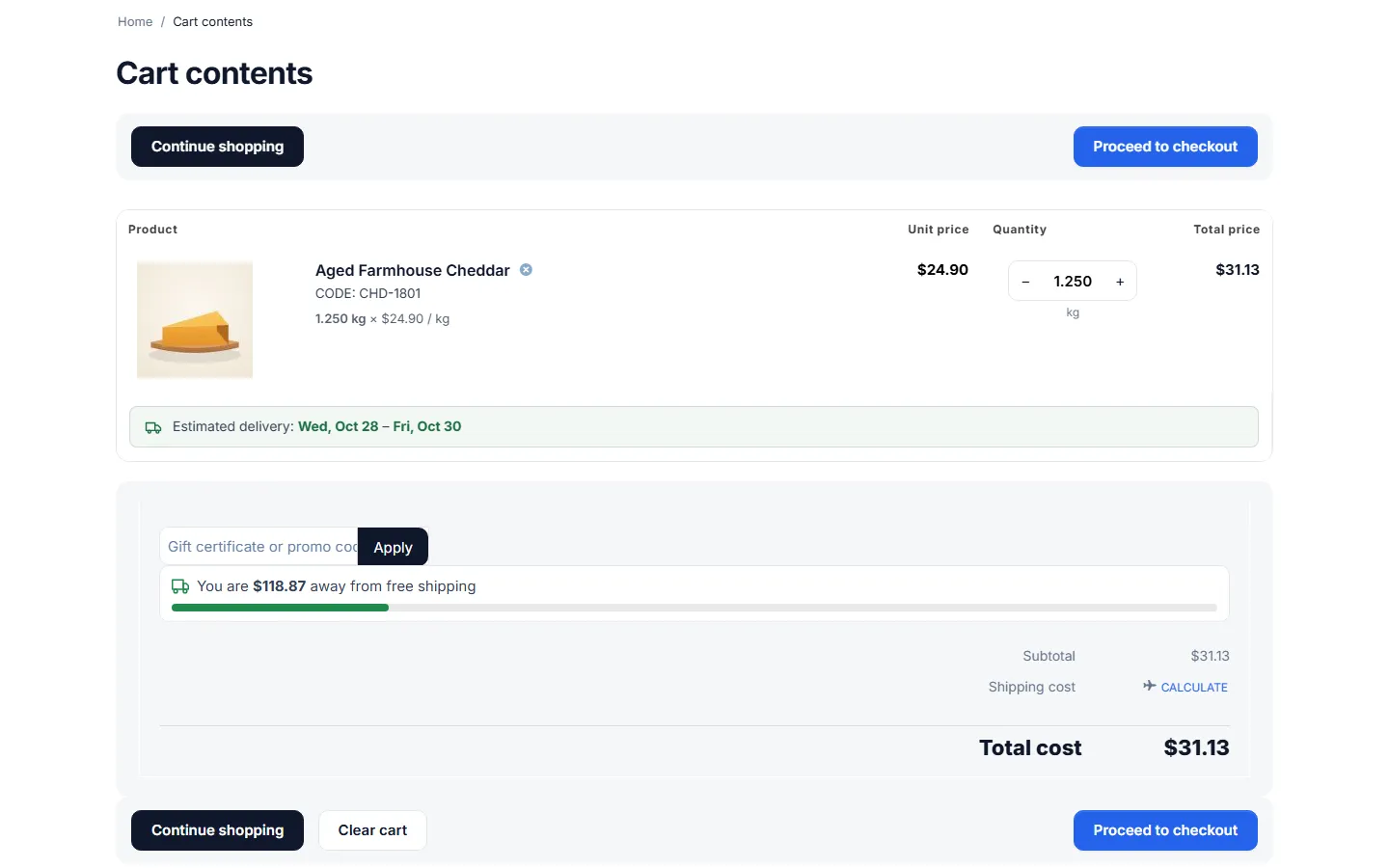
Section titled “Cart and checkout”- Each product sold by a measure is one cart line. Adding the same product again adds to the quantity of that line (1.25 kg + 0.5 kg = 1.75 kg).
- The quantity field of the cart takes decimals; the price column shows the unit price and the line shows “1.250 kg × $12.99 / kg”.
- The mini cart shows “1.250 kg · $16.24”.
- When less is in stock than the shopper asks for, the quantity is reduced to what is left, with a notice.
Prices, taxes and promotions
Section titled “Prices, taxes and promotions”The line price is the unit price (after option modifiers, quantity discounts and catalog promotions) × the quantity, rounded to the cent once: 12.99 × 1.25 = 16.2375 → $16.24. Everything after that works on the line price:
- Taxes included in the price or added to it, per line or on the subtotal;
- Cart promotions and coupons (order discounts, discounts on products, free shipping);
- Secondary currencies (the line is converted like any other line);
- Shipping by weight (product weight × quantity).
A catalog promotion with a fixed amount (“$1 off”) applies per unit, like the price.
Orders and documents
Section titled “Orders and documents”Order lines keep the quantity, the unit and the unit price. The customer’s order page, the admin order page, invoices, packing slips and order e-mails show “1.250 kg” in the quantity column and “$12.99 / kg” in the price column; the line total is the exact price.
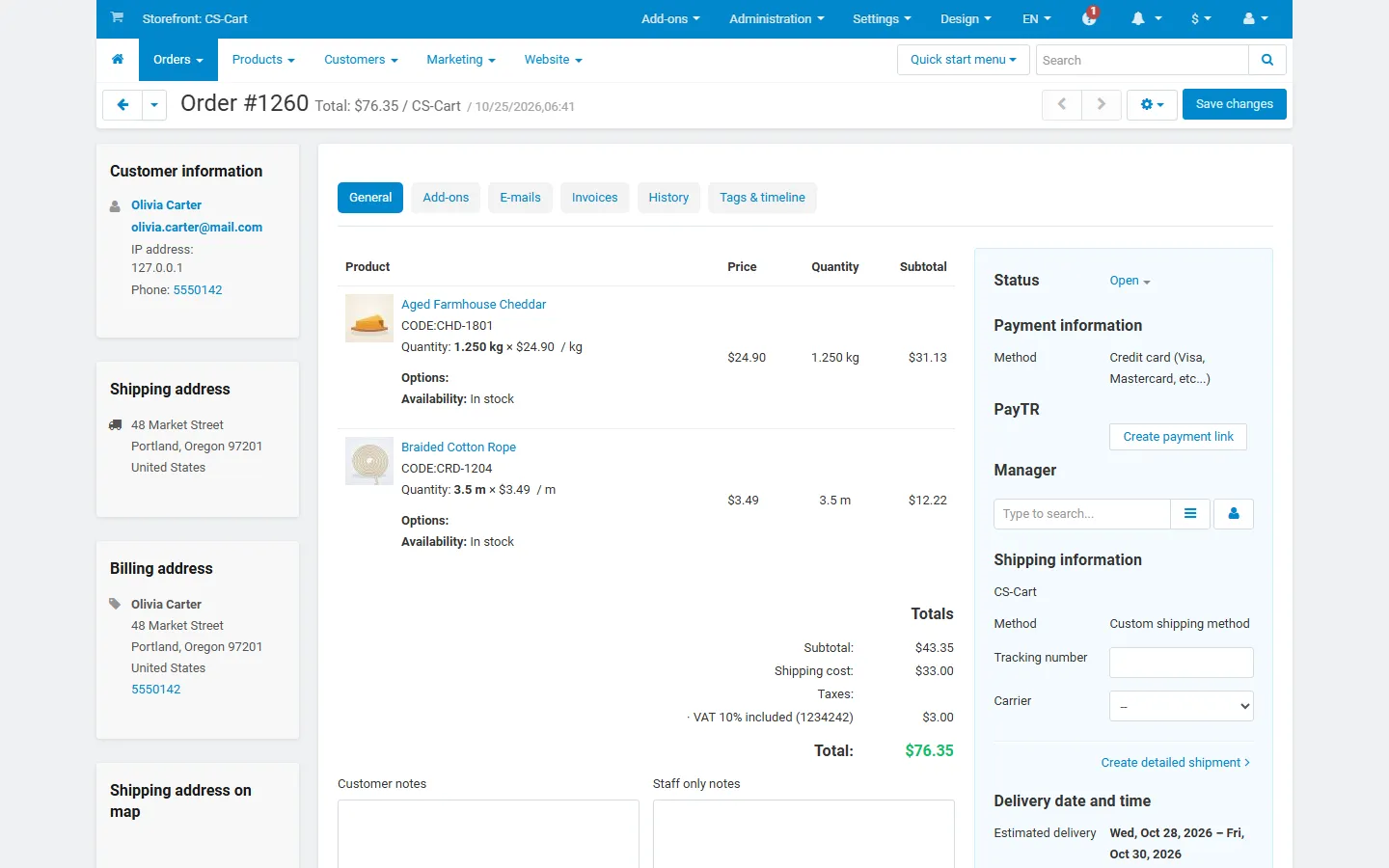
In the admin panel, the quantity column of an order shows the number of lines (1), with “Quantity: 1.250 kg × $12.99 / kg” under the product name. Shipments count lines too: shipping the line ships the whole 1.250 kg.
Editing an order
Section titled “Editing an order”In the order editor, the quantity field shows 1.250 and takes decimals. When the line has a fixed price and you change the quantity, the price follows the quantity (1.250 kg at $16.24 → 2 kg at $25.98). The stock is corrected by the difference when you save.
Cancellations and returns
Section titled “Cancellations and returns”A canceled or declined order gives back the exact quantity of each line. Returns (the core RMA add-on) give back the exact quantity of the returned line.
Reorder
Section titled “Reorder”Re-order on the customer’s order page adds the same quantities again.
Payments
Section titled “Payments”Payment services receive each line as “1 × line total” (Aged Cheddar, 1 × $16.24). The order total is unchanged. This is what PayPal, Stripe and other gateways need, because they only accept whole quantities.
Import and export
Section titled “Import and export”Administration > Export data > Products and Import data > Products have seven columns:
| Column | Example |
|---|---|
| Sale unit | kg (empty = whole items) |
| Measure: quantity step | 0.005 |
| Measure: minimum quantity | 0.1 |
| Measure: maximum quantity | 5 |
| Measure: default quantity | 0.5 |
| Measure: preset quantities | 0.25, 0.5, 1 |
| Measure: exact stock | 8.75 |
Unit codes: kg, g, lb, oz, m, cm, ft, yd, in, m2, ft2, l, ml, gal, floz. Import Measure: exact stock without the Quantity column, or with the rounded-up value, so the two do not disagree.
REST API
Section titled “REST API”GET /api/products/:idreturnskv_fq_settings(unit, step, min, max, default_qty, presets, stock as decimal strings).PUT /api/products/:idwith{"kv_fq": {"unit": "kg", "step": "0.005", "min": "0.1", "presets": "0.25, 0.5, 1", "stock": "8.75"}}changes them ("unit": ""= whole items).POST /api/orderstakes decimal amounts:"products": {"123": {"product_id": 123, "amount": 1.75}}.GET /api/orders/:id: measured lines haveamount1,price= line total andkv_fqwithqty(“1.75”),unit,label(“1.750 kg”) andunit_price.
Multi-Vendor
Section titled “Multi-Vendor”Vendors set the sale unit, step, limits, presets and exact stock of their own products in the vendor panel while Vendors can set sale units is on. Orders with products of several vendors are split as usual; every vendor order keeps its exact lines.