

AI Product Content Generator screenshots
Real screenshots from our CS-Cart and Multi-Vendor test stores with the add-on installed and the English interface.
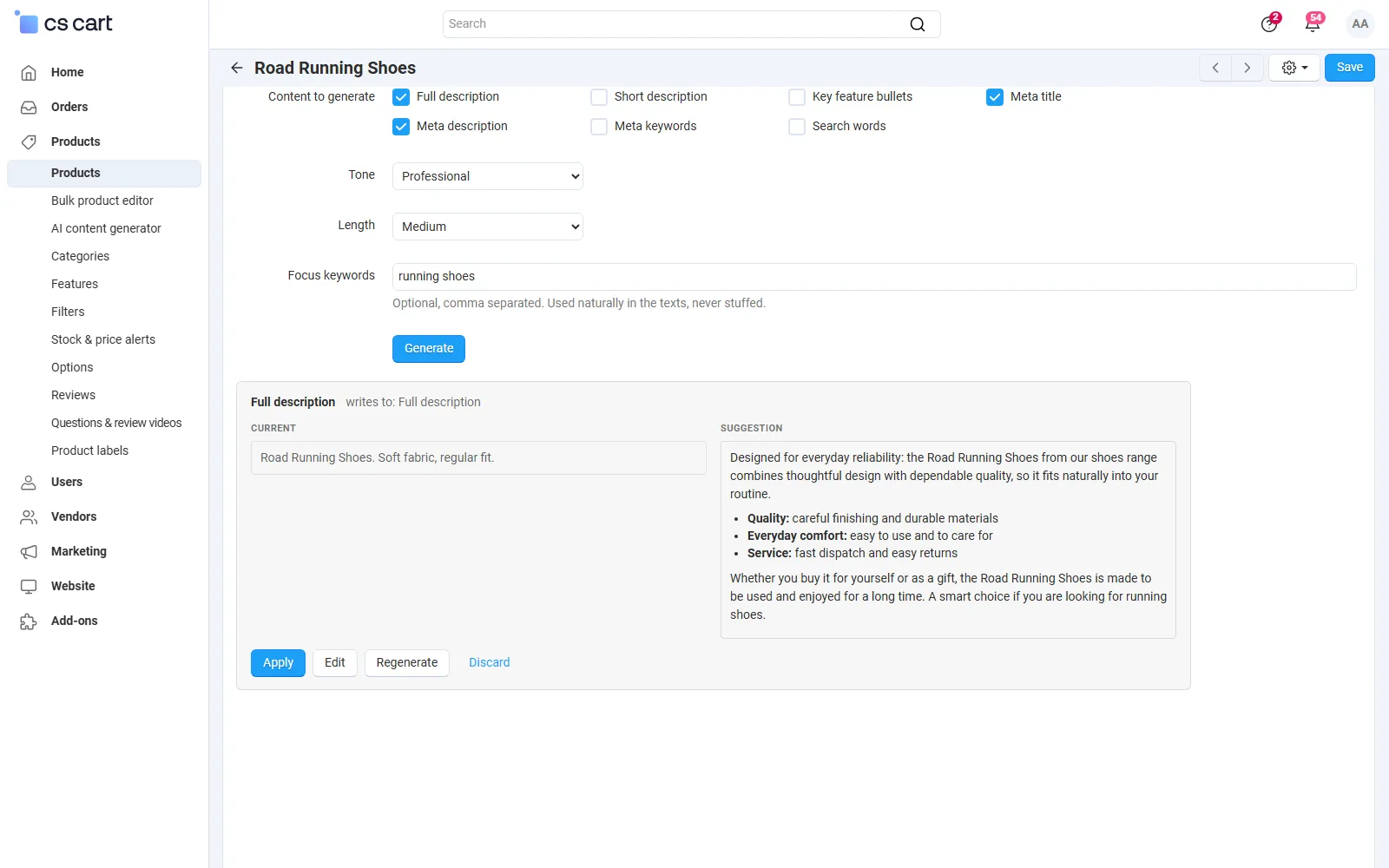
Product page, tab “AI content”: suggestions for the full description and the meta title next to the current text, with Apply / Edit / Regenerate / Discard.
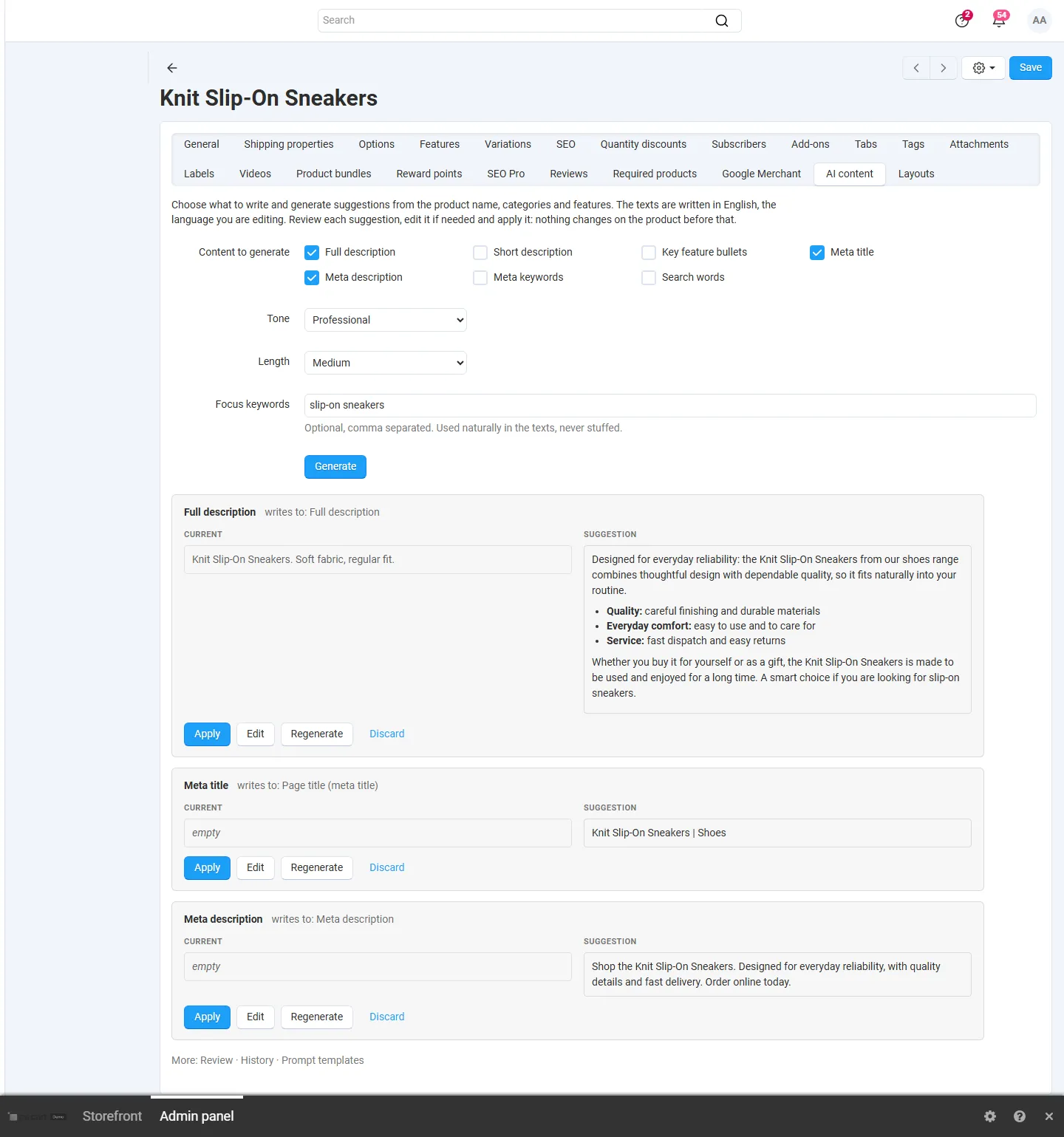
Tab “AI content”: content types, tone, length, focus keywords and three suggestions; nothing is written before Apply.

Review list: generated texts of a bulk job with the current value, View / edit, Apply, and bulk Apply / Discard.
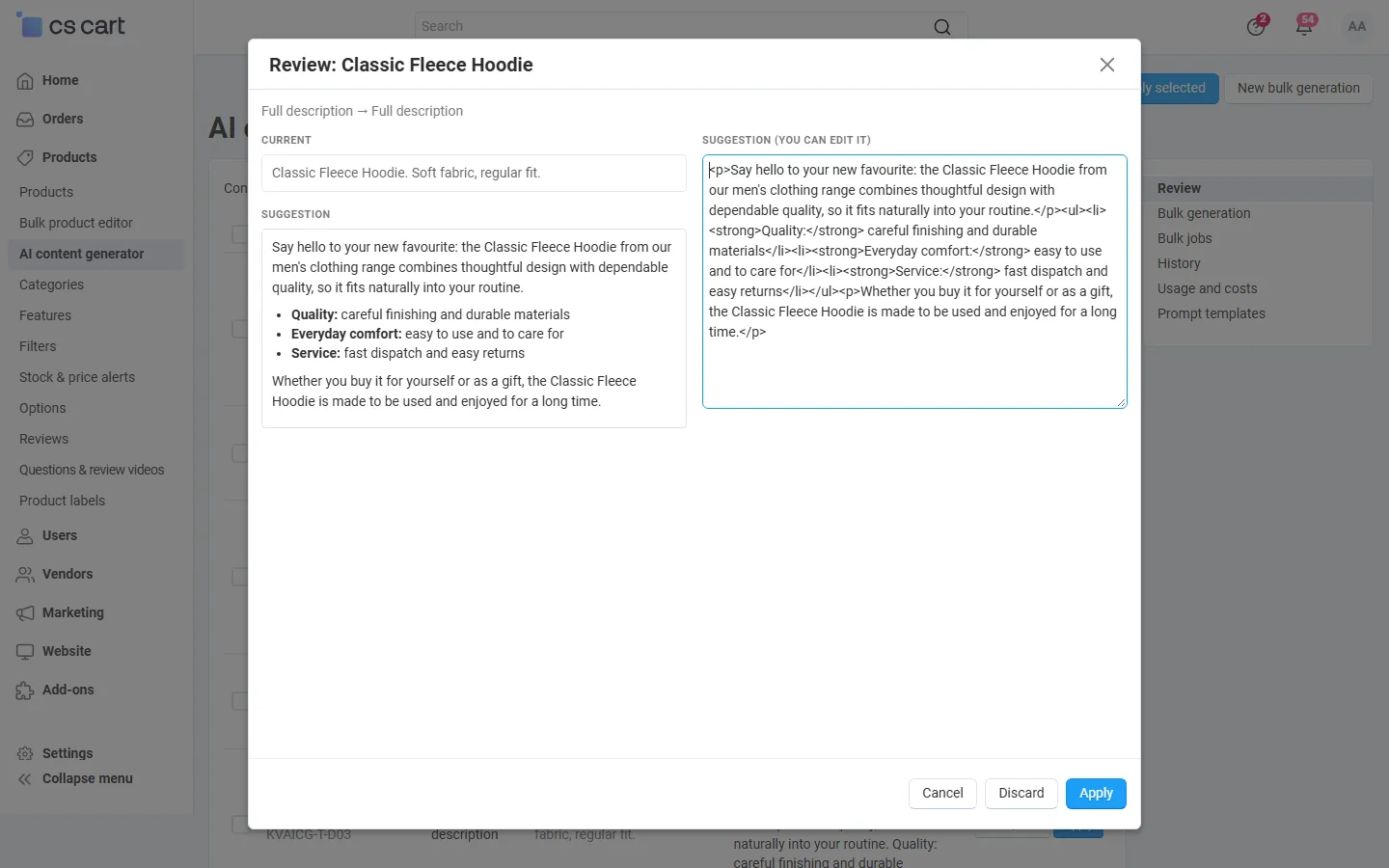
Review dialog: current text, rendered suggestion and the editable HTML before applying.
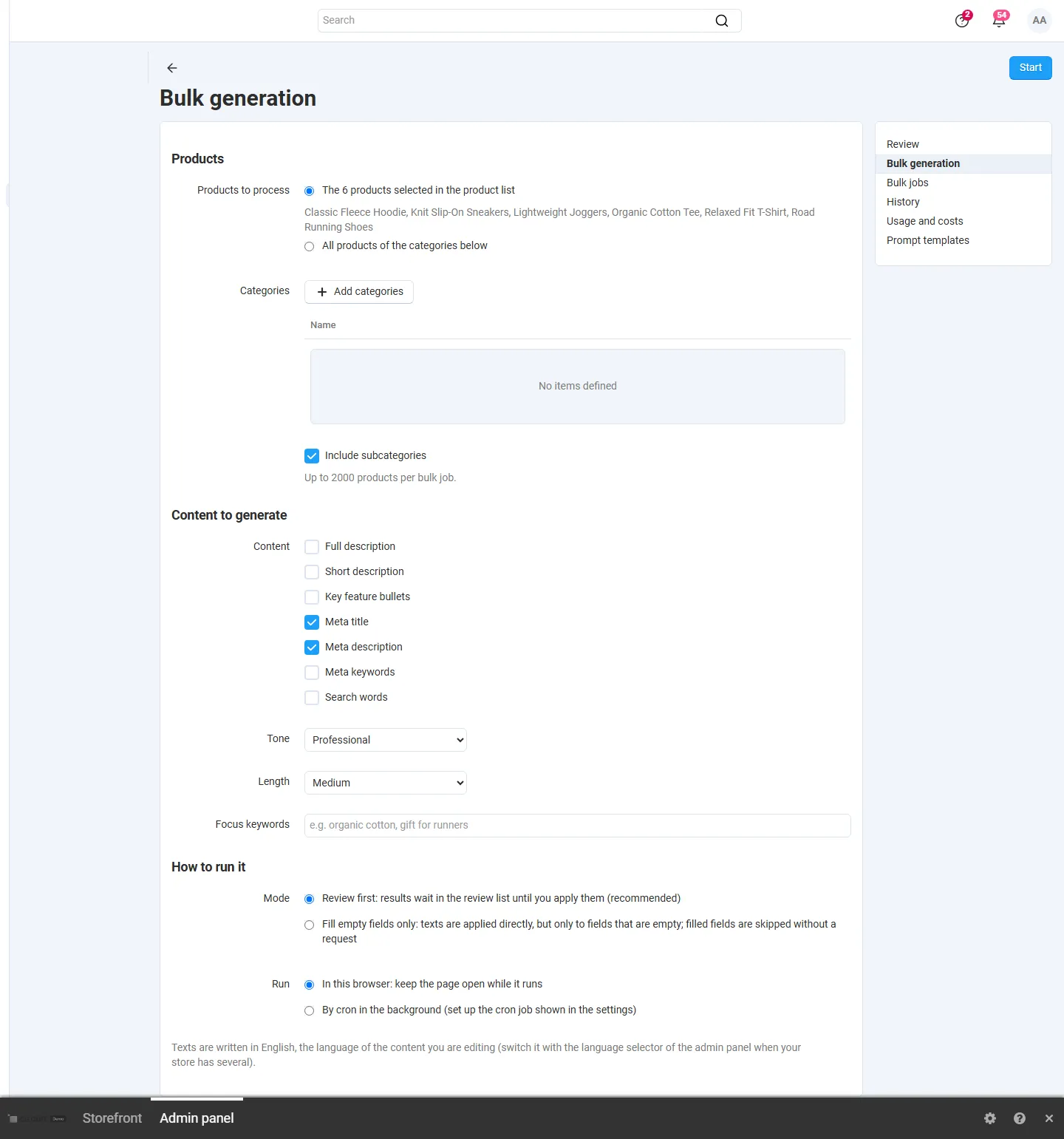
Bulk generation for 6 products selected in the product list: content types, tone, length, keywords, “Review first” or “Fill empty fields only”, browser or cron.
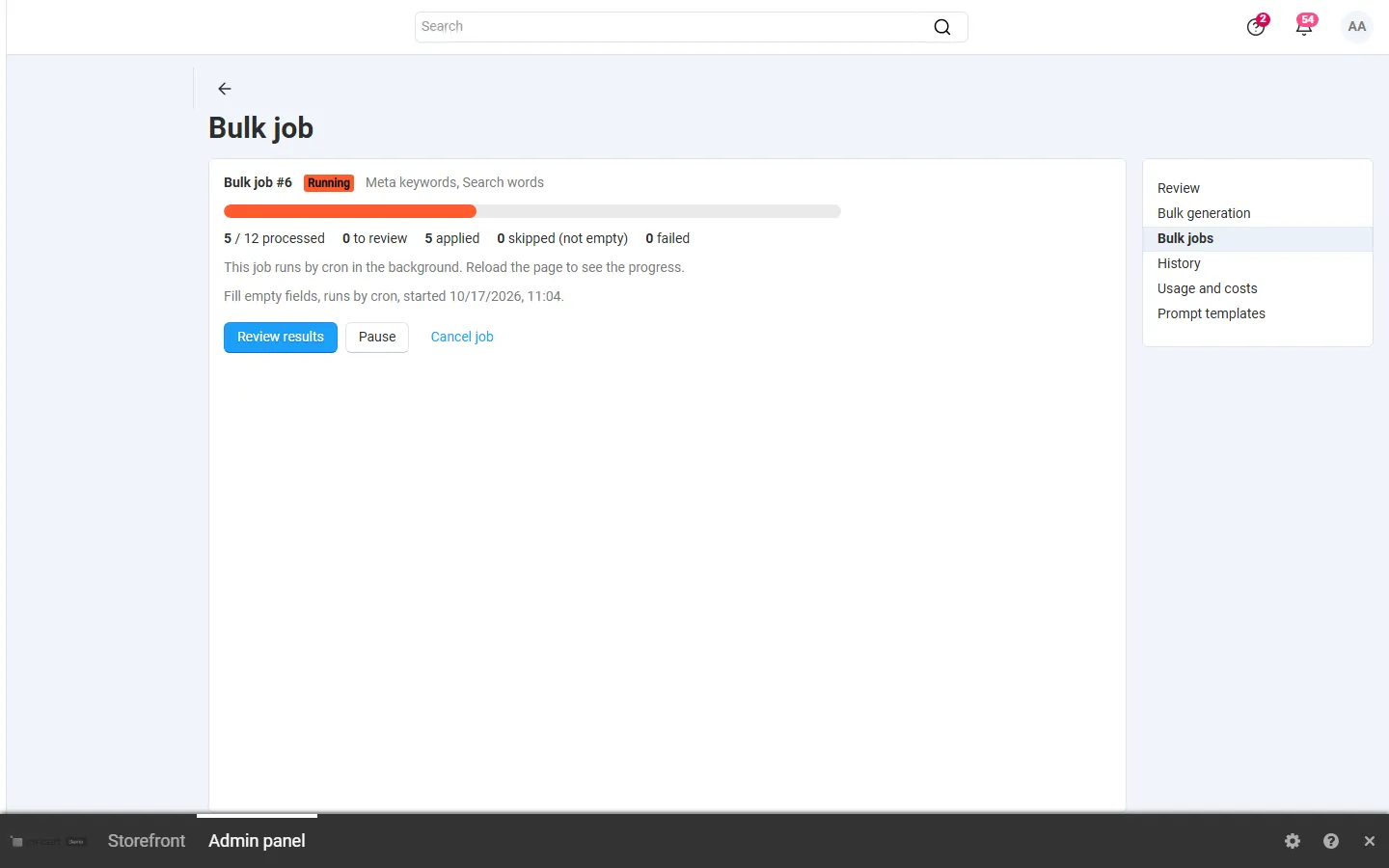
A bulk job running by cron: progress and counts (to review, applied, skipped, failed), pause and cancel.
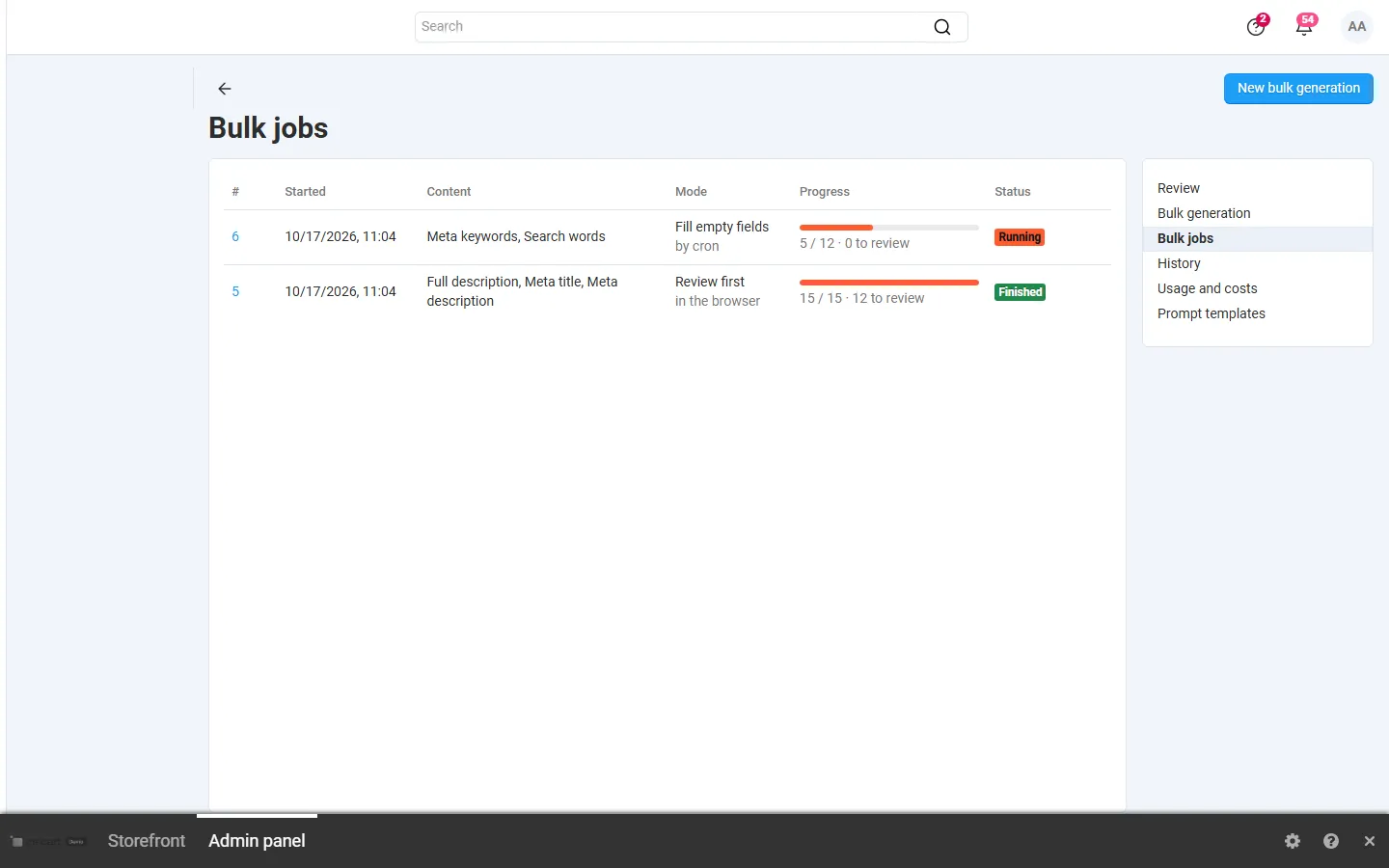
Bulk jobs with mode, progress and status.
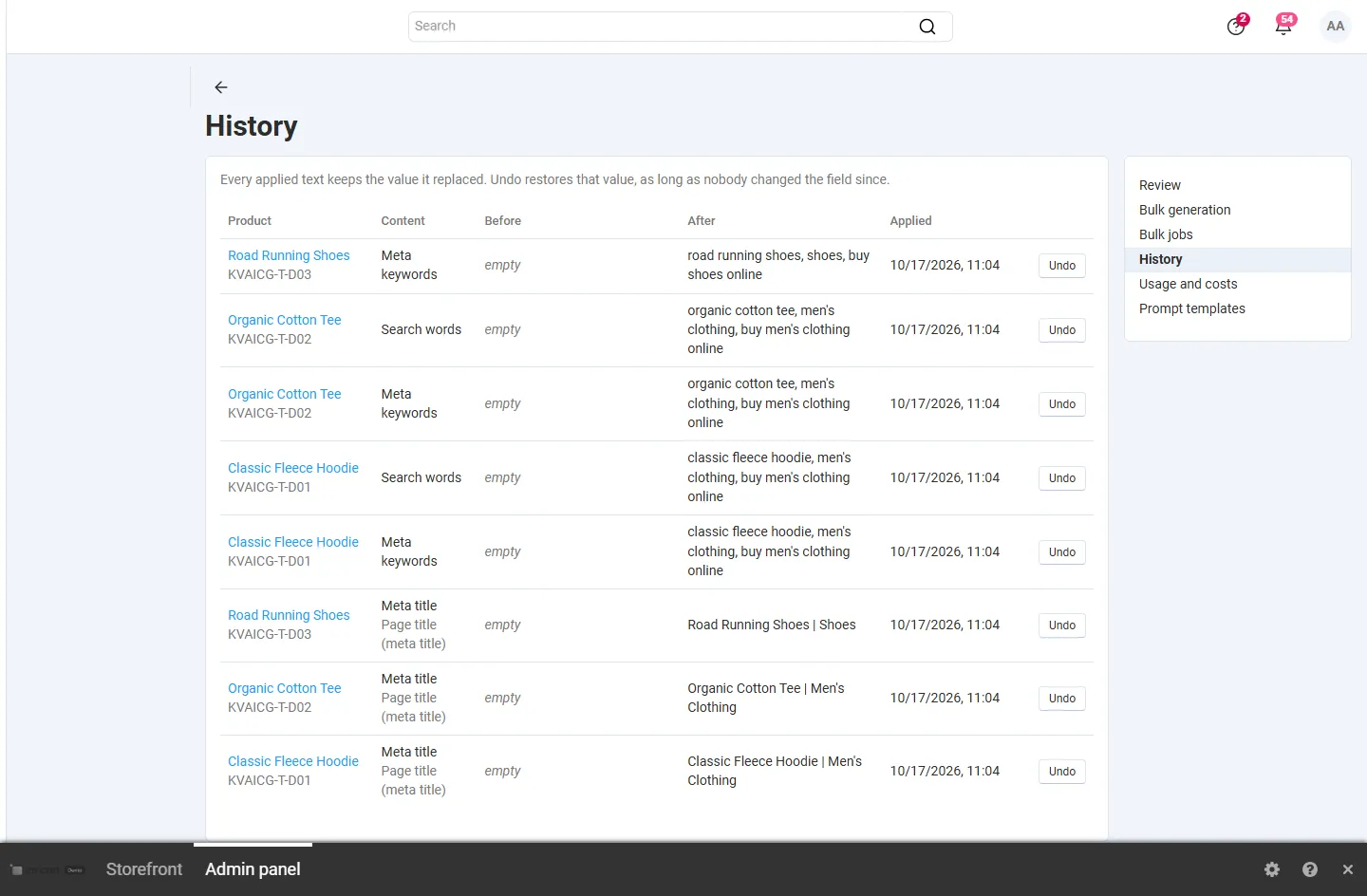
History: applied texts with the value before and after and Undo per item.
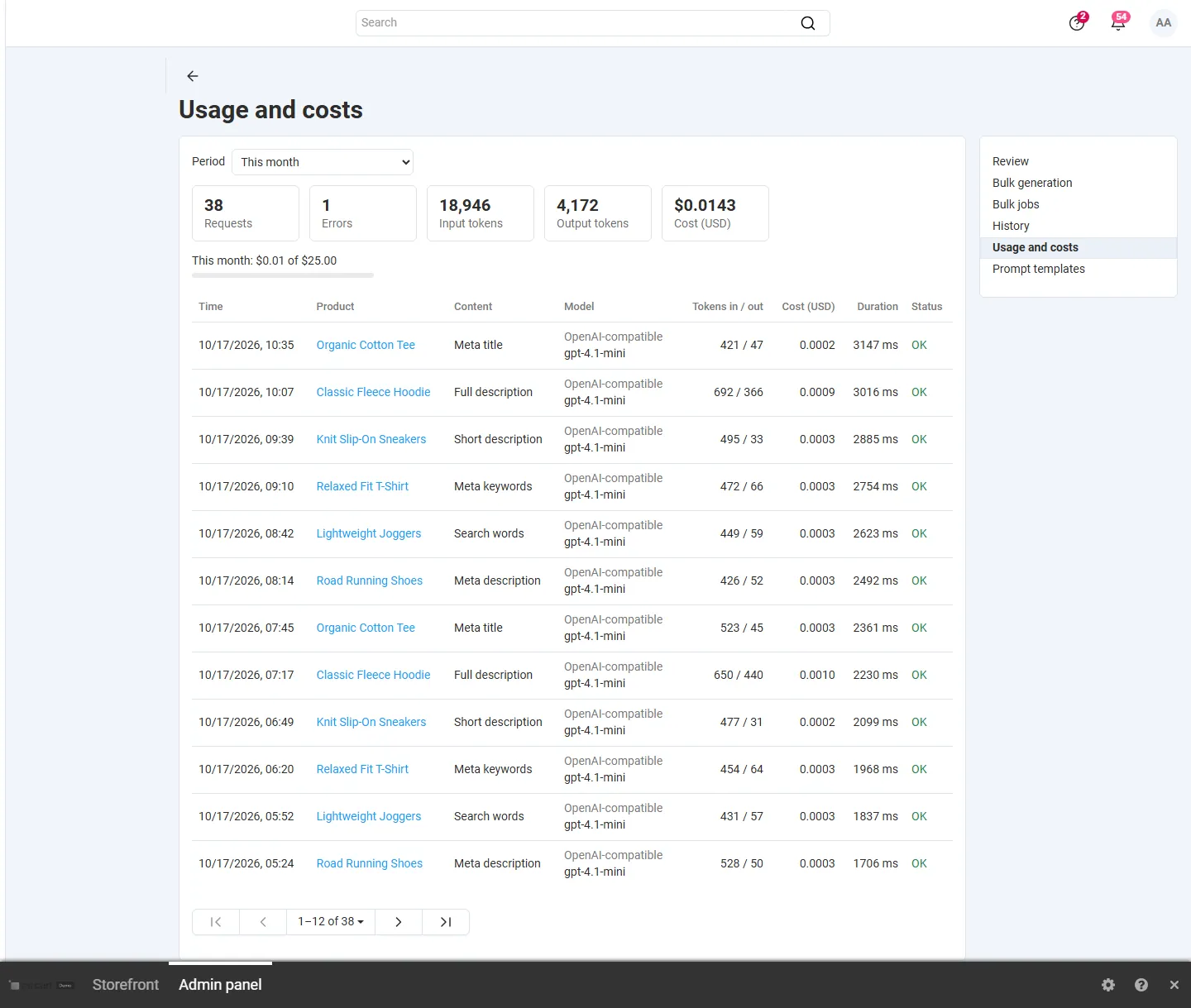
Usage and costs: requests, errors, tokens, cost this month against the budget, per-request log.
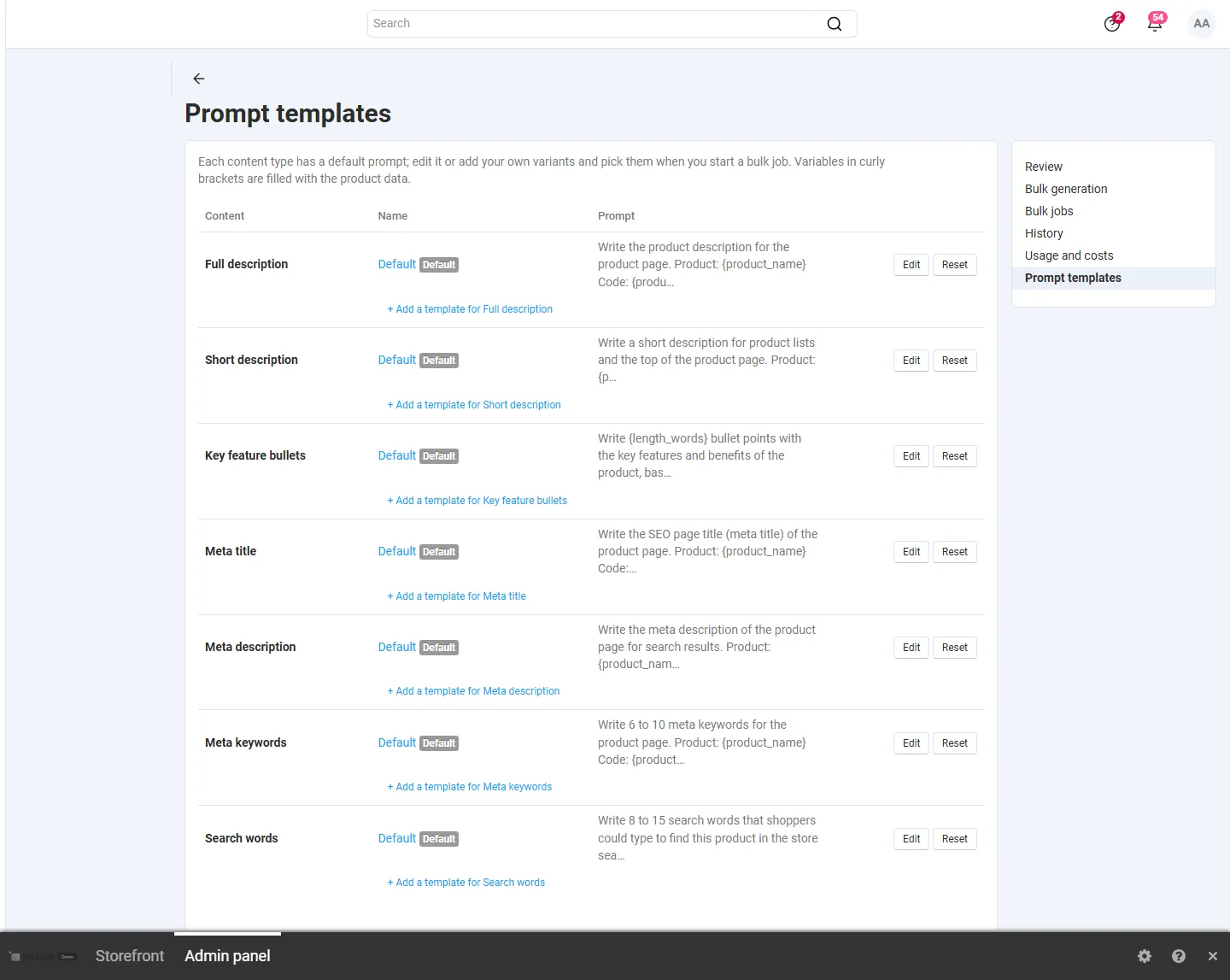
Prompt templates per content type: defaults (reset) and own variants.
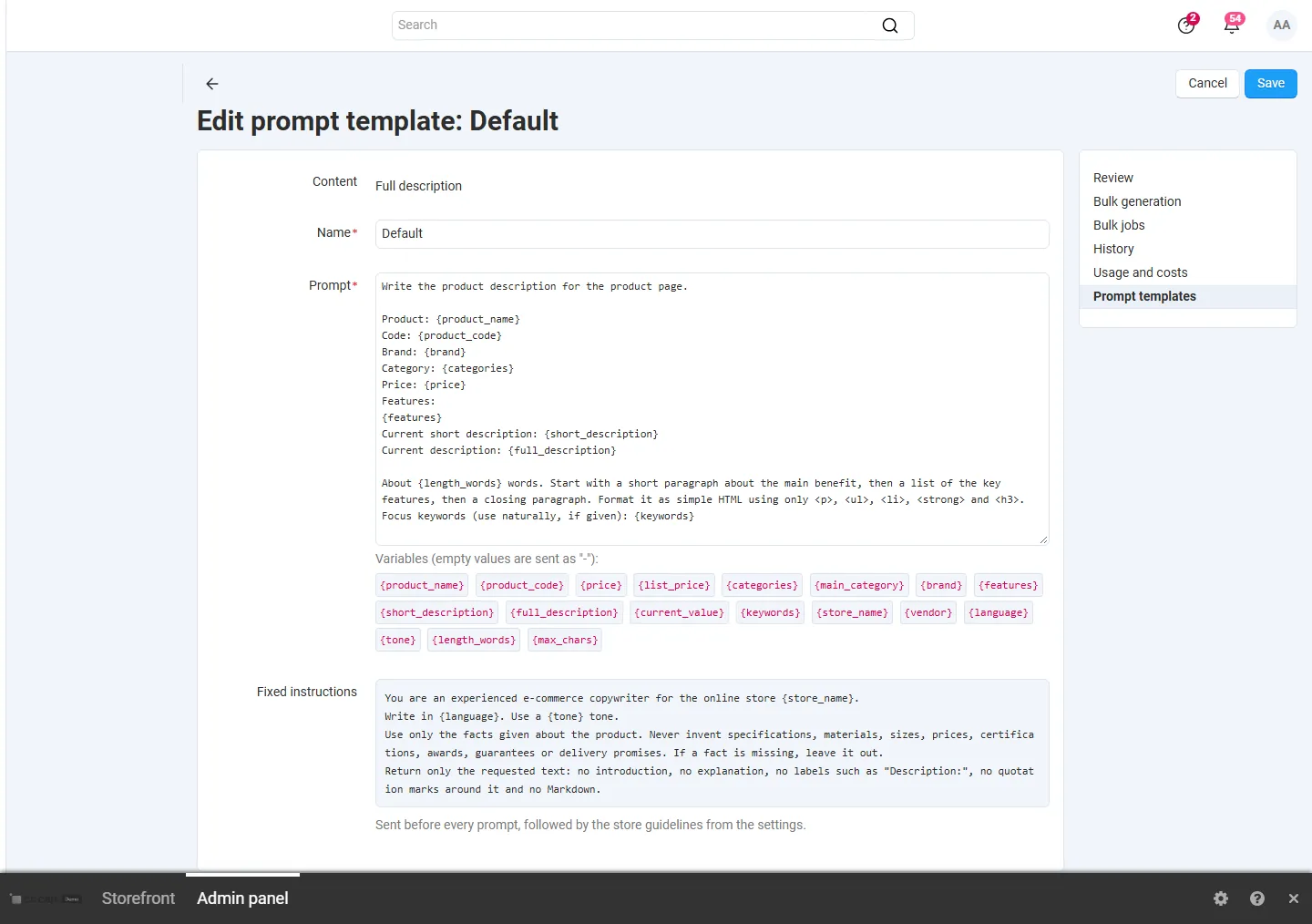
Template editor with the variables and the fixed instructions.
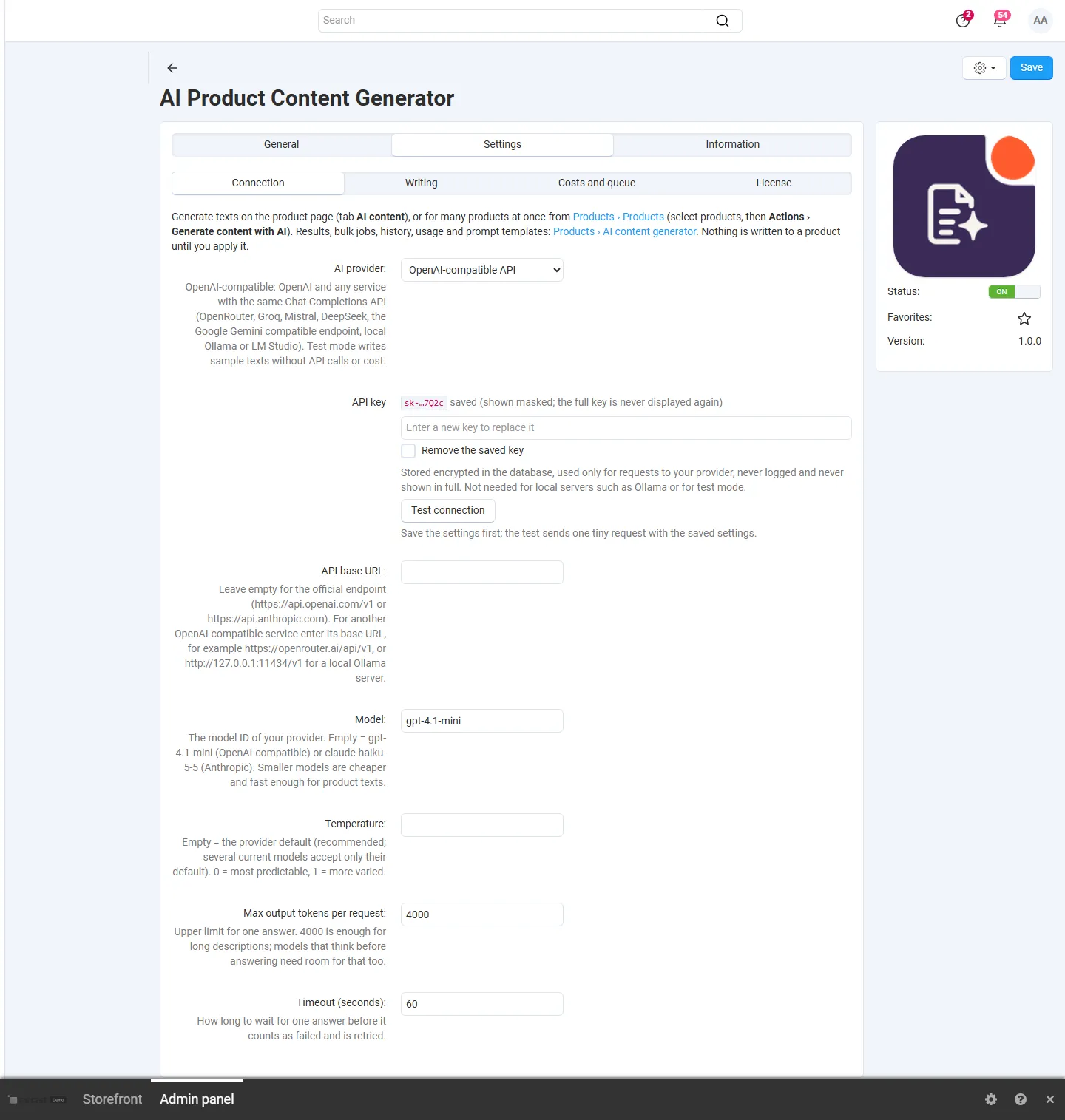
Settings, Connection: provider (OpenAI-compatible, Anthropic, test mode), masked API key, Test connection, base URL, model.
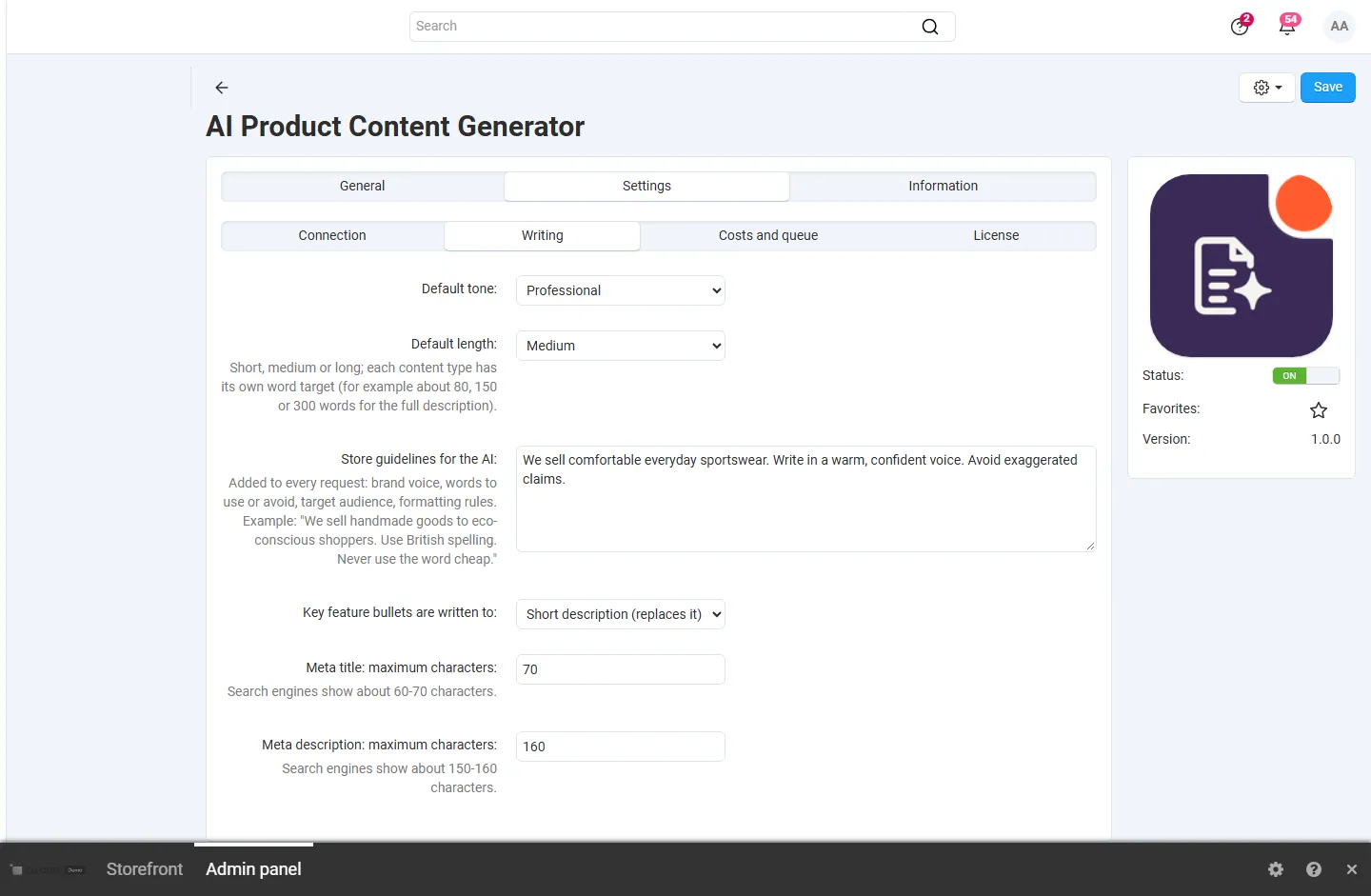
Settings, Writing: default tone and length, store guidelines for the AI, bullets target, meta limits.
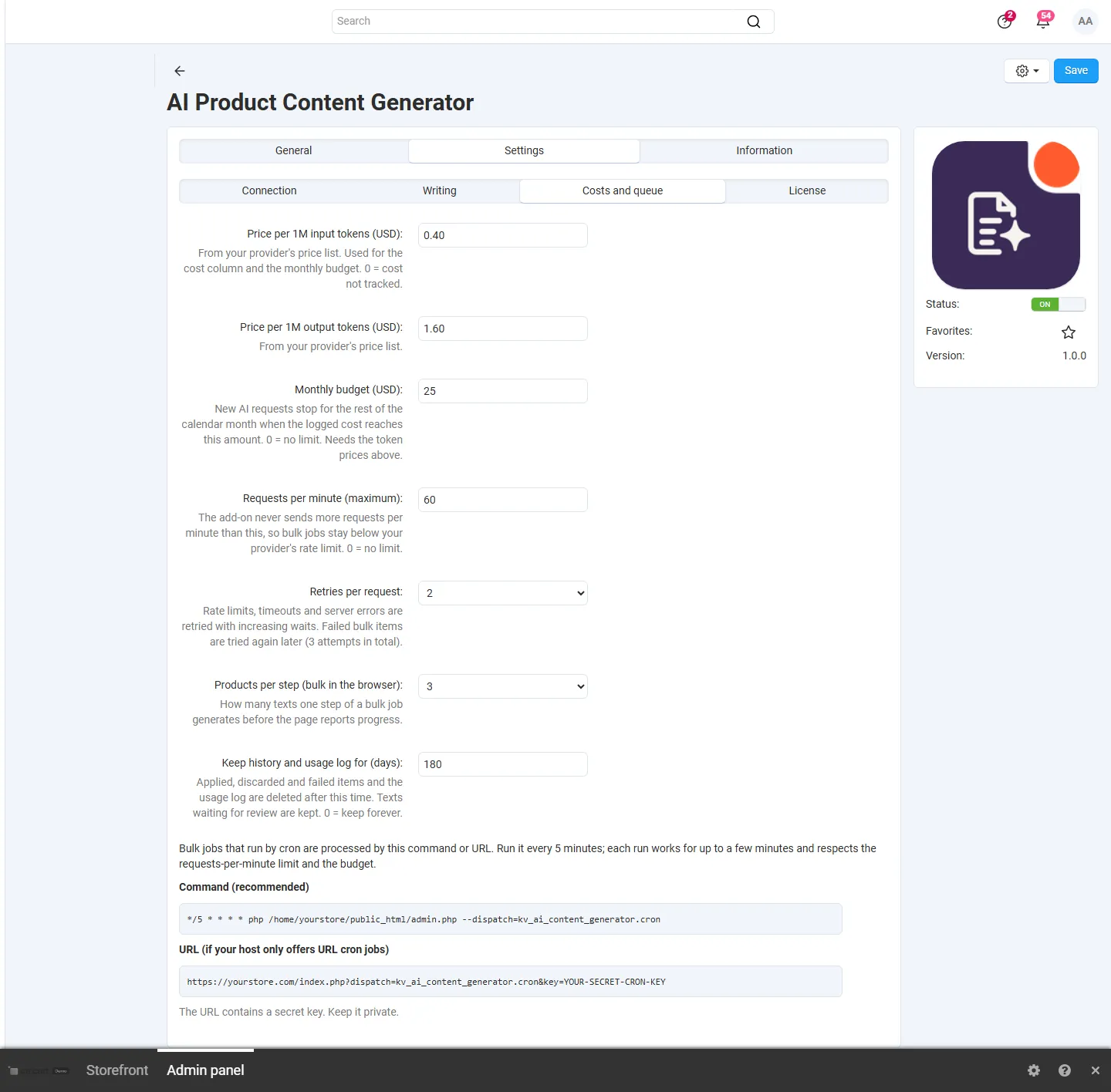
Settings, Costs and queue: token prices, monthly budget, requests per minute, retries, retention, cron command and URL.
Products > Products: Actions > “Generate content with AI” for the selected products.
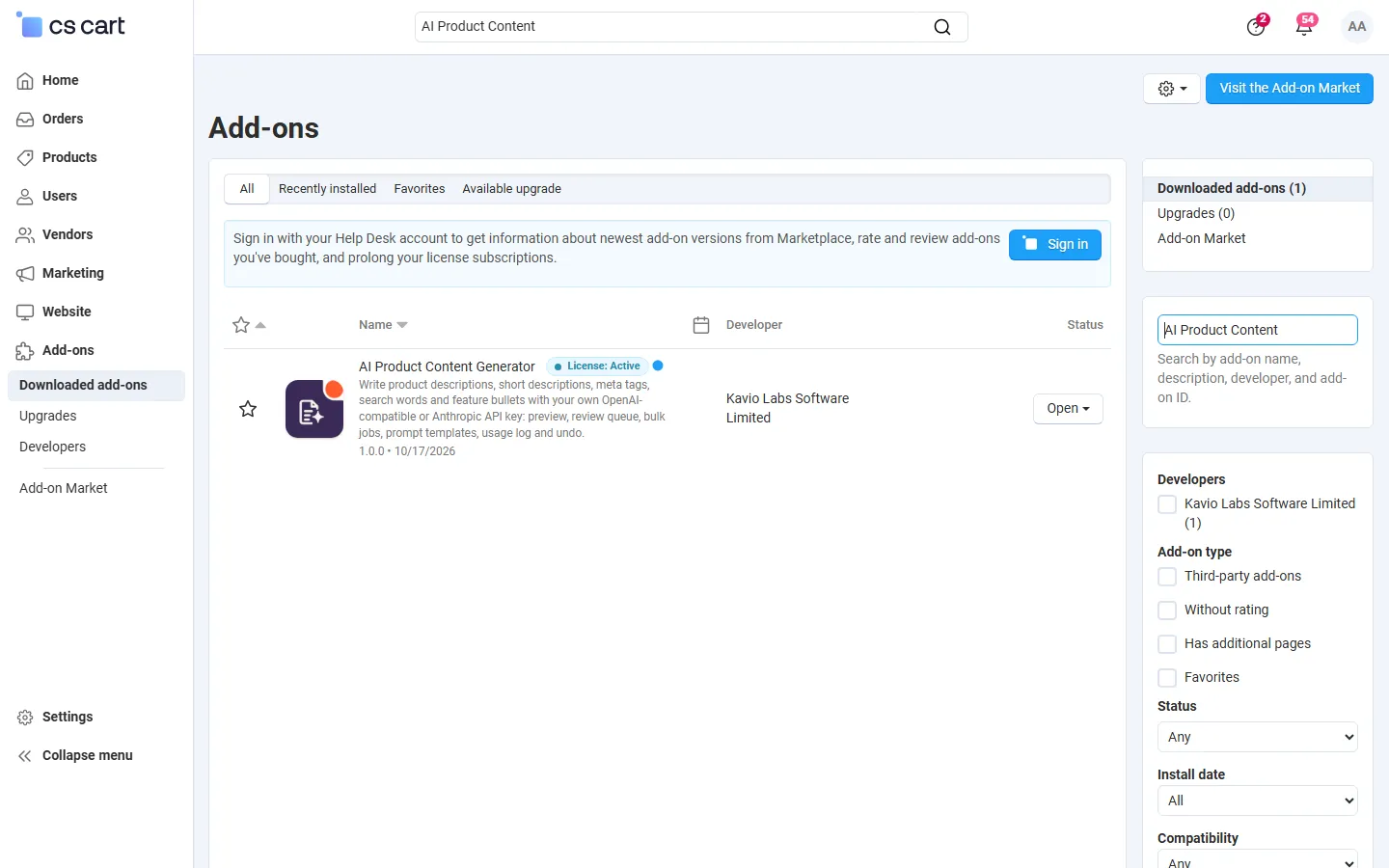
Downloaded add-ons searched for the add-on (Multi-Vendor 4.21.2). Text badge until the integration step adds the icon.