

Price Drop & Back-in-Stock Alerts screenshots
Real screenshots from our CS-Cart and Multi-Vendor test stores with the add-on installed and the English interface.
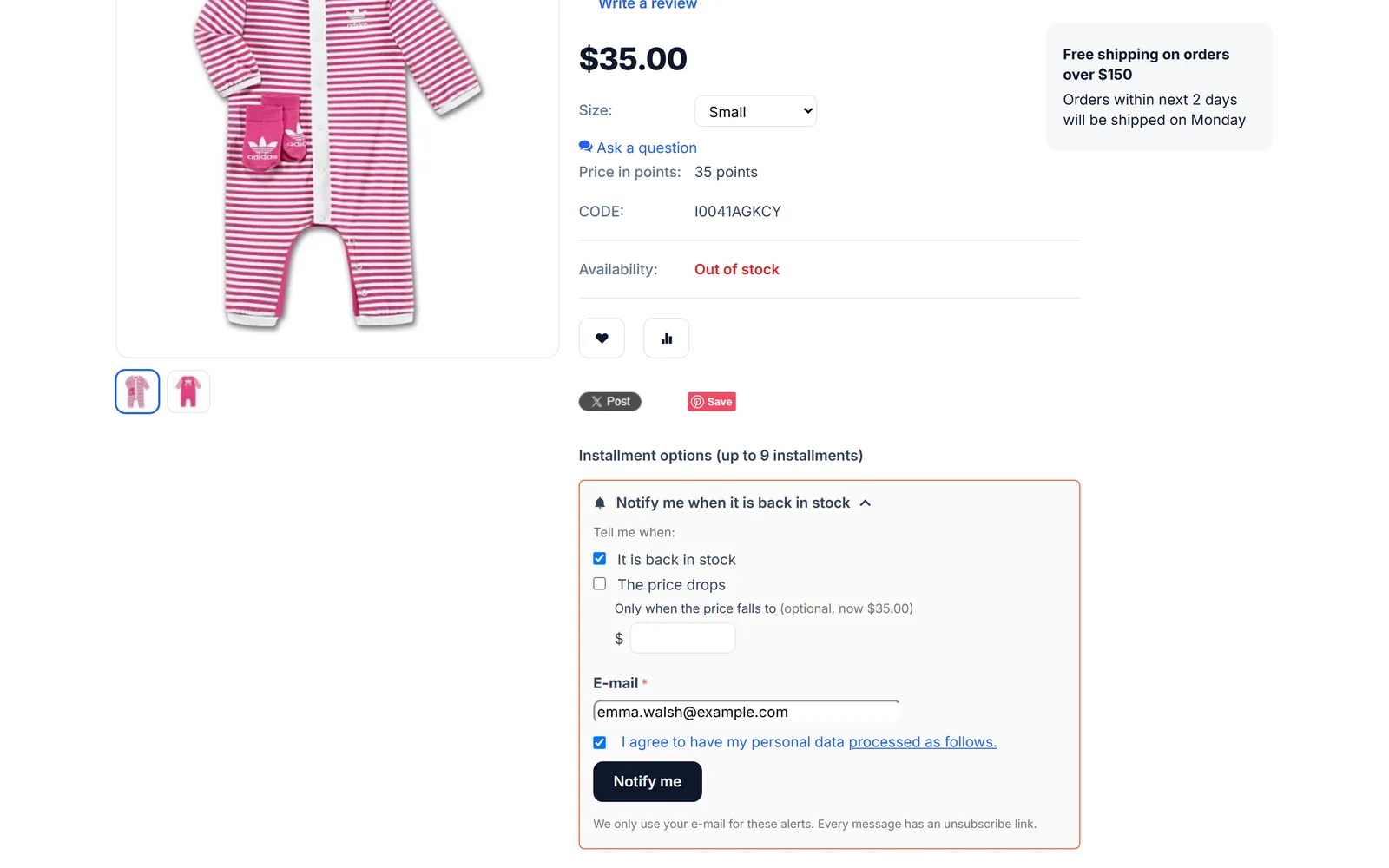
Out-of-stock product page: “Notify me when it is back in stock” form open, with the price-drop option and the e-mail field.
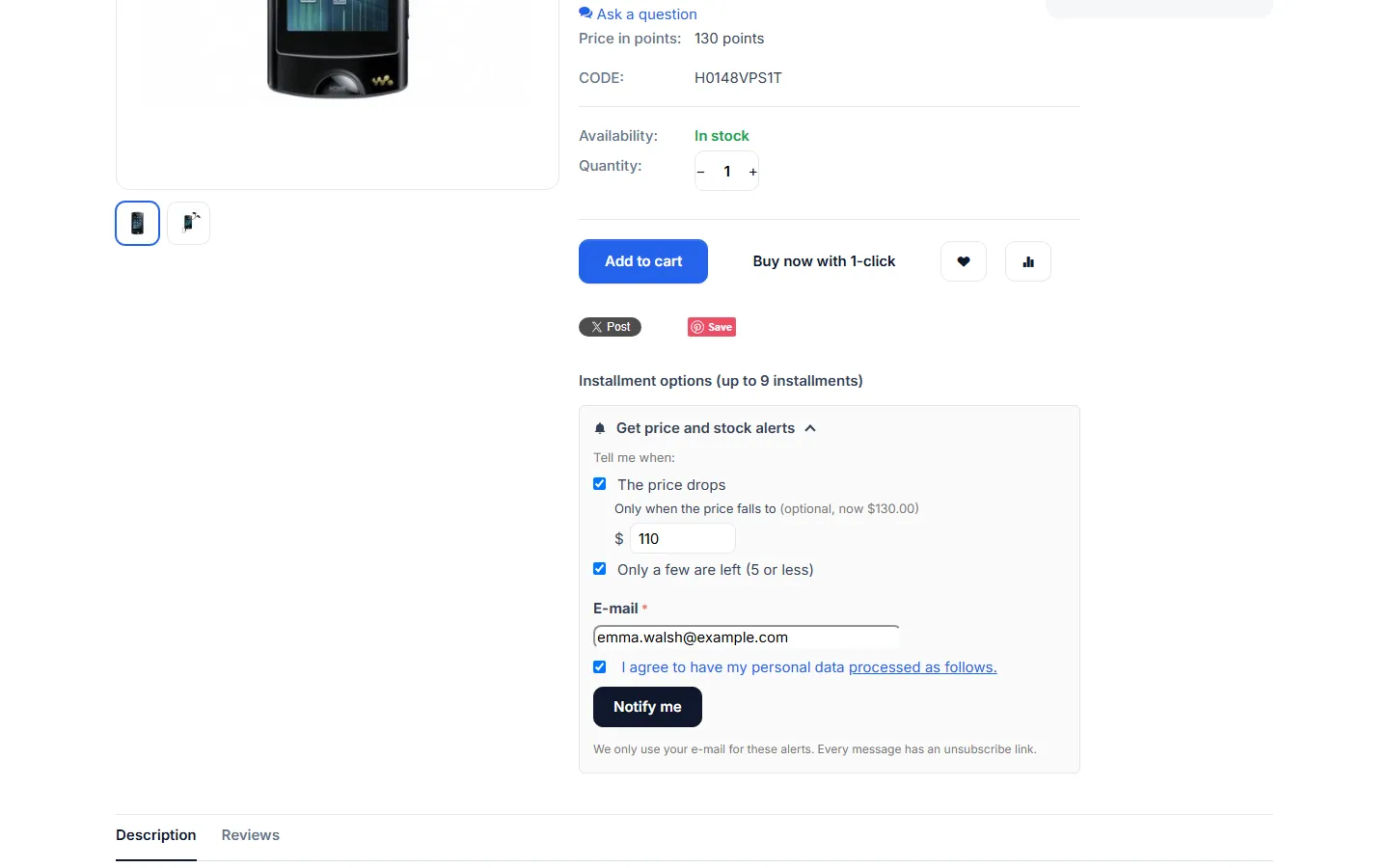
Product page widget for an in-stock product: price drop with an optional target price, low stock, e-mail and consent.
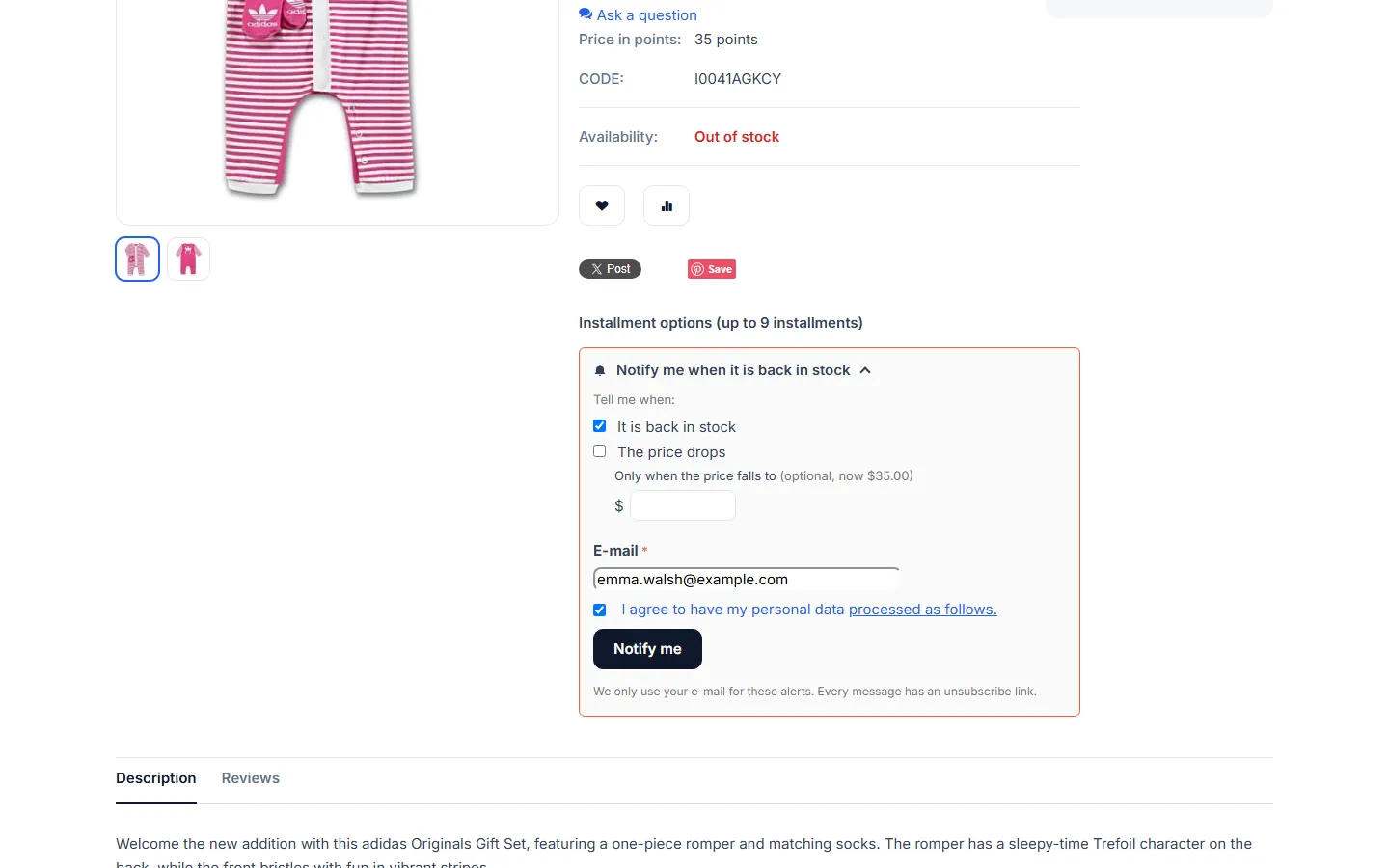
Out-of-stock product: the back-in-stock form opens by itself, with the price-drop option next to it.
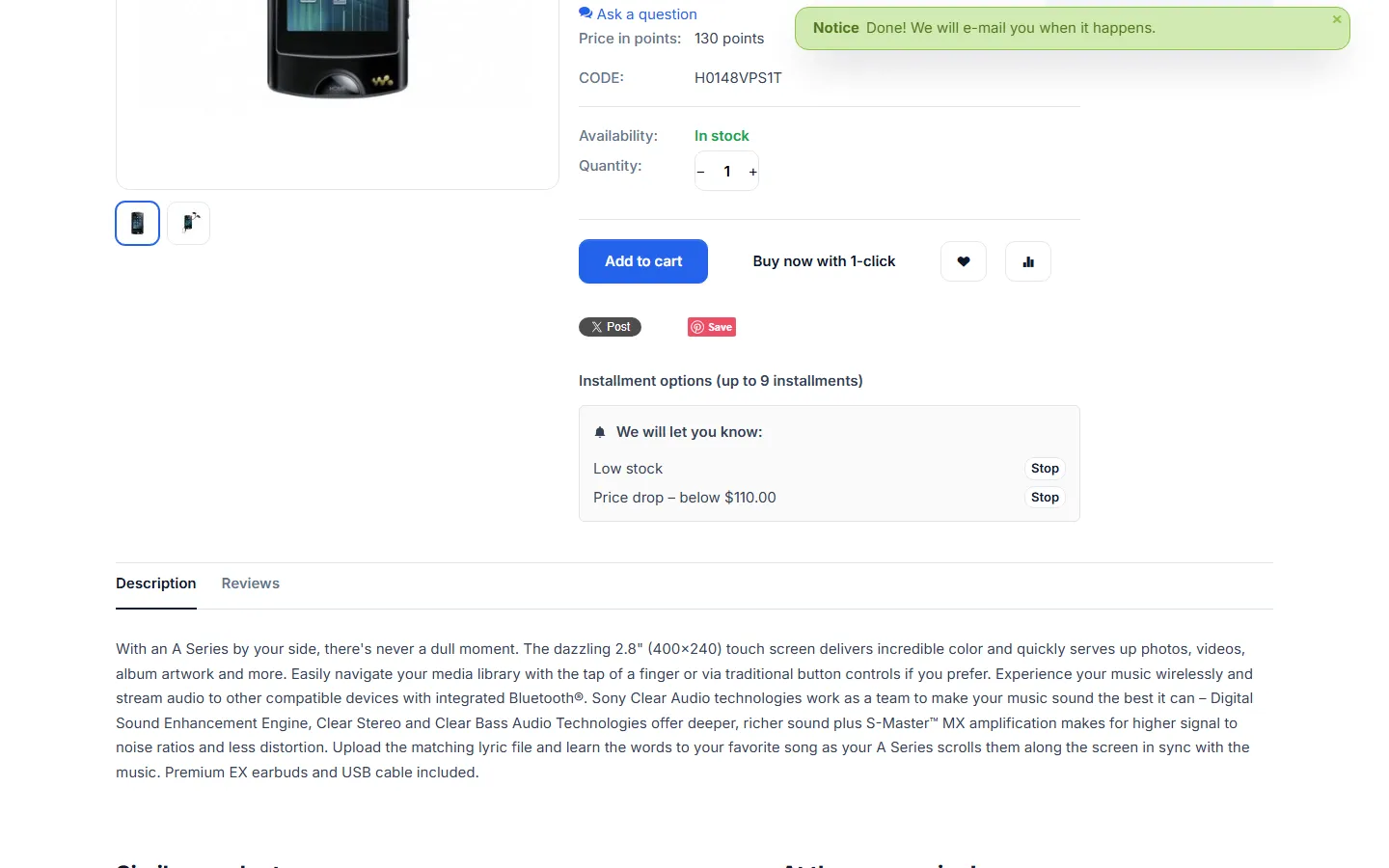
After subscribing as a logged-in customer: confirmation notice and the active alerts with Stop buttons.
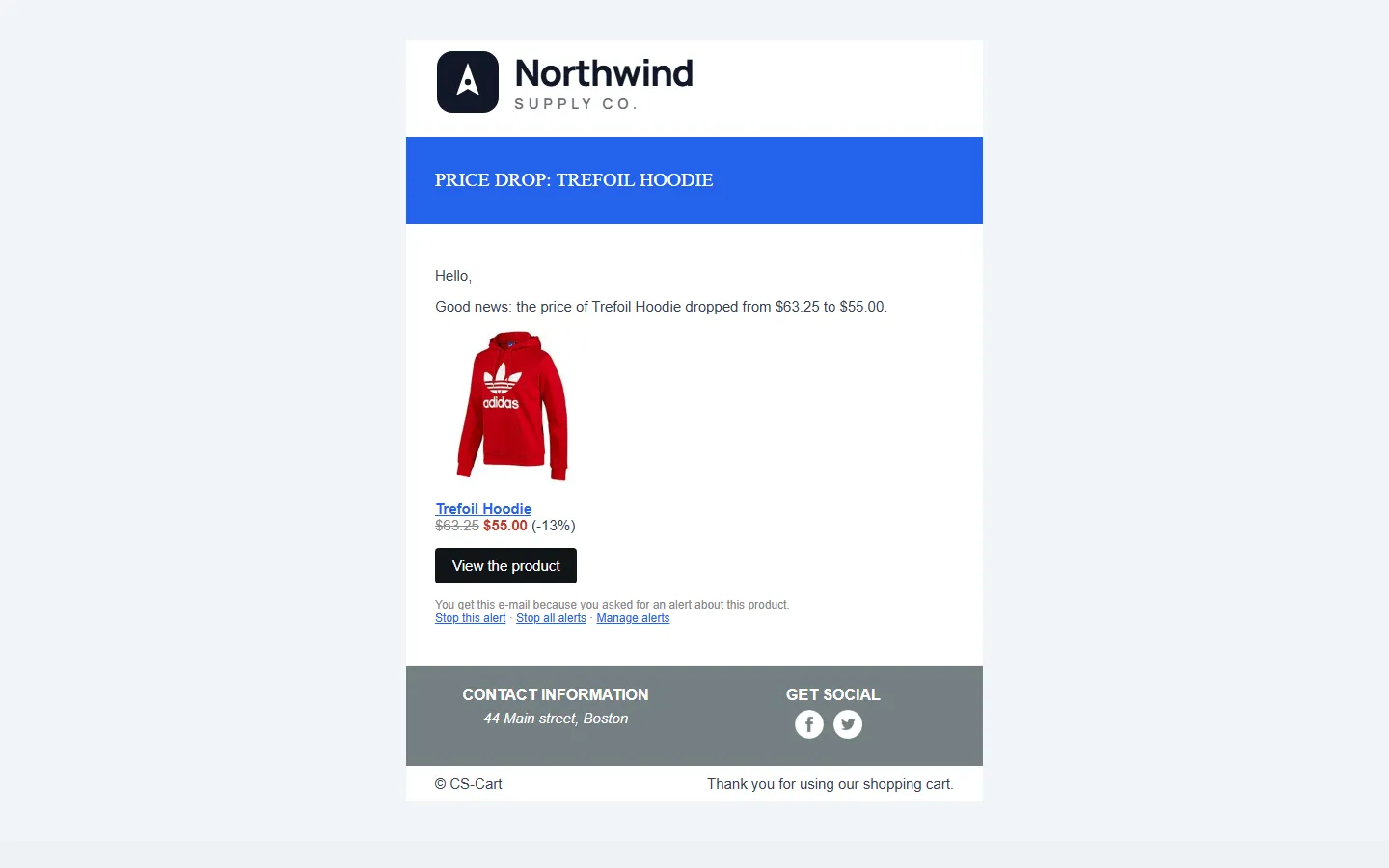
Price-drop e-mail: old and new price with the saving, product image, View the product, and Stop this alert / Stop all alerts / Manage alerts links.
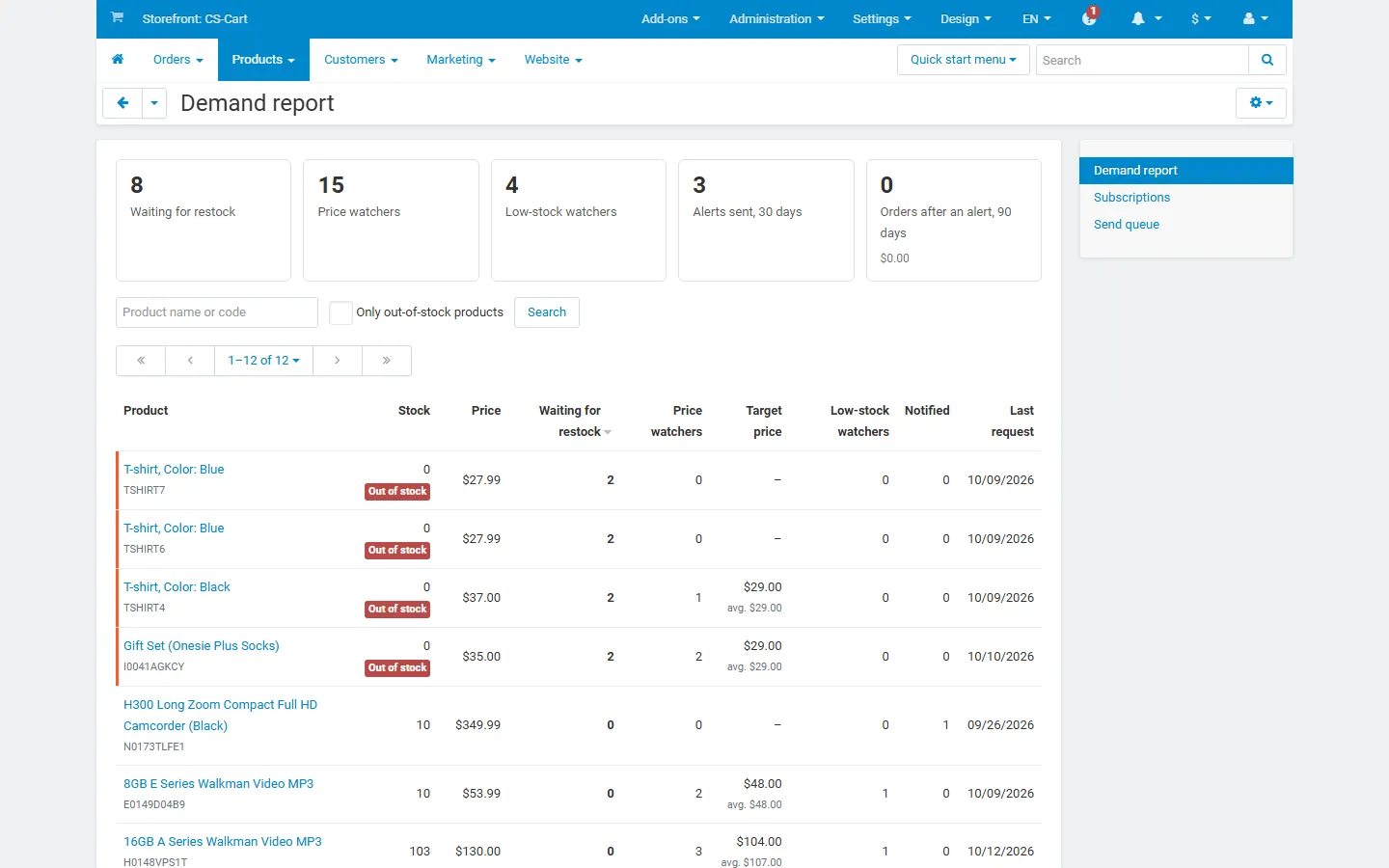
Products > Stock & price alerts: tiles (waiting for restock, price watchers, low-stock watchers, alerts sent, orders after an alert) and the per-product demand table.
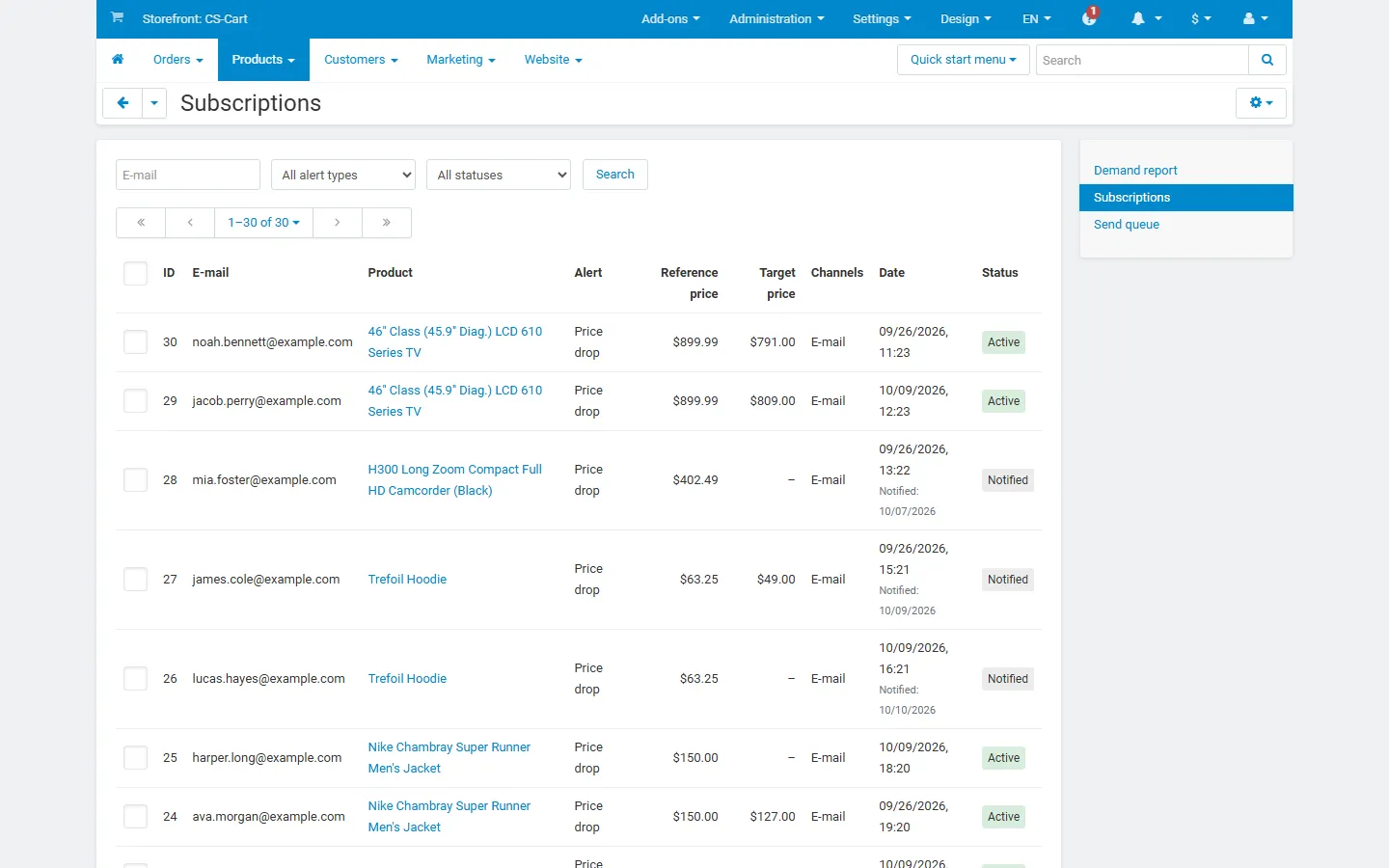
Subscriptions: e-mail, product, alert type, reference and target price, channel, dates and status.
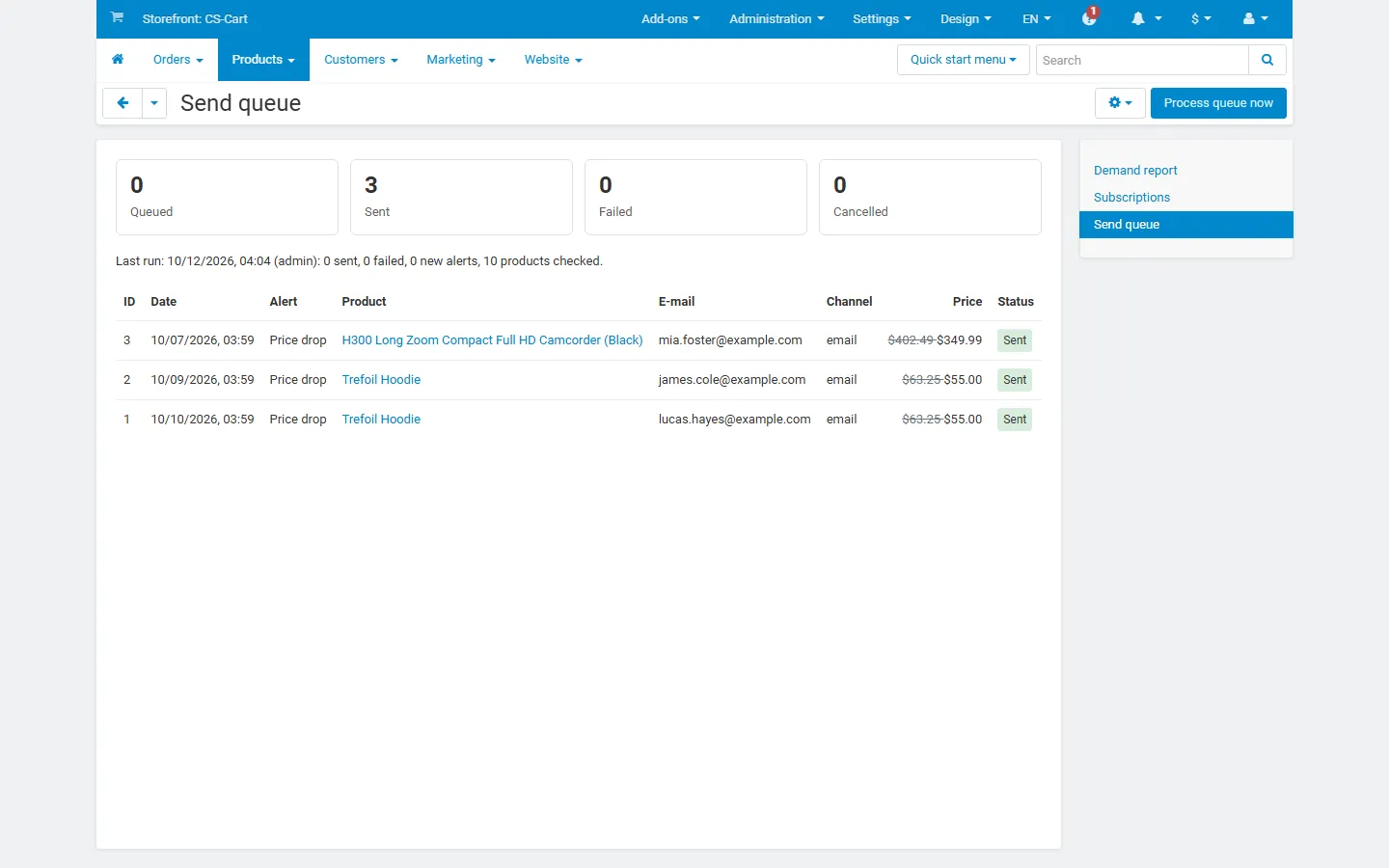
Send queue: counters, last run and the sent price-drop rows, with Process queue now.
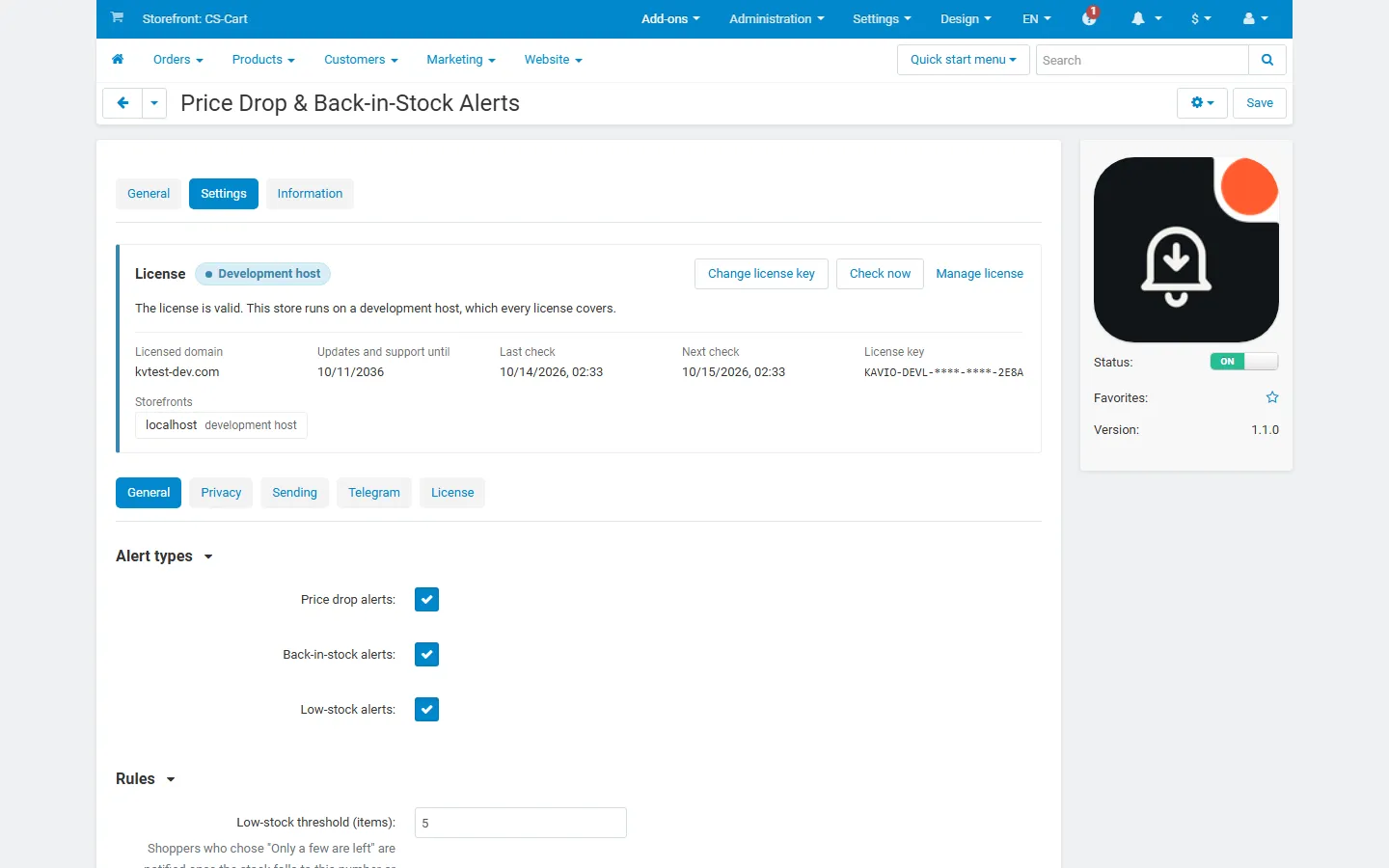
Settings, General: alert types and rules (low-stock threshold, minimum price drop, target price).
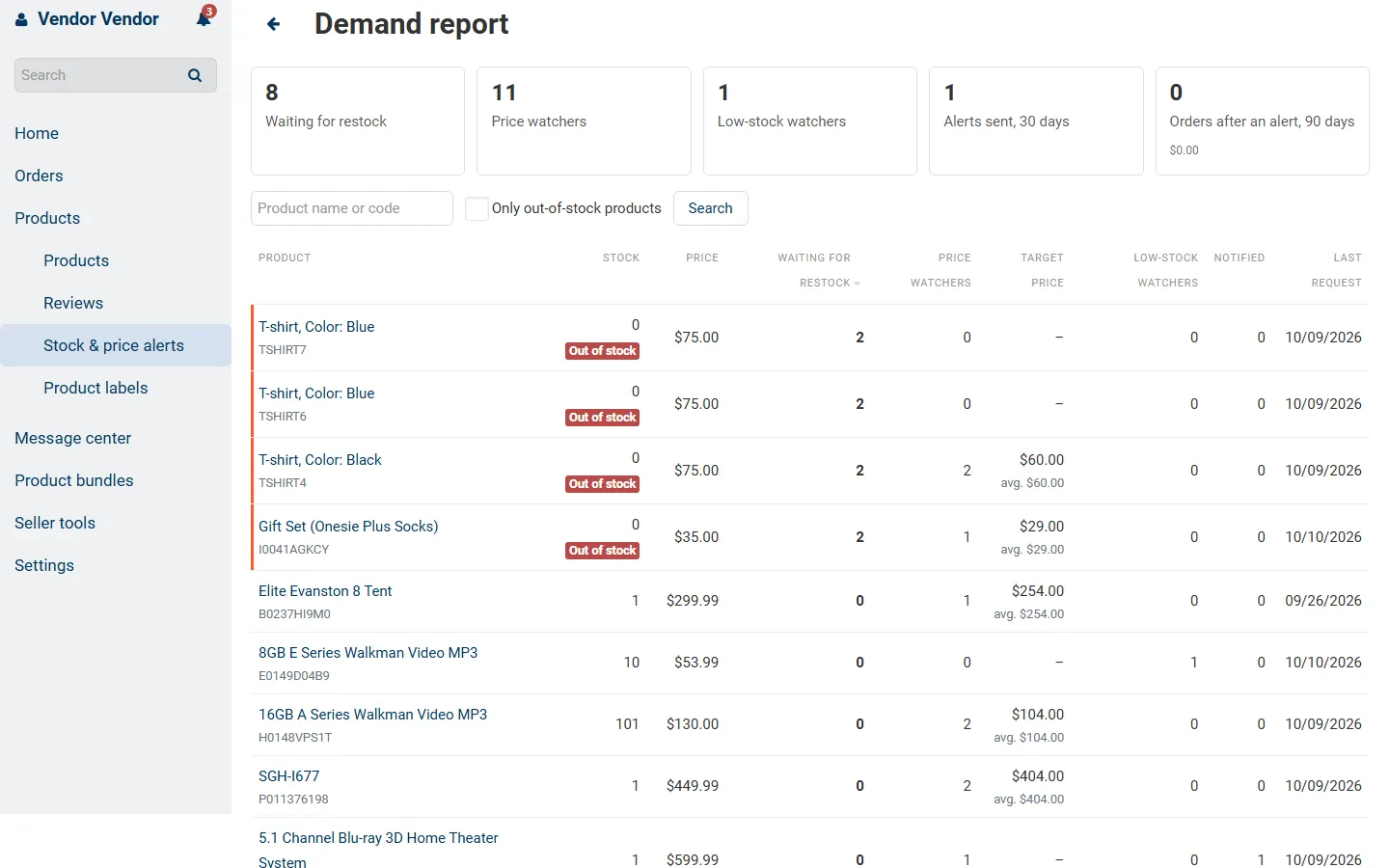
Multi-Vendor vendor panel: the demand report for the vendor’s own products, without shopper e-mails.

Storefront “My stock & price alerts” page with the customer’s alerts and Stop buttons.
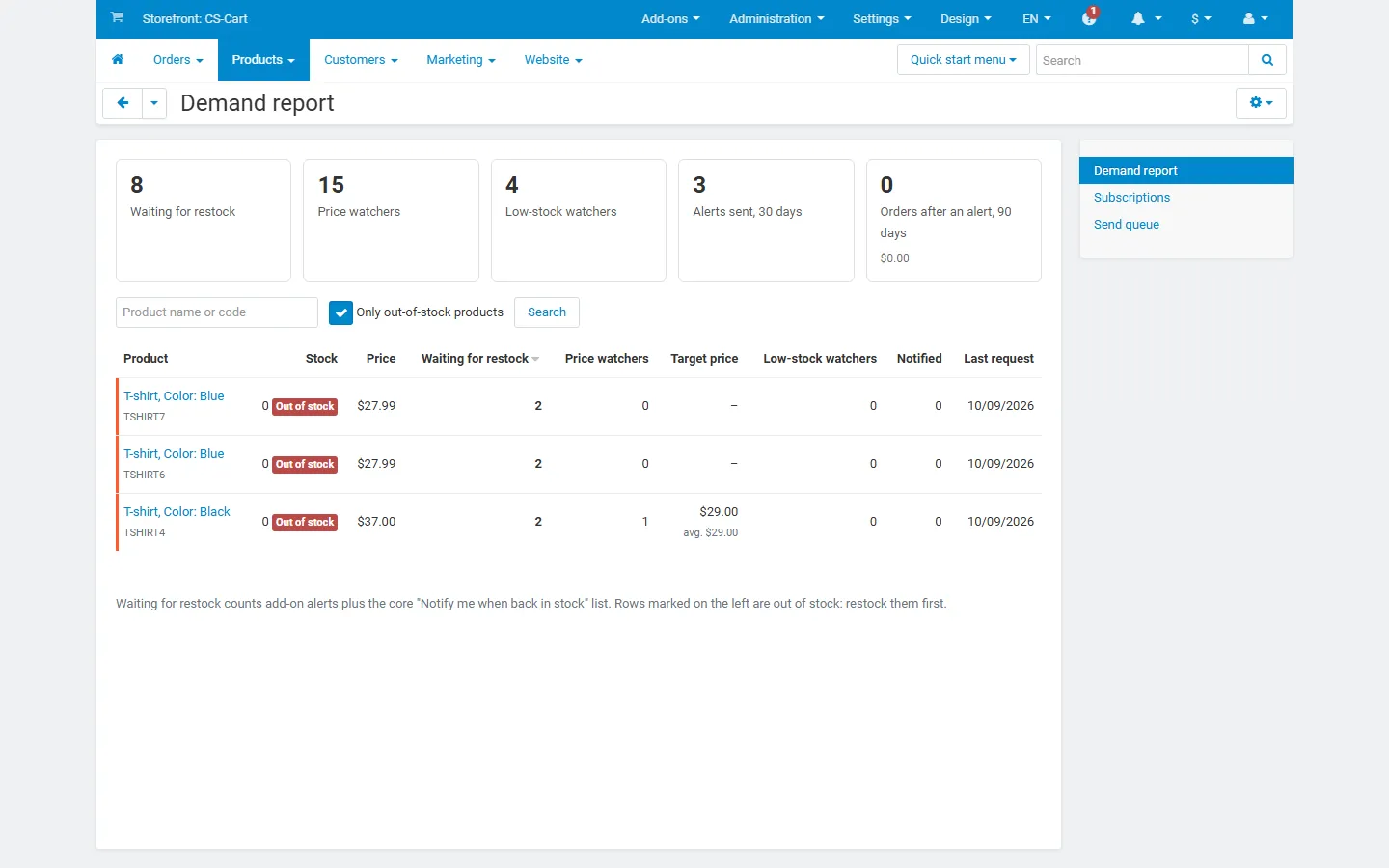
Demand report filtered with “Only out-of-stock products”: a purchasing list.
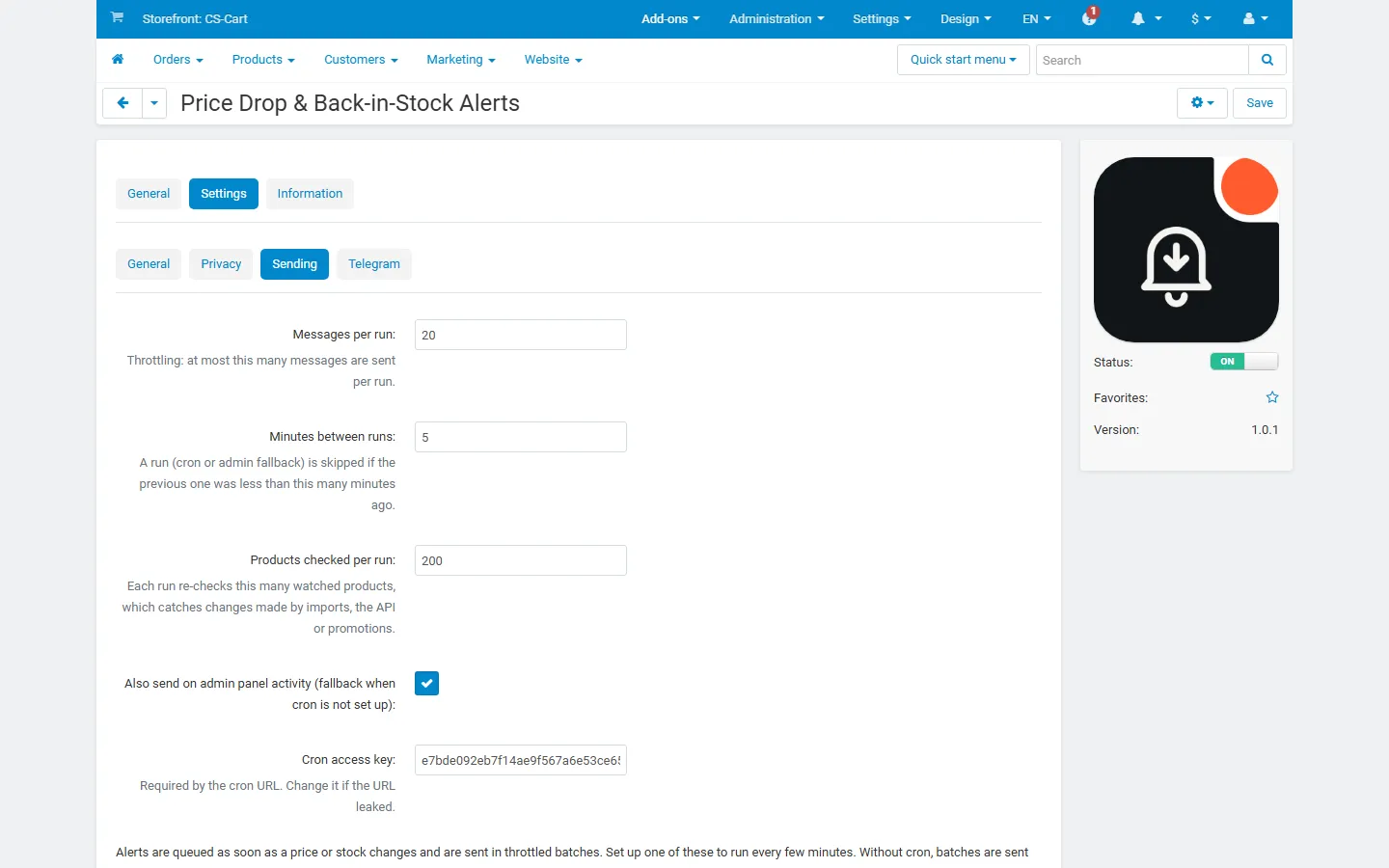
Settings, Sending: messages per run, minutes between runs, products checked per run, admin fallback and the cron key.
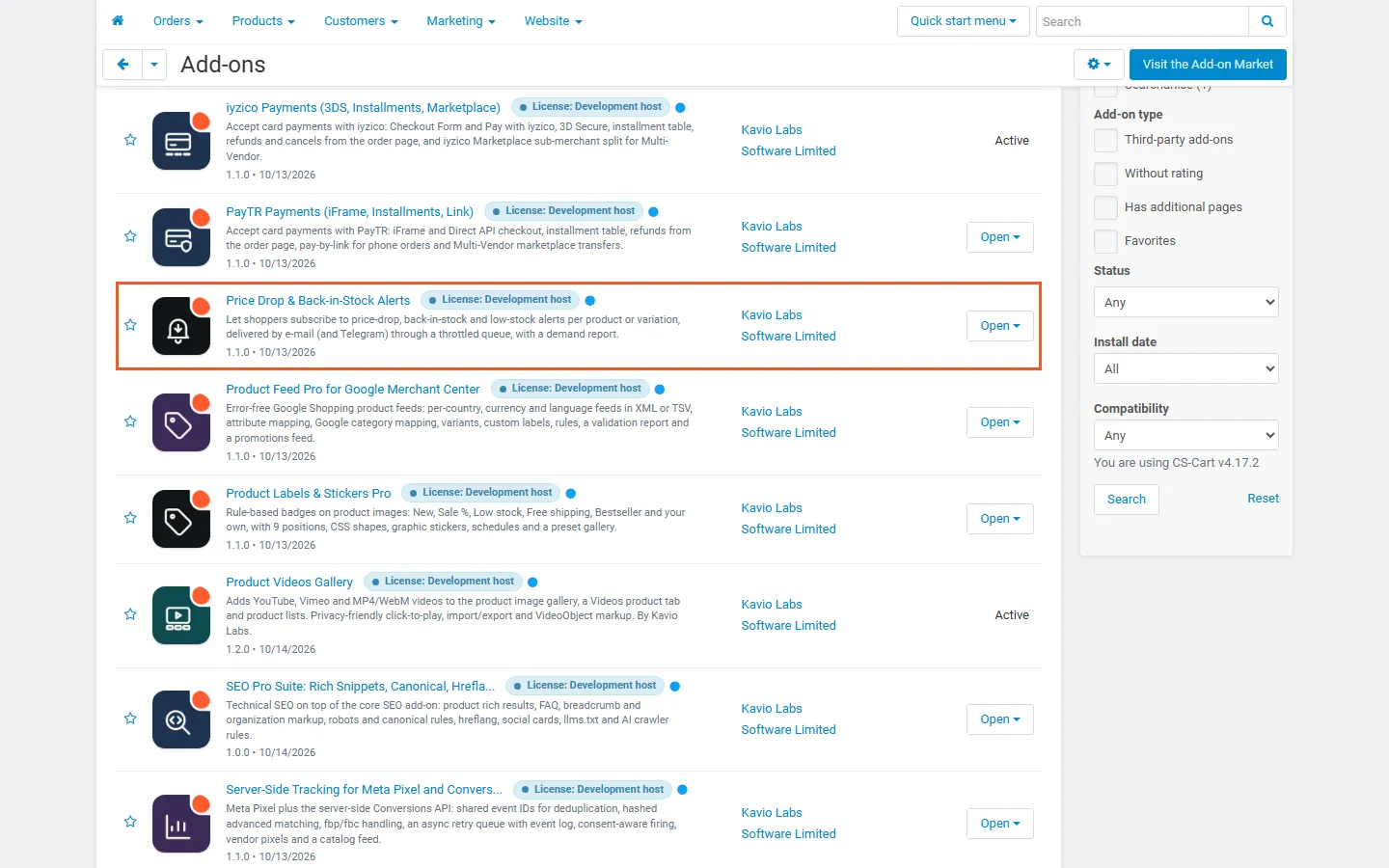
Admin, Downloaded add-ons filtered to Kavio Labs, with Price Drop & Back-in-Stock Alerts highlighted and active (version 1.0.4).