

B2B Net Terms & Credit Limits screenshots
Real screenshots from our CS-Cart and Multi-Vendor test stores with the add-on installed and the English interface.
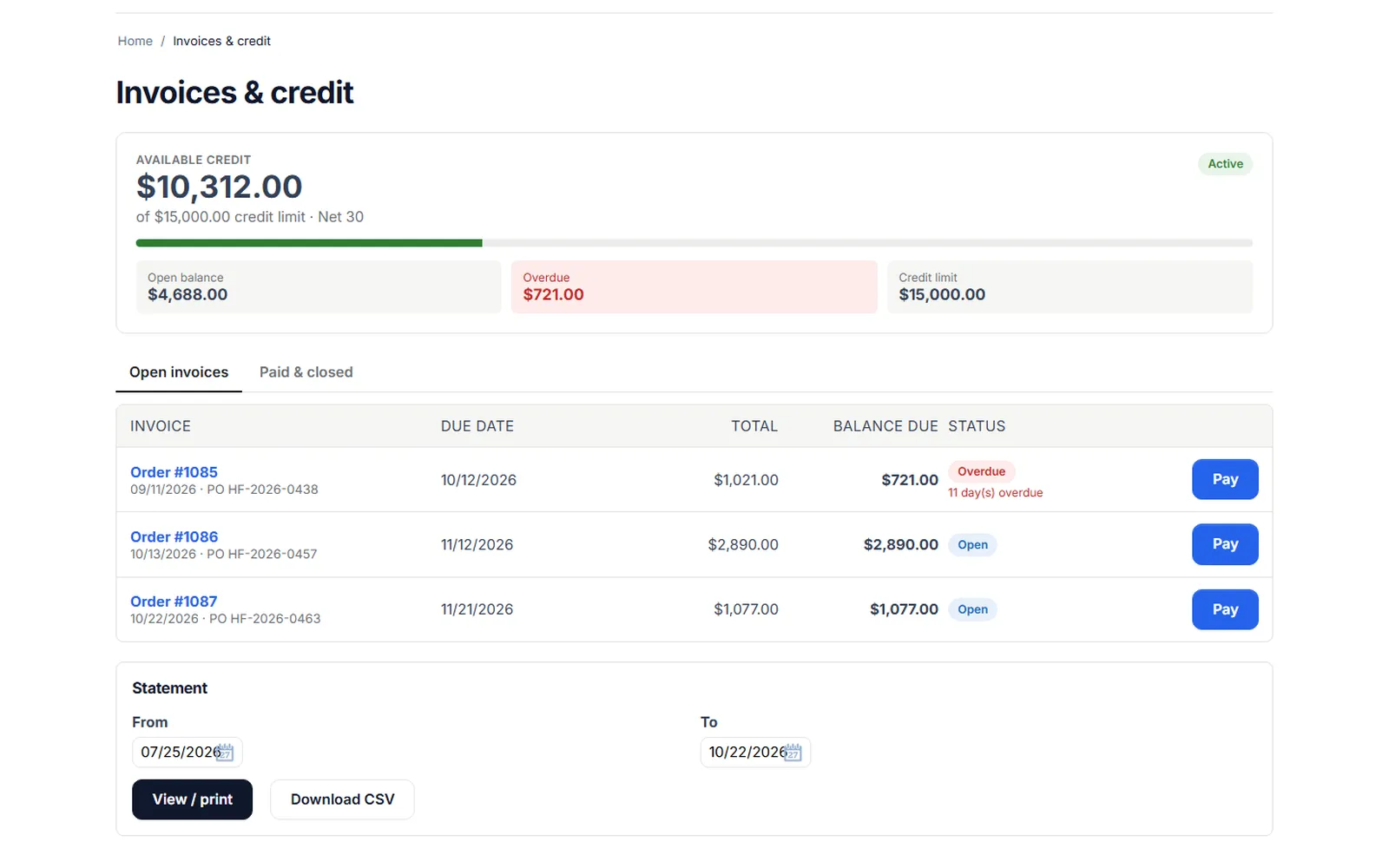
The buyer’s Invoices & credit page: available credit, open balance, overdue amount and open invoices with Pay buttons.
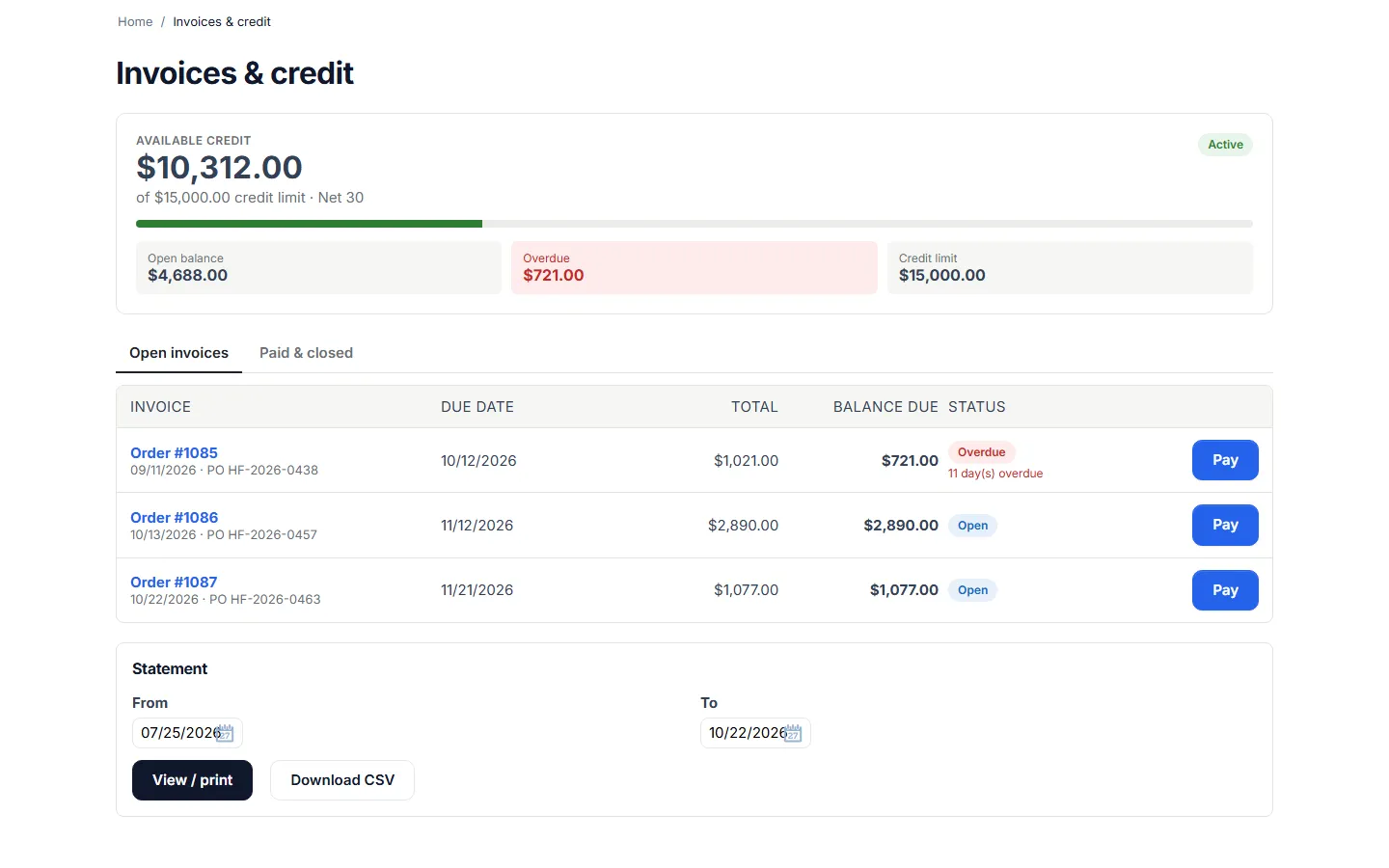
Invoices & credit in My account: credit meter, open invoices with due dates and statement form.
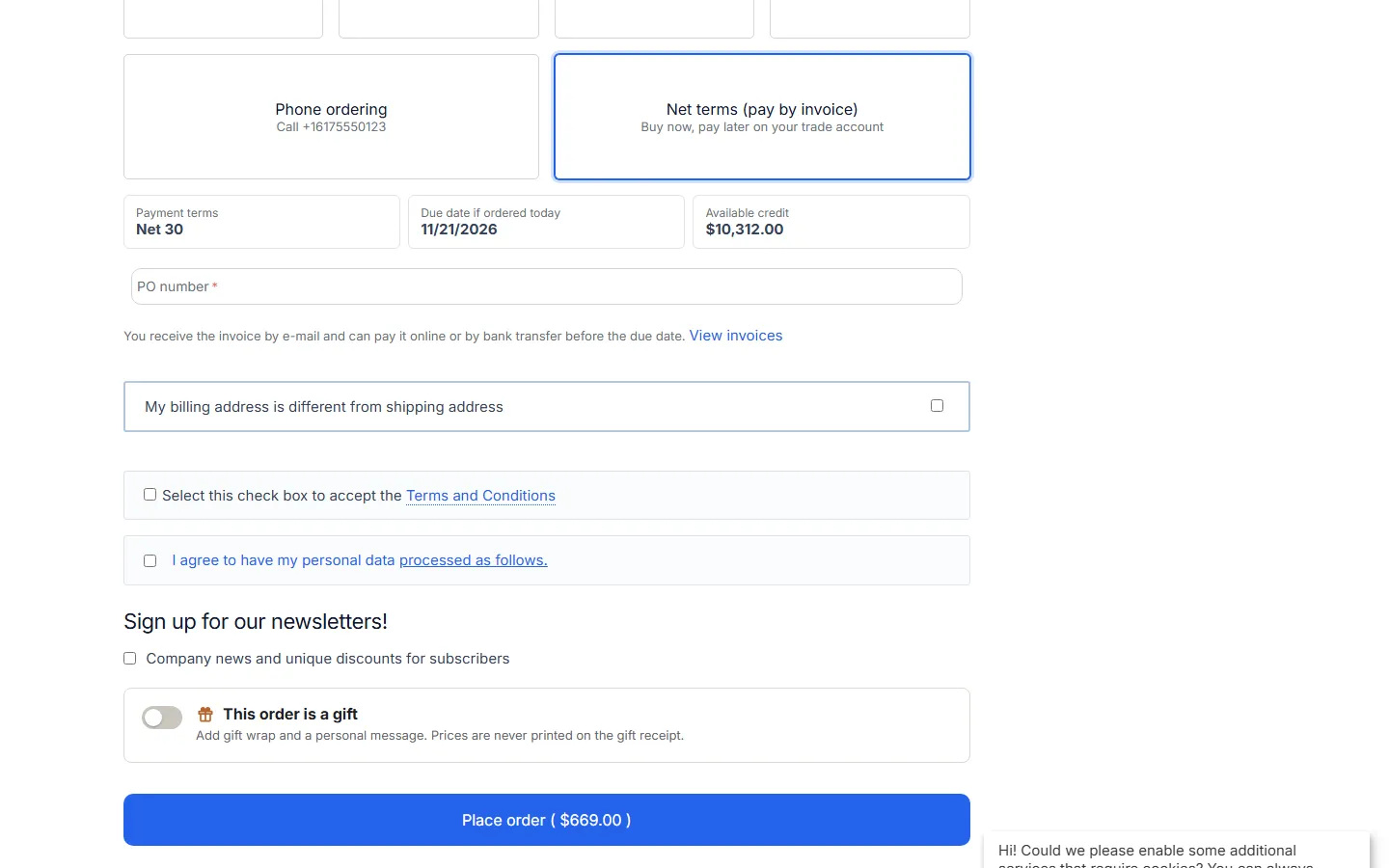
Checkout: the Net terms payment method with terms, due date preview, available credit and PO number.
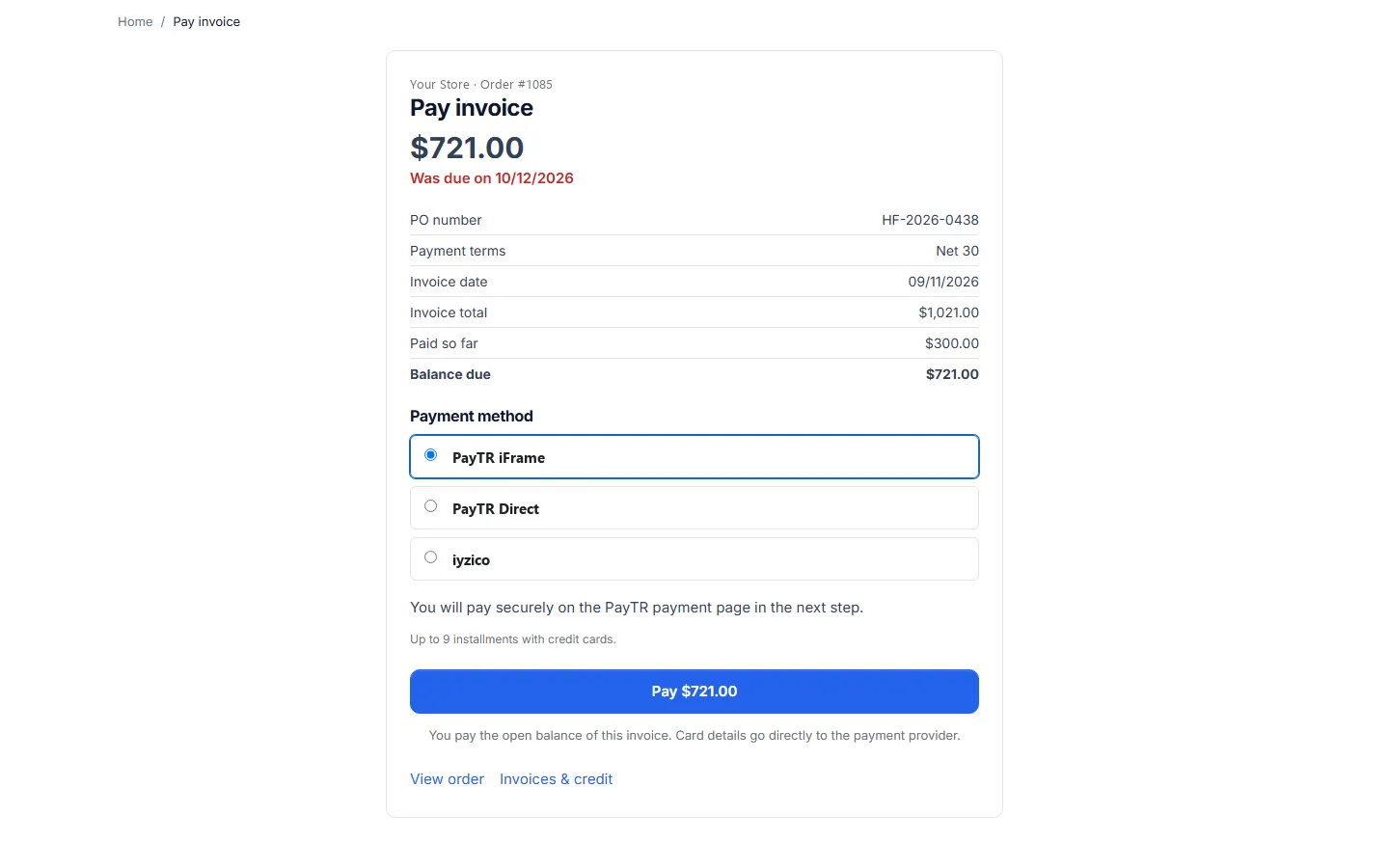
Secure invoice payment page: balance after a partial payment, overdue date, online payment methods.
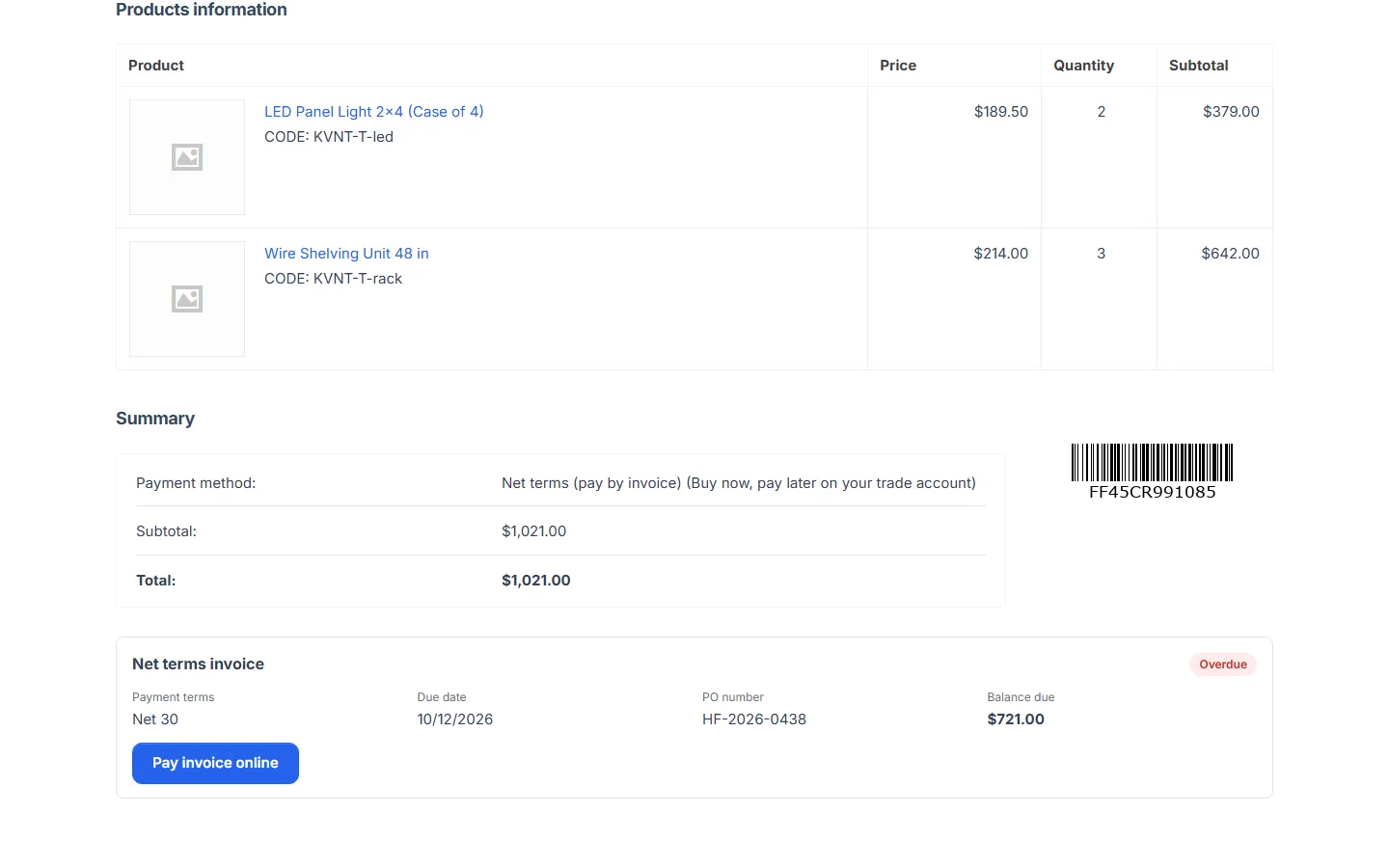
Customer order page: the net terms invoice panel with the Pay invoice online button.
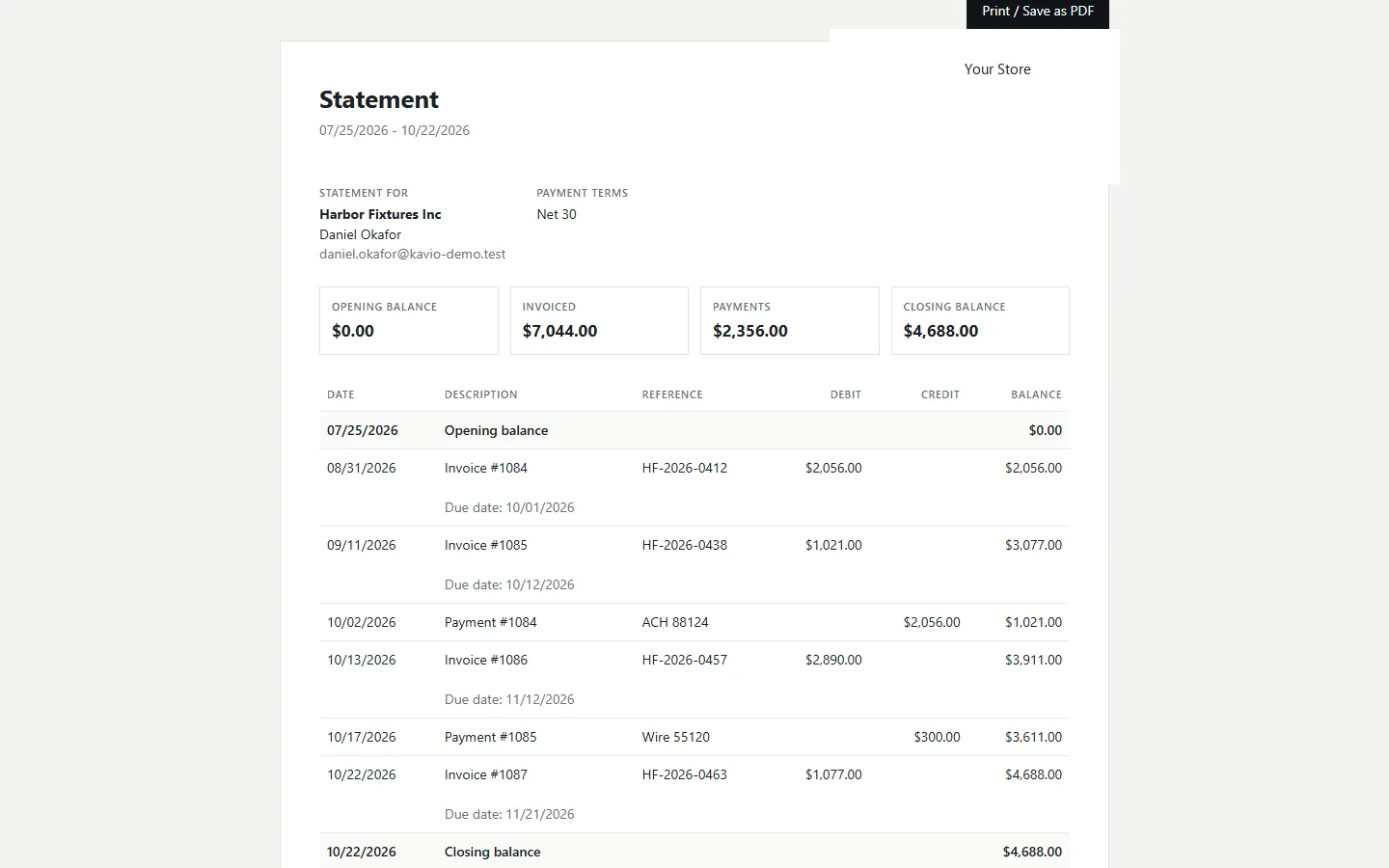
Printable account statement with opening balance, invoices, payments and running balance.
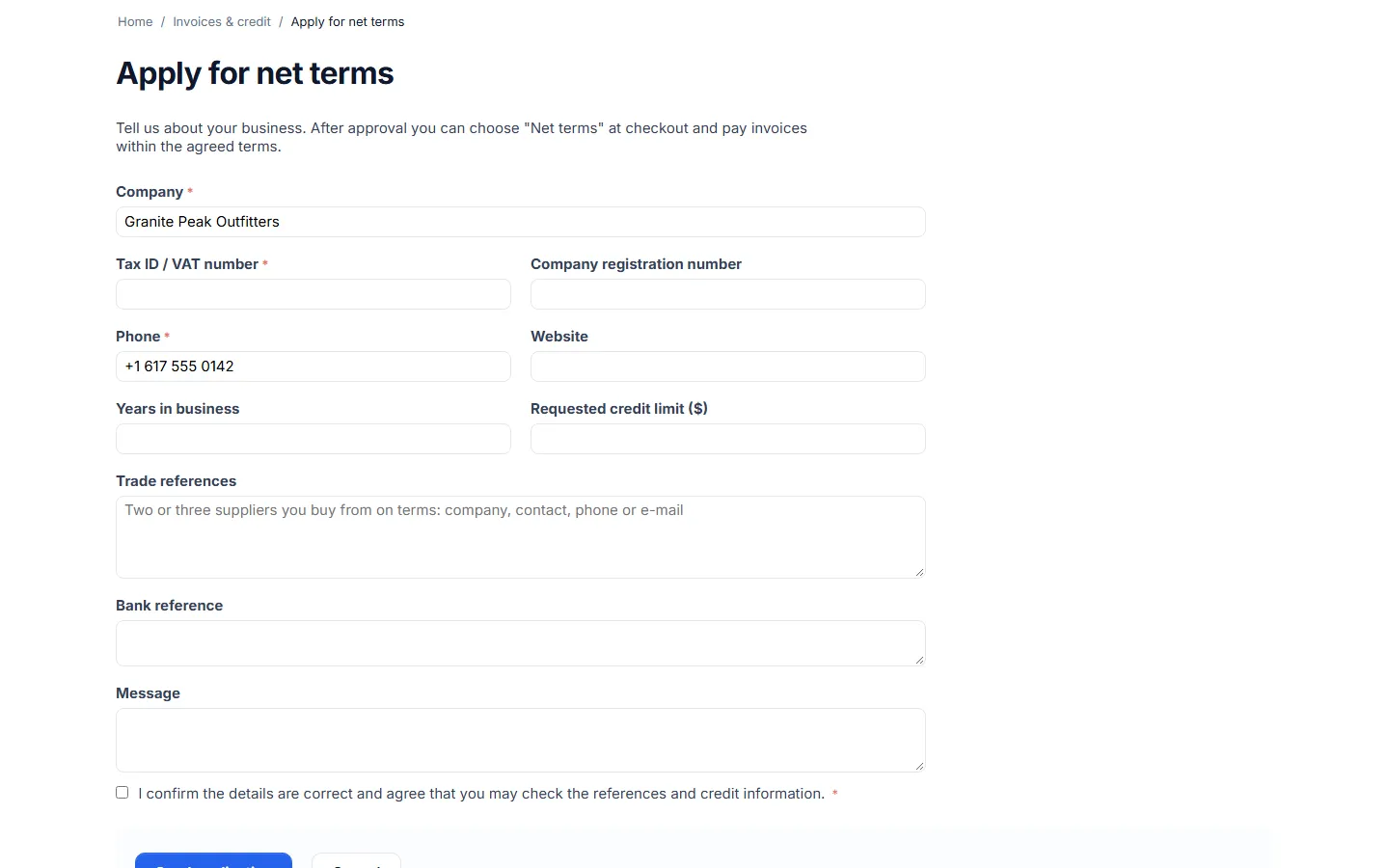
Application form for net terms (company, tax ID, references, requested limit).
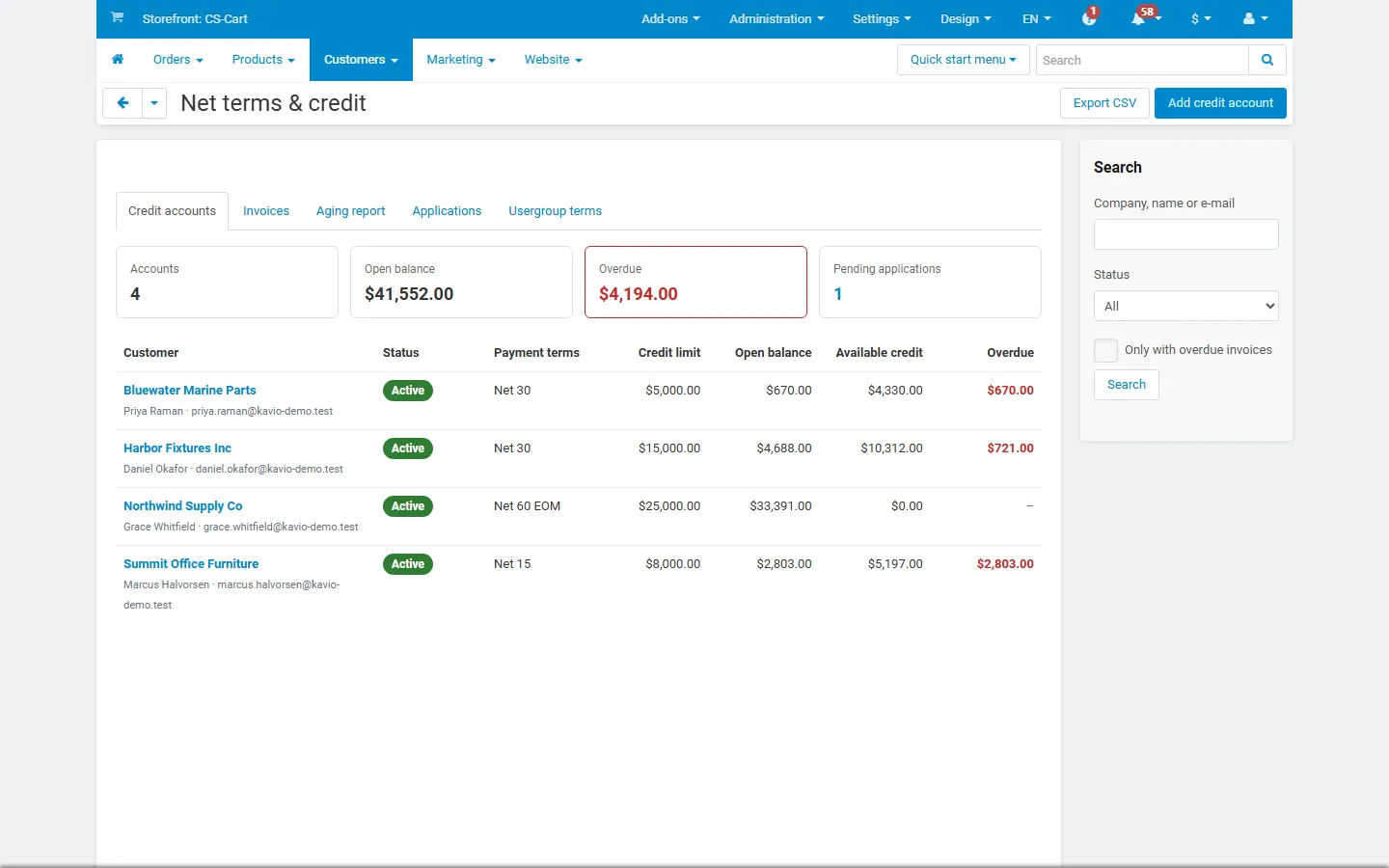
Admin: credit accounts with limits, open and overdue balances.
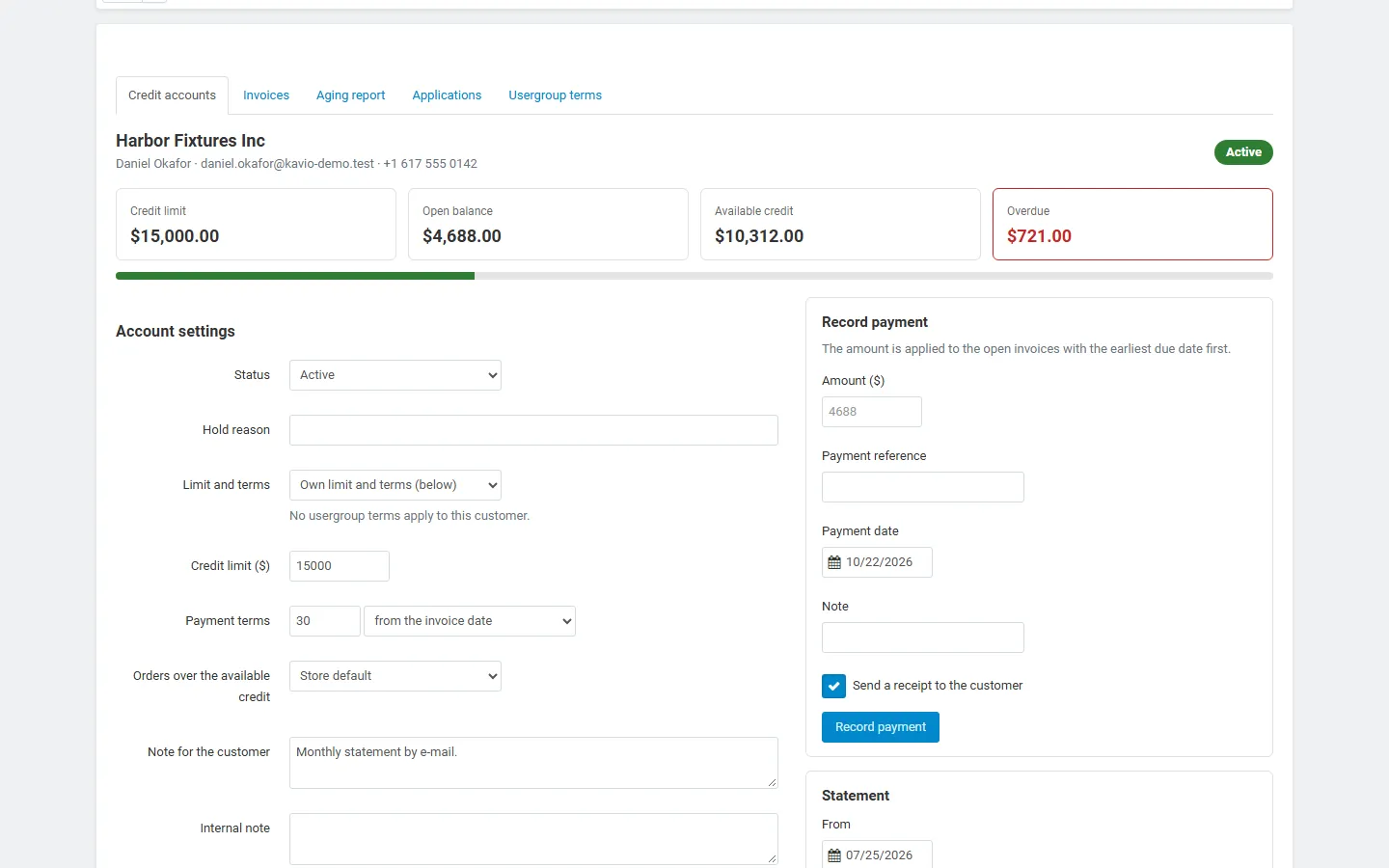
Admin: a credit account with limit, terms, record payment, statement and invoices.
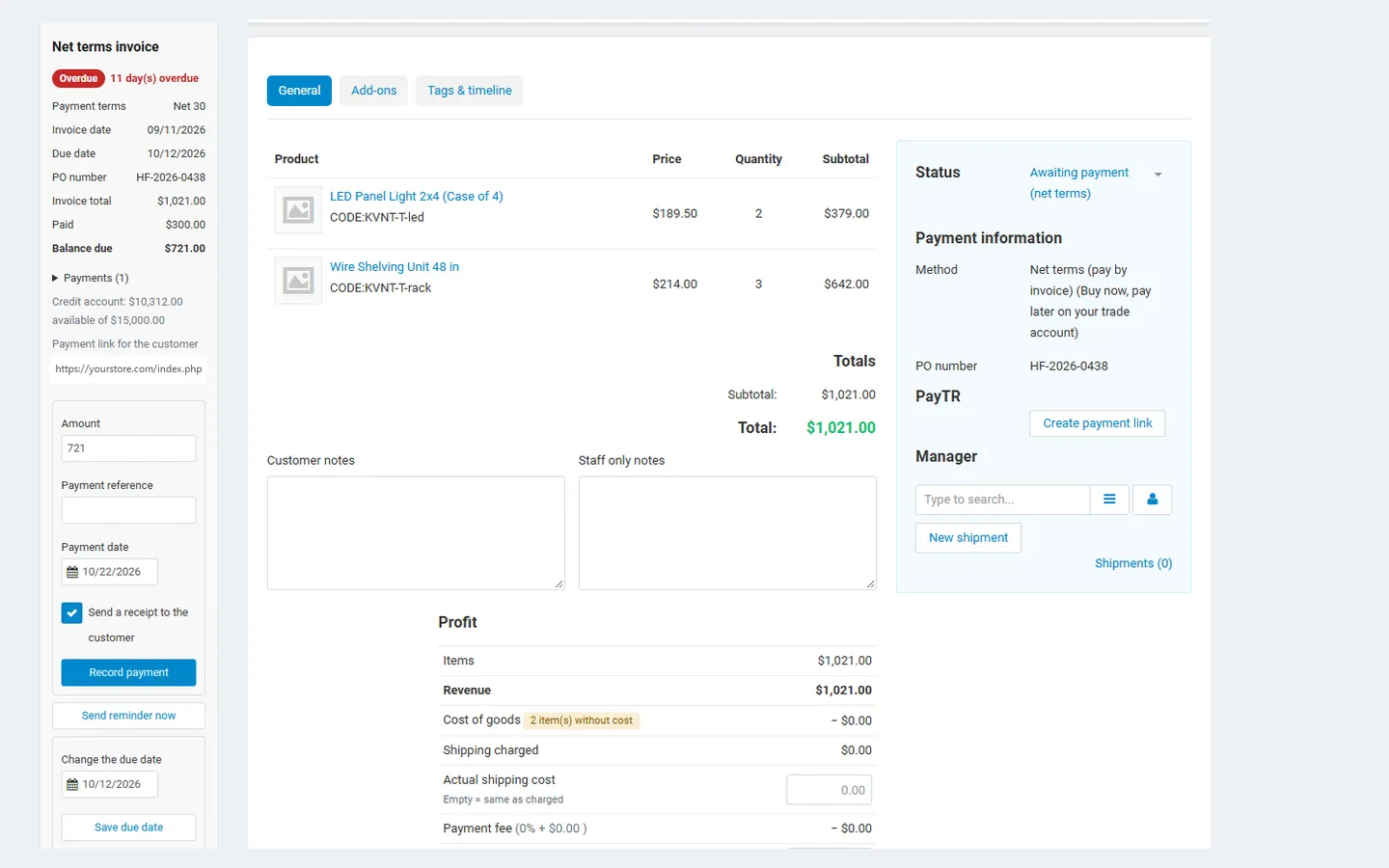
Admin order page: the invoice panel (partial payment, pay link, record payment, reminder, due date) next to the order.
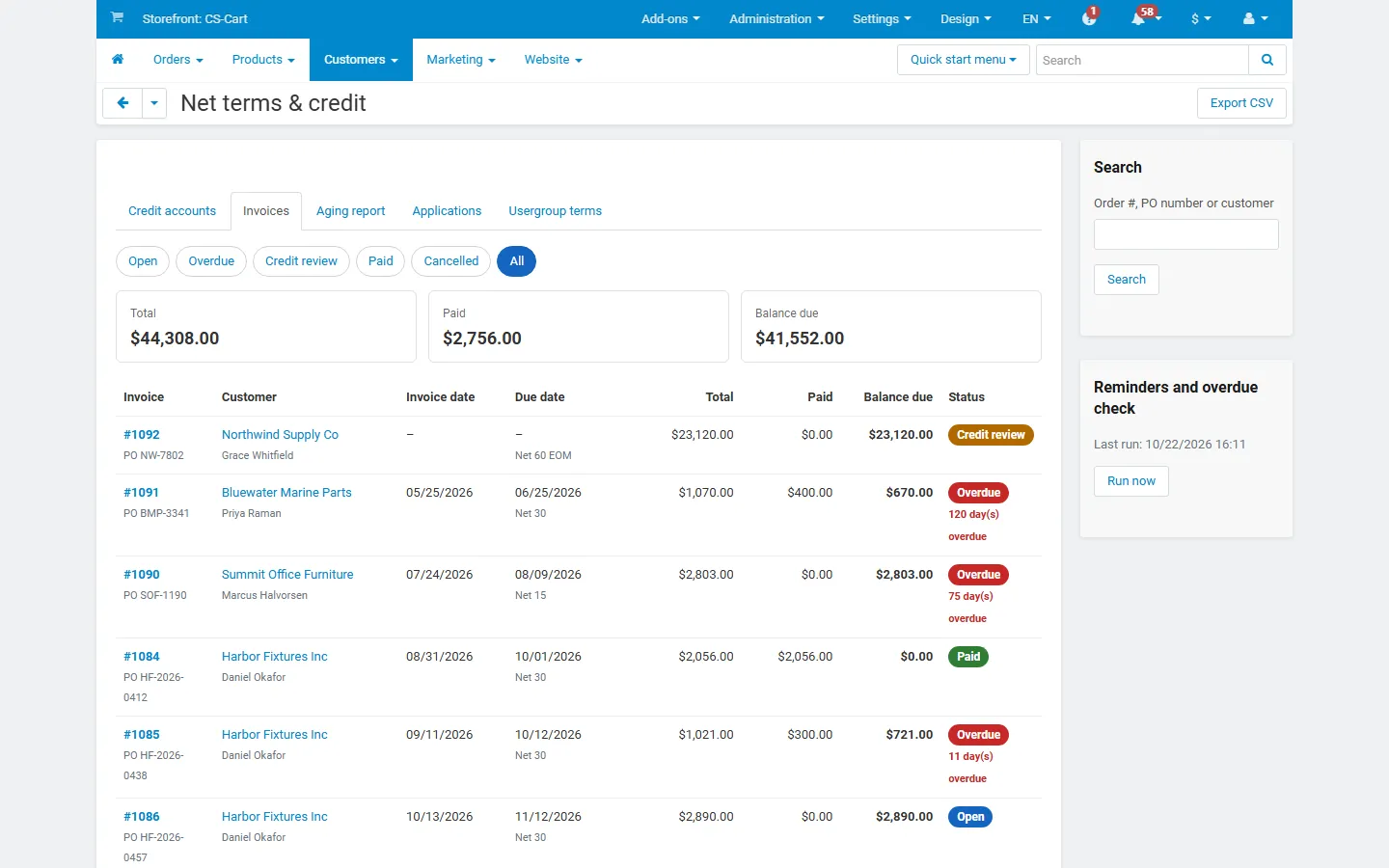
Admin: invoice list with state filters (open, overdue, credit review, paid).
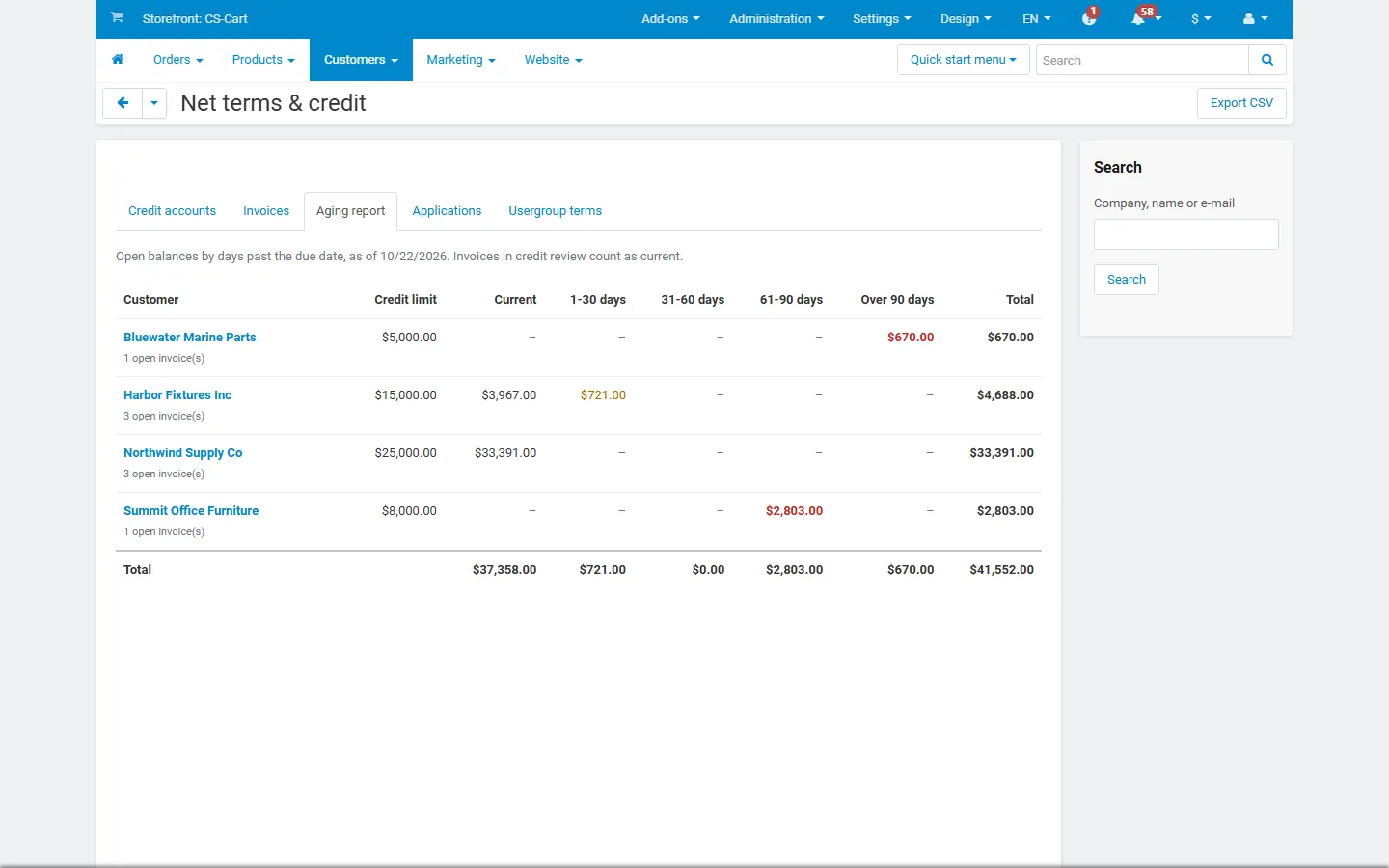
Admin: aging report (current, 1-30, 31-60, 61-90, over 90 days).
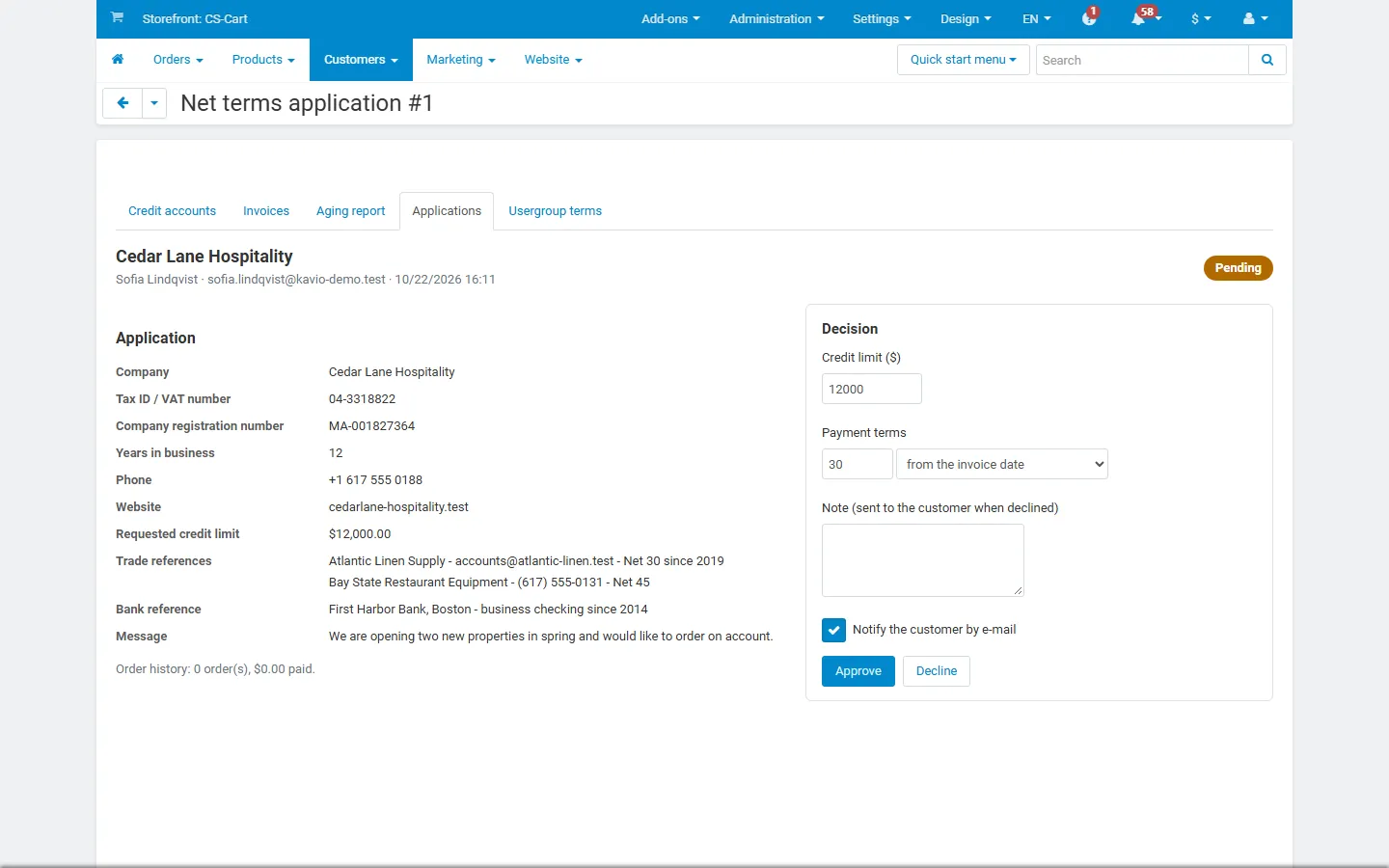
Admin: an application with the approval form (limit and terms).
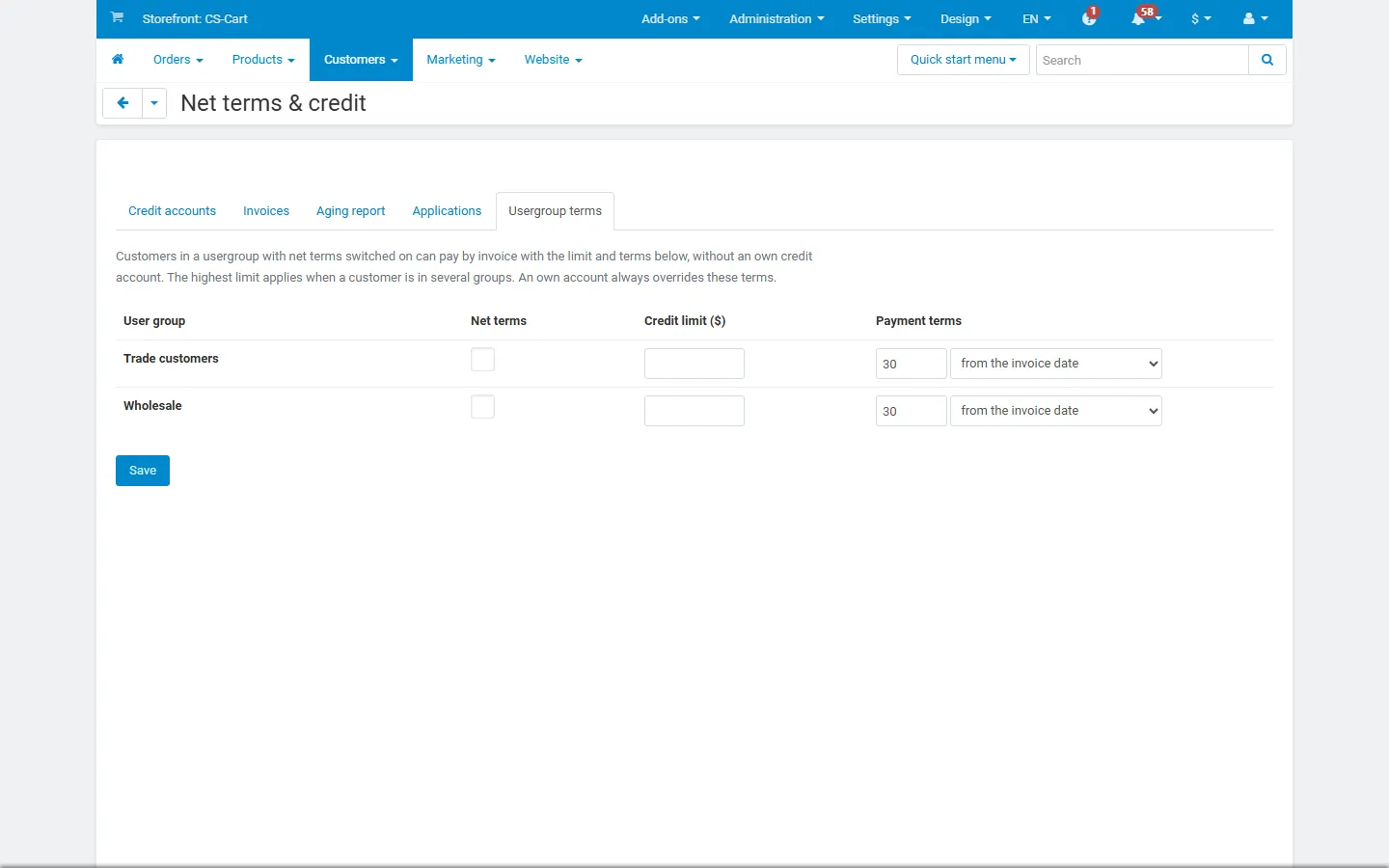
Admin: net terms per usergroup.
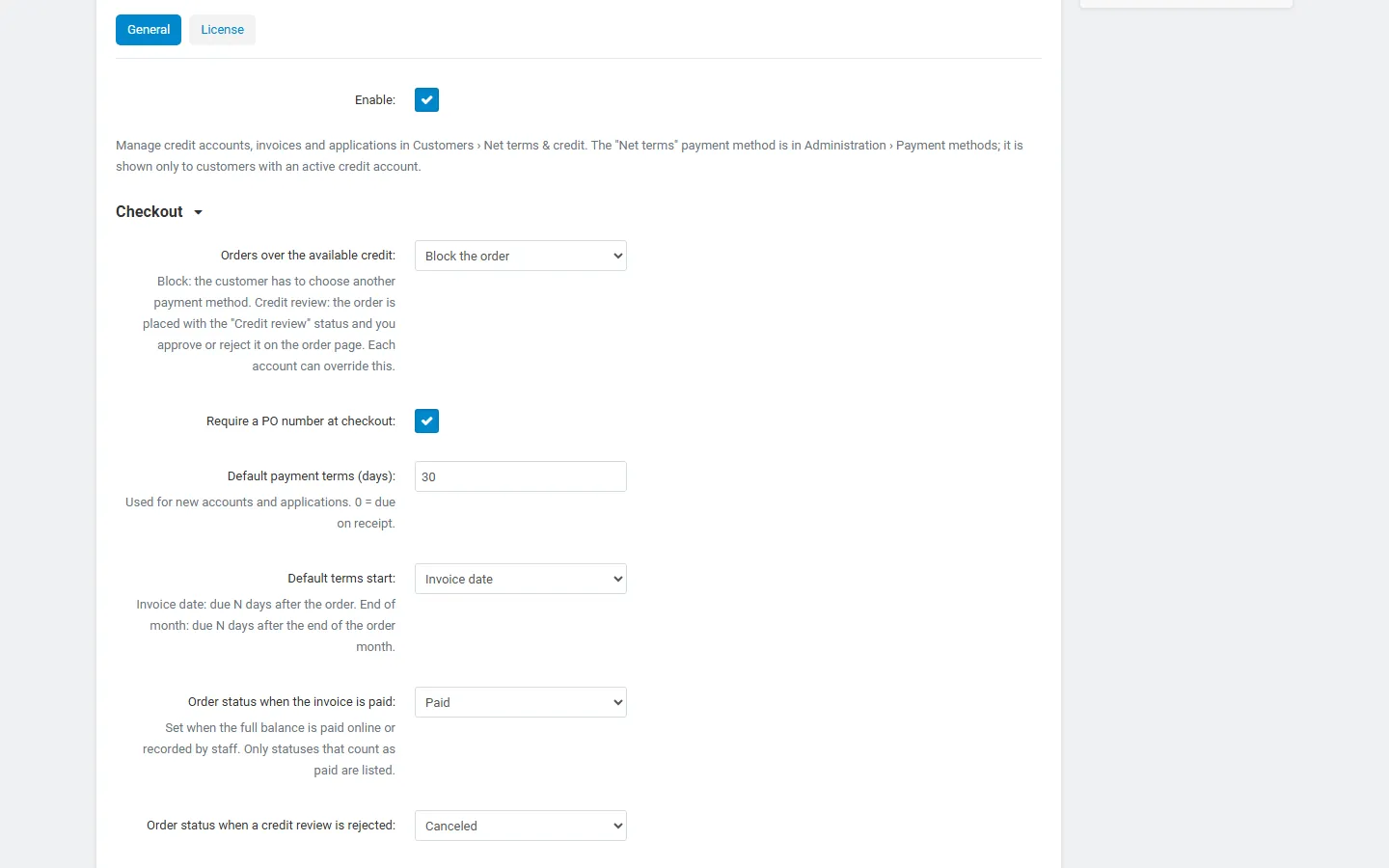
Add-on settings: checkout, terms, statuses, invoice printing.
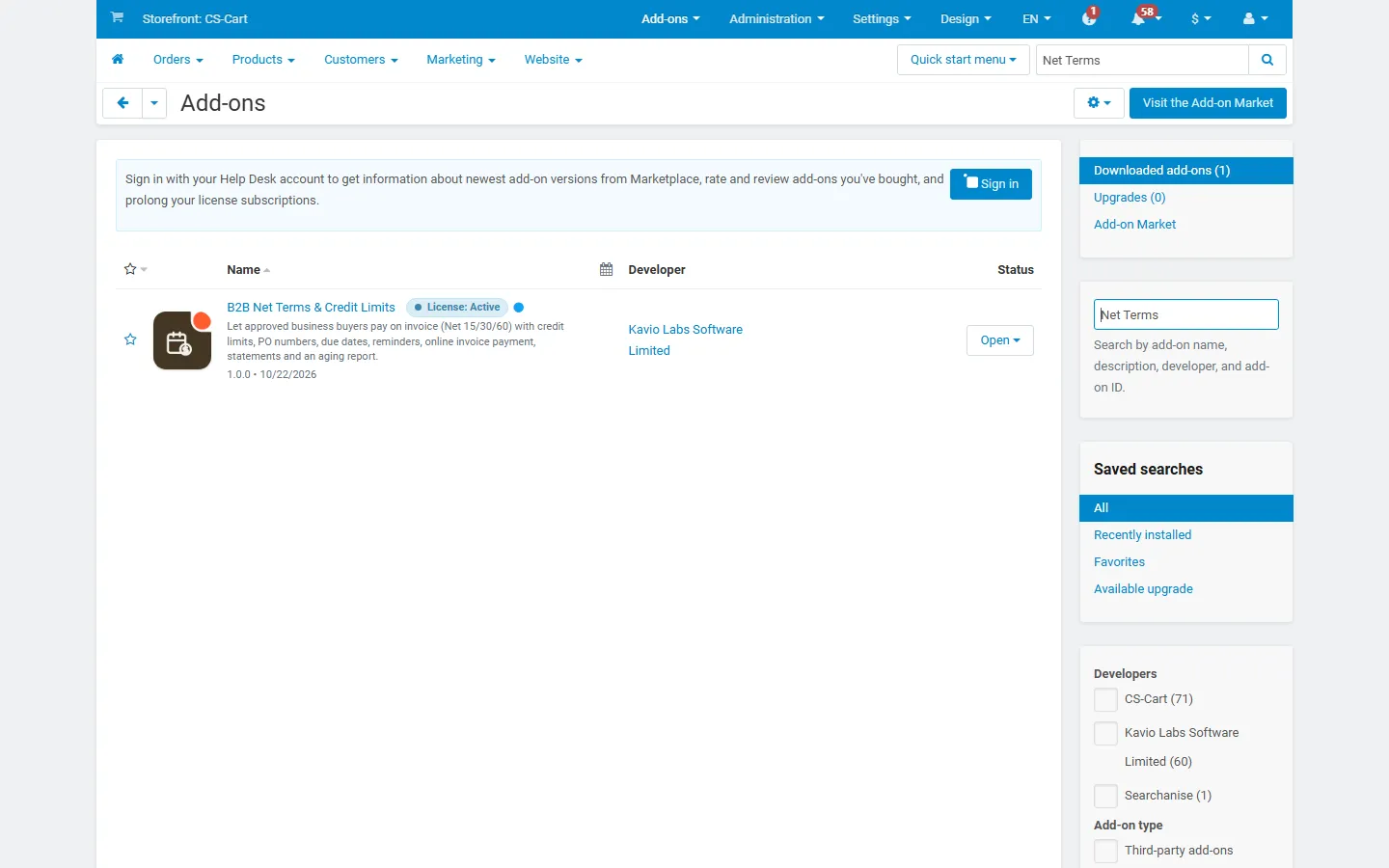
Add-ons list with the add-on installed, active and with its icon.
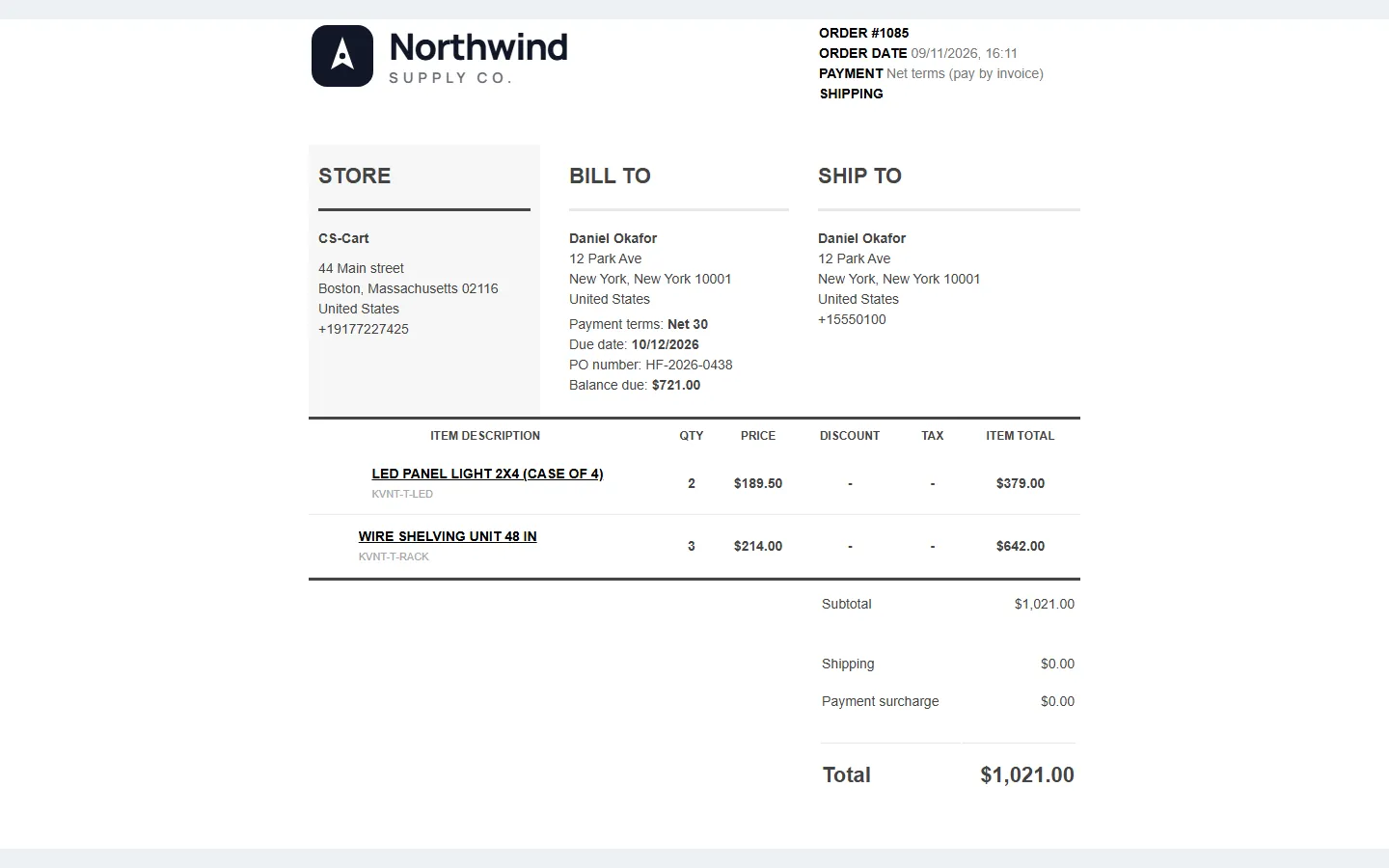
CS-Cart invoice with payment terms, due date, PO number and balance due.