

Usage
Overview · Installation · Configuration · Developer notes · FAQ
On the storefront
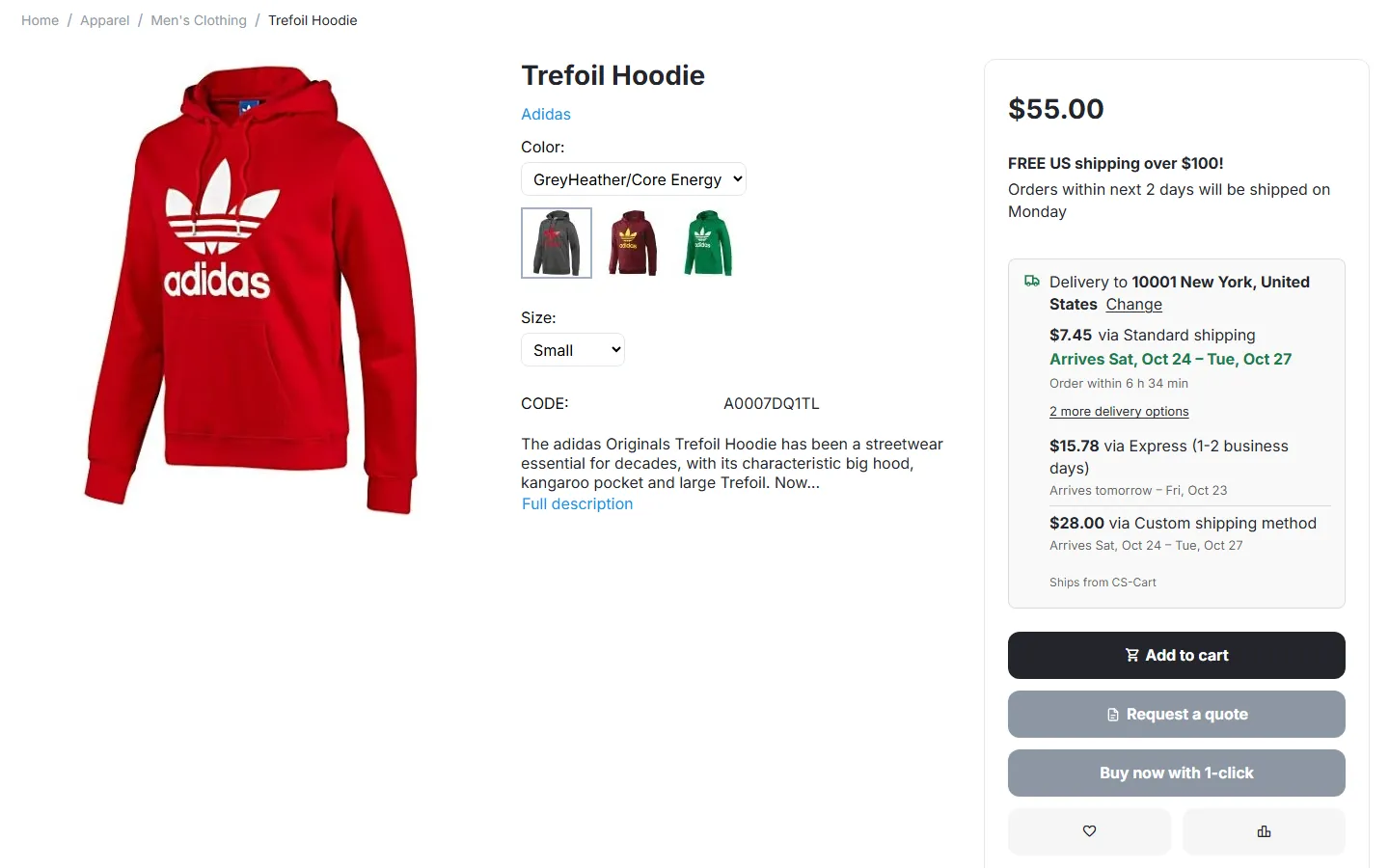
Section titled “On the storefront”On every product page that needs shipping, a box above the Add to cart button shows:
- Delivery to the visitor’s location, with a Change link;
- the best method (cheapest or fastest, by setting): its price or Free, its name, and Arrives Tue, Oct 28 (or a range such as Arrives Sat, Oct 24 – Tue, Oct 27, or tomorrow);
- Order within 2 h 15 min until the cut-off time for the shown date;
- Add $12.00 more for free delivery when a method becomes free from an order total;
- N more delivery options, which opens the other methods with their prices and dates;
- on Multi-Vendor, Ships from and the vendor’s name.
When the quantity or an option changes, the estimate is calculated again. Downloadable products without shipping get no box.
Changing the location
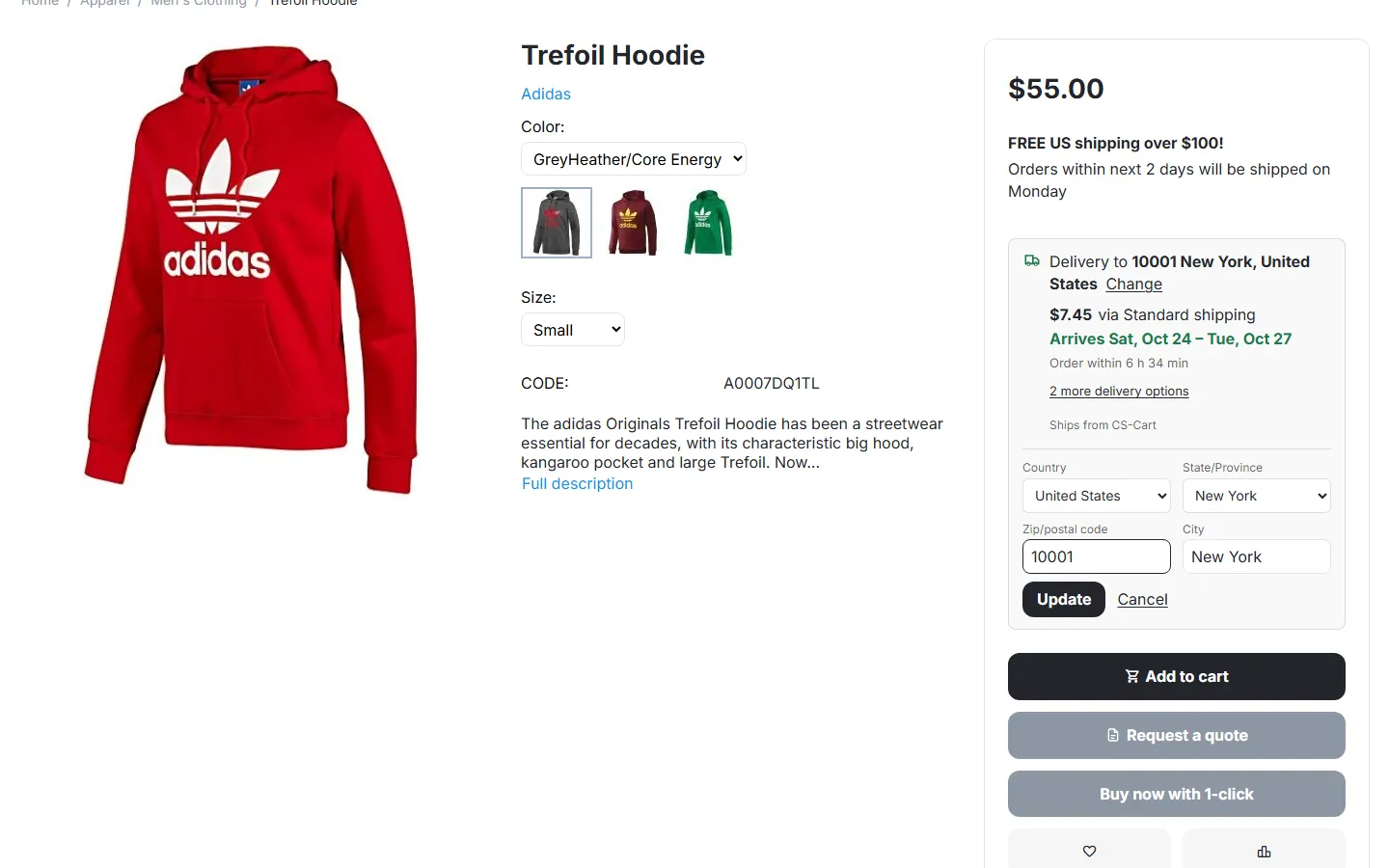
Section titled “Changing the location”Change opens a small form with country, state, postcode and city. Update recalculates the estimate and keeps the location (in a cookie) for the next product pages. Without a chosen location the estimate uses, in this order: the address entered in the cart or at checkout, the customer’s profile address, and the store’s default location (Settings → Checkout, default country, state, city and postcode).
What the shopper may see instead
Section titled “What the shopper may see instead”| Message | When |
|---|---|
| No delivery to this location. Try another postcode or country. | No shipping method serves the location. |
| Free delivery | The product ships free and no method needs to be chosen. |
| No shipping needed for this product. | Downloadable product without shipping. |
| Shipping costs are calculated at checkout. | The product cannot be estimated (not available to this visitor), or the carriers took longer than 12 seconds. |
How the estimate is calculated
Section titled “How the estimate is calculated”The add-on builds a temporary cart with this product, the chosen quantity and options (and, with Include the customer’s cart, the products already in the cart) and lets CS-Cart calculate all shipping methods for the visitor’s location, exactly as the “Estimate shipping cost” box of the cart does. So the estimate follows your shipping methods, destinations and rates, realtime carriers, shipping freight, the “Free shipping” flag of products, free shipping promotions, user groups, taxes and add-ons that change shipping (for example Kavio Shipping & Payment Restrictions or Kavio Vendor Shipping Table Rates).
The temporary cart is never saved: the customer’s cart, the cart’s own rate cache and product popularity statistics are not touched.
Delivery dates
Section titled “Delivery dates”The arrival date is: today (before the cut-off on a dispatch day) or the next dispatch day, plus the handling time in dispatch days, plus the method’s transit days in delivery days. Holidays count as neither. See Delivery dates.
With Kavio Delivery Date & Time Slots installed (and Delivery dates: Automatic), its calendars are used: work and delivery days, holidays, cut-off, processing days of products and categories and, on Multi-Vendor, vendor calendars. A method with its own transit days in Delivery Date & Time Slots uses its estimate; otherwise the transit days of this add-on apply (see the order above). Delivery Date & Time Slots prints its own single estimate on product pages; once the per-method estimate of this add-on has loaded, that one is hidden, so the page never shows two different dates.
Free shipping hint
Section titled “Free shipping hint”With Kavio Shipping Goal Progress Bar installed, the hint uses its goals (automatic or manual thresholds, promotions, per-vendor goals), so the product page and the progress bar always show the same amount. Without it, the hint comes from the manual rates of the estimated methods: the order total from which a method that costs money now becomes free.
Speed and caching
Section titled “Speed and caching”The product page itself contains only an empty placeholder; the estimate is loaded in the background after the page is shown. Realtime carriers therefore never delay the page. If they do not answer within 12 seconds, the box says that shipping costs are calculated at checkout. Rates are cached for the configured minutes per product, quantity, options and location; any change to your shipping setup clears the cache.
On CS-Cart 4.21 with the full page cache, product pages stay cacheable: the placeholder is the same for every visitor and the per-visitor estimate never enters the cache.
Multi-Vendor
Section titled “Multi-Vendor”Every vendor ships separately, so the estimate shows only the shipping methods of the product’s vendor (and marketplace methods available to that vendor), with Ships from and the vendor name. Vendors enter transit days on their own shipping methods and, by setting, their own handling time and cut-off time in their profile. With Include the customer’s cart, only the cart items of the same vendor are added to the estimate.
CS-Cart Ultimate
Section titled “CS-Cart Ultimate”Settings can differ per storefront (for example another cut-off time or holiday list). Each storefront uses its own shipping methods, as at checkout.