

EU Withdrawal Button & Returns Portal screenshots
Real screenshots from our CS-Cart and Multi-Vendor test stores with the add-on installed and the English interface.
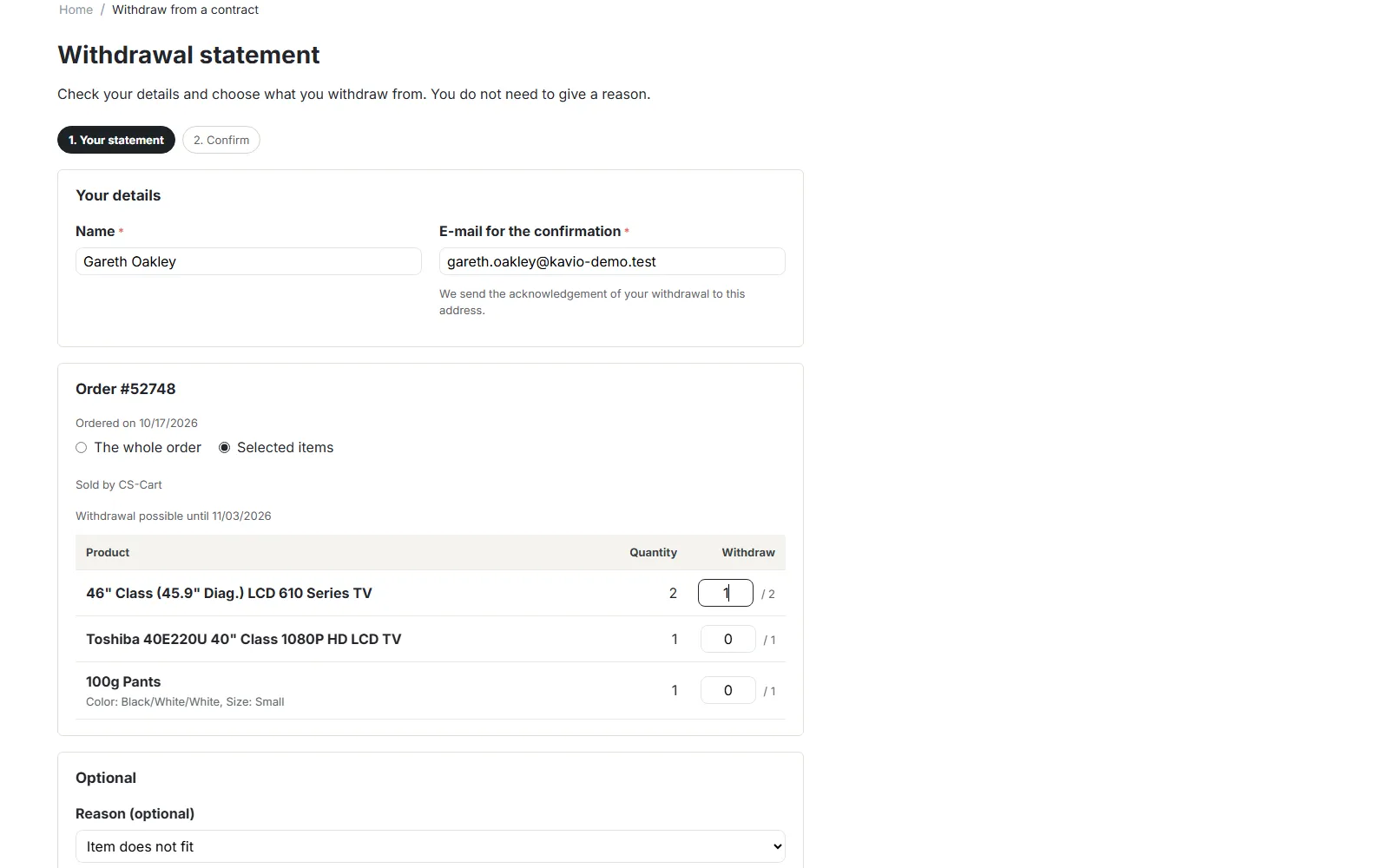
Withdrawal statement: whole order or selected items, optional reason.
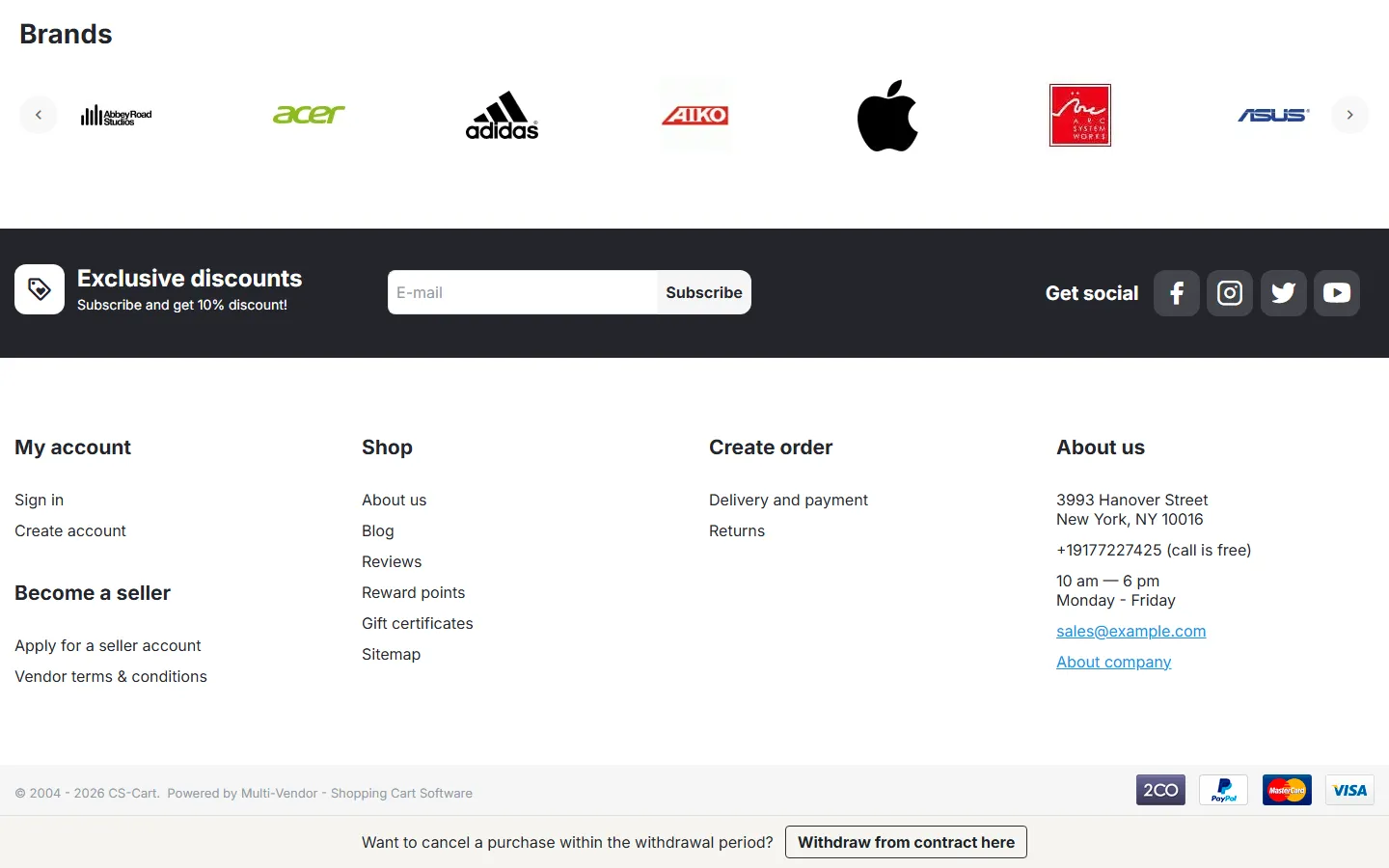
“Withdraw from contract here” strip at the bottom of every storefront page.
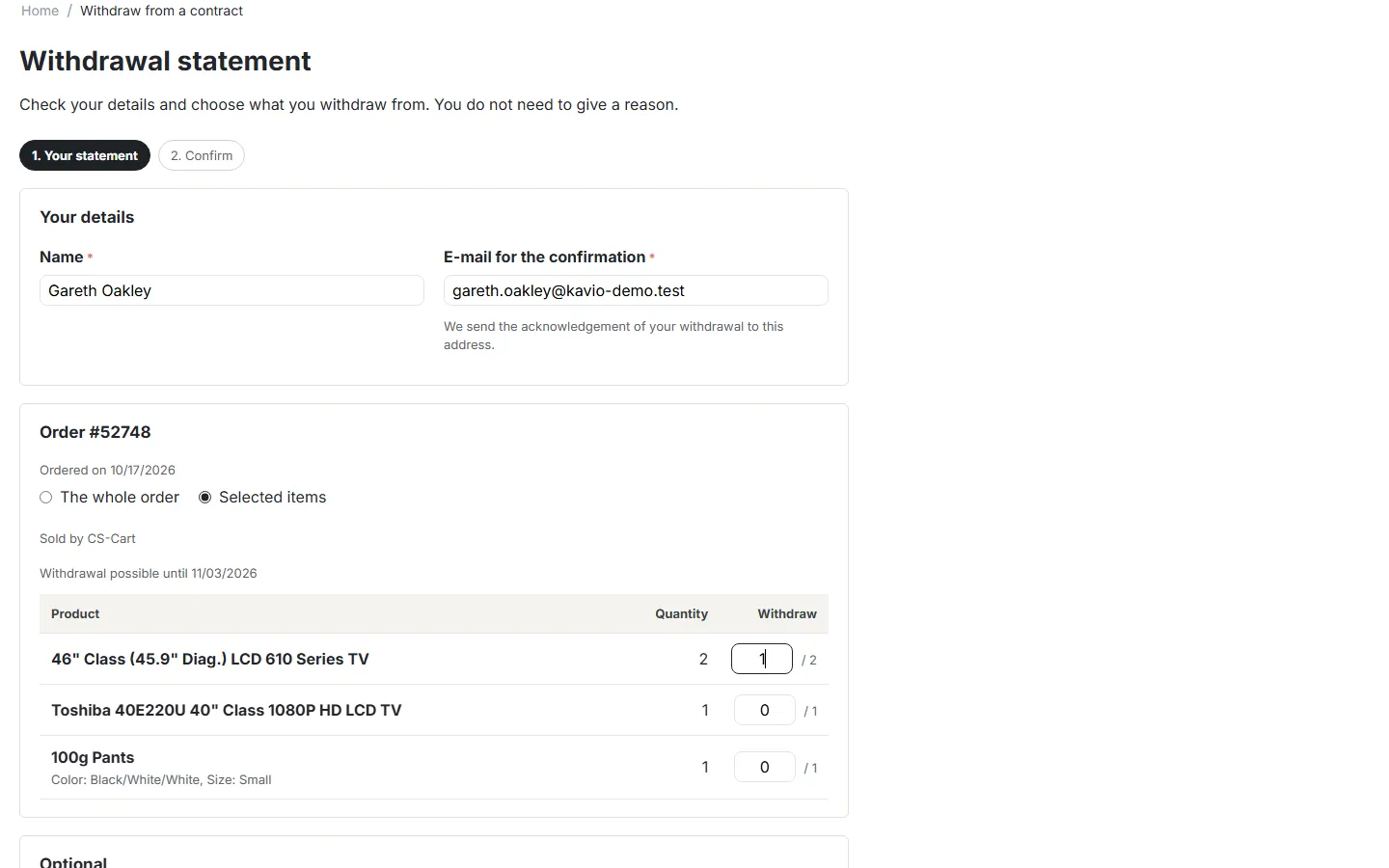
Step 1: name, e-mail for the confirmation, items and quantities.
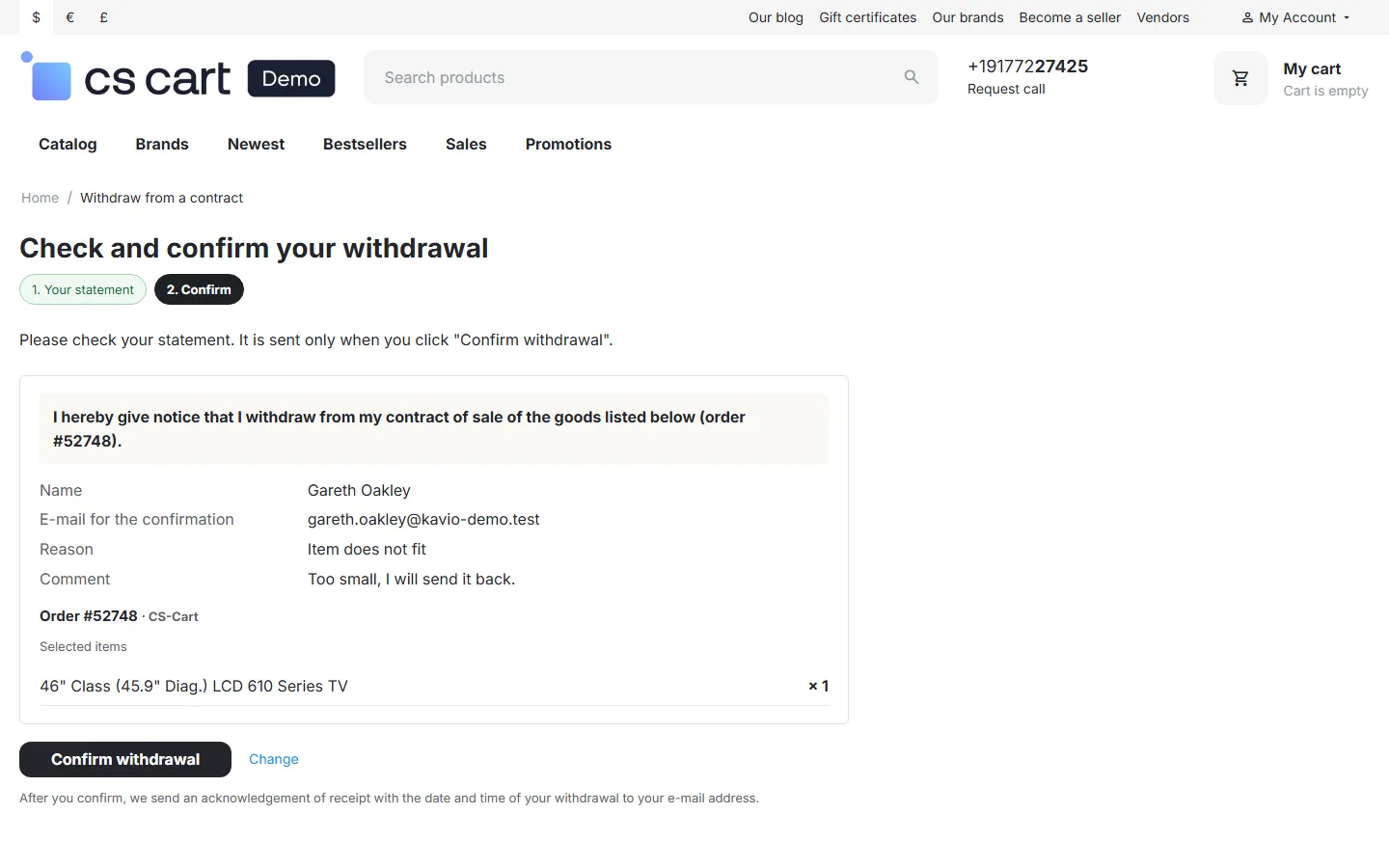
Step 2: check and confirm the withdrawal.
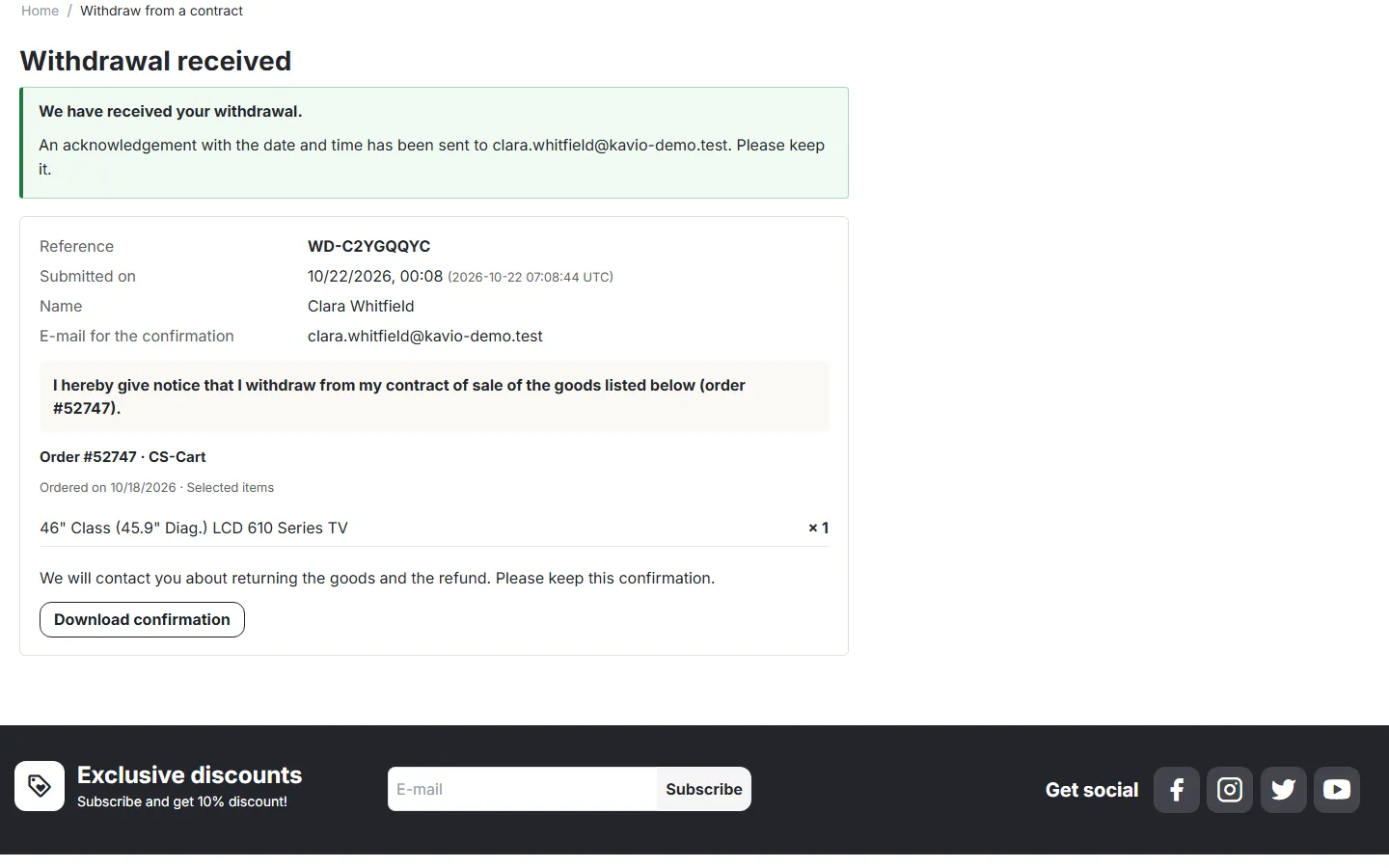
Withdrawal received: reference, date and time (store time and UTC), download of the confirmation.
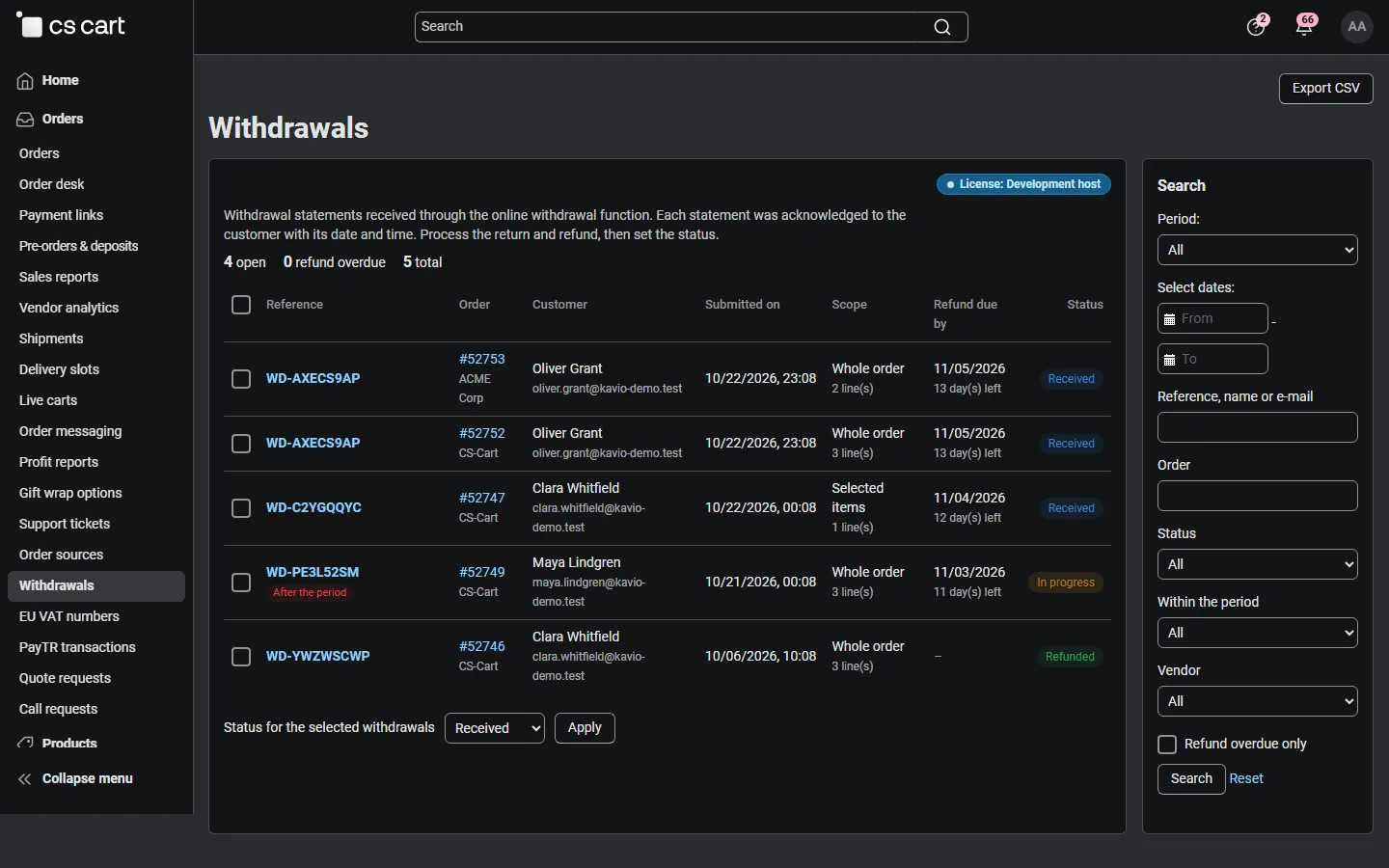
Admin register: open withdrawals, refund countdown, “after the period” flag, statuses, filters.
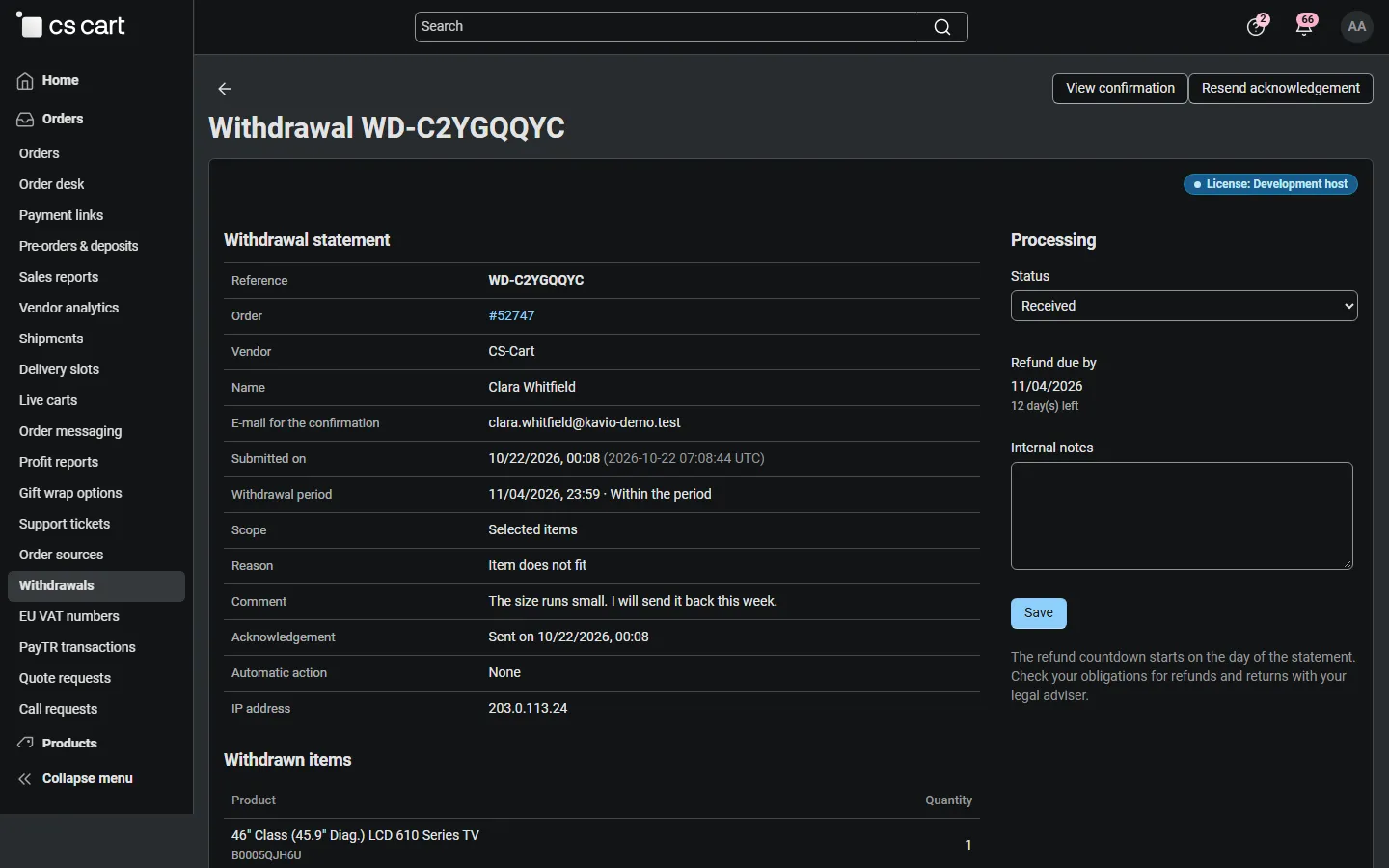
Withdrawal details: statement, acknowledgement, automatic action, status and notes.
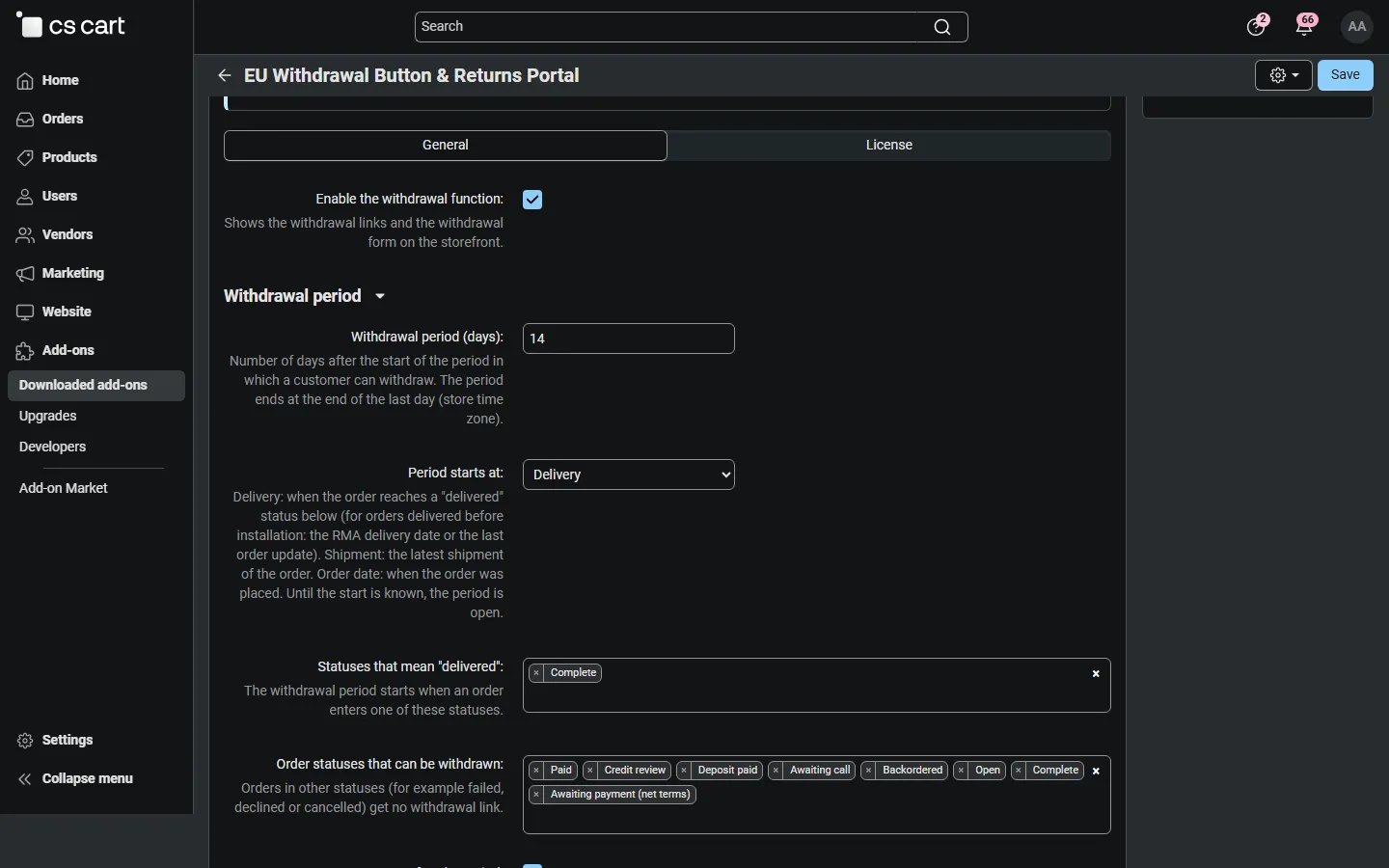
Add-on settings: period, delivered statuses, eligible statuses (with the licence card).
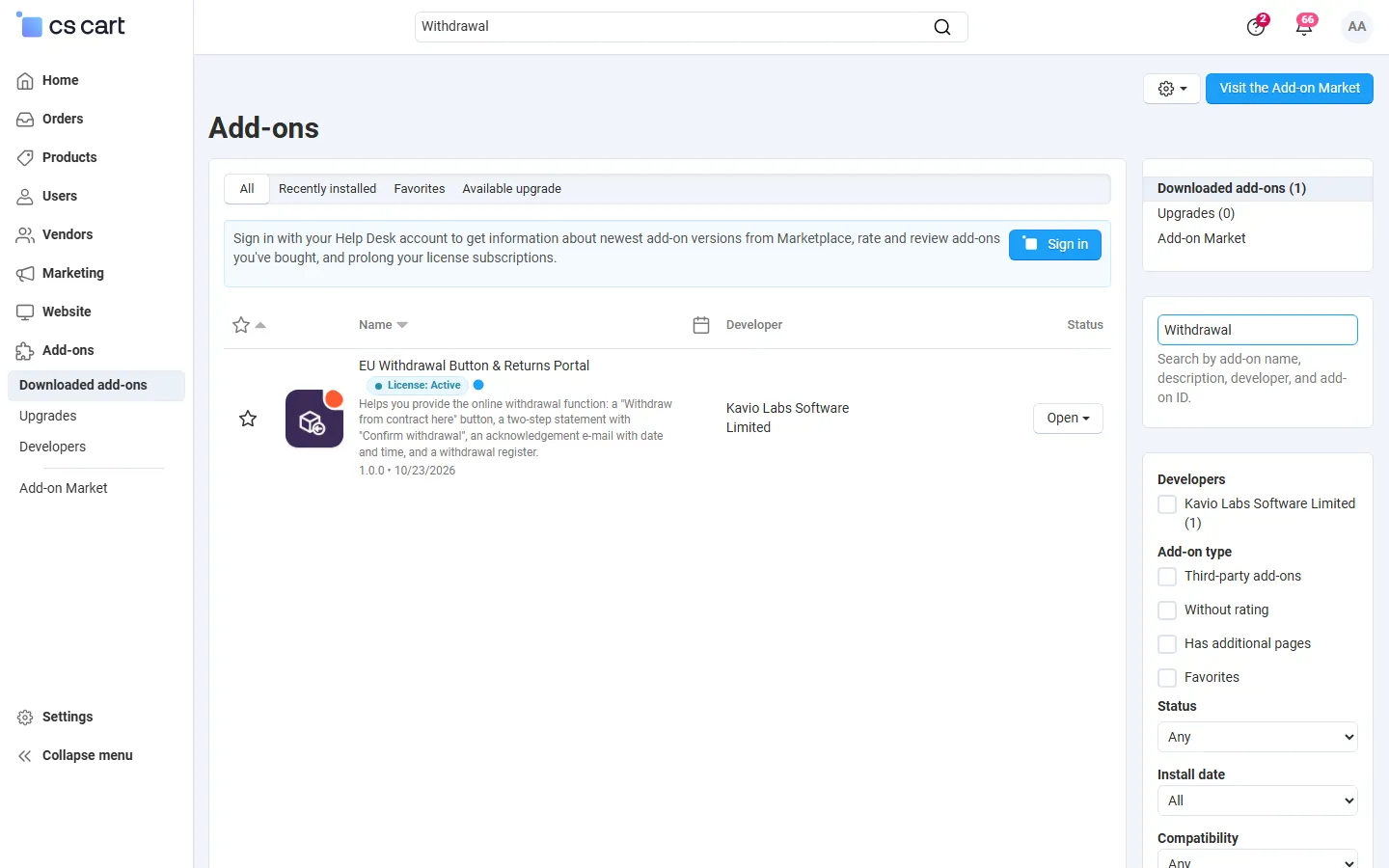
Downloaded add-ons searched for the add-on (CS-Cart MV 4.21.2).
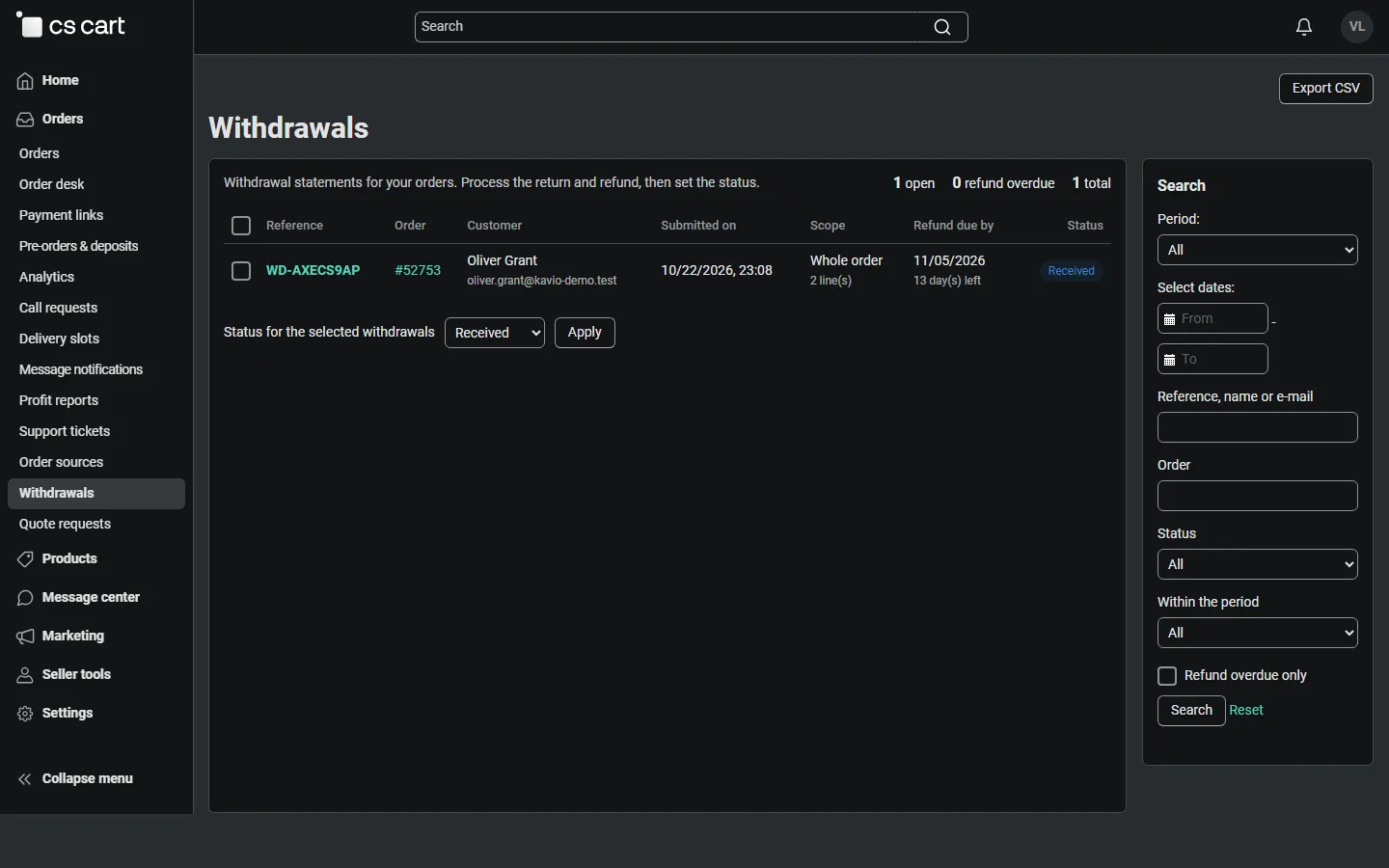
Vendor panel: the vendor sees only the withdrawals of its own orders.
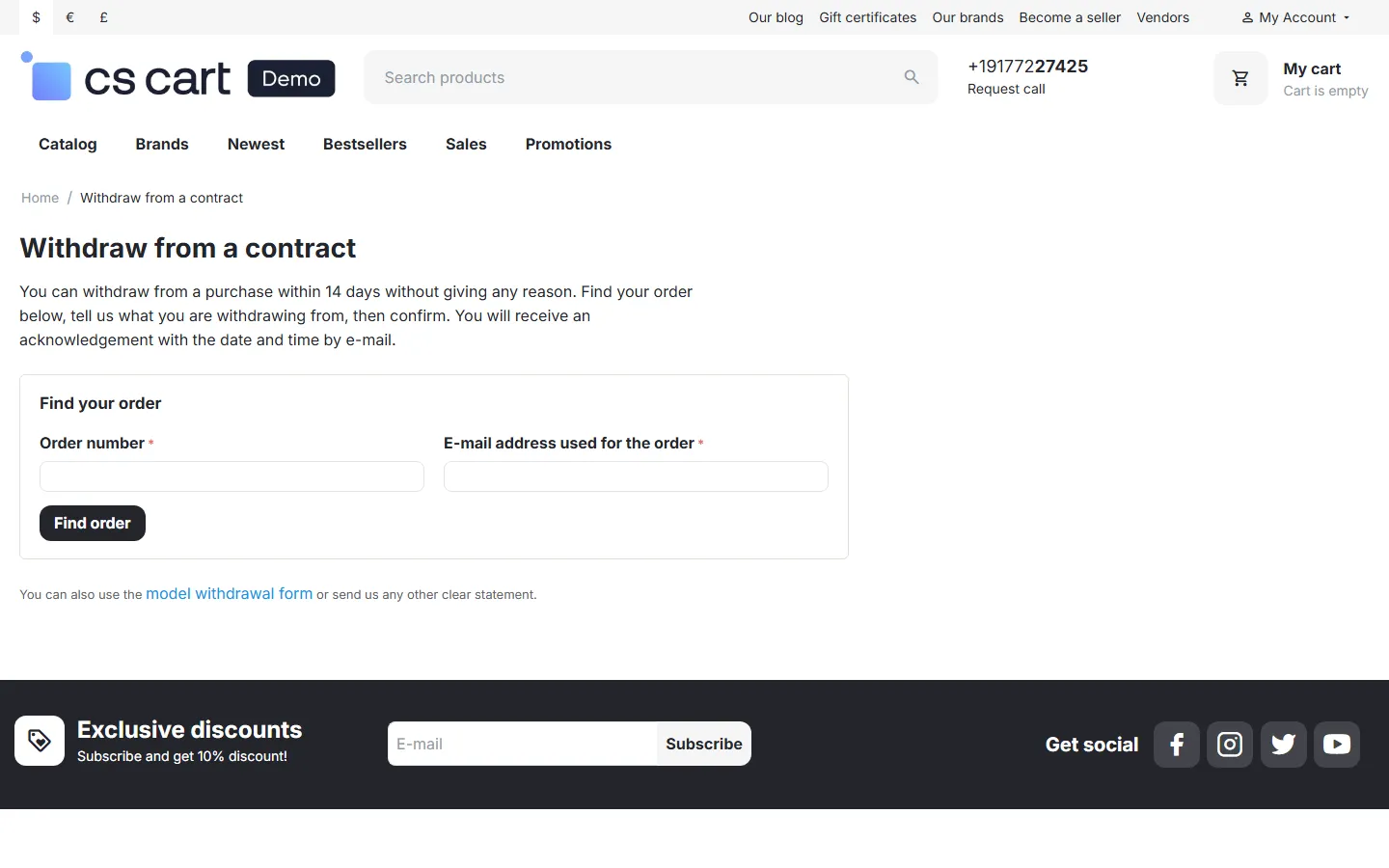
Withdrawal page for guests: order number and order e-mail.
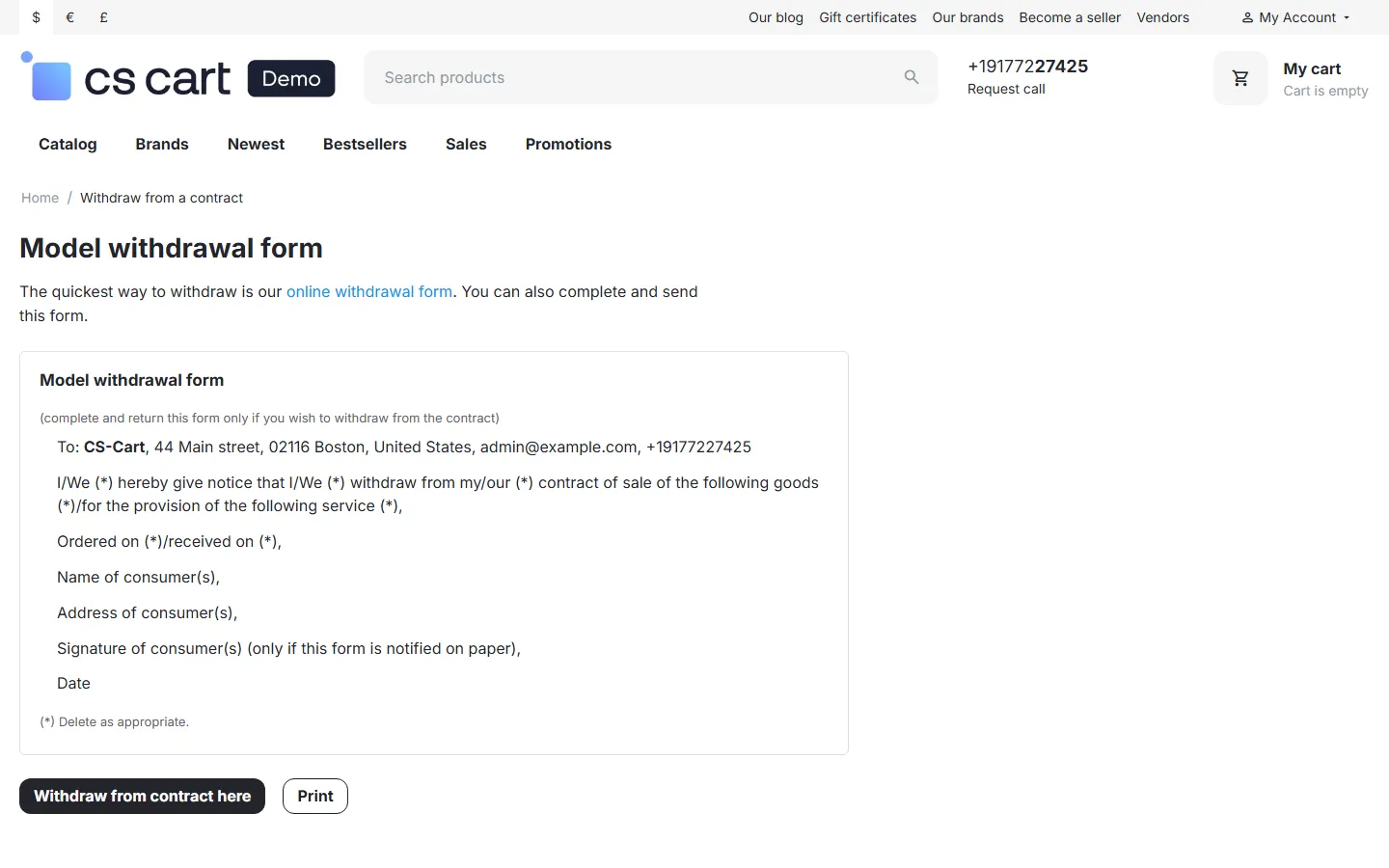
Model withdrawal form page with the store’s details.
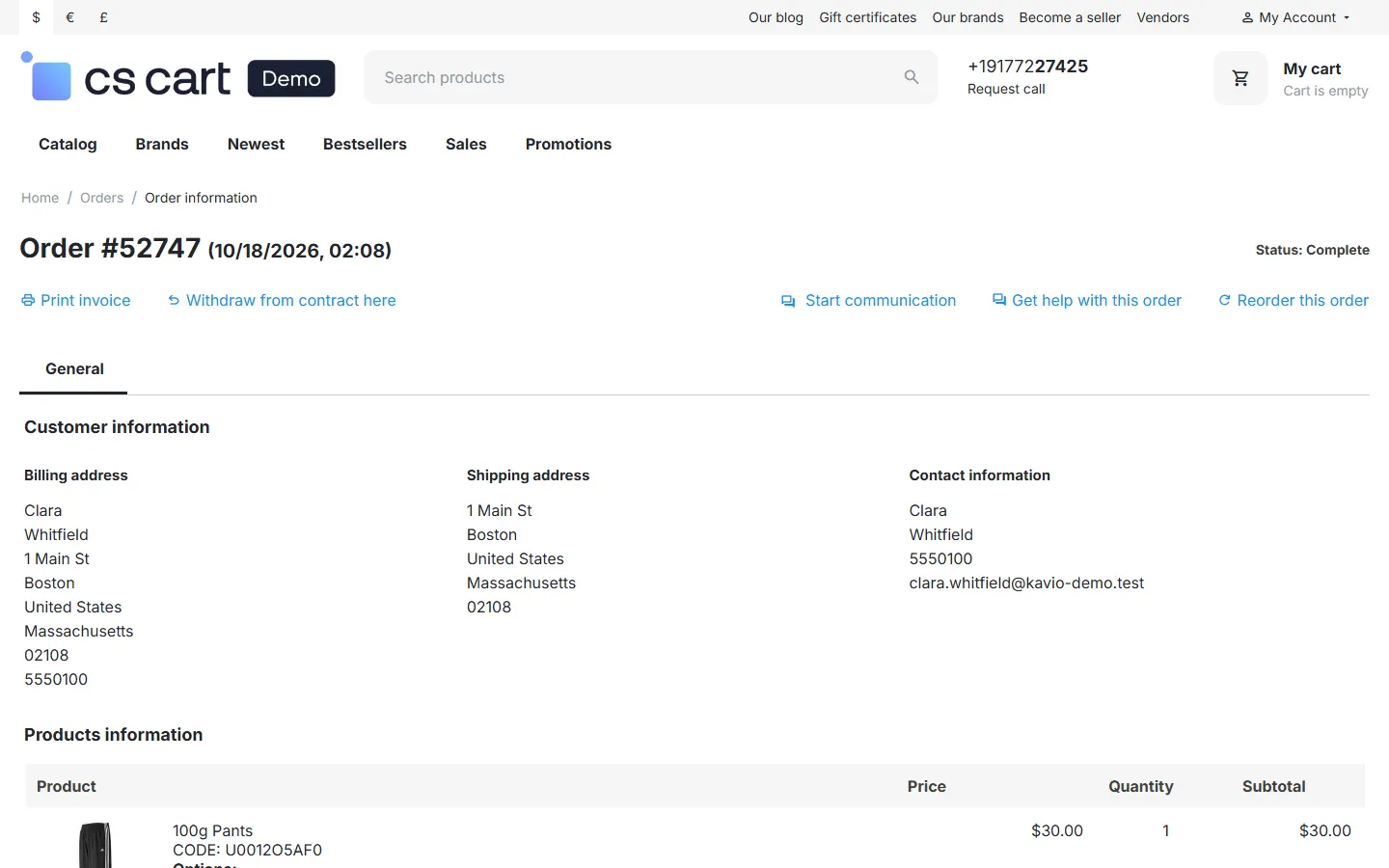
Customer order page with the “Withdraw from contract here” button.