

Usage
Overview · Installation · Configuration · Developer notes · FAQ
The search dropdown
Section titled “The search dropdown”The dropdown opens under the search box of your storefront as soon as the visitor clicks into it.
- Before typing: the visitor’s recent searches (with Clear recent searches) and your popular searches as chips. Choosing one runs that search.
- While typing (from 2 letters): a group of products with image, name, price (old price struck through when there is a discount), stock and optionally the product code; next to it, on wide screens, the matching categories (with their parent categories), brands, pages and vendor stores. The typed words are shown in bold. See all results for “…” opens the results page.
- Typos: when a word was corrected, the dropdown says Showing results for “samsung galaxy” above the suggestions.
- Nothing found: No results for “…”, your popular searches and four popular products, so the visitor never hits a dead end.
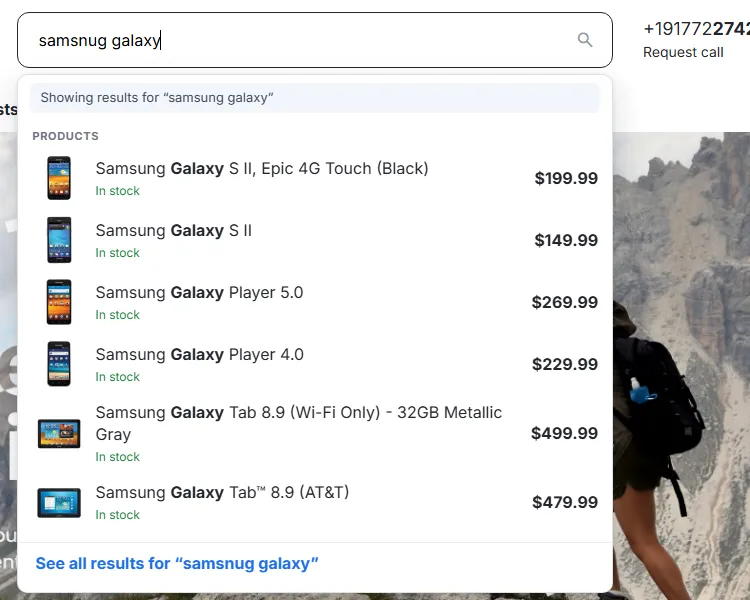
Keyboard and screen readers. The search box is a WAI-ARIA combobox: the arrow keys move through the suggestions (the active one is highlighted and announced), Enter opens the active suggestion or, without one, submits the search, Escape closes the dropdown (a second Escape clears the box) and Tab leaves it. The number of suggestions is announced to screen readers. On phones the dropdown uses the full screen width.
The search results page
Section titled “The search results page”With the default Instant search ranking the standard results page (Search button or See all results) shows:
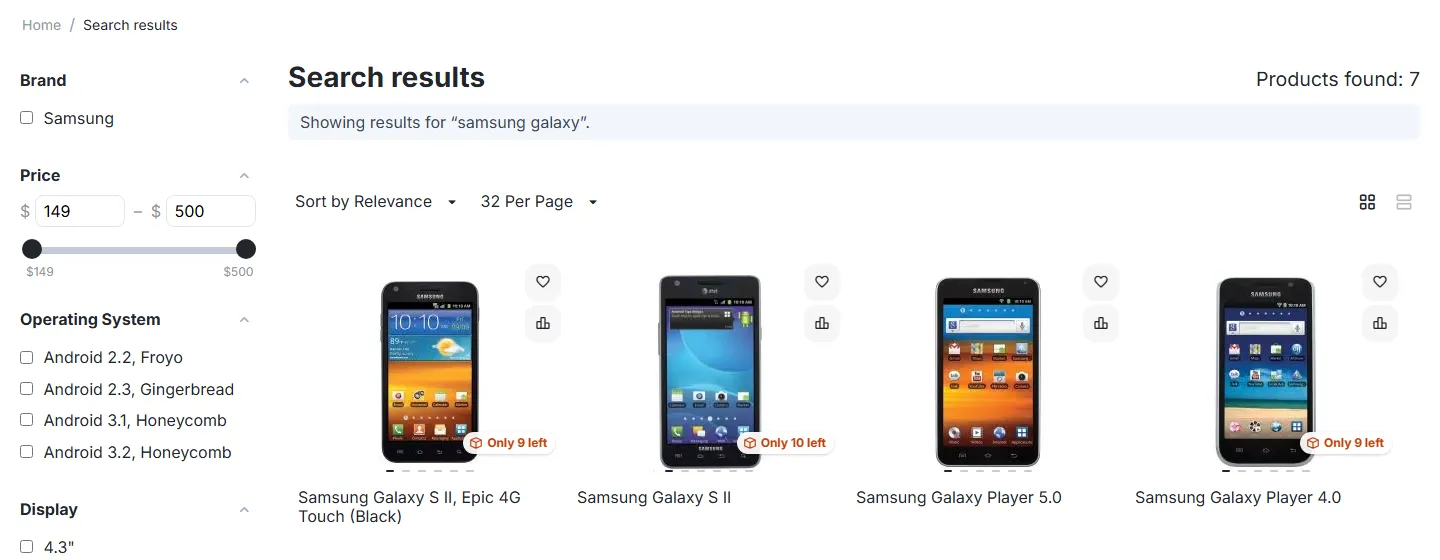
- the same typo-tolerant matches as the dropdown, in relevance order, with Sort by Relevance selected in the sorting box;
- Showing results for “…” above the products when a typo was corrected;
- all product filters, the other sortings (price, name, popularity, …), the layouts and pagination of your theme, as before;
- when nothing is found: CS-Cart’s message, then Try one of these searches (popular searches) and Popular products.
Product visibility is never decided by the add-on alone: disabled and hidden products, customer-group restrictions, out-of-stock rules, vendor status (Multi-Vendor) and storefront sharing (Ultimate) are applied by CS-Cart itself, in the dropdown and on the results page.
The admin page: Products → Instant search
Section titled “The admin page: Products → Instant search”The page has a license status bar at the top and four tabs.
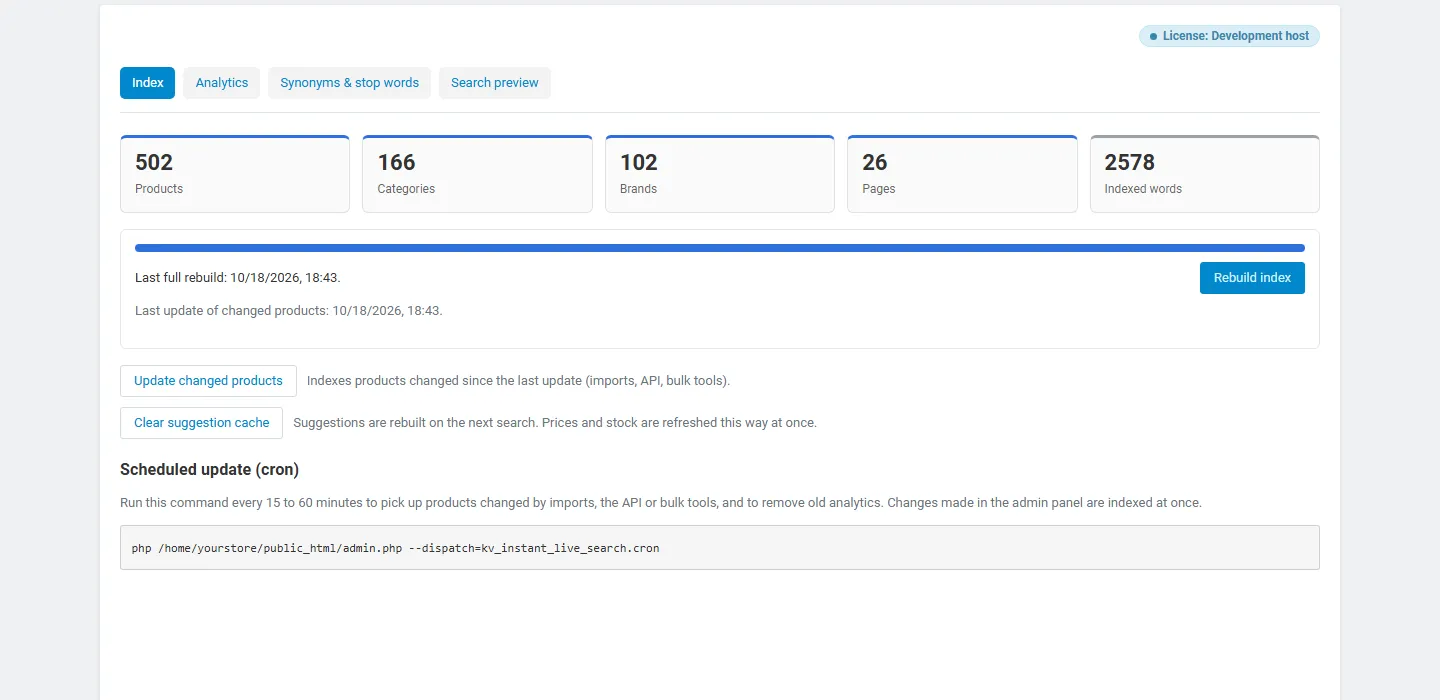
Index. The number of indexed products, categories, brands, pages and vendor stores, the number of indexed words, the date of the last full rebuild and of the last update of changed products, and per language a table of the counts.
- Rebuild index rebuilds everything in steps with a progress bar (the storefront search keeps working meanwhile).
- Update changed products indexes products changed by imports, the API or bulk tools since the last update and removes deleted ones.
- Clear suggestion cache makes the dropdown build its answers again (for example after a price import).
- The cron command for the scheduled update is shown at the bottom.
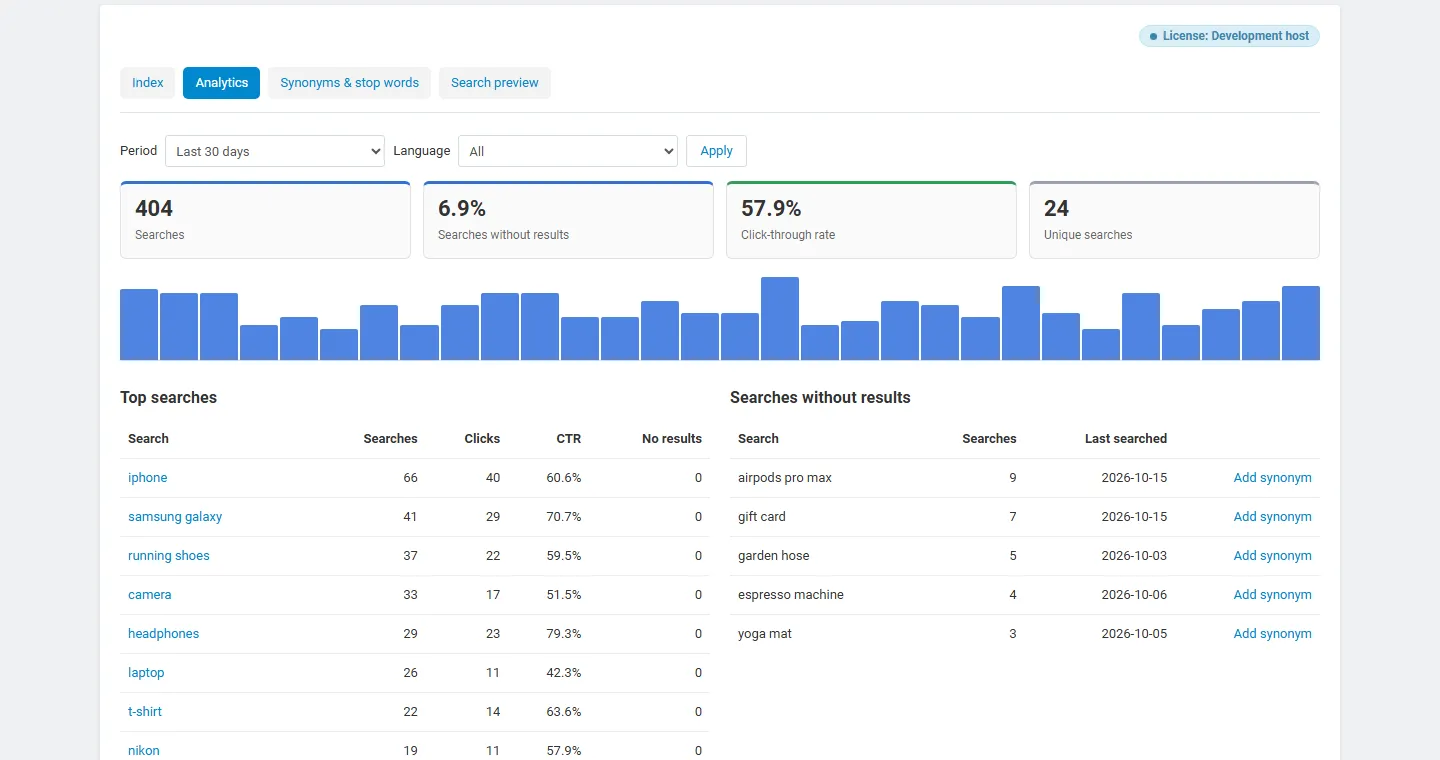
Analytics. Choose the period (today, 7, 30, 90 days, 12 months) and, with several languages, the language. You see the number of searches, the share of searches without results, the click-through rate (searches followed by a click on a suggestion or a result) and the number of different searches, a bar chart per day, and three tables:
- Top searches with searches, clicks, CTR and searches without results. Click a search to open it in the search preview.
- Searches without results: what customers want but cannot find. Add synonym opens the synonym editor with the search filled in, so you can point it at the right products (or add the products to your catalog).
- Most clicked results.
Analytics count searches submitted on the results page, searches typed in the dropdown (counted once the visitor stops typing) and clicks. They store daily totals per search phrase only: no IP address, customer ID or cookie. Delete all analytics empties them.
Synonyms & stop words. One synonym group per row, per language:
- Equivalent: every term finds the others (
sofa, couch, settee). - One-way: the first term also finds the others, not the reverse (
laptop, notebook: a search for laptop also finds notebooks, a search for notebook finds only notebooks). - Terms are single words; hyphens and spaces inside a term are ignored (
t-shirt=tshirt). Clear a row to delete it.
Stop words (for example the, and, for) are ignored in searches with other words, so “shoes for running” finds “running shoes”. Synonyms and stop words apply at once, without rebuilding the index.
Search preview. Type a search to see what a guest finds in the dropdown: the words used, the typo correction, every result with the matched words and its score, and the time the search took. Use it to check new synonyms or why a product ranks where it does.

Multi-Vendor
Section titled “Multi-Vendor”- Vendor products are searchable like all others; products of vendors that are not active are never shown.
- Vendor stores are suggested in their own group (setting Suggest vendor stores) and link to the vendor’s store page.
- Search inside a vendor store (the search on the vendor’s products page) uses the same ranking.
- The admin page is for marketplace administrators only; vendors have no access to the index or the analytics.
CS-Cart Ultimate (several storefronts)
Section titled “CS-Cart Ultimate (several storefronts)”- The dropdown, results page and analytics settings can be set per storefront.
- Categories and pages are suggested only on their own storefront; products follow CS-Cart’s sharing rules.
- Analytics are recorded per storefront; the admin page shows the selected storefront (or all of them).