

Usage
Overview · Installation · Configuration · Developer notes · FAQ
Create a feed
Section titled “Create a feed”-
Go to Marketing → Multichannel feeds and click Add feed.
-
Pick the channel. Each card lists the formats and the number of columns of its template.
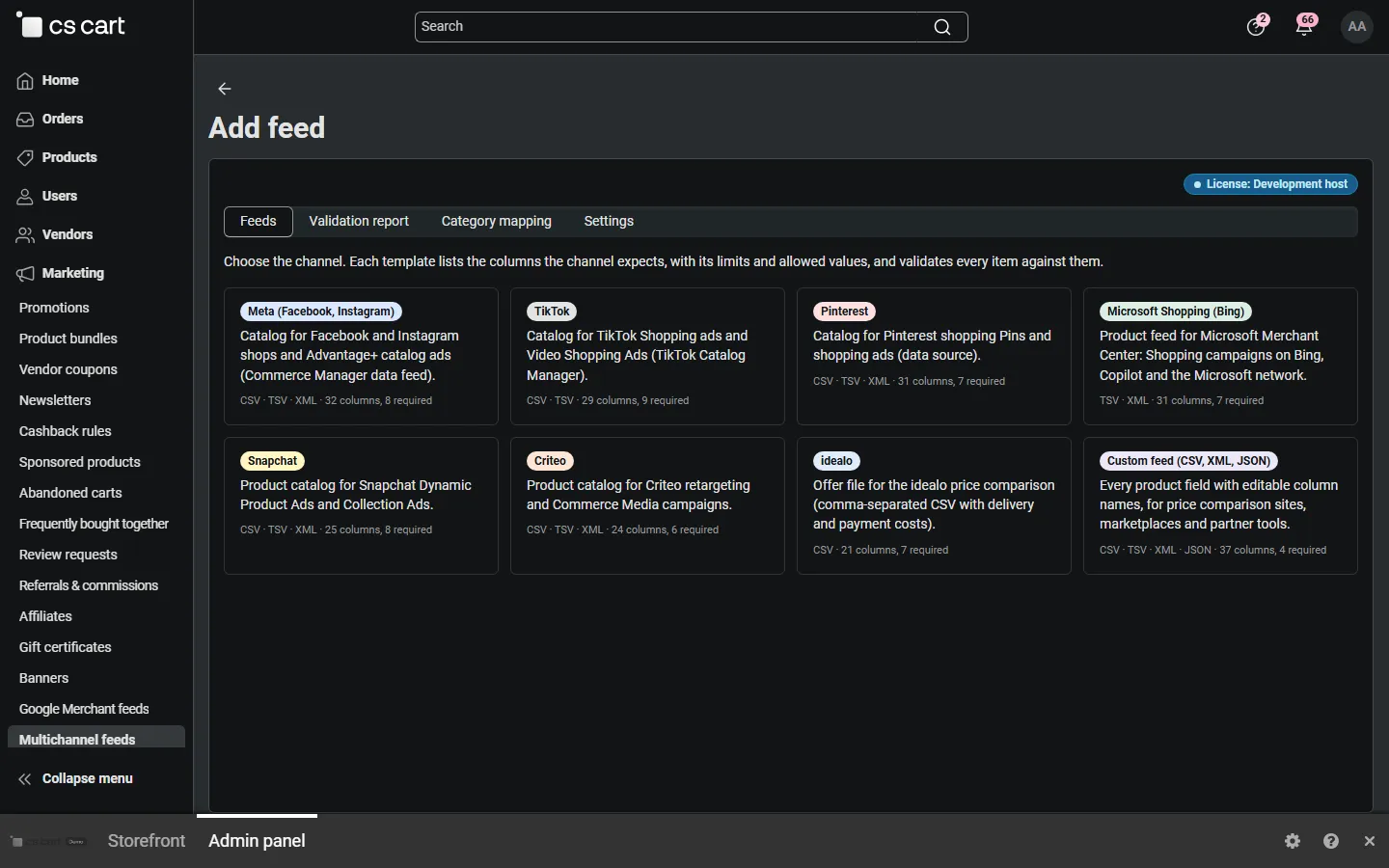
-
On General, set the name, the storefront (Ultimate) or vendor (Multi-Vendor), the format, country, language, currency and schedule.
-
On Products, narrow the selection if needed and choose the item ID. Use the same ID as your pixels (product code or product ID) so catalog ads can match the events.
-
On Fields, check the sources. The defaults already fill the required columns from your product data; map your brand, GTIN, color or size features if the automatic match does not find them.
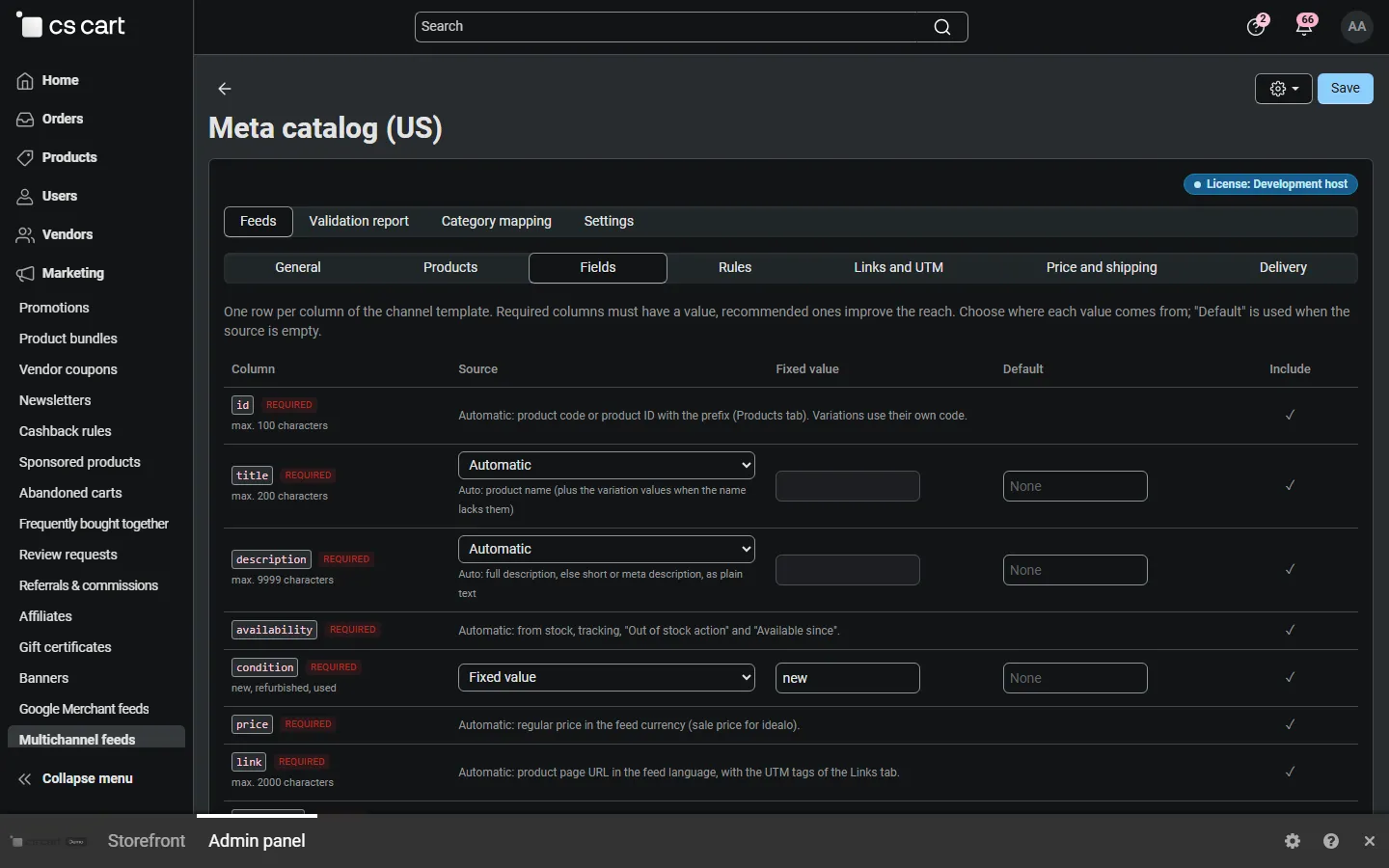
-
Click Create, then Generate now. A progress bar shows the batches; the page reloads when the feed is ready.
-
Copy the feed URL and add it in the channel as a scheduled feed (see below).
Channels
Section titled “Channels”| Channel | Formats | Where to add the URL | Notes |
|---|---|---|---|
| Meta (Facebook, Instagram) | CSV, TSV, XML | Commerce Manager → Catalog → Data sources → Data feed → Scheduled feed | Needs a brand, GTIN or MPN per item; Google category recommended. |
| TikTok | CSV, TSV | TikTok Ads Manager → Assets → Catalogs → Add products → Data feed schedule | Brand is required; sku_id column; images JPG or PNG. |
| CSV, TSV, XML (gzip) | Pinterest Business → Ads → Catalogs → Create data source | Ingested every day; the product link must be on your claimed domain. | |
| Microsoft Shopping | TSV, XML (gzip) | Microsoft Merchant Center → Catalog management → Feeds → Scheduled download | Shipping is required for Germany. |
| Snapchat | CSV, TSV, XML | Snapchat Ads Manager → Catalogs → Feed URL | |
| Criteo | CSV, TSV, XML | Criteo Commerce Growth → Catalog → Product feed | Needs a GTIN or MPN; IDs in plain ASCII. |
| idealo | CSV (gzip) | idealo Business → offer import → CSV via HTTP | Prices in EUR including VAT; delivery and payment costs required. |
| Custom feed | CSV, TSV, XML, JSON | Any partner or tool | All fields, editable column names. |
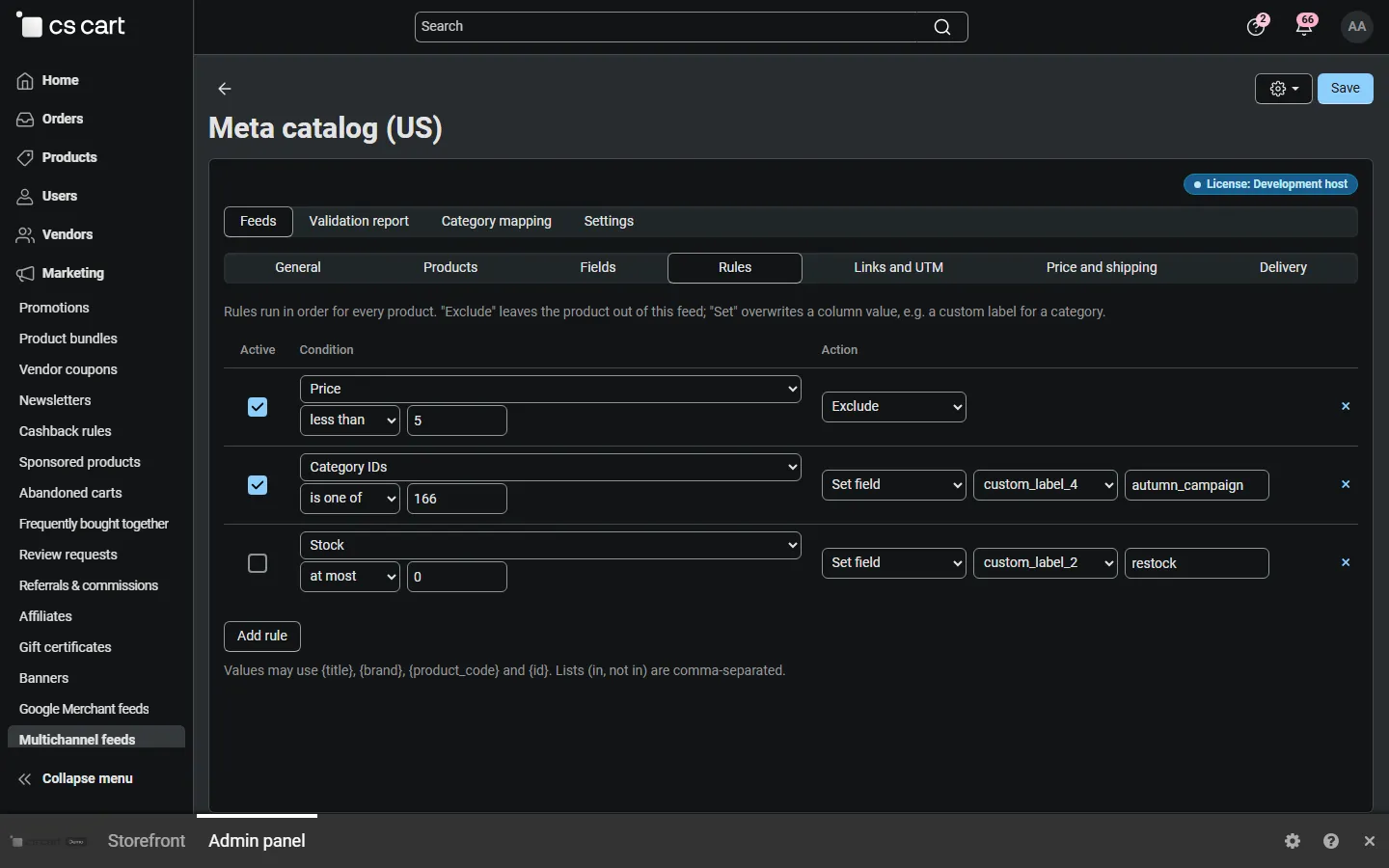
Rules exclude products or set column values. Examples:
- Exclude products cheaper than 5: Price / less than /
5→ Exclude. - Mark a category for a campaign: Category IDs / is one of /
166→ Set fieldcustom_label_4=autumn_campaign. - Exclude a brand from TikTok only: Item field: brand / equals /
Brand name→ Exclude (on the TikTok feed).
Preview
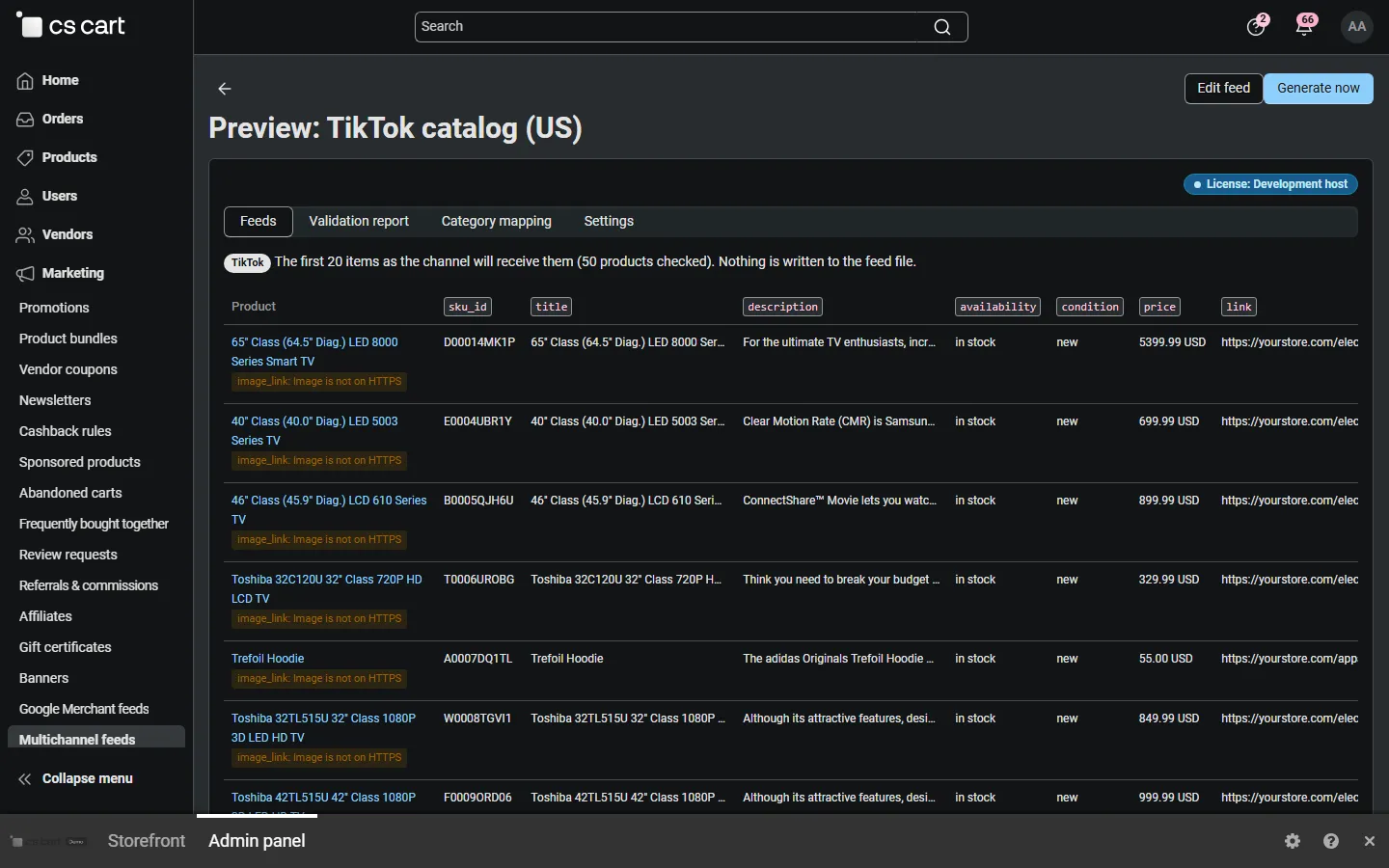
Section titled “Preview”Preview (feed toolbar or list) builds the first 20 items without writing the file: one table row per item with every column, the issues of each item, and an excerpt of the file as the channel will receive it.
Validation report
Section titled “Validation report”Validation report shows the result of the last generation: items in the feed, products with errors (left out), products with warnings, skipped or excluded products, and one line per issue with how to fix it. Click an issue to list its products; Export CSV downloads every issue.
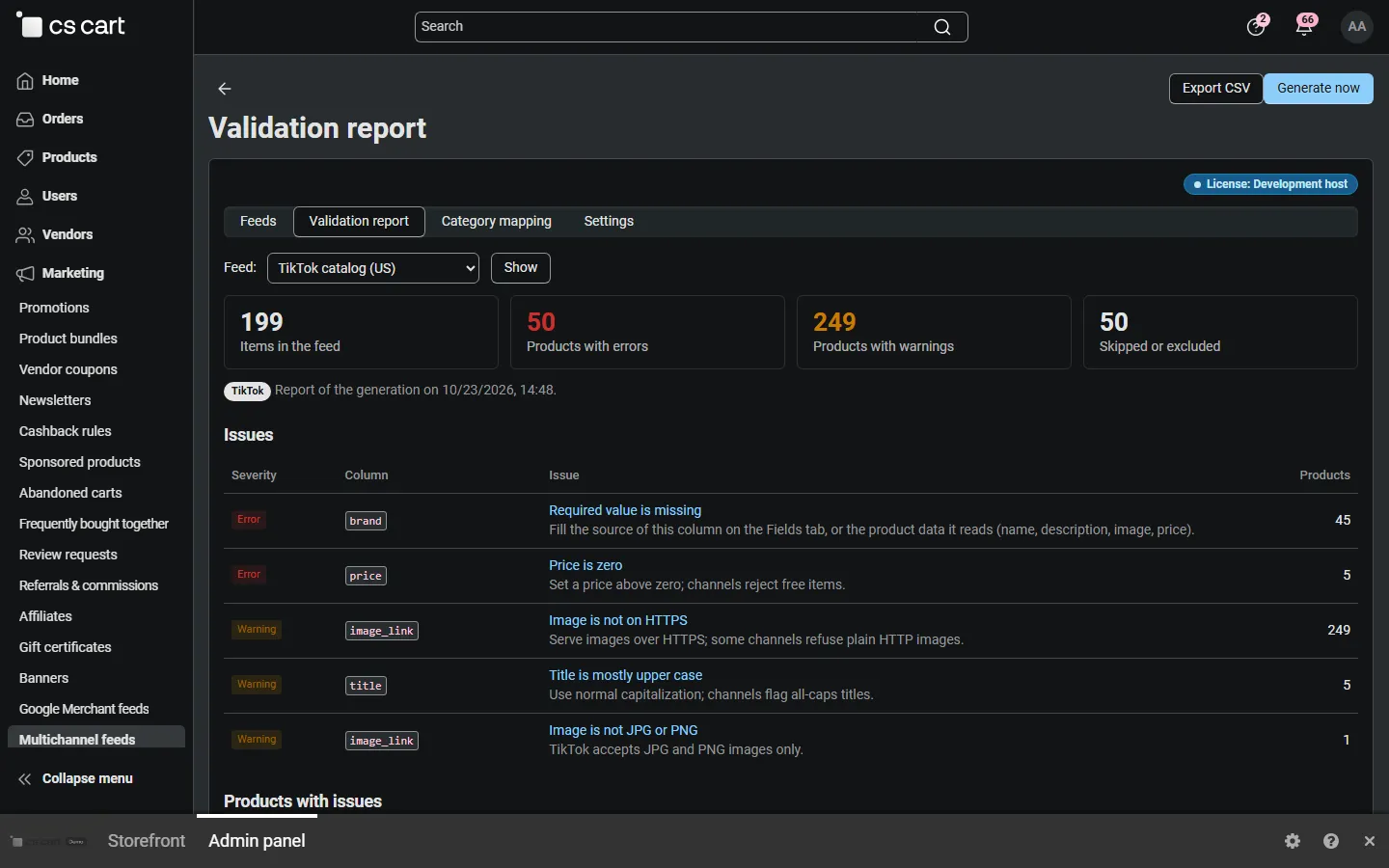
Typical issues:
| Issue | Fix |
|---|---|
| Required value is missing (image_link) | Add an image to the product. |
| Required value is missing (brand) | Map your brand feature on the Fields tab (TikTok requires it). |
| No product identifier | Map a GTIN feature or keep MPN = product code (Meta, Criteo). |
| Invalid GTIN | Check the digits; the value is left out. |
| Duplicate ID | Two products share a product code; make them unique or use product IDs. |
| Text was shortened | The text was longer than the channel allows (for example Microsoft titles: 150 characters). |
Category mapping
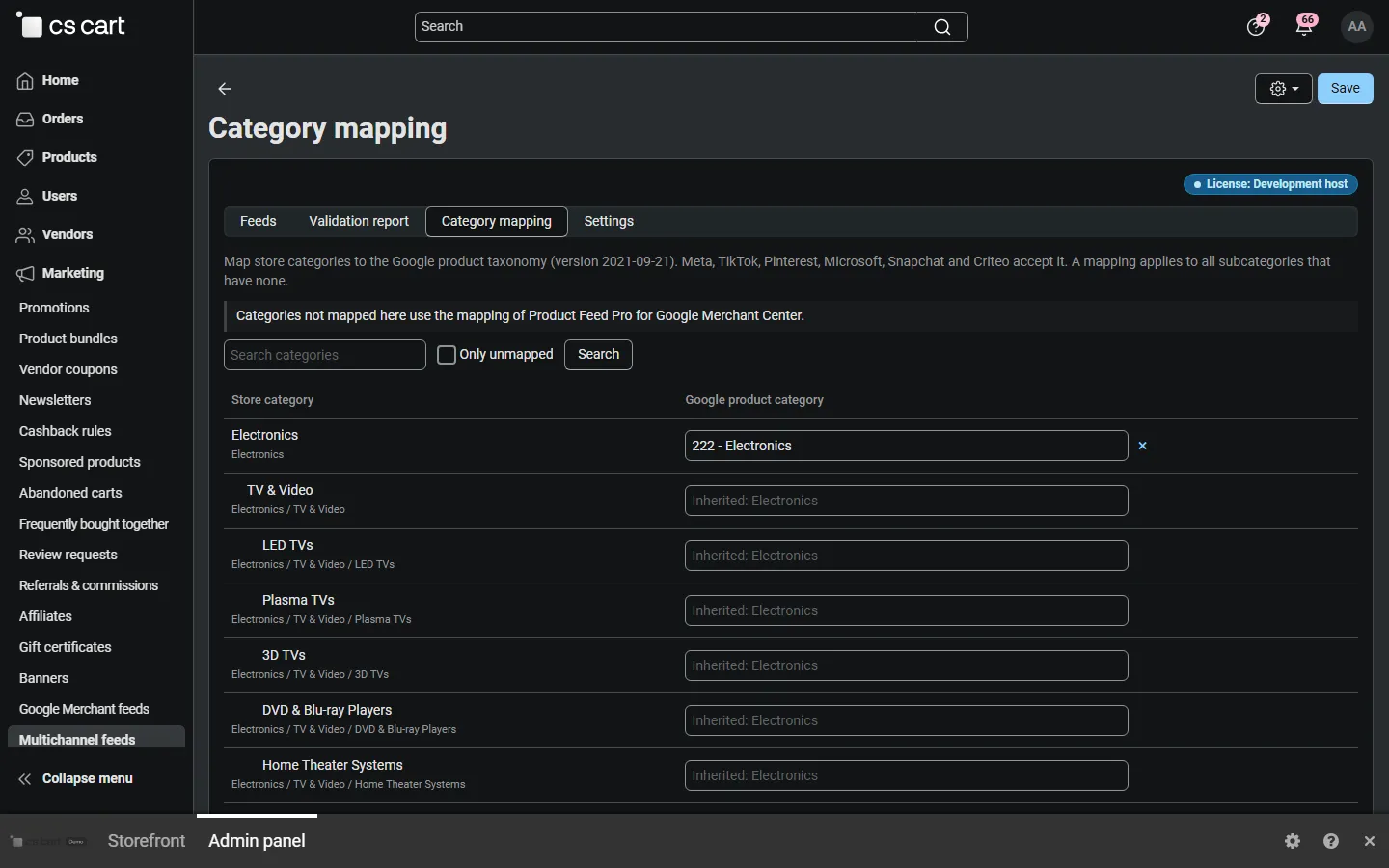
Section titled “Category mapping”Category mapping links your store categories to the Google product taxonomy, which Meta, TikTok, Pinterest, Microsoft, Snapchat and Criteo accept as google_product_category. A mapping applies to all subcategories without their own mapping. With Product Feed Pro for Google Merchant Center installed, its mapping is used for categories not mapped here, and Copy mapping from Product Feed Pro copies it.
Delivery and schedule
Section titled “Delivery and schedule”The Delivery tab shows the feed URL and the cron command. The URL contains a secret token; the file is served with ETag and Last-Modified, so channels that ask “has it changed?” get a quick answer.
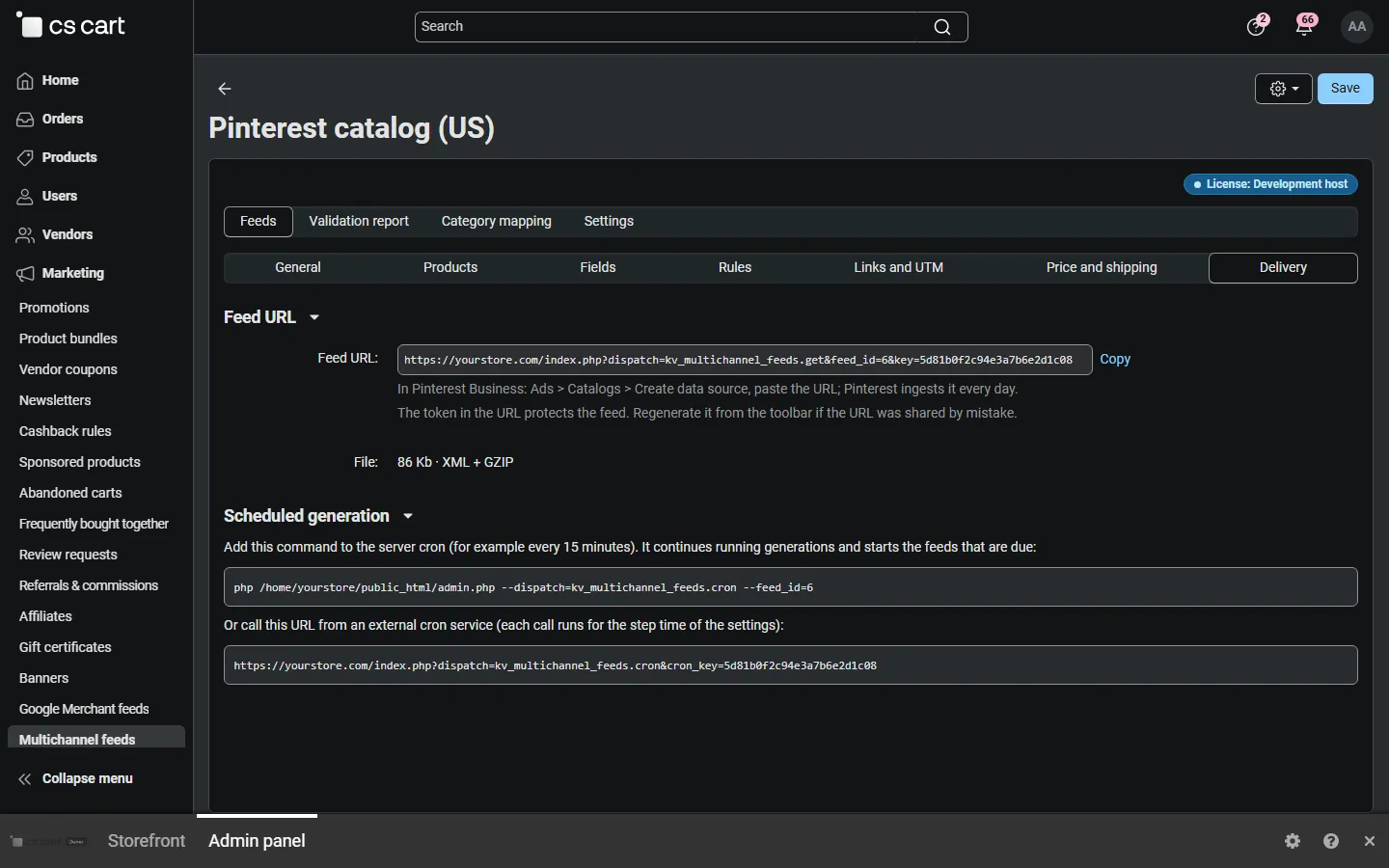
Generation runs from cron for feeds with a schedule. Large catalogs are built in steps: a step stops after the step time, writes the items so far to a temporary file and the next cron run continues; the published file is replaced only when the new one is complete. A feed of 50,000 products took about three minutes in one console run, or three 20-second steps.
Multi-Vendor
Section titled “Multi-Vendor”- An administrator feed can include all vendors or one vendor; the vendor’s name and ID go into the vendor columns (Criteo
seller_id/seller_name, idealomerchantName/merchantId, Metavendor_id, Microsoftseller_name). - With Vendors can manage their own feeds on, vendors create feeds of their own products in the vendor panel. They do not see other feeds or the category mapping.