

Pay by Link & Pay After Confirmation
Add-on ID: kv_pay_by_link · Edition: CS-Cart & Multi-Vendor · Latest version: 1.0.0 · Compatible with: CS-Cart & Multi-Vendor 4.17.2 – 4.21.x, PHP 7.4 – 8.3 · Changelog: view
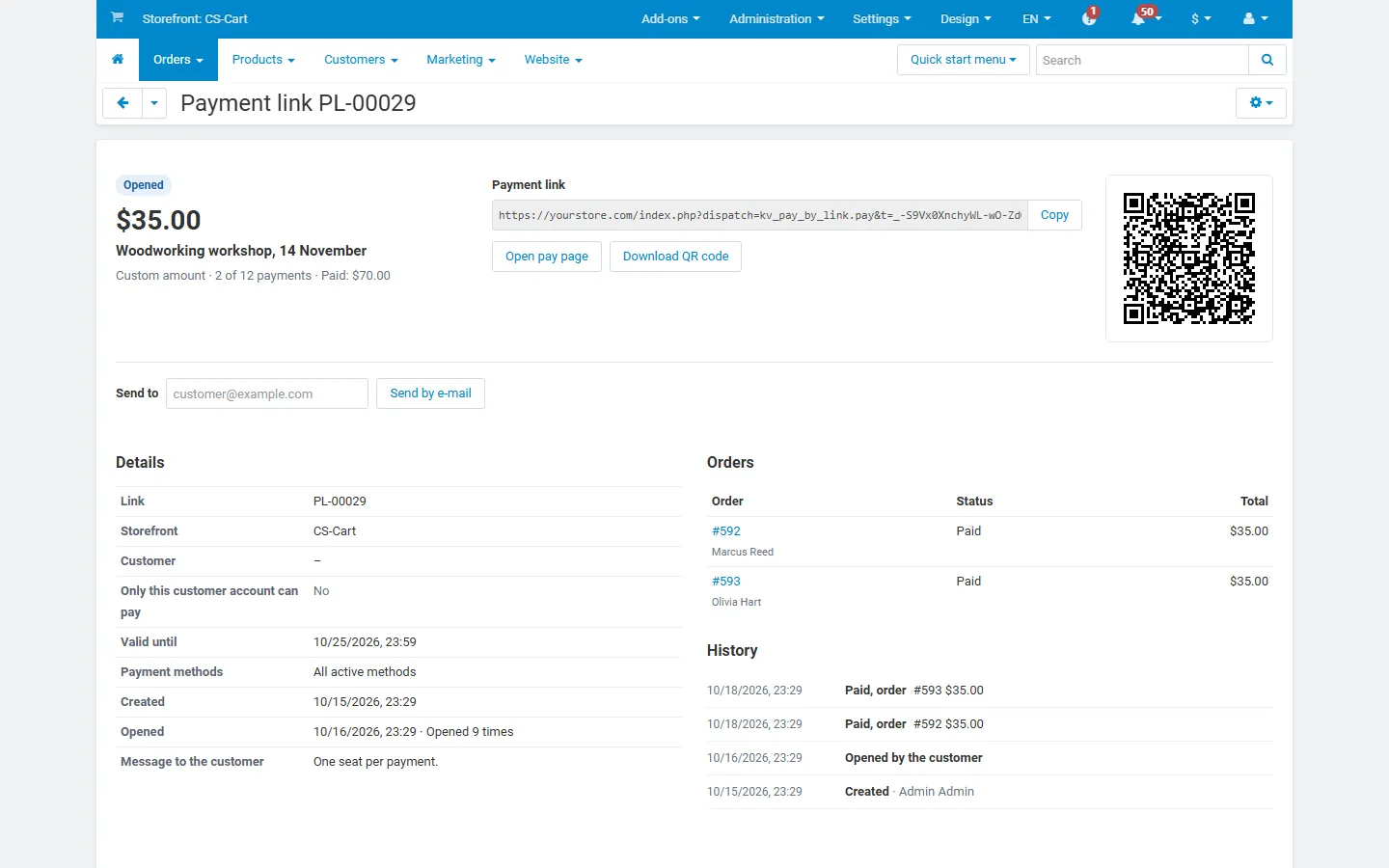
Pay by Link lets your team send a customer a secure link to pay online: for an order that is not paid yet, for any amount with a description, or for a cart you prepared. The customer opens a clean pay page, chooses one of your payment methods and pays. The order, stock, taxes, invoices and e-mails are handled by CS-Cart itself, exactly like a normal checkout. You see every link with its status: created, opened, paid, expired or cancelled.
- Three kinds of links:
- Existing order: confirm stock and price first, then let the customer pay the order total (“pay after confirmation”).
- Custom amount: a deposit, an invoice, a service fee. An order for exactly that amount is created when the customer pays.
- Product cart: products and quantities (optionally with fixed unit prices) and an optional shipping charge. The order is created with your store’s prices, taxes and stock rules when the customer pays.
- Your payment methods, no new gateway: the pay page offers the active payment methods of your store, or only the ones you choose for the link. Payment fees of a method are applied as at checkout.
- Link rules: expiry date, single use or several payments (with a maximum or unlimited), and optional binding to a customer account (the customer must sign in to pay).
- Share it your way: copy the URL, download a QR code, or e-mail it from the admin panel with an editable e-mail template.
- Pay after confirmation: create and e-mail an order link automatically when an order gets a status you choose, for example Awaiting payment.
- Status tracking: list with status tabs, search, filters and CSV export; every link has a history (created, opened, e-mailed, payment started, paid, cancelled). The order page shows the links of the order, and the orders department gets an e-mail when a link is paid.
- Secure by design: long random tokens with a signature, rate limits against guessing, amounts and prices fixed on the server, no access to other orders through a link, and a pay page that is never cached and never touches the visitor’s own cart.
- Multi-Vendor: vendors can create links for their own orders and products (can be switched off). CS-Cart Ultimate: links belong to a storefront.
Documentation
Section titled “Documentation”| Page | Contents |
|---|---|
| Installation | Requirements, installing, upgrading, uninstalling |
| Configuration | Settings, pay after confirmation, privileges, e-mail templates, license |
| Usage | Creating links, sharing, the pay page, statuses, export |
| Developer notes | How payments and orders are made, data model, hooks, security, file map |
| FAQ | Common questions |
Compatibility
Section titled “Compatibility”| CS-Cart / Multi-Vendor | 4.17.2 – 4.21.x (Ultimate and Multi-Vendor editions) |
| PHP | 7.2.5 – 8.3 (whatever your CS-Cart version supports) |
| Payment methods | Any active payment method of the store (offline methods and payment gateways) |
| Storefront themes | Responsive, Bright, Nova (4.21) and themes based on them |
| Full page cache (4.21) | Supported: the pay page is never cached and prints only the data of its own link |