

B2B Registration & Approval screenshots
Real screenshots from our CS-Cart and Multi-Vendor test stores with the add-on installed and the English interface.
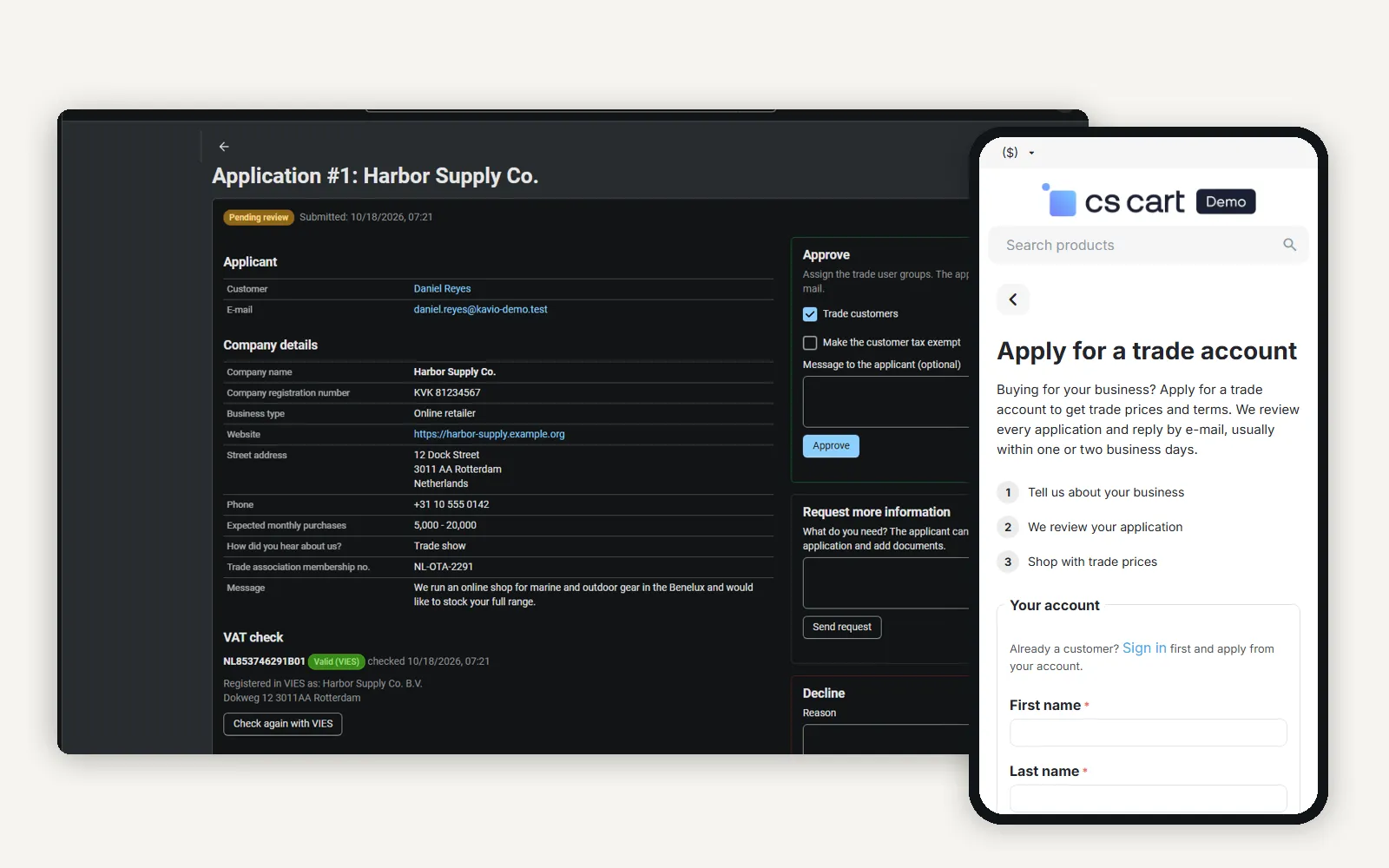
Admin application page with the VIES result next to the storefront trade account form on a phone.
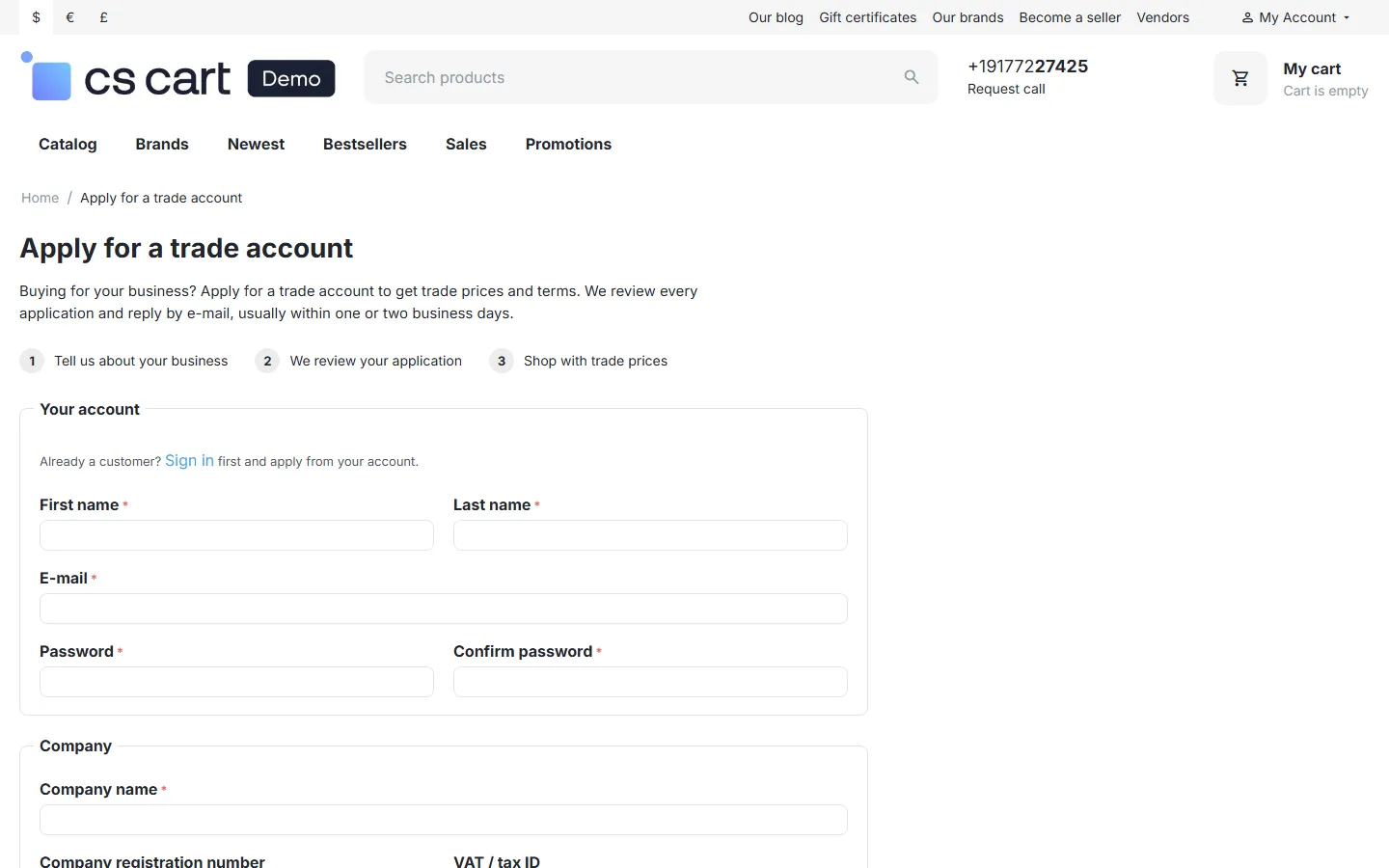
Storefront: Apply for a trade account, with the account section for new visitors.
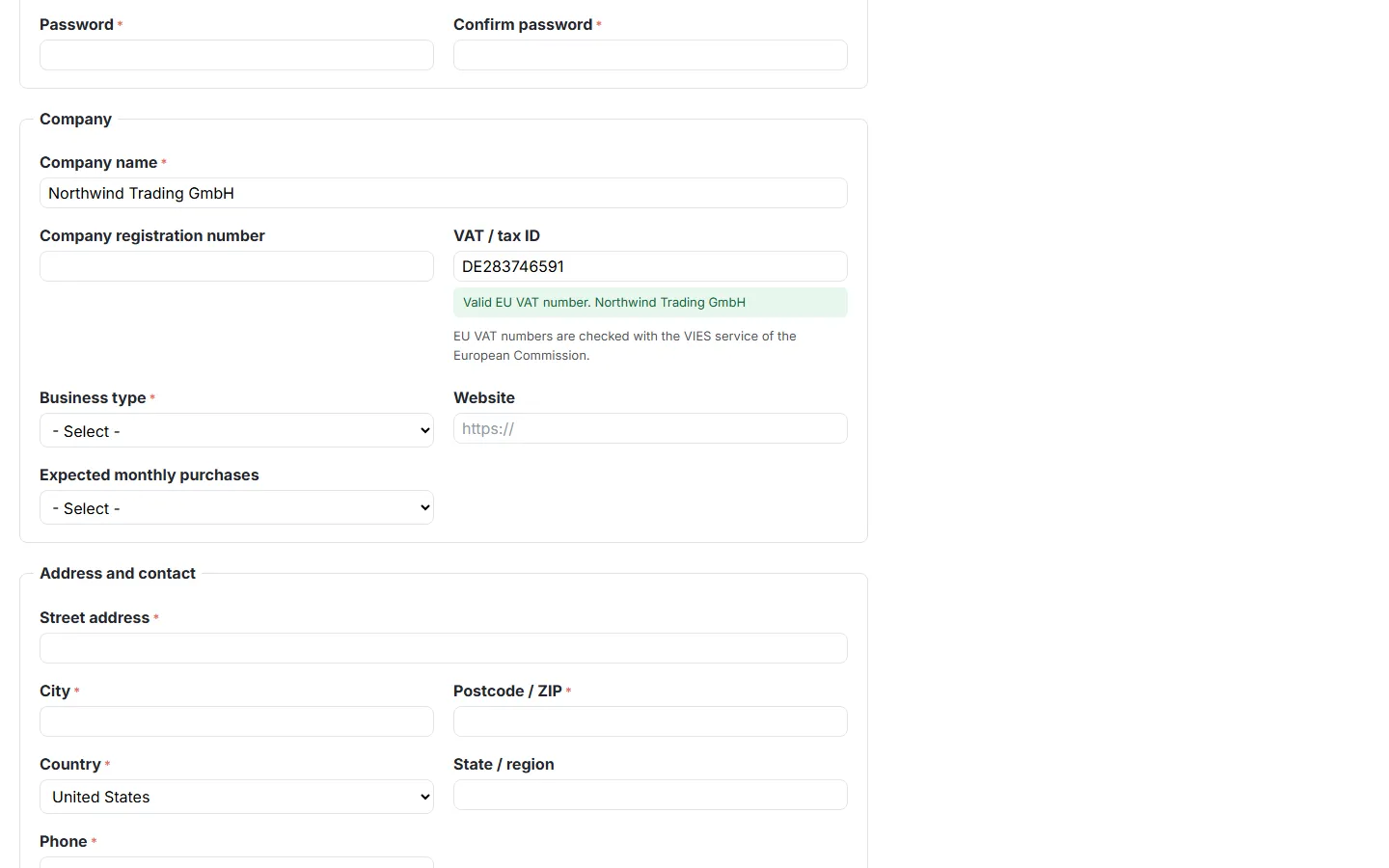
The live EU VAT check (VIES) under the VAT field.
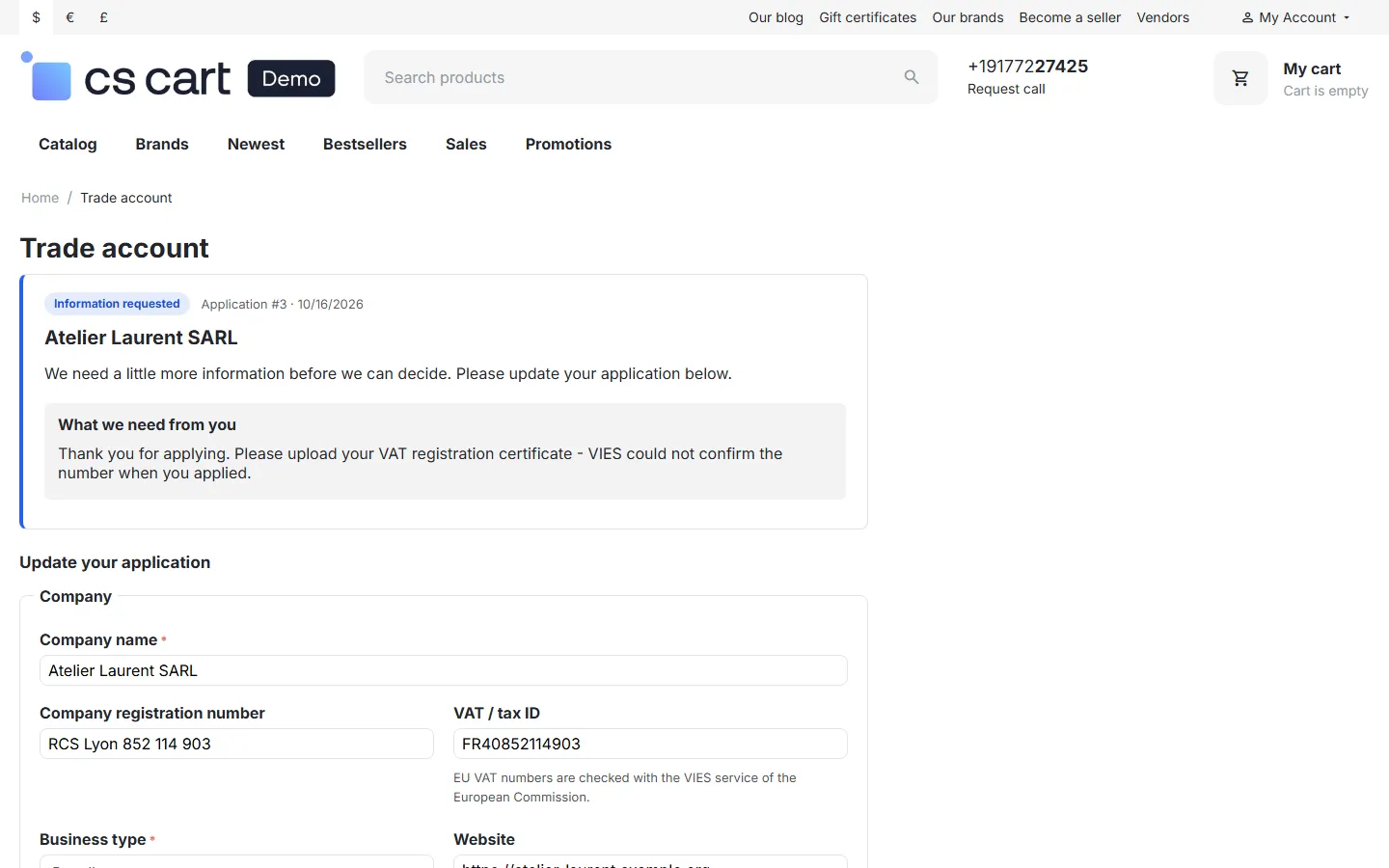
Trade account page: information requested, with the update form.
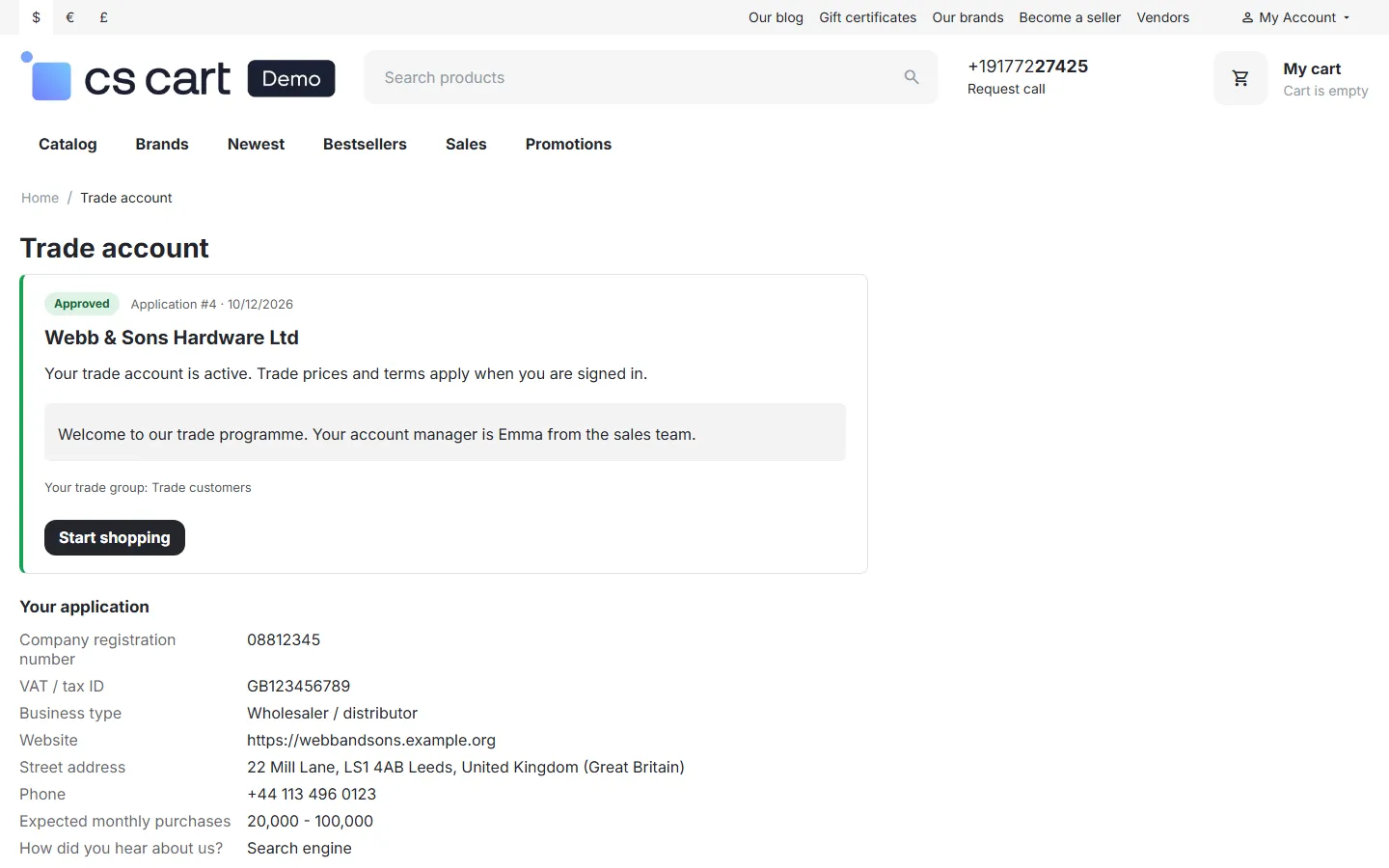
Trade account page: approved, with the welcome message and the trade group.
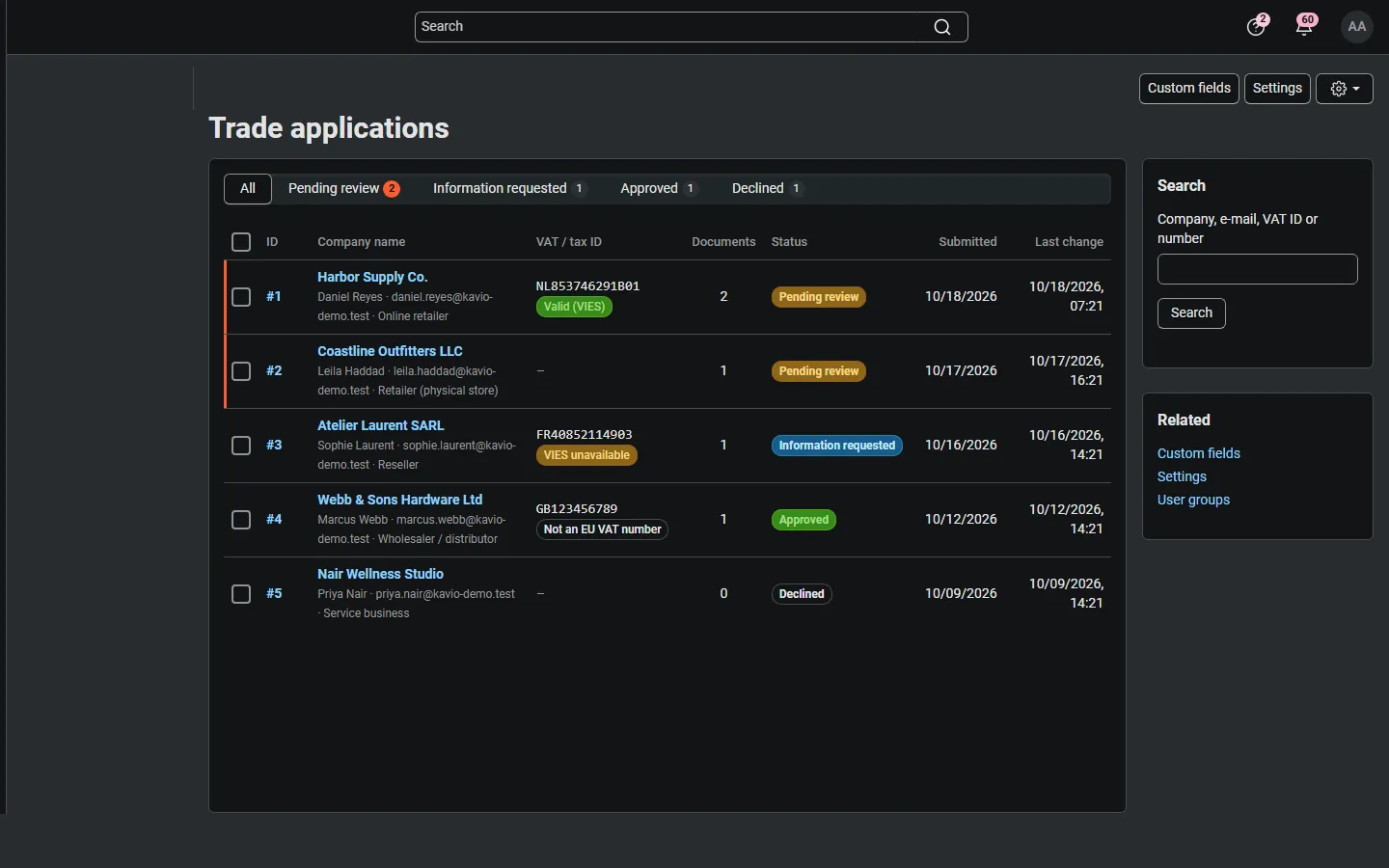
Customers > Trade applications: status tabs, VAT results, documents and statuses.
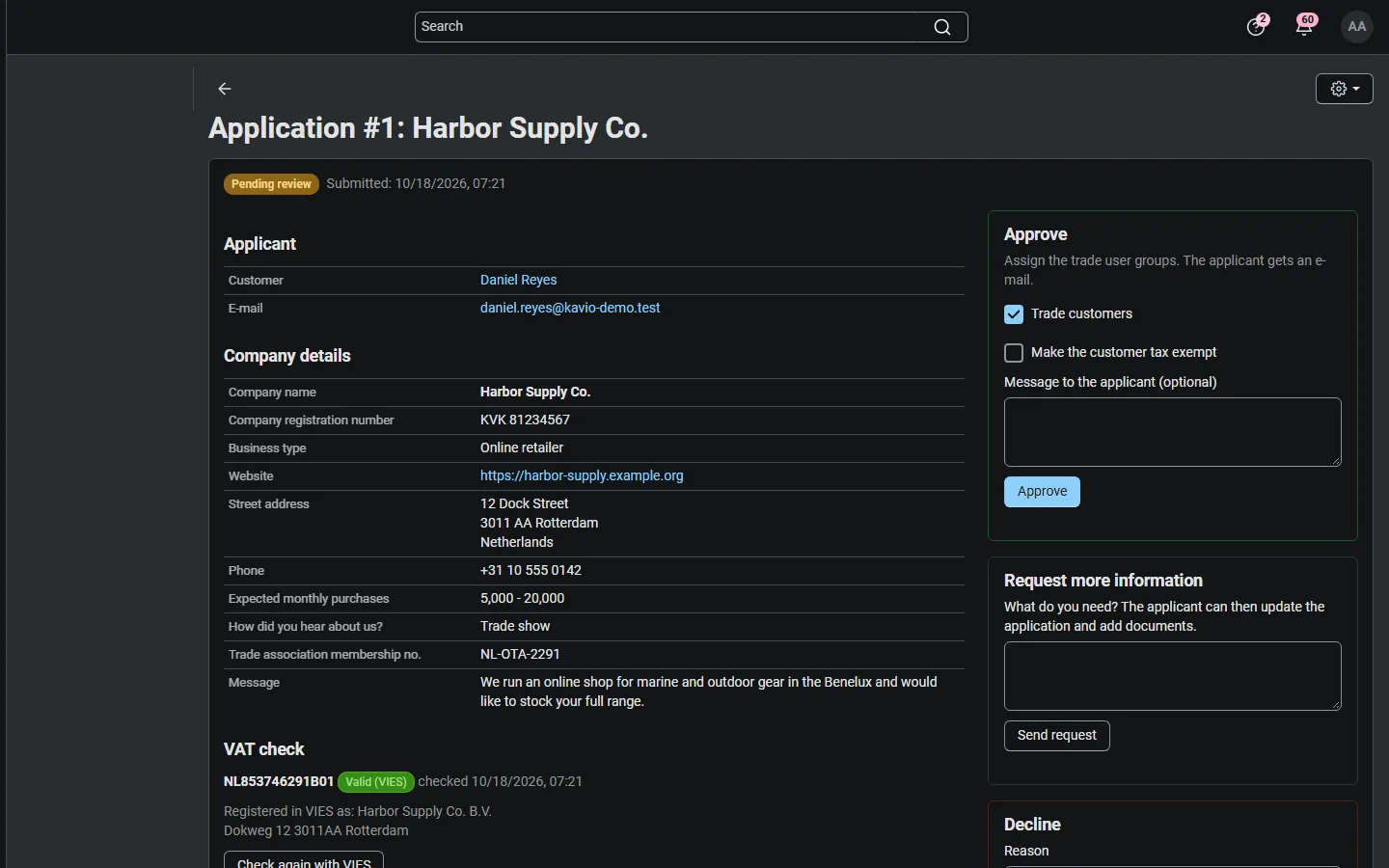
Application page: company details, custom answers, VIES result, documents, history and the Approve / Request more information / Decline panels.
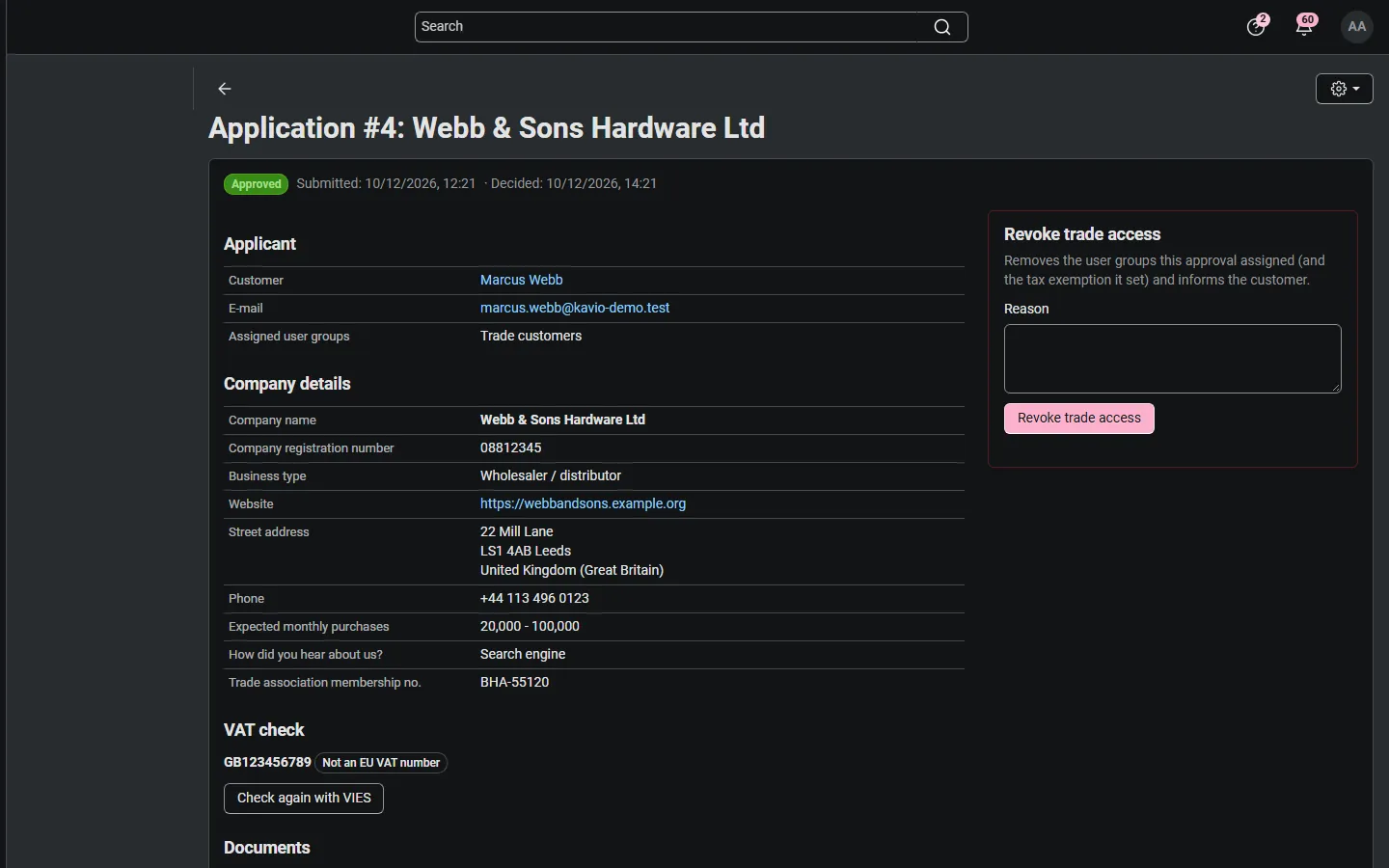
An approved application with the assigned group and the Revoke panel.
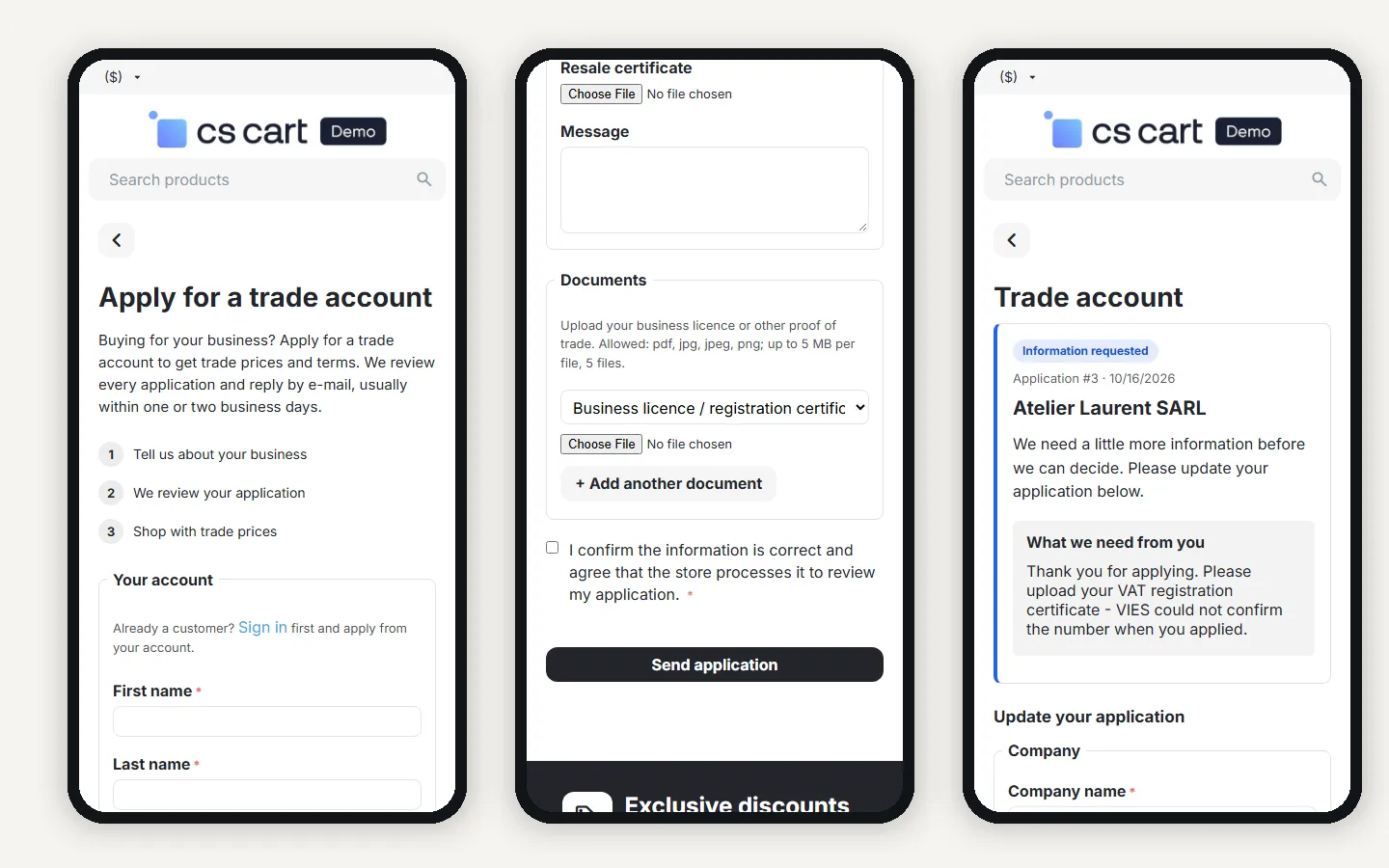
Mobile (390 px): the form, the documents part and the Trade account page.
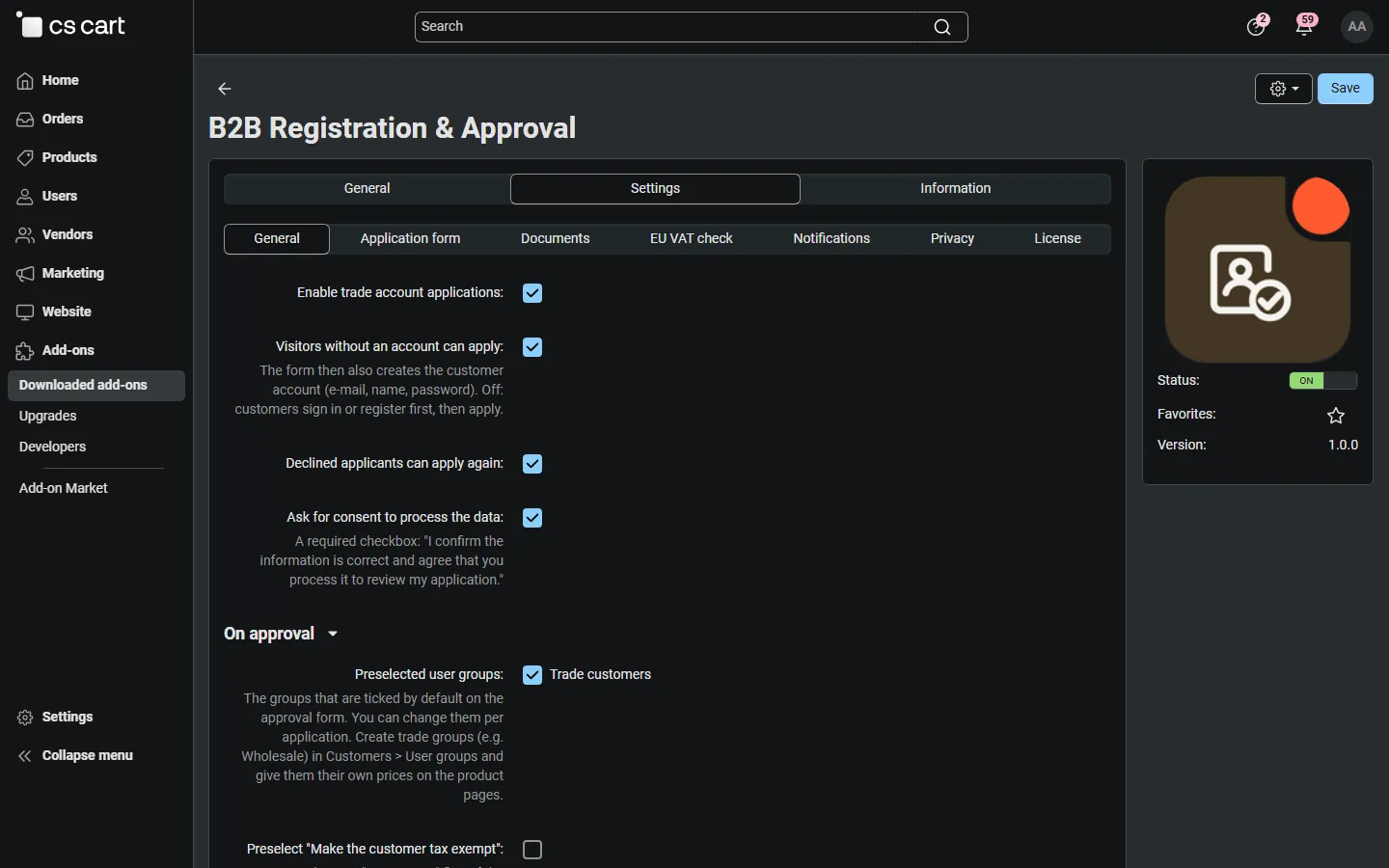
Settings, General (with the add-on icon): guests, re-apply, consent and approval defaults.
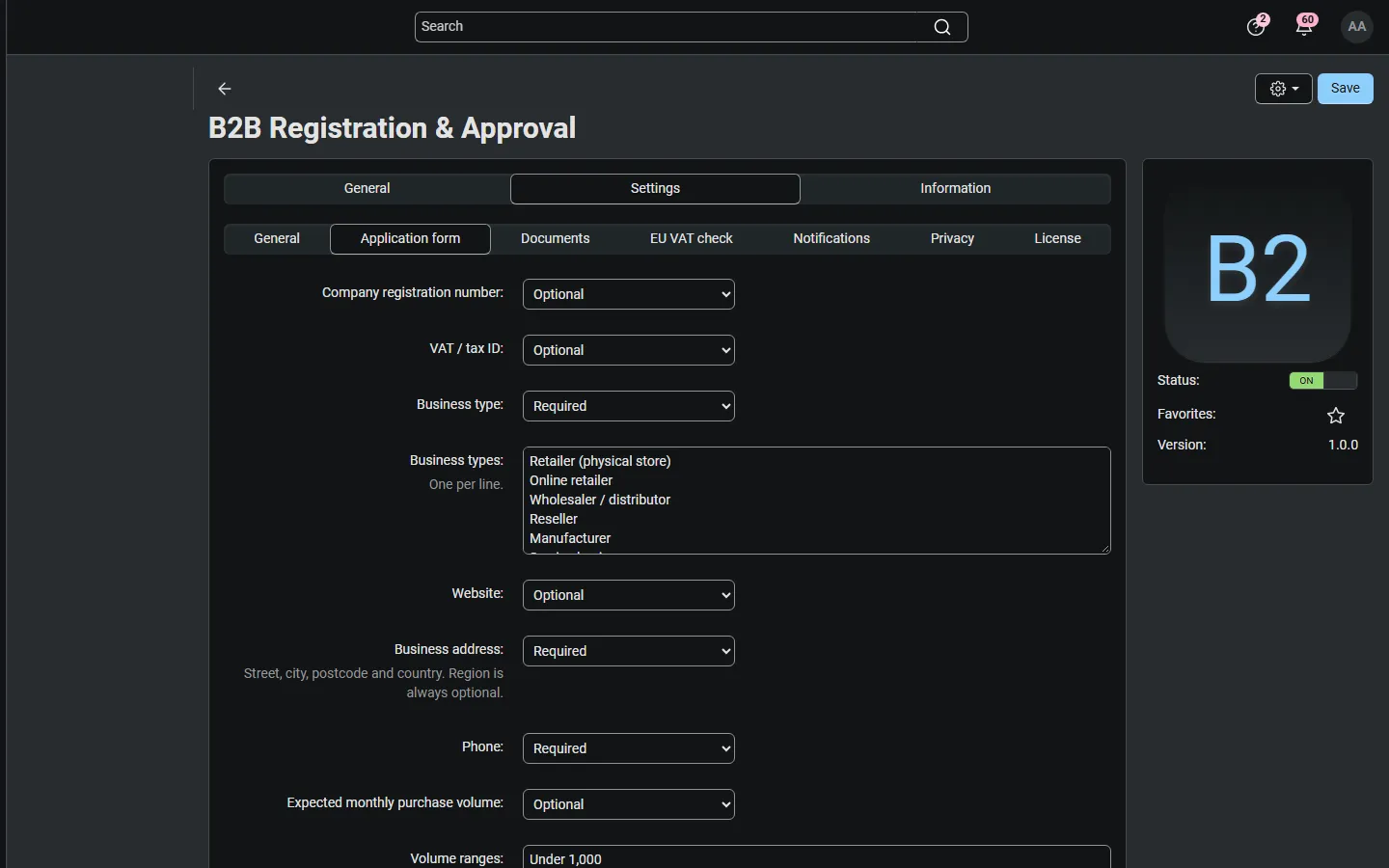
Settings, Application form: hidden / optional / required per field, business types and volume ranges.
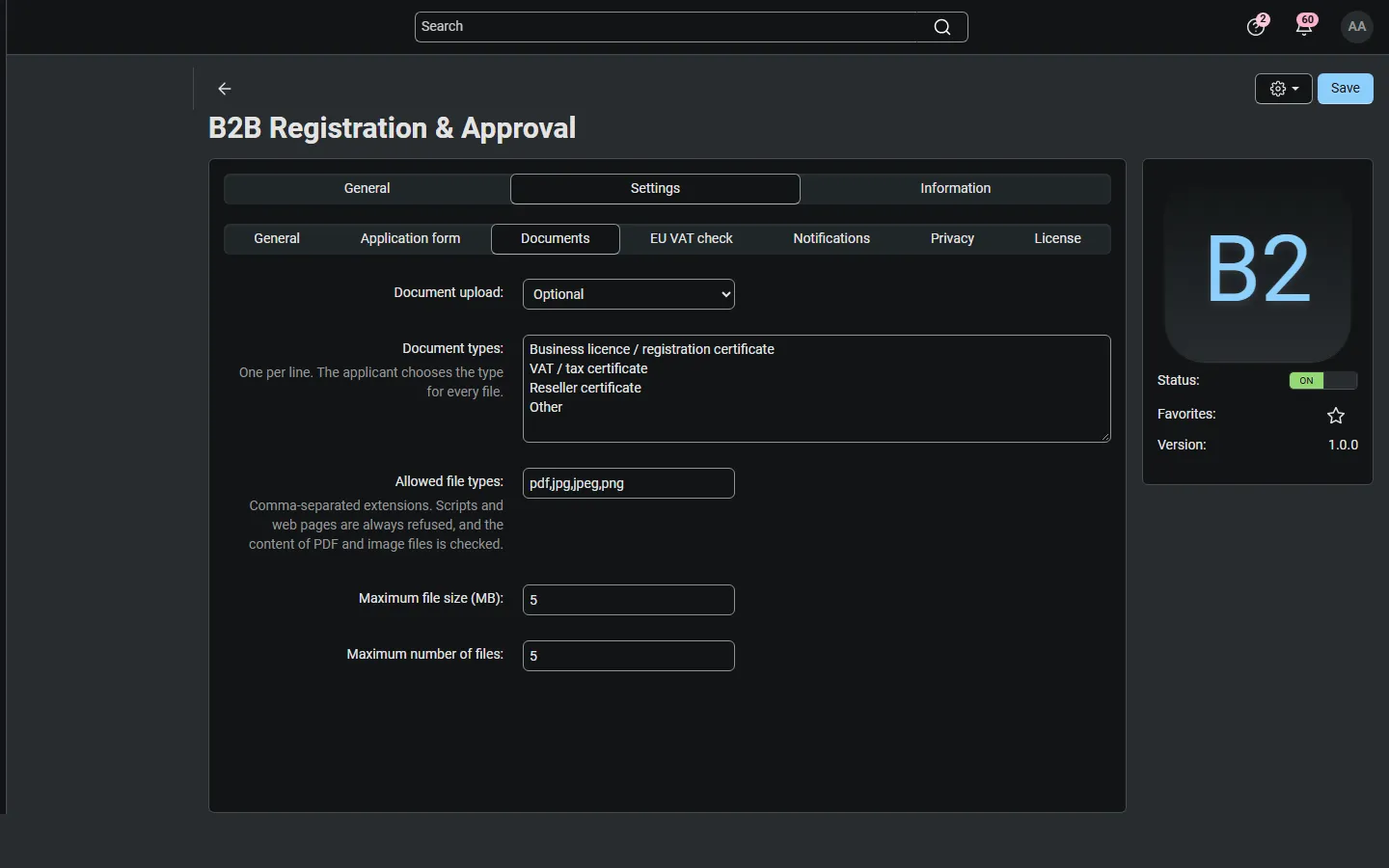
Settings, Documents: mode, document types, file types, size and count.
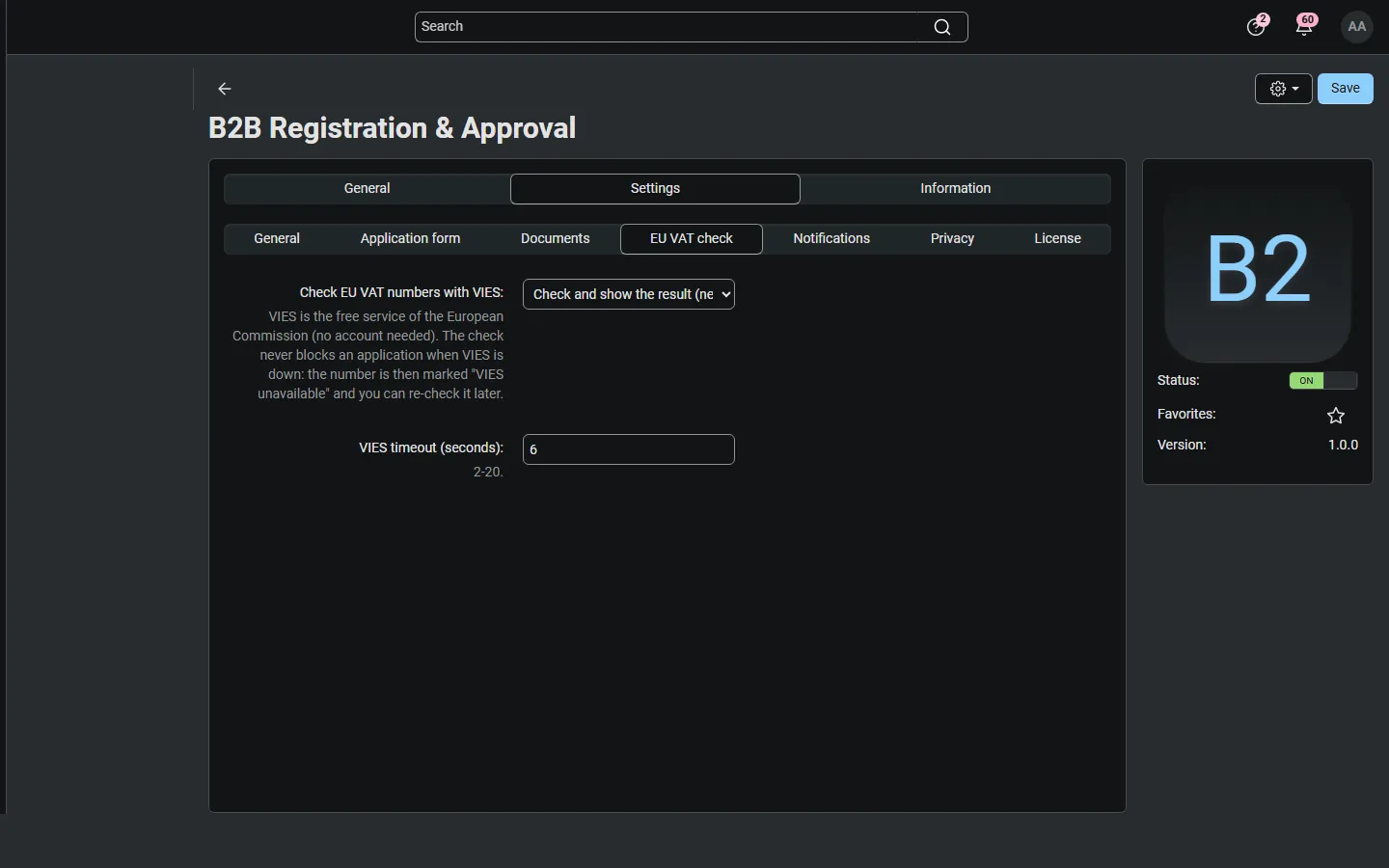
Settings, EU VAT check: VIES mode and timeout.
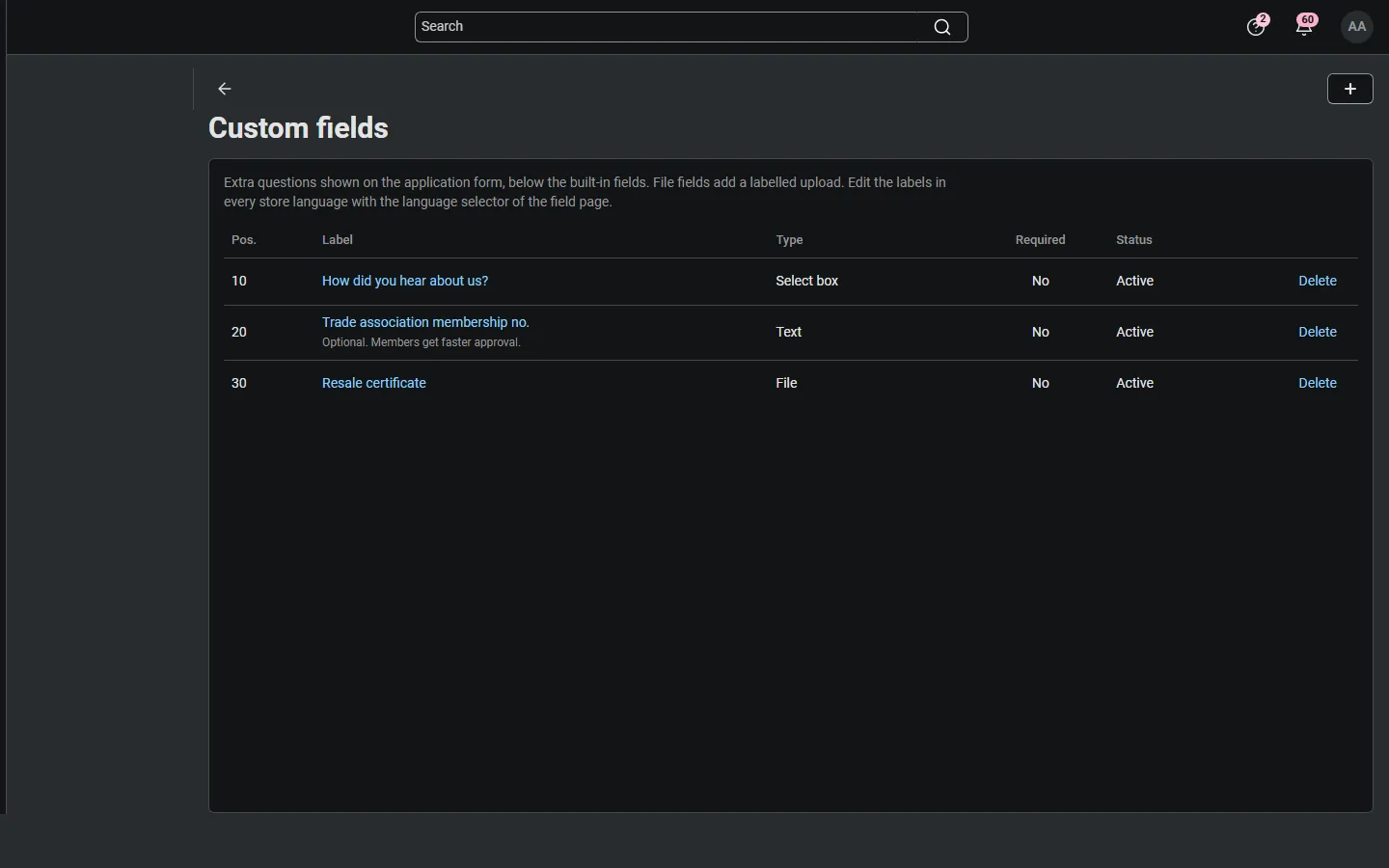
Custom fields list.
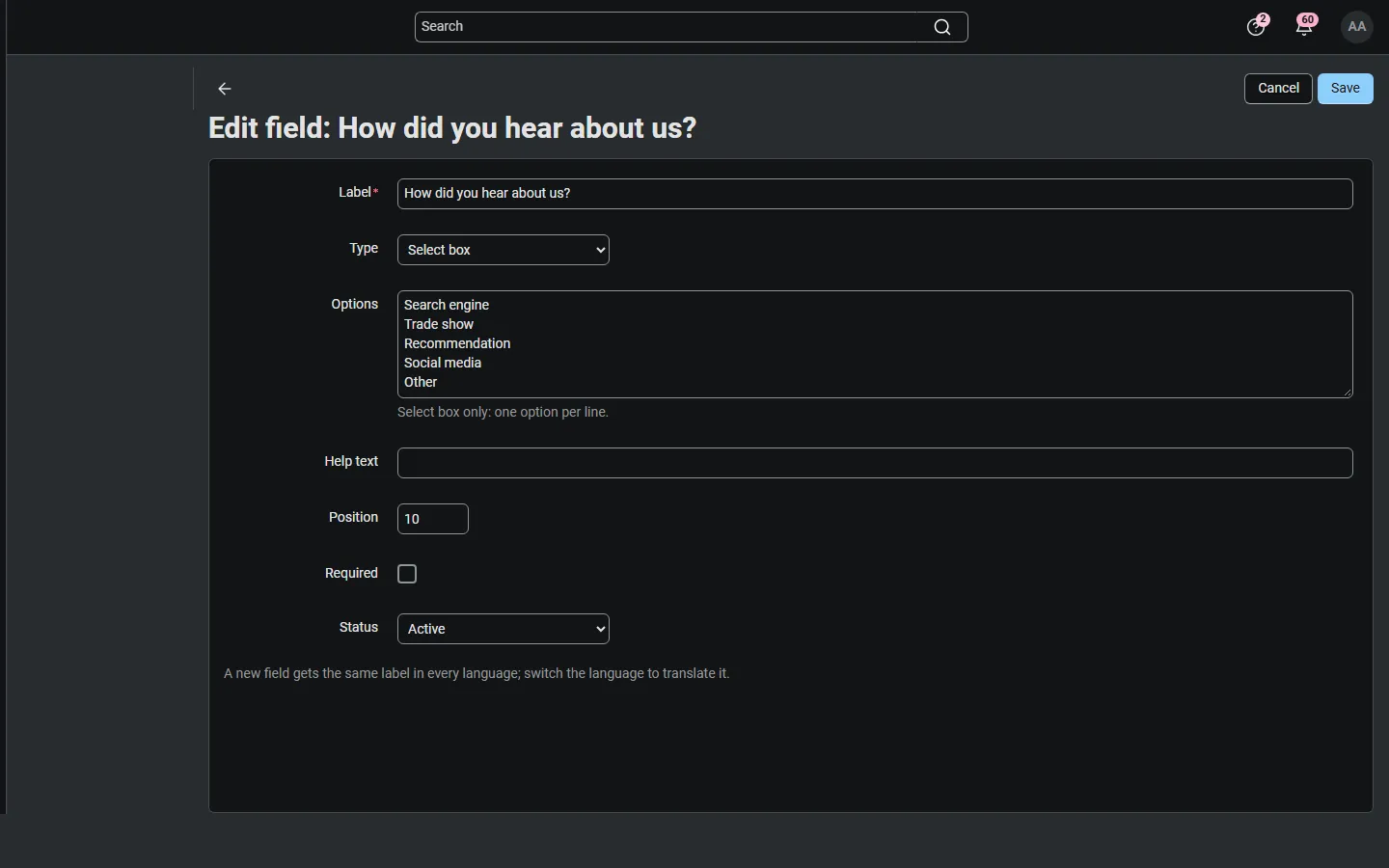
Editing a custom field (select box with options).
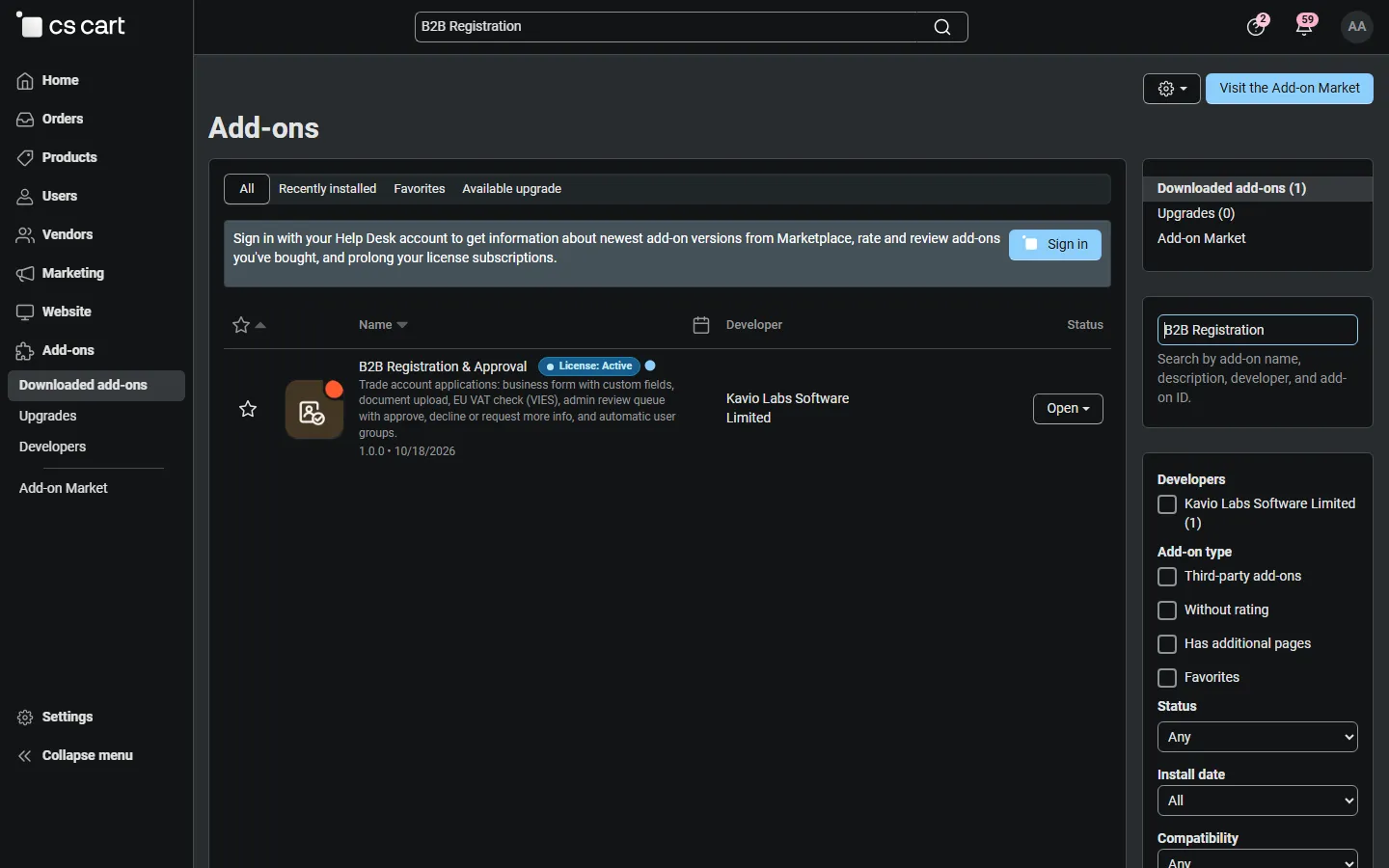
Admin, Downloaded add-ons searched for “B2B” (Multi-Vendor 4.21.2), with the add-on icon.
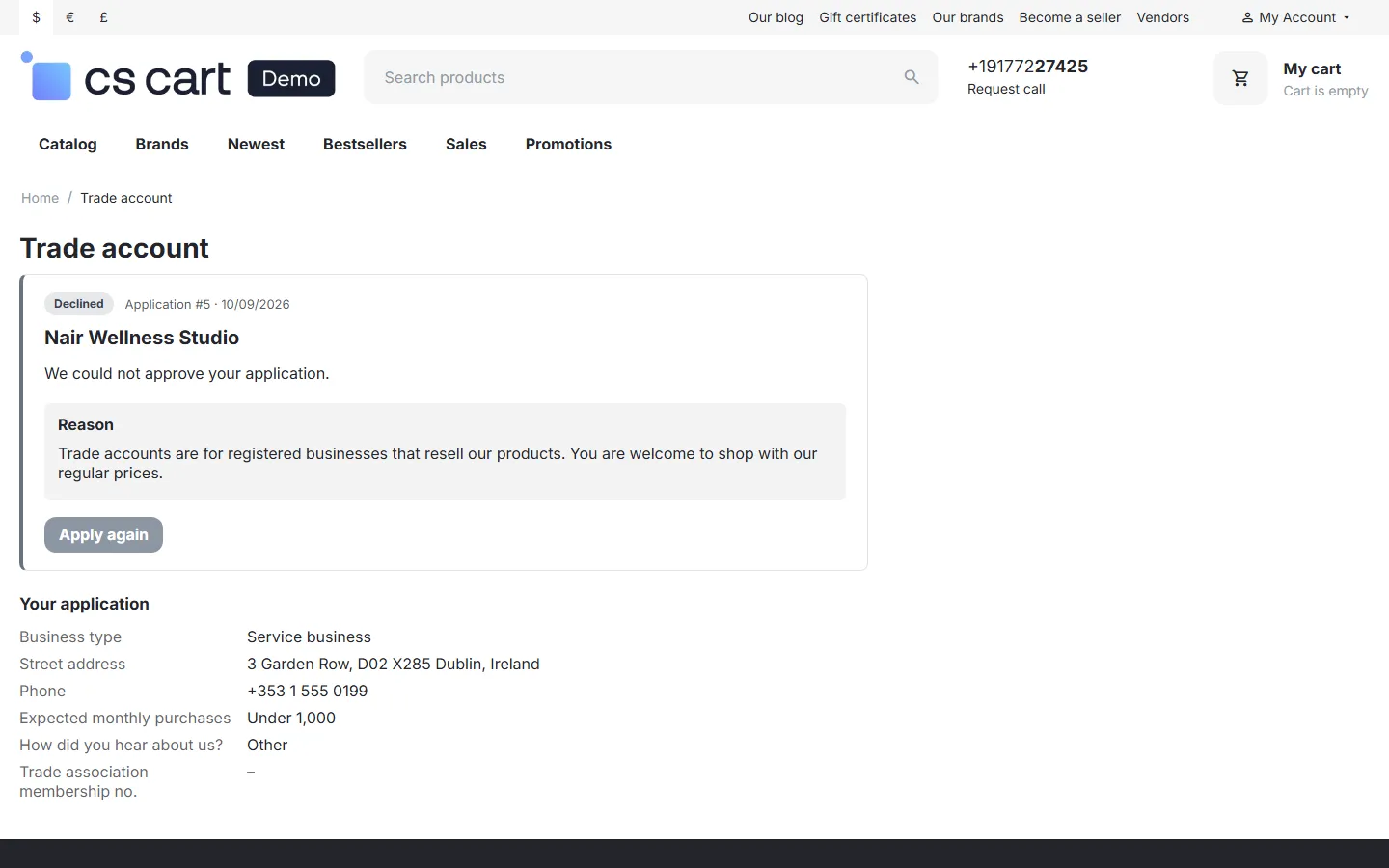
Trade account page: declined with the reason and Apply again.
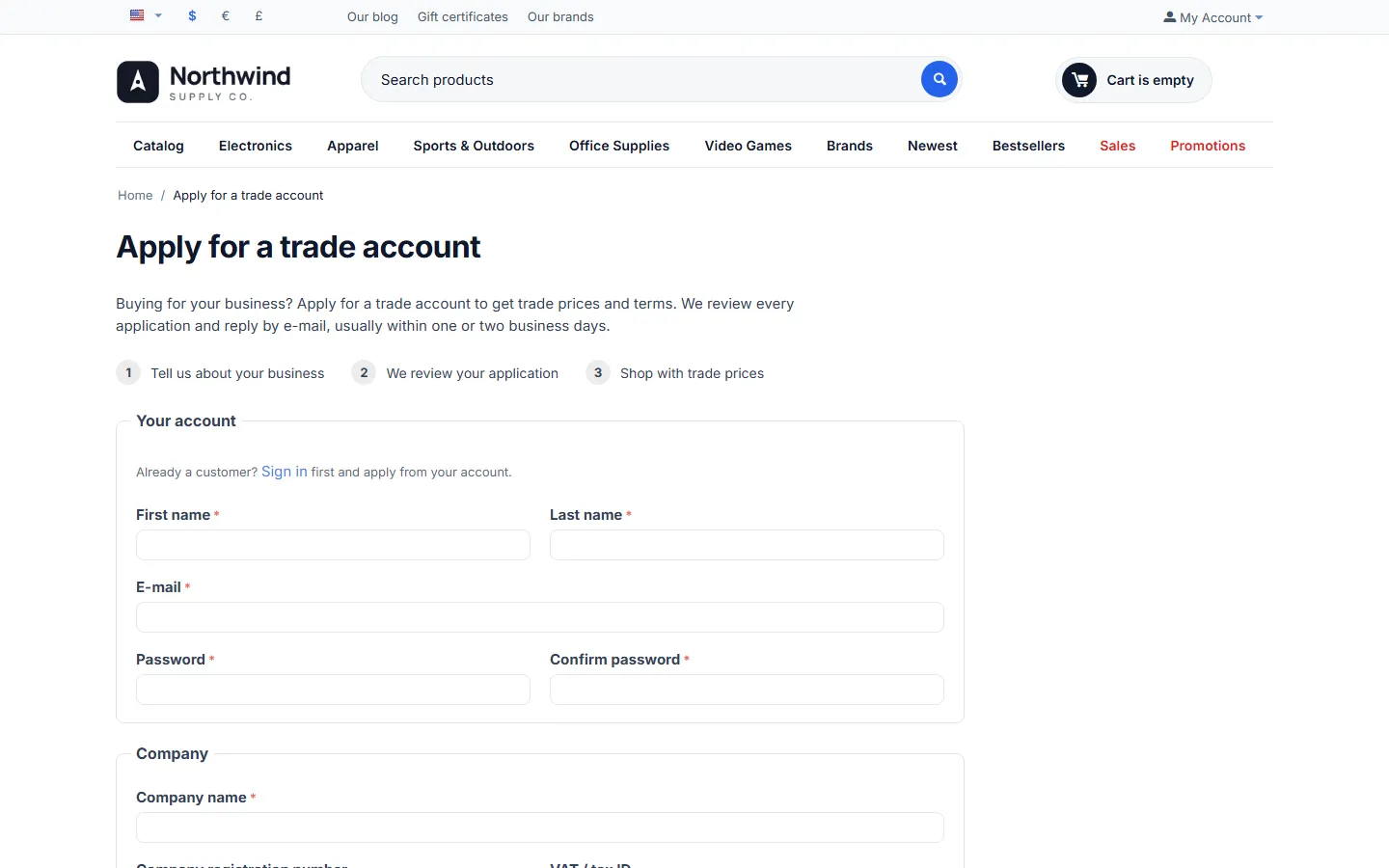
CS-Cart 4.17.2: the trade account form.
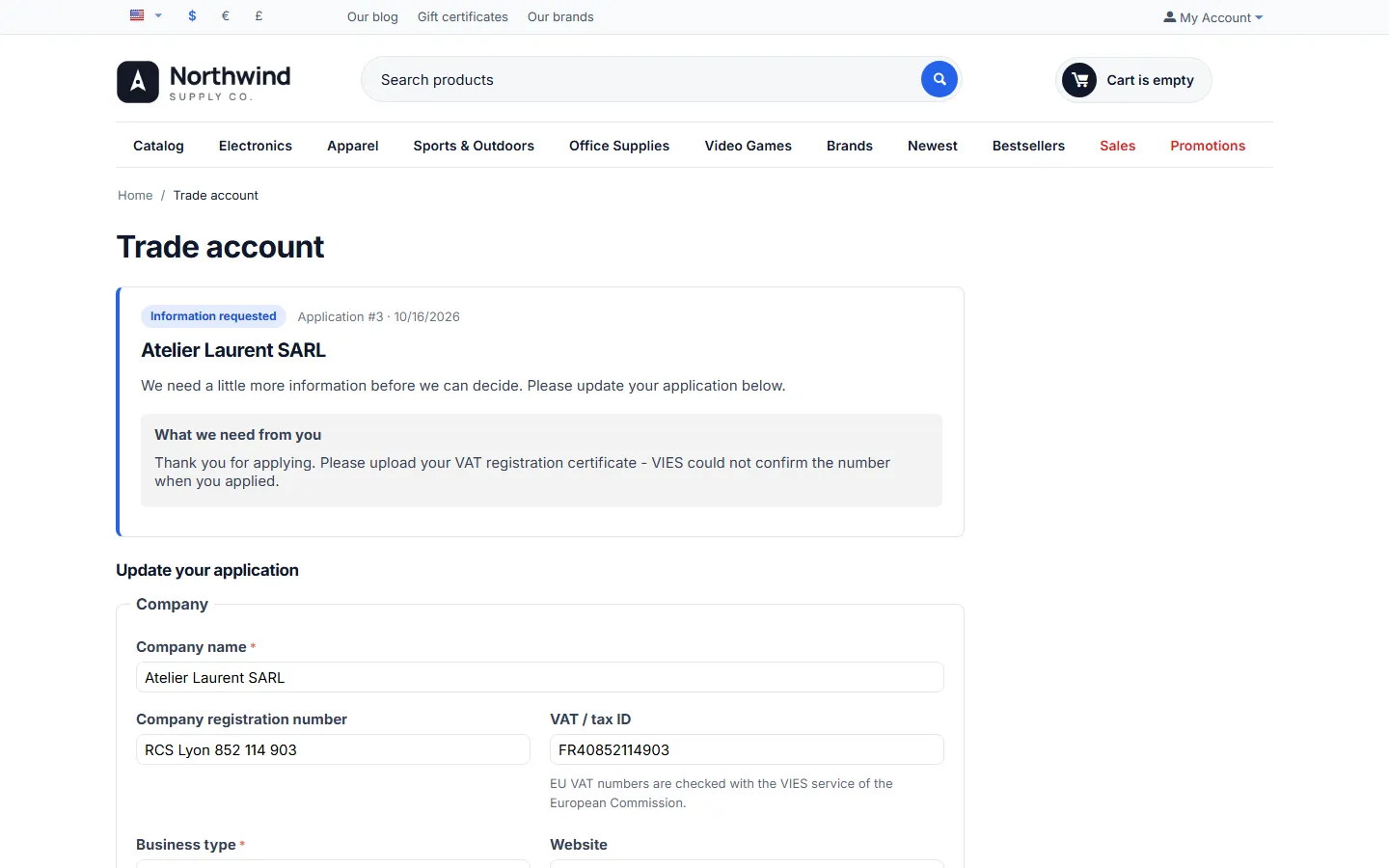
CS-Cart 4.17.2: information requested.