

Configuration
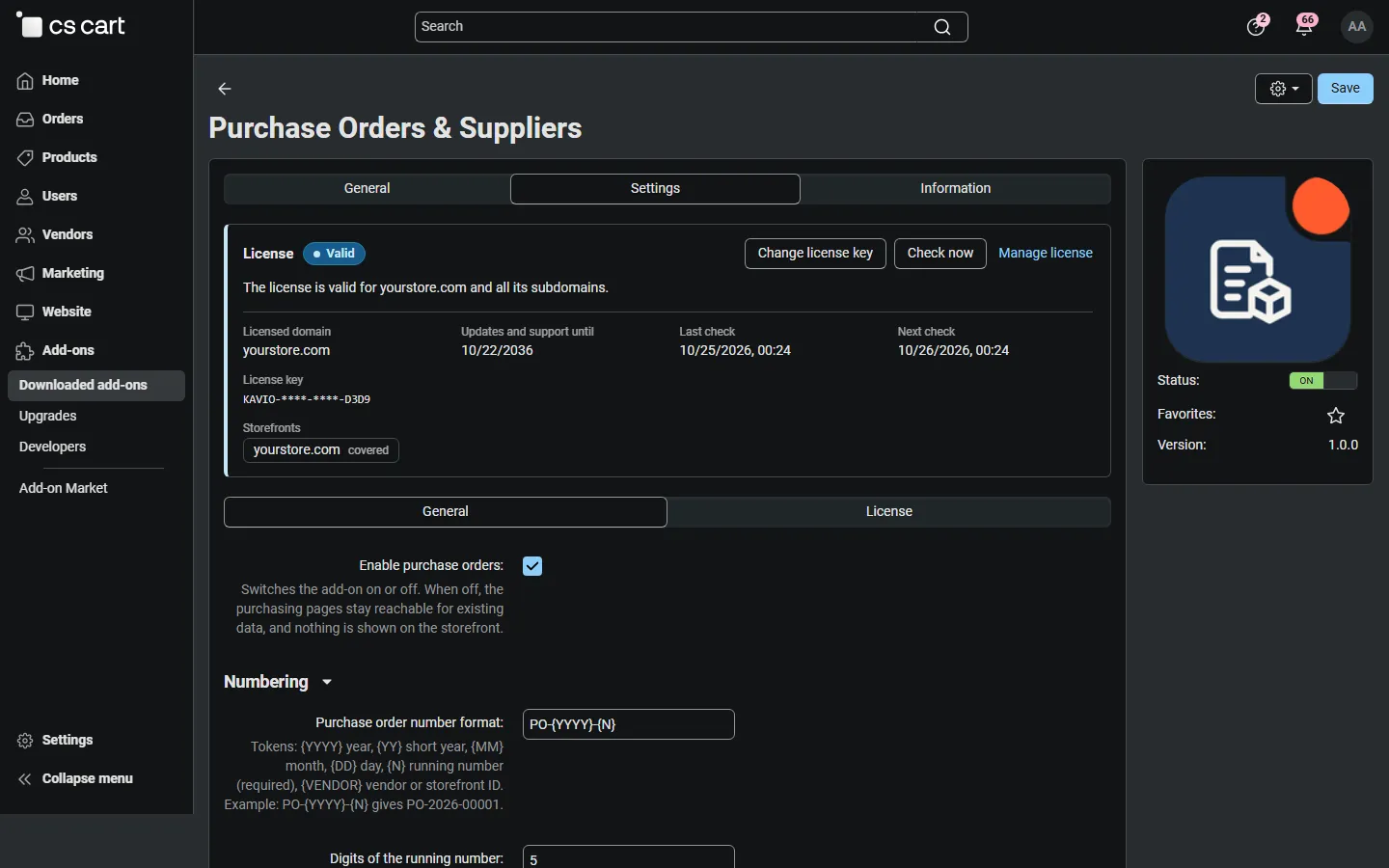
Open Add-ons → Manage add-ons → Purchase Orders & Suppliers → Settings. On CS-Cart Ultimate, select a storefront to give it its own number format, delivery address and storefront note.
General
Section titled “General”| Setting | Default | What it does |
|---|---|---|
| Enable purchase orders | On | Switches the add-on on or off. When off, nothing is shown on the storefront. |
Numbering
Section titled “Numbering”| Setting | Default | What it does |
|---|---|---|
| Purchase order number format | PO-{YYYY}-{N} |
Tokens: {YYYY} year, {YY} short year, {MM} month, {DD} day, {N} running number (required), {VENDOR} vendor or storefront ID. |
| Digits of the running number | 5 | {N} is padded with zeros (1–10 digits). |
| Restart numbering every year | On | The running number starts at 1 on 1 January. Keep {YYYY} or {YY} in the format. |
Numbers are given when a purchase order is saved for the first time and are never reused (a cancelled purchase order keeps its number). Each storefront (Ultimate) and each vendor (Multi-Vendor) has its own series; add {VENDOR} to the format if numbers must be unique across the whole marketplace.
Stock and reorder suggestions
Section titled “Stock and reorder suggestions”| Setting | Default | What it does |
|---|---|---|
| Default reorder point | 5 | A product is suggested when its stock plus the quantity on order is at or below this number. Products can have their own value. |
| Default target stock | 20 | Suggestions fill the stock up to this level. Products can have their own value. |
| Products in the suggestions | With a supplier or an own reorder point | Or All tracked products: every product that tracks stock and is at or below its reorder point. |
| Allow receiving more than ordered | Off | When off, a receipt can not exceed the open quantity of a line. |
| Cost price on receipt | Last purchase cost | Last purchase cost, Weighted average cost or Do not keep costs. Costs are converted to your primary currency with the store exchange rate of the purchase order. |
| Show margins | On | Margin columns on purchase orders and in the product list. Hidden automatically when the Product Cost & Profit add-on shows its own margin column. |
Purchase order document and e-mail
Section titled “Purchase order document and e-mail”| Setting | Default | What it does |
|---|---|---|
| Delivery address | (empty) | Printed as Ship to on new purchase orders. Empty = the company address of the store or vendor. |
| Terms printed on purchase orders | (empty) | Optional text at the bottom of every purchase order (delivery and invoicing instructions). |
| Send me a copy | On | A blind copy of every purchase order e-mail goes to the orders department e-mail of the store or vendor. |
The layout of the purchase order is a document in Design → Documents → Purchase order (snippets for the header, parties, lines, totals and notes). The e-mail is Design → E-mail templates → Purchase order to supplier.
Storefront
Section titled “Storefront”| Setting | Default | What it does |
|---|---|---|
| Show expected delivery on product pages | Off | Out-of-stock products show “Back in stock expected on …” when an open purchase order with an expected date contains them. |
| Days added to the expected date | 2 | Safety margin added to the supplier’s date before customers see it. |
The note is the same for every visitor, so it works with the full page cache of CS-Cart 4.21. It is not shown for pre-order products with a future release date.
Vendors (Multi-Vendor)
Section titled “Vendors (Multi-Vendor)”| Setting | Default | What it does |
|---|---|---|
| Vendors manage purchase orders | On | Vendors manage their own suppliers and purchase orders for their own products in the vendor panel. |
License
Section titled “License”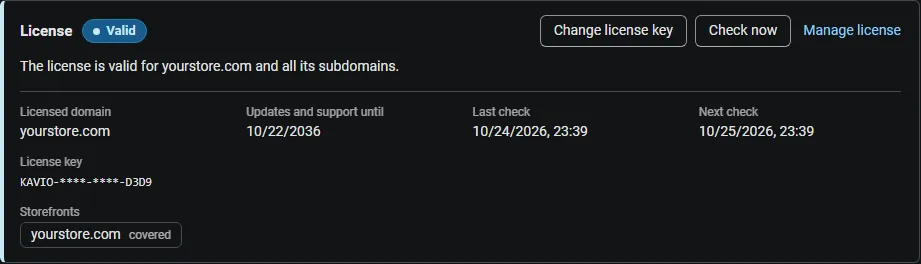
The License section shows the license status, the licensed domain and Check now. Enter your Kavio Labs license key there, or the CS-Cart Marketplace license number in Add-ons > Manage add-ons.
What switched off means: no new purchase orders can be created or sent and the reorder suggestions and storefront delivery notes are paused; existing purchase orders stay viewable, printable and exportable, and goods can still be received into stock, so your stock levels stay correct.