

Configuration
Overview · Installation · Usage · Developer notes · FAQ
Open Add-ons > Manage add-ons > Shop the Look: Shoppable Images & Lookbook > Settings. On CS-Cart Ultimate the general settings can differ per storefront.
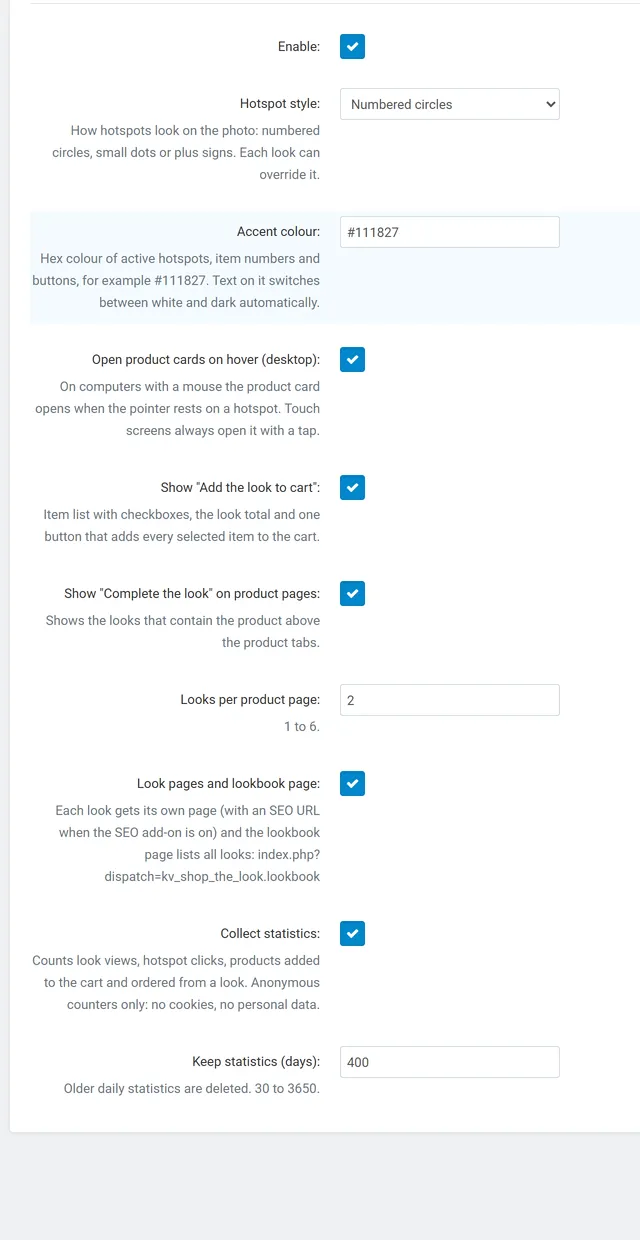
General
Section titled “General”| Setting | Default | What it does |
|---|---|---|
| Enable | On | Switches every storefront output (blocks, look pages, product page section) and the statistics on or off. |
| Hotspot style | Numbered circles | Numbered circles, dots or plus signs. Each look can override it. |
| Accent colour | #111827 |
Hex colour of active hotspots, item numbers, checkboxes and buttons. The text on it switches between white and dark automatically. Invalid values fall back to the default. |
| Open product cards on hover (desktop) | On | With a mouse the card opens when the pointer rests on a hotspot. Touch screens always open it with a tap. |
| Show “Add the look to cart” | On | The item list with checkboxes, the look total and the button. Off: the list still shows the items, prices and links. |
| Show “Complete the look” on product pages | On | Looks that contain the product (or another variation of it), above the product tabs. |
| Looks per product page | 2 | 1 to 6. |
| Look pages and lookbook page | On | Each look gets its own page; the lookbook page lists all looks. Off: no look pages, tiles open the look in a dialog only. |
| Collect statistics | On | Views, hotspot clicks, add-to-carts and orders from looks. |
| Keep statistics (days) | 400 | Older daily rows are deleted when the analytics page is opened. 30 to 3650. |
Vendors (Multi-Vendor only)
Section titled “Vendors (Multi-Vendor only)”| Setting | Default | What it does |
|---|---|---|
| Vendors can create looks | On | Adds Products > Shop the Look to the vendor panel. Off: vendors have no access and their looks are hidden. |
| Vendor looks need approval | On | A look a vendor creates or changes is saved as “Pending approval” and appears on the storefront once an administrator sets it to Active. |
License
Section titled “License”Enter your license key, or leave it empty when you entered the CS-Cart Marketplace license number in Add-ons > Manage add-ons. Without a valid license the storefront features switch off after the trial period; your looks, hotspots and statistics stay saved.
Lookbook page URL
Section titled “Lookbook page URL”The lookbook page is index.php?dispatch=kv_shop_the_look.lookbook. With the SEO add-on you can give it a short URL in
Website > SEO > SEO rules (for example lookbook). Add a link to it in Website > Menus or in a banner.