

Usage
Overview · Installation · Configuration · Developer notes · FAQ
All pages are under Website > Bot & Country Blocker.
1. Learn first, then protect
Section titled “1. Learn first, then protect”The add-on starts in learning mode. Leave it like that for a few days and look at the Log tab: entries marked “Would block” or “Would challenge” show what the rules would do. When nothing there is a real customer, click Switch protection on on the banner.
2. Dashboard
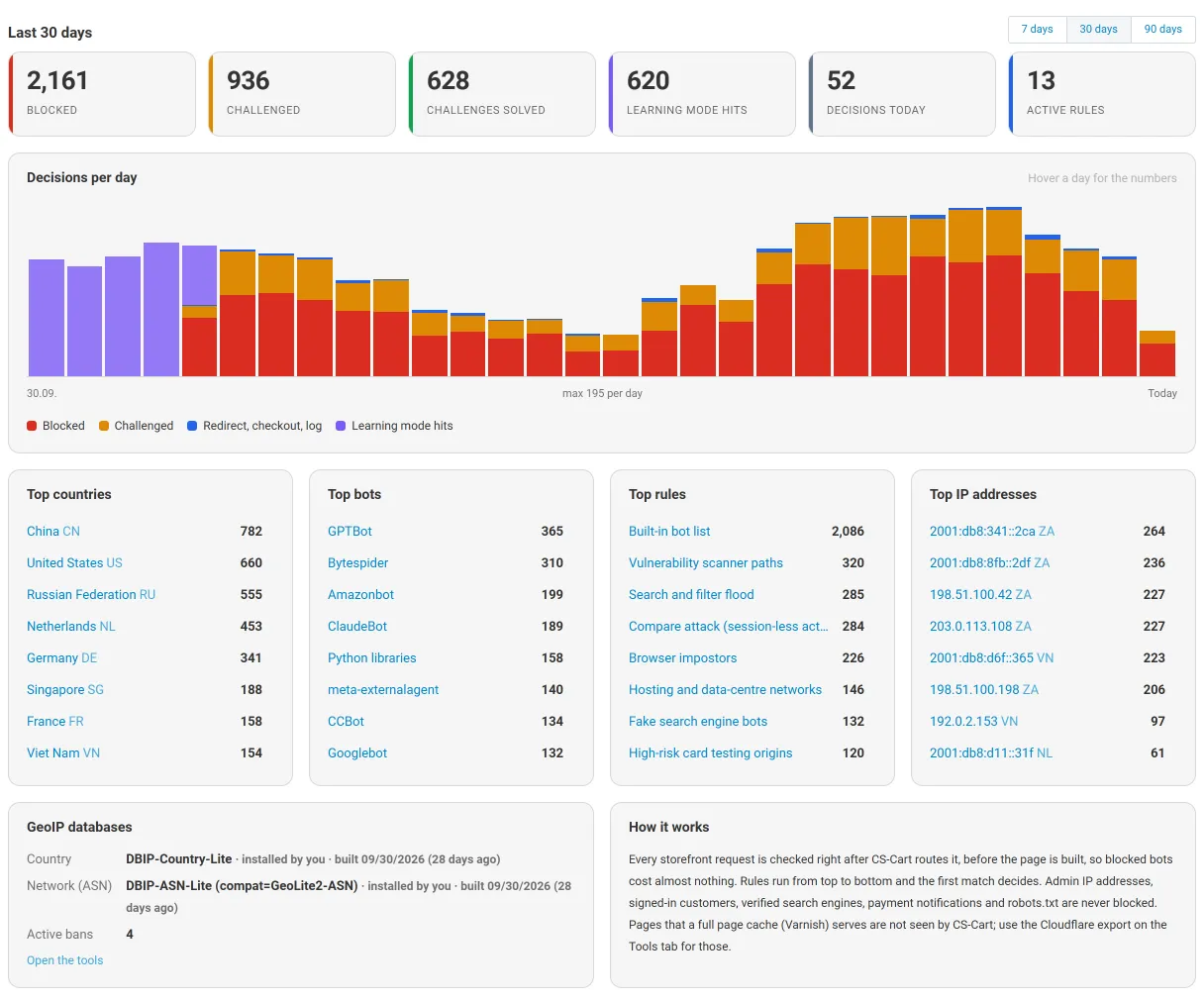
Section titled “2. Dashboard”Counters for the chosen period (7, 30 or 90 days), a chart of the decisions per day, and the top countries, bots, rules and IP addresses. Every name links to the matching log entries.
3. Rules
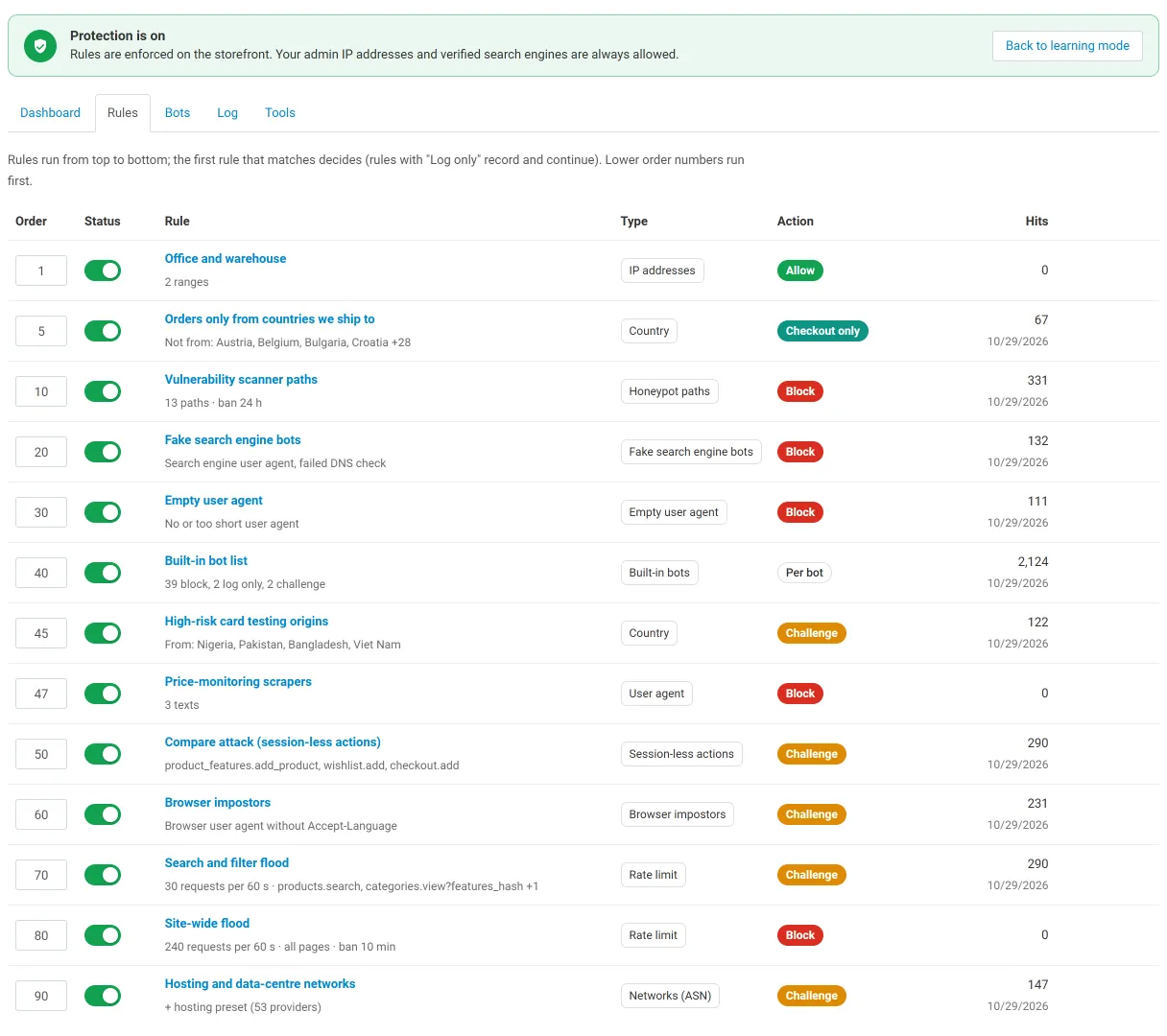
Section titled “3. Rules”Rules run from top to bottom; the first rule that matches decides. Rules with the action “Log only” record and continue. Change the order numbers and click Save order; switch a rule on or off with its toggle.
Add a rule with the + button:
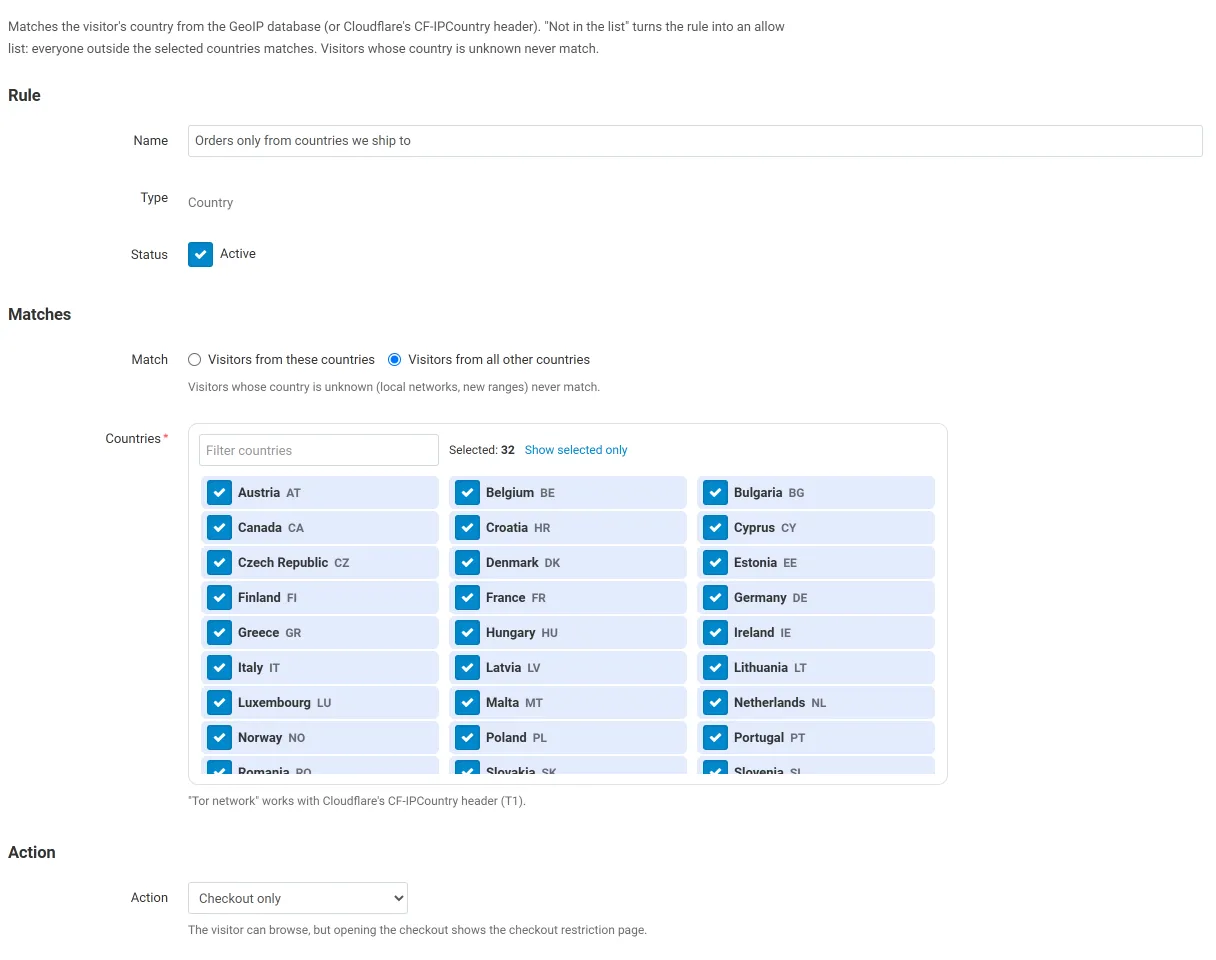
- Country: tick the countries (filter box, “show selected only”). “Visitors from all other countries” turns the rule into an allow list. Visitors whose country is unknown never match.
- IP addresses: addresses, CIDR ranges and ranges, and an optional public list URL (plain text, CSV or JSON such as a cloud provider’s range file; every address range in it is used, refreshed daily).
- Networks (ASN): AS numbers and the hosting preset. Needs an ASN database (Tools tab).
- User agent: text (contains, case-insensitive) or
/regular expressions/. - Rate limit: requests per period per IP address, for the whole store or listed dispatches (
products.search,categories.view?features_hash= only with filters), with an optional ban. - Honeypot paths: paths only scanners ask for; the visitor is banned for the given hours.
- Session-less actions: dispatches that must not be called by GET without a session cookie.
Actions: Block (403 page), Challenge (browser check), Redirect (to a URL), Checkout only (browsing allowed, checkout shows a restriction page), Allow (stops here; use it at the top for your office or partners), Log only.
4. Bots
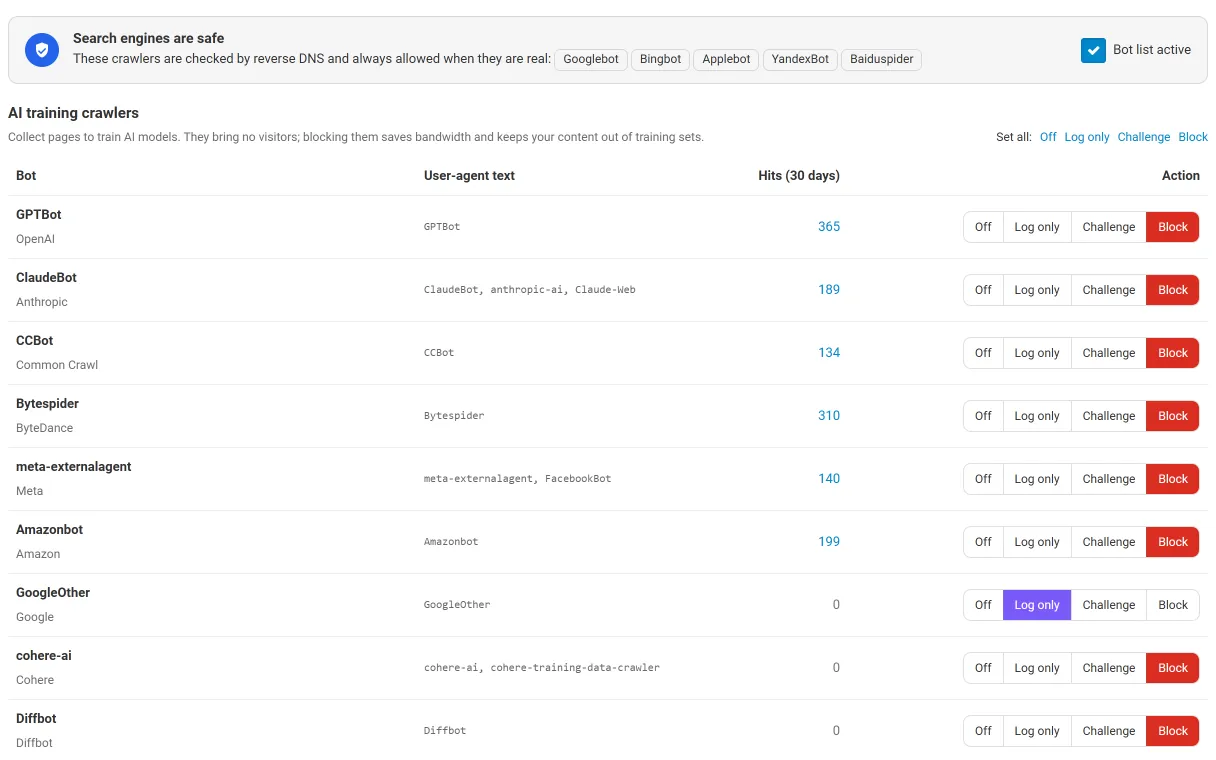
Section titled “4. Bots”One row per bot with Off / Log / Challenge / Block, grouped into AI training crawlers, AI assistants and AI search, SEO tools, scripts and headless browsers, and vulnerability scanners. “Set all” changes a whole group. The hit counter shows the last 30 days.
5. Log
Section titled “5. Log”Filters by period, action, rule, type, mode, country, IP address, text and reference. Export CSV downloads the filtered entries. Clear log deletes all entries (the dashboard counters stay).
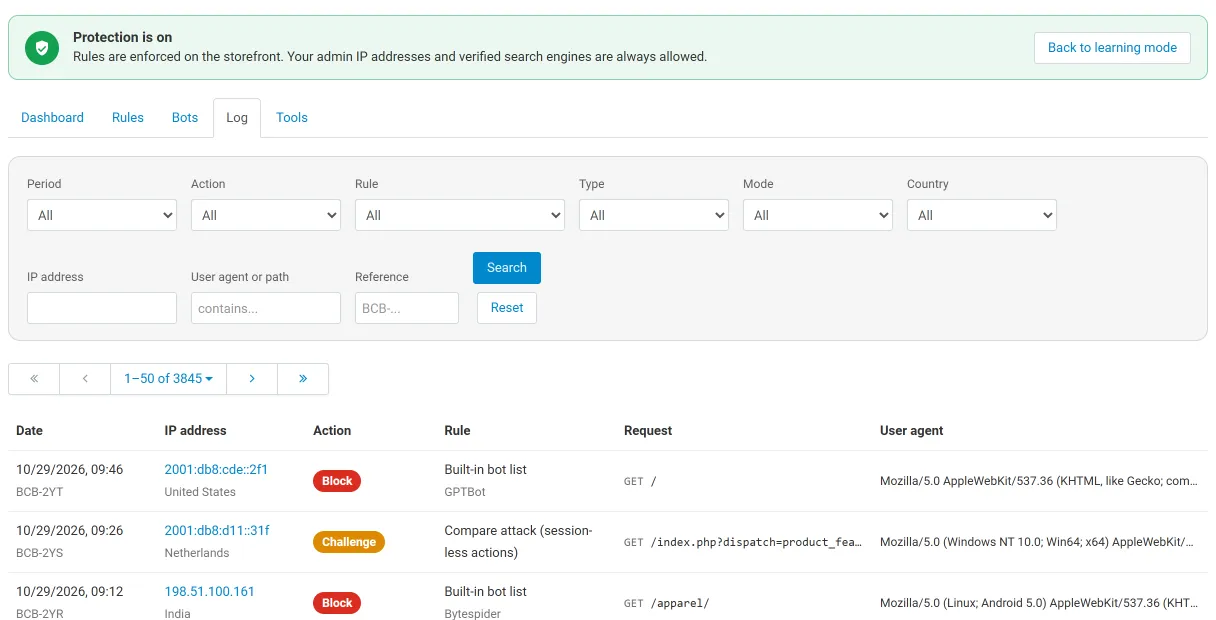
6. Tools
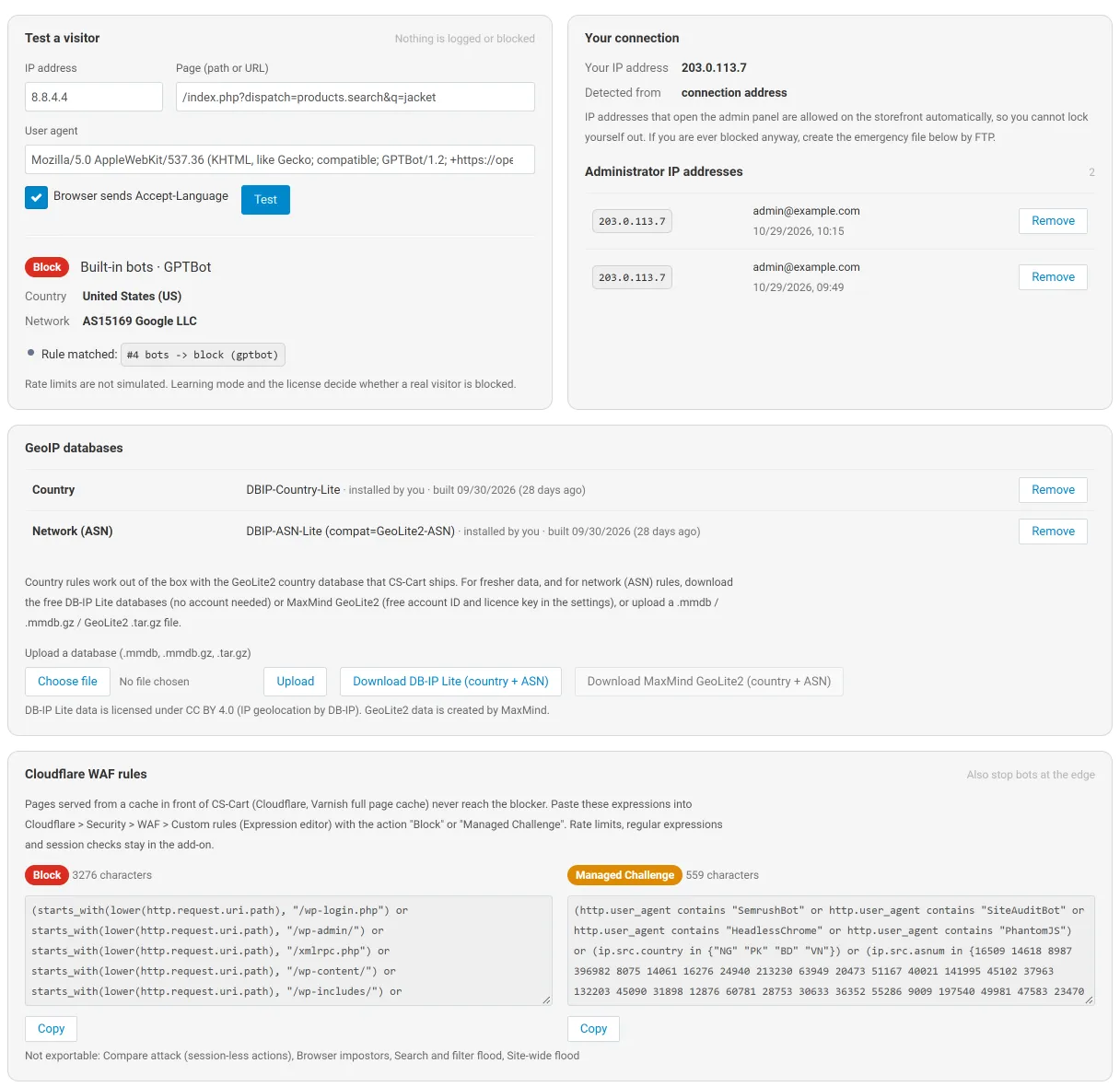
Section titled “6. Tools”- Test a visitor: enter an IP address, a page and a user agent; the result shows the country, the network and every step of the decision. Nothing is logged or blocked.
- Your connection: your IP address and how it was detected, and the administrator IP addresses that are always allowed.
- GeoIP databases: upload a
.mmdb,.mmdb.gzor GeoLite2.tar.gzfile, or download DB-IP Lite or MaxMind GeoLite2 (country and ASN). - Cloudflare WAF rules: expressions for Cloudflare custom rules (Block, Managed Challenge) built from your rules.
- Active bans, maintenance and the emergency switch.
What visitors see
Section titled “What visitors see”| Block page | Challenge page |
|---|---|
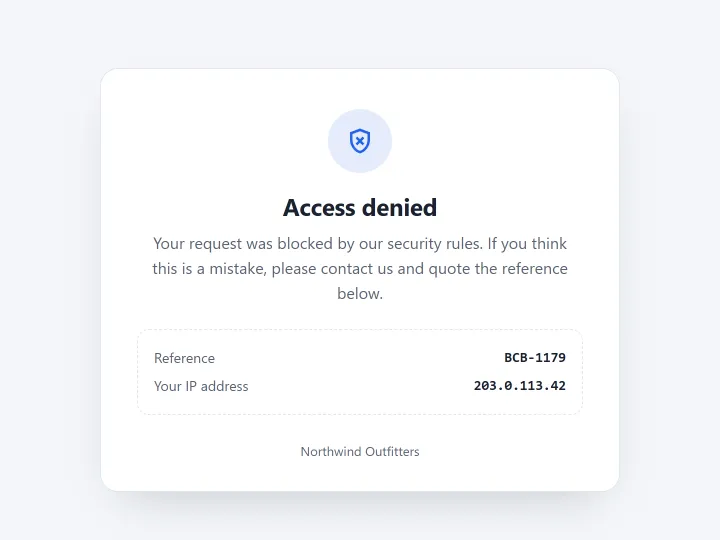 |
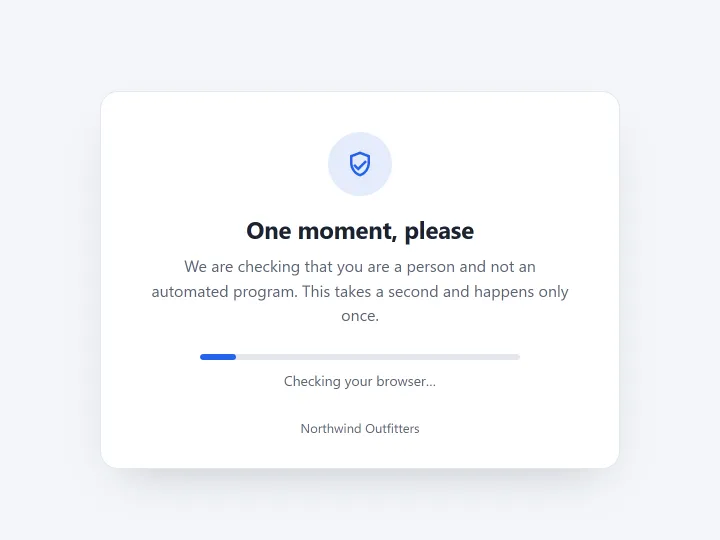 |
The challenge takes about a second in a browser, needs JavaScript and no captcha, and is not shown again for 24 hours.
Emergency switch
Section titled “Emergency switch”If you ever lock yourself out, create an empty file var/kv_bot_country_blocker.off in your store (FTP or file manager). The blocker stops at once; delete the file to turn it back on. Defining KV_BCB_DISABLED in local_conf.php does the same.