

EU VAT Number Validation & Reverse Charge screenshots
Real screenshots from our CS-Cart and Multi-Vendor test stores with the add-on installed and the English interface.
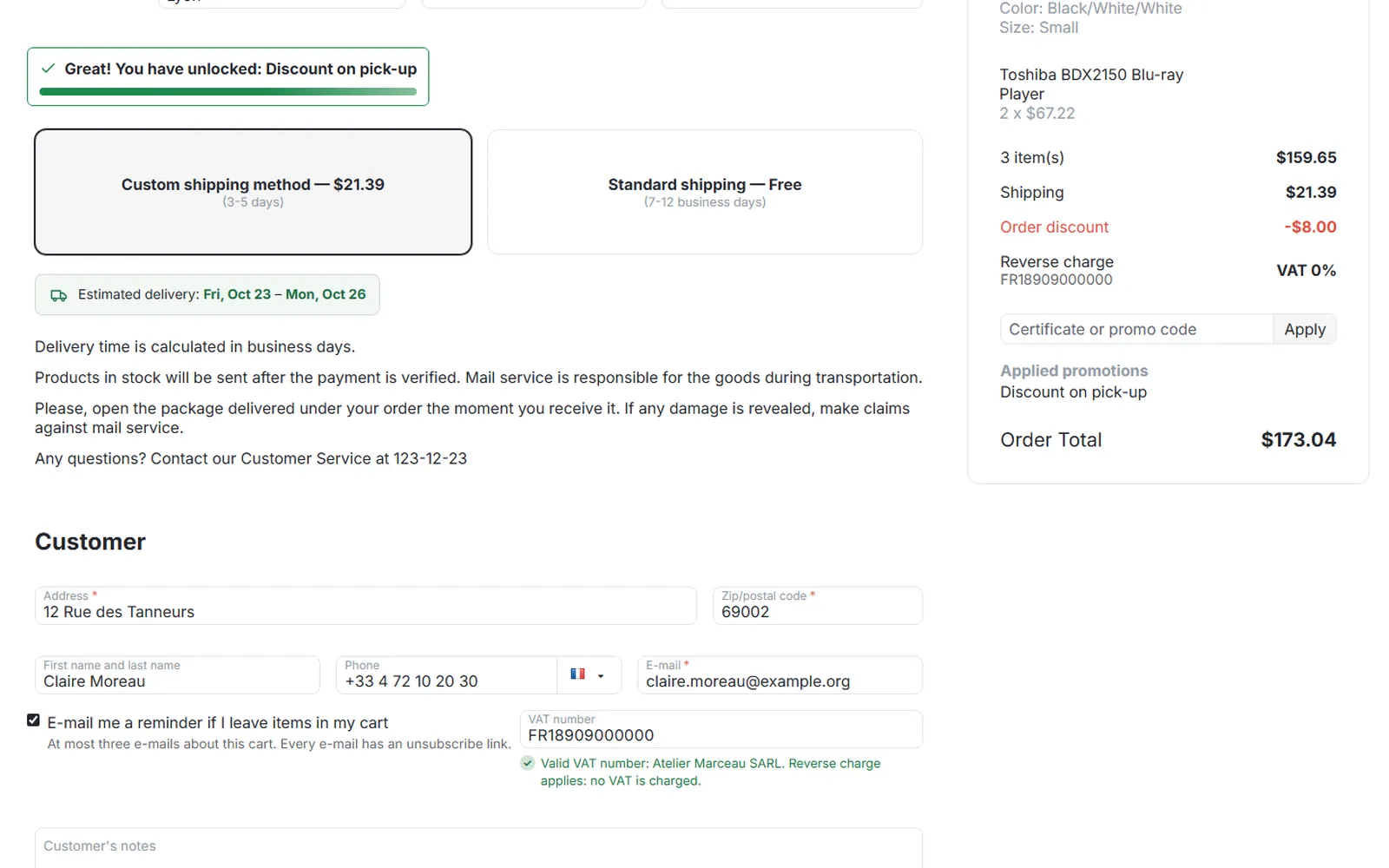
Checkout: valid VAT number under the field and “Reverse charge · VAT 0%” in the summary, net prices.
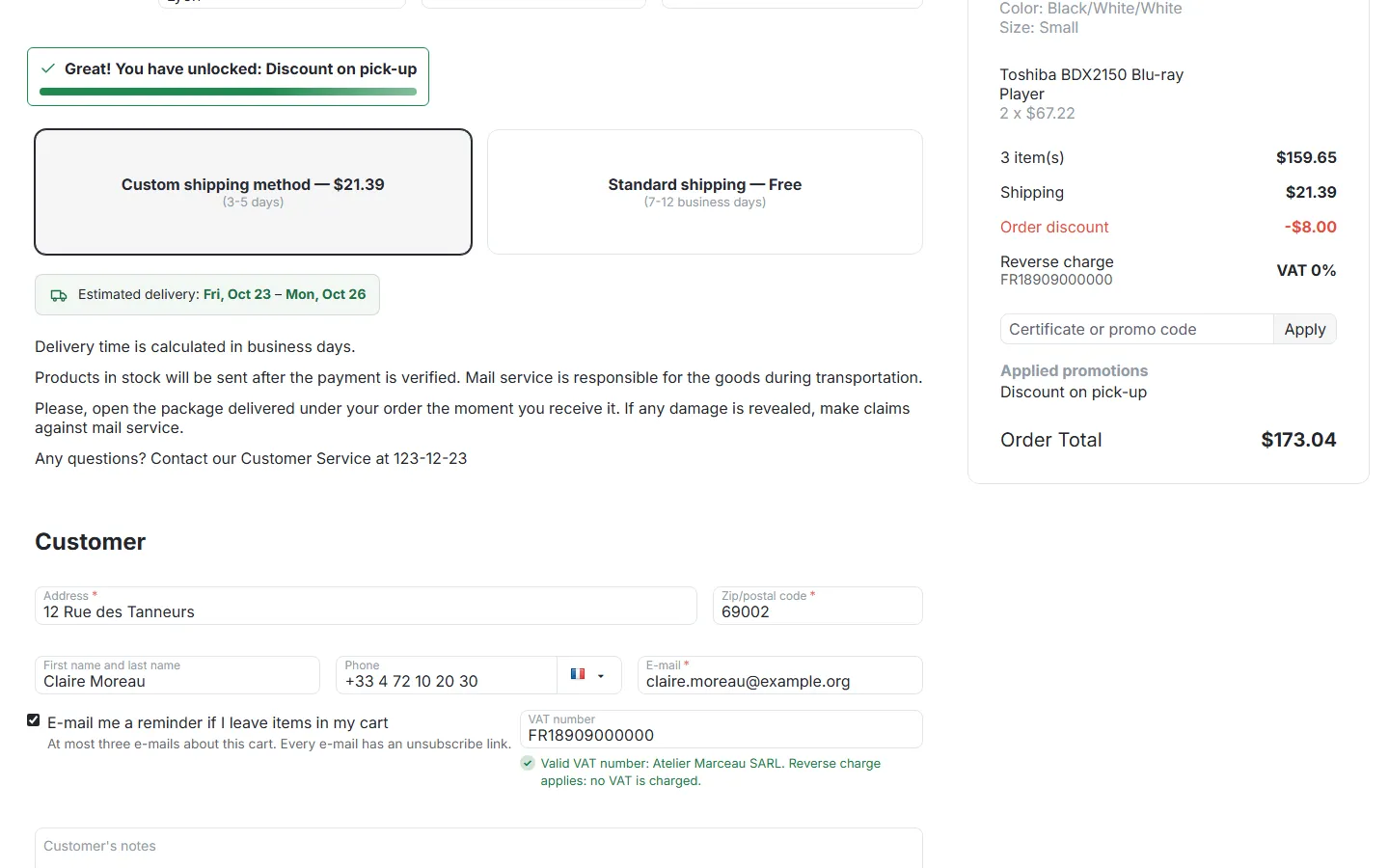
Checkout summary with the reverse charge line and the VAT number field with the VIES result.
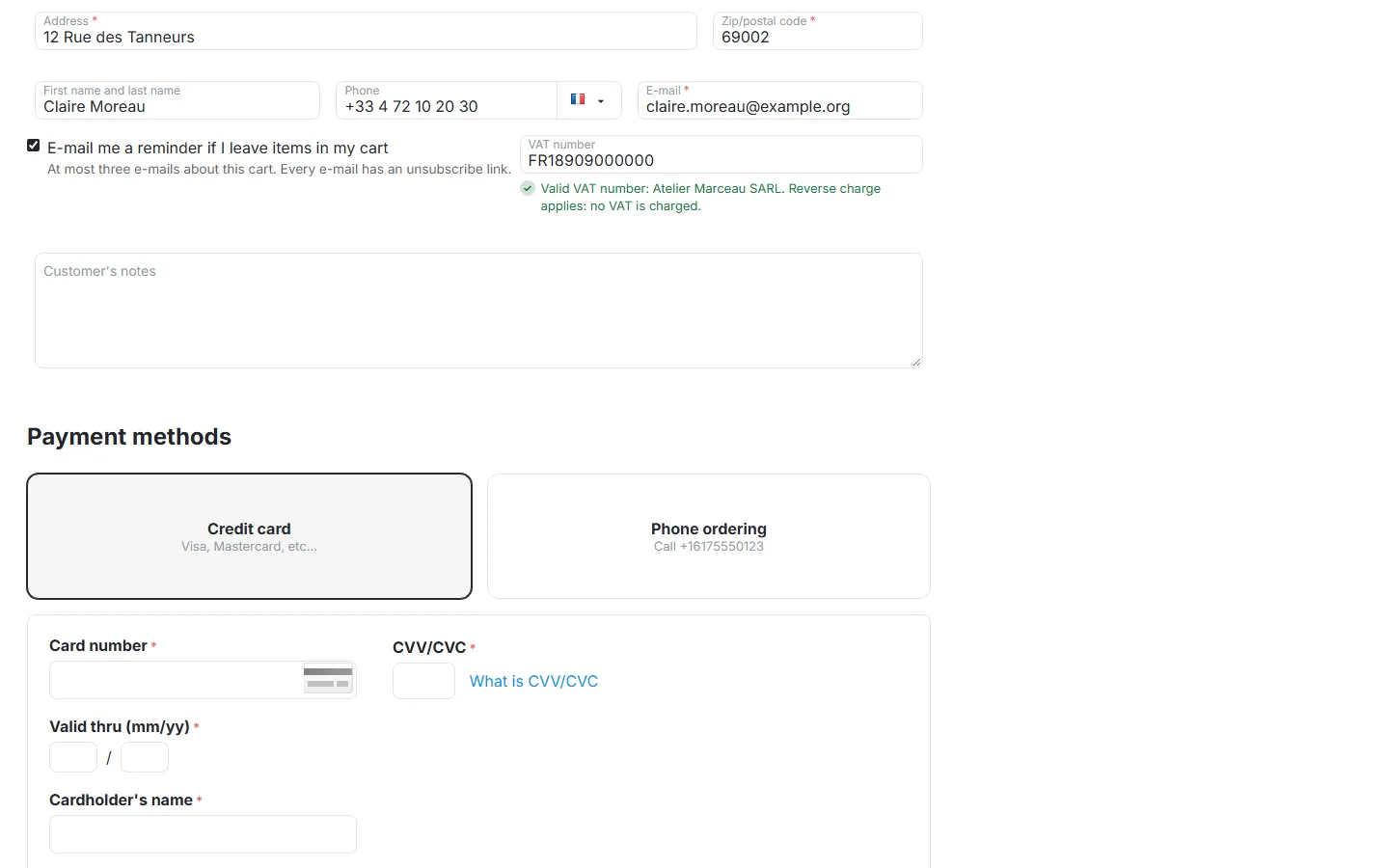
Checkout customer section: VAT number field, “Valid VAT number: Atelier Marceau SARL. Reverse charge applies”.
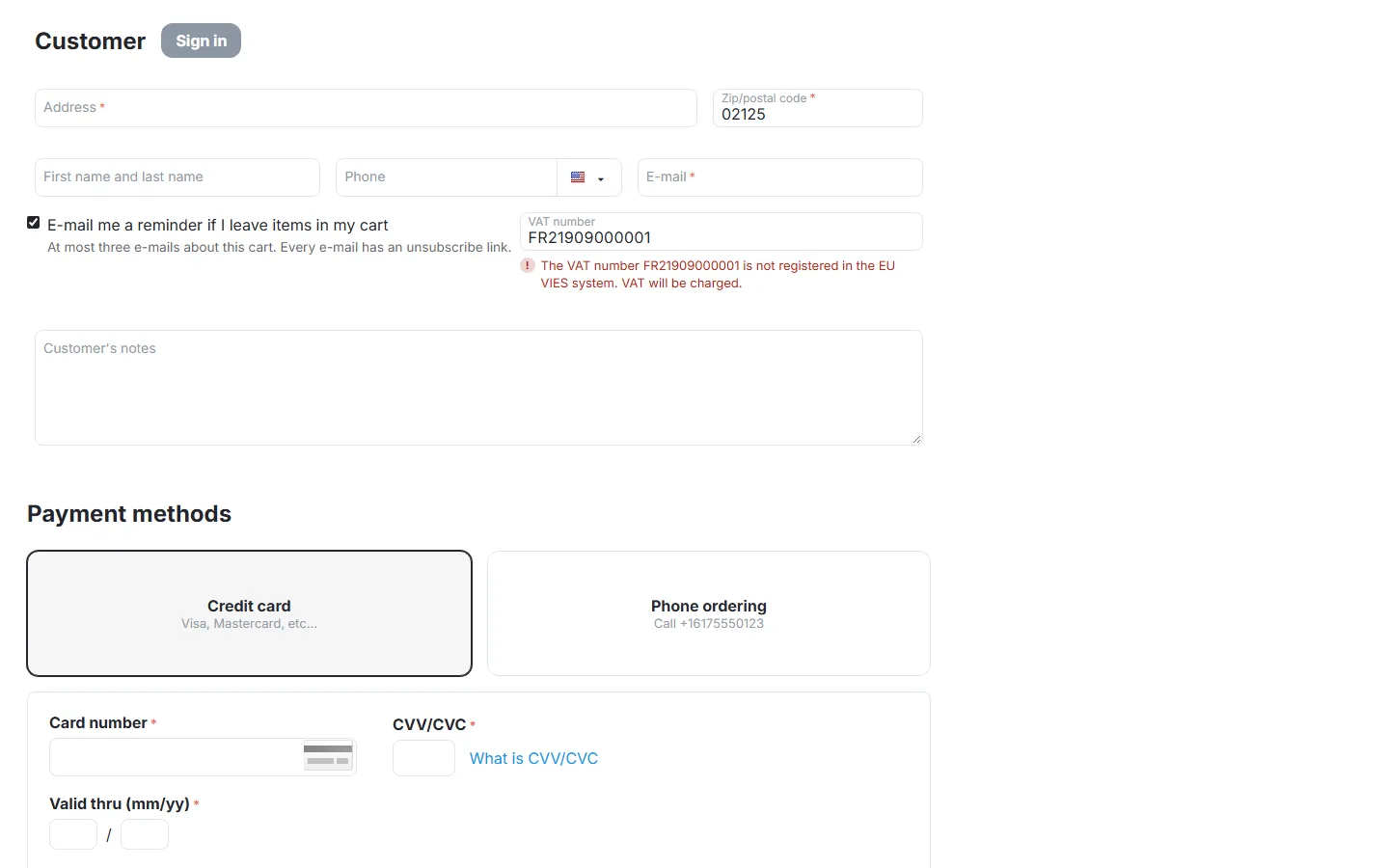
Guest checkout: a number that is not registered in VIES, VAT will be charged.
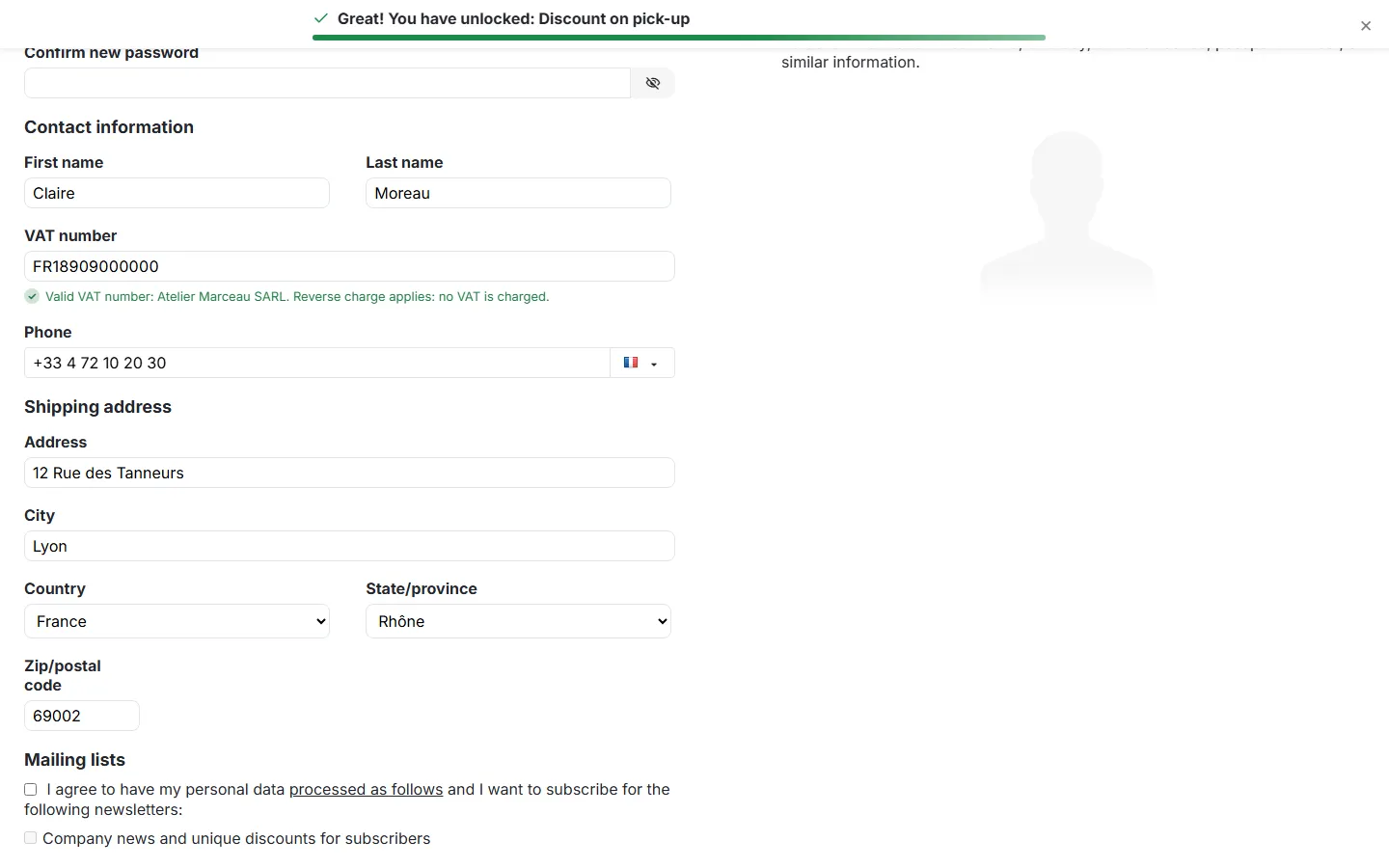
Profile page: VAT number field in the contact information with the live result.
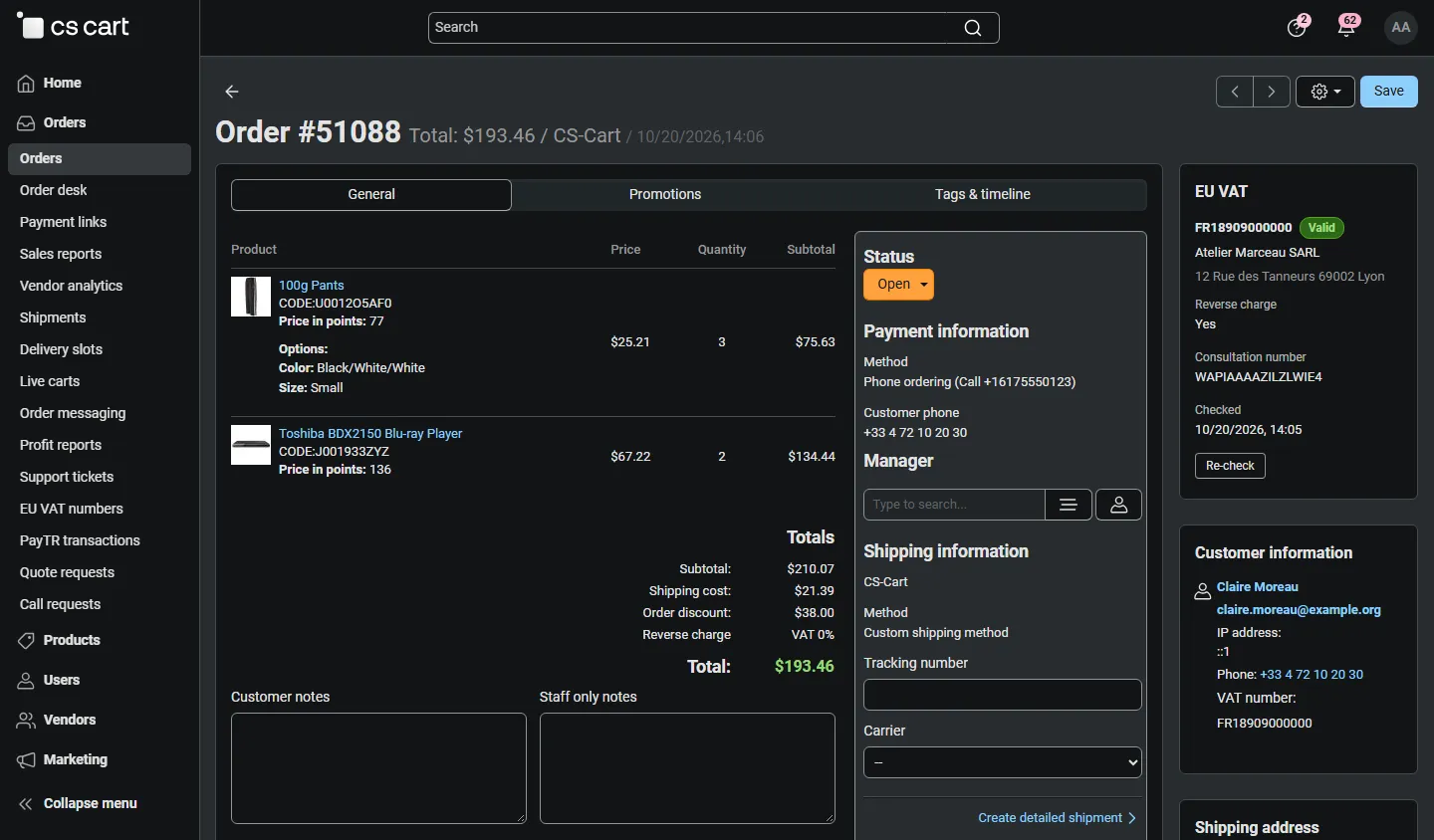
Admin order page: EU VAT panel (VIES name, address, consultation number, re-check) and the reverse charge row in the totals.
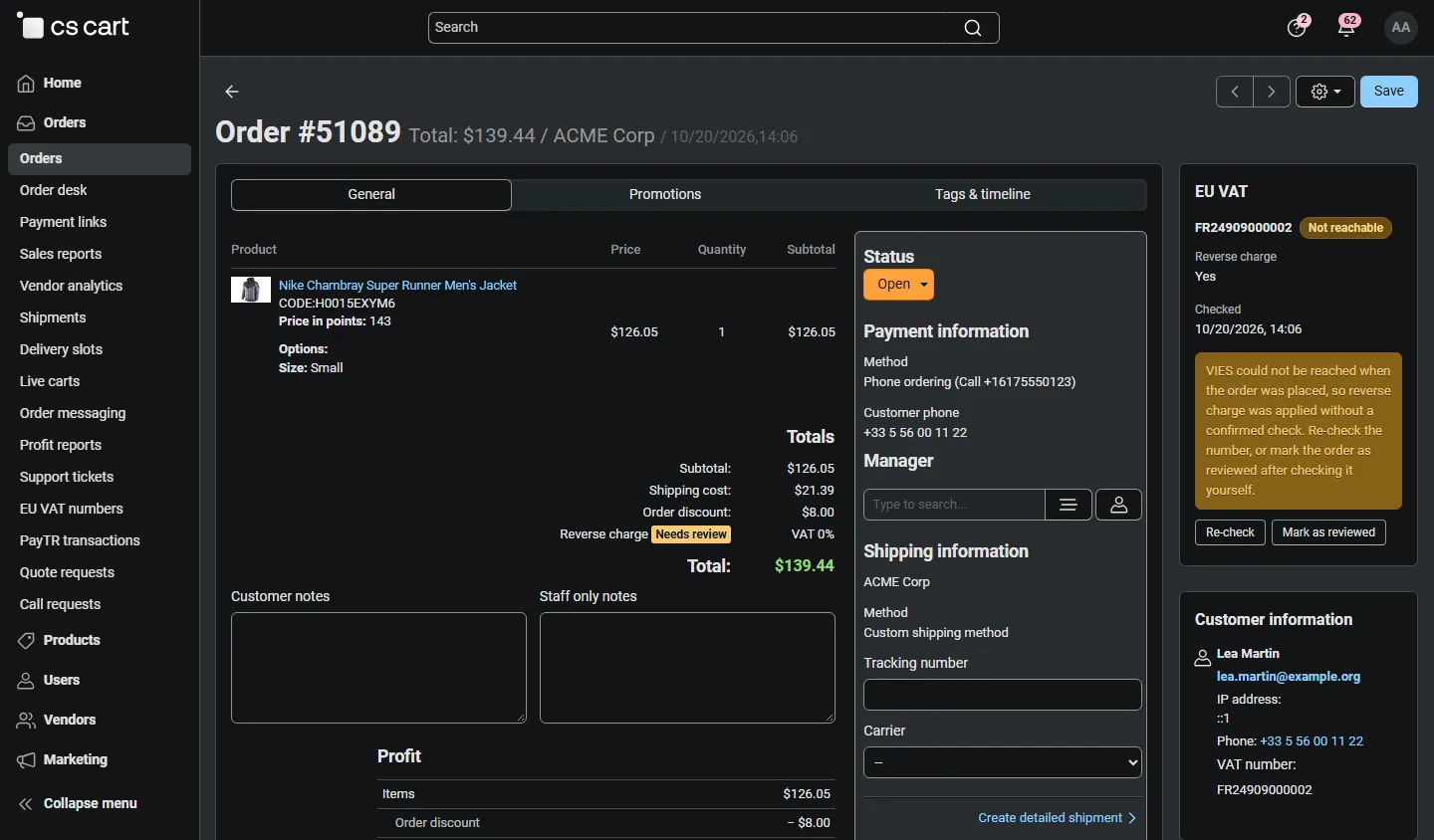
Order placed while VIES was down: “Needs review” with re-check and mark as reviewed.
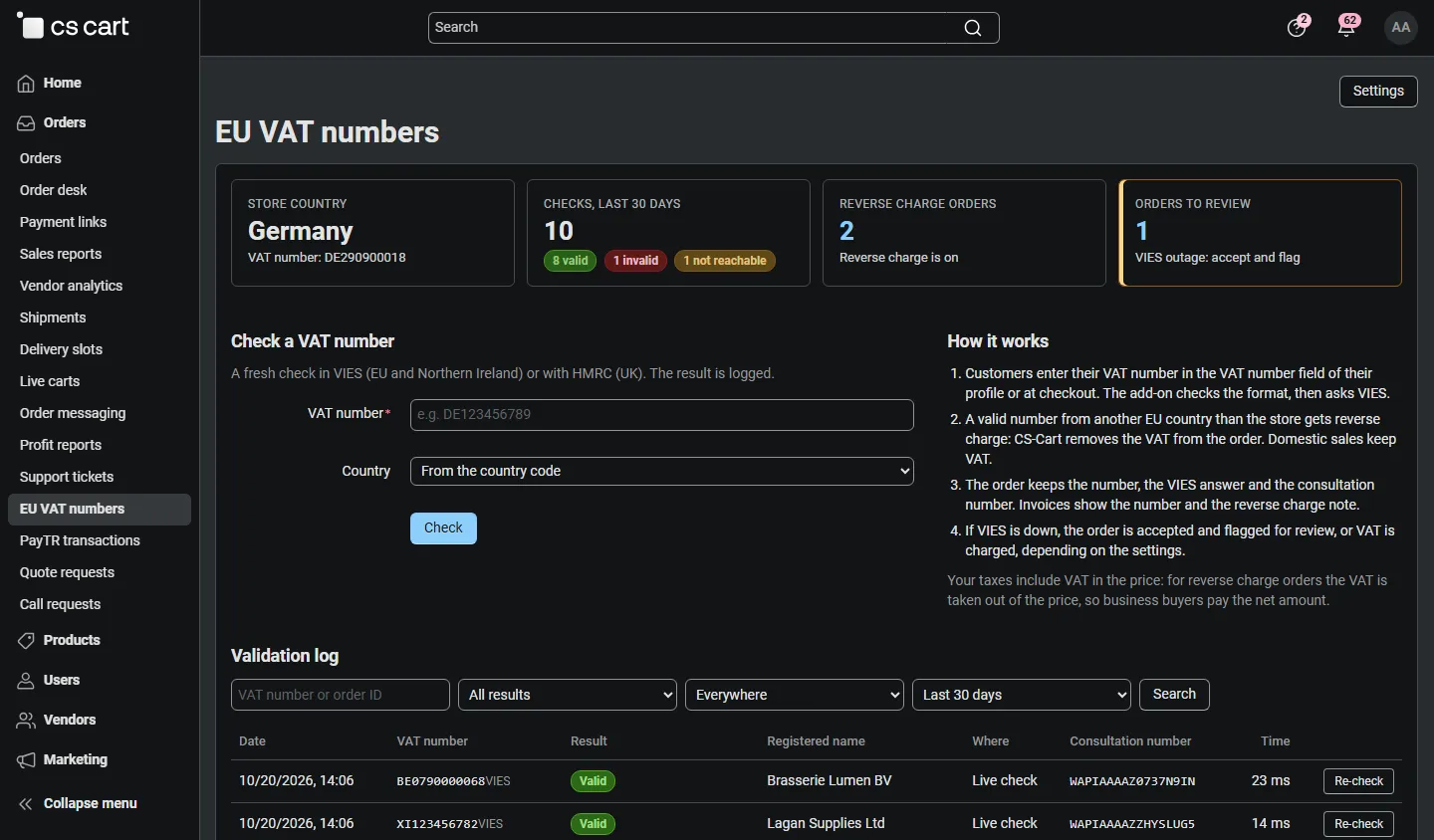
Orders > EU VAT numbers: counters, manual check, how it works, validation log.
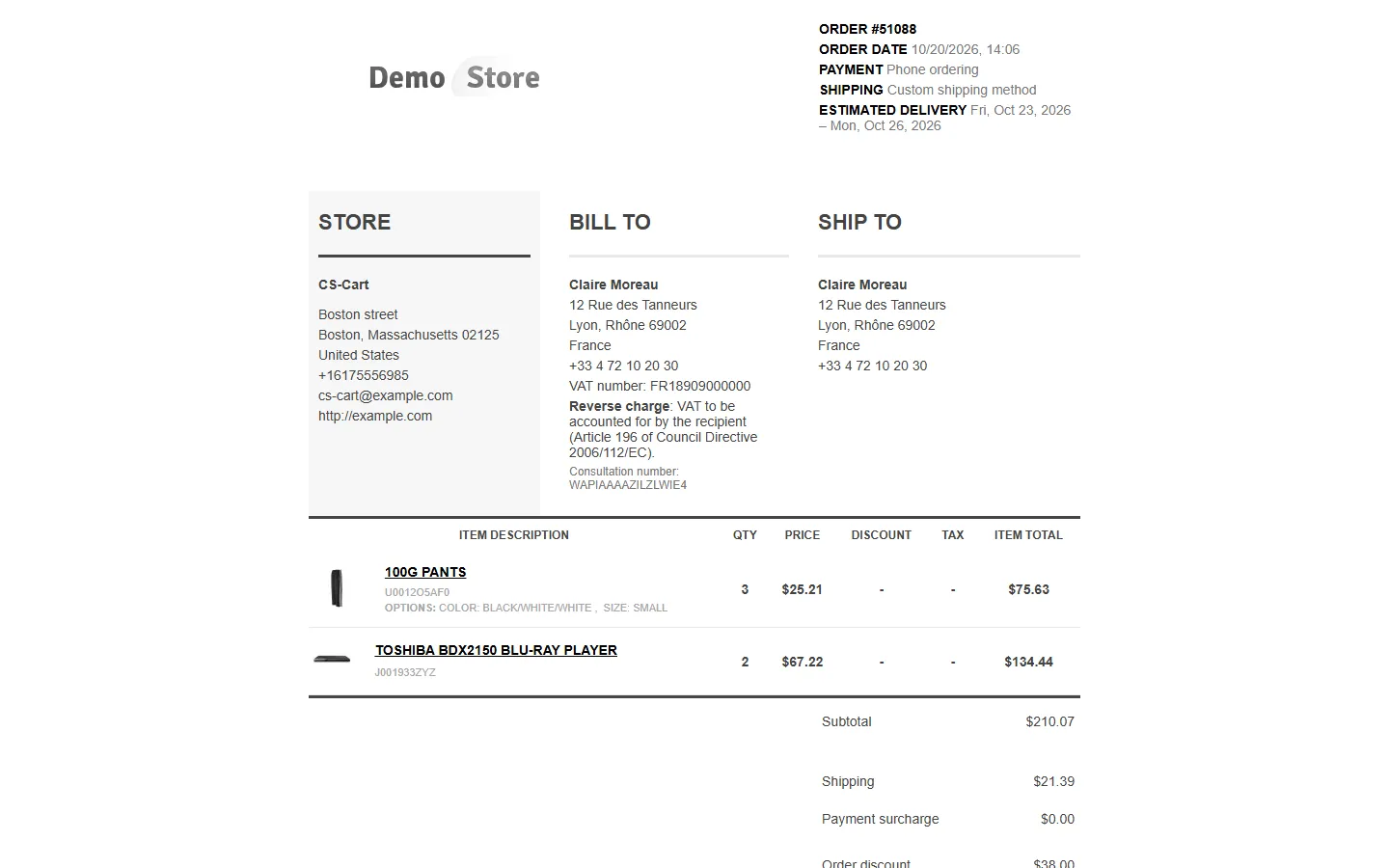
Invoice: VAT number, reverse charge note (Article 196) and consultation number under Bill to.
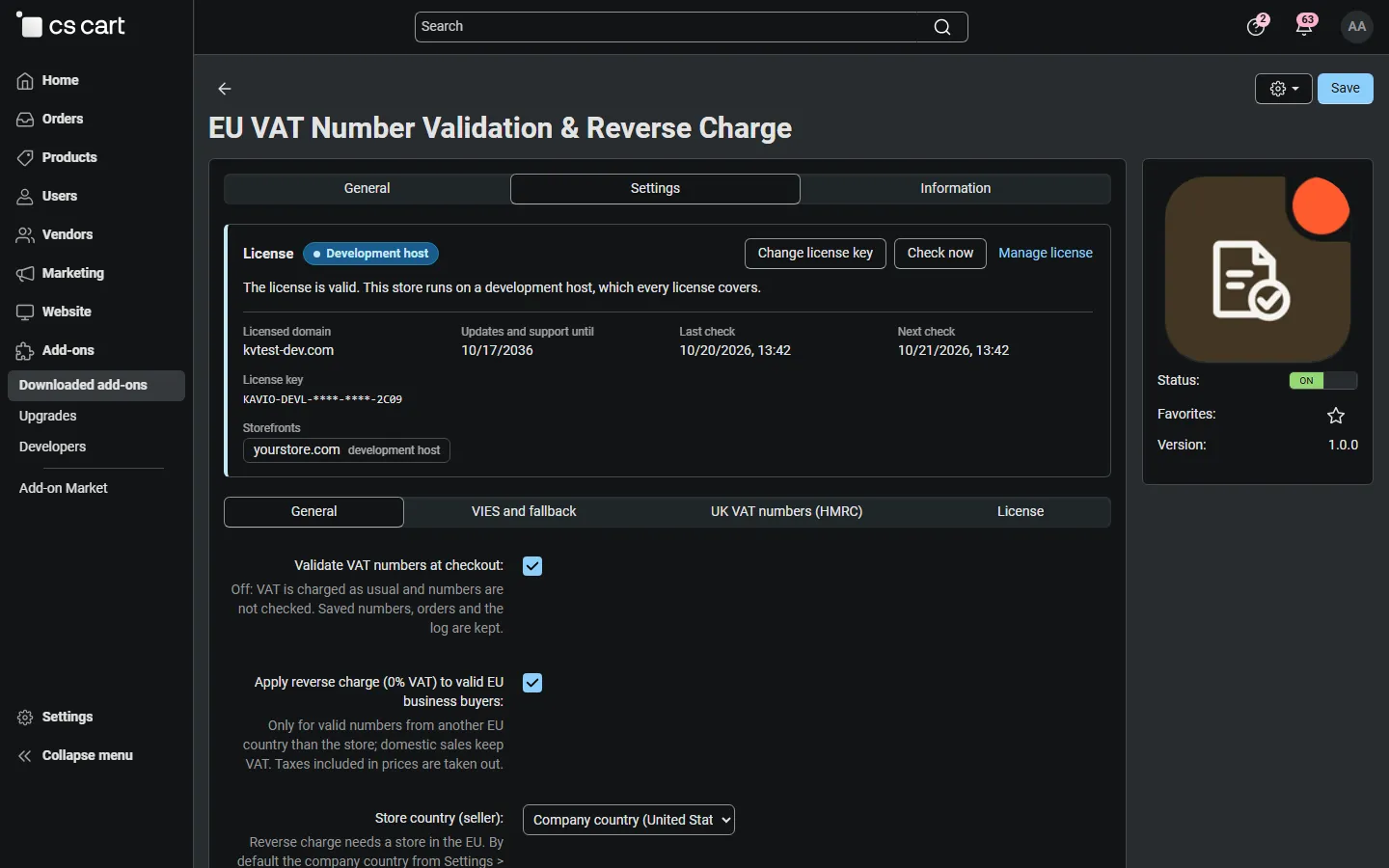
Add-on settings with the licence card.
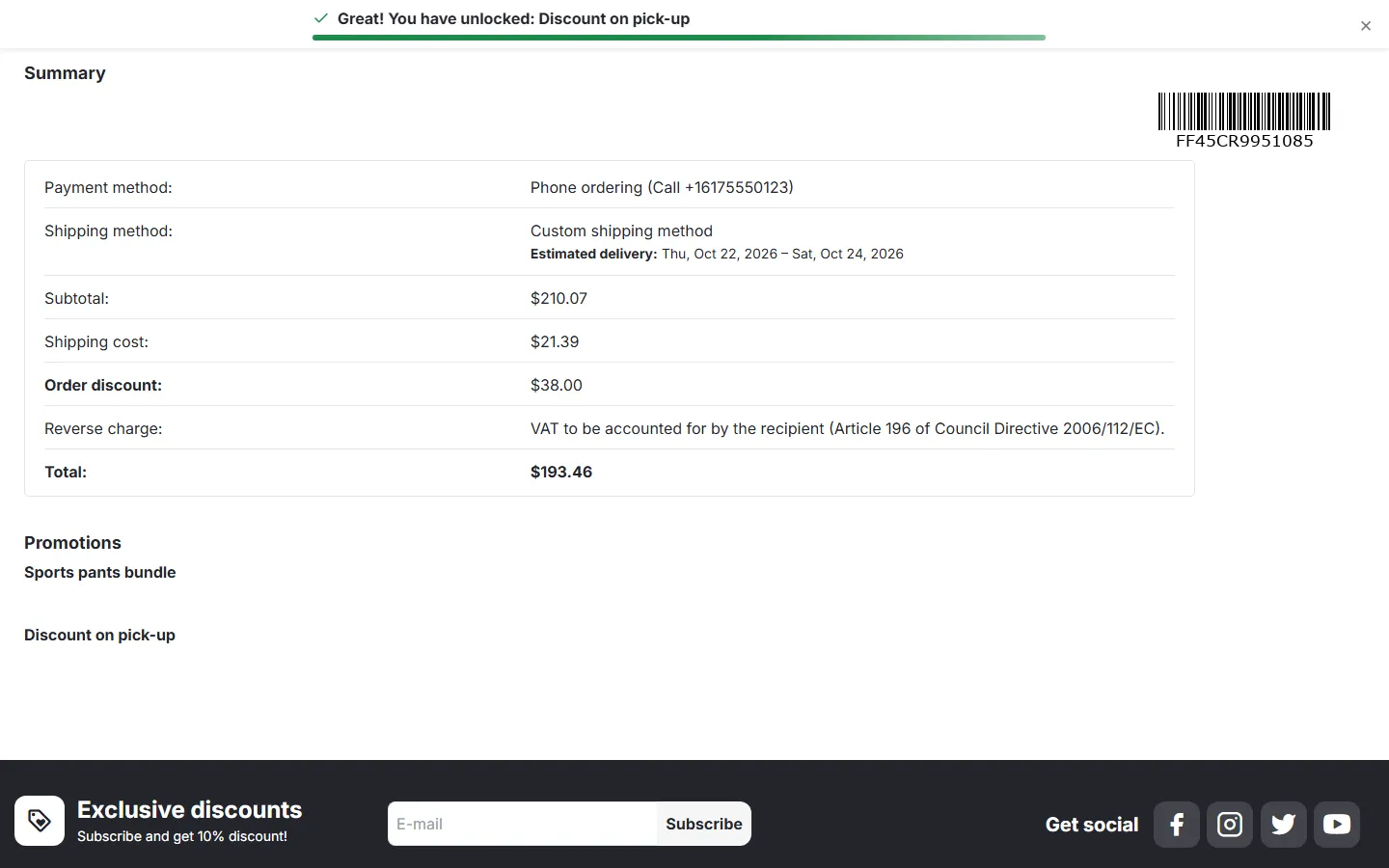
Storefront order details: reverse charge note before the total.
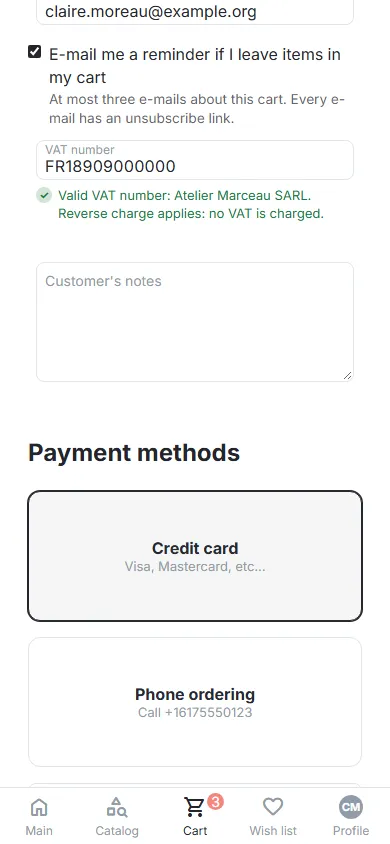
Mobile checkout: VAT number field with the result (390 px).
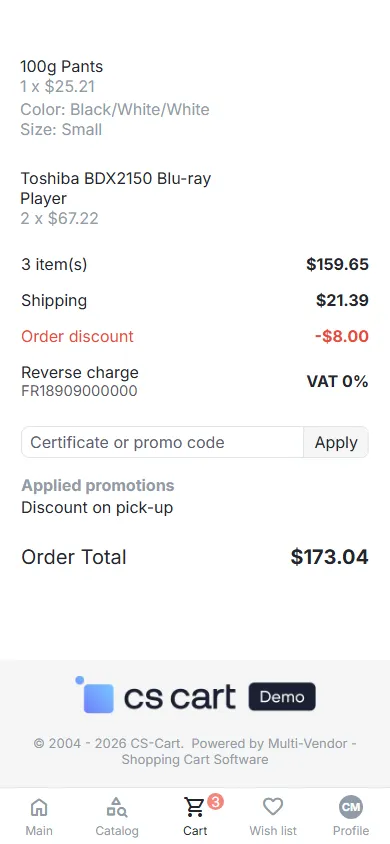
Mobile checkout summary with the reverse charge line (390 px).
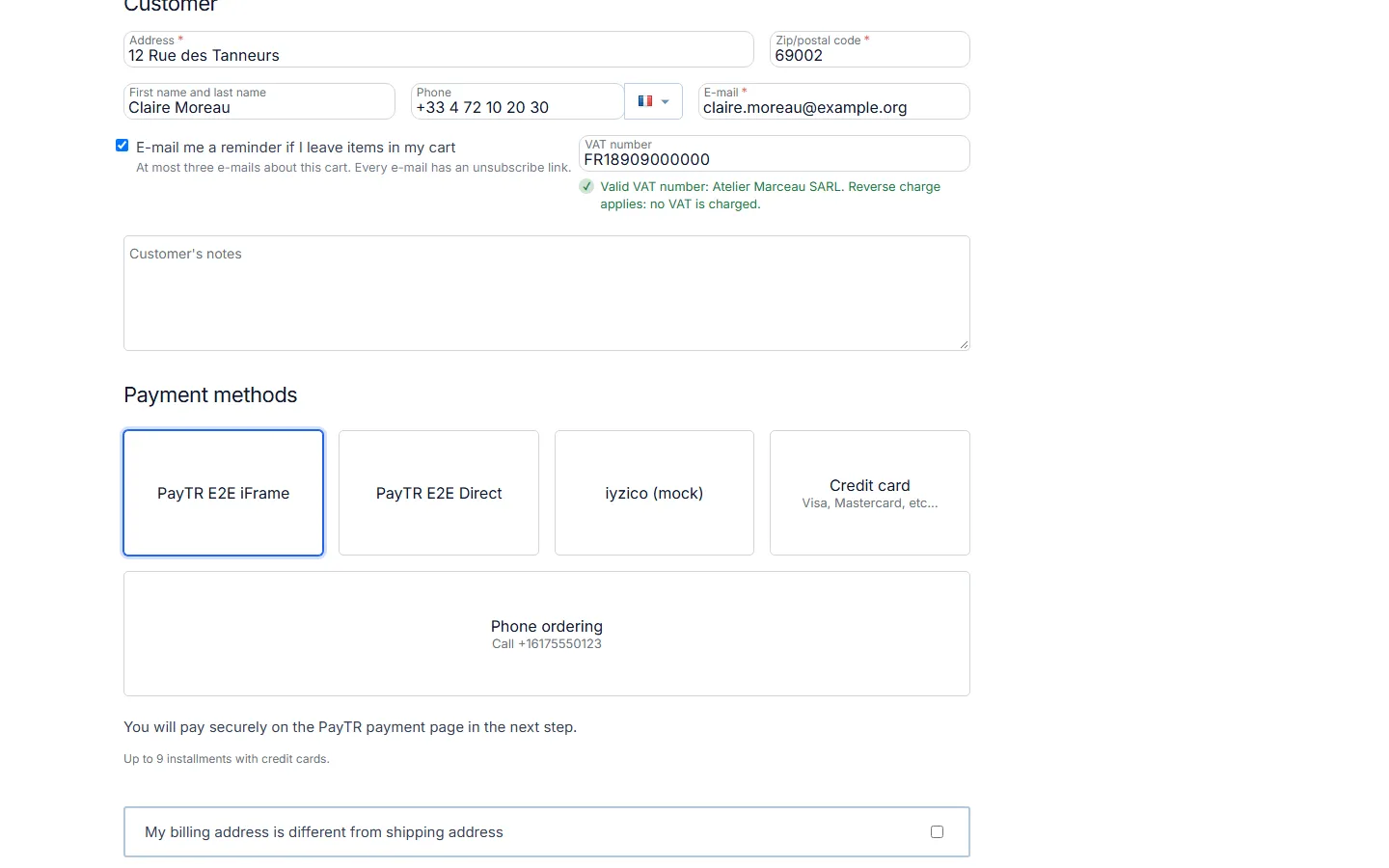
CS-Cart 4.17 checkout with the VAT number field and the VIES result.
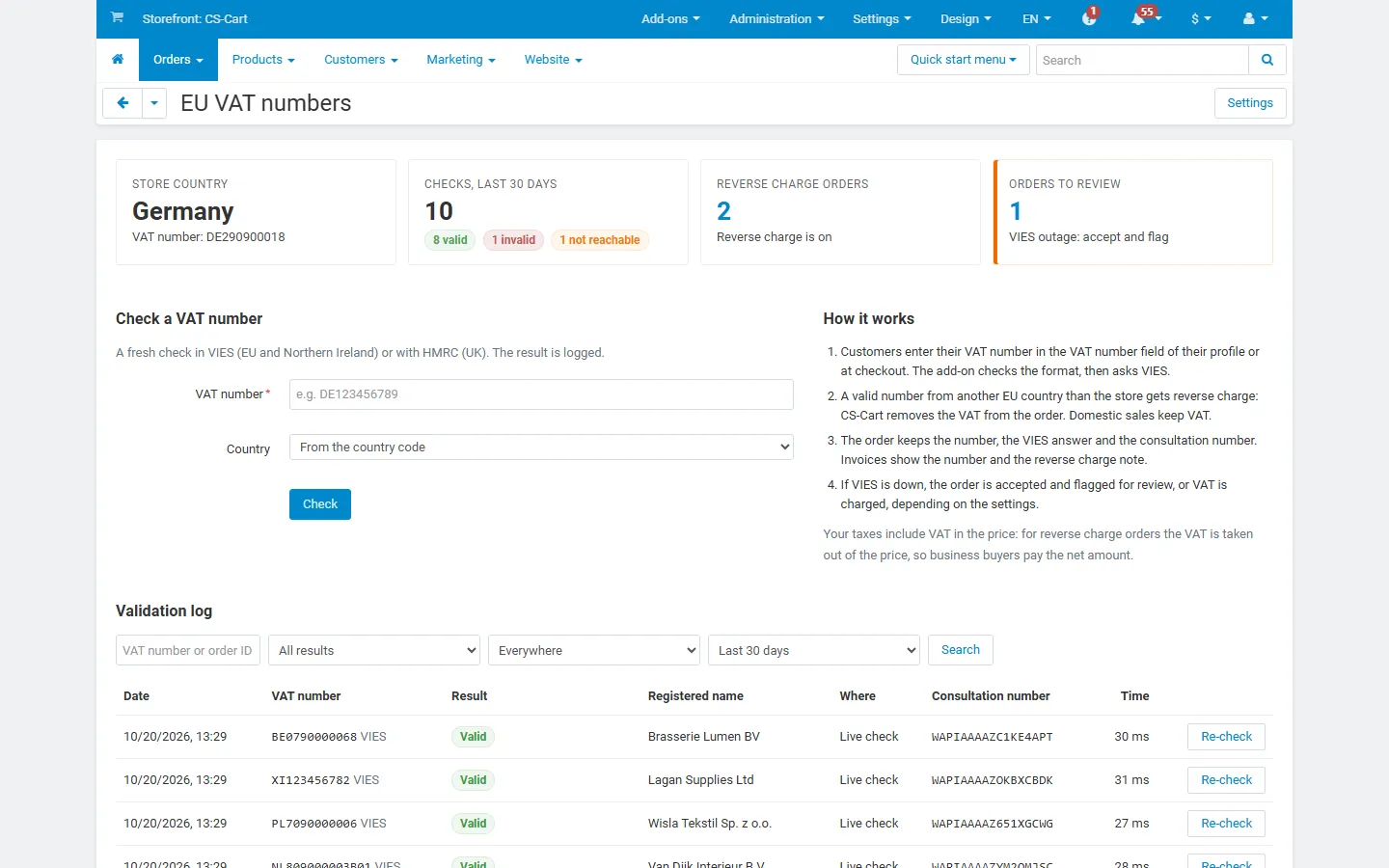
CS-Cart 4.17 admin: EU VAT numbers page in the light back office.
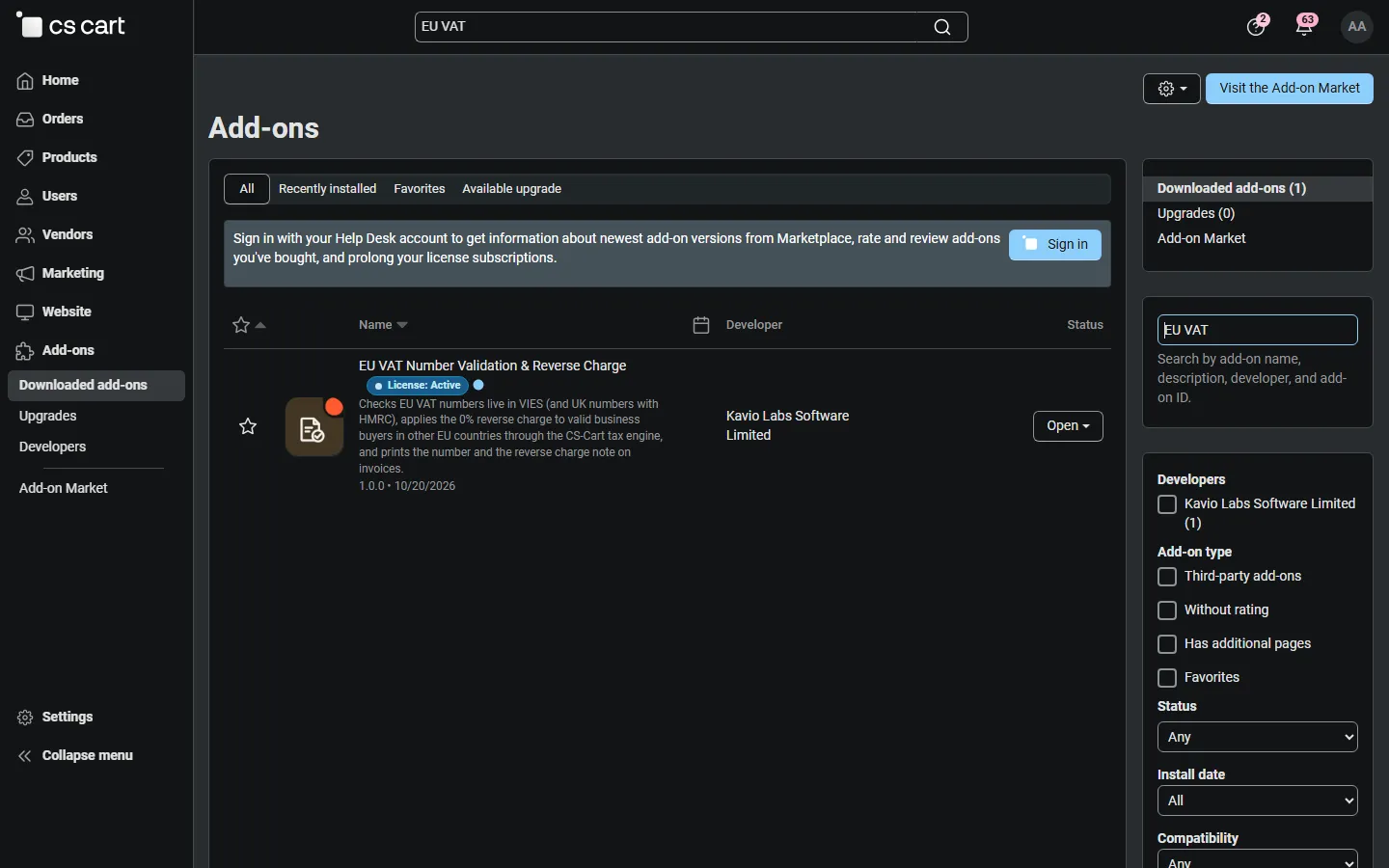
Add-ons list: EU VAT Number Validation & Reverse Charge with its icon.