

Orders Admin Pro screenshots
Real screenshots from our CS-Cart and Multi-Vendor test stores with the add-on installed and the English interface.
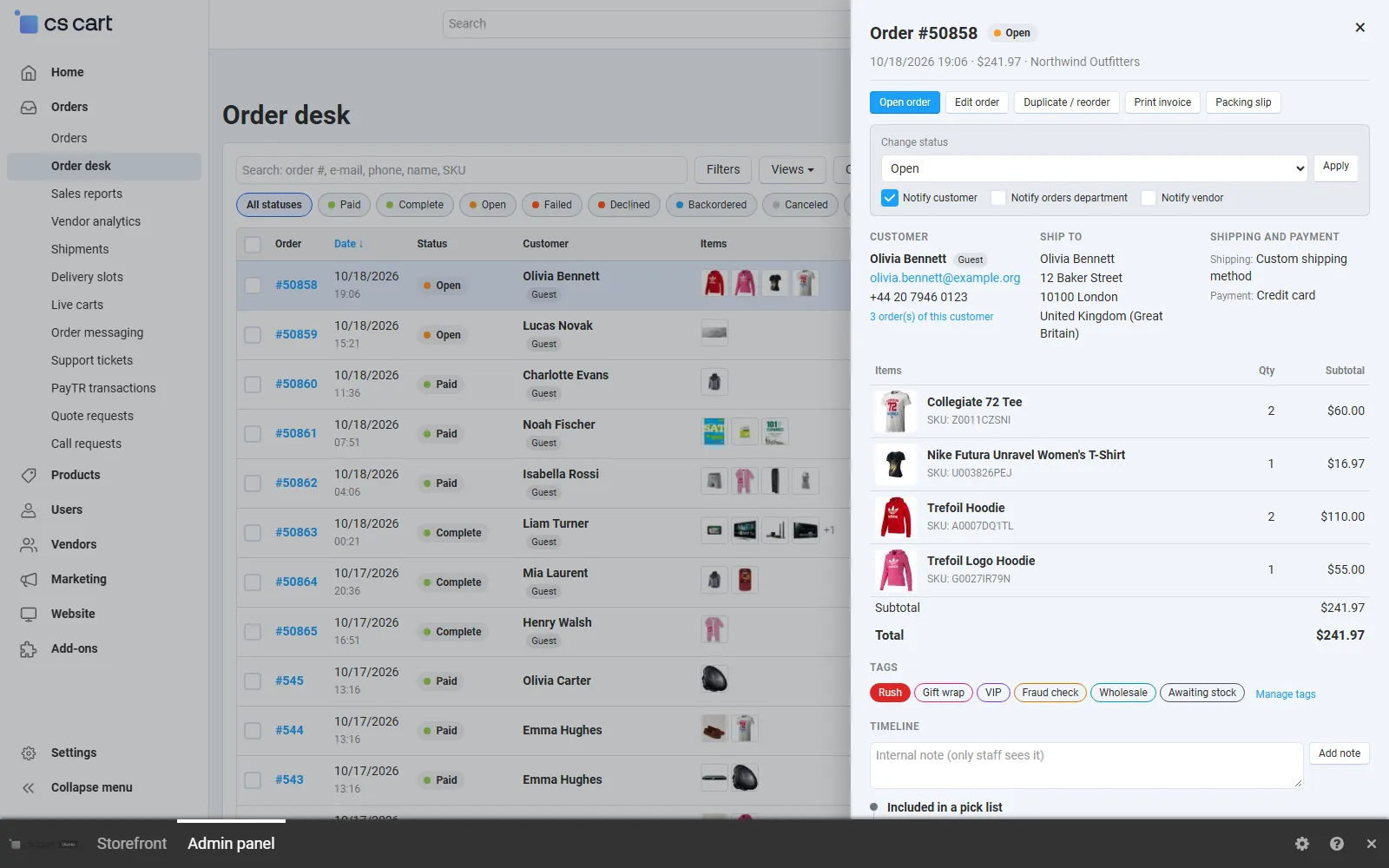
Orders > Order desk with the quick view of an order open.
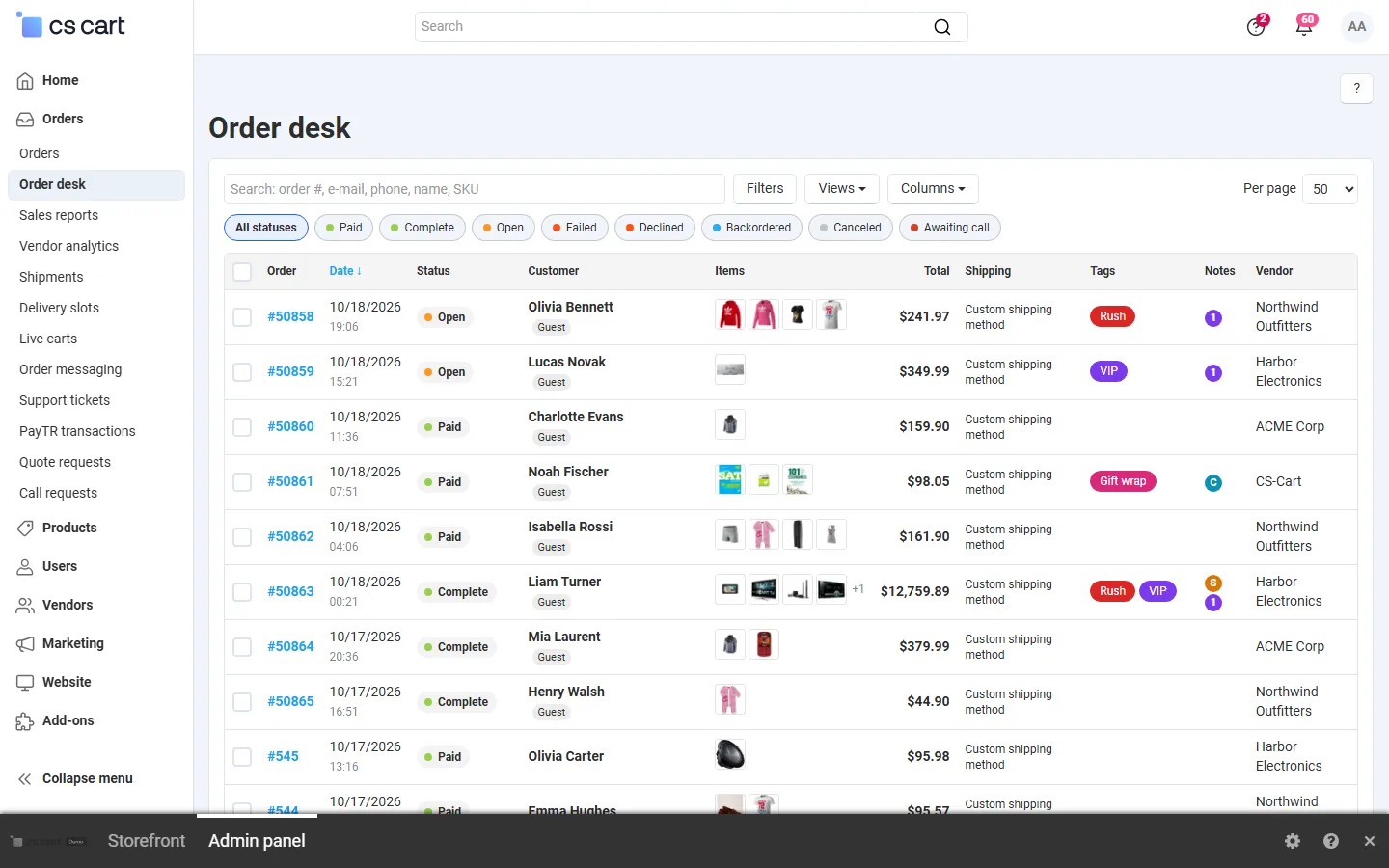
The order desk: colour-coded status chips and statuses, item thumbnails, totals, shipping, tags, notes indicator and vendor.
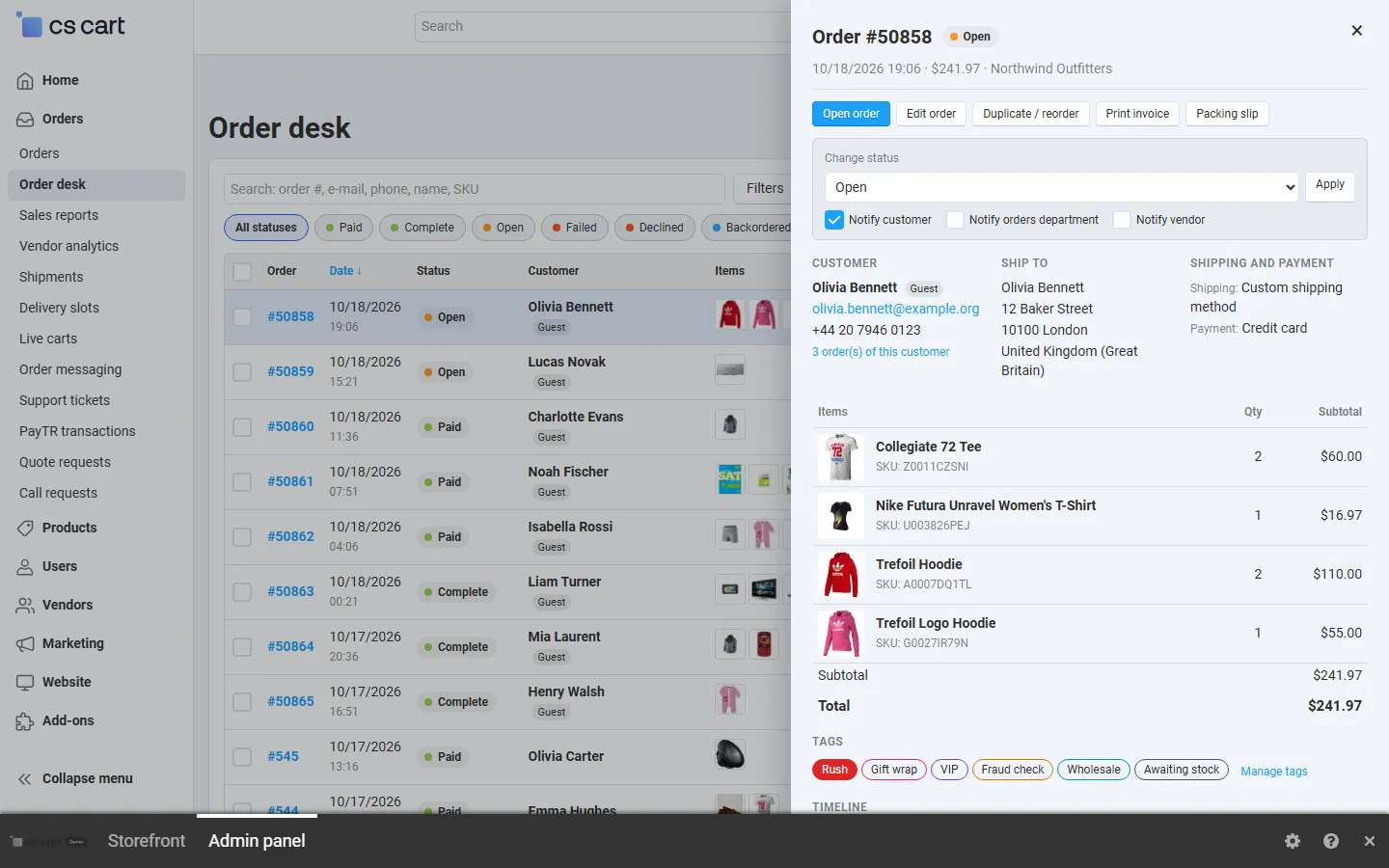
Quick view drawer: status change with notification options, customer, address, items, totals, tags and timeline.

Filters (dates, totals, payment, shipping, vendor, notes, tags) and the column chooser.
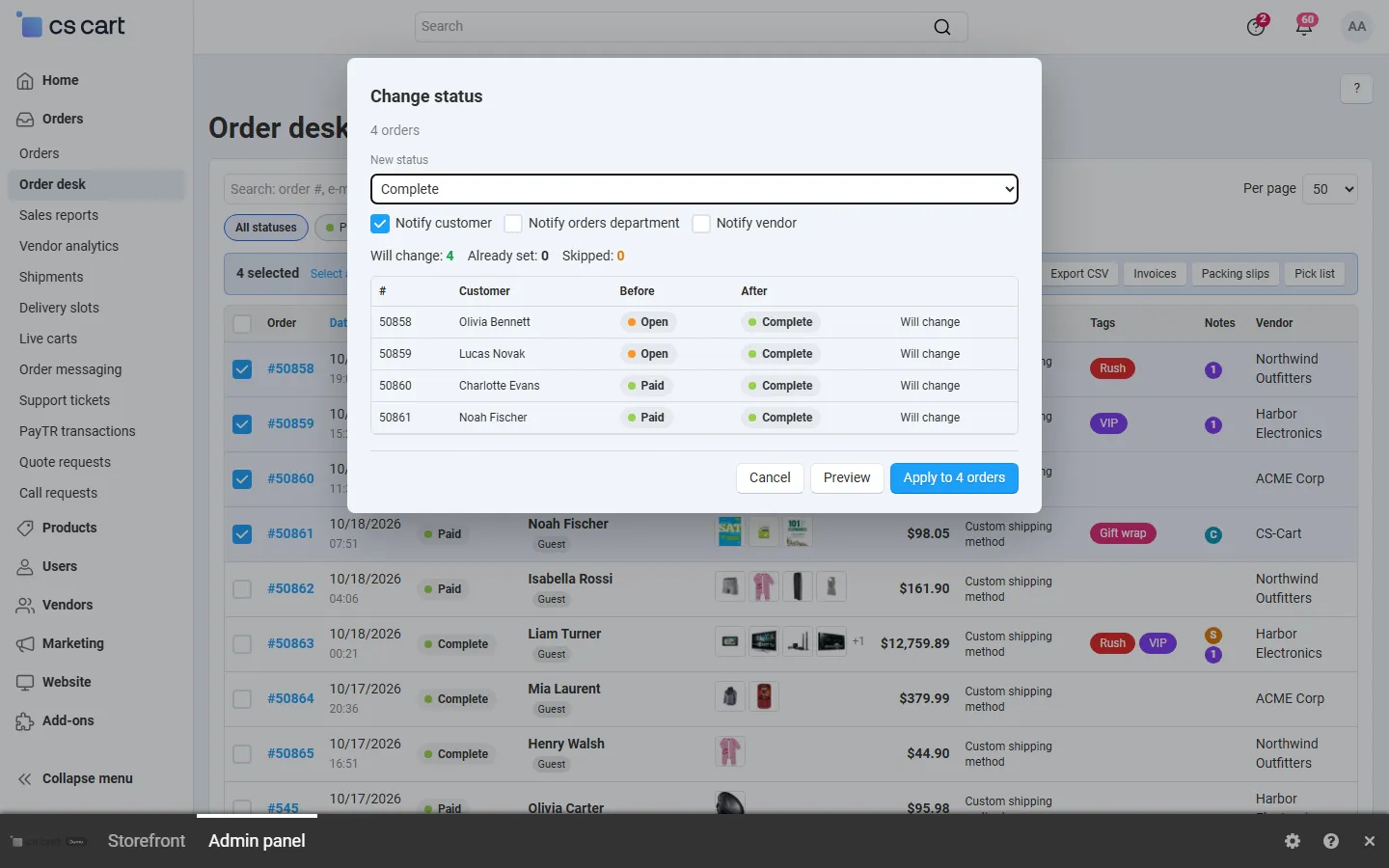
Bulk status change on 4 orders with the before/after preview.
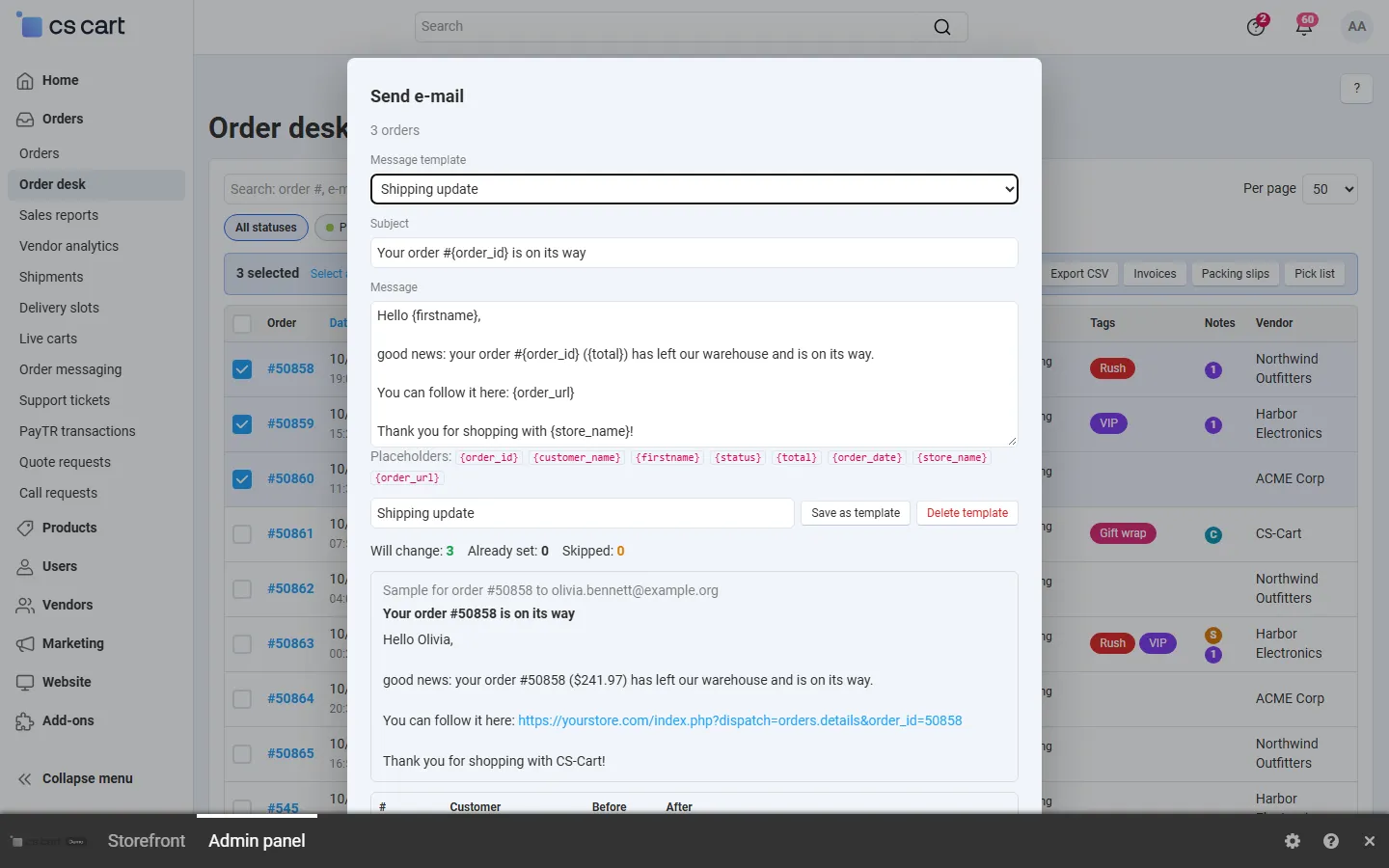
Templated e-mail to the customers: saved template, placeholders and a rendered sample.
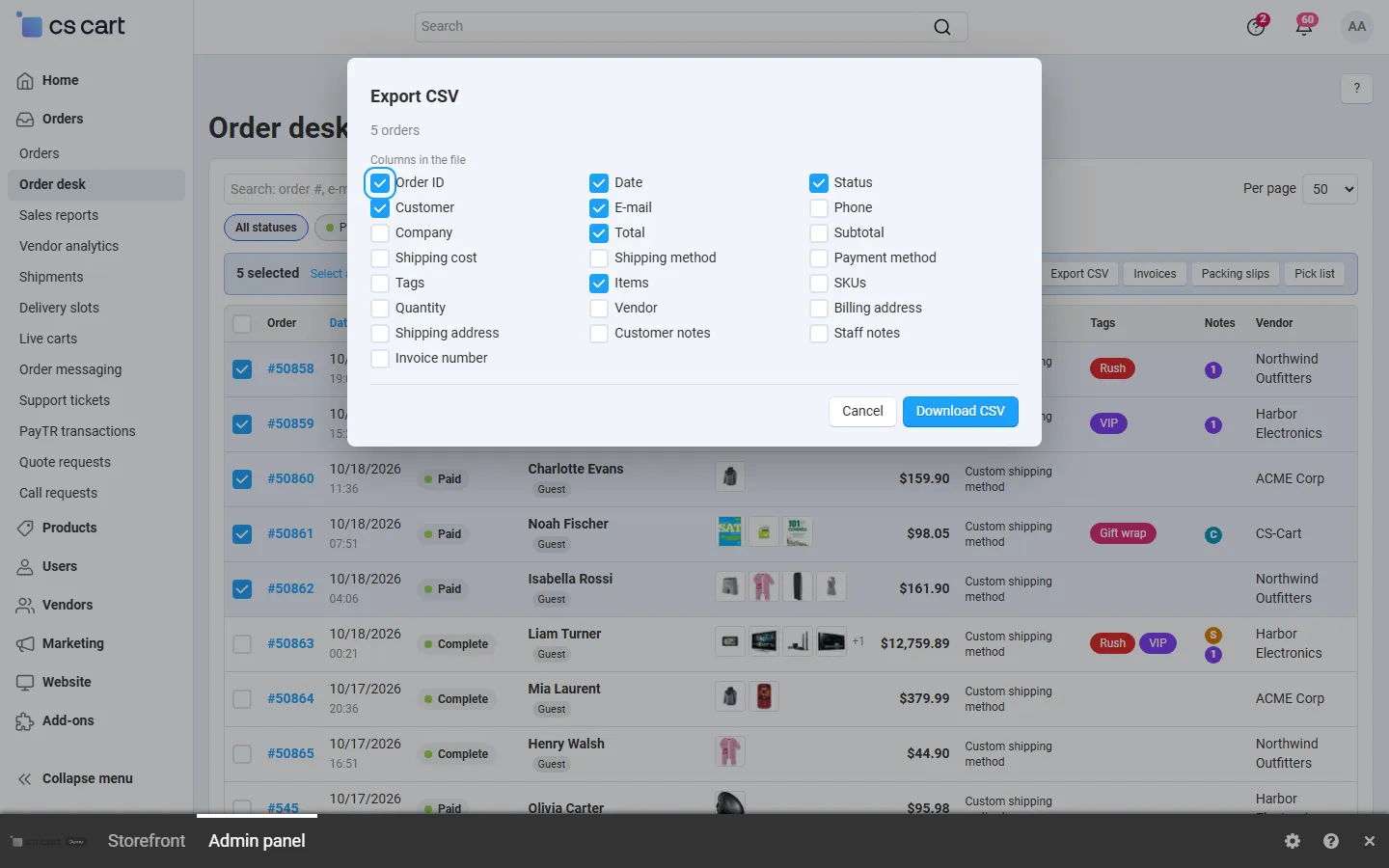
CSV export with chosen columns.

Printable pick list: SKUs of the selected orders added up, with images and order numbers.

Manage tags: names and colours.

Core order page: the “Tags & timeline” tab with an internal note and the status history.

Saved views shared with the team.
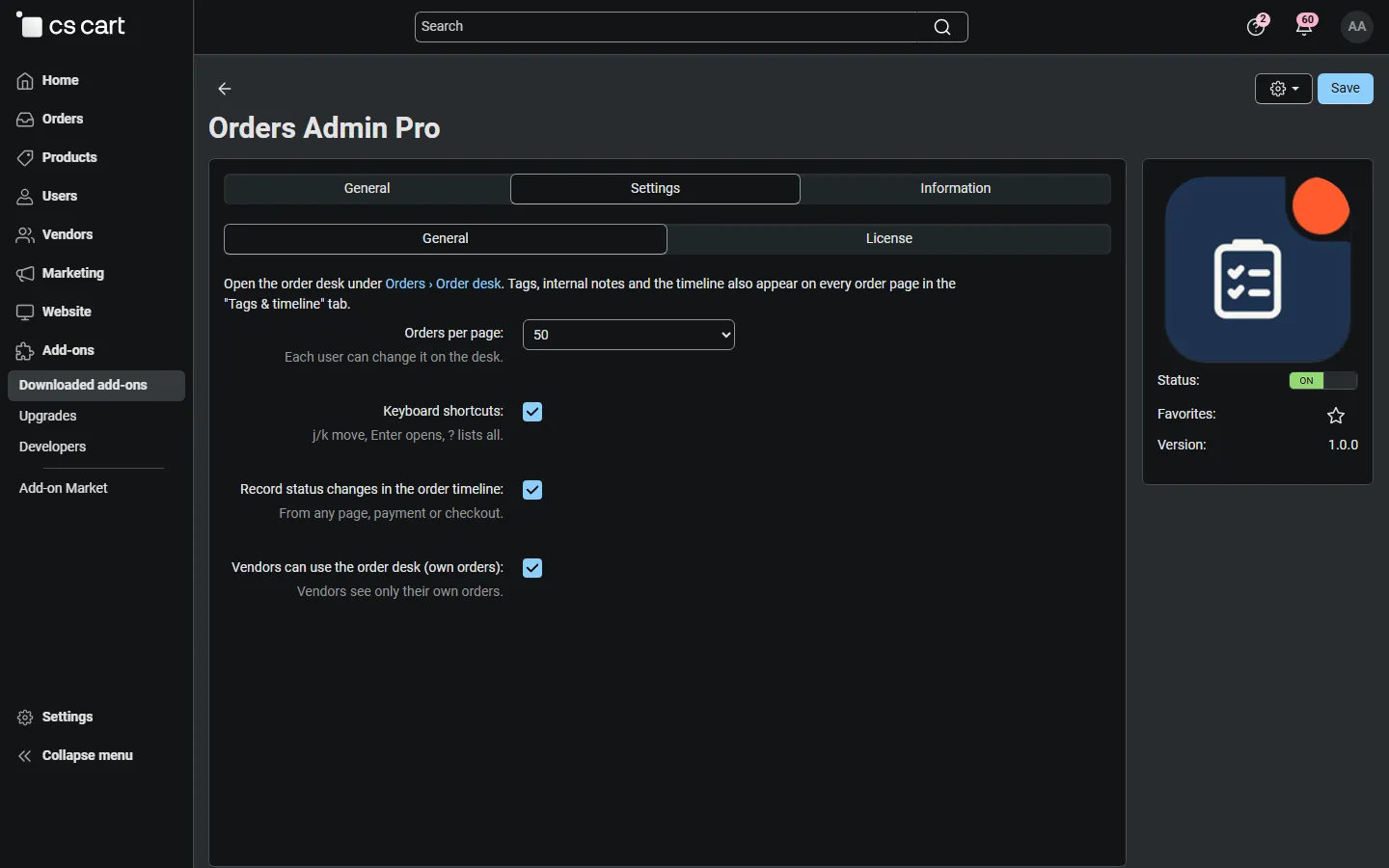
Add-on settings: page size, keyboard shortcuts, timeline recording, vendor access.

Admin, Downloaded add-ons searched for the add-on (Multi-Vendor 4.21.2).
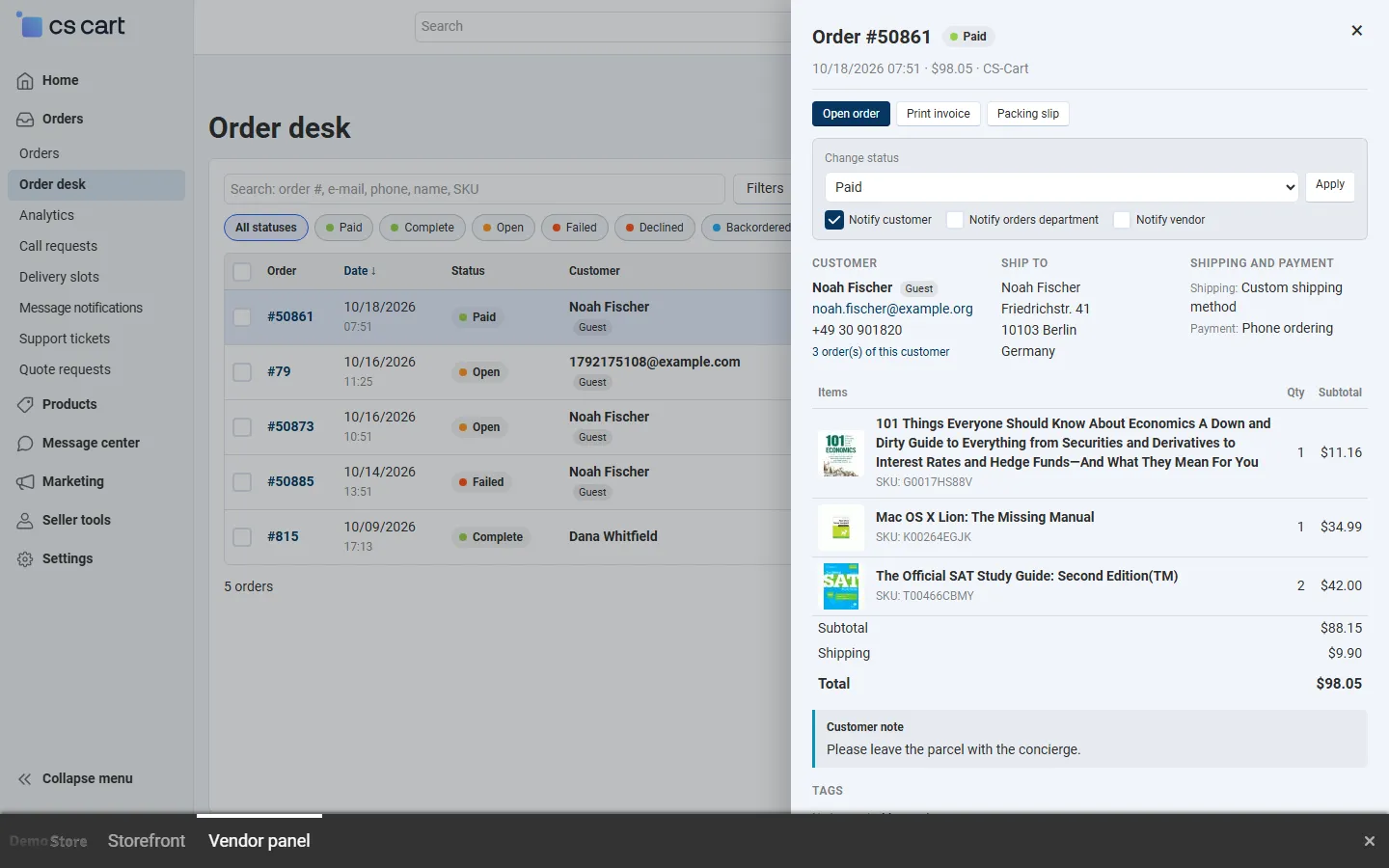
Vendor panel (Multi-Vendor): a vendor’s own orders and the quick view without the core order editor buttons.
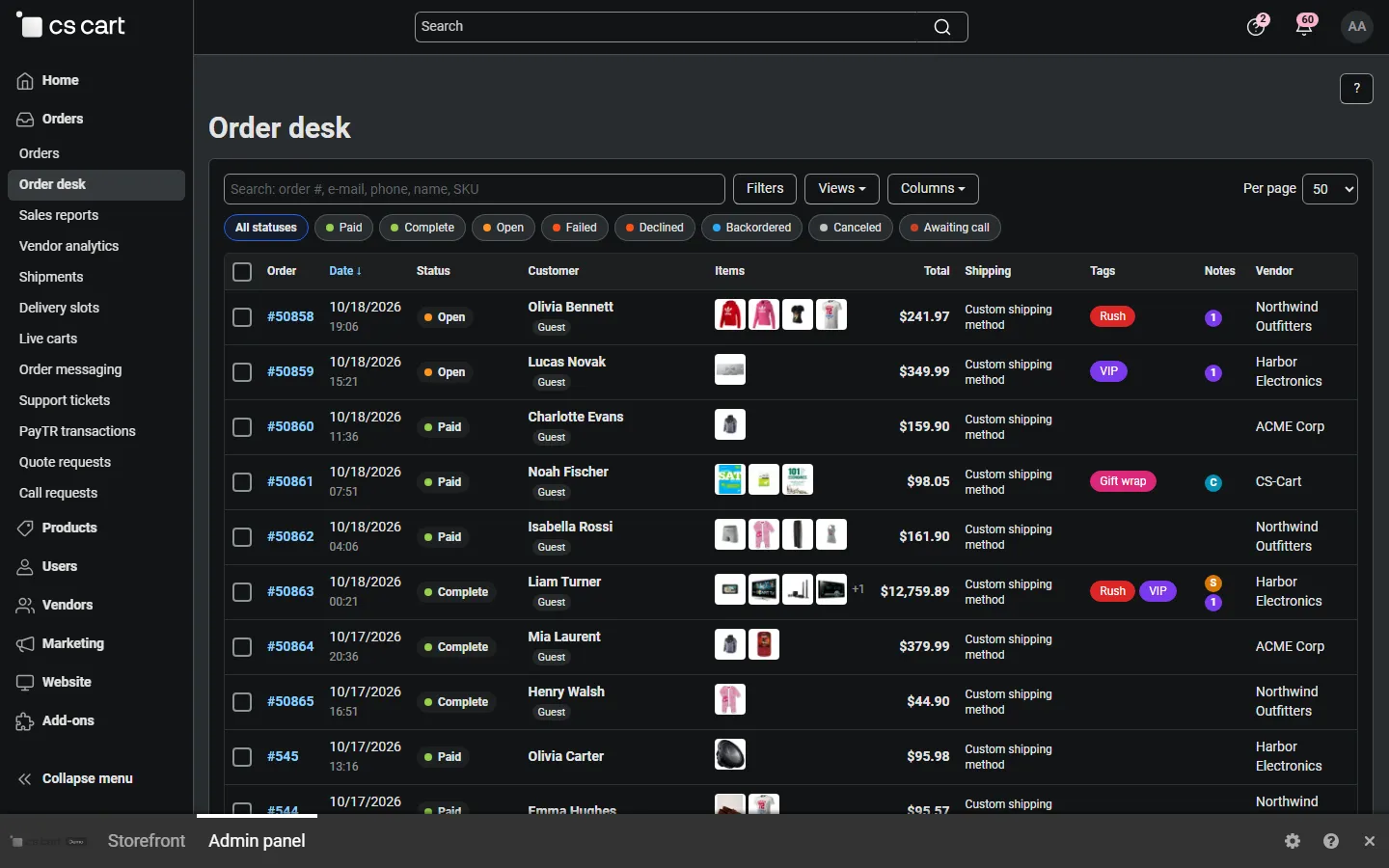
The desk in the 4.21 dark back-office scheme.
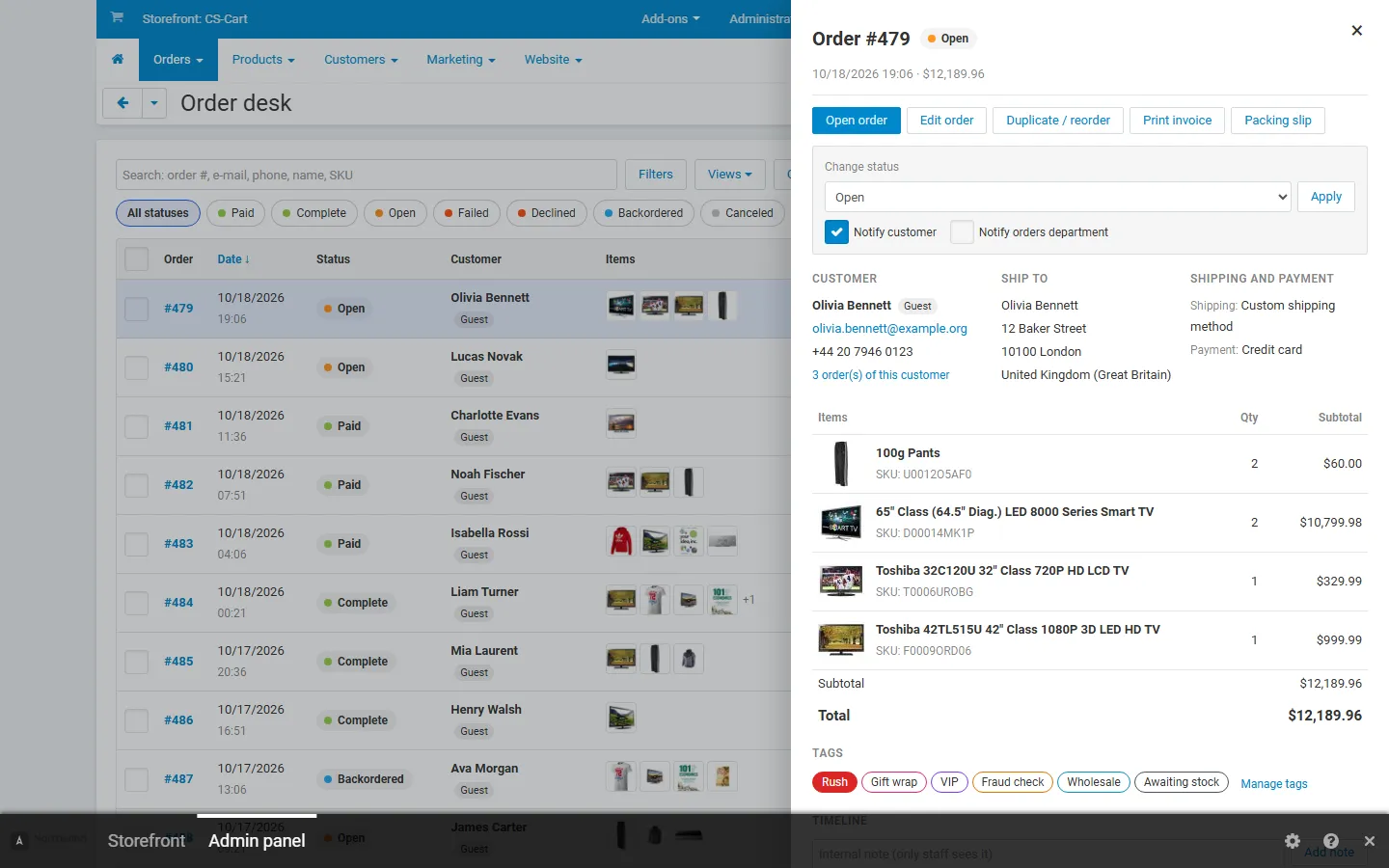
CS-Cart 4.17.2 back office: the quick view.
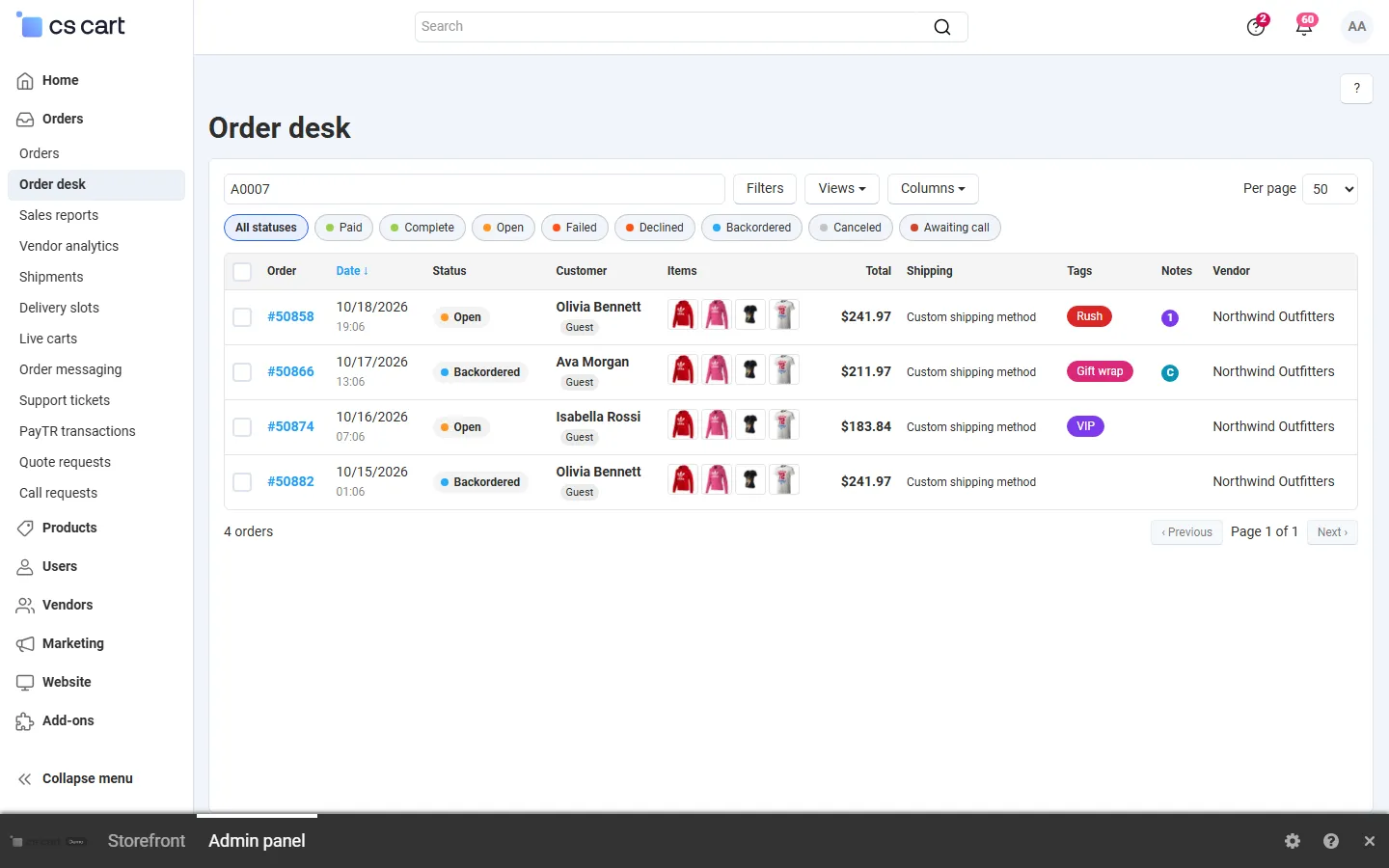
Quick search by SKU: every order that contains the product.
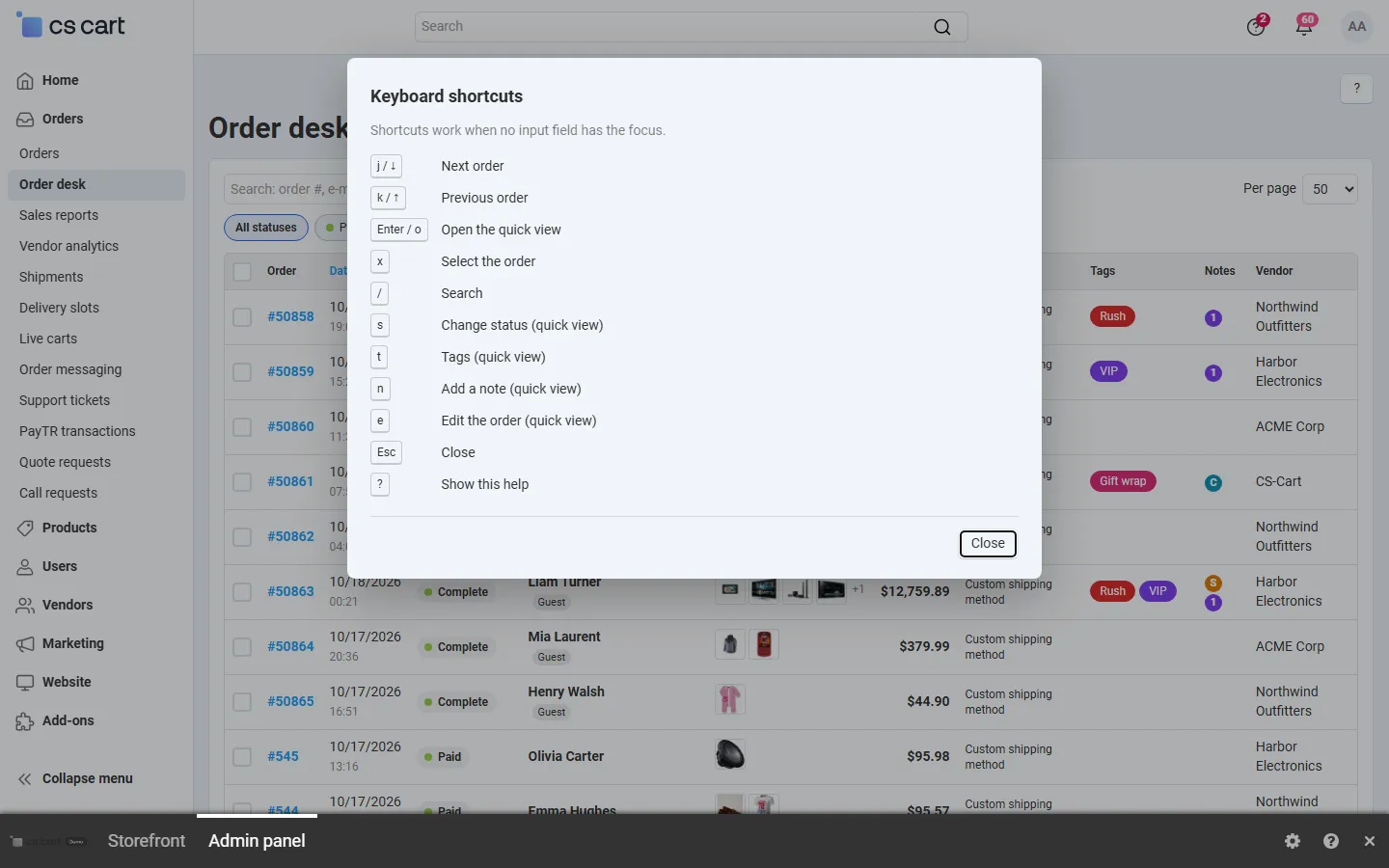
Keyboard shortcuts help.