

Usage
The admin page
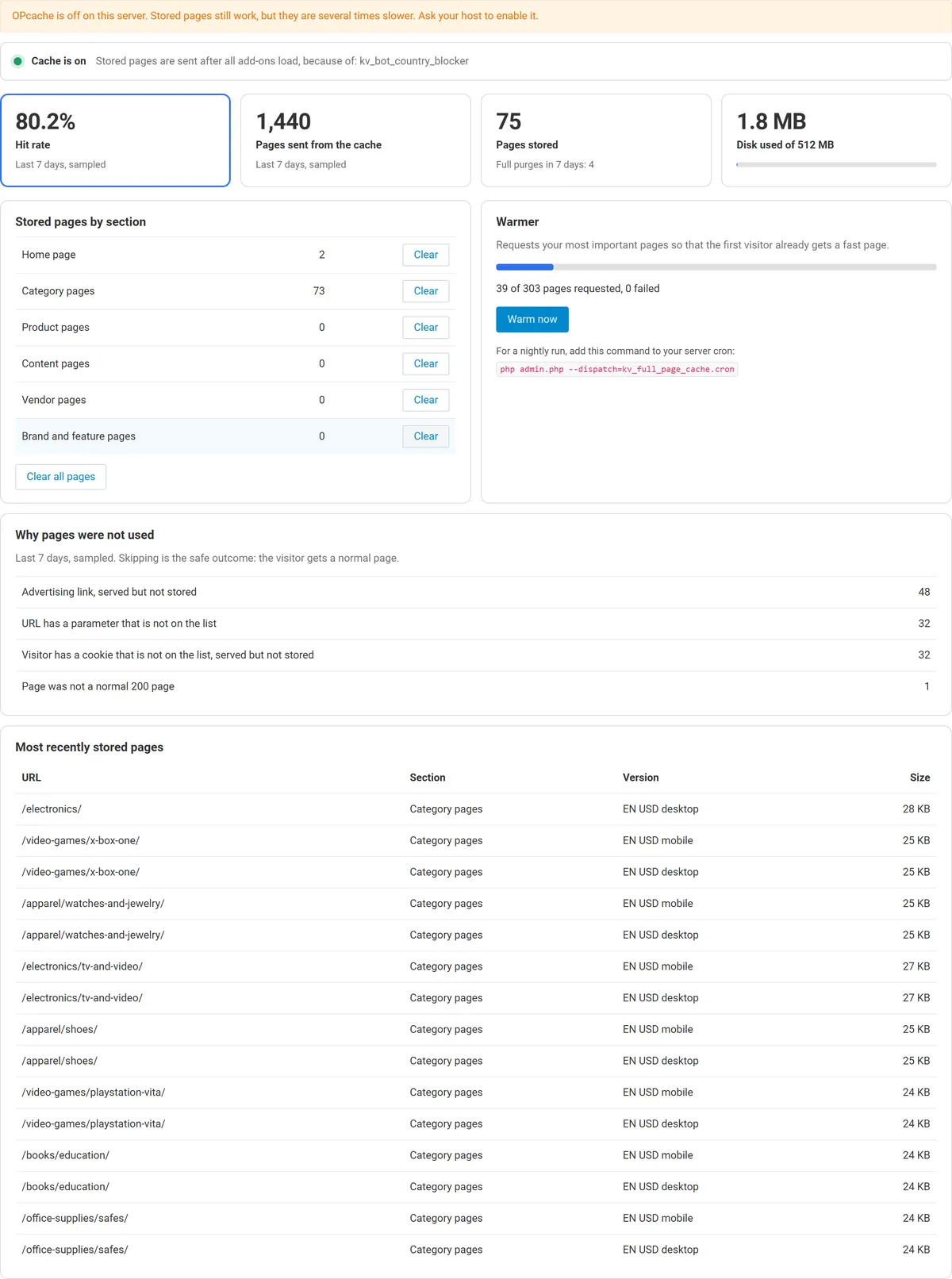
Section titled “The admin page”Website > Full Page Cache shows the hit rate of the last 7 days, stored pages, disk use, the warmer and the reasons pages were not used. Hit and bypass counts are sampled to avoid a database write on every view, so they are close, not exact.
What a visitor gets
Section titled “What a visitor gets”| Visitor | Page |
|---|---|
| Guest with nothing in the session | Stored page |
| Guest who viewed products | Stored page, unless the page shows a Recently viewed block; then a normal page with their own list |
| Guest with a cart, wish list or compare list | Normal page |
| Signed in customer, or a visitor remembered by the store | Normal page |
| A visitor with a message waiting (for example after a form error) | Normal page |
| Search engine crawler | Its own stored copy |
Checkout, cart, account, search and all AJAX requests are never stored. POST requests and pages that are not status 200 are never stored.
When pages are dropped
Section titled “When pages are dropped”| Change | Result |
|---|---|
| Price, stock, name, description, options, categories of a product | Pages that show this product |
| Category, content page, block, layout, menu, theme setting, promotion, currency, language, tax, SEO name, add-on or storefront change | All pages |
| Clear cache in the admin panel | All pages |
| An active promotion starts or ends | The page expires at that moment |
Warmer
Section titled “Warmer”Press Warm now on the admin page, or add a nightly cron job in your hosting panel:
php /path/to/your/store/admin.php --dispatch=kv_full_page_cache.cronThe job removes expired pages, then requests the home page, categories, content pages, your most popular products and vendor pages, one at a time, on desktop and phone. It warms the default language and currency.
Clearing pages
Section titled “Clearing pages”Use Clear next to a section, or Clear all pages. The core Clear cache does the same.
Reading the header
Section titled “Reading the header”Open the browser developer tools, reload, and look at the X-Kv-Fpc response header of the page:
| Value | Meaning |
|---|---|
HIT |
Sent from the cache |
MISS |
Normal page, being stored |
BYPASS cart |
Normal page; the reason follows |
| none | The add-on is off, or the request is not a storefront page |
To see a normal page for comparison, add any unknown parameter: ?nocache=1.