

Sales Reports Pro
Add-on ID: kv_sales_reports_pro · Edition: CS-Cart & Multi-Vendor · Latest version: 1.0.0 · Compatible with: CS-Cart & Multi-Vendor 4.17.2 – 4.21.x, PHP 7.4 – 8.3 · Changelog: view
Sales Reports Pro gives you the store analytics that the core sales reports do not have. You see how sales develop against the previous period or the same period last year. You see which products sell and convert. You see who your customers are: new or returning, loyal or about to leave. And you see what a customer is worth over time.
The figures come from your own orders. They are prepared in a report snapshot, so the pages stay fast with hundreds of thousands of orders. Nothing leaves your server: there is no external analytics service and no tracking script from a third party.
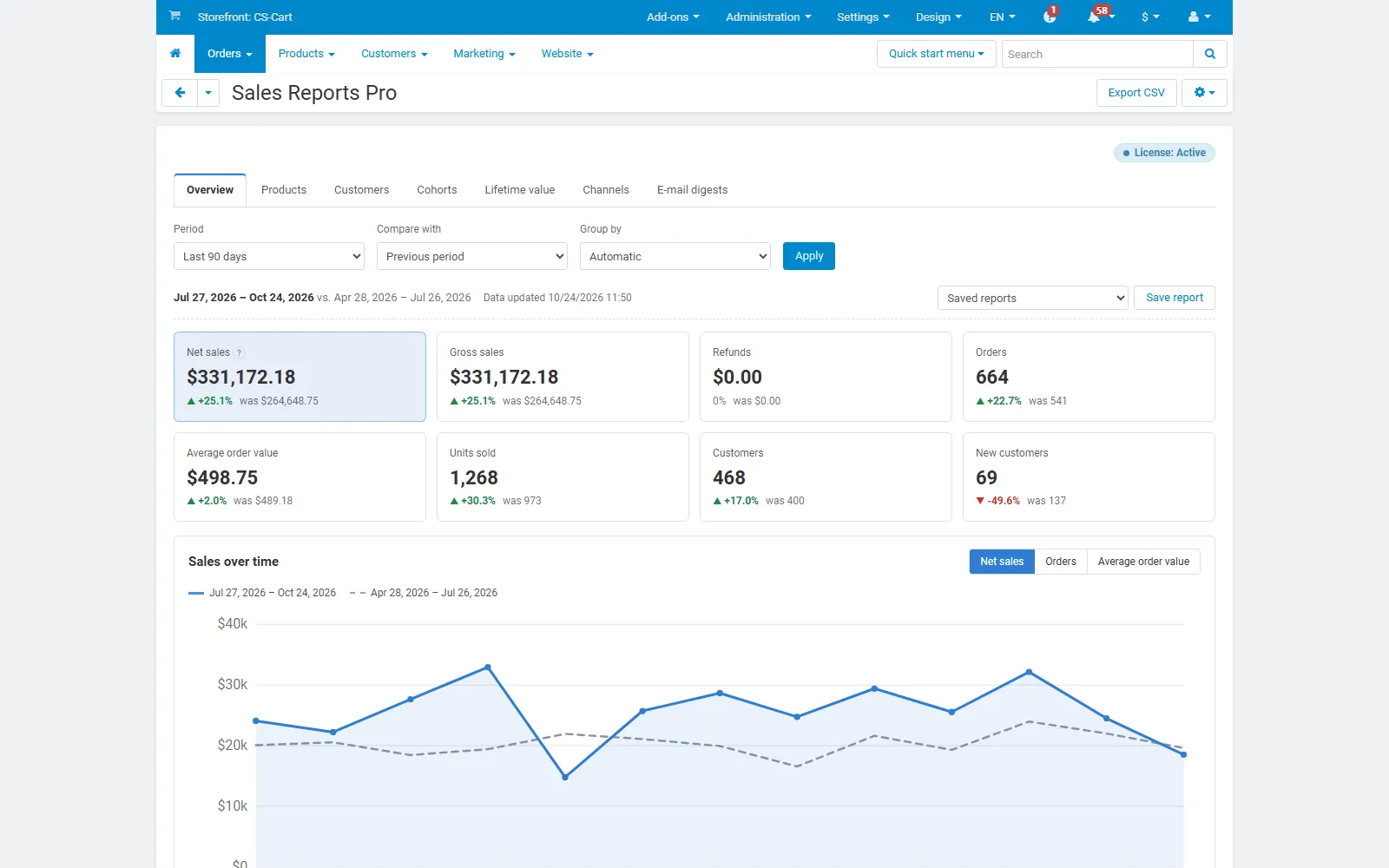
- Sales overview: net and gross sales, refunds, orders, average order value, units, customers and new customers, each with the change against a comparison period. A chart by day, week or month, a breakdown (shipping, taxes, discounts, refunds) and orders by status.
- Correct counting: only paid statuses count (the statuses marked “Payment received”, or the ones you choose). A Multi-Vendor checkout that is split into vendor orders counts once. Refunds come from RMA returns and from statuses you mark as refunded.
- Product performance: units, orders, revenue, share, change, return rate and margin (with Product Cost & Profit) per product, category or vendor.
- Product funnel: product page views, cart adds and orders, with the conversion per product. View counting is compatible with the full page cache.
- Customer segments (RFM): recency, frequency and monetary scores with editable thresholds and eleven segments, from Champions to Lost. Export a segment as CSV or add its customers to a user group for a promotion.
- Cohorts: monthly acquisition cohorts with the share of returning customers, net sales or cumulative value per customer.
- Customer lifetime value: historical lifetime value, orders per customer, repeat rate, time between orders and value after 1, 3, 6 and 12 months.
- Channels: sales and new customers per marketing channel, when Order Source & UTM Attribution is installed.
- CSV export, saved reports and e-mail digests: export any table, save a report with its filters (private or shared), and receive a daily, weekly or monthly summary by e-mail.
- Multi-Vendor: filter by vendor. Optionally, vendors see the reports of their own orders in the vendor panel.
Documentation
Section titled “Documentation”| Page | Contents |
|---|---|
| Installation | Requirements, installing, the first data build, privileges, cron, upgrading, uninstalling |
| Configuration | Counted statuses, refunds, customer segment thresholds, data collection, vendor access, license |
| Usage | Filters and comparisons, every report, CSV export, saved reports, e-mail digests, vendor panel |
| Developer notes | Report snapshot, counting rules, tables, hooks, file map |
| FAQ | Common questions about the figures, performance and the license |
Compatibility
Section titled “Compatibility”| CS-Cart / Multi-Vendor | 4.17.2 – 4.21.x |
| PHP | 7.2.5 – 8.3 (whatever your CS-Cart version supports) |
| Storefront | No visible output; a hidden element on product pages for the view counter |
| Full page cache (4.21) | Supported: views are counted after the page has loaded, the cached page is the same for every visitor |
| Other add-ons | Product Cost & Profit (margins), Order Source & UTM Attribution (channels), core RMA (returns) are used when installed |