

Usage
The activity log
Section titled “The activity log”Administration → Activity log lists the entries, newest first. Each row shows when it happened, who did it (name, e-mail, role and the source when it was not the admin panel), the action, the object with a link to it, the first changed fields and the IP address.
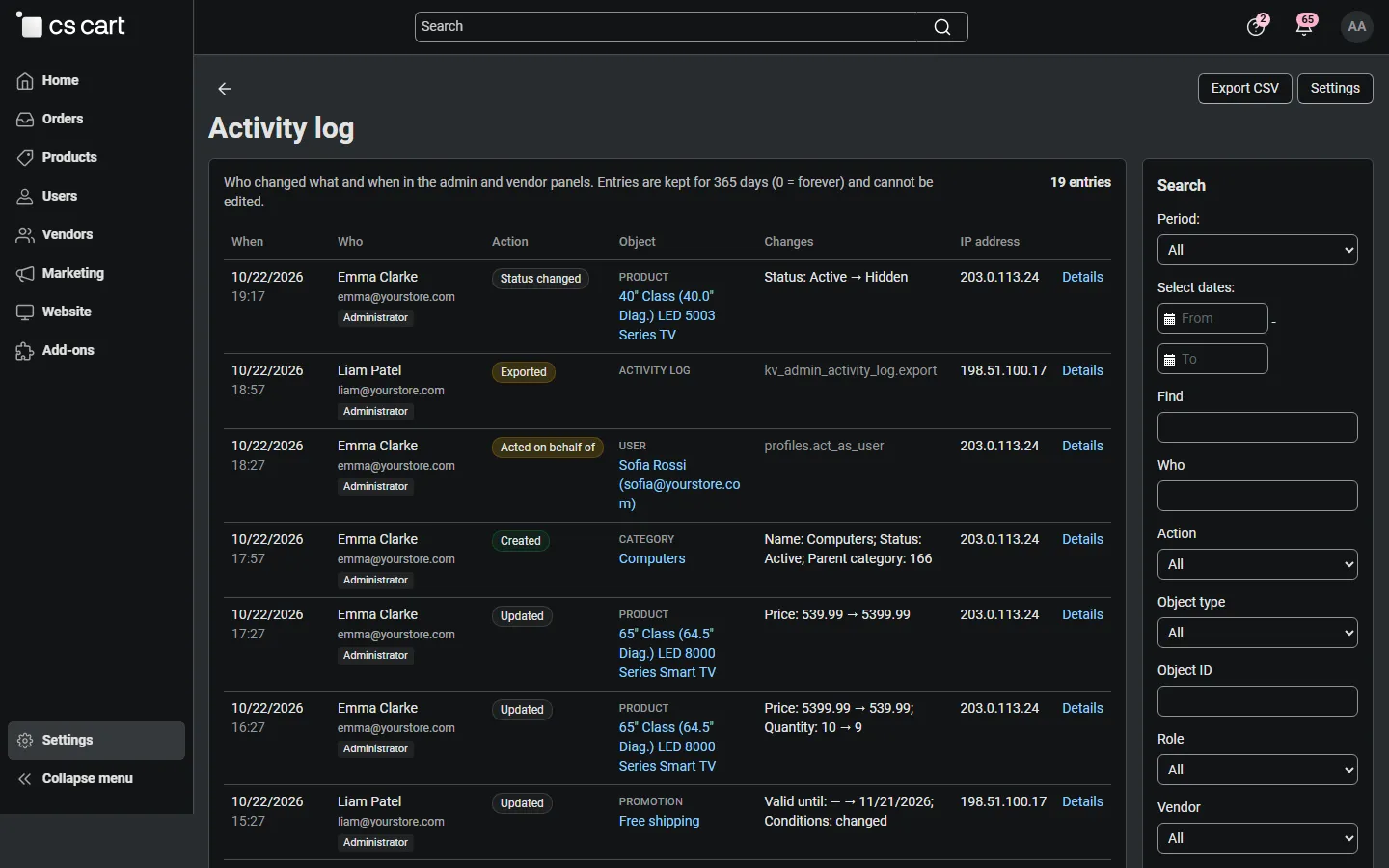
Actions: Created, Updated, Status changed, Deleted, Settings changed, Installed, Uninstalled, Enabled, Disabled, Signed in, Signed out, Failed sign-in, Acted on behalf of, Exported, Purged, and Request (a form submission that changed no tracked object). A red ! next to the action means that the page showed an error message after the request, so it may not have been completed; the entry lists only what was really saved.
Filters (sidebar): period, text (object name, ID, dispatch or user), user, action, object type and ID, role, vendor (Multi-Vendor; Marketplace staff = administrators without a vendor), source (admin panel, vendor panel, REST API, console), IP address, dispatch (prefix, for example products. or settings.update) and result.
Entry details
Section titled “Entry details”Click Details to open an entry. For every changed object it shows a table with the field, the value before and the value after. Long texts (descriptions, notes) show the first 300 characters. Secret values show only Changed (value hidden). Created objects show their initial values, deleted objects the values they had.
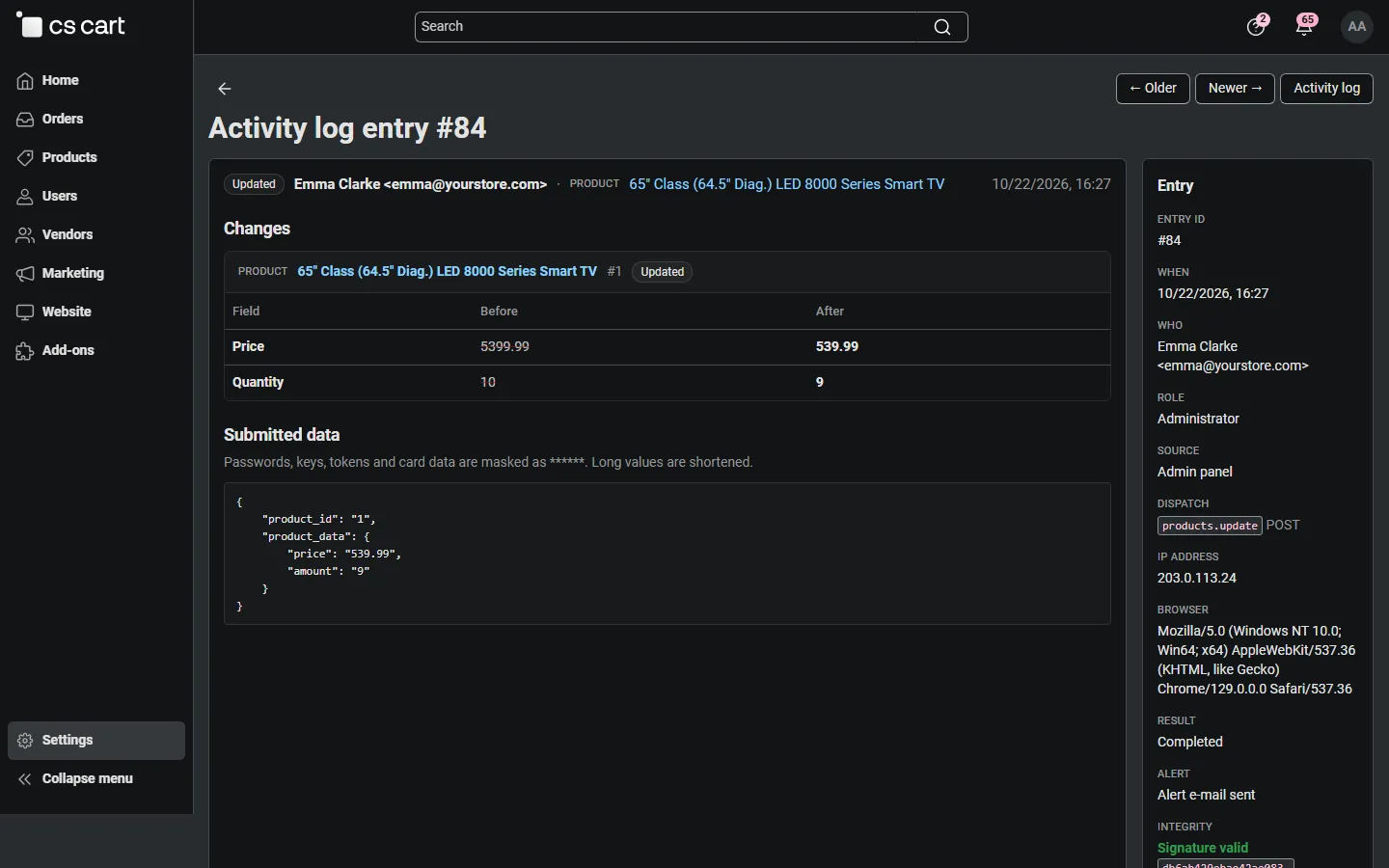
The sidebar shows the entry ID, time, user, role, source, dispatch, IP address, browser, result, whether an alert e-mail was sent and the integrity status of the entry. Submitted data shows the form data of the request with all secrets masked. Older and Newer step through the log.
History tabs
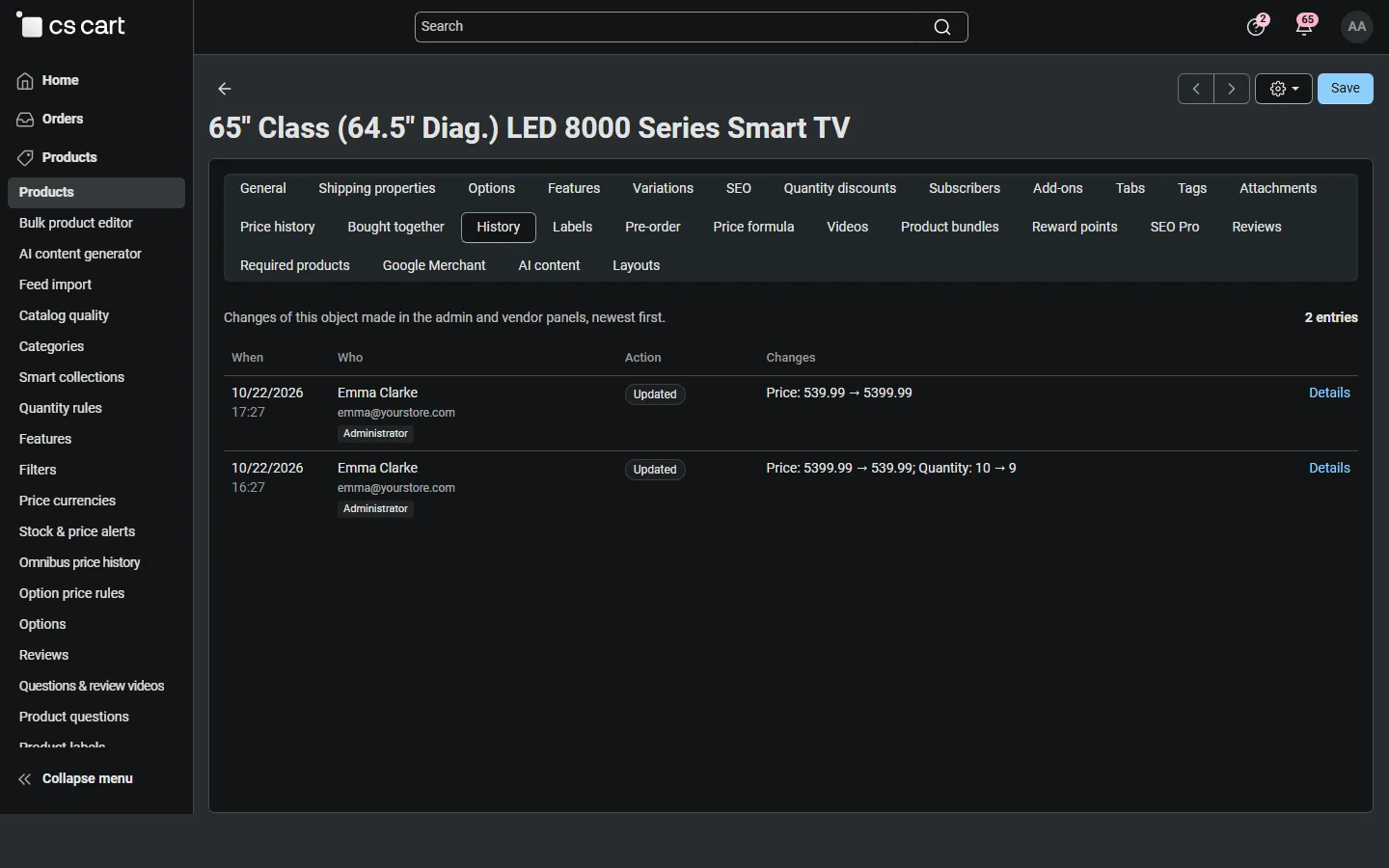
Section titled “History tabs”Product, order, user, category and vendor (storefront) pages get a History tab. It loads when you open it and shows the last 20 entries of that object, with a link to all of them in the log.
CSV export
Section titled “CSV export”Export CSV exports the entries of the current filters (up to 50,000 rows) with time (UTC), user, role, company ID, source, action, object, the changed fields, dispatch, IP address, result and the entry signature. Values that start with =, +, - or @ are prefixed with ', so a spreadsheet never runs them as formulas. Every export is itself logged.
Integrity check and purge
Section titled “Integrity check and purge”In the sidebar under Maintenance (administrators with Manage the activity log):
- Verify integrity checks the signature chain of all entries. It reports the first entry that was changed, or that follows a deleted entry. After a purge the chain starts at the oldest remaining entry, which the check knows.
- Purge deletes entries older than the given number of days. The purge is logged and can send an alert.
There is no way to edit an entry from the admin panel.
Vendor panel (Multi-Vendor)
Section titled “Vendor panel (Multi-Vendor)”With Vendors see the activity of their own staff on, vendors find Activity log in their menu. They see only the entries made by their own administrators (including failed sign-ins on their accounts), the entry pages and the History tabs of their products and orders, filtered the same way, and can export them. They never see marketplace administrators’ actions, other vendors’ entries, the integrity data, the purge or the settings.
When a marketplace administrator works in a vendor panel through Act on behalf of, the entries carry the label Act-on-behalf session, and the marketplace log shows who started it.
What is recorded where
Section titled “What is recorded where”| Where | Recorded |
|---|---|
Admin panel (admin.php) |
Form submissions, tracked changes with diffs, sign-ins and sign-outs, act on behalf |
Vendor panel (vendor.php) |
The same, with the vendor company |
| REST API | Tracked changes with diffs (the API user) |
| Console and cron | Off by default; tracked changes when switched on |
| Storefront | Nothing. Customer actions are never recorded |