

Vendor Onboarding & Registration Builder screenshots
Real screenshots from our CS-Cart and Multi-Vendor test stores with the add-on installed and the English interface.
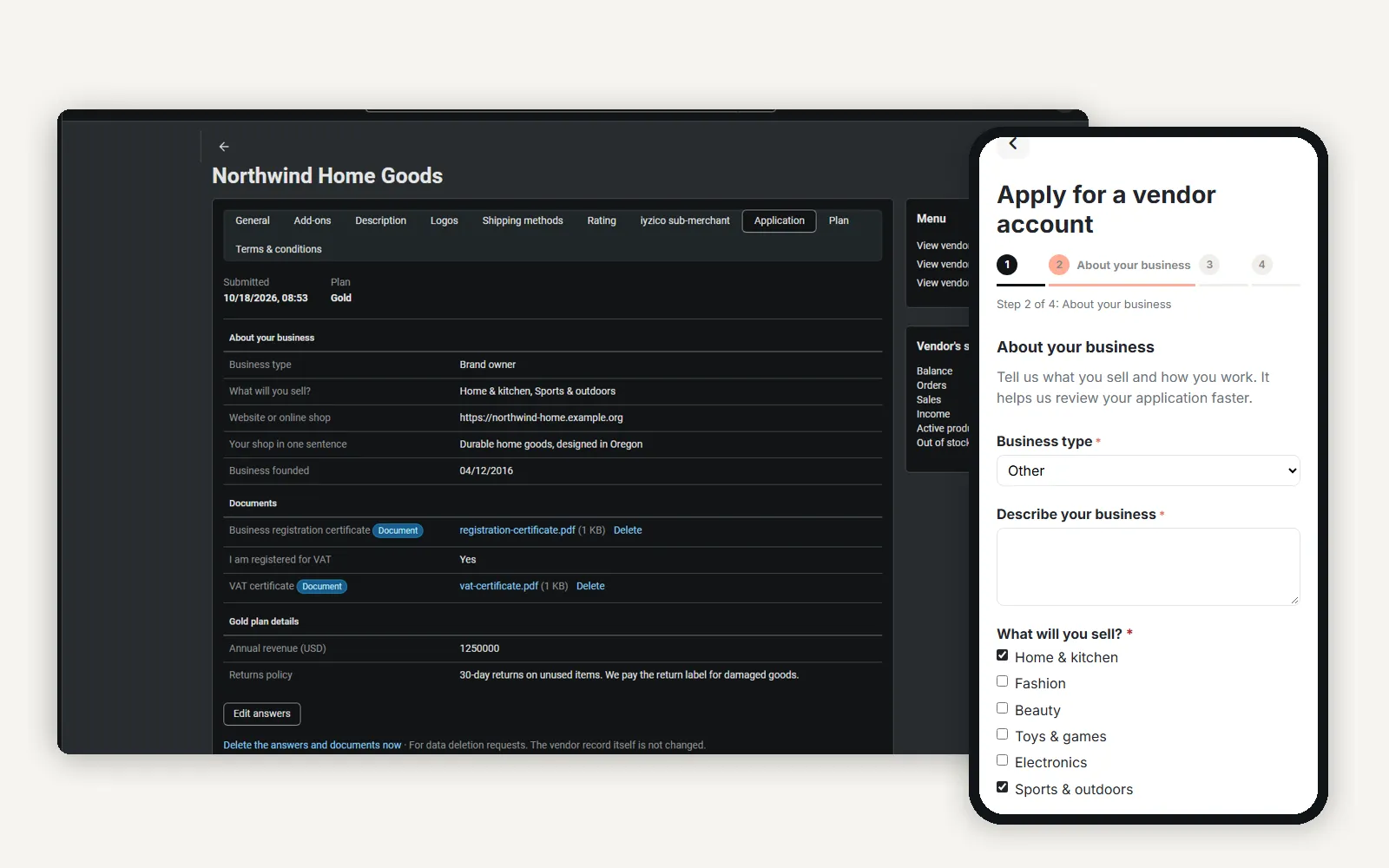
The Application tab on the vendor page next to the storefront application step on a phone.
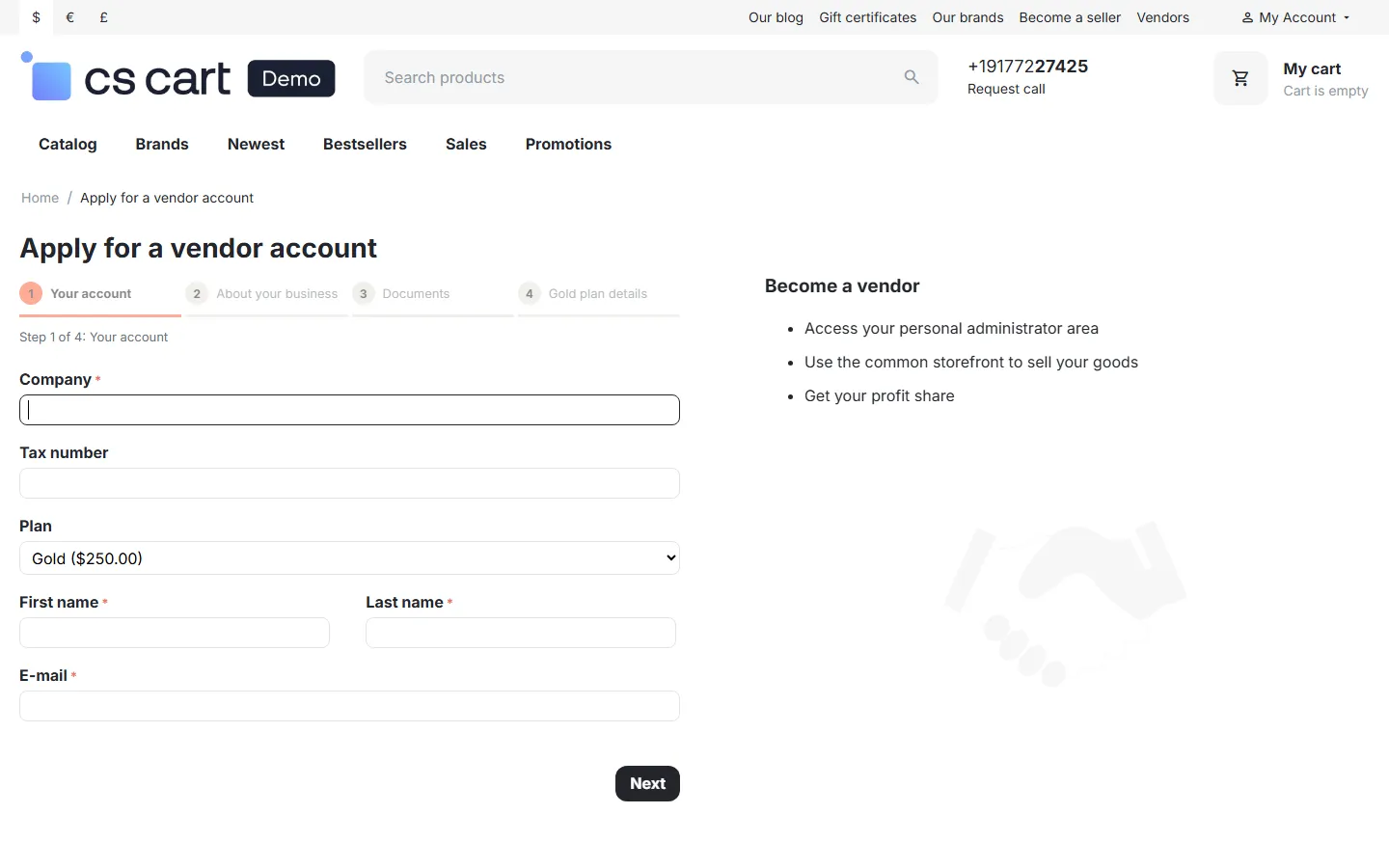
Storefront: step 1 of the vendor application (core fields) with the step progress bar.
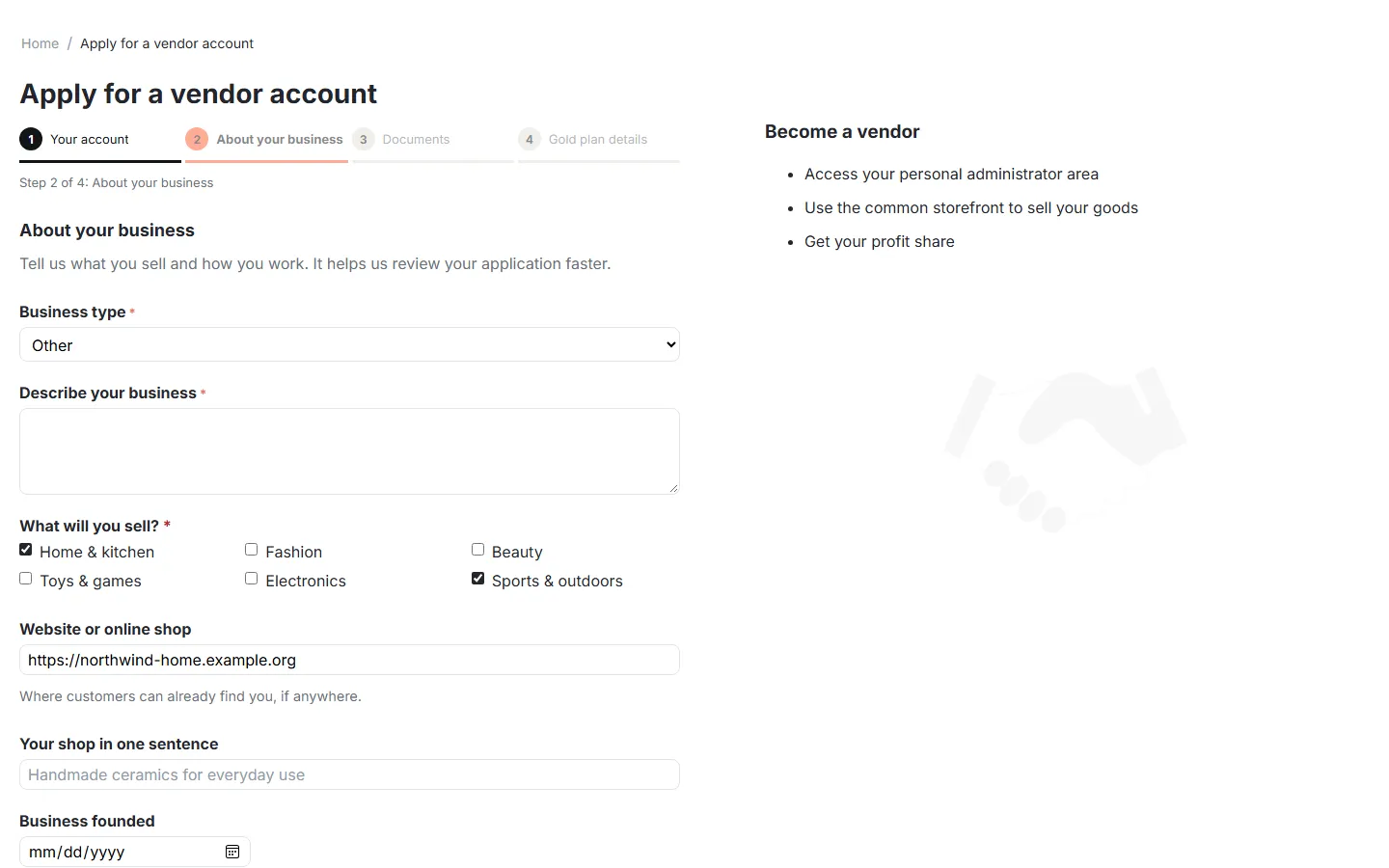
Step 2 with a conditional question (“Describe your business” for business type Other) and multiple choice.
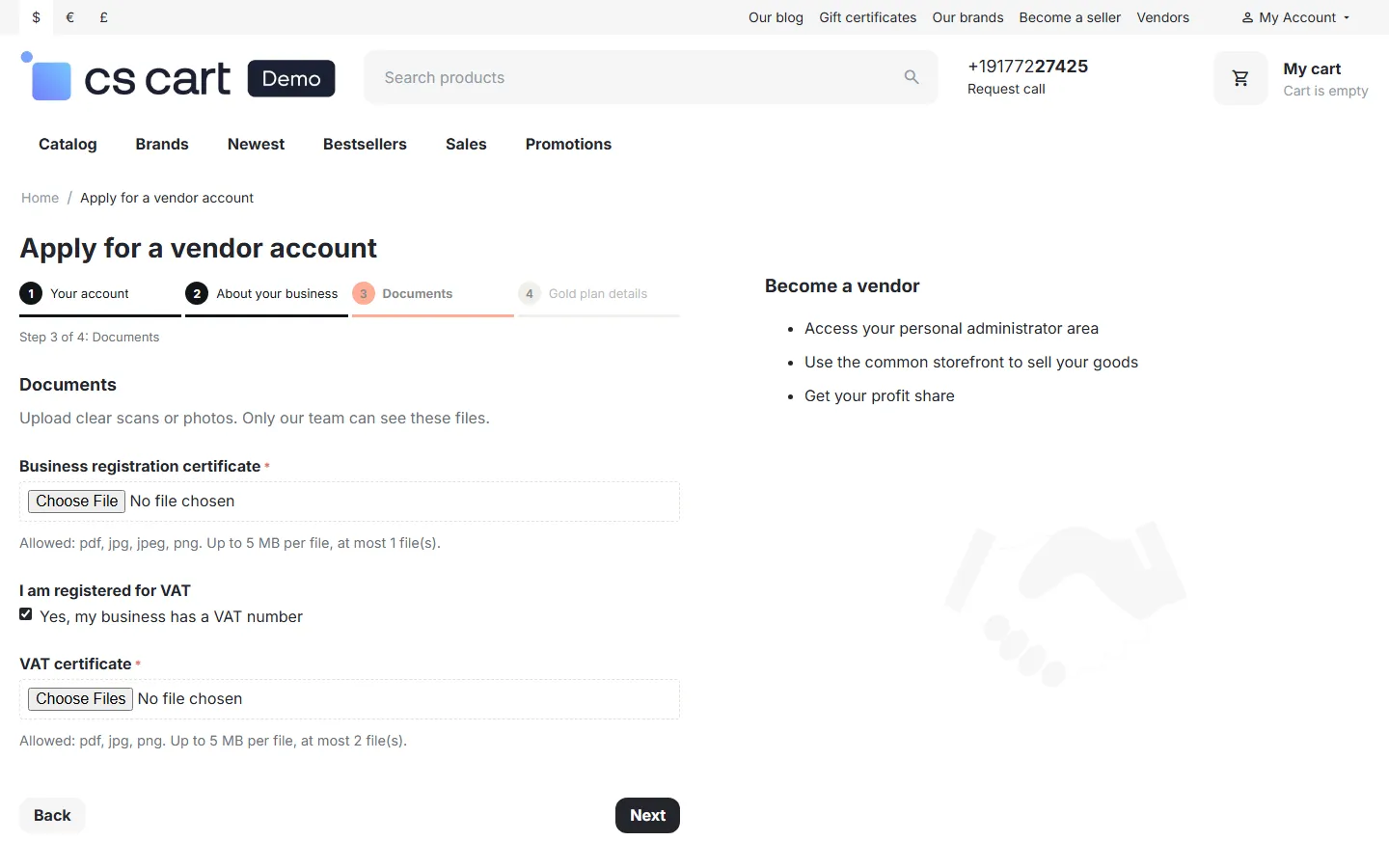
Documents step: required document upload and a VAT certificate shown after ticking the VAT checkbox.
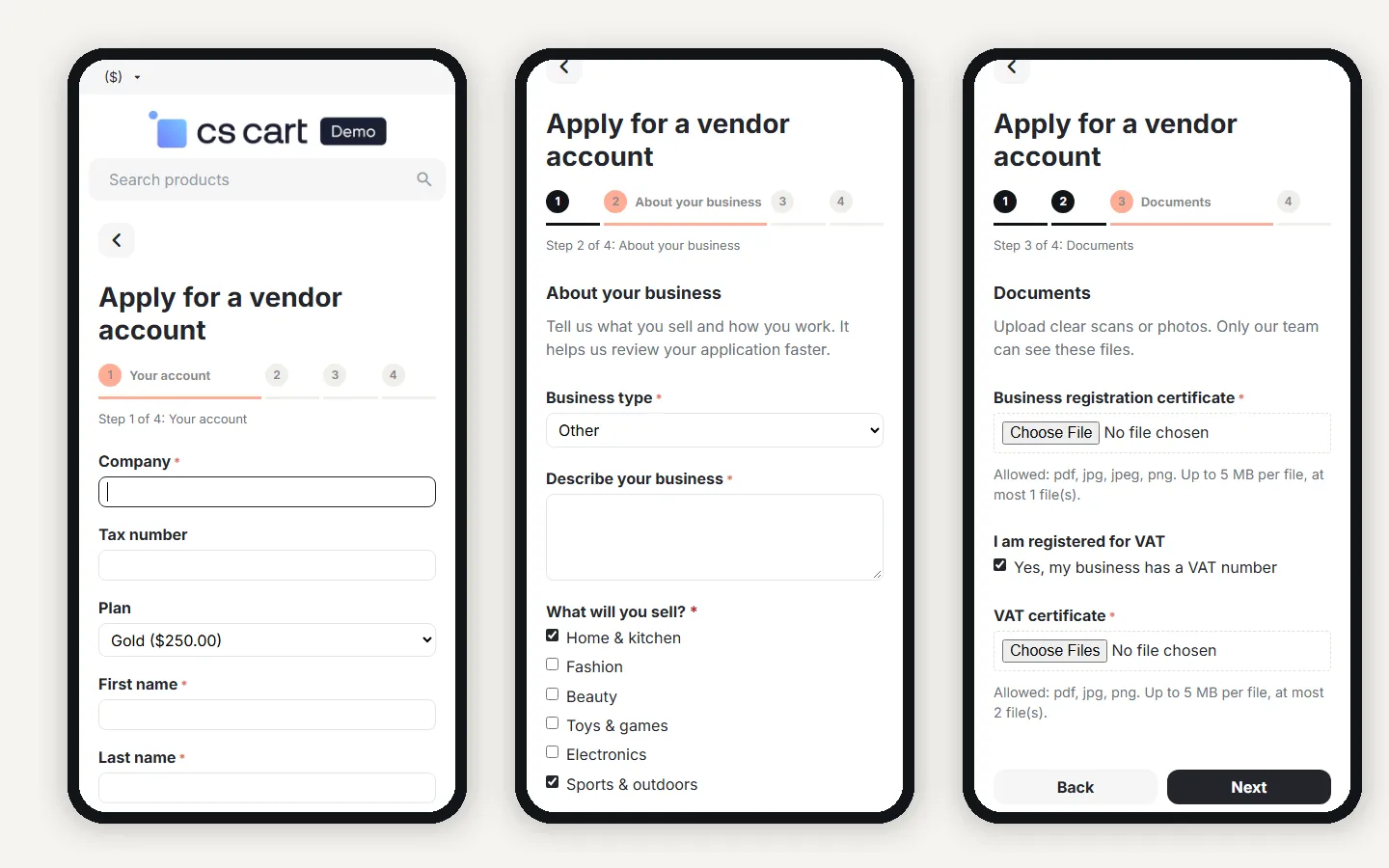
The three steps on phones.
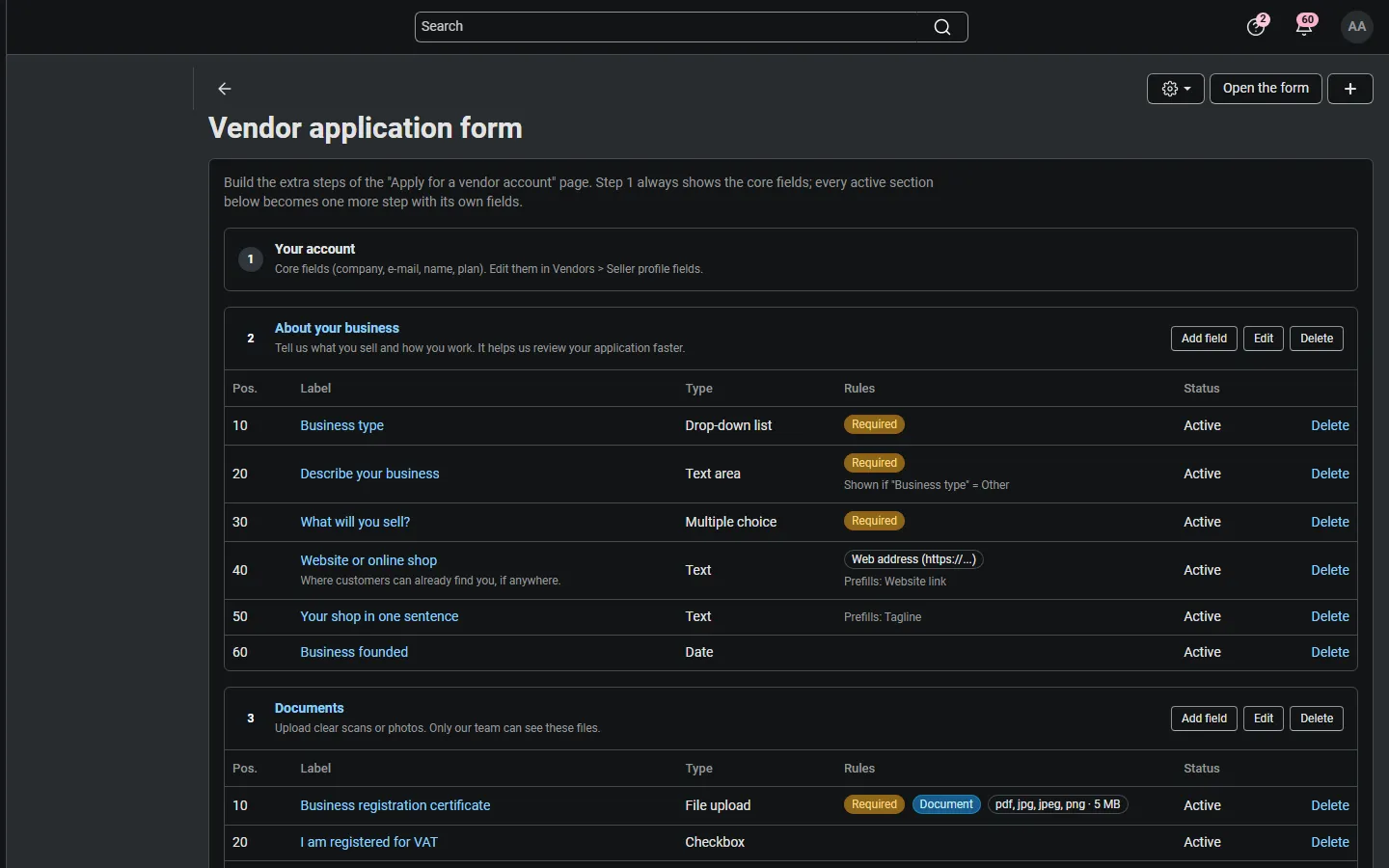
Vendors > Vendor applications > Vendor application form: sections as steps, fields with their rules, conditions, plans and prefill mapping.
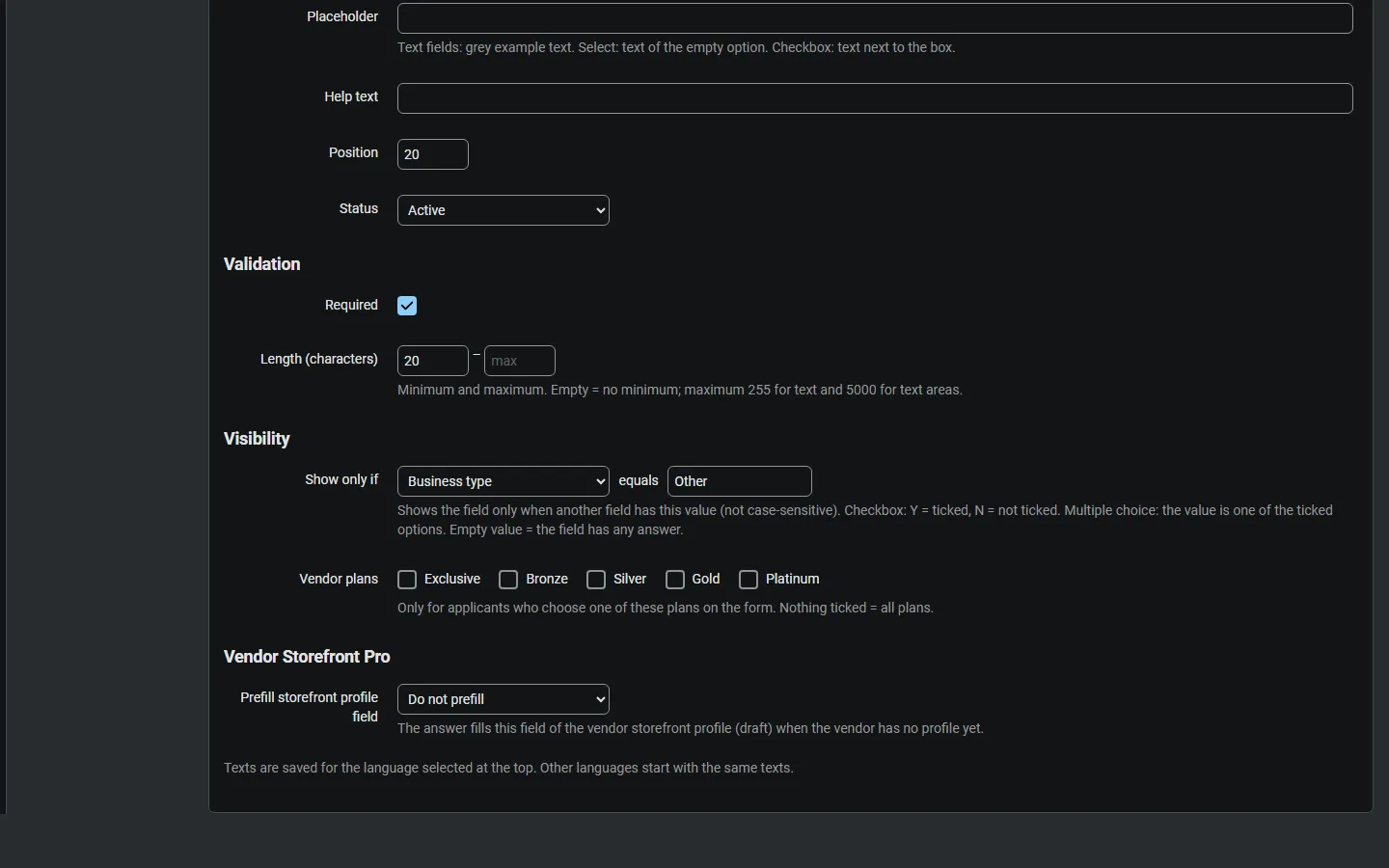
Field editor: validation, “Show only if” condition, vendor plans and the Vendor Storefront Pro target.
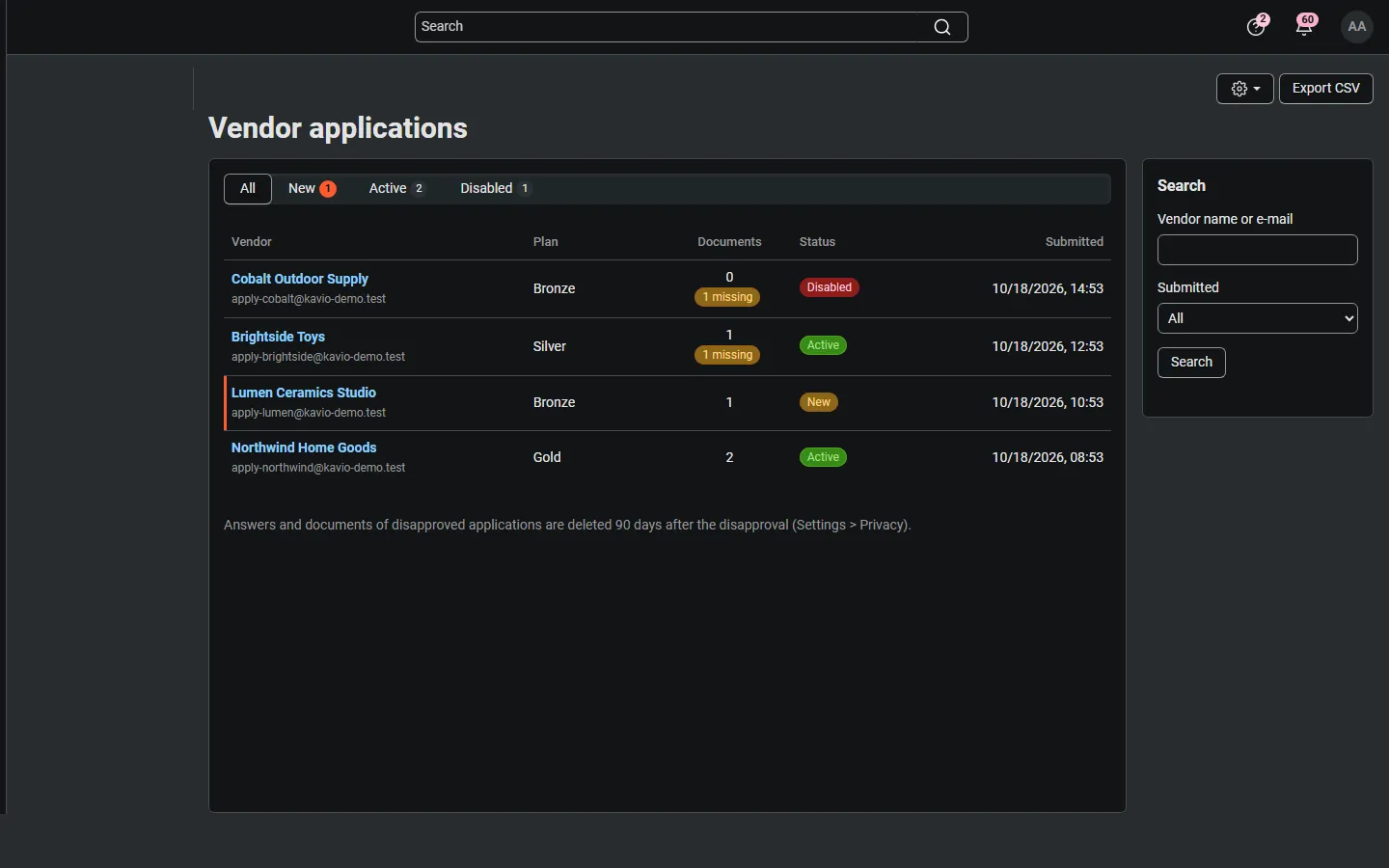
Vendors > Vendor applications: status tabs, plan, documents with missing required documents, CSV export.
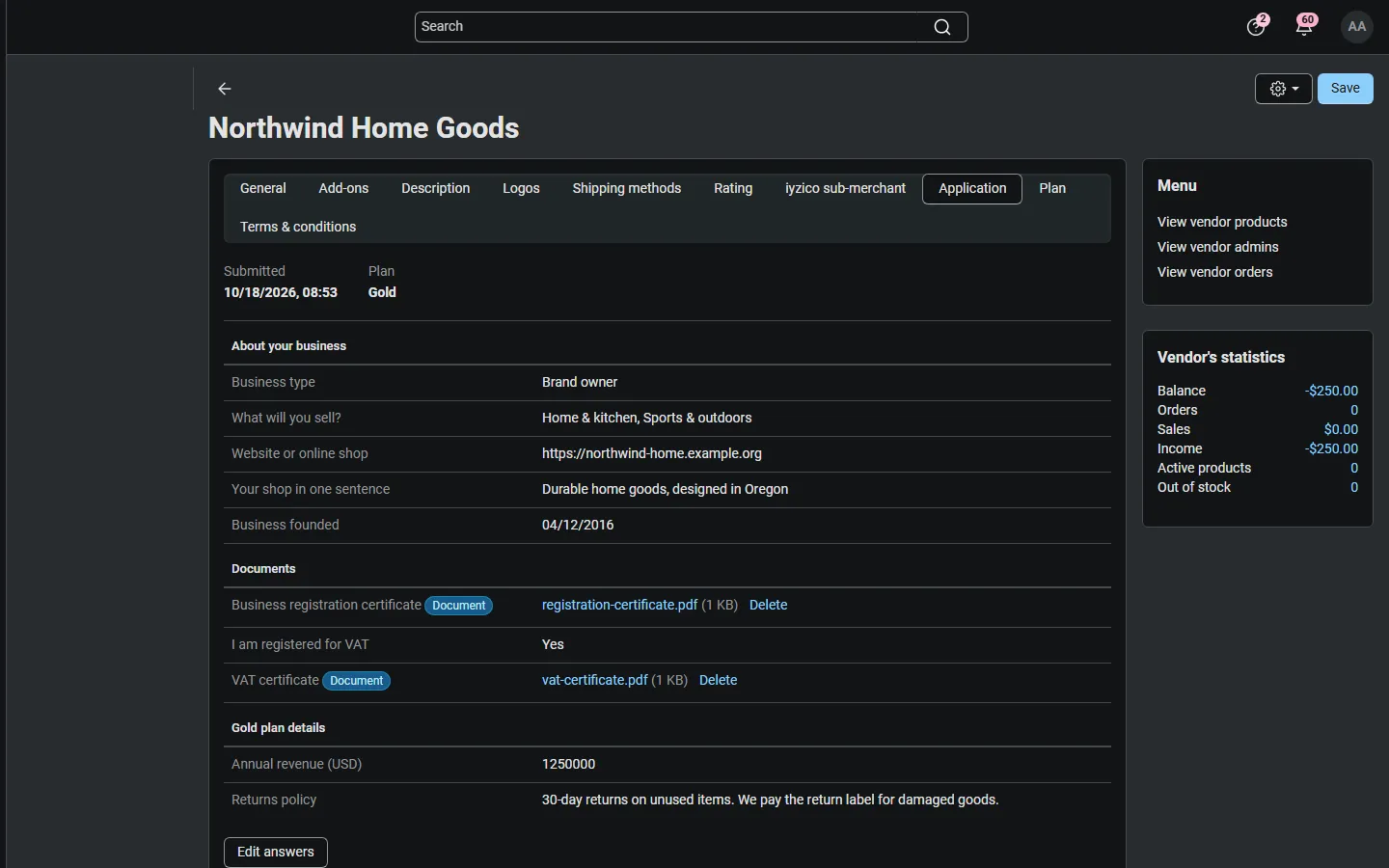
Vendor page > Application tab: answers by section and protected documents.
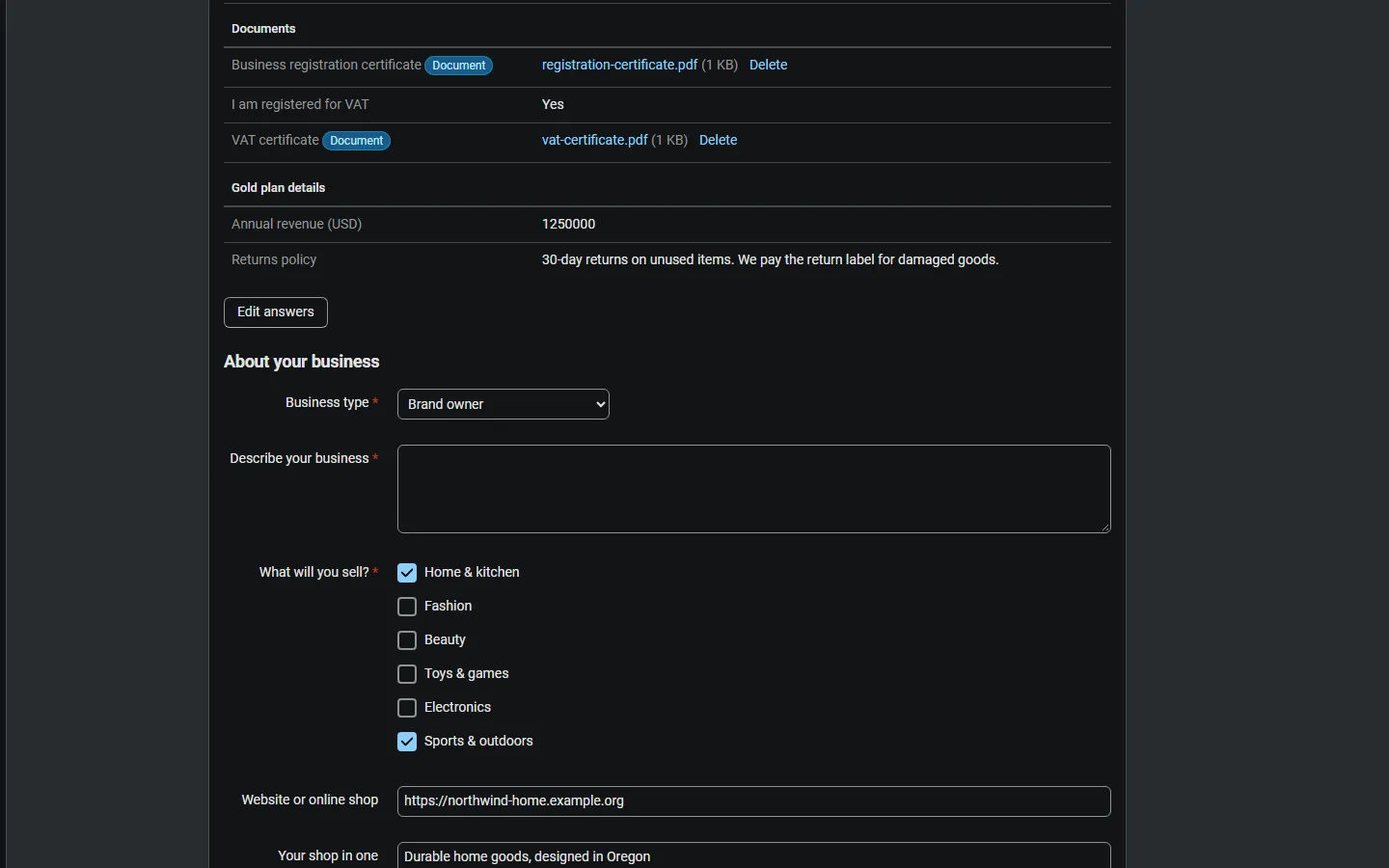
Editing the answers as an administrator.
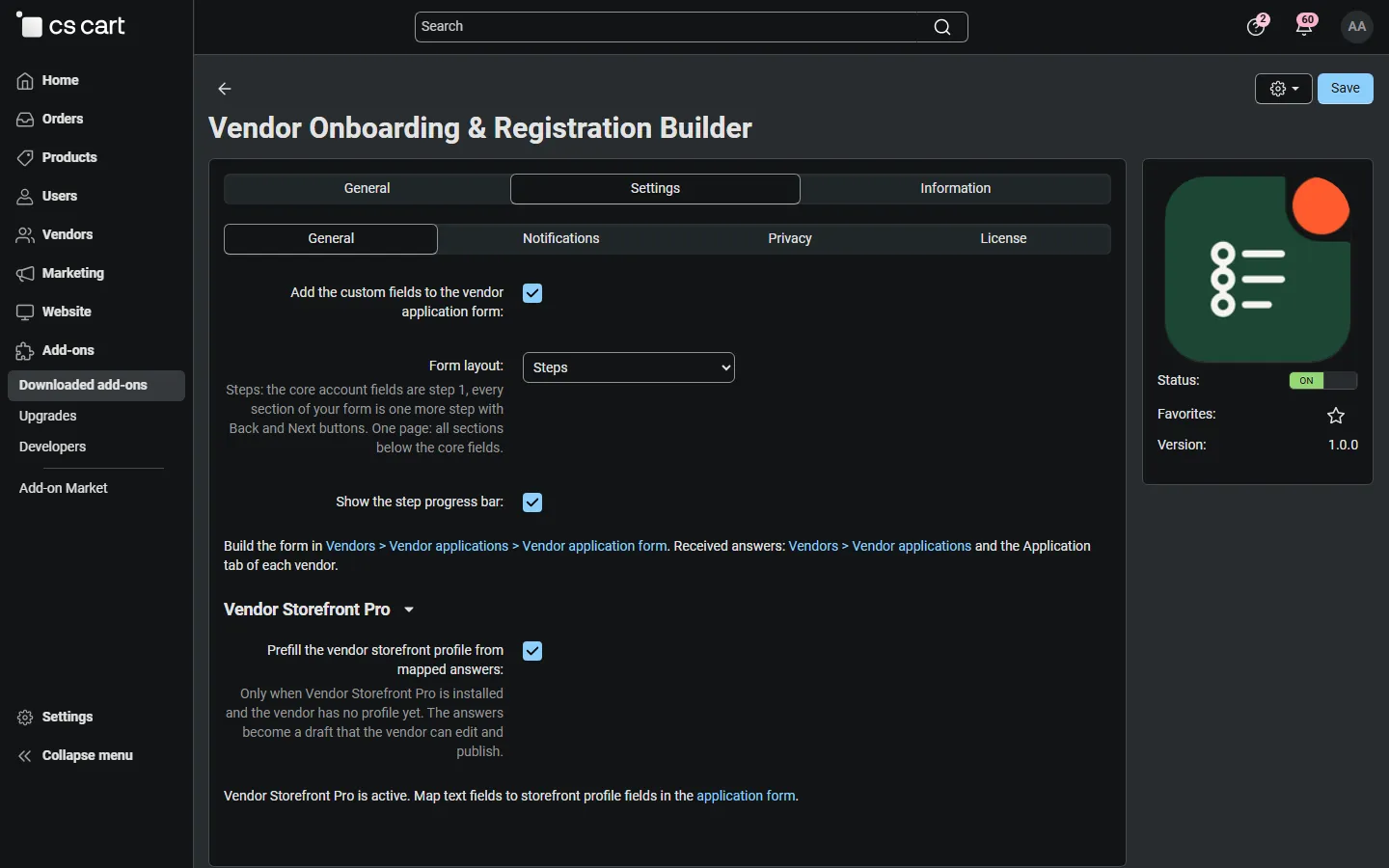
Settings: layout (steps or one page), progress bar, Vendor Storefront Pro prefill.
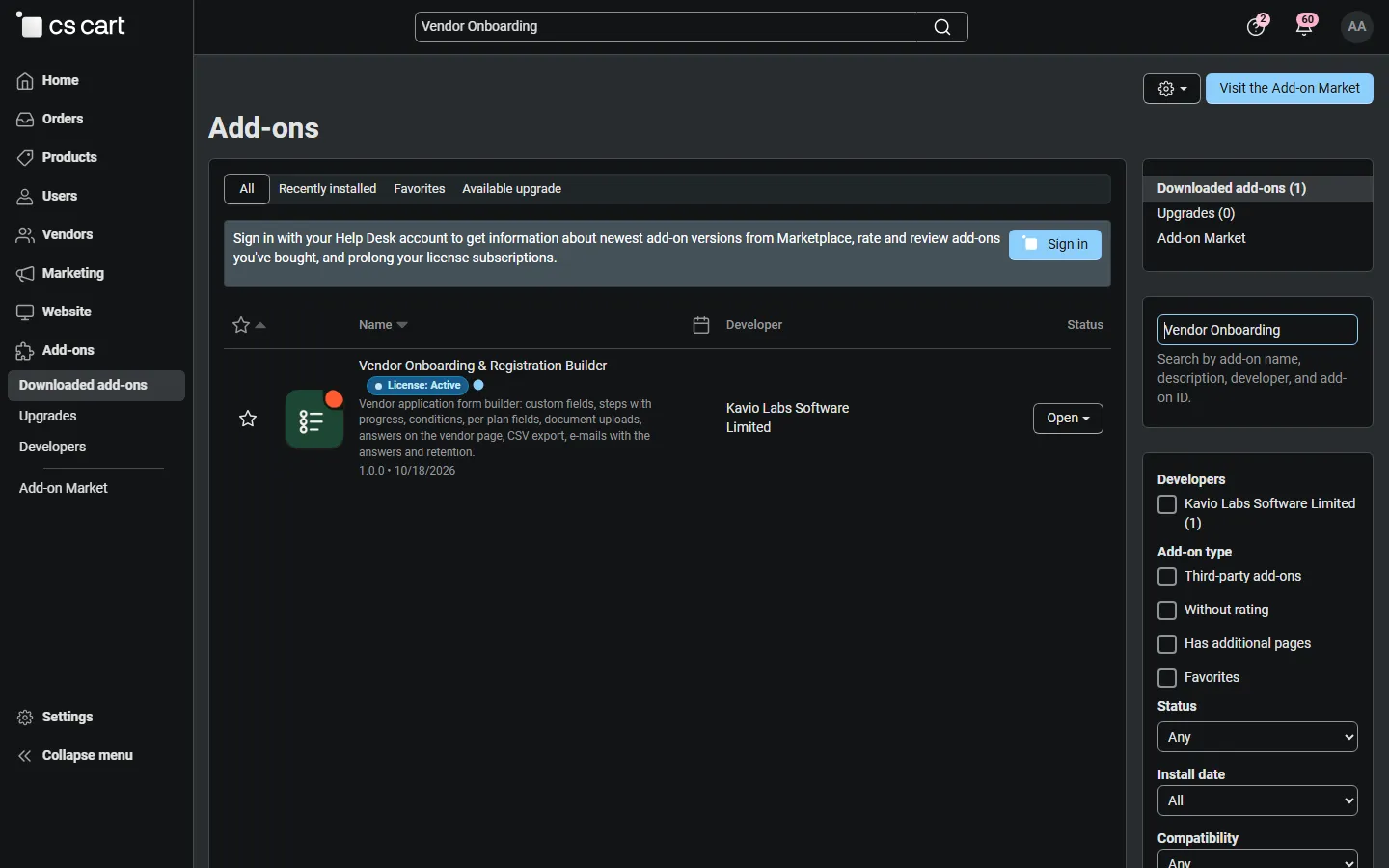
Add-ons > Manage add-ons with the add-on installed and active.
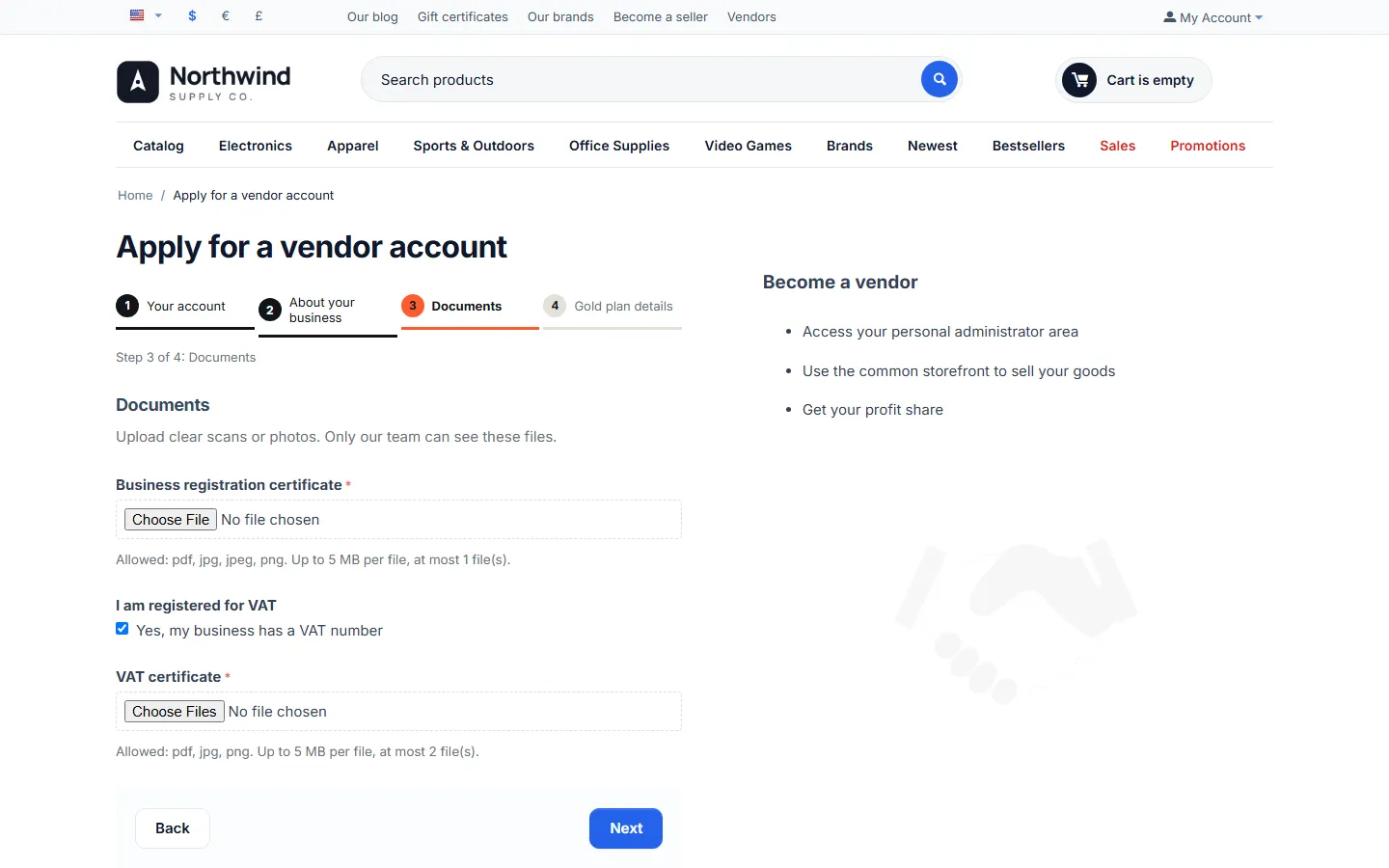
The documents step on Multi-Vendor 4.17.2 with another storefront theme.