

Help Desk & Support Tickets screenshots
Real screenshots from our CS-Cart and Multi-Vendor test stores with the add-on installed and the English interface.
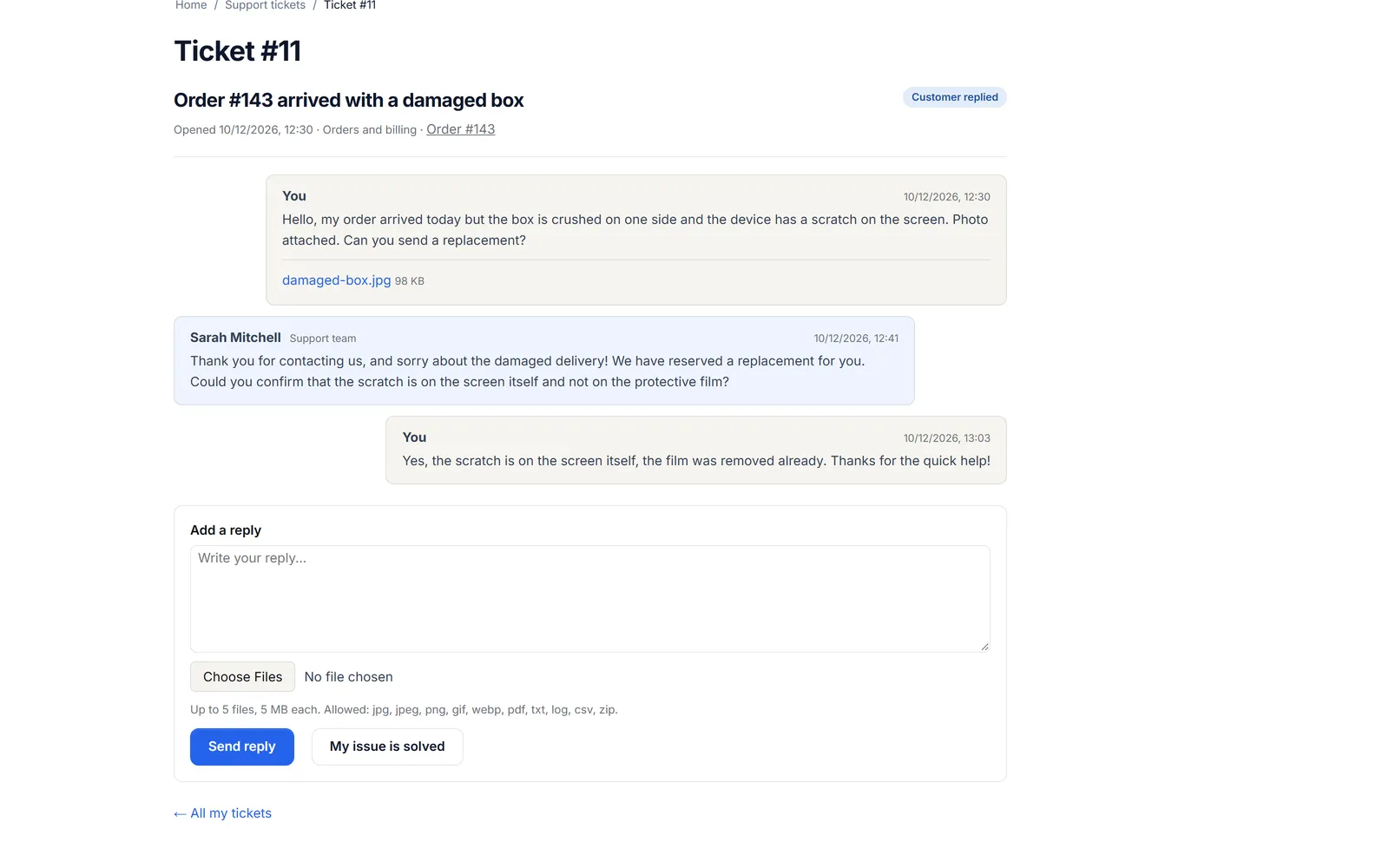
Storefront ticket page: the customer’s message with a photo attachment, the support team’s reply and the customer’s follow-up, with the reply box below.
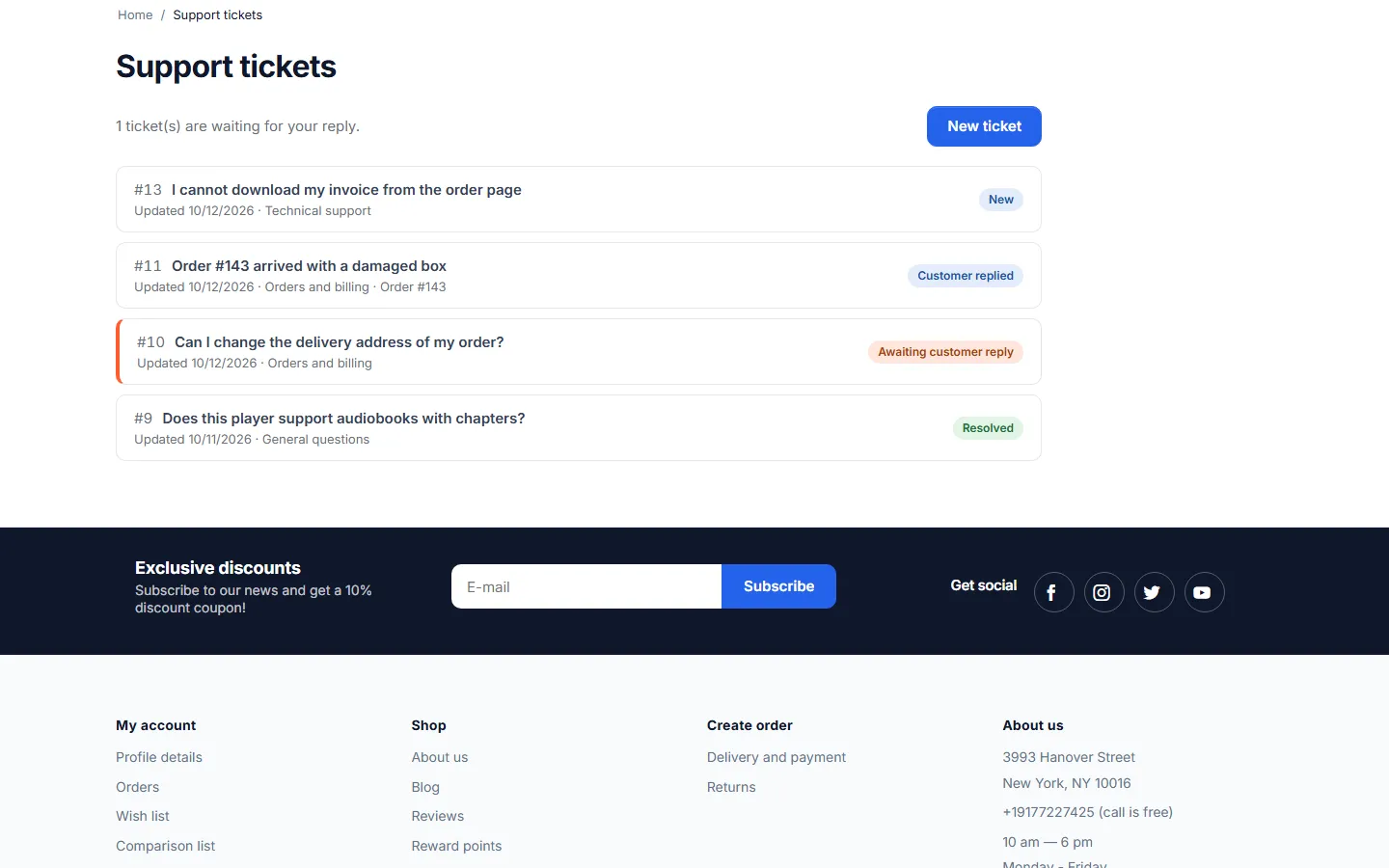
My account, Support tickets: the customer’s tickets as cards with status badges and a New ticket button.
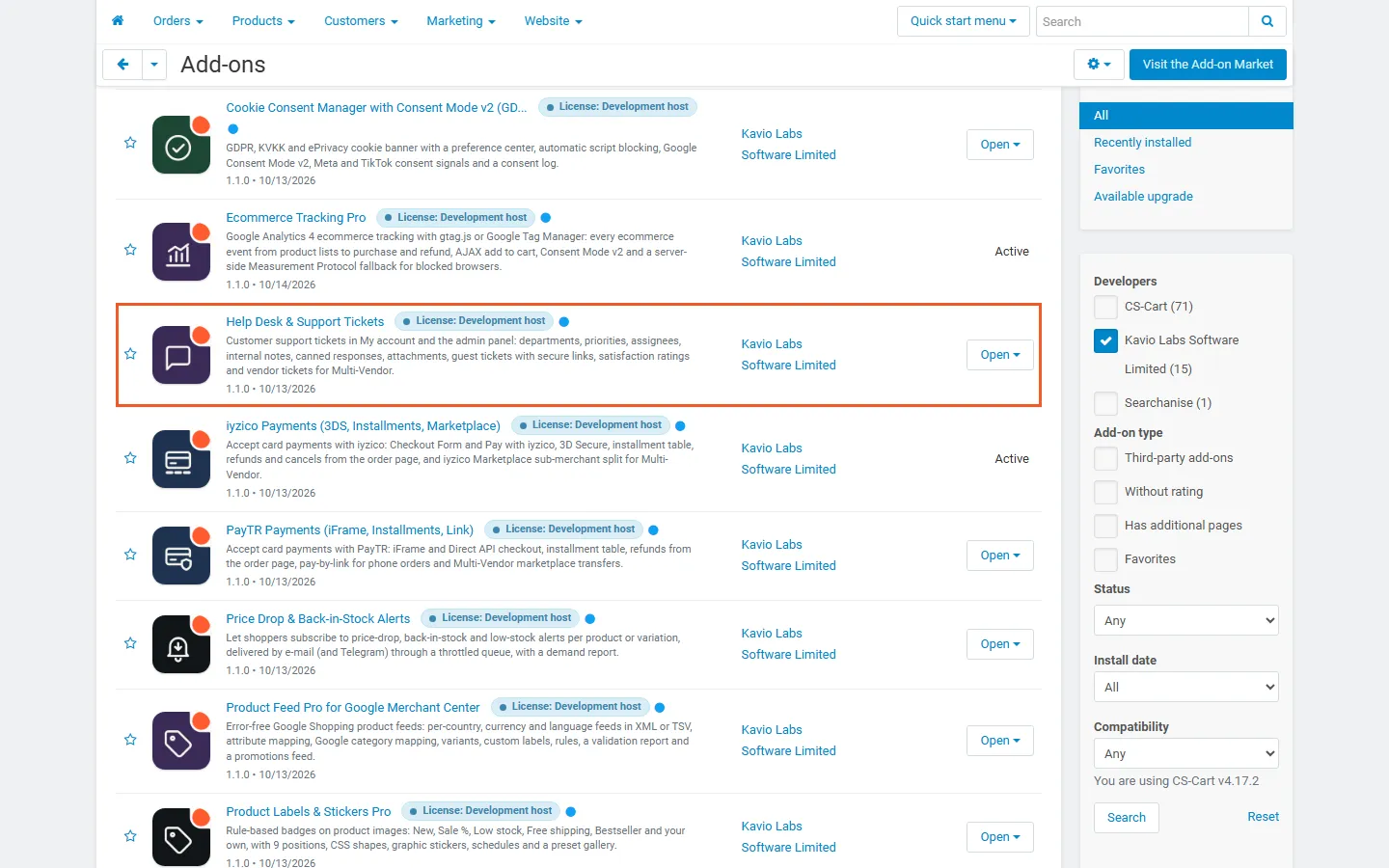
Admin, Downloaded add-ons: Help Desk & Support Tickets by Kavio Labs, active.
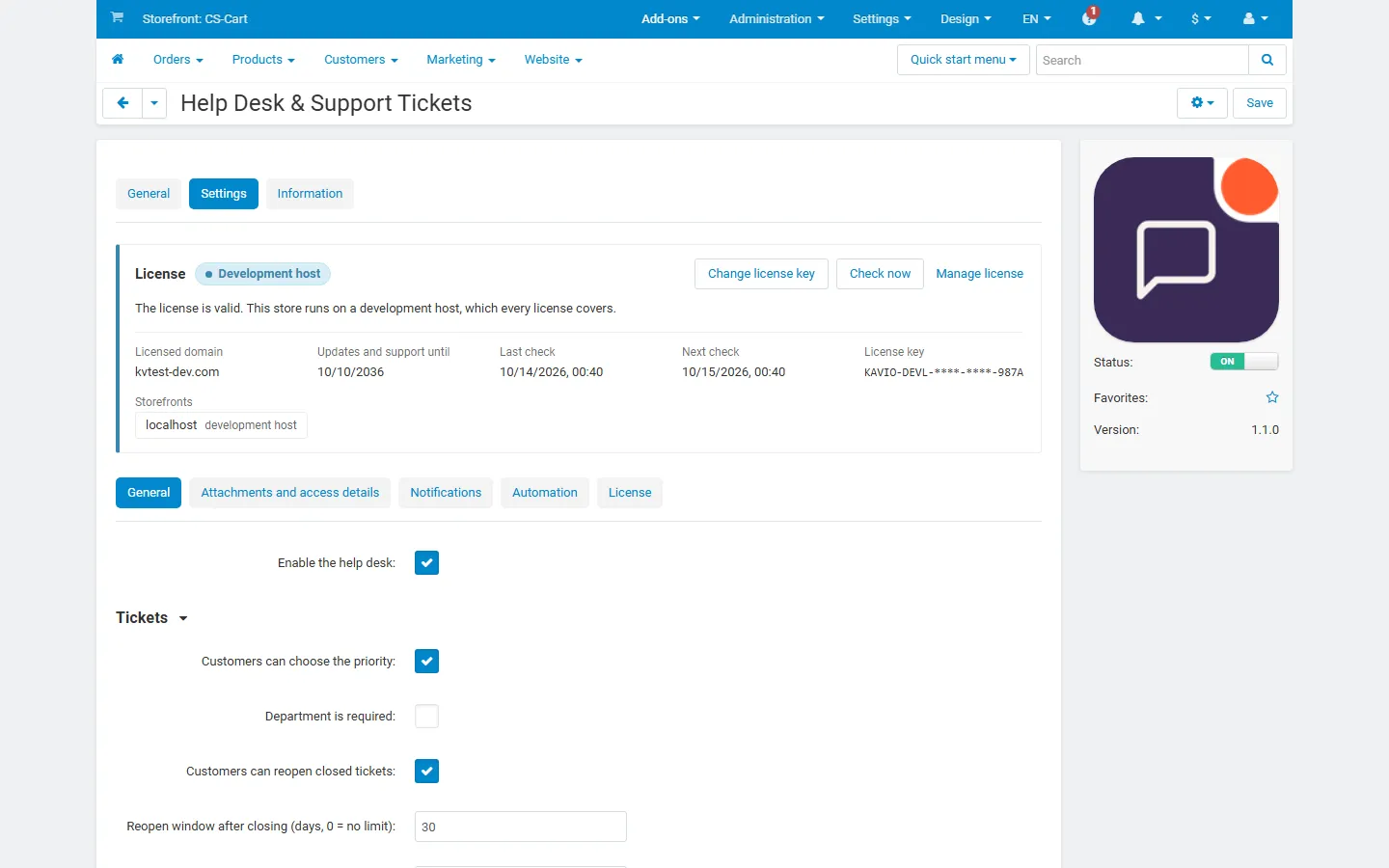
Add-on settings, General tab: enable, priority choice, required department, reopen window, auto-close days and satisfaction rating.

New ticket form: subject, department, priority, related order, message, attachments and the optional encrypted access details.

Ticket page for the customer: status badge, order link, threaded conversation with the attachment and the reply form.

Support page for guests: sign in, open a ticket without an account, or get the links to existing tickets by e-mail.
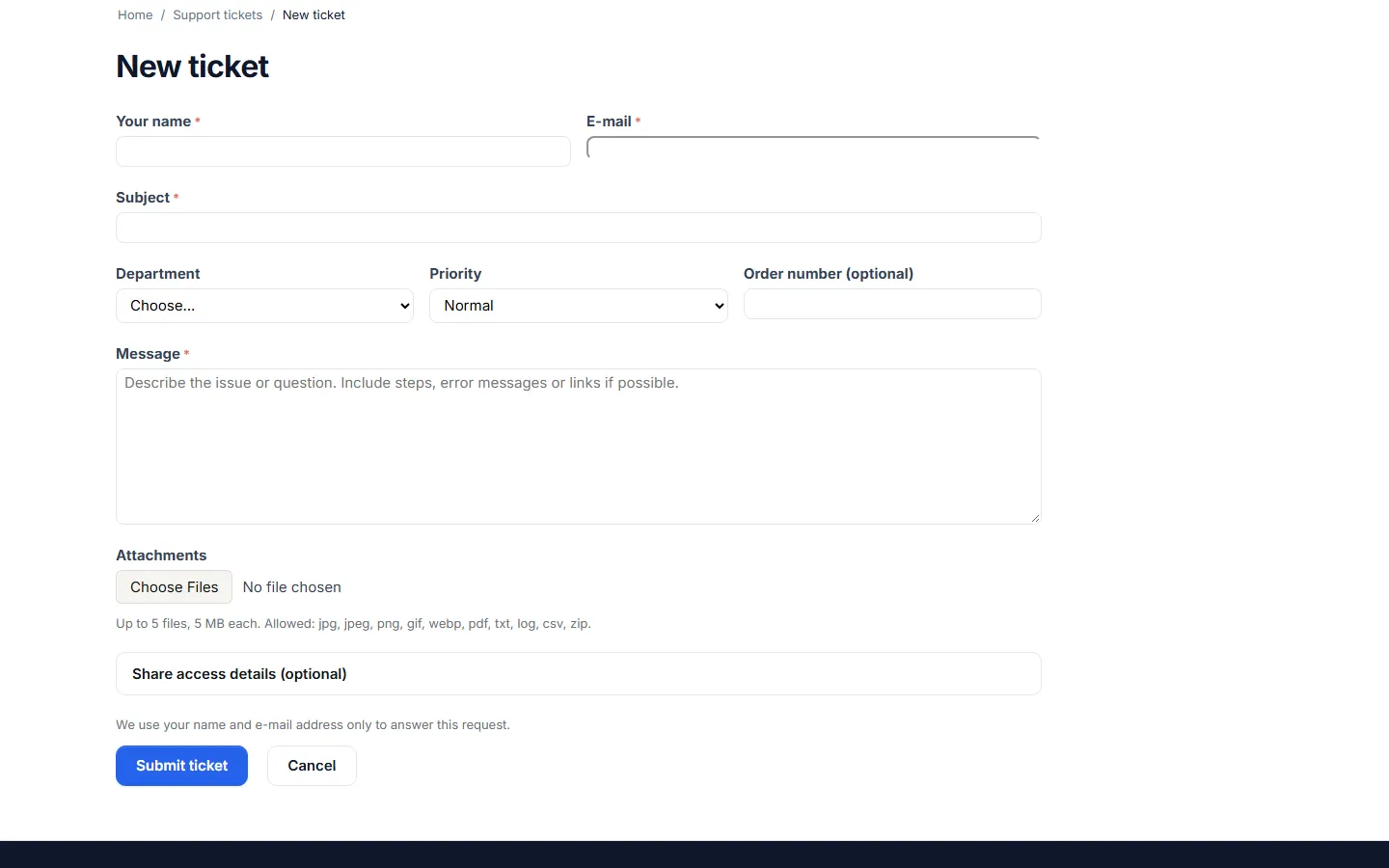
New ticket form for guests with name and e-mail fields.

A guest’s ticket opened from the signed e-mail link, without an account.
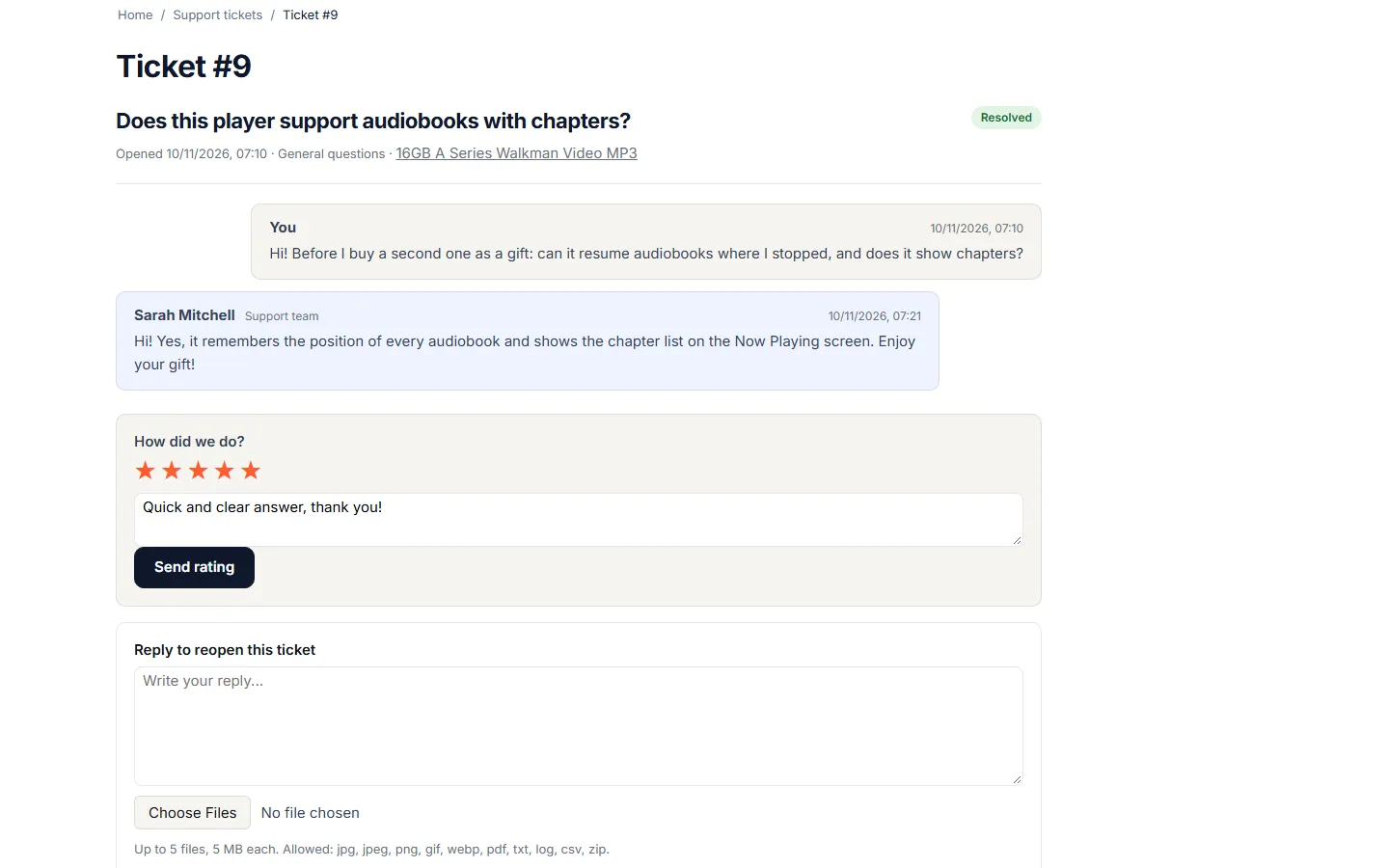
Resolved ticket: “How did we do?” star rating with a comment, above the reply-to-reopen box.
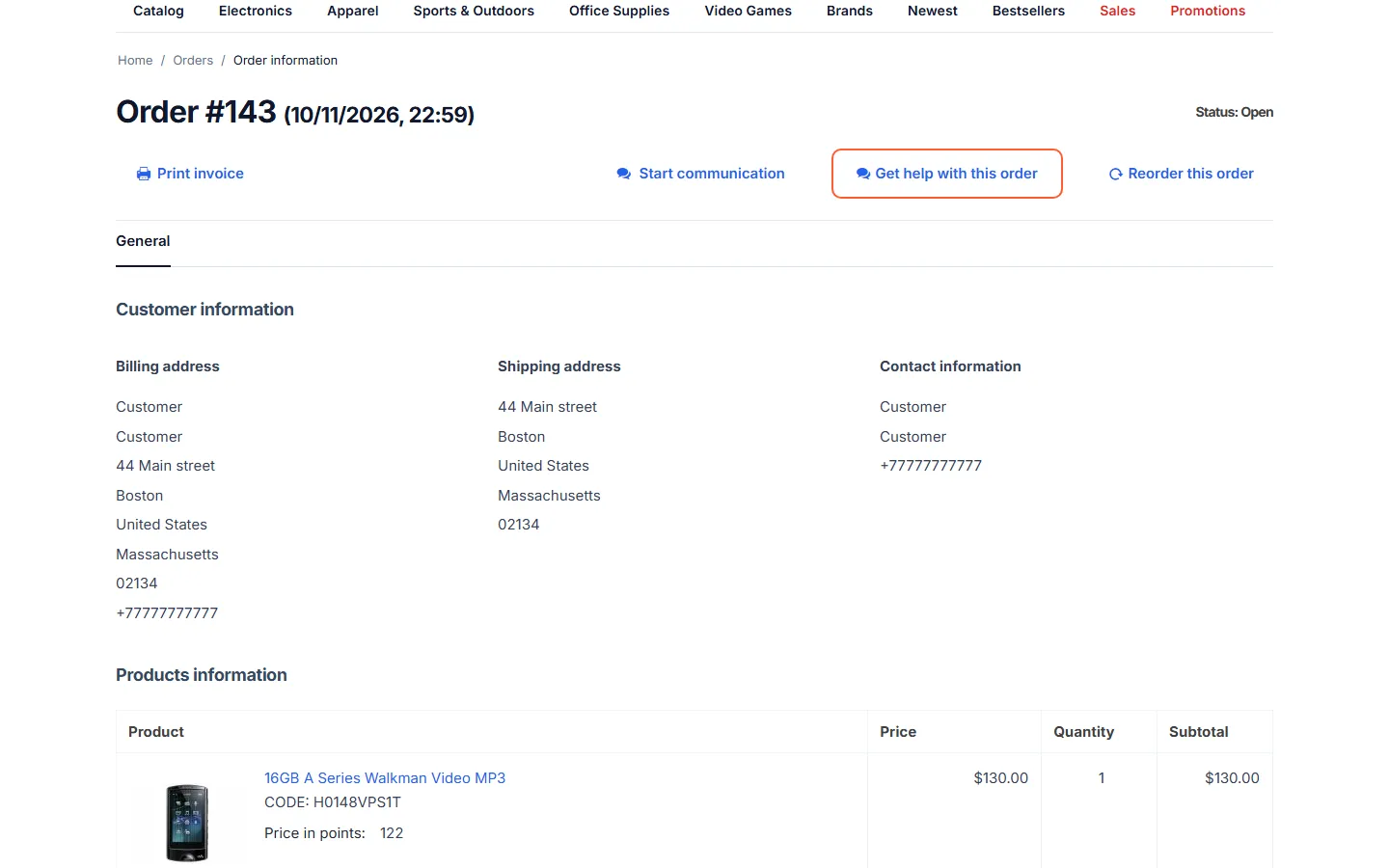
Storefront order page with the “Get help with this order” button (highlighted).
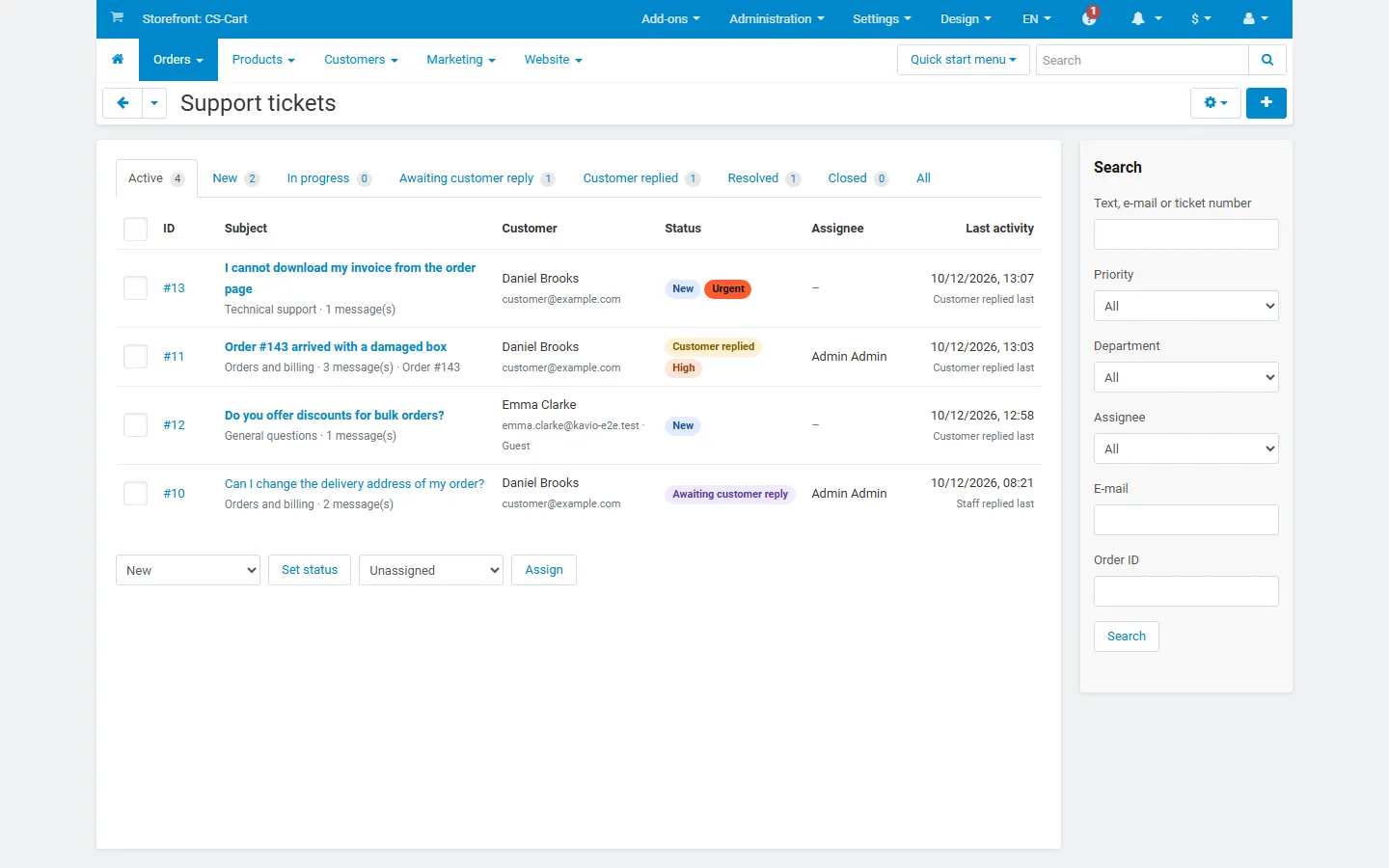
Admin ticket list: status tabs with counts, priority and status badges, assignee, last activity, bulk status/assign and search sidebar.
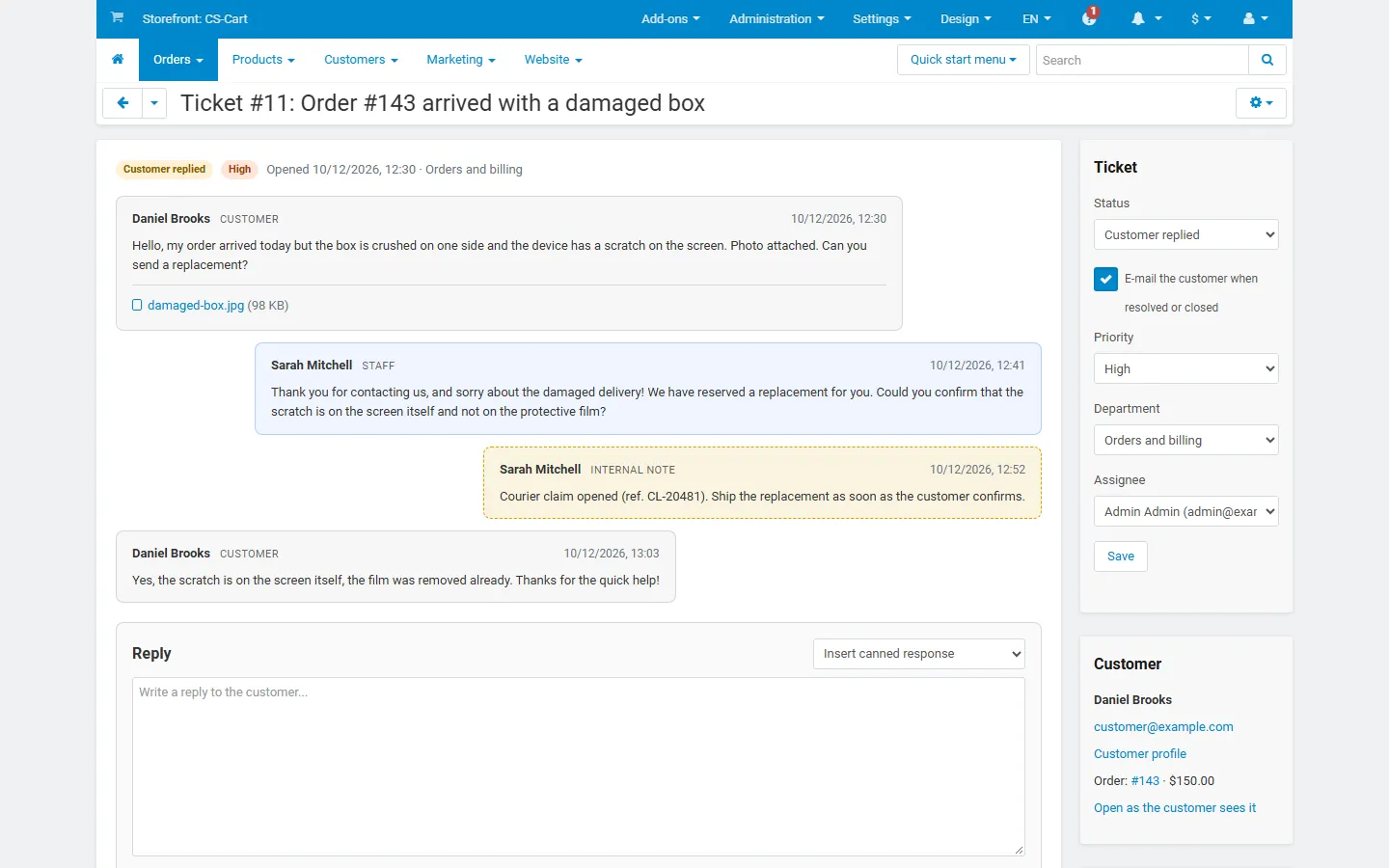
Admin ticket view: customer and staff messages, a yellow internal note, and the ticket and customer sidebar.
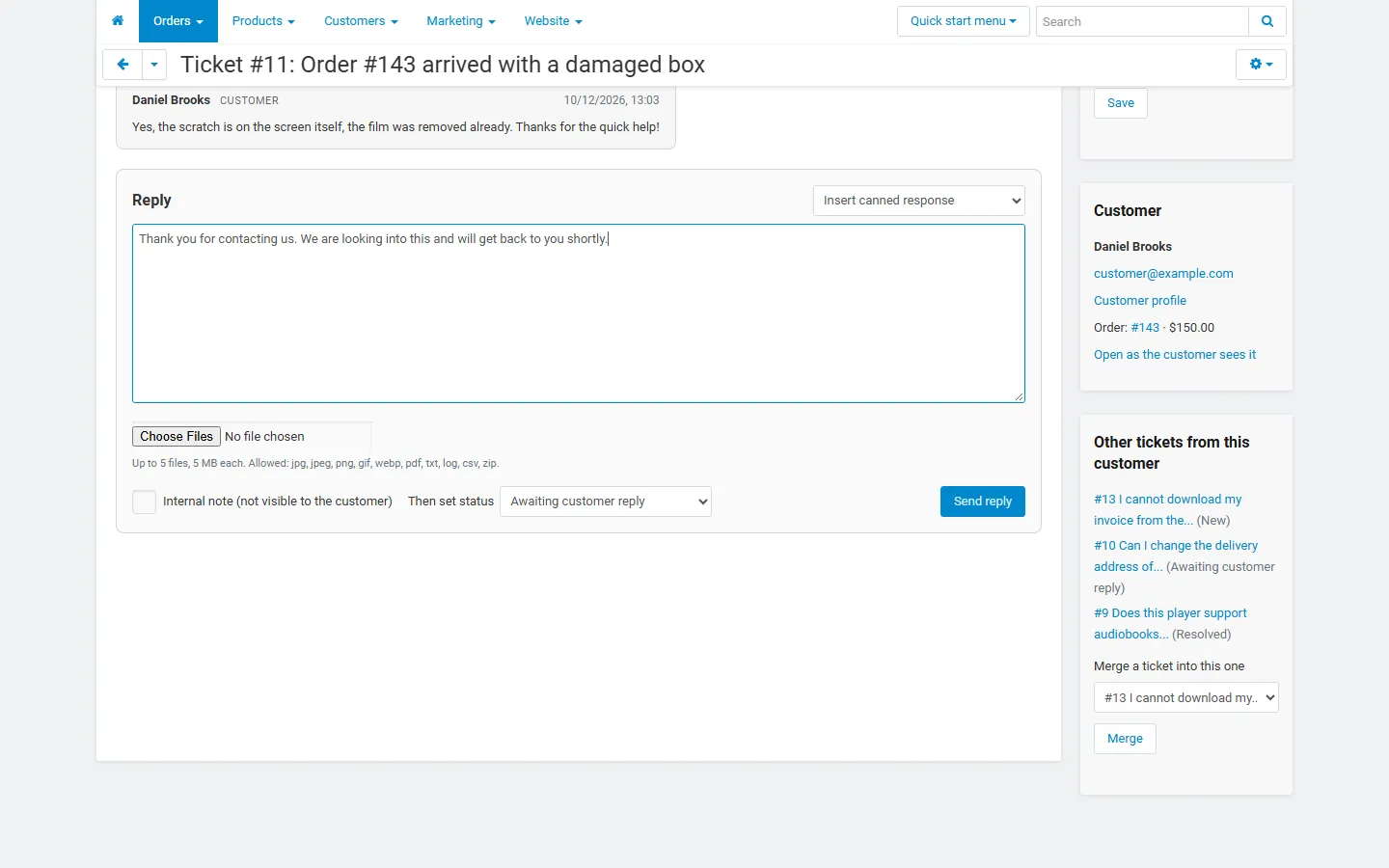
Reply box with a canned response inserted, internal note switch, “Then set status” and the customer’s other tickets with merge.
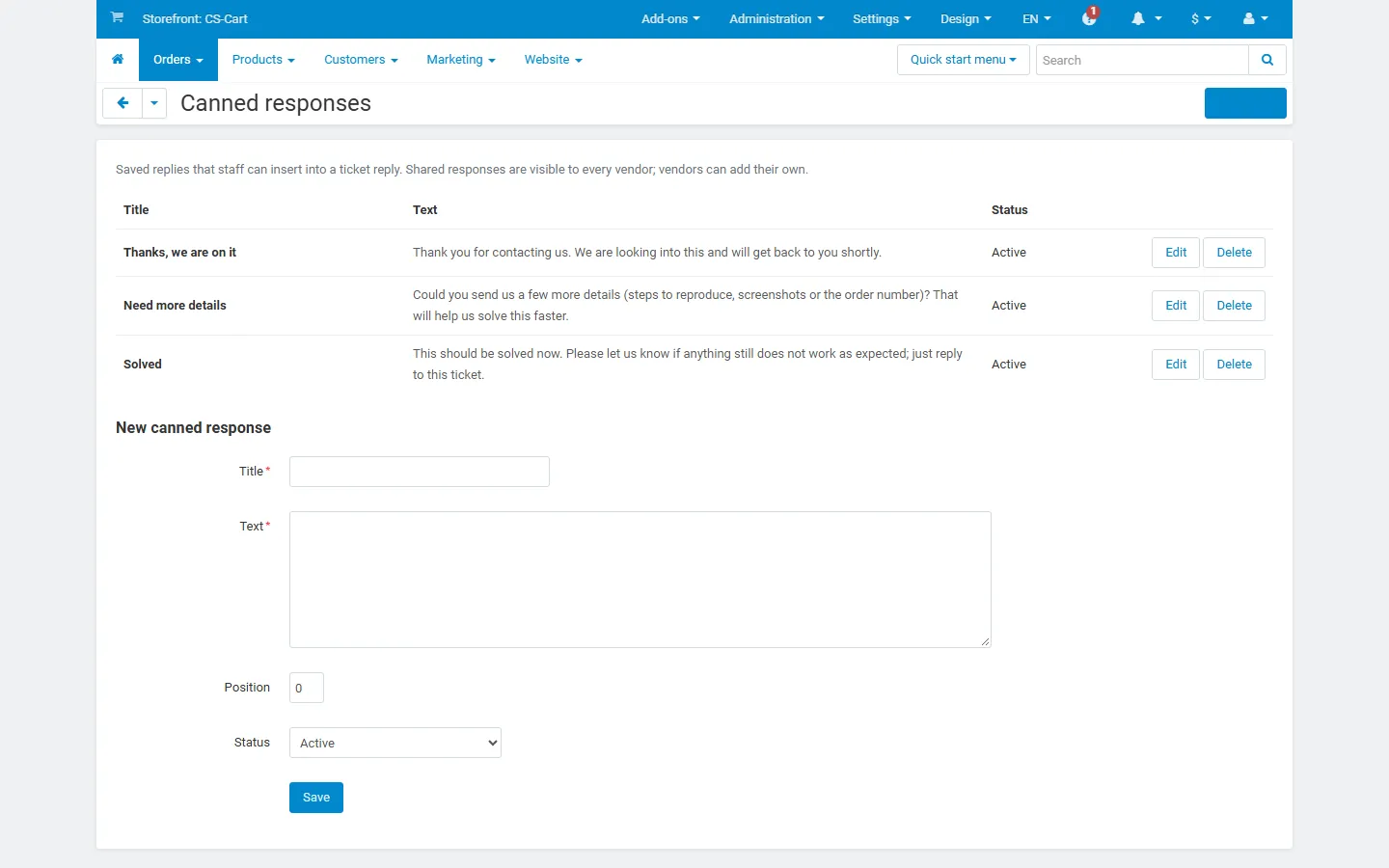
Canned responses page: saved replies with edit/delete and the add form.
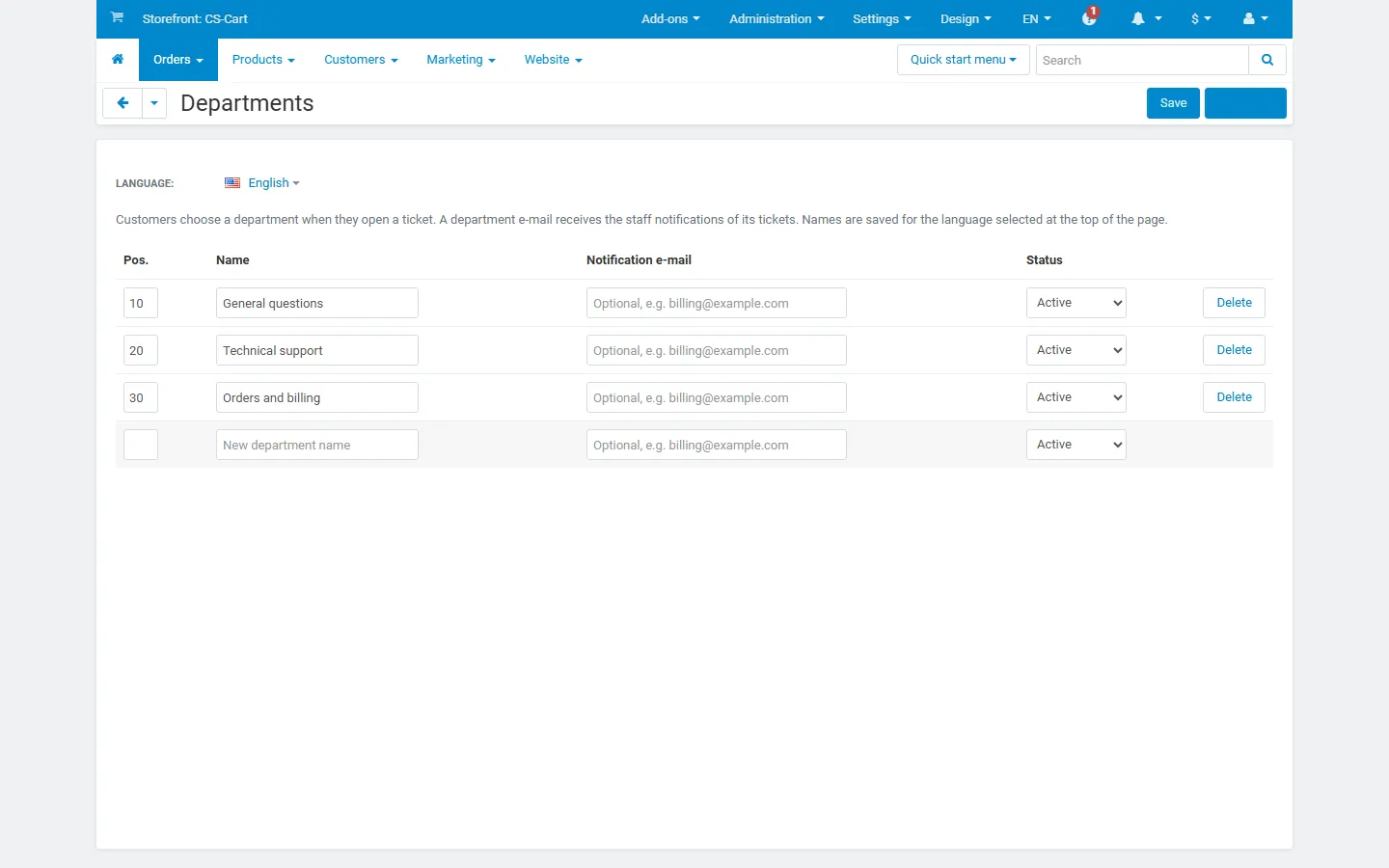
Departments page: names, notification e-mails, positions and status.

Multi-Vendor vendor panel: the vendor sees only the tickets about its own orders.
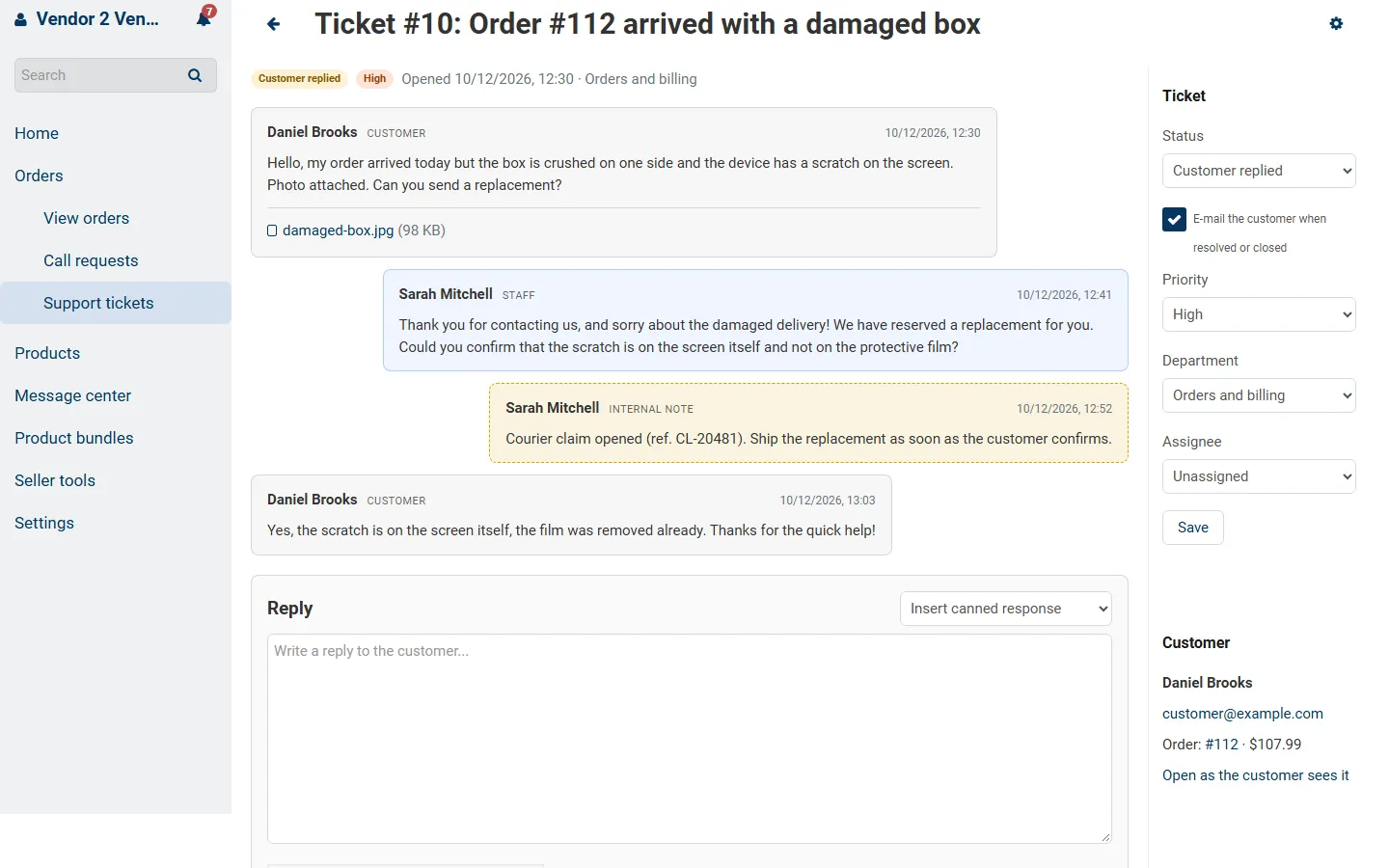
Vendor panel ticket view: the vendor answers the customer about its order.