

B2B Request a Quote (RFQ) screenshots
Real screenshots from our CS-Cart and Multi-Vendor test stores with the add-on installed and the English interface.
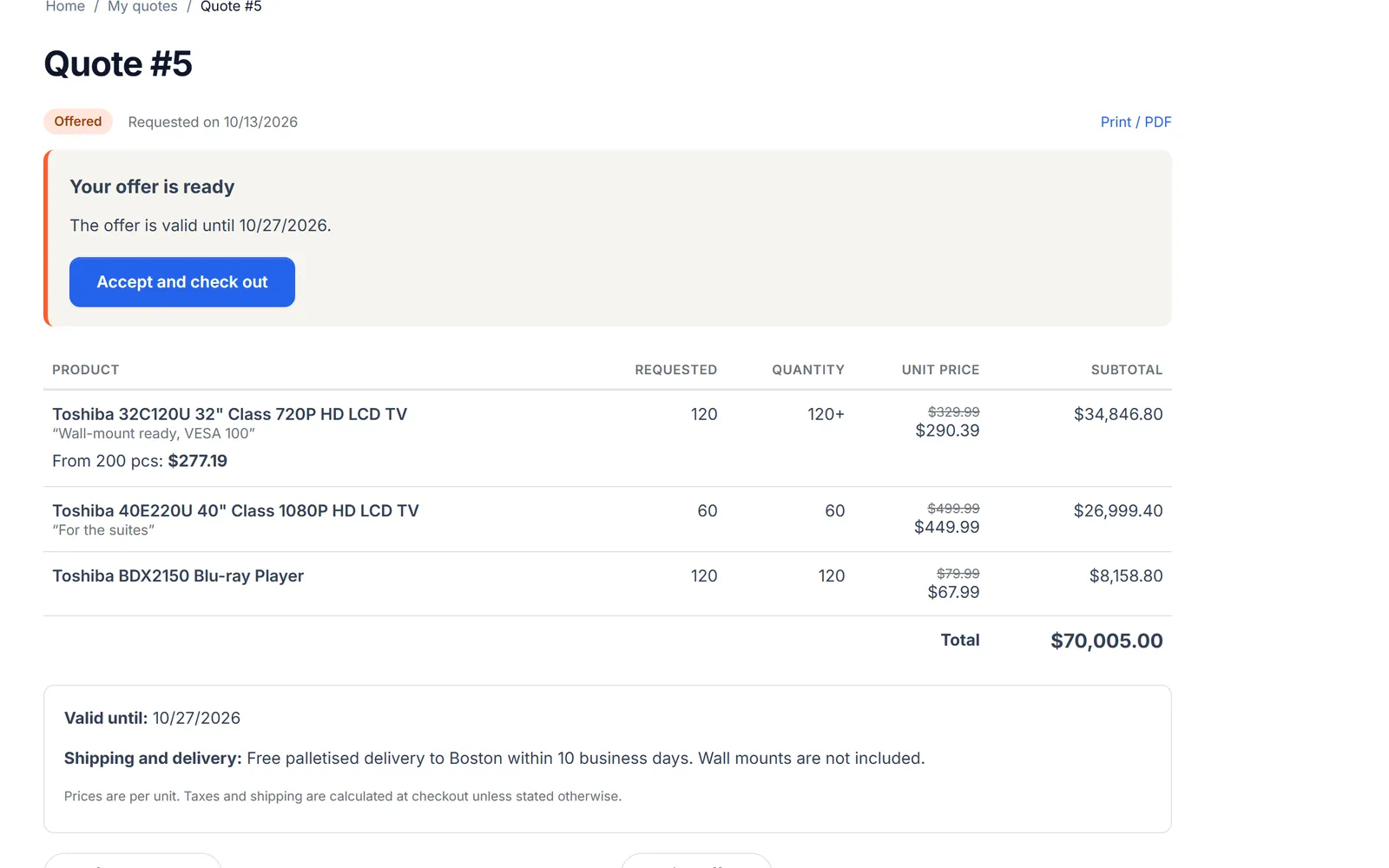
Customer quote page: “Your offer is ready” with the validity date and “Accept and check out”, offered quantities, list prices crossed out, unit prices, a quantity break and the total.
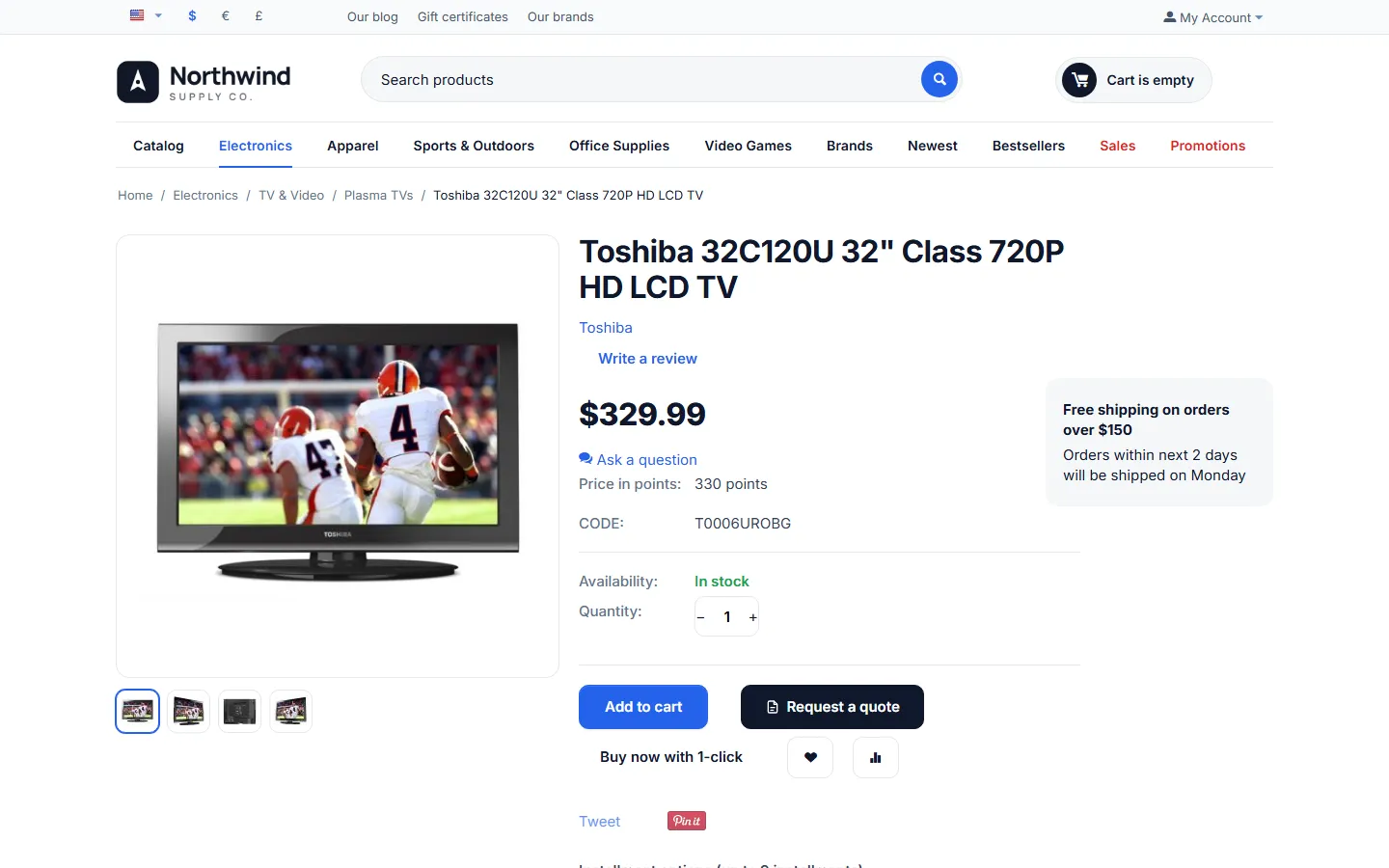
Product page with “Request a quote” next to “Add to cart”; the quantity and options are taken over.
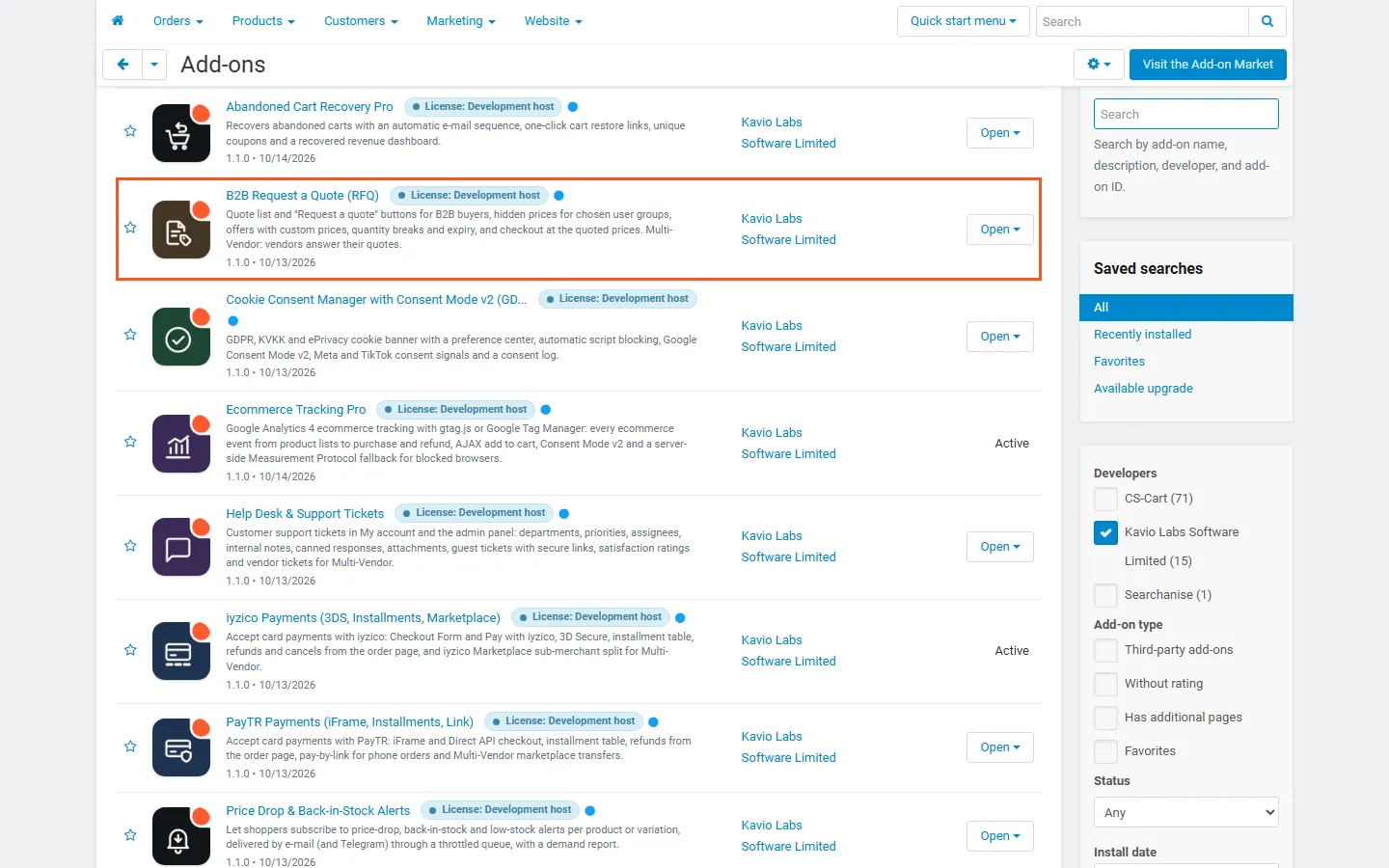
Admin, Add-ons: B2B Request a Quote (RFQ) by Kavio Labs, active (highlighted).
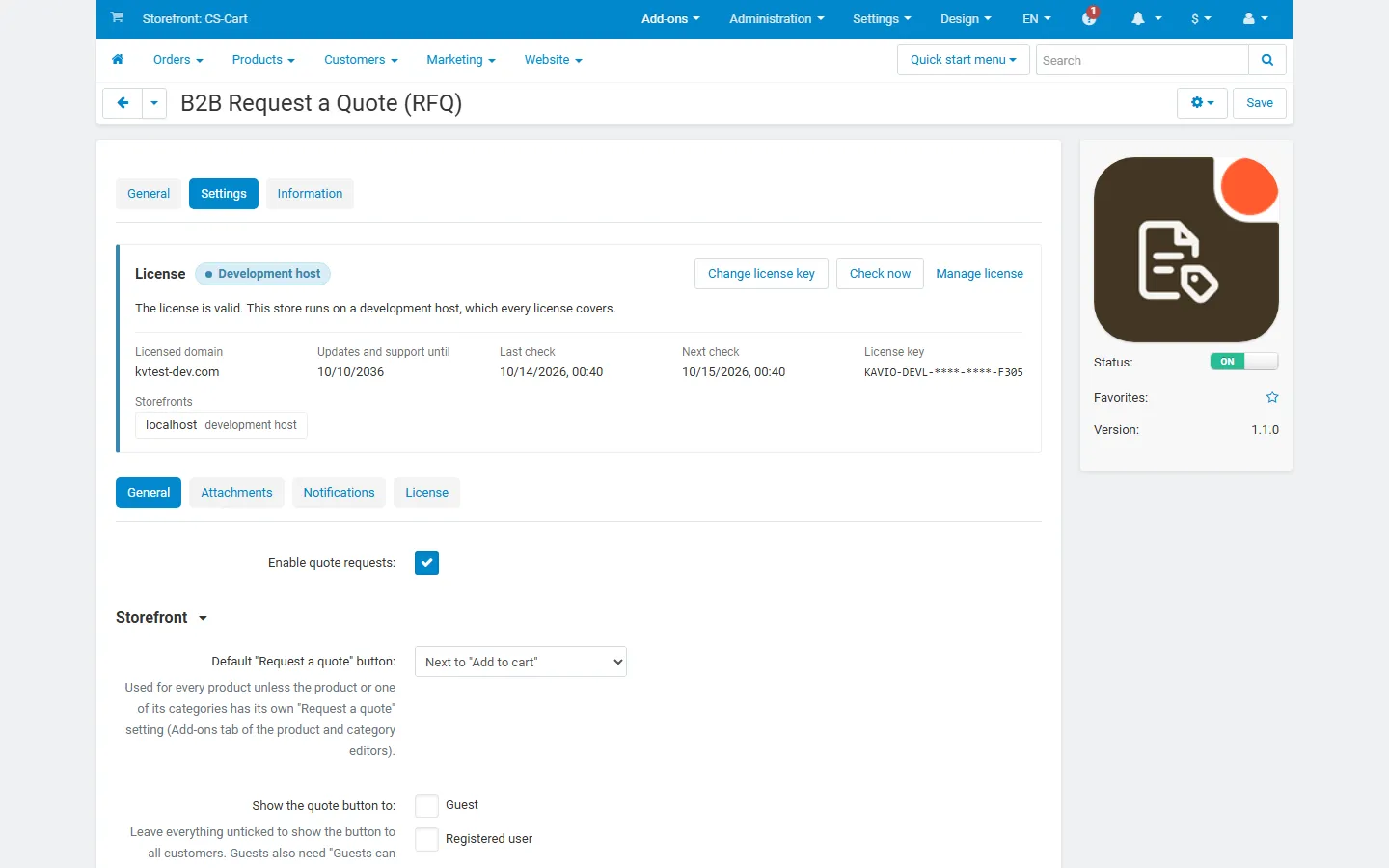
Add-on settings, General: enable, default button mode, “Show the quote button to” and “Hide prices from” user groups, guest requests.
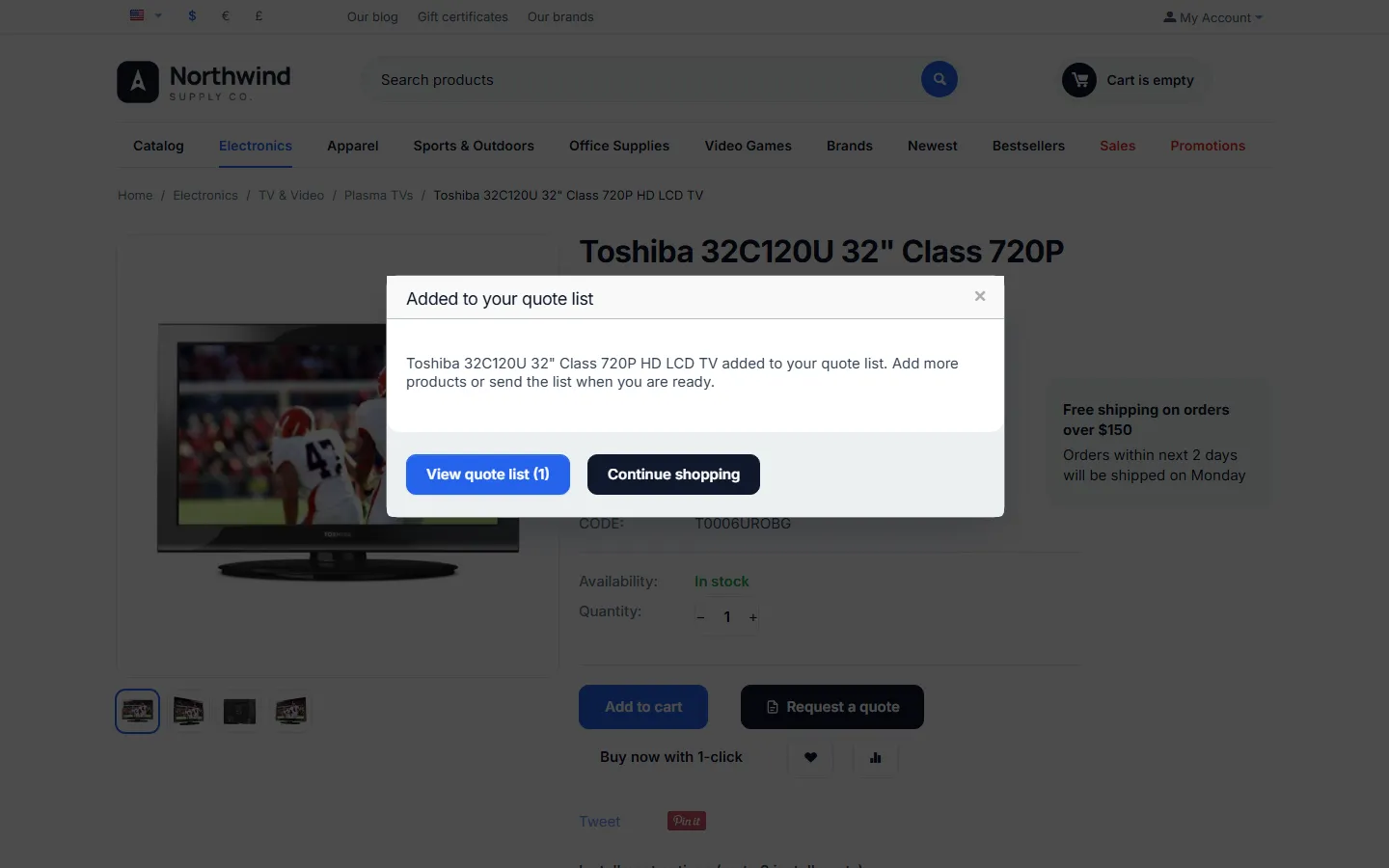
“Added to your quote list” window with “View quote list (1)” and “Continue shopping”.
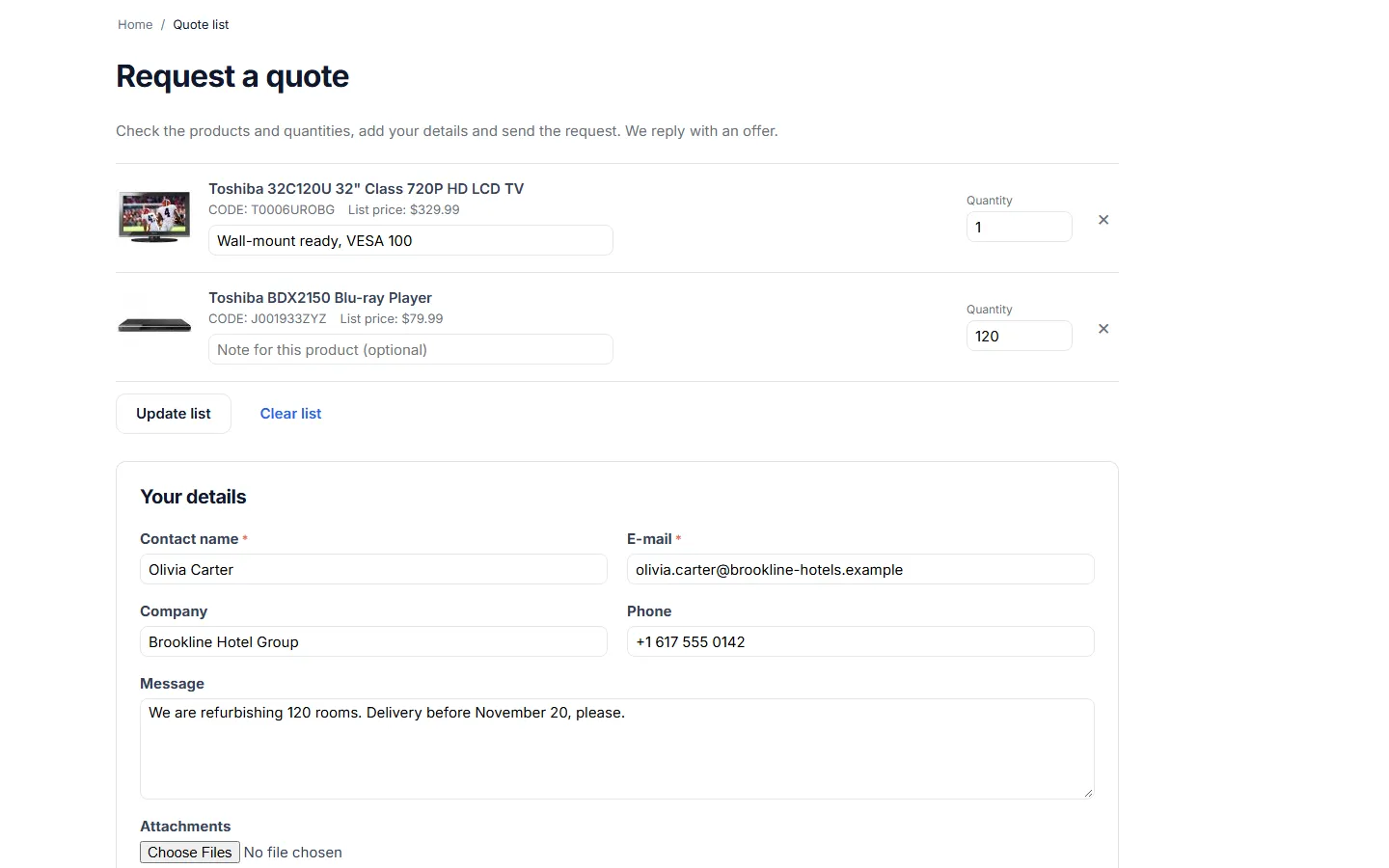
Quote list: products with list prices, a note per product, quantities, remove, “Update list” and the start of the request form.
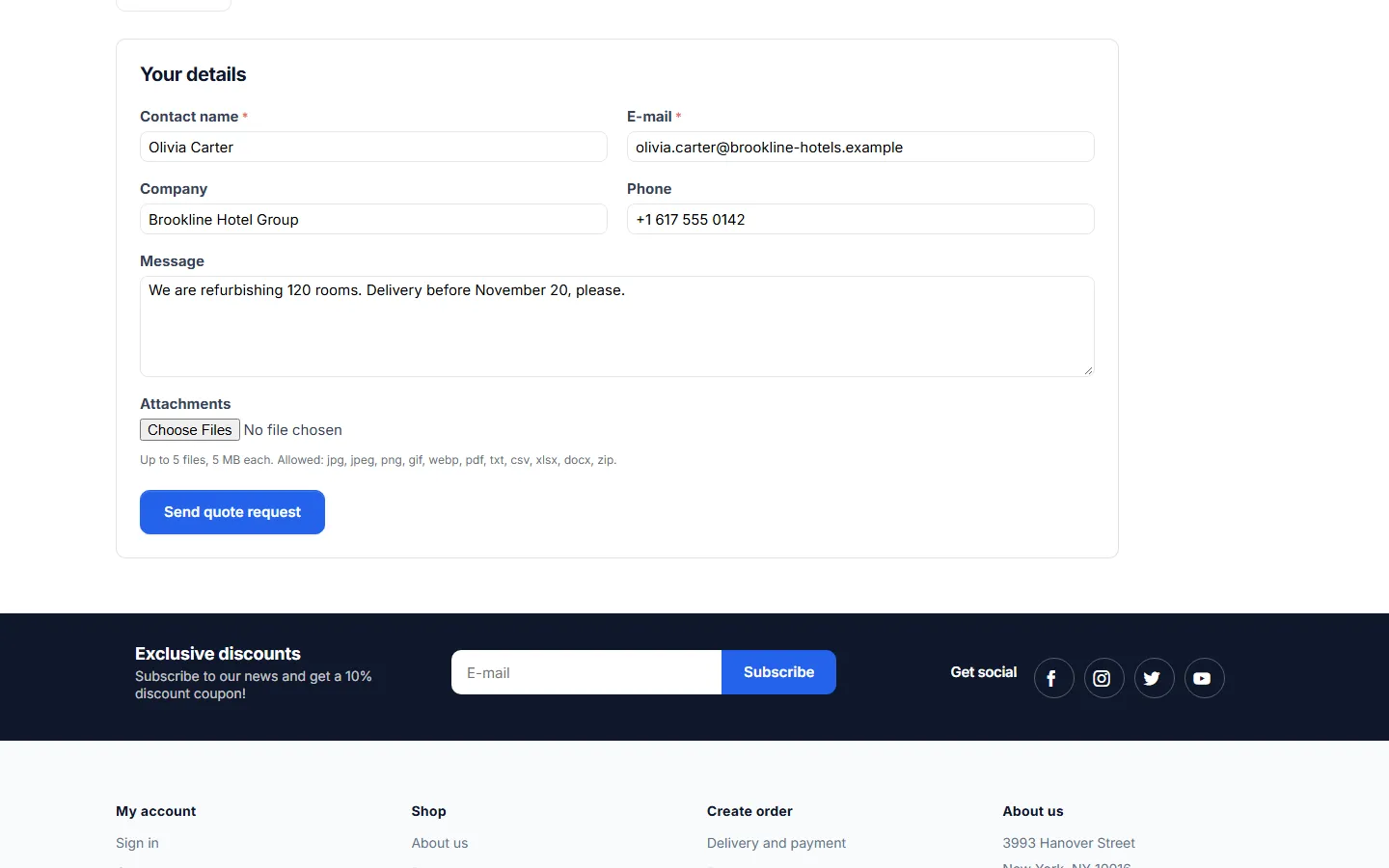
Request form: contact name, e-mail, company, phone, message, attachments and “Send quote request”.
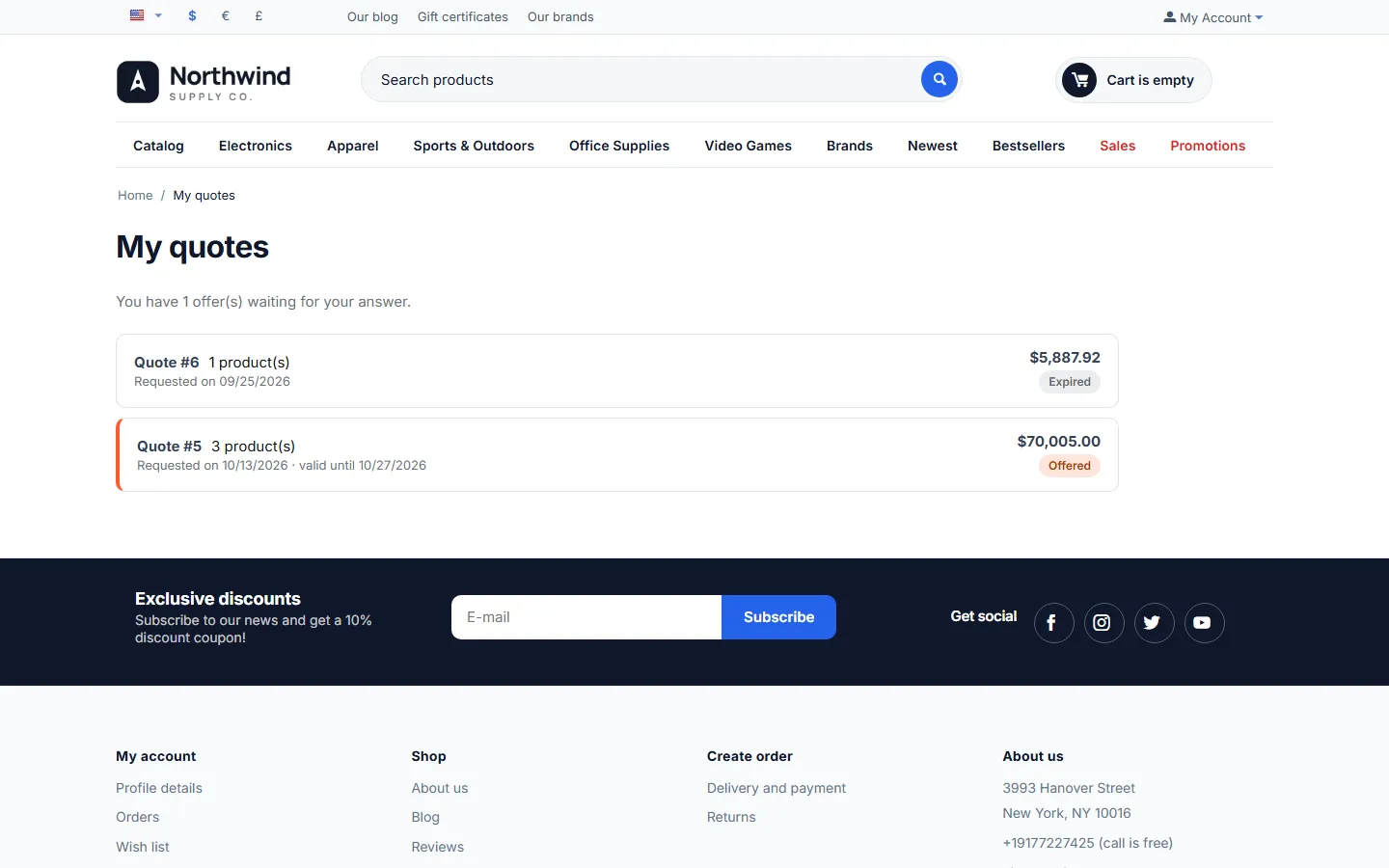
My account, My quotes: an offer waiting for an answer and an expired quote, with totals and status badges.
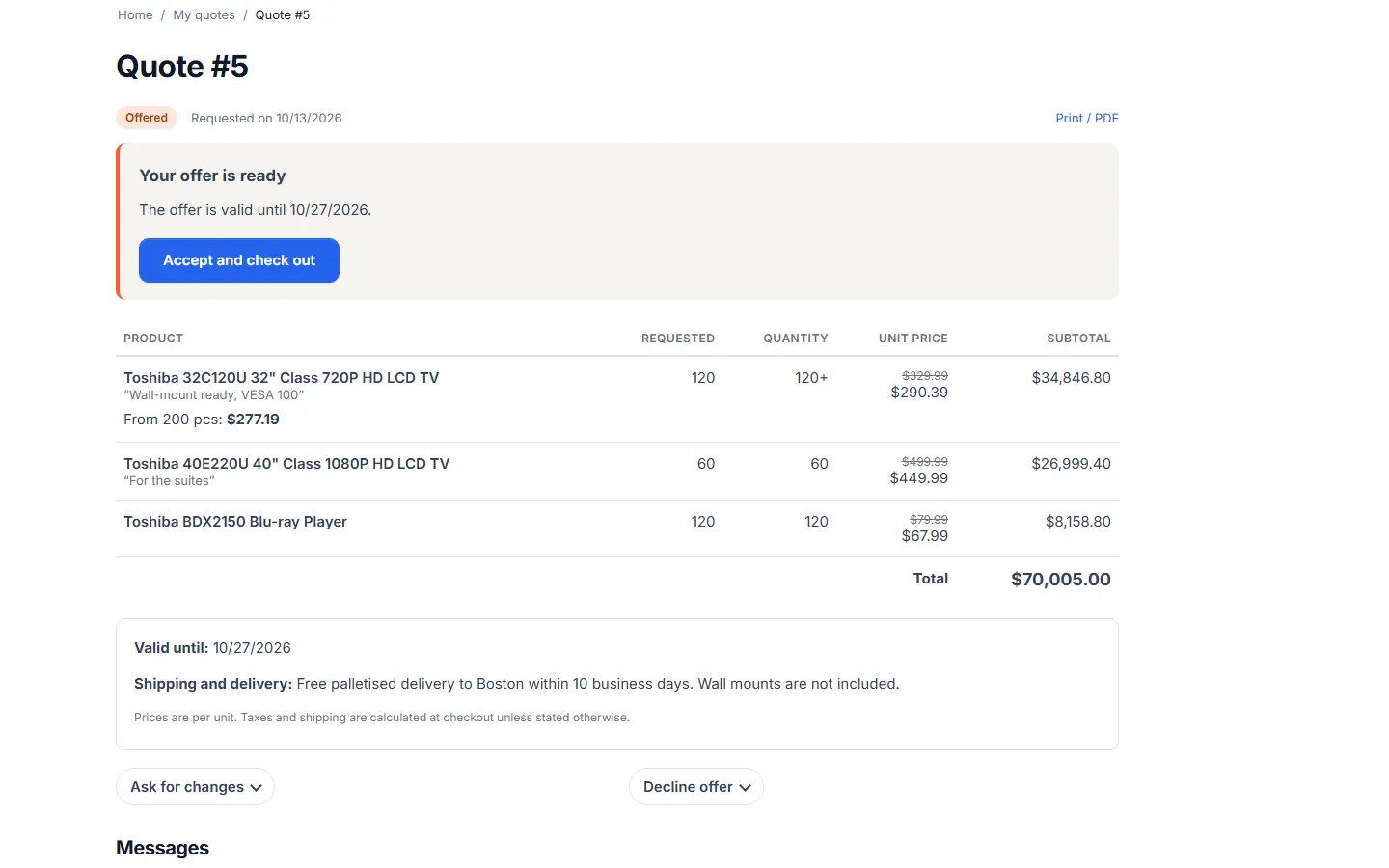
Quote page for the customer: offer callout, quantities, crossed-out list prices, unit prices, quantity break, total, validity and shipping note, “Ask for changes” and “Decline offer”.
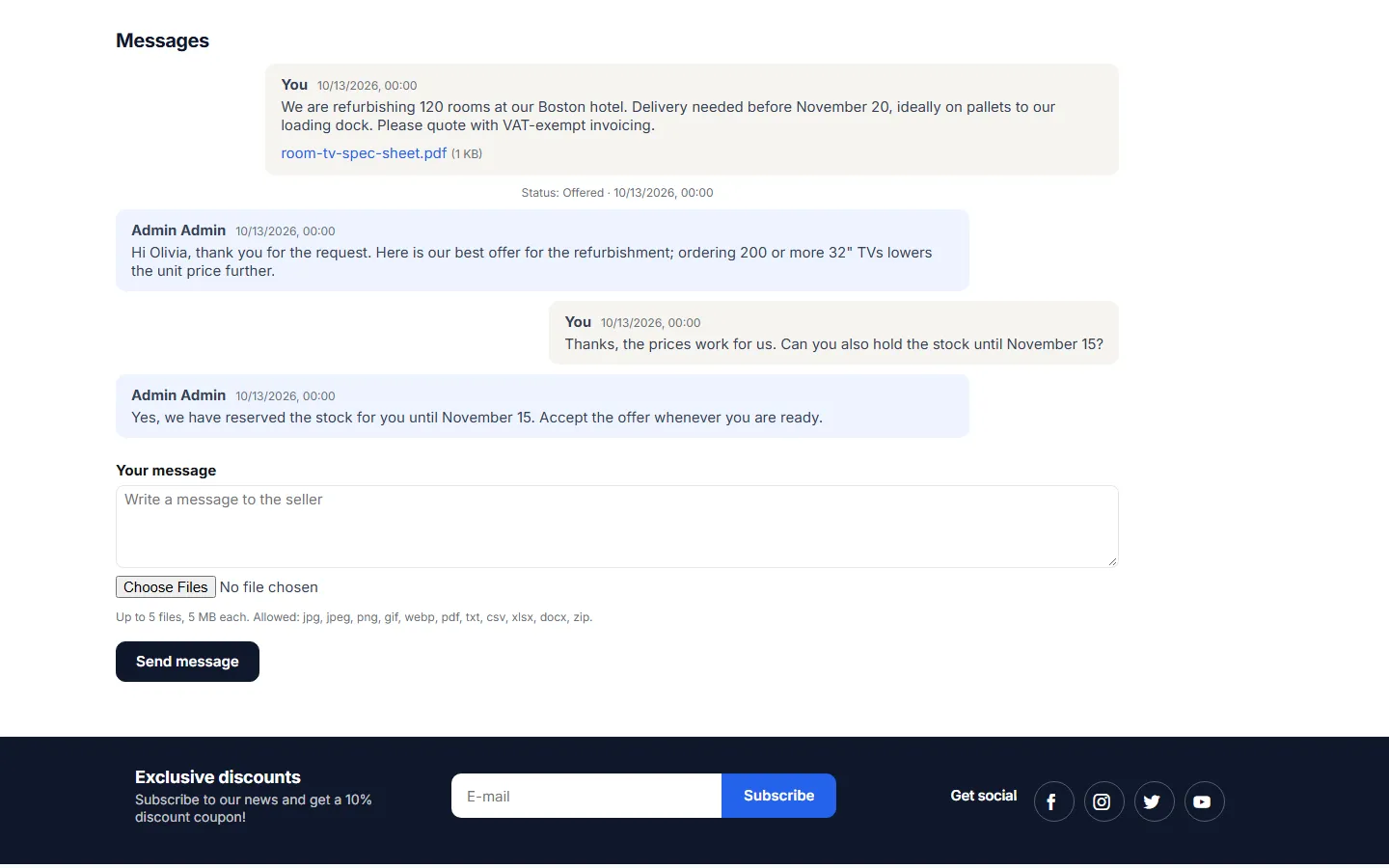
Messages on the quote page: the request with its PDF attachment, the offer, the customer’s question and the answer, plus the reply form.
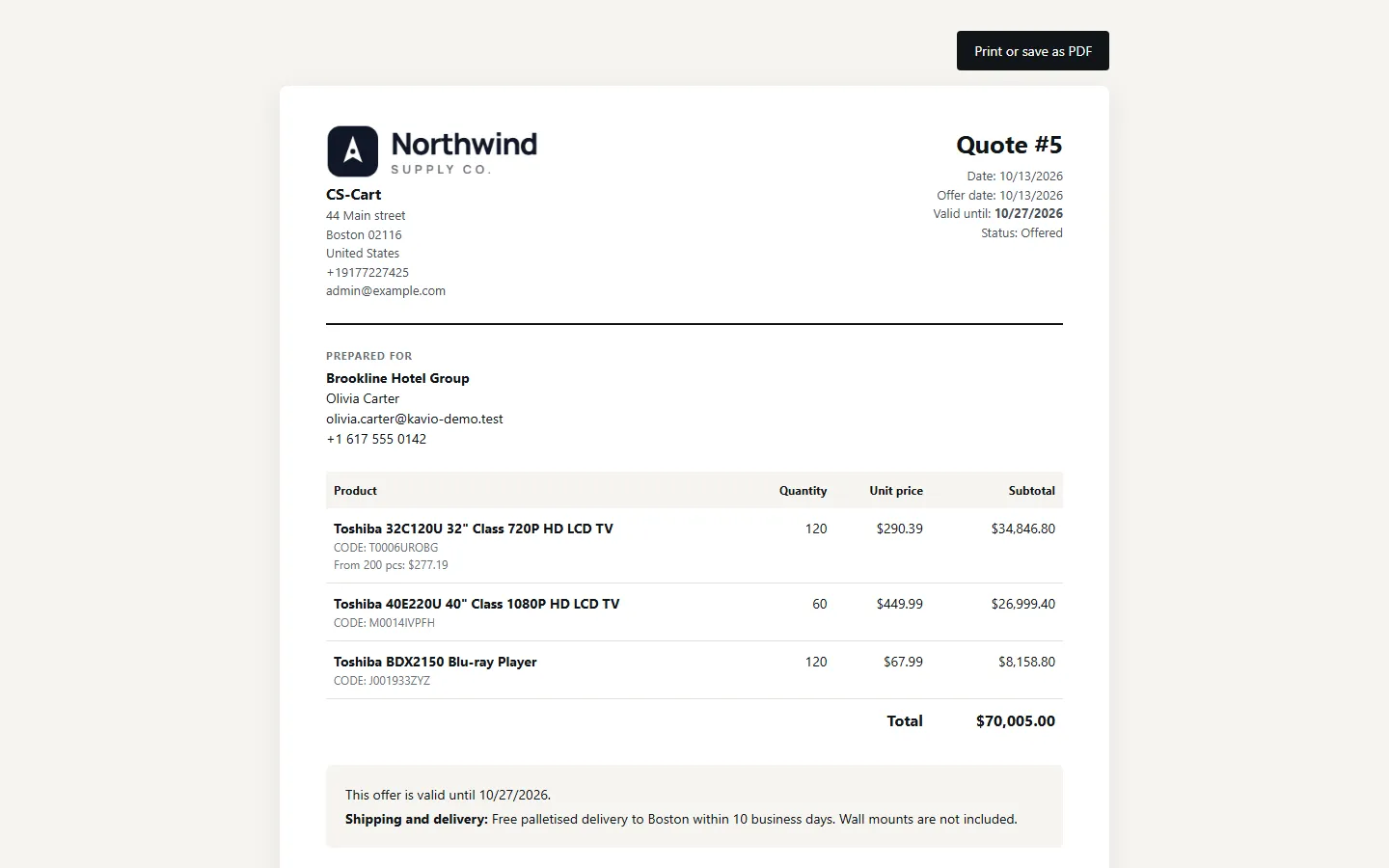
Printable quote (“Print or save as PDF”): store logo and address, customer, products, unit prices, quantity break, total, validity and shipping note.
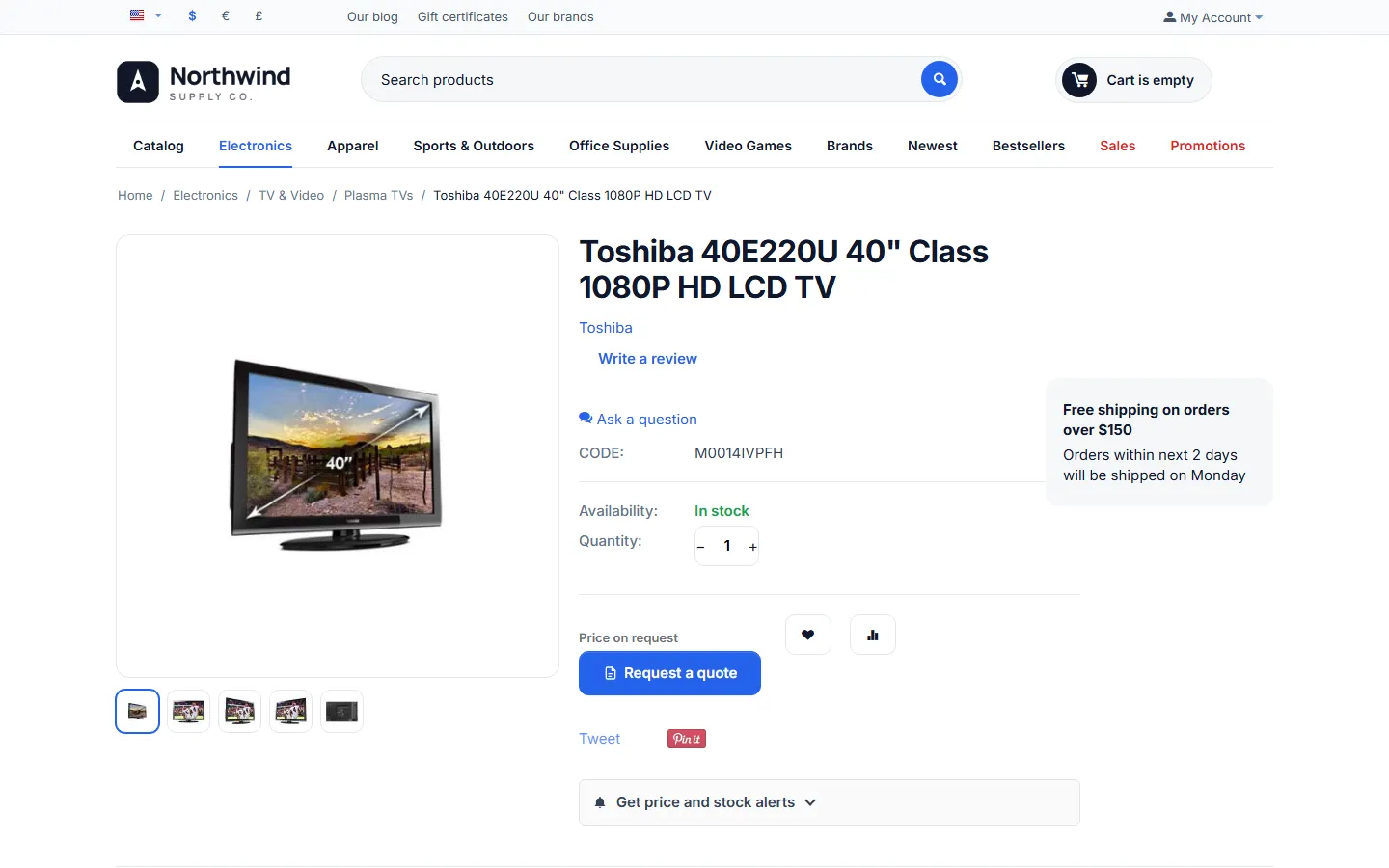
Hidden prices for guests: product page with “Price on request” and “Request a quote” instead of the price and “Add to cart” (no 1-click buy).

Category page for a guest with hidden prices: products without prices.
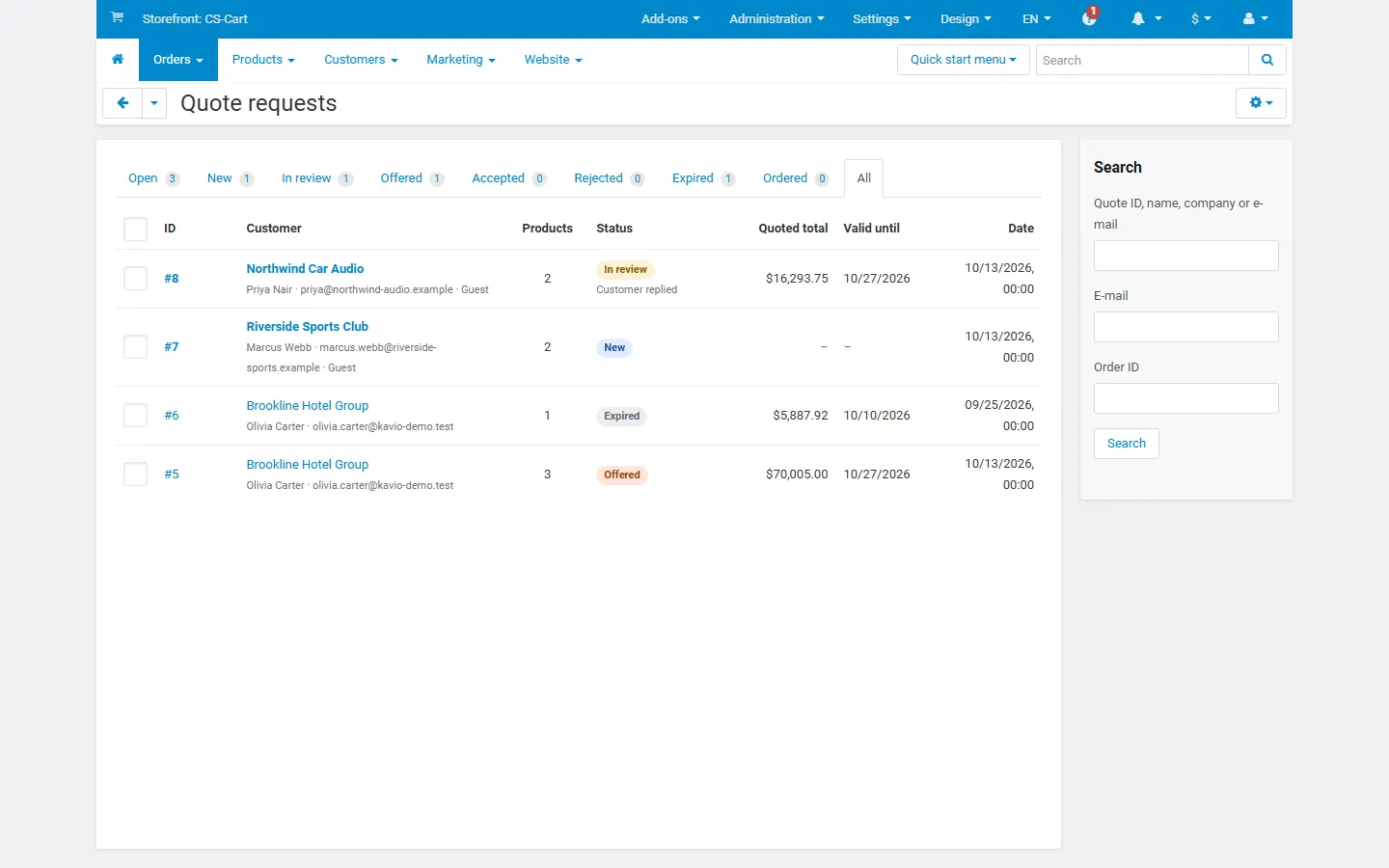
Admin, Orders > Quote requests: status tabs with counts, customer and company, product count, status badges with “Customer replied”, quoted total, validity and the search sidebar.

Admin quote editor: products and prices with discount %, unit price, quantity breaks and remove; customer, status and summary sidebar.

Offer terms: validity date, shipping and delivery note, message with the offer, “Save” and “Send offer”.
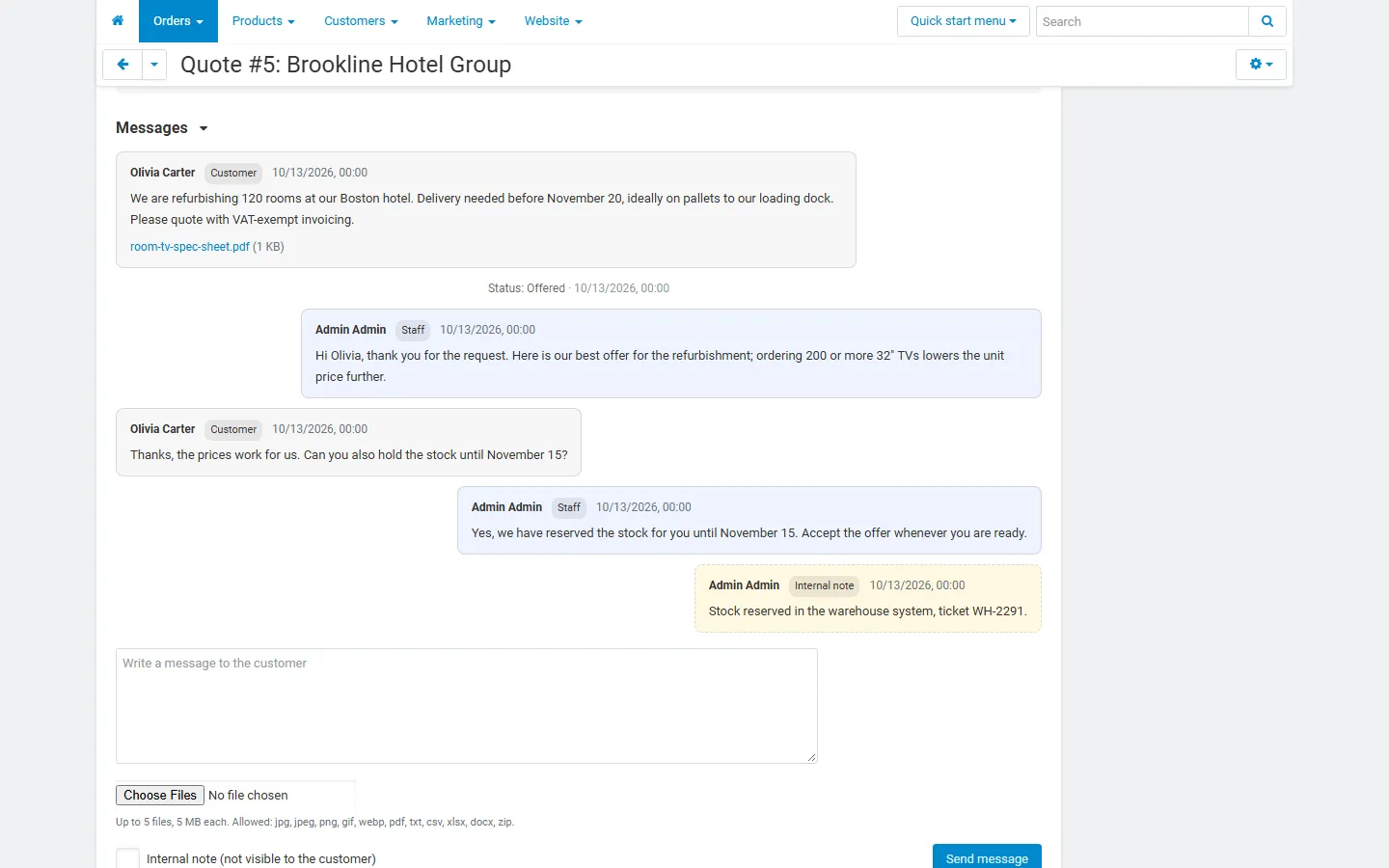
Admin messages: customer and staff messages with the attachment, a status line and a yellow internal note, plus the reply form.
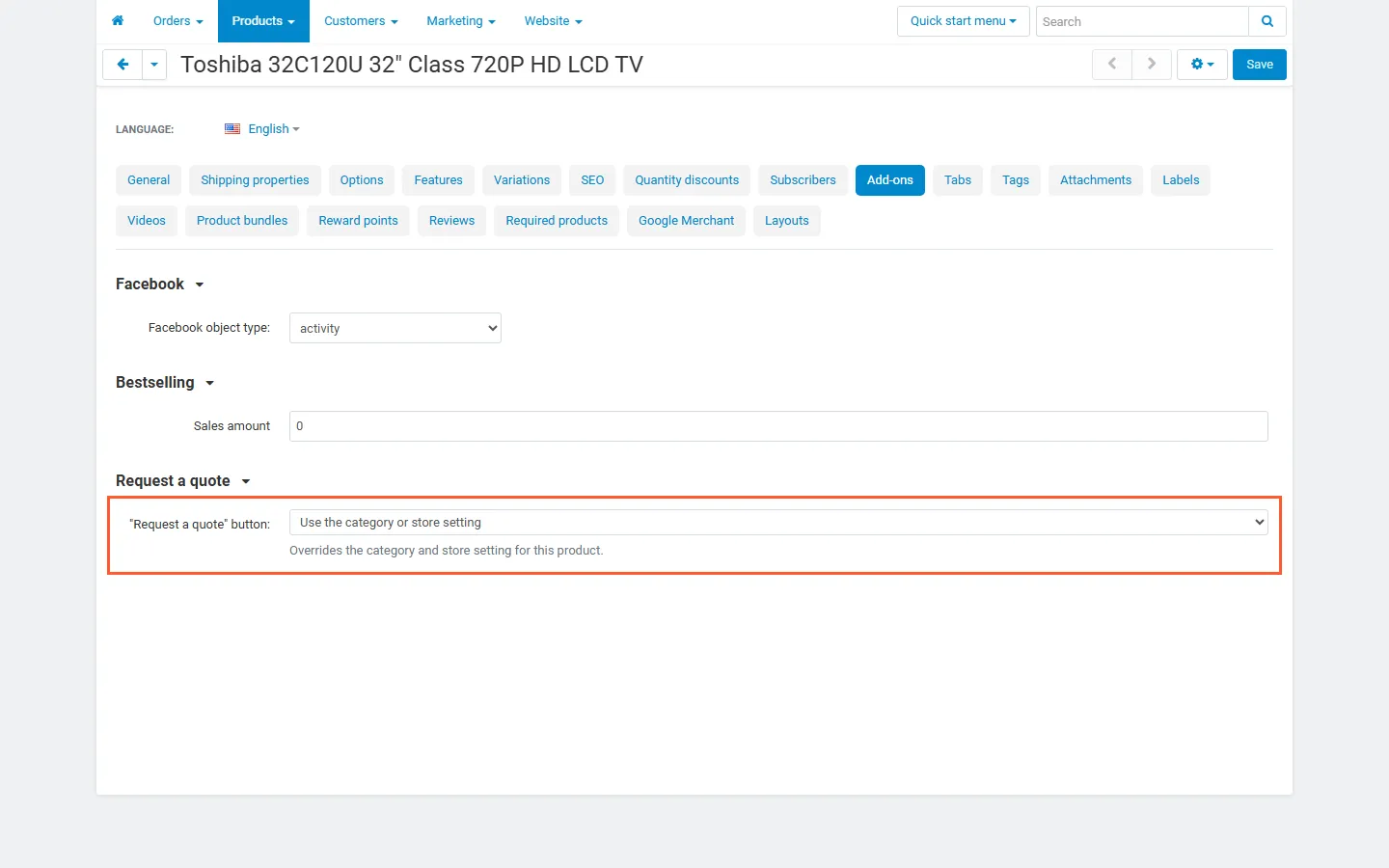
Product editor, Add-ons tab: the “Request a quote” setting (store/category default, next to Add to cart, quote only, do not show).
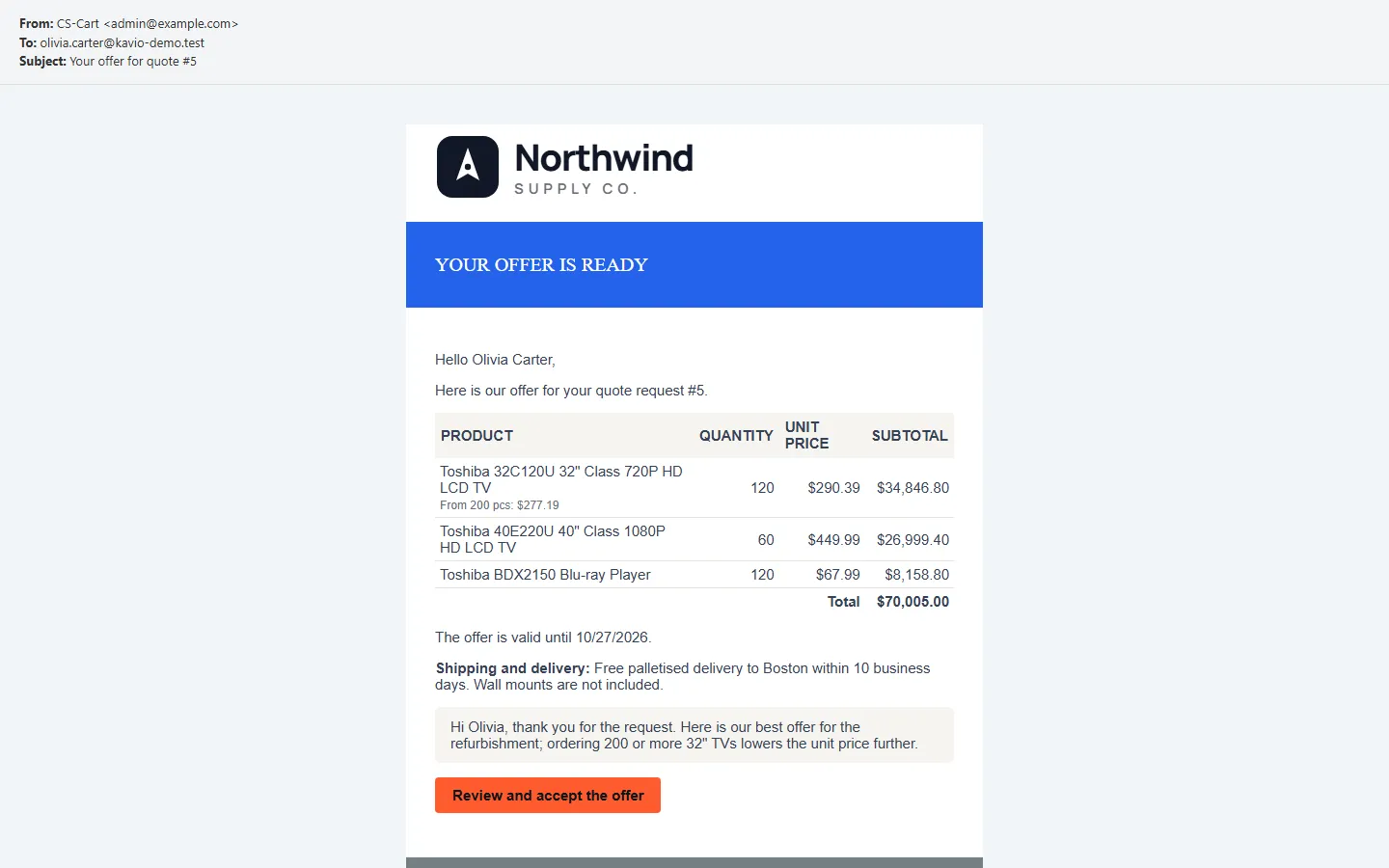
Offer e-mail to the customer: products with quantities, unit prices, the quantity break, total, validity, shipping note, message and “Review and accept the offer”.
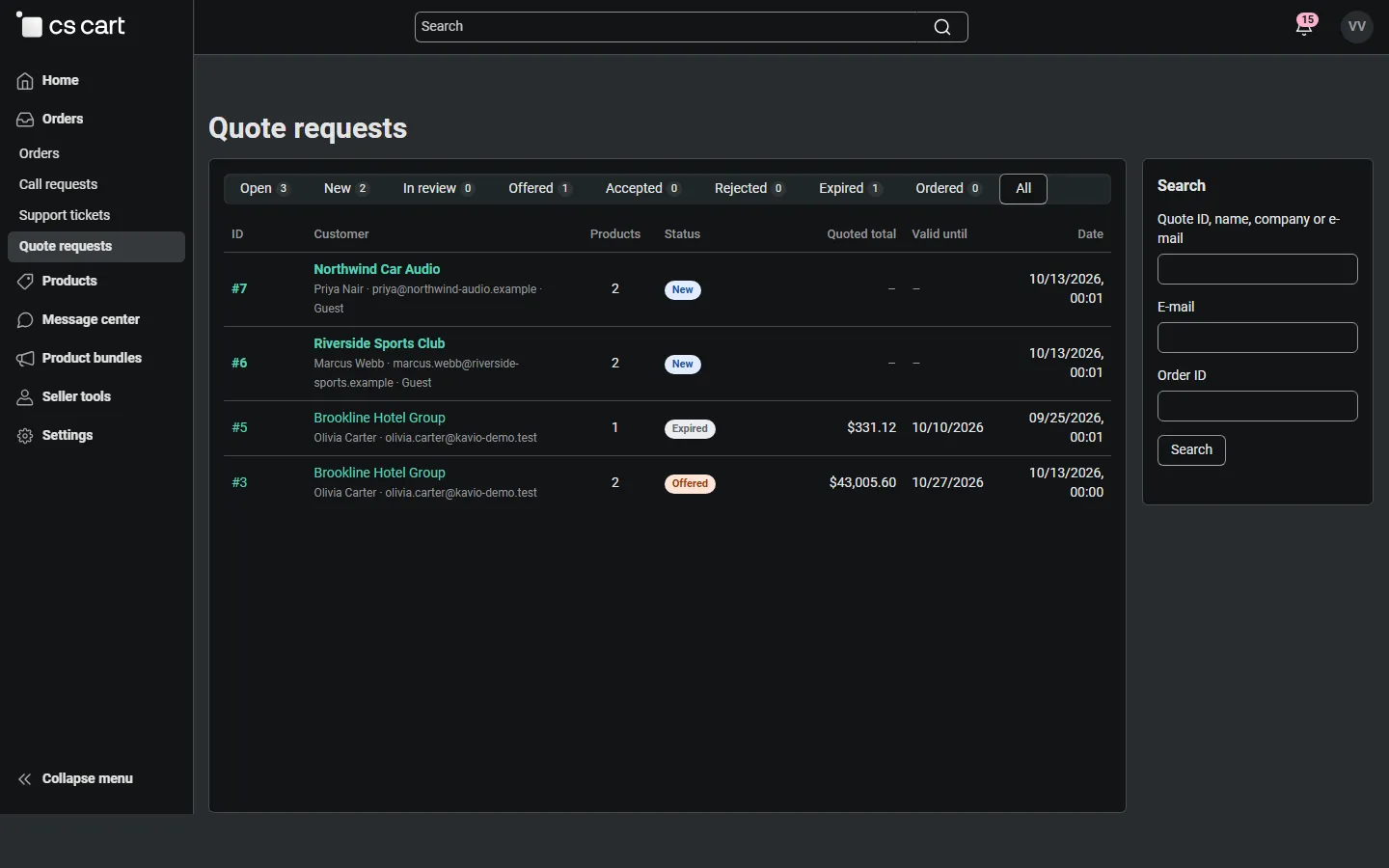
Multi-Vendor vendor panel (4.21): Orders > Quote requests with only the vendor’s own quotes.
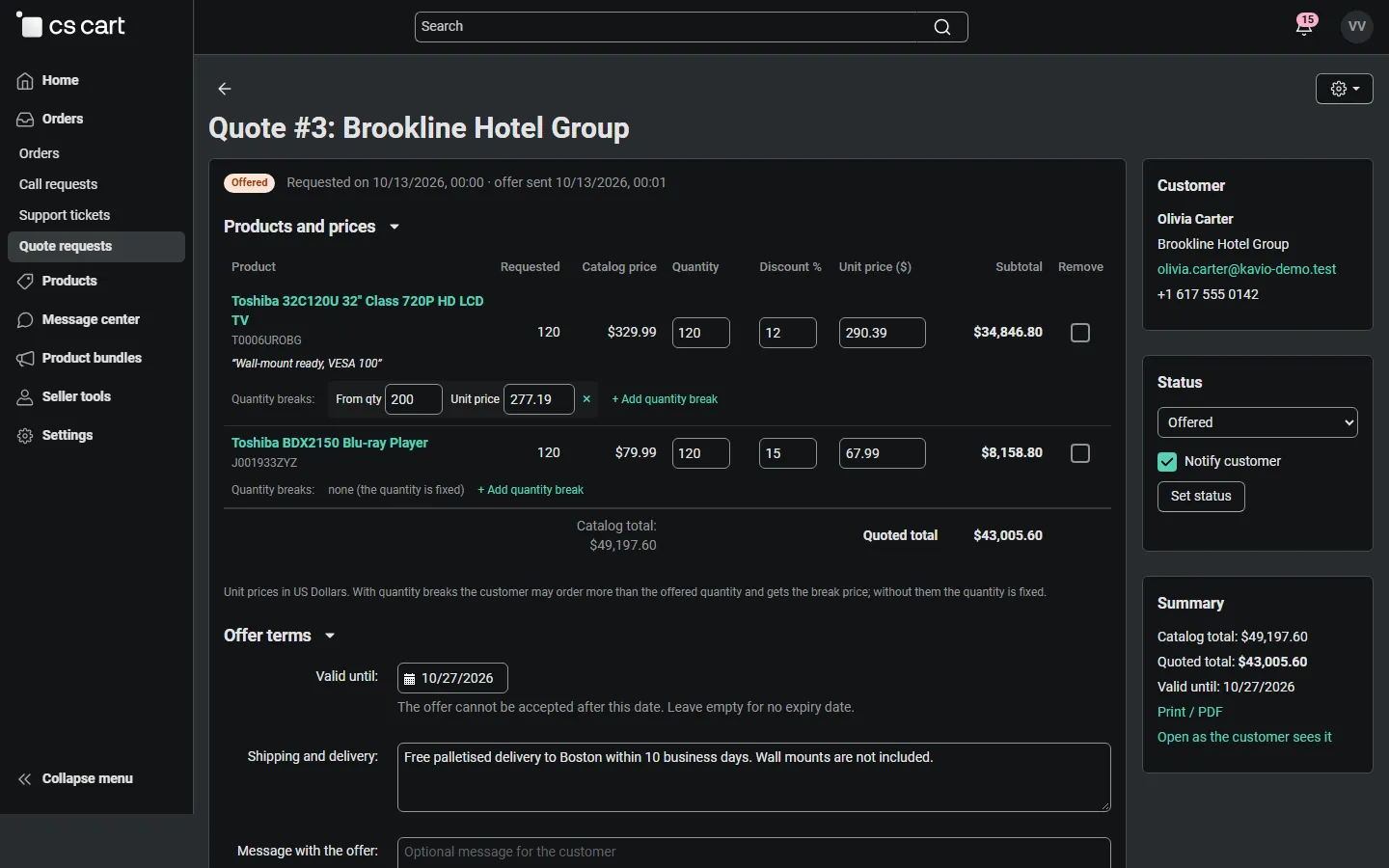
Vendor panel quote editor: the vendor sets prices, a quantity break and the offer terms for its part of a split request.
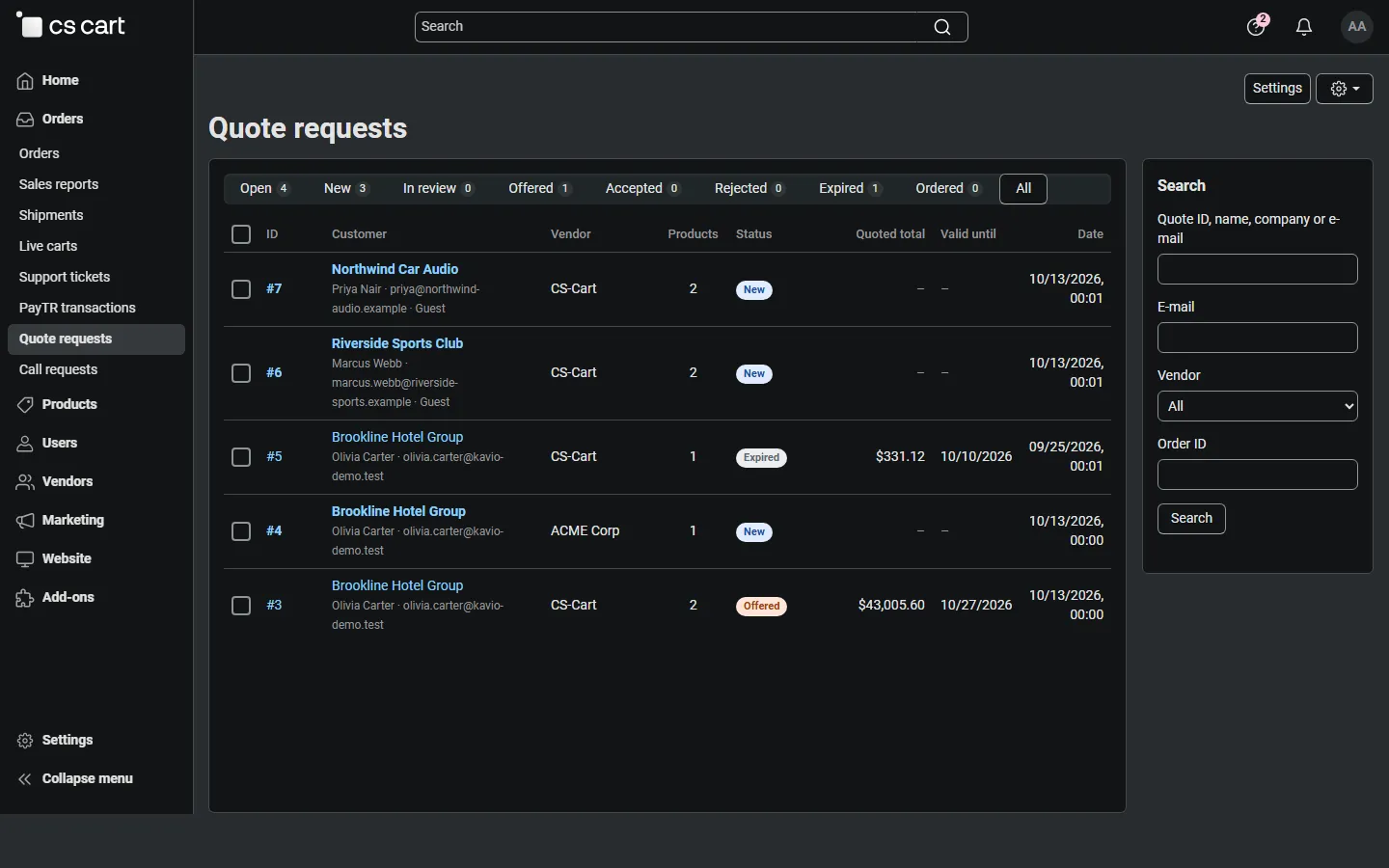
Multi-Vendor admin quote list with the Vendor column: one customer request split between CS-Cart and ACME Corp.
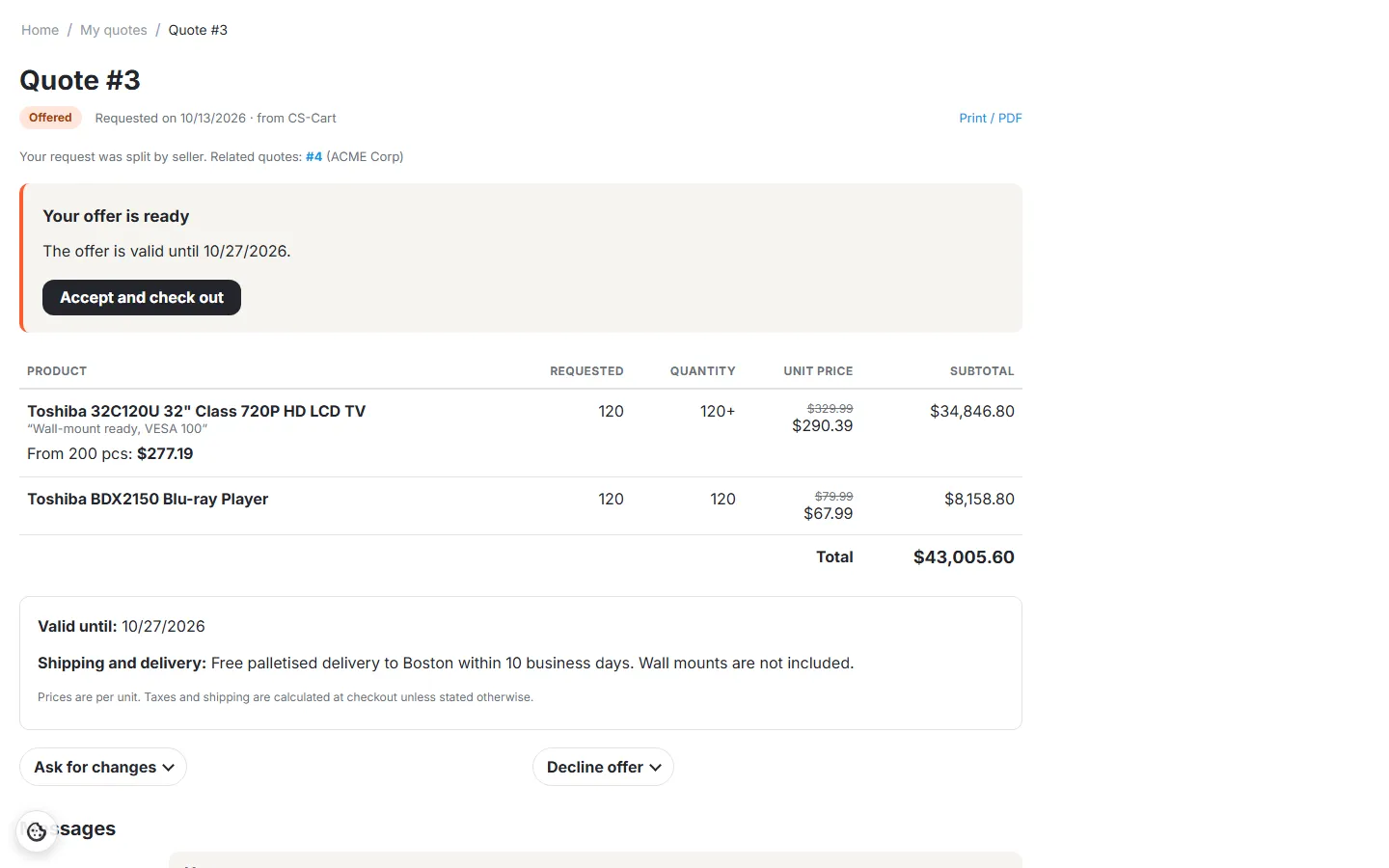
Nova storefront: the vendor’s offer with “Your request was split by seller. Related quotes: #4 (ACME Corp)”.