

Pre-Orders & Deposits
Add-on ID: kv_pre_orders_backorders · Edition: CS-Cart & Multi-Vendor · Latest version: 1.0.0 · Compatible with: CS-Cart & Multi-Vendor 4.17.2 – 4.21.x, PHP 7.4 – 8.3 · Changelog: view
Pre-Orders & Deposits lets you sell products before they are in stock and take part of the money up front. It builds on the core Buy in advance option and the core Available since date: a product in pre-order mode shows a “Pre-order” label and button, the ship date and the deposit, and customers pay a deposit now and the balance later, on the same order, through a secure payment link with reminders. Deposits also work for made-to-order products that are not pre-orders.
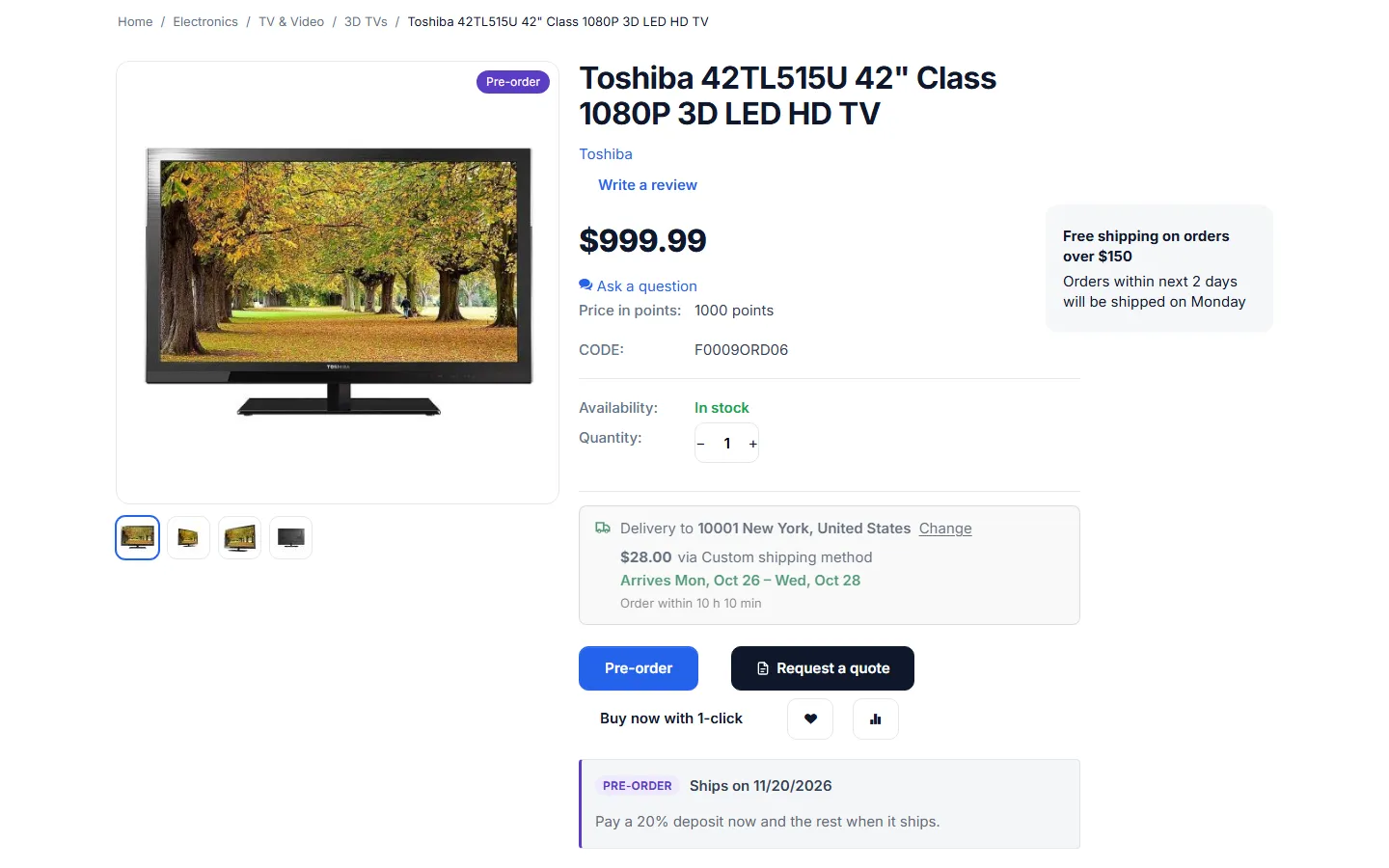
- Pre-order mode per product and variation: release date (the core “Available since” date), optional pre-order limit, custom button text, a “Pre-order” label in lists and on the product page and an info box with the ship date. Without a date the product is a backorder that “ships when back in stock”. When the date has passed and the stock is there, the product sells normally again.
- Deposits: a percent of the price or a fixed amount per item, as a store default for pre-orders or per product. A deposit on a product that is not a pre-order makes it a made-to-order product.
- Same order, full price: prices, taxes, promotions and shipping are calculated by CS-Cart on the full price as usual. The add-on only splits the order total into “pay now” and “balance”: shipping, surcharges and in-stock items are paid now, the pre-order items’ rest later. Deposit + balance always equals the order total, to the cent.
- Any payment gateway: the gateway charges only the amount due now (or the balance), because the add-on hands it that amount; everything else (pages, e-mails, invoices, reports) keeps the full order total.
- Balance payment link: a secure link per order (no login needed) on a page that lists the store’s payment methods. It is e-mailed on the release date (or some days before), followed by reminders, a due date and an overdue rule: notify, or cancel the order.
- Order statuses: a “Deposit paid” status is created at installation (stock stays reserved, it does not count as paid). A failed balance payment never fails or restocks the order.
- Order page tools: a panel with the deposit, the balance, the due date and the history, plus “Send the balance link now”, “Deposit received”, “Mark as paid in full” and a due date field.
- Reports: Orders → Pre-orders & deposits with open balances and collected deposits, and a products report with pre-ordered units, limits and stock.
- Mixed carts: allow pre-order and in-stock items together, allow them with a note, or ask customers to order them separately.
- Multi-Vendor: vendors see and manage the pre-orders of their own orders and products; each vendor order gets its own deposit and balance, and vendor payouts count an order once it is paid in full.
- Full page cache ready: product pages depend only on product data; the cart and the payment page are never cached.
Documentation
Section titled “Documentation”| Page | Contents |
|---|---|
| Installation | Requirements, installing, upgrading, disabling, uninstalling |
| Configuration | Every setting, the cron job, license |
| Usage | Pre-order products, the order flow, the balance link, order tools, reports, vendors |
| Developer notes | Money split, payment flow, data model, hooks, caching, file map |
| FAQ | Common questions |
Compatibility
Section titled “Compatibility”- CS-Cart and Multi-Vendor 4.17.2 – 4.21.x (tested on CS-Cart 4.17.2 with PHP 8.1, Multi-Vendor 4.17.2 with PHP 8.1 and Multi-Vendor 4.21.2 with PHP 8.3).
- PHP 7.2.5 – 8.3, depending on your CS-Cart version.
- Storefront themes: Responsive, Nova and themes based on them.
- Works with any payment method; offline methods are confirmed by you on the order page.