

Usage
Overview · Installation · Configuration · Developer notes · FAQ
On the storefront
Section titled “On the storefront”The Questions & answers tab lists the published questions of the product with their answers:
- the number of questions and how many are answered, a search field and the order (most relevant, most helpful, newest), when there is more than one question;
- each question with the asker’s name and date and an Answered badge; the first answer is shown, Show N more answers opens the rest;
- each answer with its author: Store (your store name), Seller (the vendor) or the customer’s name, with Verified buyer when they bought the product, and a Helpful button with the count;
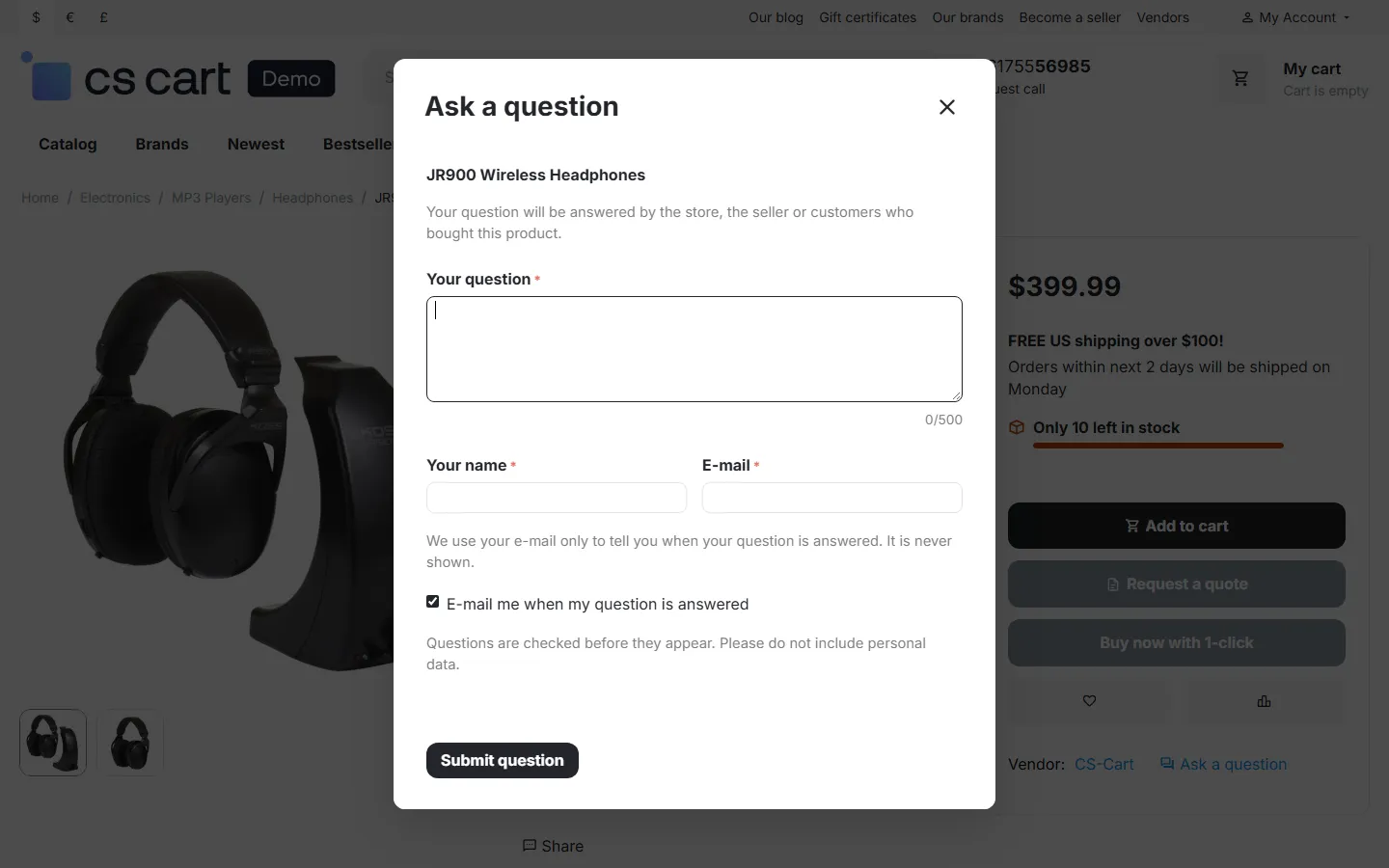
- Ask a question opens a short form; signed-in customers only type the question, guests add their name and e-mail. The asker can choose to get an e-mail when the question is answered;
- Answer this question appears for customers who may answer (by setting: verified buyers or all signed-in customers).
Under the product title a link N answered questions jumps to the tab.
A shopper can mark each answer as helpful once. Guests are recognized by a random browser id together with their IP address; nothing personal is stored.
Moderation
Section titled “Moderation”Products → Product questions is the moderation queue.
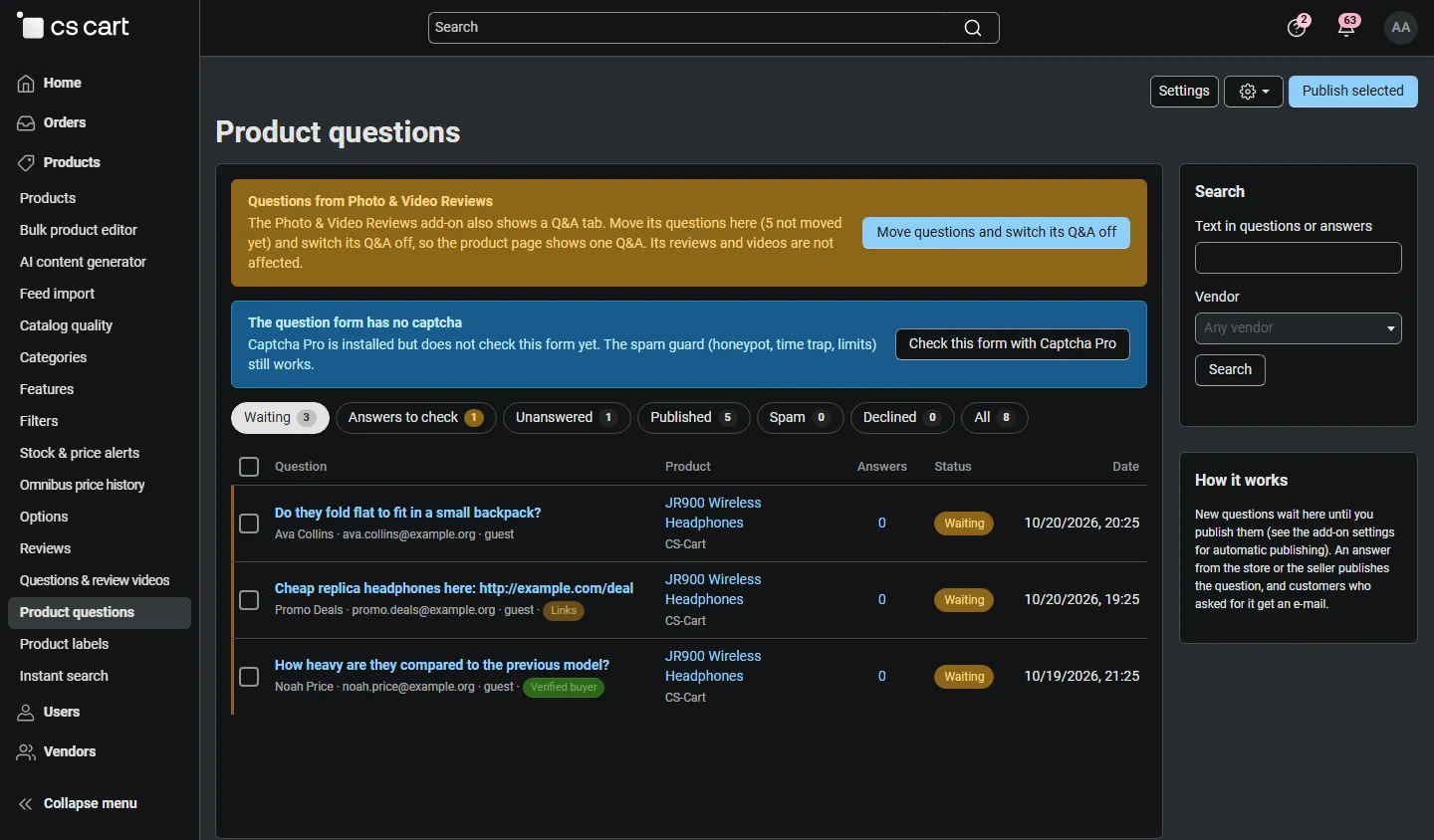
- Waiting: new questions to publish (with flags like Links when the spam guard held them);
- Answers to check: questions with customer (or vendor) answers waiting for approval;
- Unanswered: published questions without a published answer;
- Published, Spam, Declined, All.
Select questions and use Publish selected or the gear menu (decline, mark as spam, delete). The search in the sidebar finds text in questions and answers; on Multi-Vendor you can filter by vendor.
Answering
Section titled “Answering”Click a question to open its page.
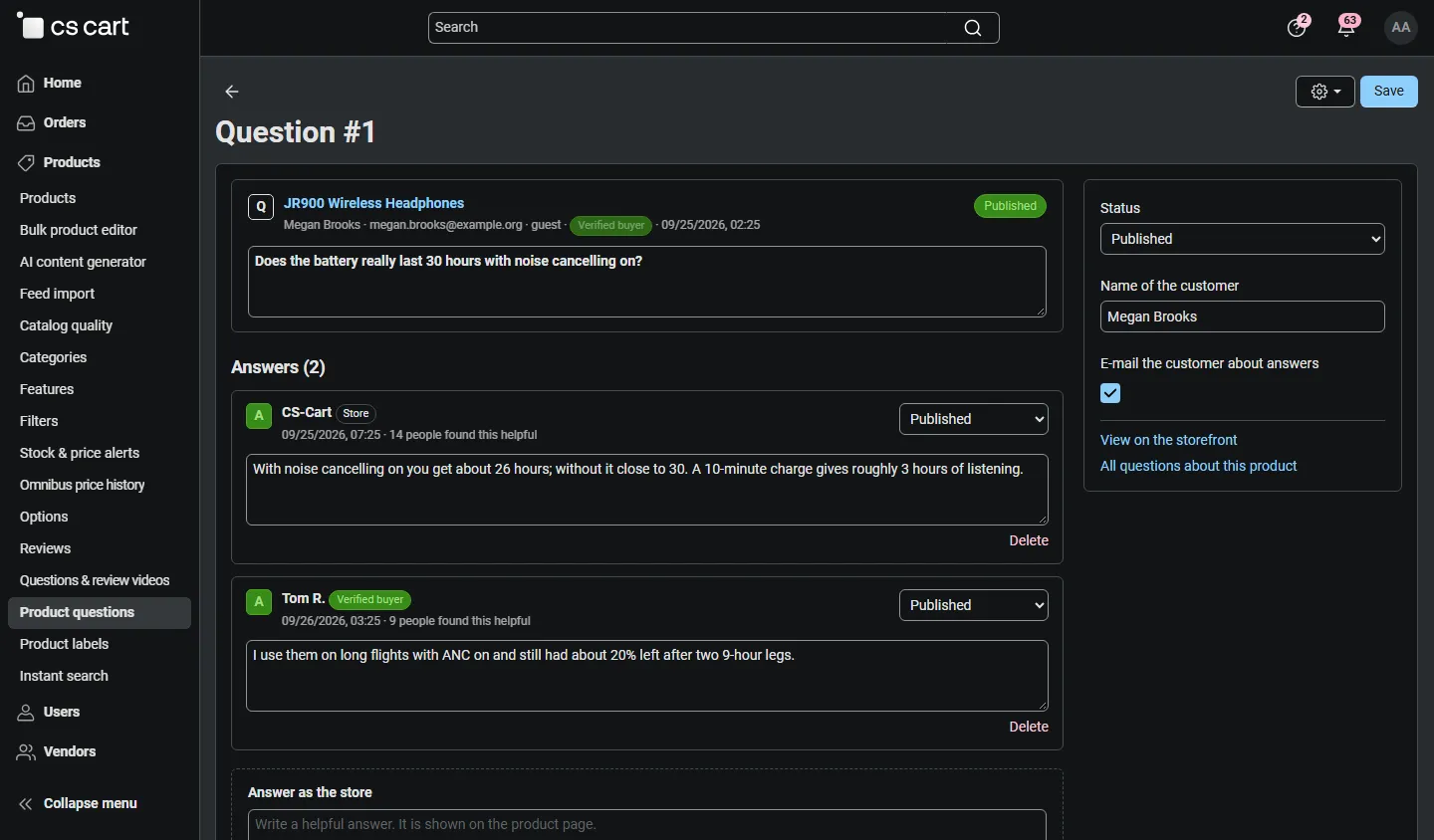
- Edit the question text or the name shown, change the status, and switch the customer’s e-mails on or off.
- Every answer has its own status (waiting, published, declined) and can be edited or deleted.
- Answer as the store publishes your answer at once. Answering a waiting question publishes the question too.
- When an answer is published and the customer asked for it, they get an e-mail with the answer and a link to the product.
E-mails
Section titled “E-mails”Settings → Notifications (4.18+) or Design → E-mail templates (4.17) lists the three templates, which you can edit like the core ones:
| Template | To | When |
|---|---|---|
| Product Q&A: new question (store, seller) | Store e-mail (setting) and the vendor of the product | A new question arrives (not for spam) |
| Product Q&A: answer waiting for approval | Store e-mail and the vendor (customer answers) | A customer or vendor answer waits for approval |
| Product Q&A: your question has an answer (customer) | The asker | An answer is published, if the asker asked for e-mails |
The customer e-mail contains a Stop these e-mails link that switches the e-mails for that question off without signing in.
Multi-Vendor
Section titled “Multi-Vendor”Questions belong to the vendor of the product. In the vendor panel, Products → Product questions shows only the vendor’s own products. Vendors answer as Seller with their company name.
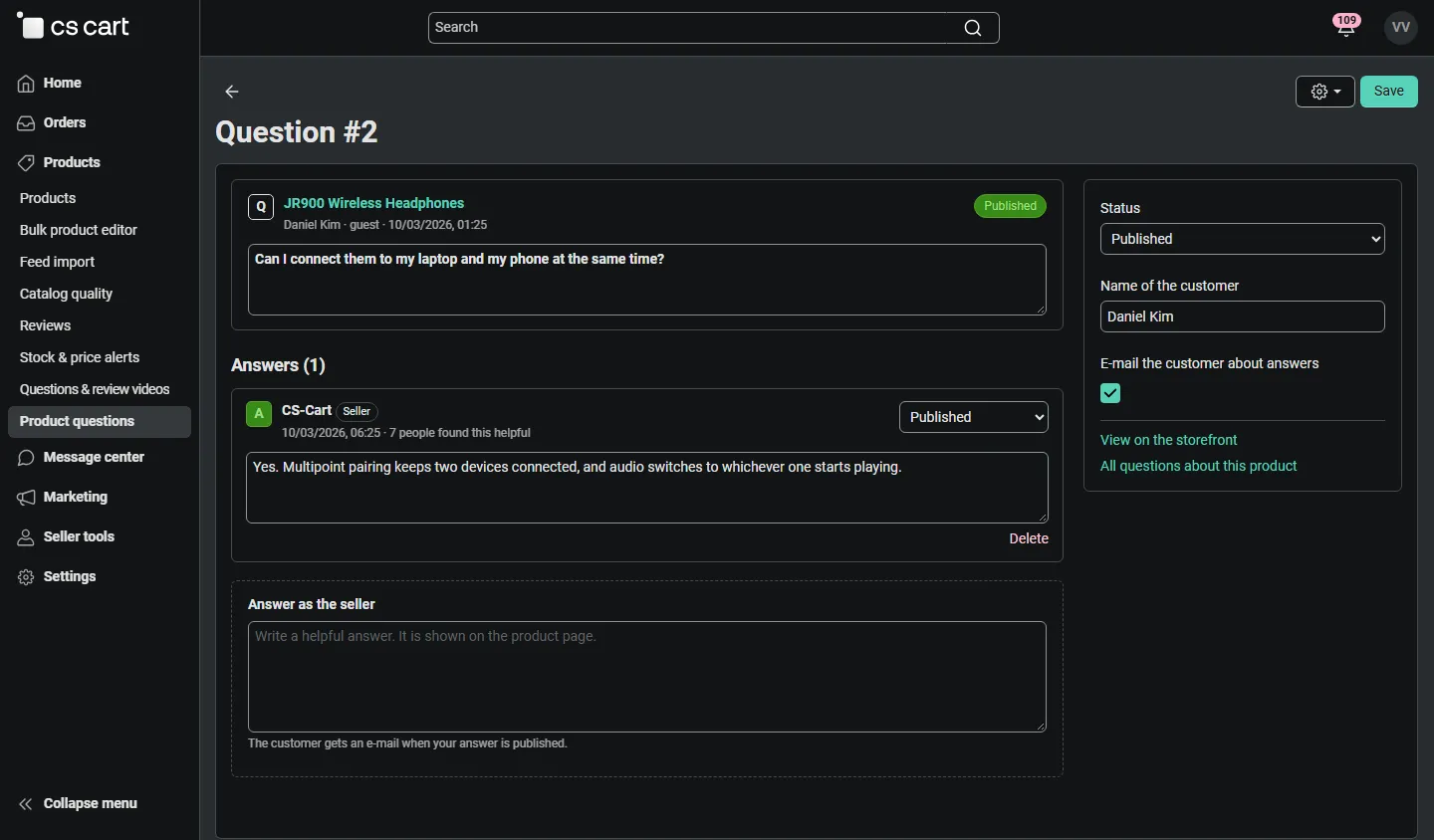
- With Vendors moderate questions about their products (default on) vendors publish, decline and delete questions and answers of their products; otherwise they can only answer.
- With Vendor answers need administrator approval their answers wait in the administrator’s Answers to check.
- Vendors do not see the asker’s e-mail address.
- Vendor administrators need the privileges View product questions and Answer and moderate product questions (vendor privileges add-on), which are granted by default.
CS-Cart Ultimate
Section titled “CS-Cart Ultimate”Questions belong to the storefront where they were asked, and each storefront shows its own questions. Select a storefront in the admin panel to see only its questions; settings can differ per storefront.
Photo & Video Reviews
Section titled “Photo & Video Reviews”Kavio Photo & Video Reviews has a light Q&A of its own. When both add-ons are active, the Product questions page shows Move questions and switch its Q&A off: it copies all questions, answers and helpful votes (it can be repeated; nothing is copied twice) and switches off the Q&A tab of Photo & Video Reviews. Its reviews, photos and videos are not affected.
Product reviews and comments
Section titled “Product reviews and comments”Questions are separate from the core Product reviews and Comments and reviews add-ons and work next to them. If you used product comments as a Q&A before, you can switch comments off per product after the questions are moved by hand.