

EU e-Invoicing: XRechnung, Factur-X/ZUGFeRD & Peppol-ready UBL screenshots
Real screenshots from our CS-Cart and Multi-Vendor test stores with the add-on installed and the English interface.
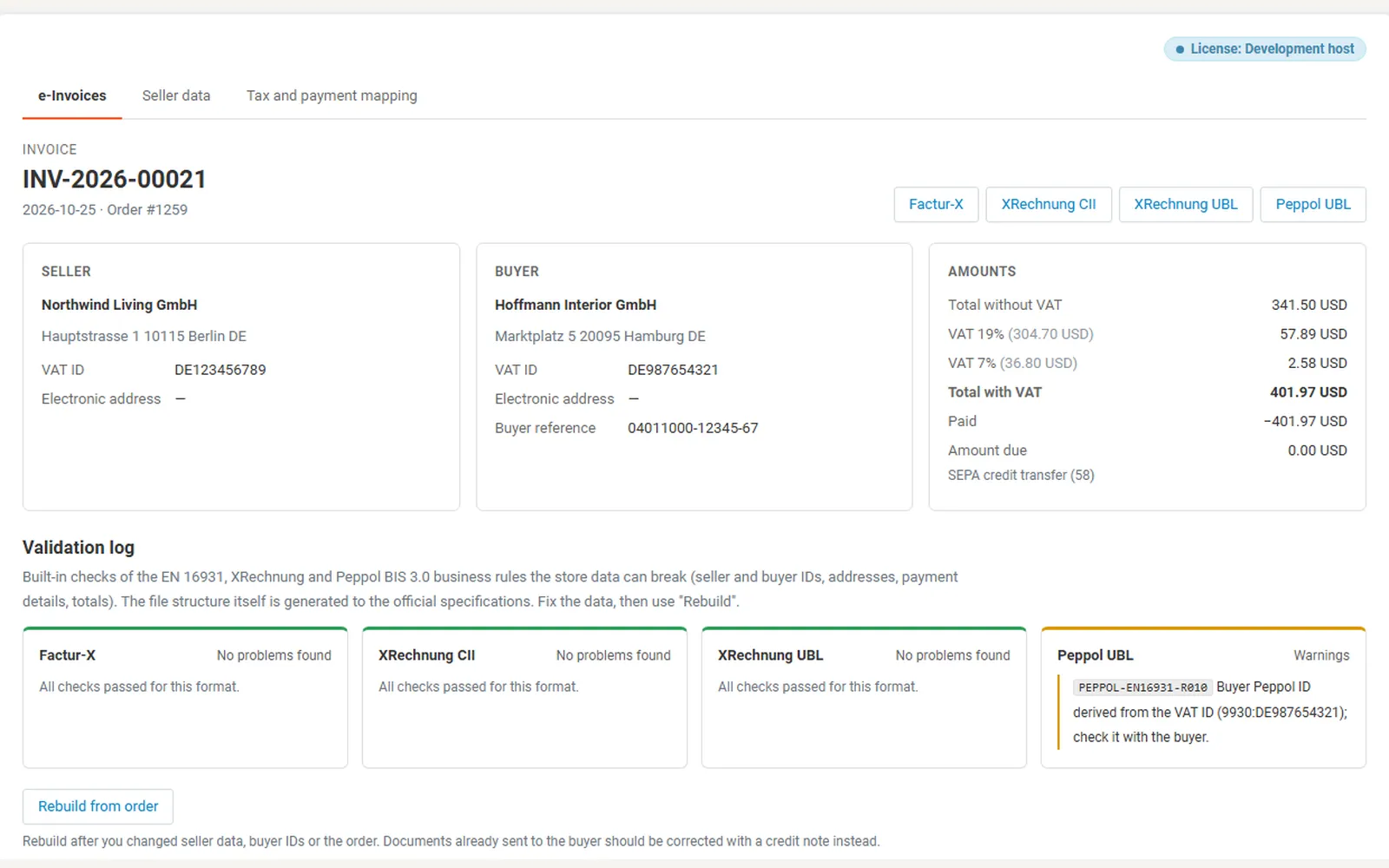
e-Invoice page: four downloads, seller / buyer / amounts and the validation log per format.
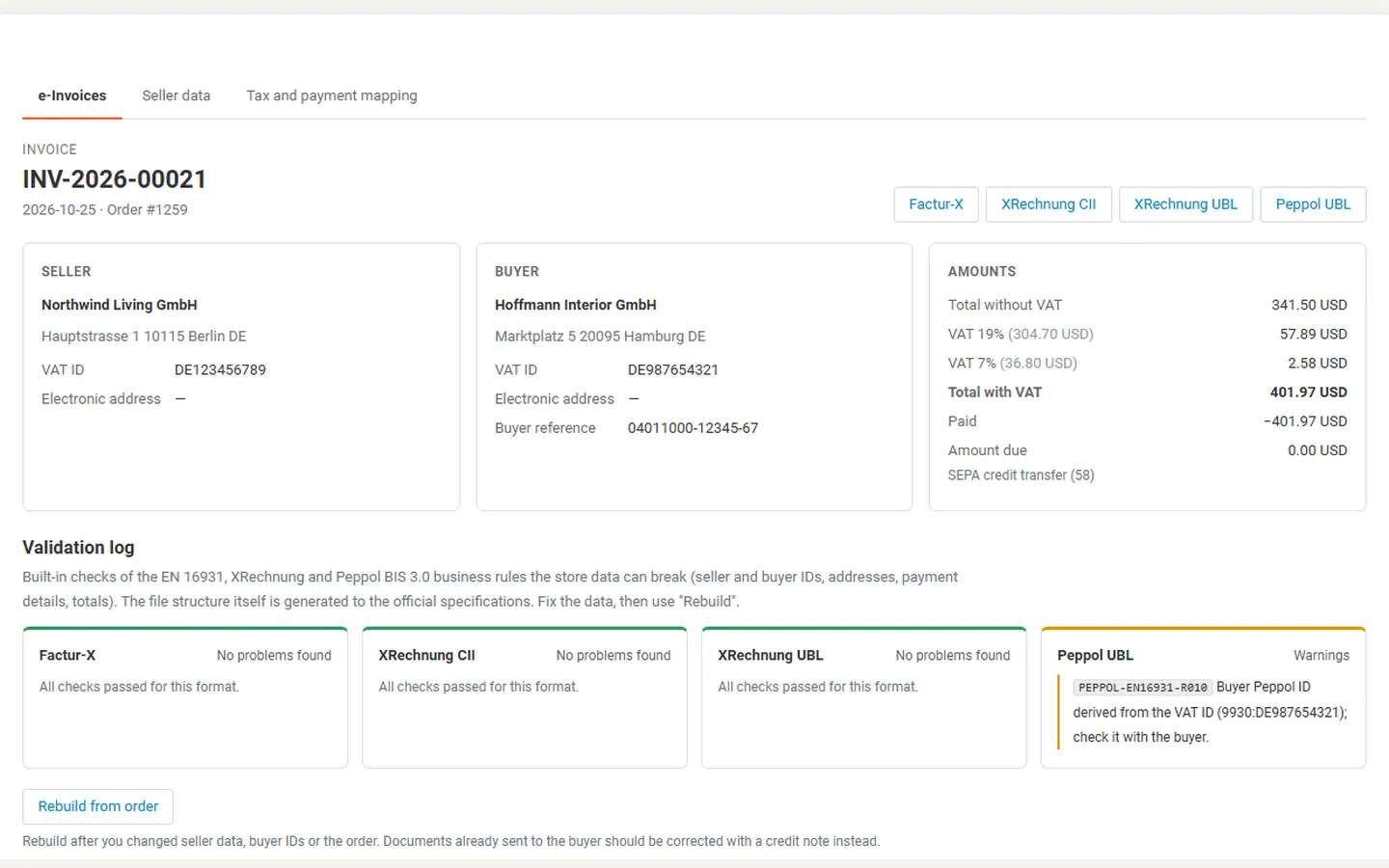
e-Invoice page with the validation log: XRechnung and Factur-X pass, Peppol warning for a derived buyer ID.
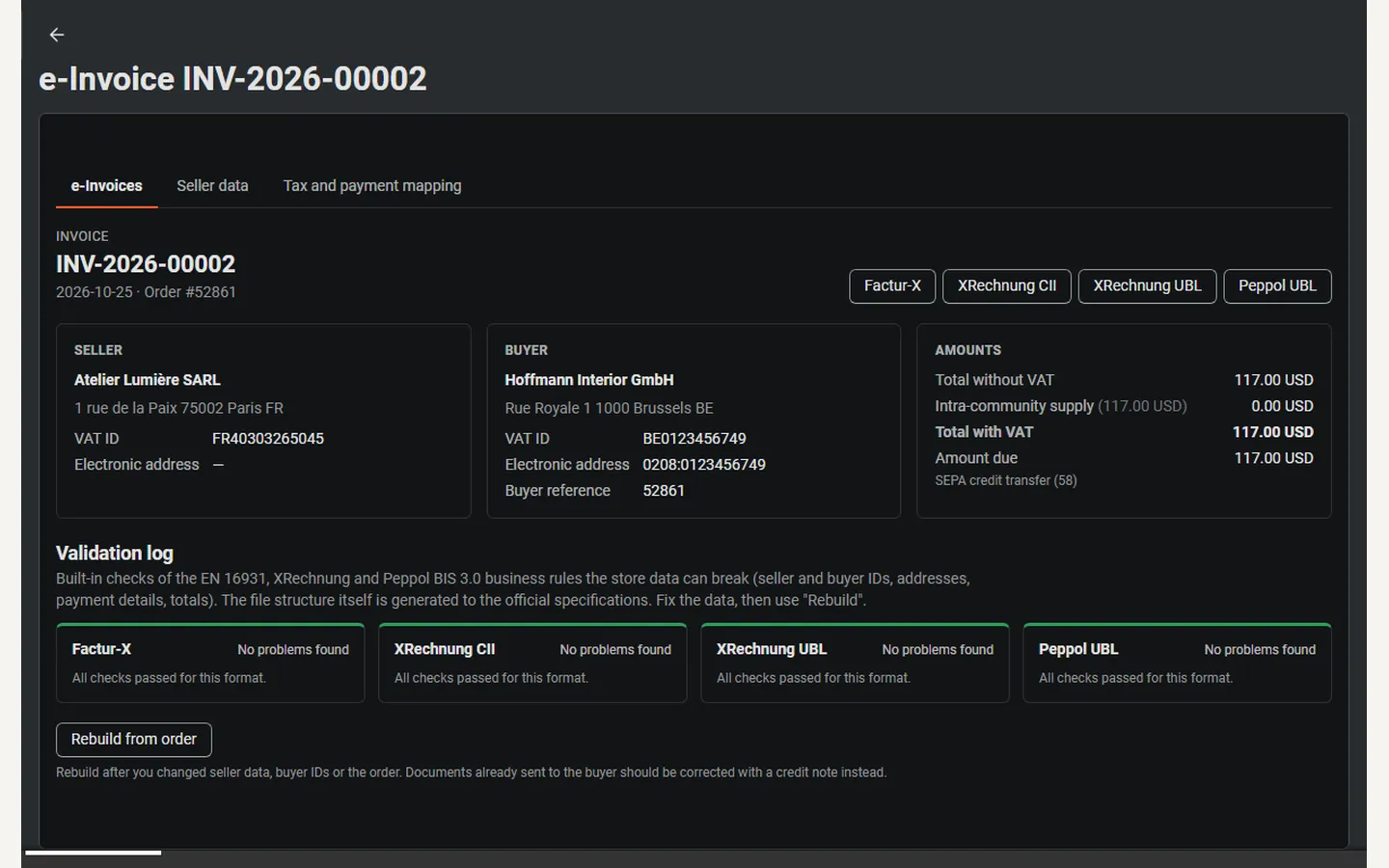
Peppol-ready e-invoice of a Belgian buyer (Peppol ID 0208), intra-community supply (dark admin).
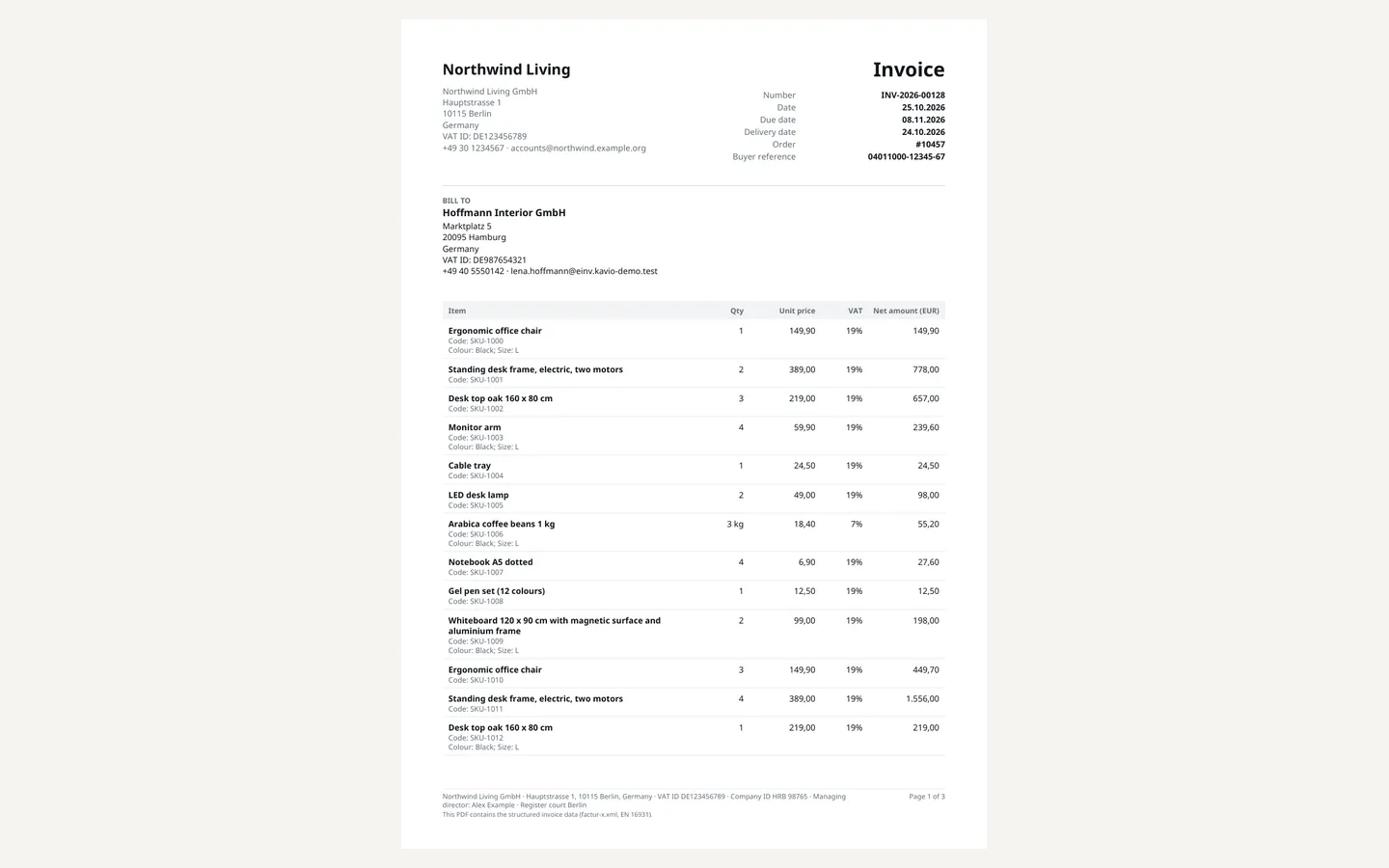
The Factur-X PDF: readable invoice with line items, VAT breakdown and bank details.
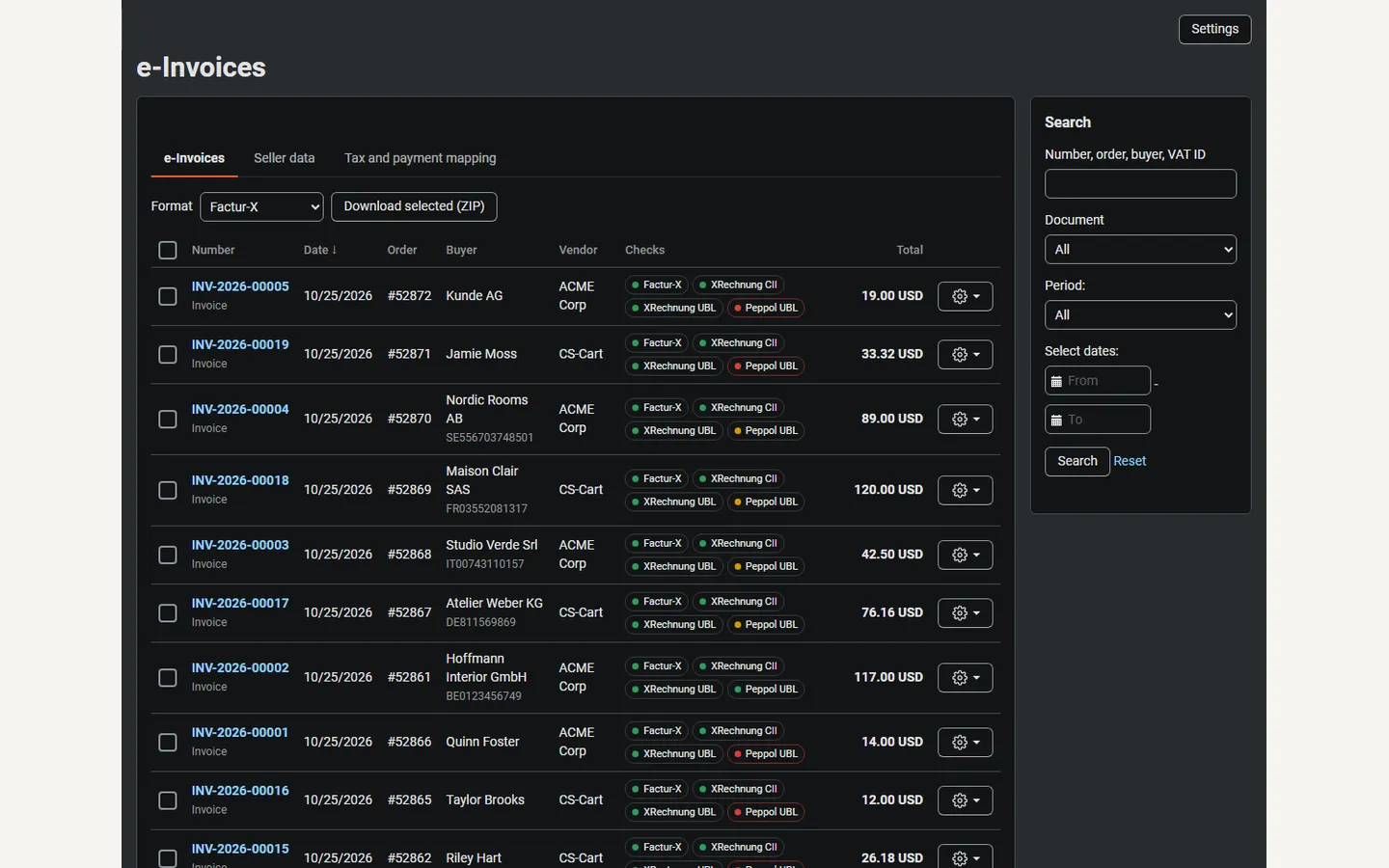
Orders → e-Invoices: check badges per format, buyer VAT IDs, vendors, ZIP export (dark admin).
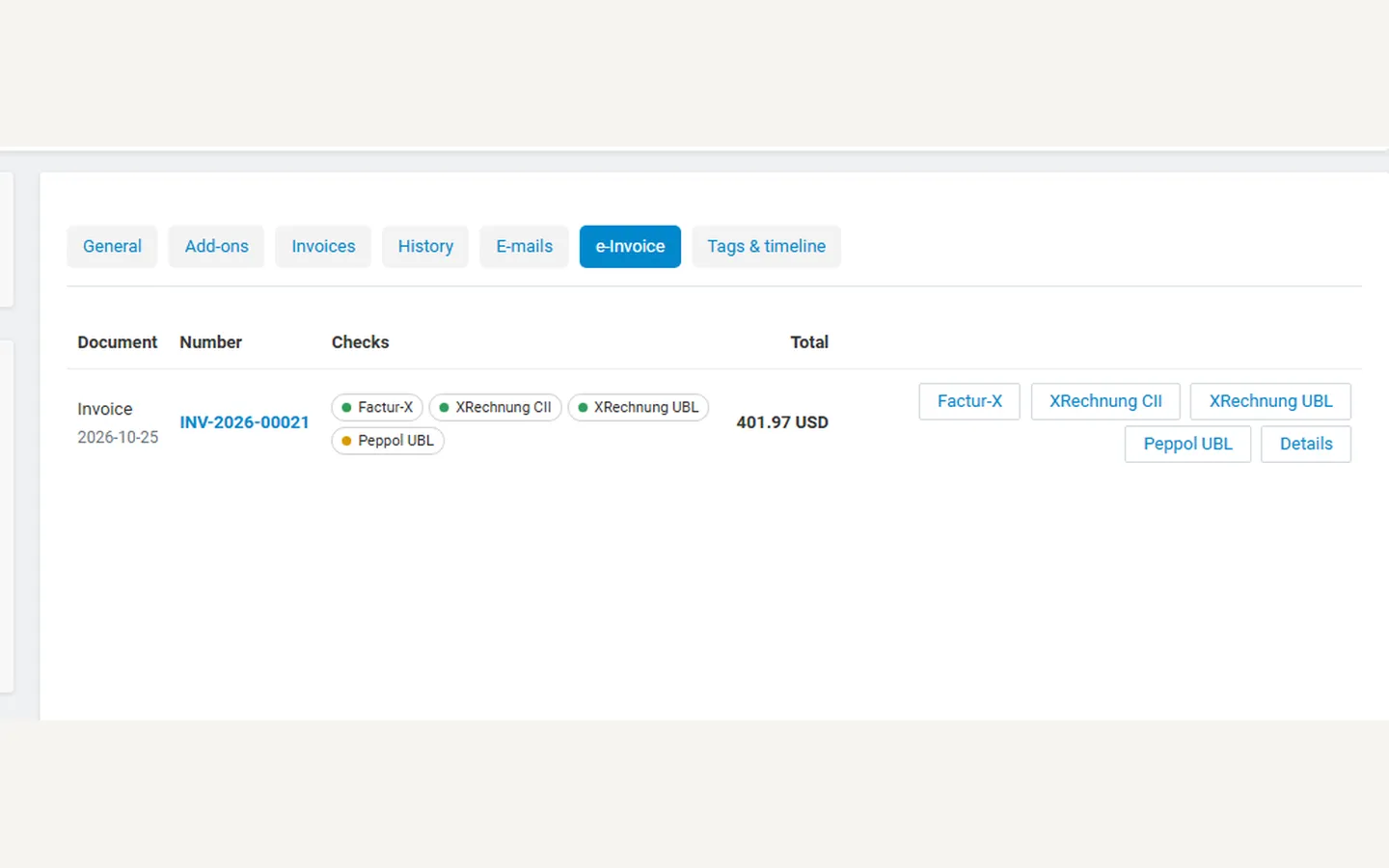
Order page: e-Invoice tab with checks and downloads.
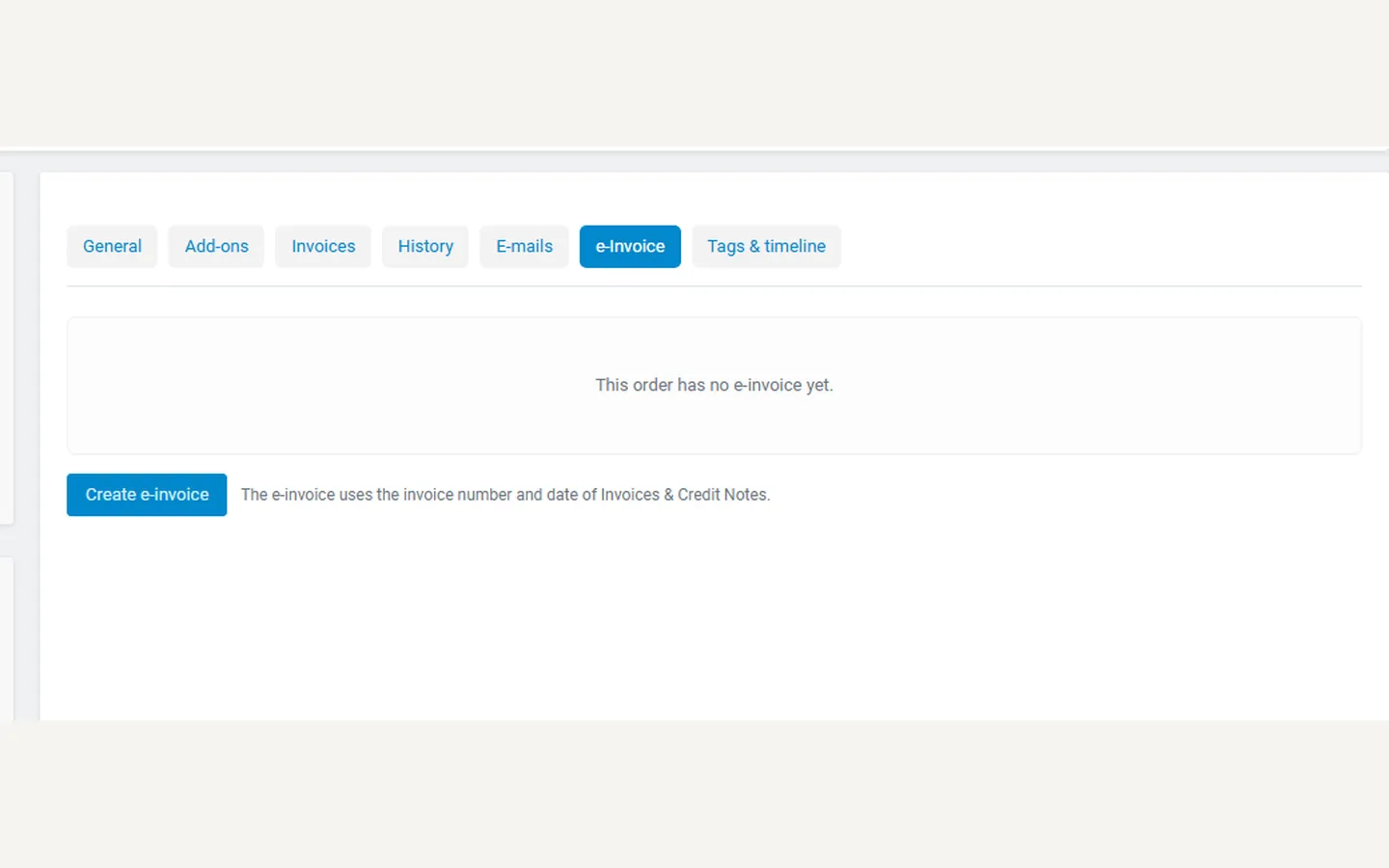
Order without an e-invoice: Create e-invoice (number from Invoices & Credit Notes).
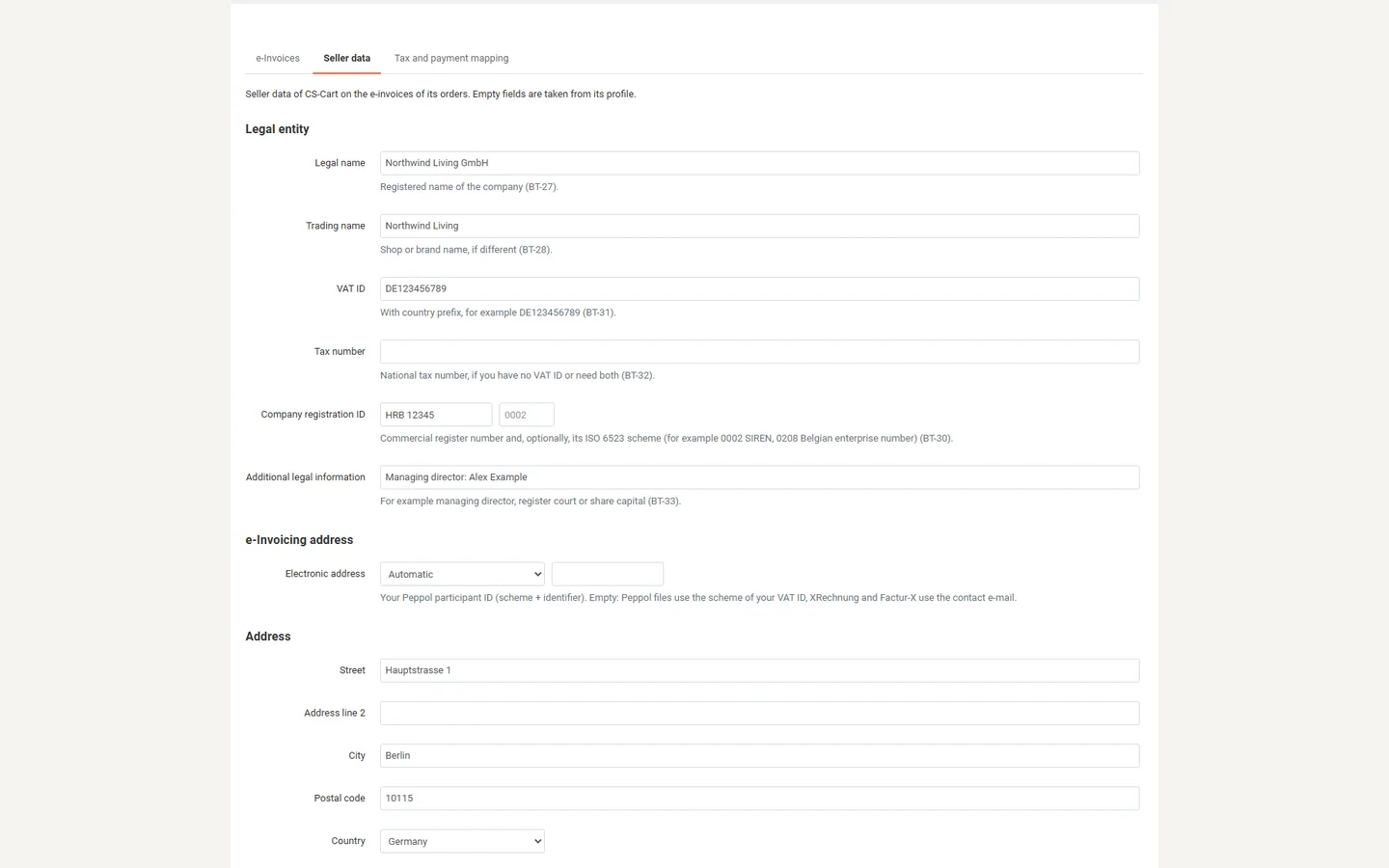
Seller data: VAT ID, registration, Peppol ID, address, contact, IBAN.
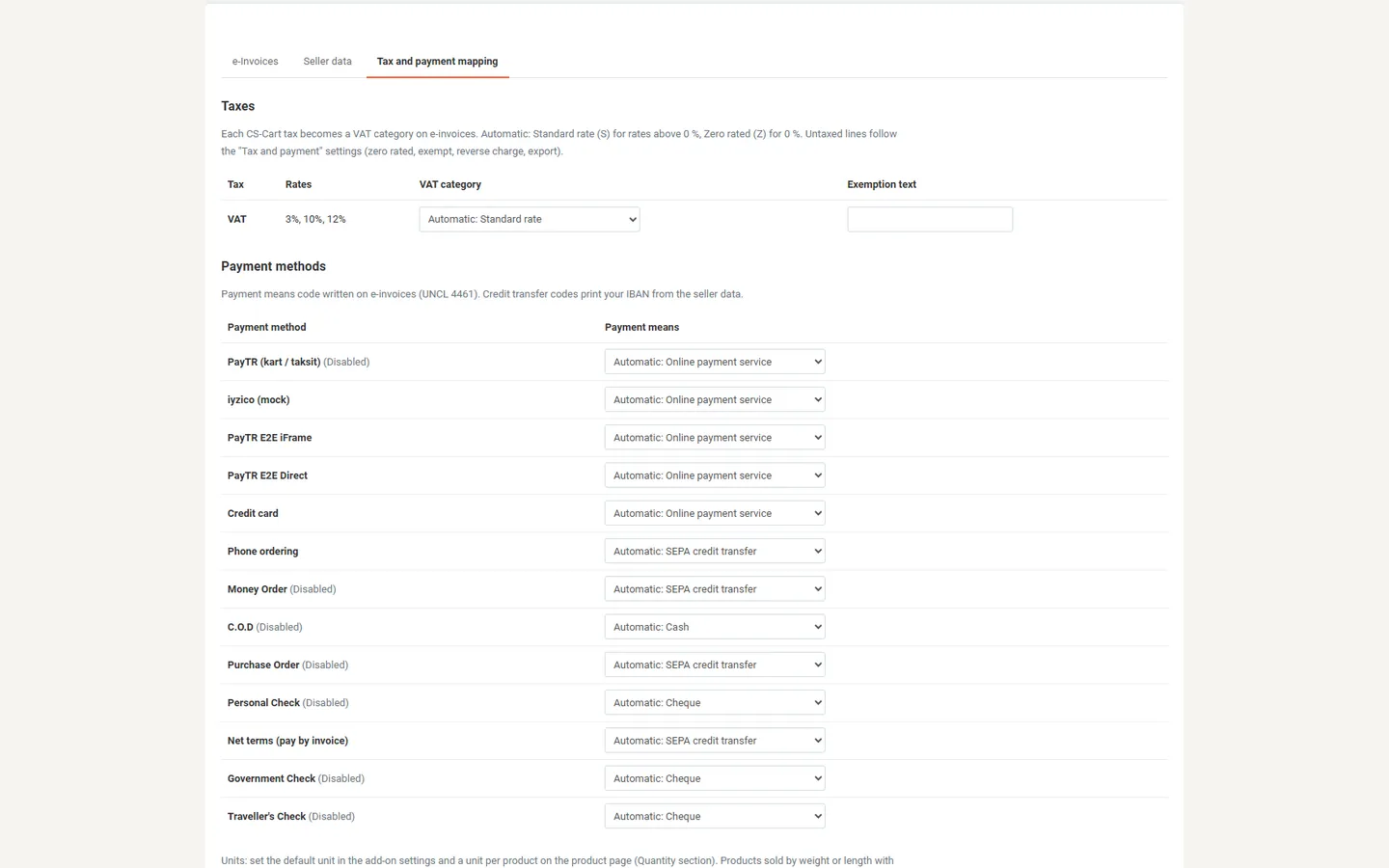
Tax and payment mapping: VAT categories and payment means.
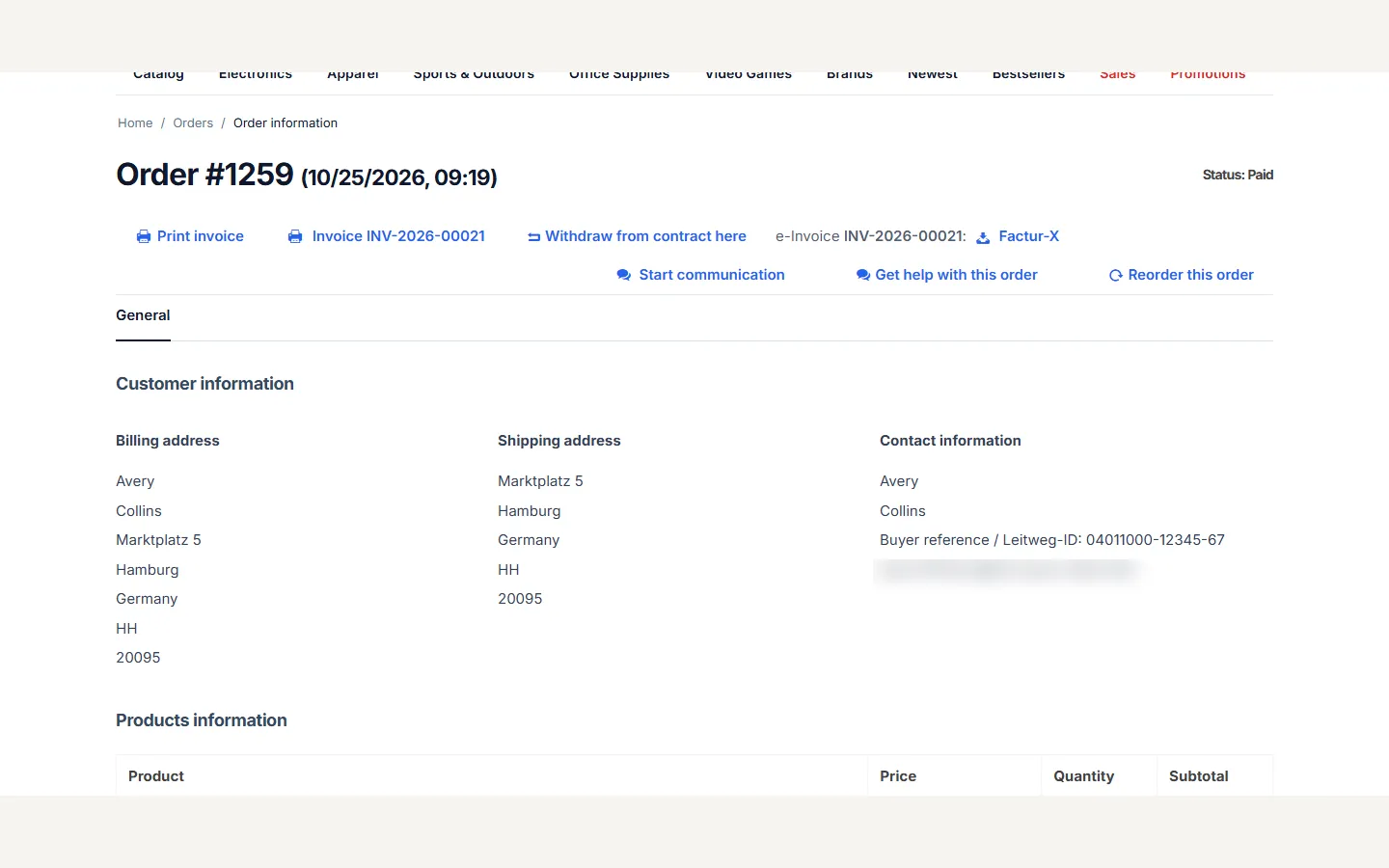
Customer order page: e-invoice download next to the print links.
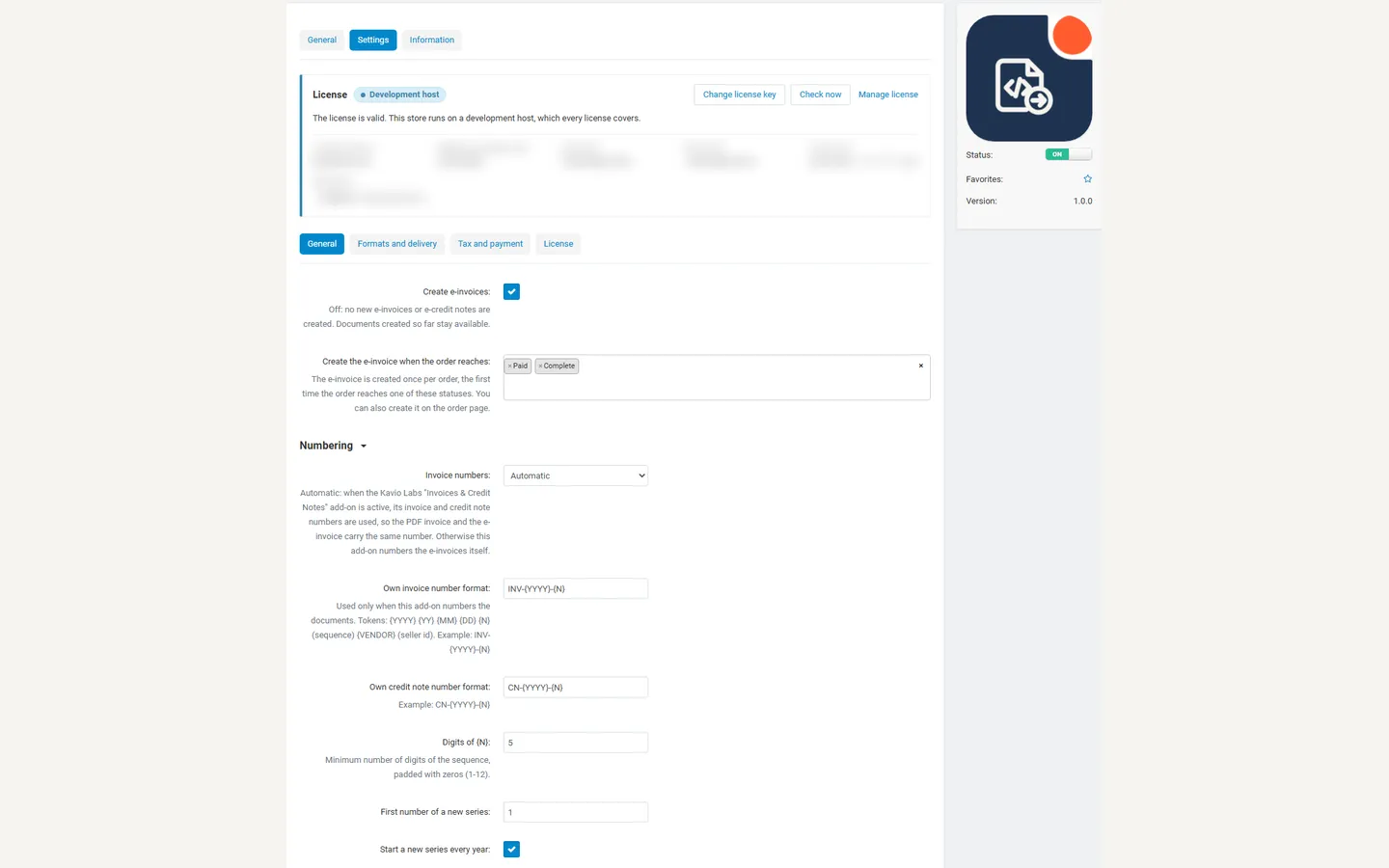
Add-on settings: statuses, numbering, formats, tax and payment.
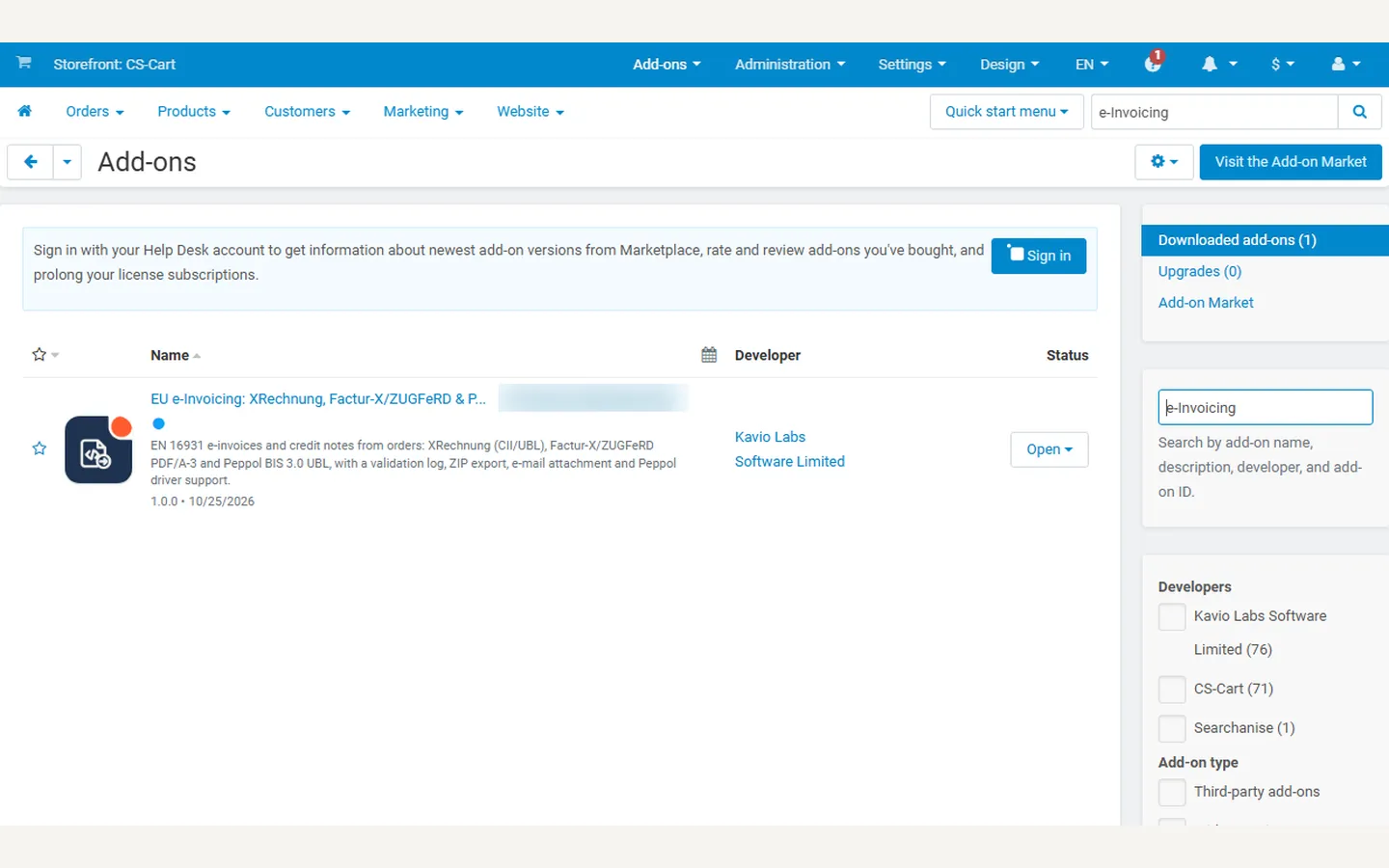
Add-ons list with the add-on active and its icon.
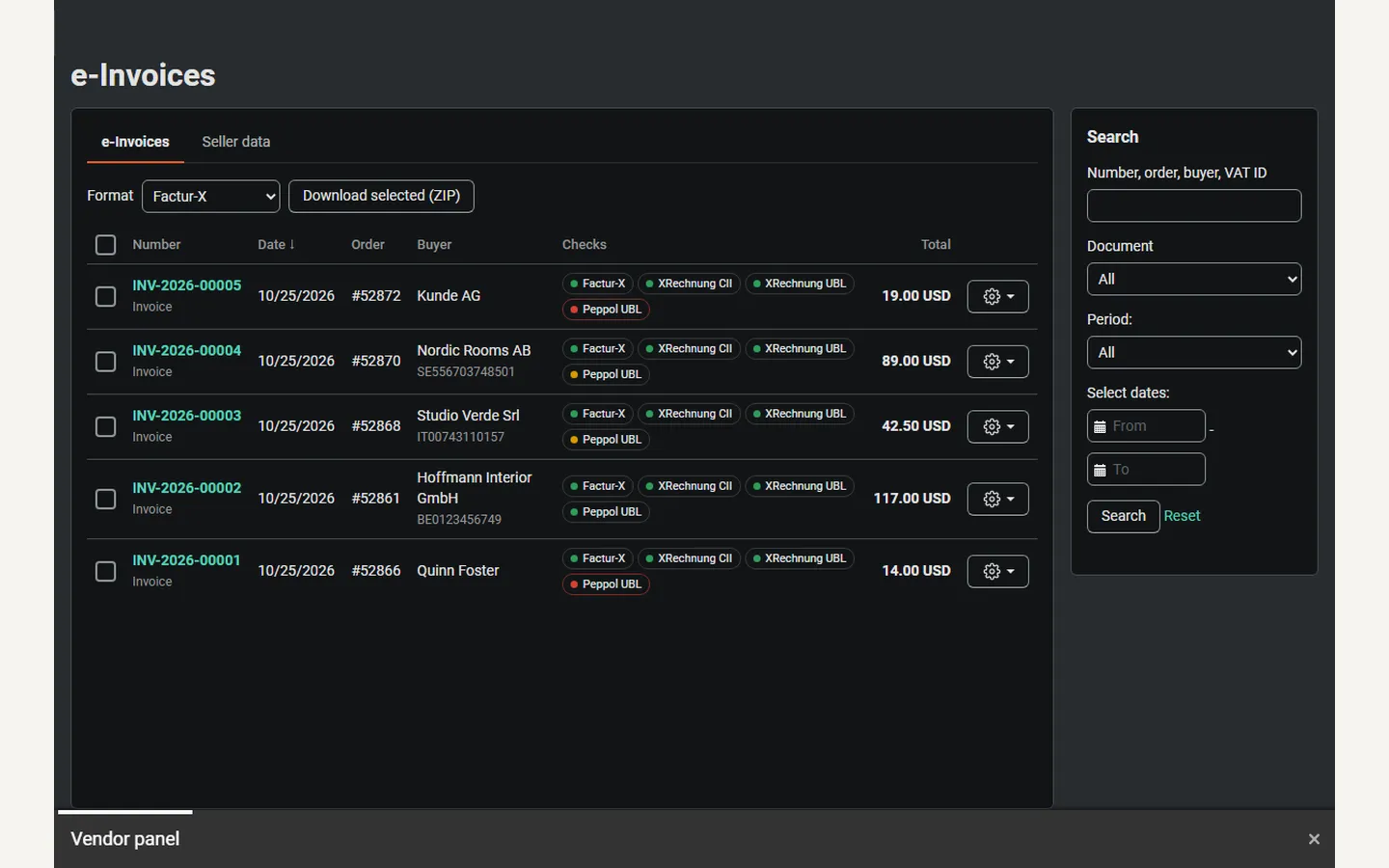
Vendor panel: e-invoices of the vendor’s own orders (dark).
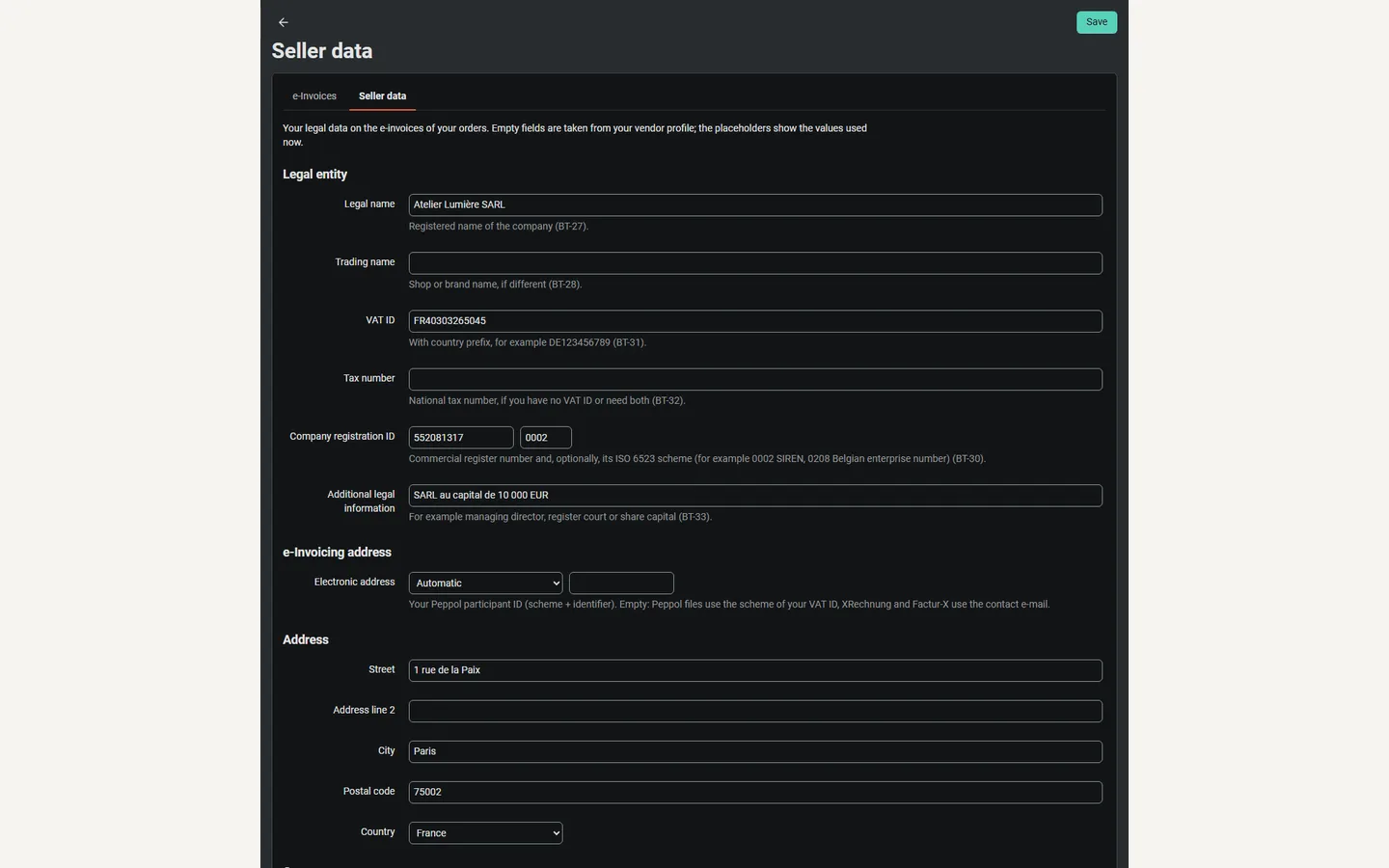
Vendor panel: the vendor’s own seller data (dark).
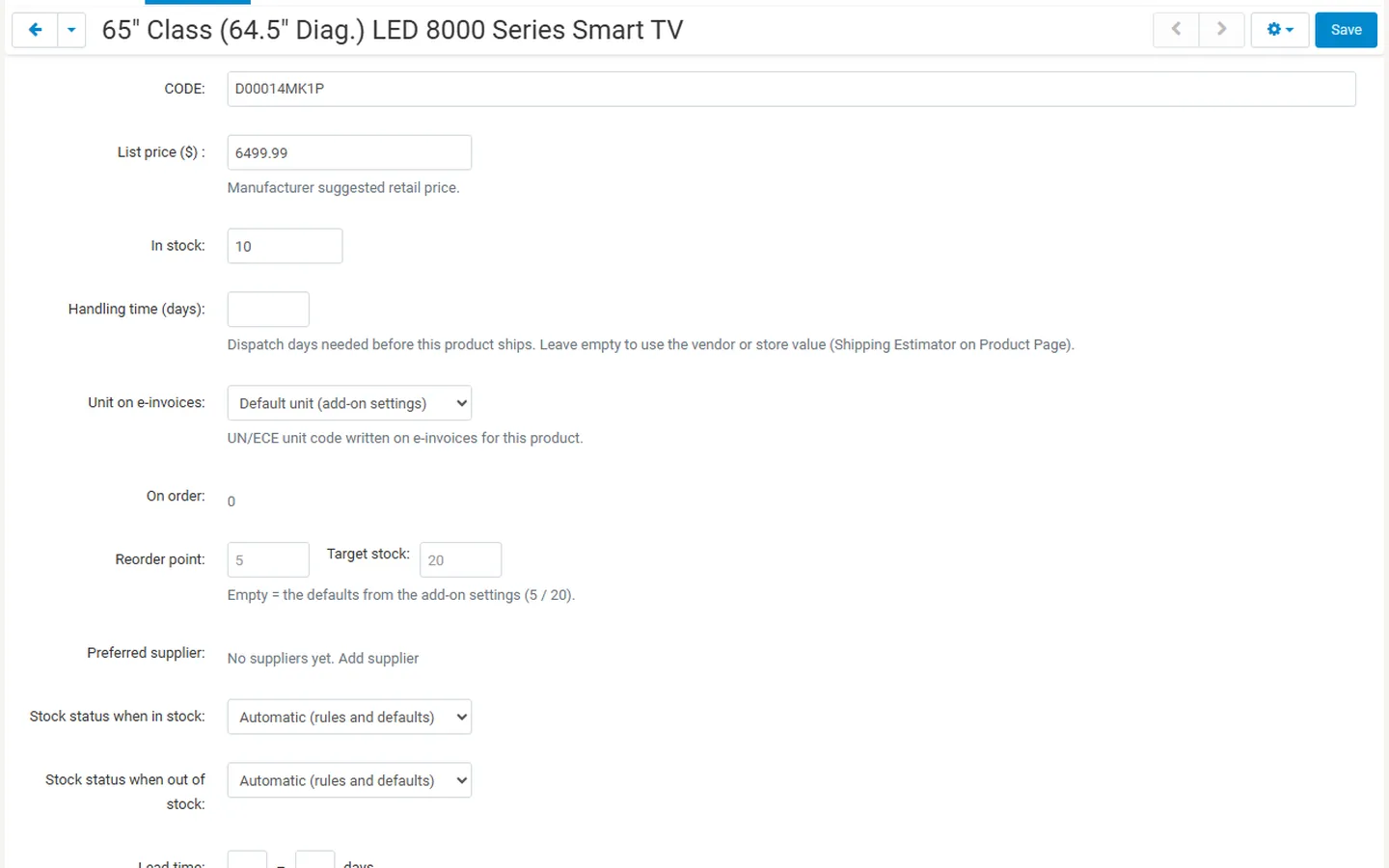
Product editor: unit on e-invoices.