

Spreadsheet Bulk Product Editor screenshots
Real screenshots from our CS-Cart and Multi-Vendor test stores with the add-on installed and the English interface.
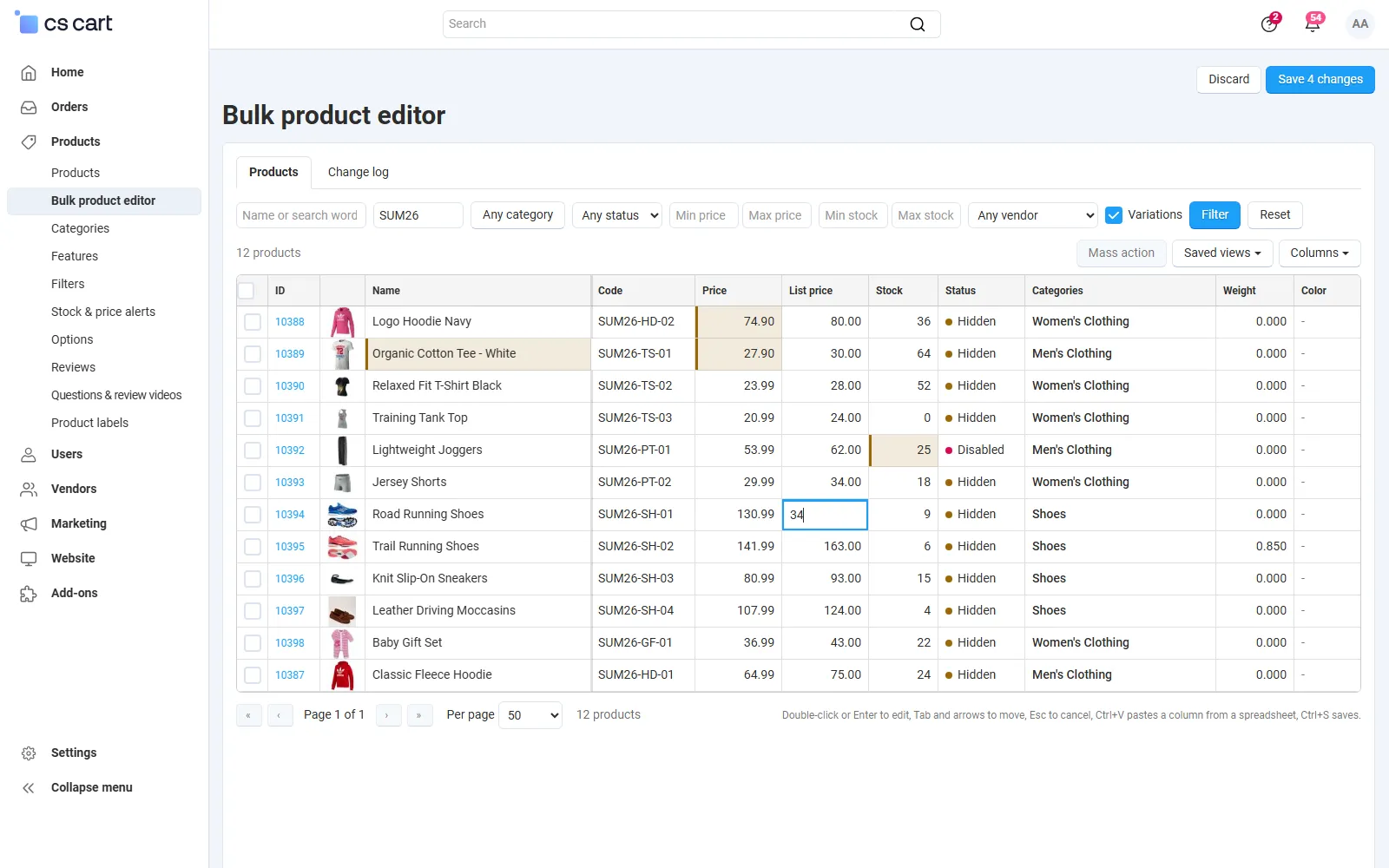
Products > Bulk product editor: the grid with four unsaved changes highlighted and a list price being typed.
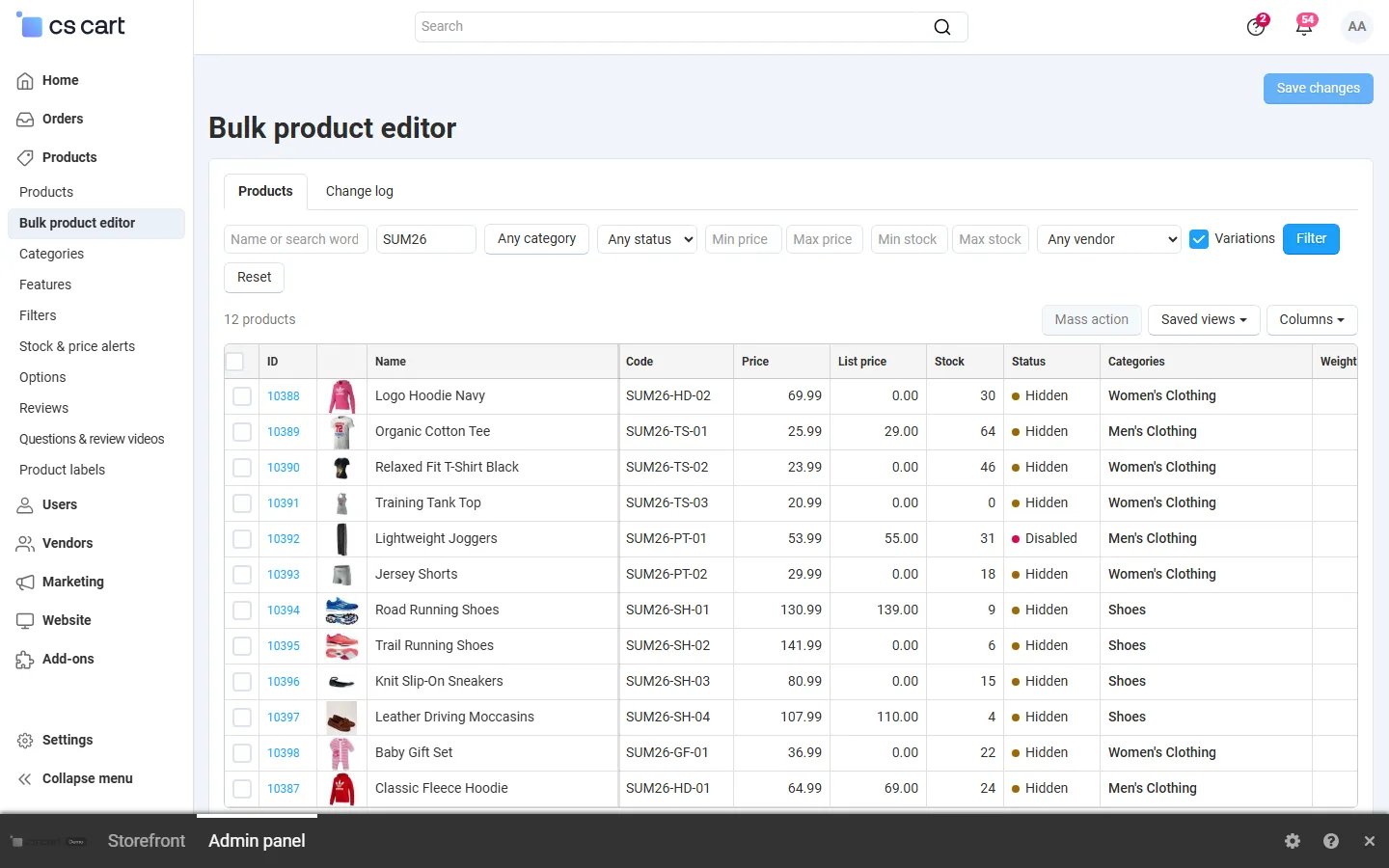
The grid filtered by code: image, name, code, prices, stock, status, categories, weight and a feature column; server-side paging.
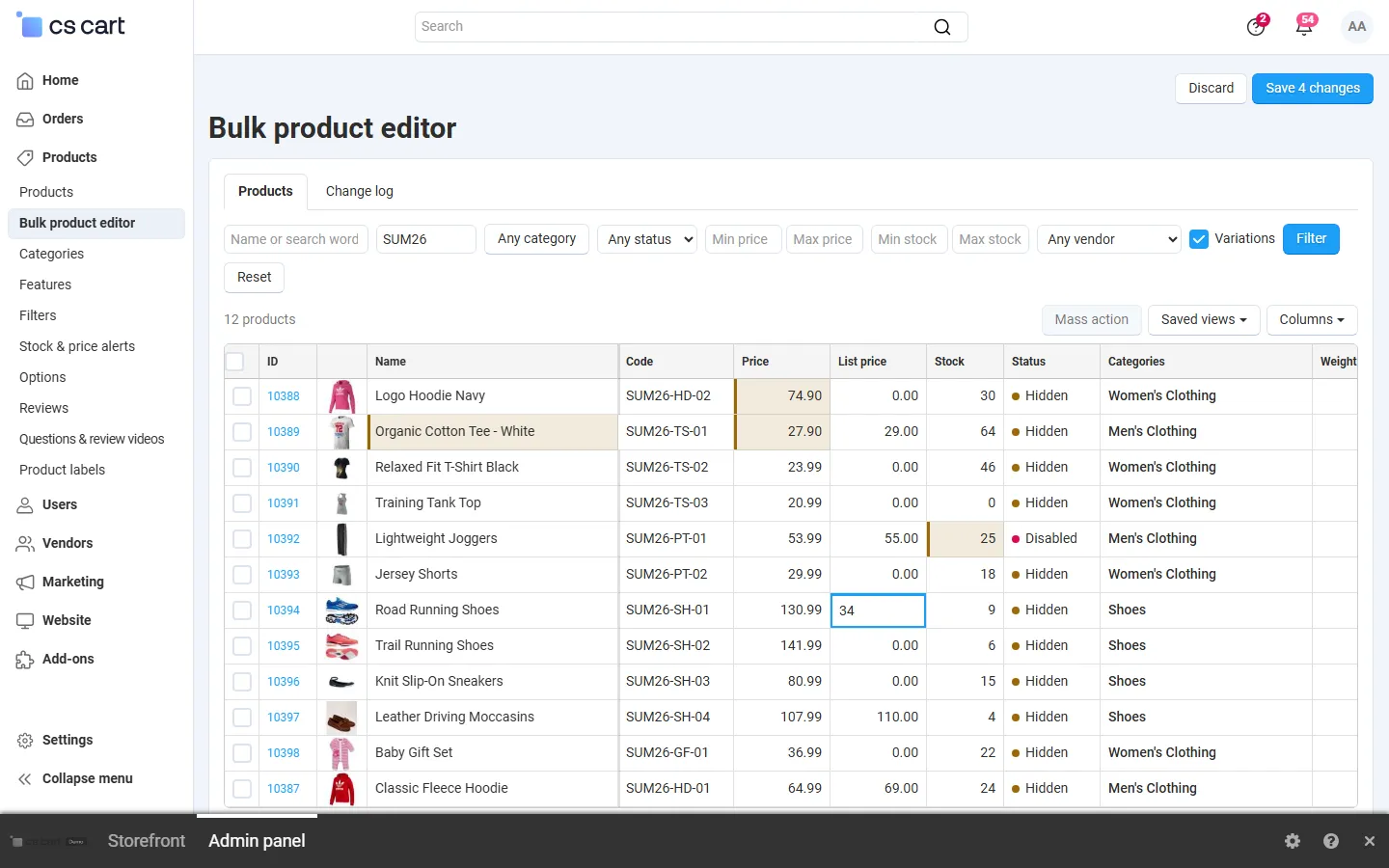
Inline editing: changed cells are highlighted until “Save 4 changes”; a cell editor is open.
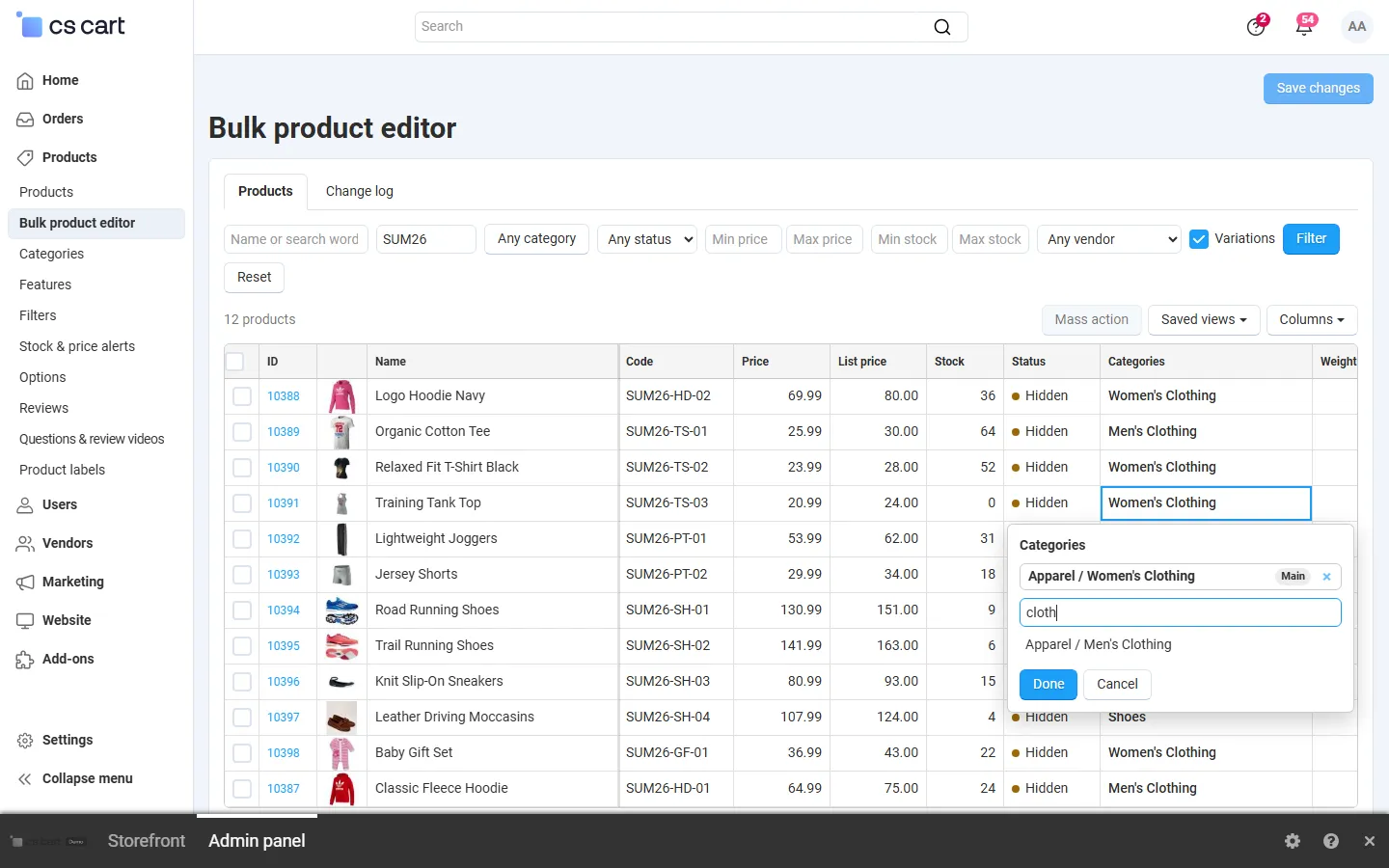
Categories editor of a cell: assigned categories with the main one, search to add more.

Mass action “Price: increase by 10%, end in .99” on 12 selected products with the before/after preview.
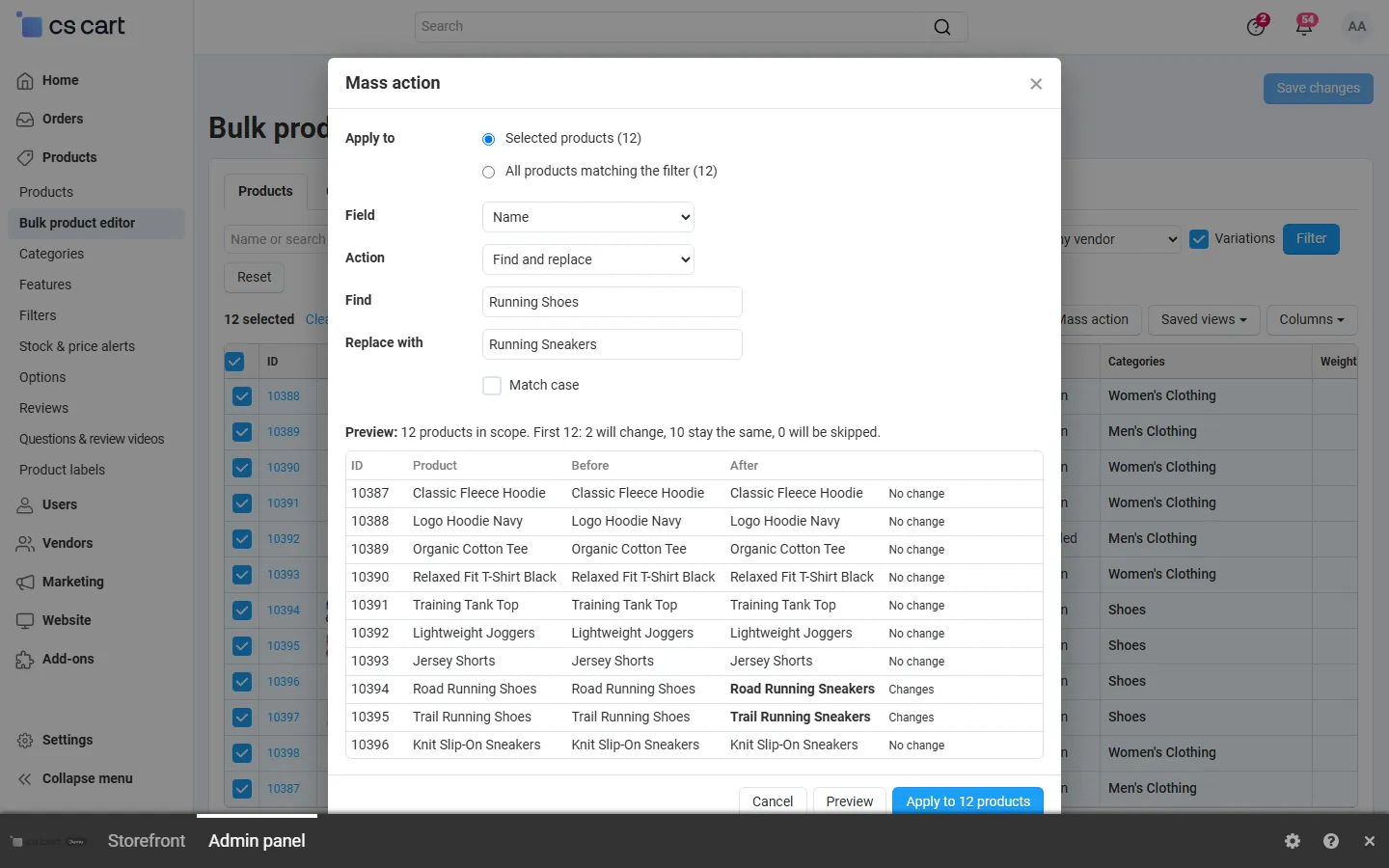
Find and replace in product names with the preview of the two names that change.
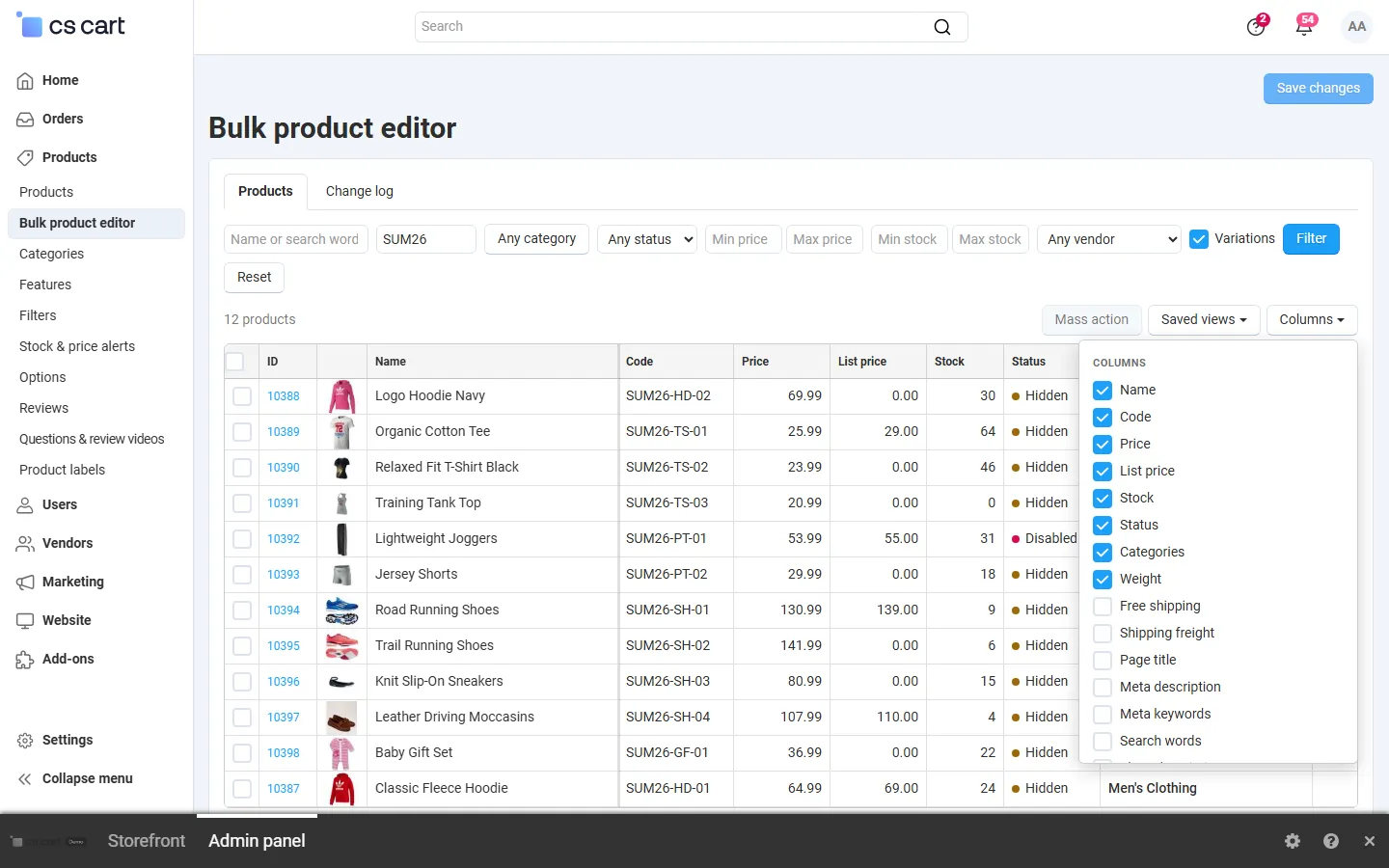
Column chooser: built-in fields and product features.
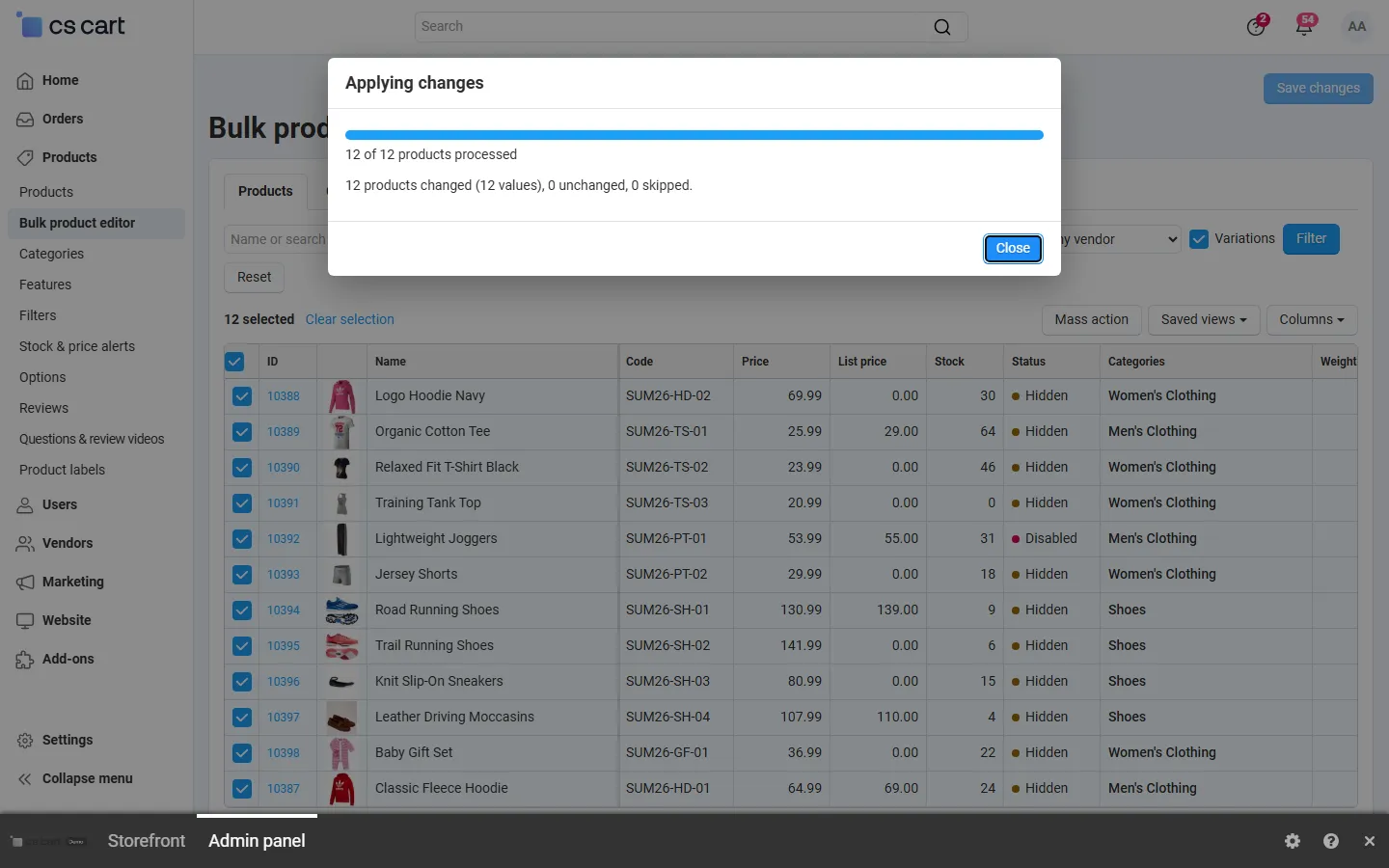
A mass action finished: progress and the result summary (applied in steps, any number of products).
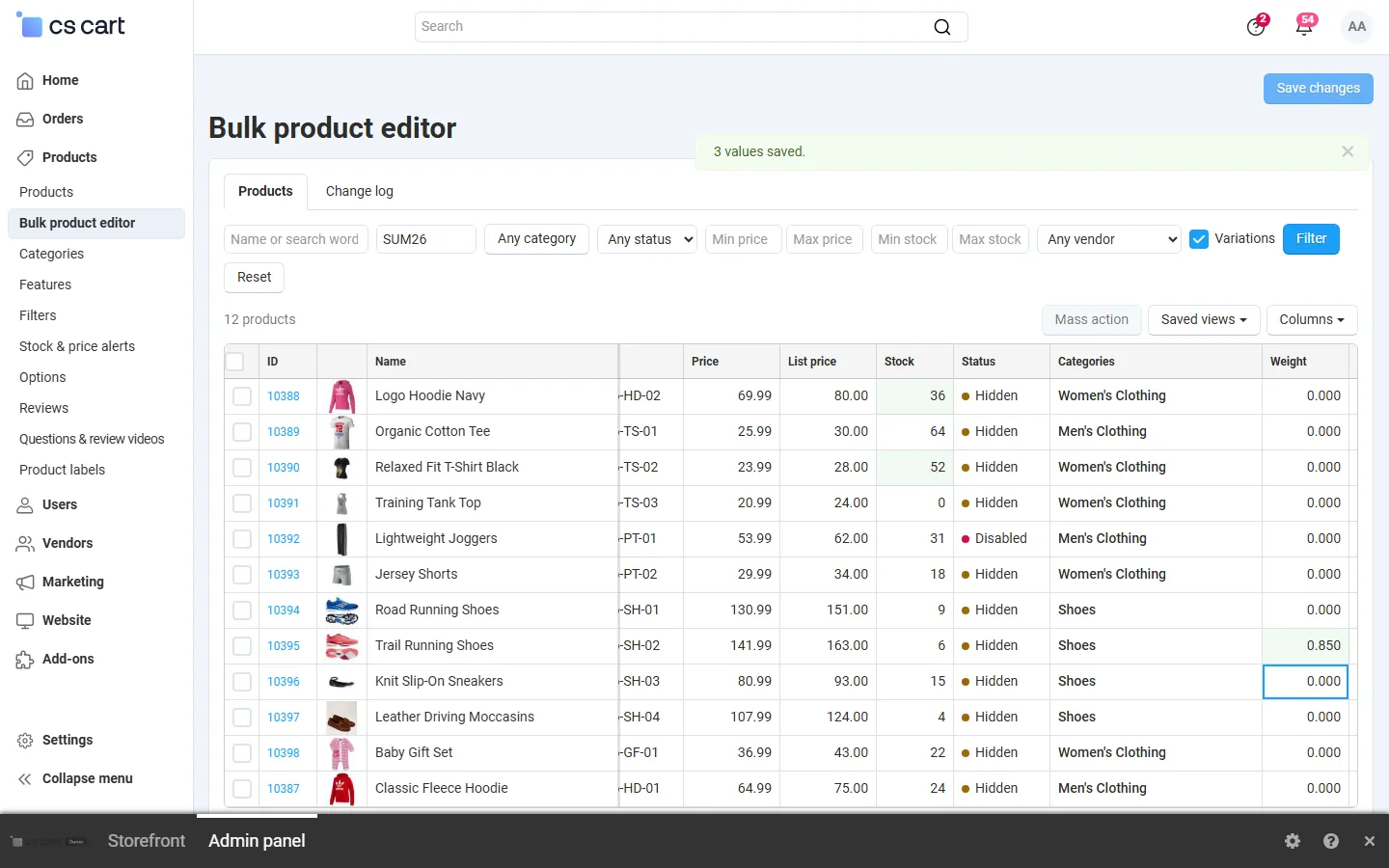
After “Save changes”: the saved cells flash green and a notice confirms the saved values.
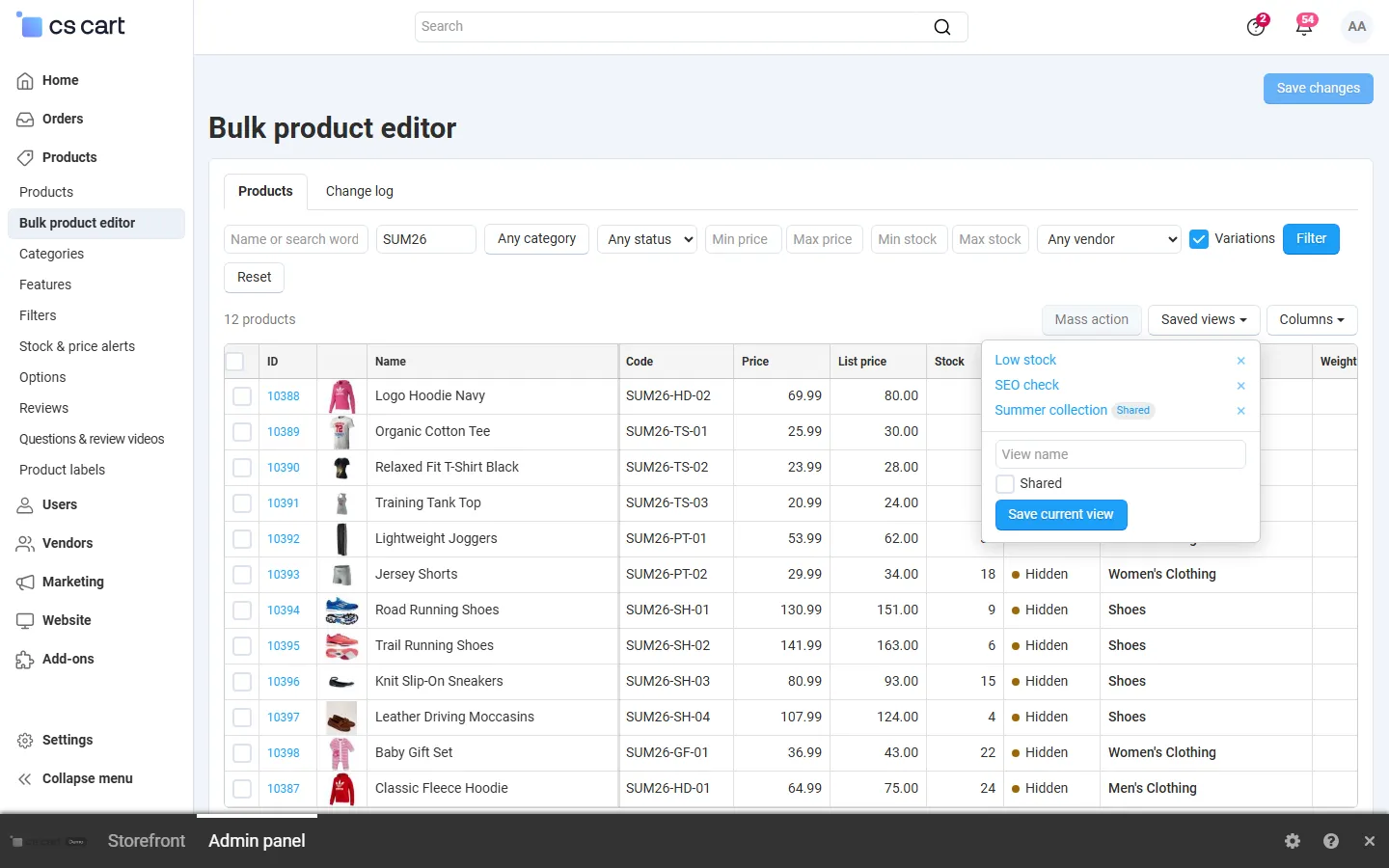
Saved views: filters, columns and page size by name; a view shared with the other administrators.
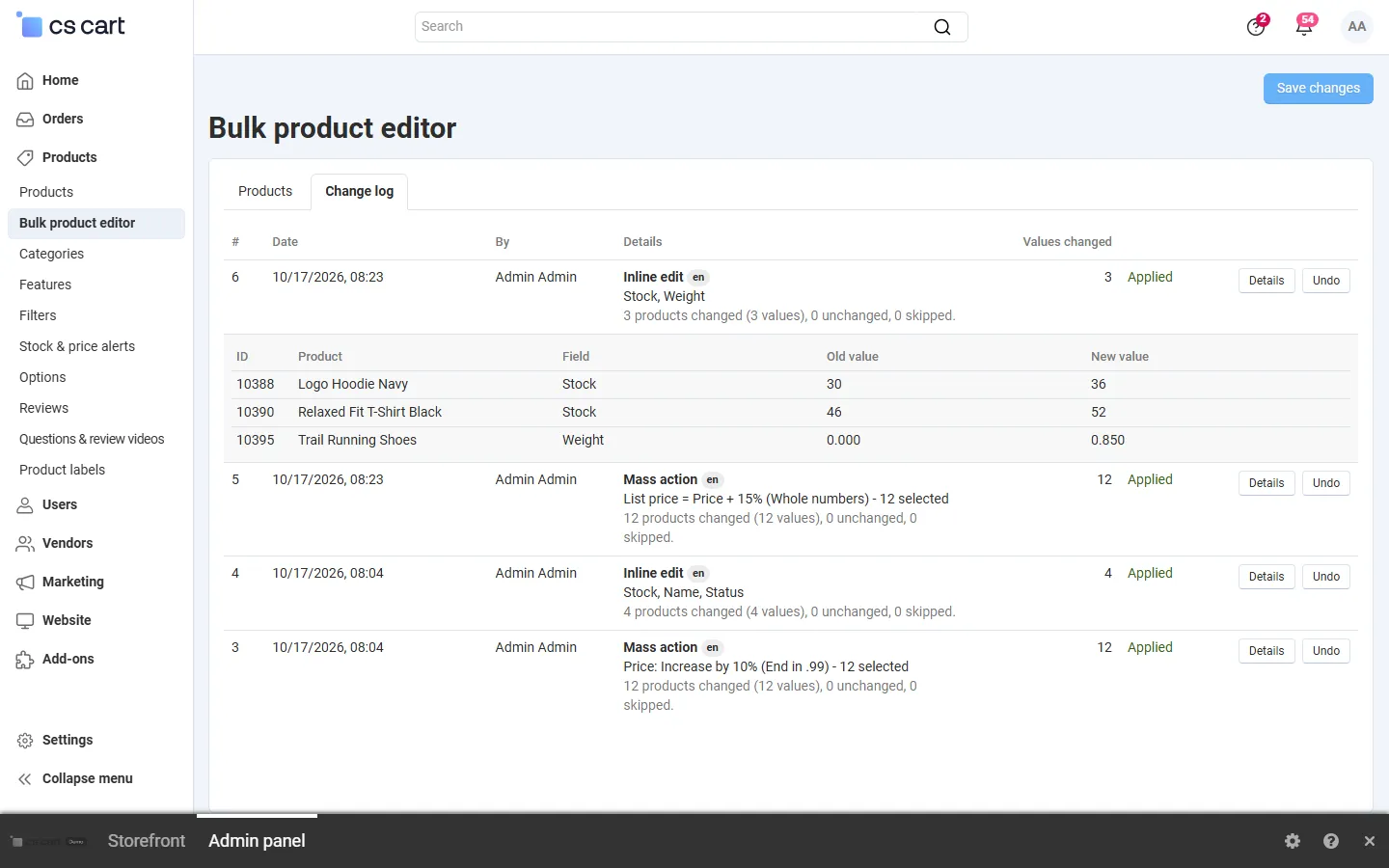
Change log: inline edits and mass actions with who, when and what, cell details with old and new values, Undo per entry.
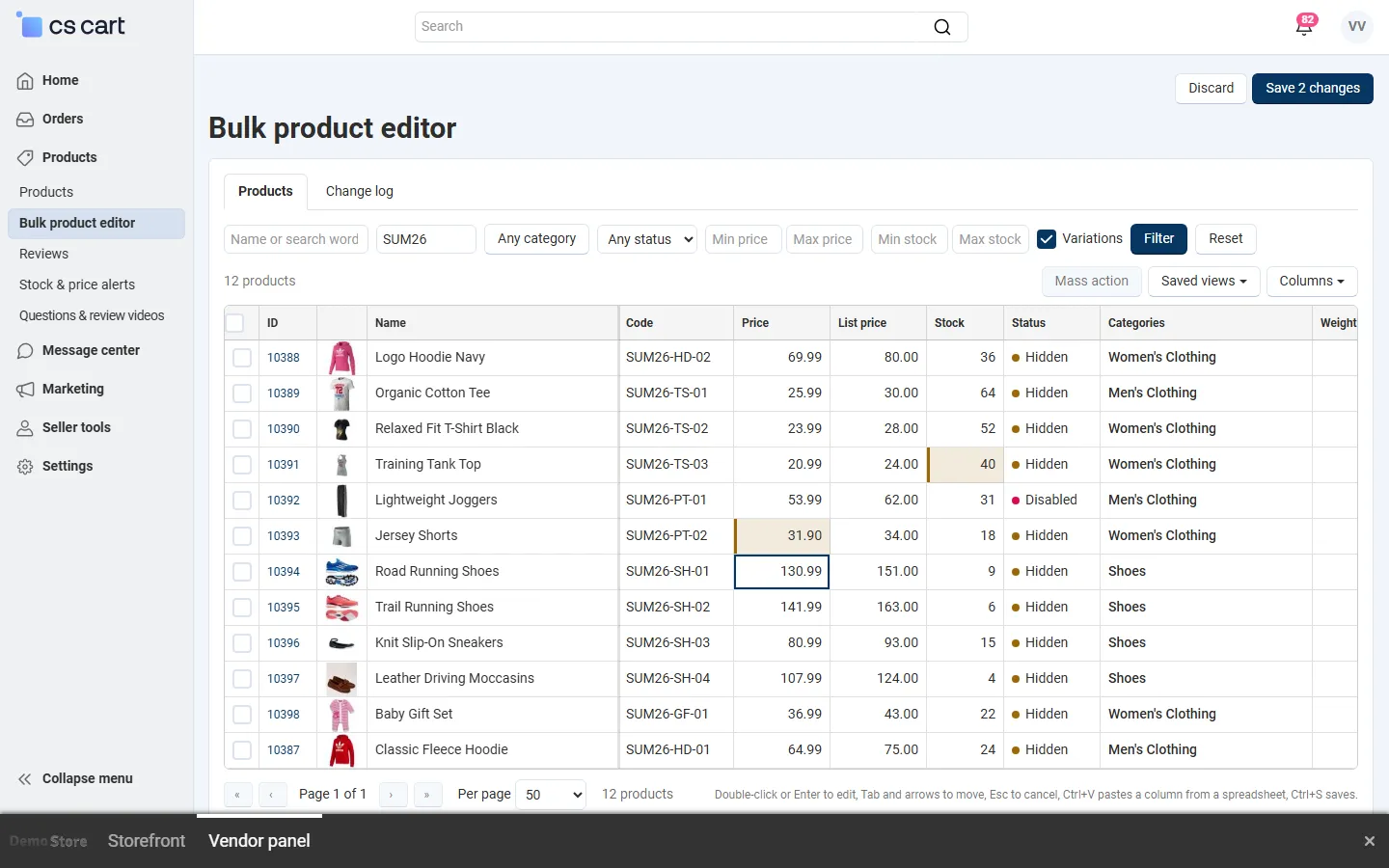
Vendor panel (Multi-Vendor): a vendor edits only their own products.
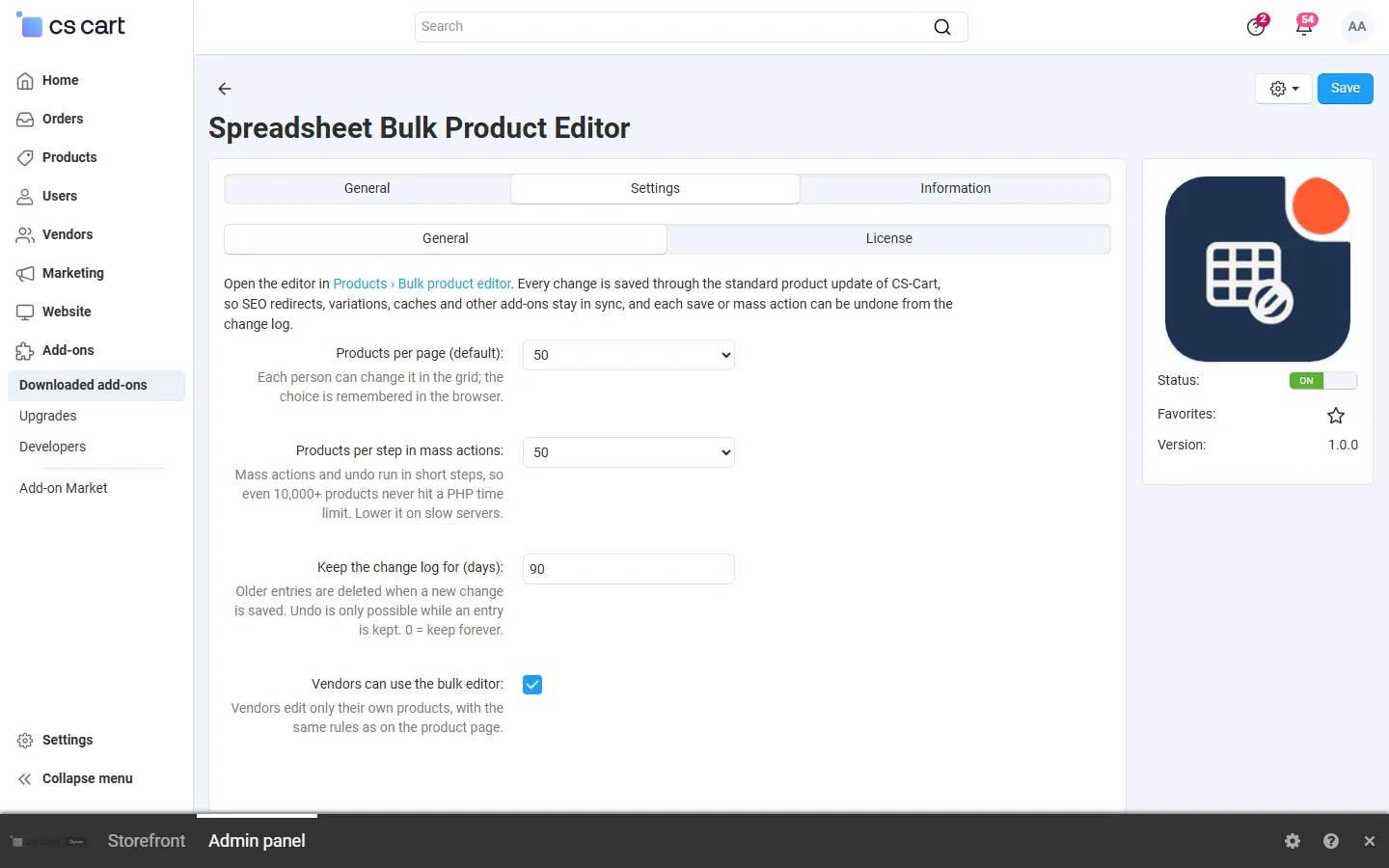
Add-on settings: default page size, products per step, change log retention, vendor access.
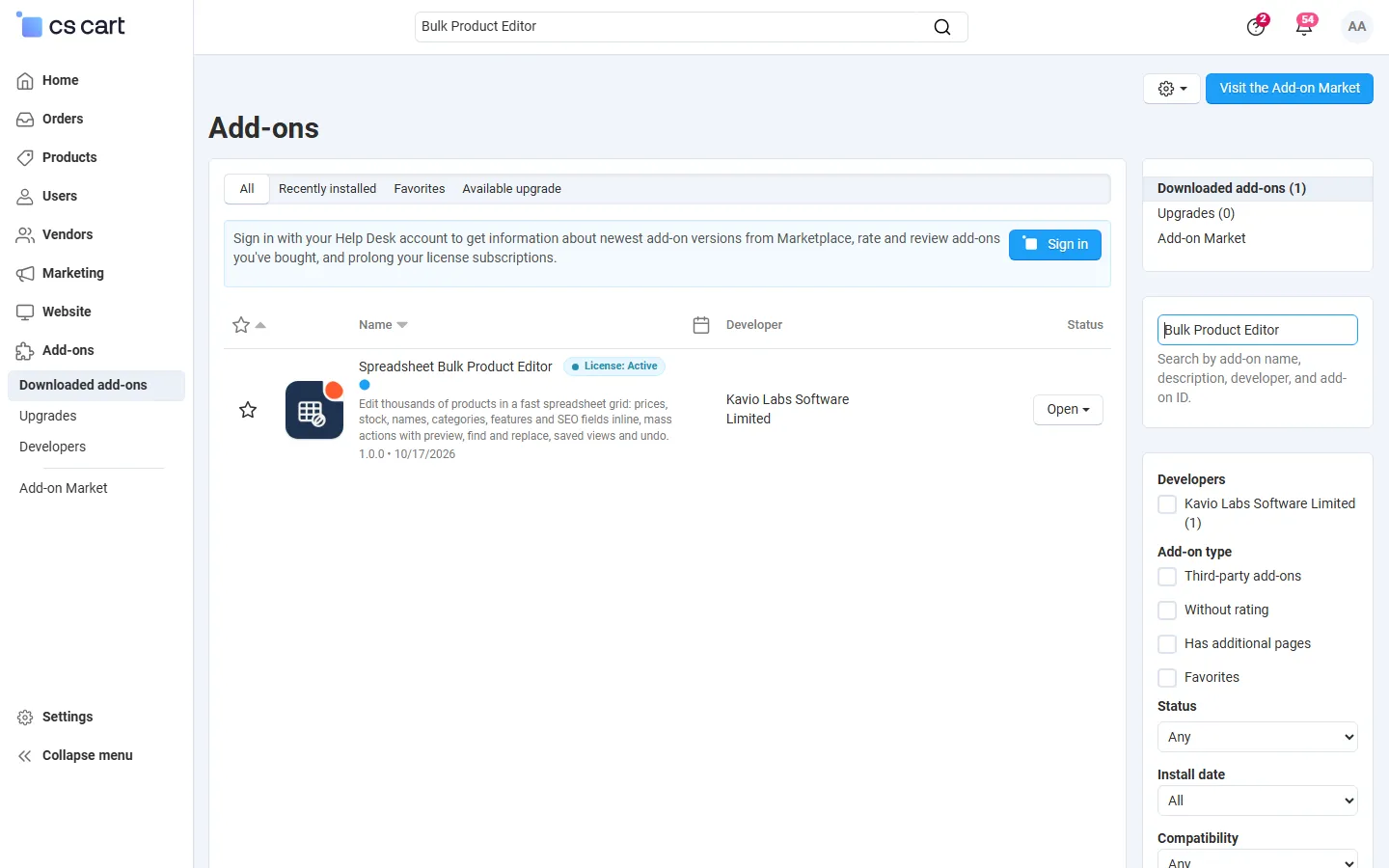
Admin, Downloaded add-ons searched for the add-on (Multi-Vendor 4.21.2). Text badge until the integration step adds the icon.
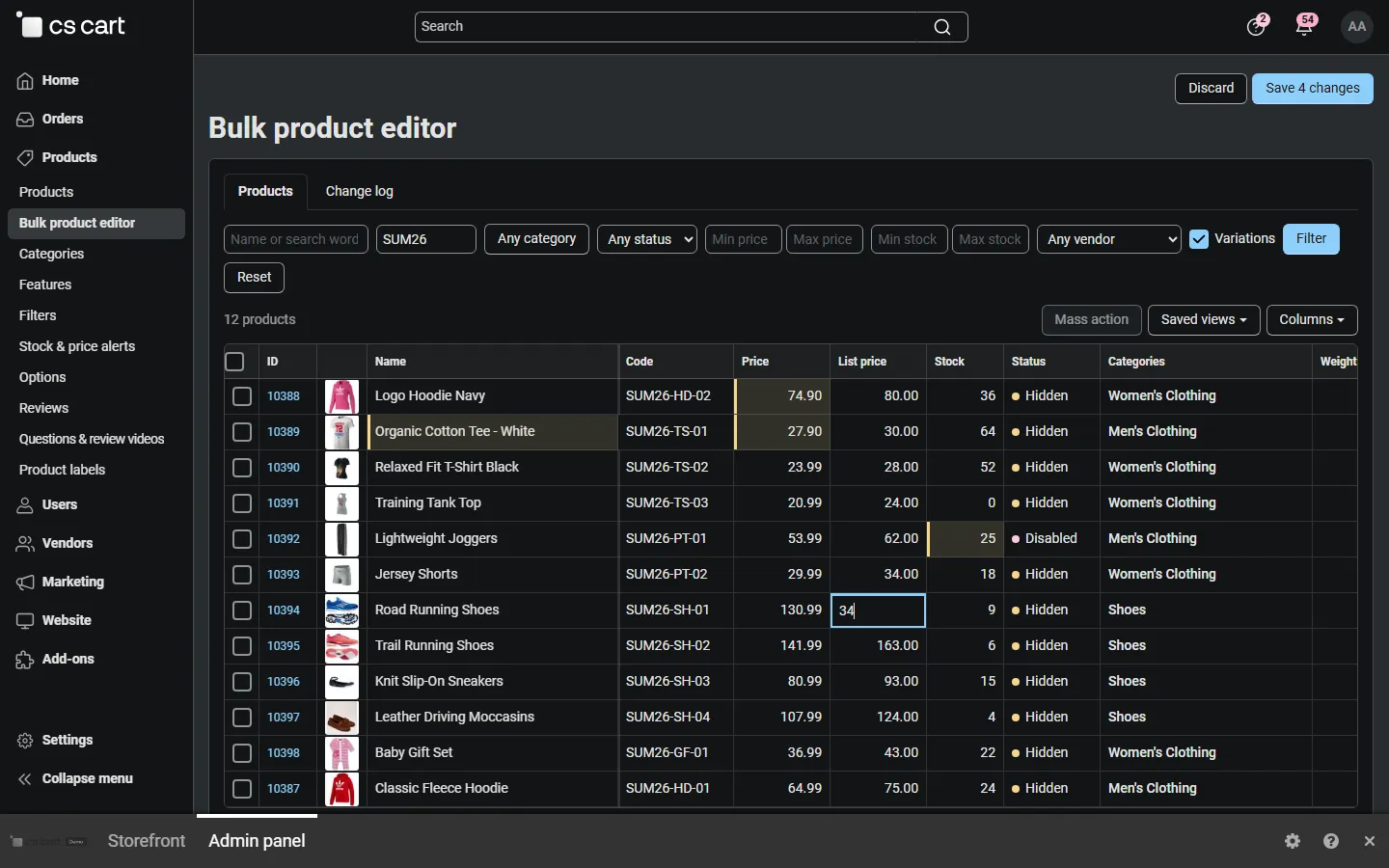
The grid in the 4.21 dark back-office scheme.
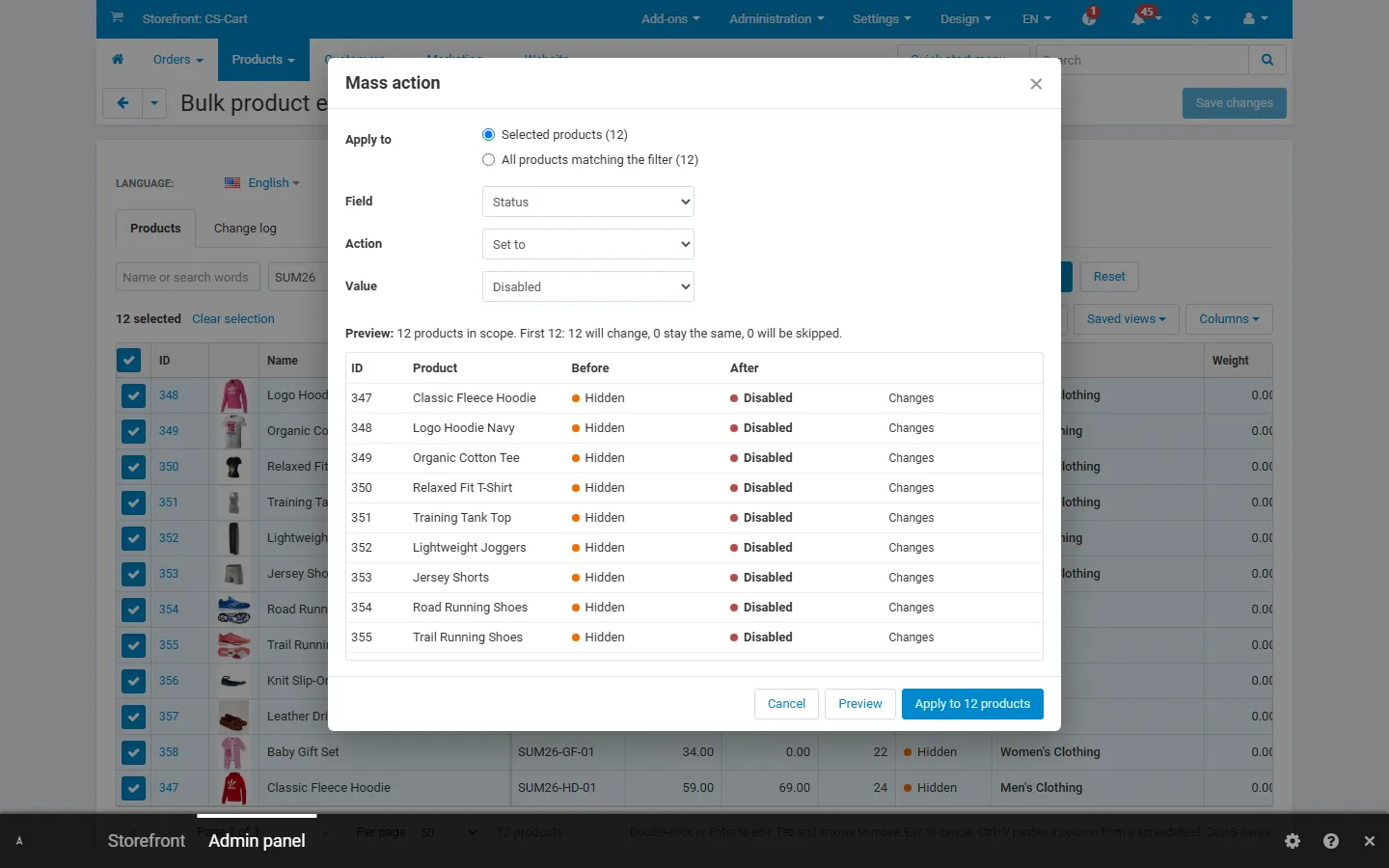
CS-Cart 4.17.2 back office: mass action “Status: set to Disabled” with preview.