

Configuration
Open Add-ons → Manage add-ons → Order Risk Guard → Settings. Settings are shared by all storefronts.
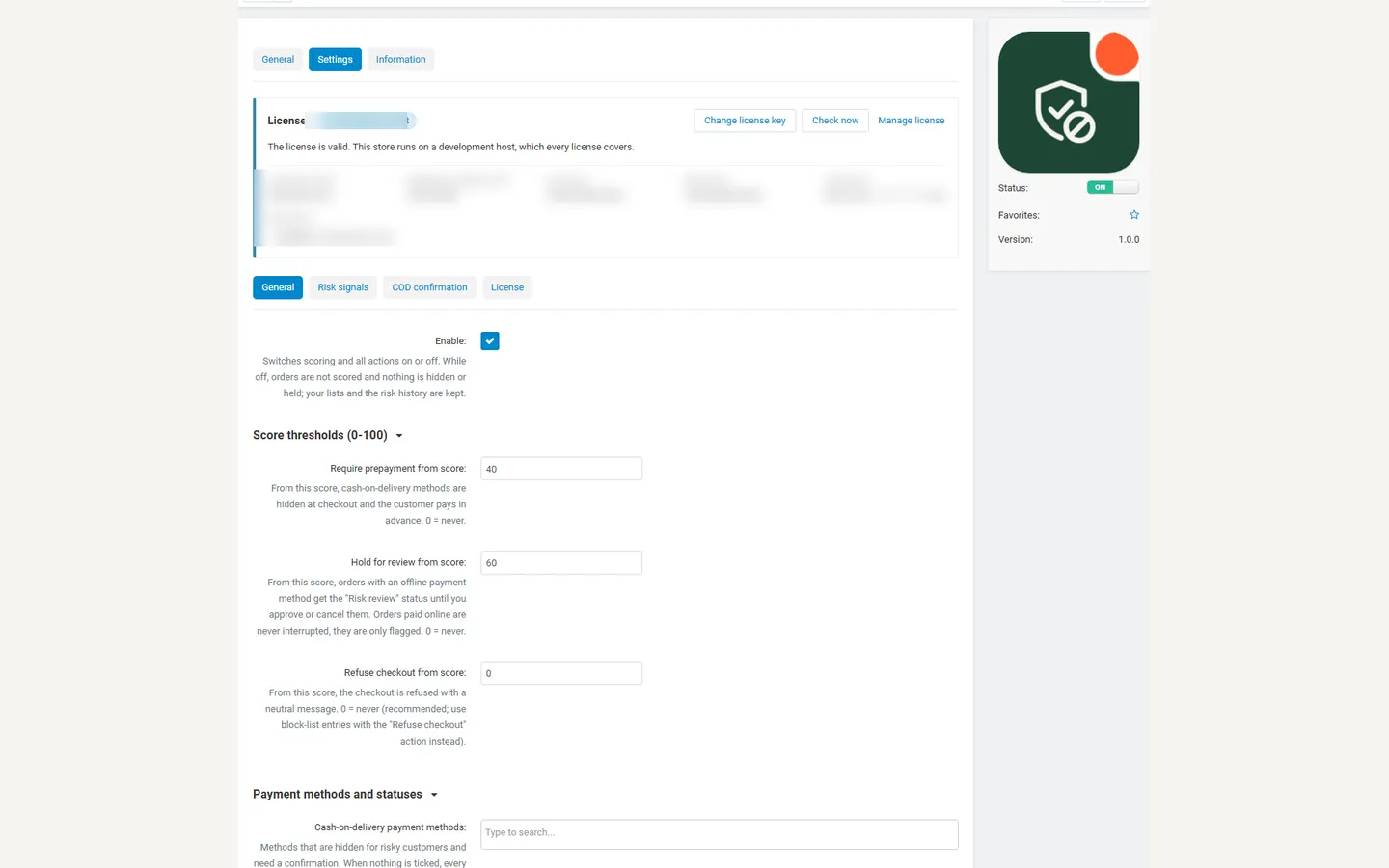
General
Section titled “General”| Setting | Default | Meaning |
|---|---|---|
| Enable | On | Switches scoring and all actions on or off. While off, orders are not scored and nothing is hidden or held; lists and history are kept. |
| Require prepayment from score | 40 | From this score, cash-on-delivery methods are hidden at checkout. 0 = never. |
| Hold for review from score | 60 | From this score, orders with an offline payment method get the “Risk review” status. Orders paid online are only flagged. 0 = never. |
| Refuse checkout from score | 0 | From this score, the checkout is refused with a neutral message. 0 = never (recommended: use block-list entries with the “Refuse checkout” action for known fraudsters instead). |
| Cash-on-delivery payment methods | none ticked | Methods hidden for risky customers and confirmed by the buyer. With nothing ticked, every method that uses the standard “Cash on delivery” template counts. |
| Statuses of refused or returned orders | Declined, Canceled | Earlier orders in these statuses count as problem orders. Create statuses such as “Refused on delivery” or “Returned to sender” in Administration → Order statuses and tick them here. |
| Status after approval or confirmation | Open | Status of an order you approve or the buyer confirms. |
| Status of cancelled and expired orders | Canceled | Status of an order you cancel, the buyer cancels, or nobody confirms in time. |
| Add a risk summary to the staff notes | On | Writes the score and the reasons (no personal data) into the staff-only notes of medium and high risk orders. |
| Automatic expiry | Shows the cron command and URL (see Installation). |
Levels: below the prepayment threshold an order is low risk, from the prepayment threshold medium, from the review threshold high.
Risk signals
Section titled “Risk signals”Each signal adds points; the total is limited to 0 – 100. Set a value to 0 to switch a signal off.
| Setting | Default | Signal |
|---|---|---|
| Points per problem order | 25 | Each earlier refused or returned order of the same account, e-mail or phone (at most 3 count; Multi-Vendor orders of one checkout count once). |
| Points for many orders in a short time | 20 | The same e-mail, phone or IP address placed at least Orders in the time window (3) orders in Time window (24 hours). |
| Points when billing and shipping countries differ | 10 | |
| Points when the IP country differs from the shipping country | 15 | Uses the GeoLite2 country database that ships with CS-Cart; no data leaves your store. Local and private addresses are skipped. |
| Points for a disposable e-mail address | 25 | A built-in list of well-known throw-away mailbox services plus your own domains in More disposable domains. |
| High order value from | 500 | Order total in the primary currency. 0 = off. |
| Points for a high order value | 10 | |
| Extra points for a first order with a high value | 15 | The customer has no earlier orders. |
| Points removed for trusted customers | 20 | The customer has paid or completed orders and no problem orders. |
Block-list entries with the action “Add points” add their own points (1 – 100).
COD confirmation
Section titled “COD confirmation”| Setting | Default | Meaning |
|---|---|---|
| Ask buyers to confirm cash-on-delivery orders | All cash-on-delivery orders | Never / Risky orders only / All. |
| Only from score | 20 | Used with “Risky orders only”. |
| Cancel unconfirmed orders after (hours) | 48 | The order moves to the “cancelled” status (the buyer is notified with the status e-mail). |
An order that is held for review gets no confirmation request: you decide. Allow-listed customers are never asked.
License
Section titled “License”The add-on checks its license key for your store’s domain once a day from the admin panel (never from the storefront). Development hosts such as localhost always work.
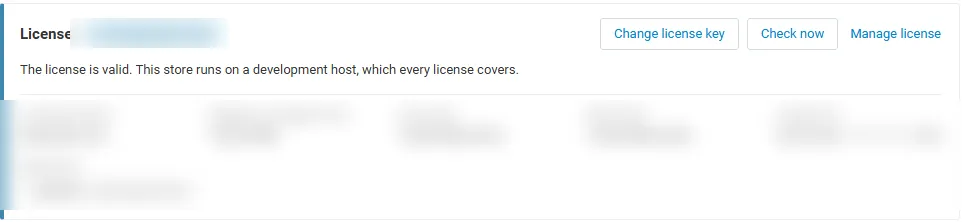
| Key | Enter it in Settings → License, or use the CS-Cart Marketplace license number in Add-ons → Manage add-ons. |
| Check now | The Check now button on the License tab repeats the check at once. |
| Server not reachable | The add-on keeps working during a grace period. |
Without a valid license: new orders are not scored, no payment method is hidden and no order is held or blocked; confirmation links already sent keep working, orders already held stay as they are for your review, and the block list, allow list and risk history stay saved. The admin pages stay available.