

One Step Checkout
Add-on ID: kv_one_step_checkout · Edition: CS-Cart & Multi-Vendor · Latest version: 1.0.0 · Compatible with: CS-Cart & Multi-Vendor 4.17.2 – 4.21.x, PHP 7.4 – 8.3 · Changelog: view
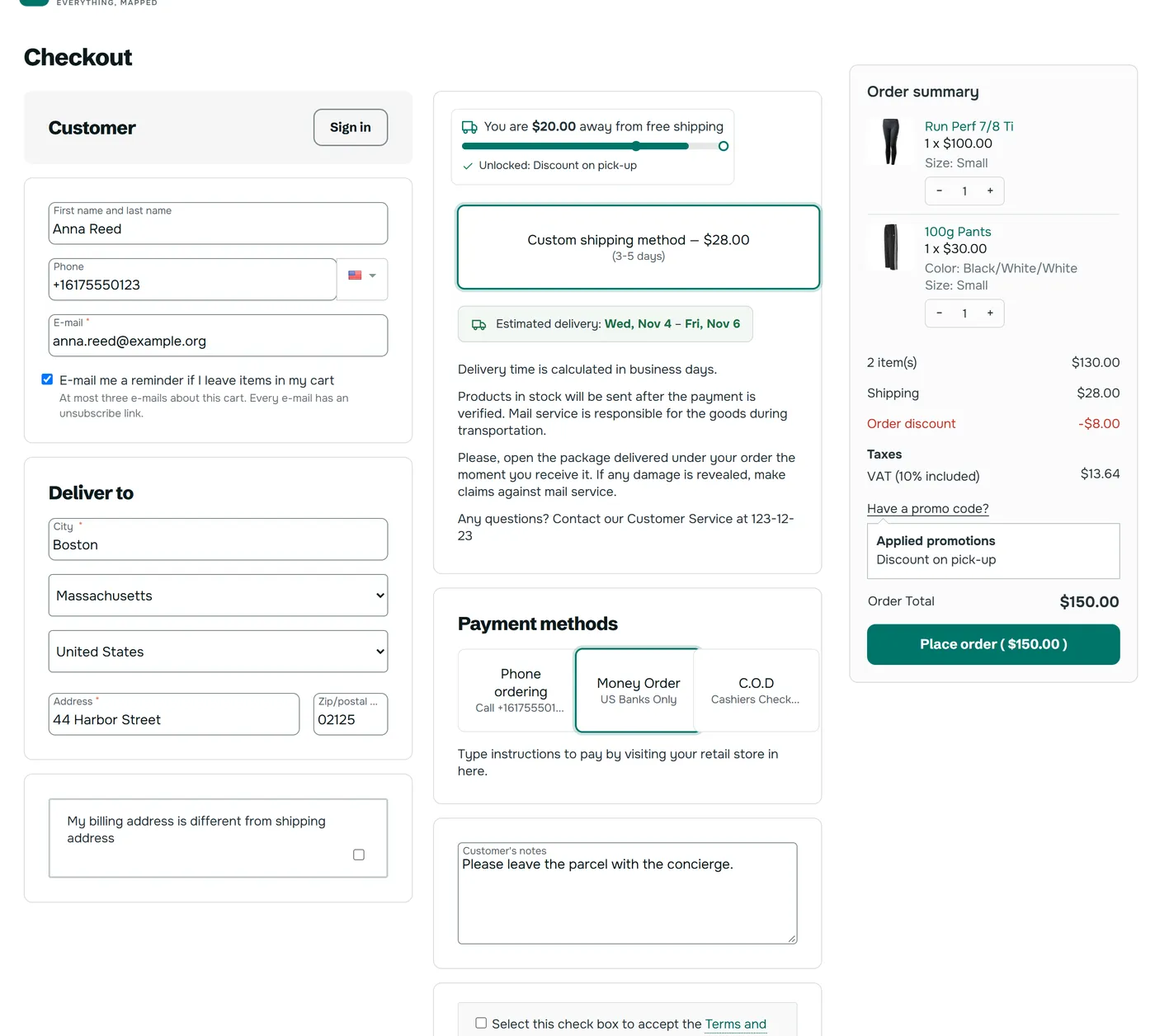
One Step Checkout rearranges the CS-Cart checkout page into one, two or three columns with an order summary that stays in view, and gives you one screen for every checkout field: show, hide, required, order and width. It keeps the core checkout underneath: the same blocks, the same form and the same order placement. A payment method that needs the standard page can be marked, and customers who choose it switch to the standard checkout with what they typed kept.
Key features
Section titled “Key features”- Three layouts in one licence: three columns, two columns or one narrow column. Under 1100 px three columns become two; phones get one stack.
- Blocks you can move: drag the checkout blocks between two columns. A block of another add-on starts at the end of the second column; no block is dropped.
- One screen for the fields: contact, shipping and billing fields with Show, Hide, Required, Optional, order and width. The rules run on top of your Profile fields and never change them.
- Order summary that stays in view with a Place order button; phones get a closed summary at the top and a bar at the bottom with the total and the button.
- Quantities in the summary: customers change an amount or remove an item without leaving the page.
- Closed until needed: the promo code box and the order note open when a customer asks for them.
- Typed data is kept: what a customer typed comes back after a reload, in that browser tab only. Passwords and card data are never kept.
- A deleted note stays deleted. On the standard page, a note a customer emptied comes back after the next save.
- Two name inputs (optional): first and last name instead of one full name input.
- No address for downloads (optional): carts that need no shipping skip the shipping address.
- Multi-Vendor: an order with several vendors groups the summary by vendor, each with its chosen shipping method.
- Safe fallback: mark any payment method to use the standard checkout, show a link to it, or use Preview mode so that only you see the one step page while you set it up.
What was tested
Section titled “What was tested”| Area | Tested | Not tested |
|---|---|---|
| Versions | CS-Cart 4.17.2 and Multi-Vendor 4.17.2 on a real store | Multi-Vendor 4.21.2: PHP 8.3 syntax and a compile of every template on the 4.21.2 engine, without a run on a 4.21 store. CS-Cart 4.21 was not available |
| Payments | Offline methods (money order and cash on delivery types) with real orders | Online gateways: PayPal, Stripe and others were not run. They use the same core form, but if one misbehaves, mark it on the Payments tab |
| Add-ons | Next to our delivery date, gift wrap, free shipping progress and abandoned cart add-ons on the test store | The core Direct Customer-to-Vendor Payments add-on, which has its own separate checkout |
| Themes | Responsive, Bright, Atlas, Pulse, Atelier, Aurora at 1440, 768 and 390 px with touch taps | The Nova theme of 4.21 |
Compatibility
Section titled “Compatibility”- CS-Cart and Multi-Vendor 4.17.2 – 4.21.x.
- PHP 7.4 to 8.3, depending on your CS-Cart version.
- Needs the standard Lite checkout page, which is the default. The add-on does nothing on a layout without the Lite checkout grid wrapper.