

Configuration
Open Add-ons → Manage add-ons → Stock Statuses & Lead Times → Settings. On CS-Cart Ultimate the settings can differ per storefront.
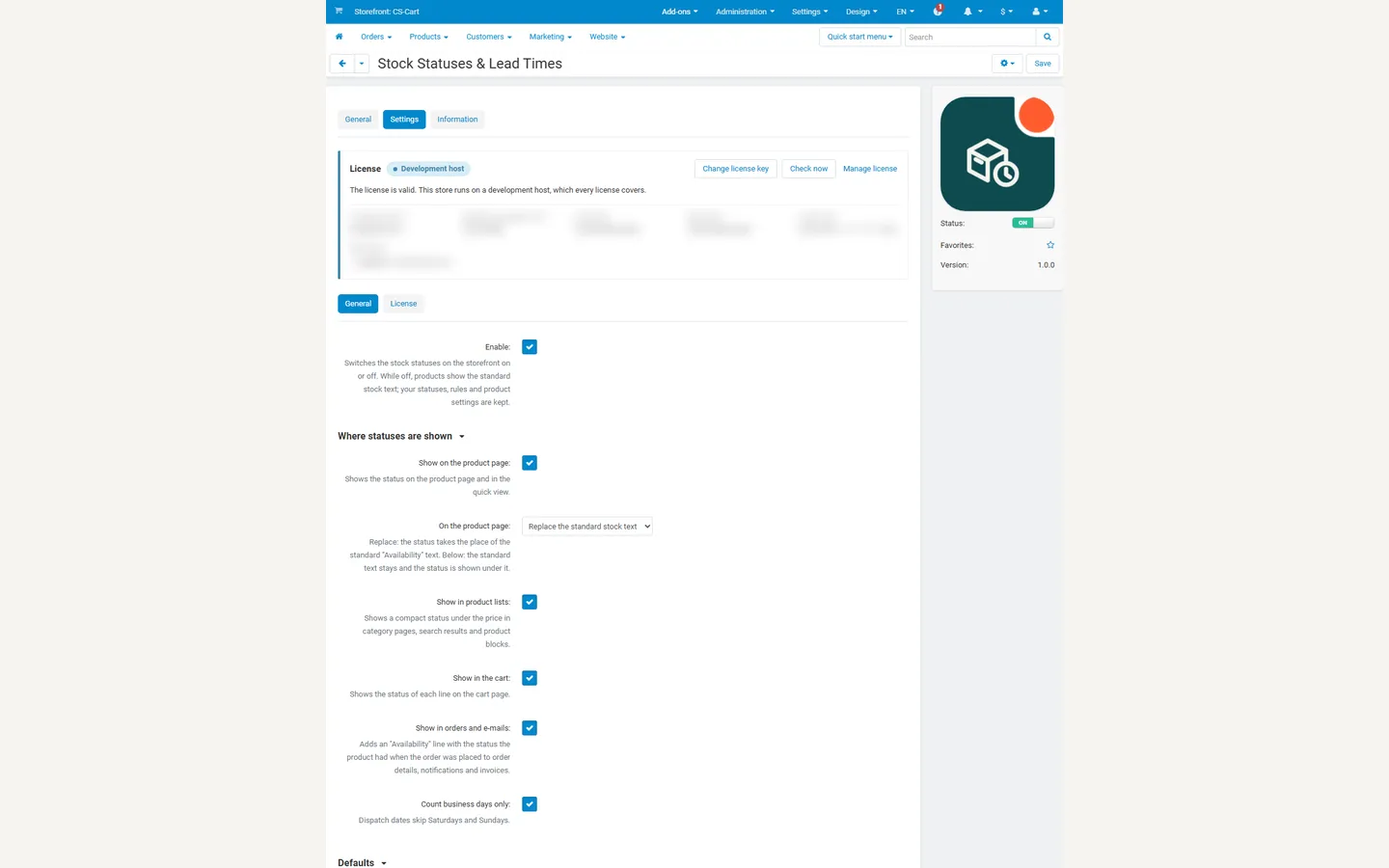
General
Section titled “General”| Setting | Default | What it does |
|---|---|---|
| Enable | On | Switches the stock statuses on the storefront on or off. While off, products show the standard stock text; statuses, rules and product settings are kept. |
Where statuses are shown
Section titled “Where statuses are shown”| Setting | Default | What it does |
|---|---|---|
| Show on the product page | On | The status on the product page and in the quick view. |
| On the product page | Replace the standard stock text | Replace: the status takes the place of the “Availability: 12 items” line. Below: the standard line stays and the status is shown under it. |
| Show in product lists | On | A compact status (icon and name) under the price in category pages, search results and product blocks. |
| Show in the cart | On | The status of each line on the cart page. |
| Show in orders and e-mails | On | An “Availability” line with the status the product had when the order was placed, in order details (customer and admin), notification e-mails and invoices. |
| Count business days only | On | Dispatch dates and [date] skip Saturdays and Sundays. |
Defaults
Section titled “Defaults”| Setting | Default | What it does |
|---|---|---|
| Status when in stock | In stock | Shown for products in stock (or not tracking stock) that have no product setting and match no rule. “None” keeps the standard text. |
| Status when out of stock | None | The same for out-of-stock products. |
Vendors
Section titled “Vendors”Multi-Vendor only.
| Setting | Default | What vendors can do |
|---|---|---|
| Vendor access | Product settings, own statuses and rules | No access: nothing. Product settings only: choose statuses and lead times for their own products in the product editor. Product settings, own statuses and rules: also create statuses and rules of their own in Products → Stock statuses. |
Vendors always see the shared statuses read-only and never see or use another vendor’s statuses and rules.
License
Section titled “License”The add-on checks its license key for your store’s domain once a day from the admin panel (never from the storefront). Development hosts such as localhost always work.
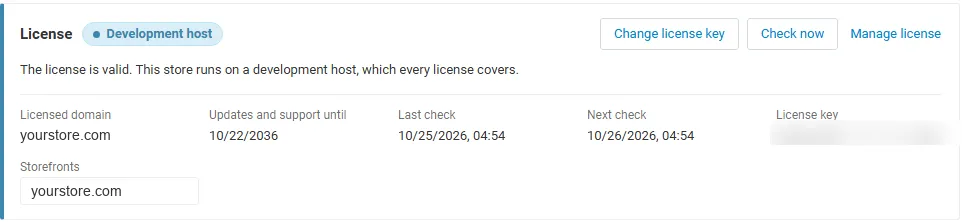
| Key | Enter it in Settings → License, or use the CS-Cart Marketplace license number in Add-ons → Manage add-ons. |
| Check now | The Check now button on the License tab repeats the check at once. |
| Server not reachable | The add-on keeps working during a grace period. |
Without a valid license: products show the standard CS-Cart stock text again, the stock status filter is hidden and product feeds fall back to their own availability; your statuses, rules and product settings are kept, and orders placed earlier still show the status they were placed with. The admin pages stay available.