

Configuration
Overview · Installation · Usage · Developer notes · FAQ
Settings
Section titled “Settings”Add-ons → Manage add-ons → Gift Wrap & Gift Messages → Settings. In CS-Cart Ultimate the settings can differ per storefront.
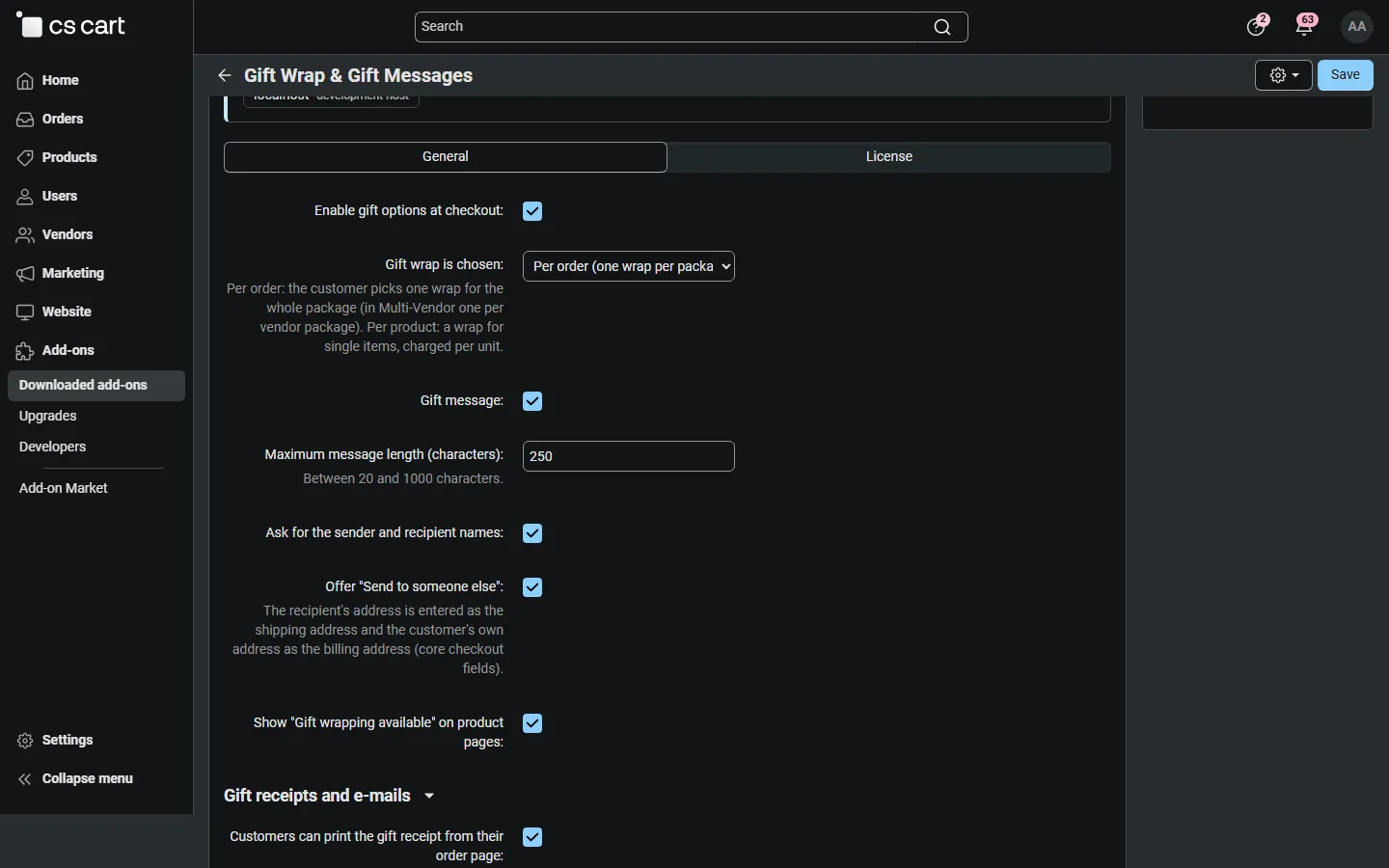
| Setting | Default | What it does |
|---|---|---|
| Enable gift options at checkout | On | Shows the This order is a gift box at checkout. Off: no gift options and no wrap fee for new orders; existing orders keep their gift data. |
| Gift wrap is chosen | Per order | Per order: one wrap for the whole package (on Multi-Vendor one per vendor package), price charged once. Per product: a wrap for single products, price charged per unit. Per package and per product: both. |
| Gift message | On | The message field with a character counter. |
| Maximum message length (characters) | 250 | 20 – 1000. |
| Ask for the sender and recipient names | On | The From and To fields. |
| Offer “Send to someone else” | On | A checkbox with a hint: the recipient’s address goes into the shipping address, the customer’s own address into the billing address. Ticking it switches on the checkout’s “billing address is different” option. |
| Show “Gift wrapping available” on product pages | On | A small note under the product price when at least one wrap is offered for the product. |
| Customers can print the gift receipt from their order page | On | Adds Print gift receipt to the customer’s order page. Admins and vendors can always print it. |
| Hide prices in the shipment e-mail of gift orders | On | Removes all price data from the shipment notification of gift orders, so even a customised template prints no prices. |
Gift wrap options
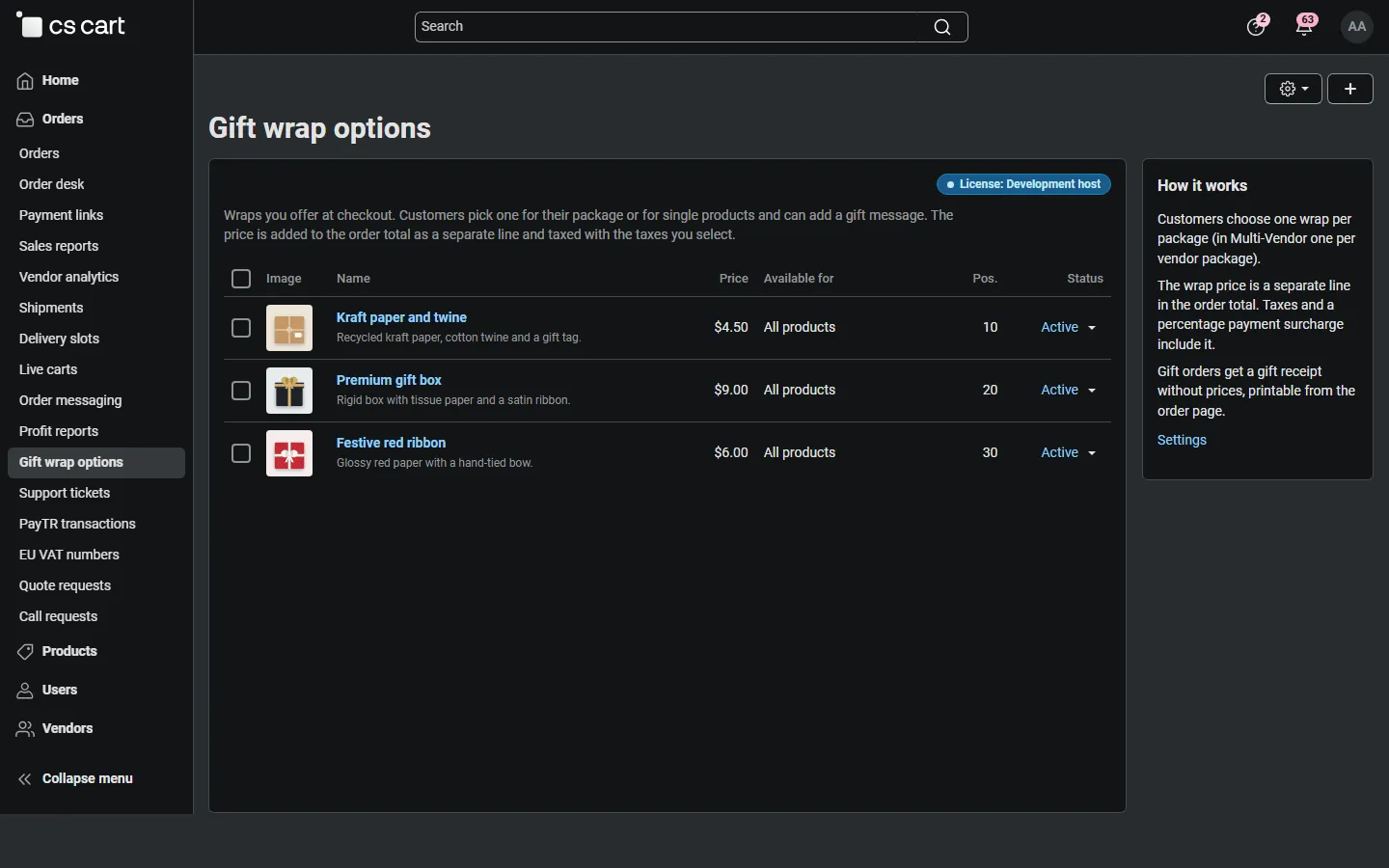
Section titled “Gift wrap options”Orders → Gift wrap options lists your wraps with picture, price, availability, position and status. Click + to add one.
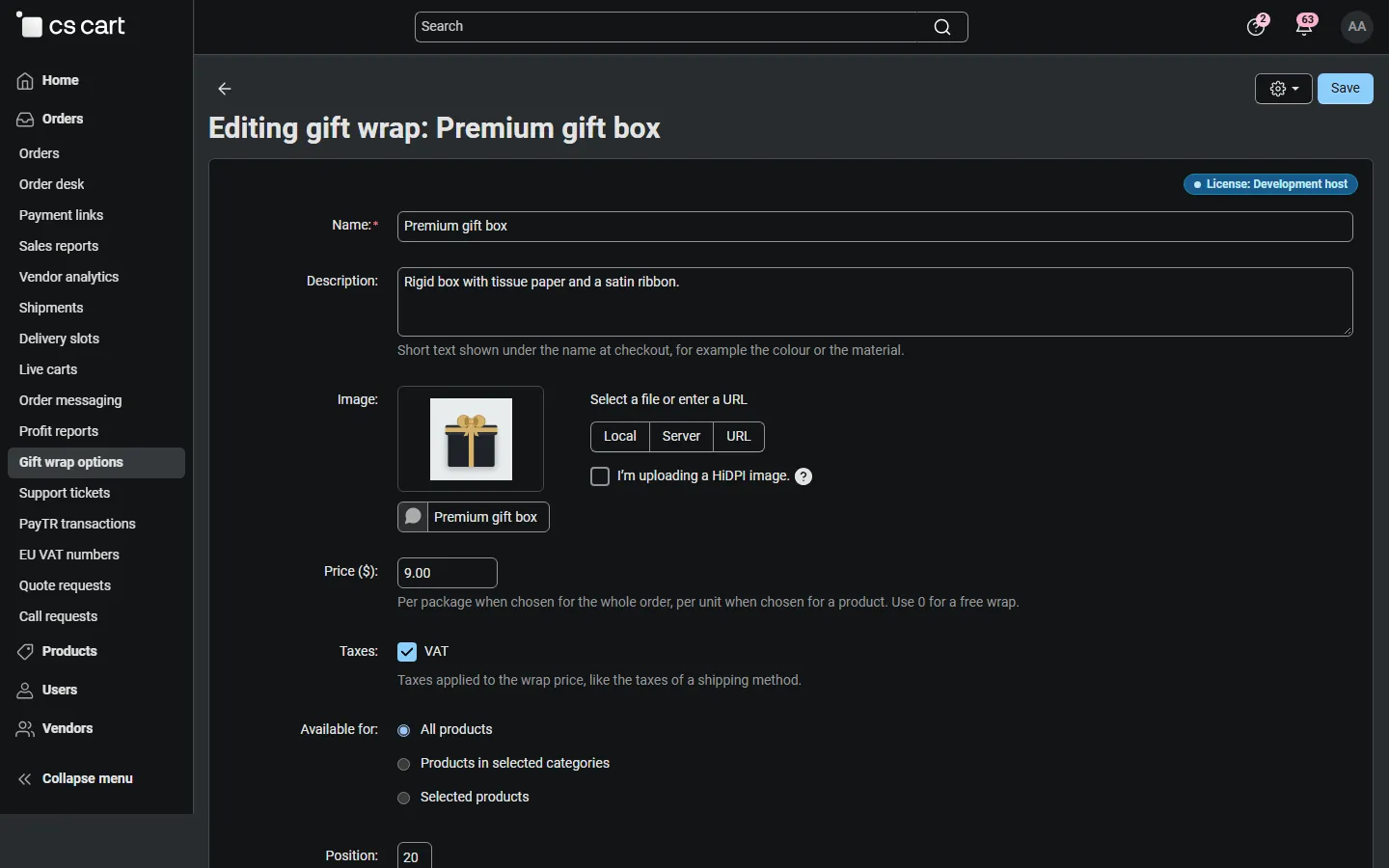
| Field | Notes |
|---|---|
| Name | Shown at checkout, on the order, the invoice and the gift receipt. |
| Description | Short text under the name at checkout (colour, material). |
| Image | Shown as a thumbnail at checkout. A square picture of at least 120 x 120 px works best. |
| Price | In your primary currency. Per order wraps are charged once per package, per product wraps once per unit. 0 = free wrap. |
| Taxes | The taxes of the wrap price, like the taxes of a shipping method. Price-included taxes are part of the price; other taxes are added on top. |
| Available for | All products, Products in selected categories (subcategories included) or Selected products. A package wrap is offered when at least one product of the package qualifies. |
| Position, Status | Order at checkout; disabled wraps are hidden from customers but stay on existing orders. |
Deleting a wrap does not change existing orders: each order keeps its own copy of the wrap name and price.
In CS-Cart Ultimate, wraps created while a storefront is selected belong to that storefront; wraps created for All storefronts are offered everywhere.
License
Section titled “License”The license status is shown in a License card at the top of the add-on page, above the tabs, so you see it on every tab. The License tab holds the key itself. The key is stored once for the whole installation.

The License card shows:
- the status in color: green when valid, blue for a development host or the 14-day period before a key is required (with the days left), amber when the license server could not be reached (with the days left) or a Marketplace number is still being verified, red when the add-on is switched off;
- in plain words what the status means and, when the add-on is (or will be) switched off, what stops: customers can no longer choose gift wrap or write a gift message at checkout, and no wrap fee is added; orders already placed keep their gift details, gift receipts and totals;
- the licensed domain, every storefront with its result (covered, development host, not covered), the end of the updates and support period, the last and the next check, and the key in use (masked);
- the actions Enter license key / Change license key, Check now, Manage license and, without a valid license, Buy a license.
In Add-ons → Manage add-ons the add-on’s row shows a small license badge next to its name. The Gift wrap options page shows the status as a small chip.