

Wholesale Price Lists
Add-on ID: kv_wholesale_price_lists · Edition: CS-Cart & Multi-Vendor · Latest version: 1.0.0 · Compatible with: CS-Cart & Multi-Vendor 4.17.2 – 4.21.x, PHP 7.4 – 8.3 · Changelog: view
Wholesale Price Lists gives your trade customers their own prices. You create named price lists, put products in them with a fixed price, a percent discount or quantity breaks, and assign each list to user groups or to individual customers. Signed-in customers then see and pay their prices everywhere: on product pages and in product lists, in the cart, at checkout and in orders you create in the admin panel. CS-Cart itself only has quantity discounts per user group on each product page, without named lists, per-customer prices, validity dates or a bulk import.
- Named price lists with a status, a priority, validity dates (from / until) and an optional note for the customer.
- Per product: a fixed price or a percent discount off the regular price, with as many quantity breaks as you need (for example 1+, 10+, 50+). Product variations use the price of their parent product unless they have their own.
- Discount on all other products: an optional percent discount for every product that has no own price in the list.
- Assignment to user groups (also “Registered”: every signed-in customer) and to individual customers.
- Several lists per customer: the lowest price wins, or the list with the highest priority wins (your choice). Optionally never more than the regular price.
- CSV import and export by SKU (or product ID) for large lists: merge or replace, with line-by-line error reports.
- Admin editor with search by product name or SKU, pagination, inline quantity breaks and a product picker.
- “My price list” in the customer account: the customer’s lists, their products with regular price, your price and quantity breaks, search and a CSV download.
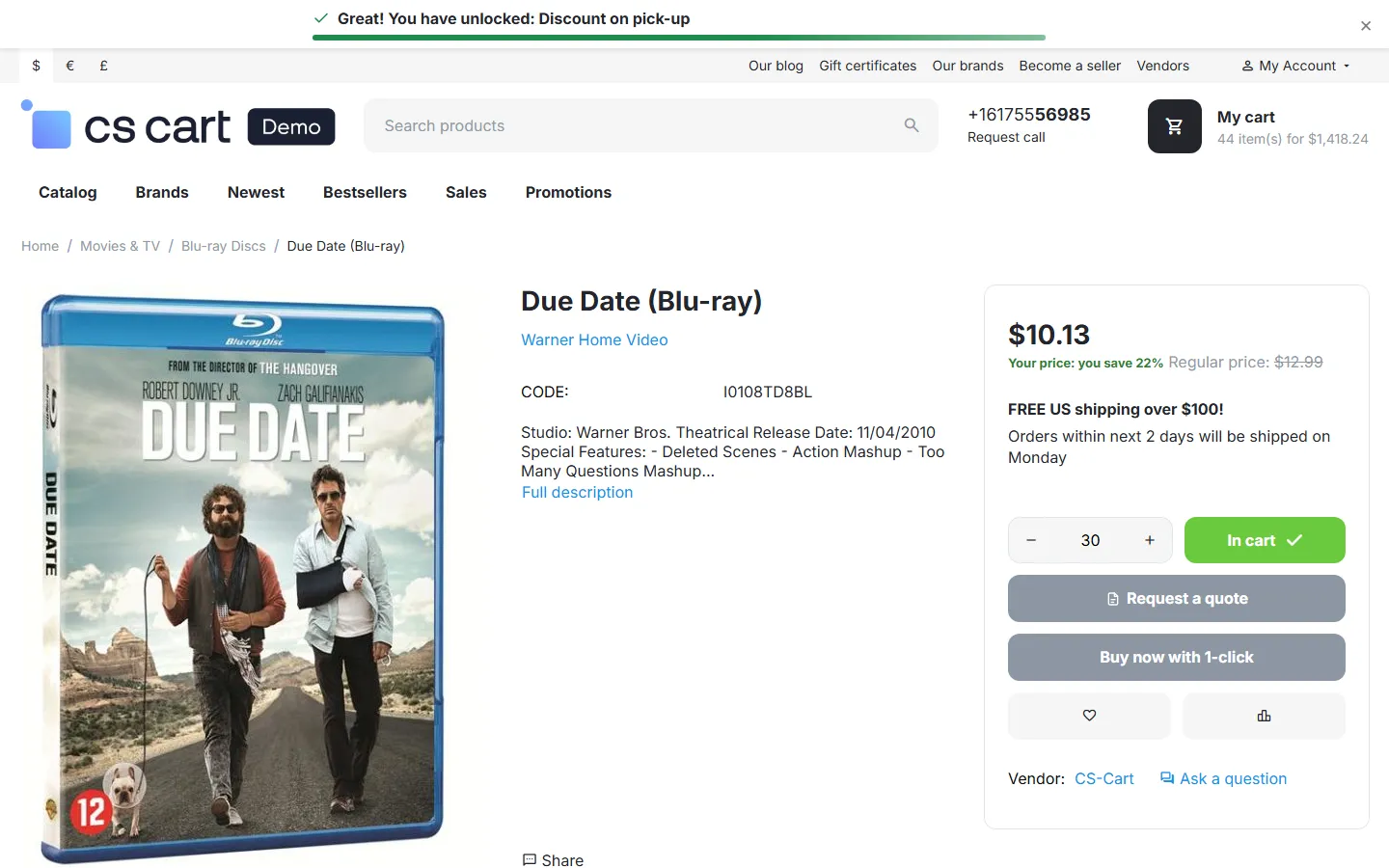
- Storefront display: the regular price crossed out next to the list price and “Your price: you save N%” on product pages (both optional); the quantity discount table shows the list’s breaks.
- Consistent prices: list prices go through core price calculation, so promotions, taxes, the cart, checkout, order management and our other add-ons (for example B2B Request a Quote) use the same price.
- Guests never see list prices, and cached pages never contain them (full page cache, block cache and the product schema markup).
Documentation
Section titled “Documentation”| Page | Contents |
|---|---|
| Installation | Requirements, installing, upgrading, uninstalling |
| Configuration | Settings and license |
| Usage | Creating lists, prices and quantity breaks, assignment, CSV, what customers see, Multi-Vendor and Ultimate |
| Developer notes | Price resolution, hooks, caching, data model, file map |
| FAQ | Common questions |
Compatibility
Section titled “Compatibility”| CS-Cart / Multi-Vendor | 4.17.2 – 4.21.x (Ultimate and Multi-Vendor editions) |
| PHP | 7.2.5 – 8.3 (whatever your CS-Cart version supports) |
| Themes | Responsive and themes based on it (Bright, Nova and others) |
| Full page cache (4.21) | Supported: list prices are shown only to signed-in customers, whose pages are never cached |
| External services | None |