

Category Import & Export
Add-on ID: kv_category_import_export · Edition: CS-Cart & Multi-Vendor · Latest version: 1.0.0 · Compatible with: CS-Cart & Multi-Vendor 4.17.2 – 4.21.x, PHP 7.4 – 8.3 · Changelog: view
CS-Cart can export and import products, features, orders and users, but not the category tree itself: categories only appear as a side effect of a product import. Category Import & Export adds a Categories section to Administration → Export data / Import data. You export the whole tree (or one branch) to CSV with full paths, every language, SEO names, images and the layout settings, edit it in a spreadsheet and import it back, into the same store or another one.
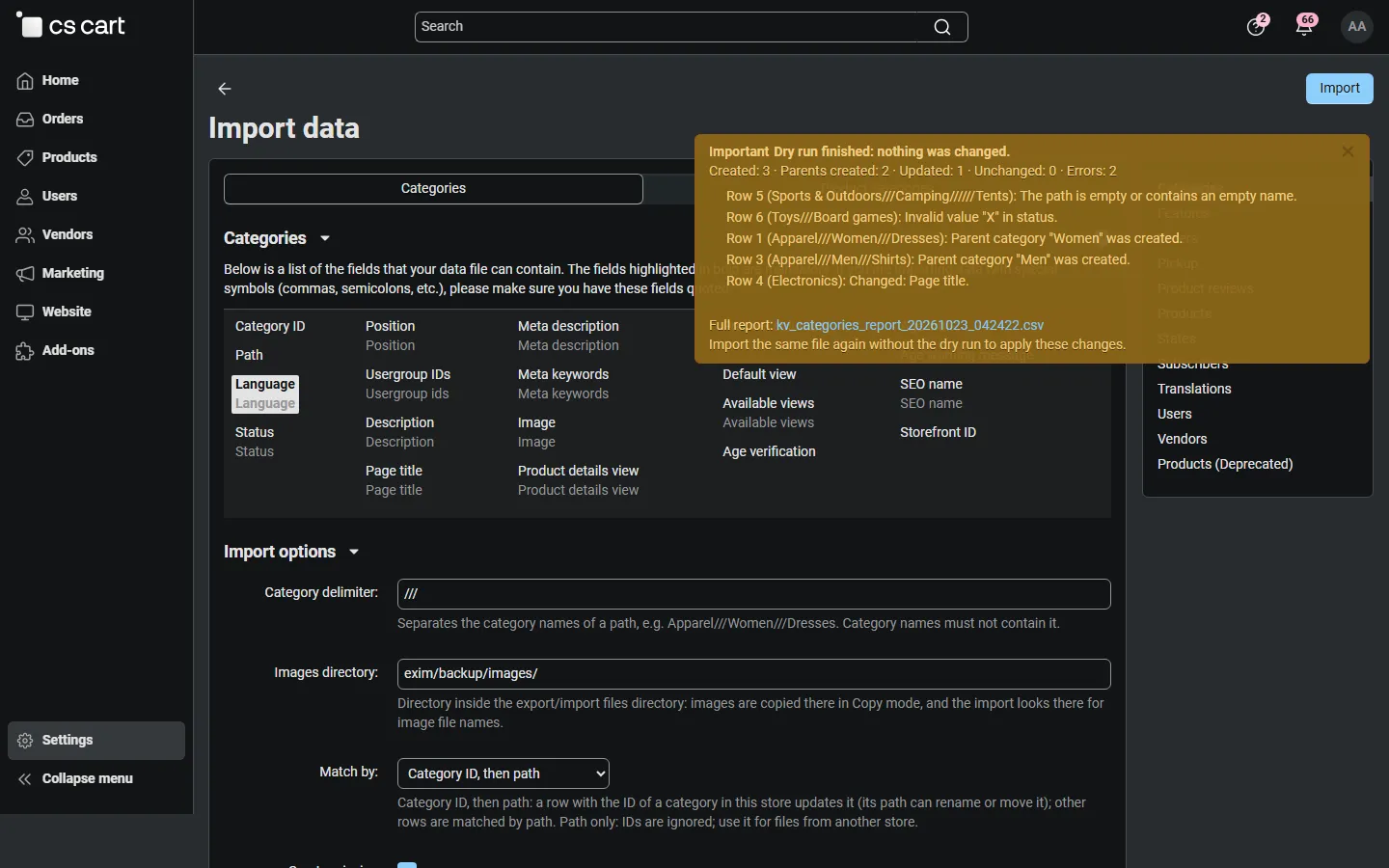
The import shows a dry run first, creates missing parent categories, moves and renames categories when their path changes, and writes only what really changed. Re-importing an unchanged export changes nothing.
Features
Section titled “Features”- Categories pattern in the core Export data / Import data pages, with saved layouts, like the core product patterns.
- Full paths (
Apparel///Women///Dresses) in every language; missing parents are created automatically. - All category data: status, position, user groups, description, page title, meta description and keywords, SEO name, image, product details view, product columns, default and available views, age verification, product count (export).
- Update by ID or by path: rows with a category ID of this store update that category (rename or move it); other rows are matched by path. Path only ignores IDs for files from another store.
- Dry run with counts and row messages (created, parents created, updated with the changed columns, moved, unchanged, errors), plus a full report file.
- Safe re-import: every value is compared first; unchanged categories are not touched, images are not uploaded again, no SEO redirects are created for nothing.
- Images as URLs or as files copied to the images directory, with alt texts in every language.
- Product categories pattern: which products are in which categories (main and additional), with Add or Replace import and positions.
- Console and cron: the same export and import from the command line.
- Ultimate: per store (Store column); Multi-Vendor: for the marketplace administrator (vendors do not see the section).
Documentation
Section titled “Documentation”| Page | Contents |
|---|---|
| Installation | Requirements, installing, upgrading, uninstalling |
| Configuration | Settings, import and export options, license |
| Usage | File format, exporting, importing, dry run, product links, console |
| Developer notes | How the patterns work, hooks, file map |
| FAQ | Common questions and license |
Compatibility
Section titled “Compatibility”| CS-Cart / Multi-Vendor | 4.17.2 – 4.21.x |
| PHP | 7.2.5 – 8.3 (whatever your CS-Cart version supports) |
| Editions | CS-Cart (Ultimate) with one or more stores, Multi-Vendor |
| SEO add-on | Optional: the SEO name column appears when it is active |
| Storefront | No storefront output; nothing changes for visitors or the full page cache |