

Pre-Orders & Deposits screenshots
Real screenshots from our CS-Cart and Multi-Vendor test stores with the add-on installed and the English interface.
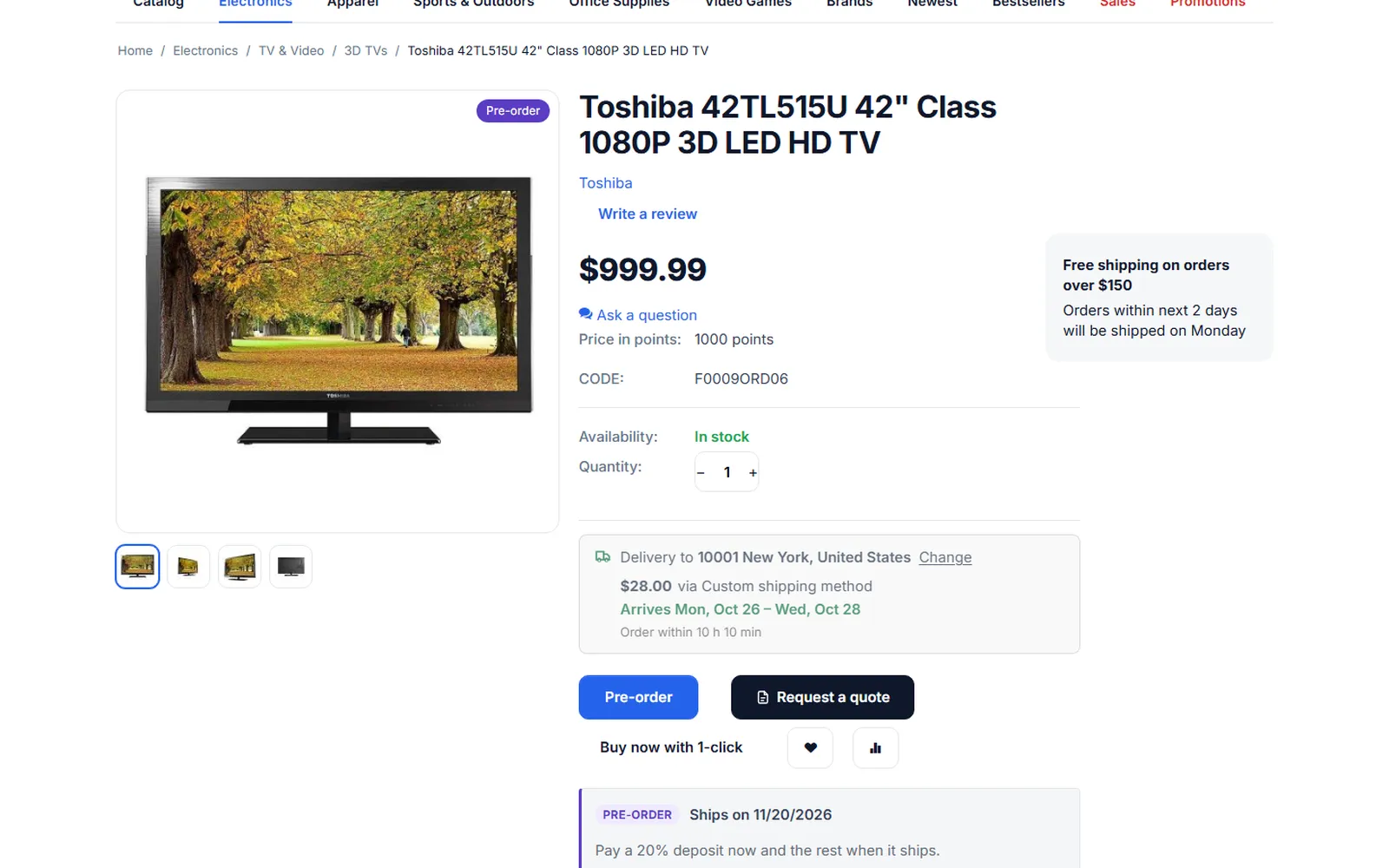
Product page of a pre-order: “Pre-order” label, “Pre-order” button, release date and deposit box.
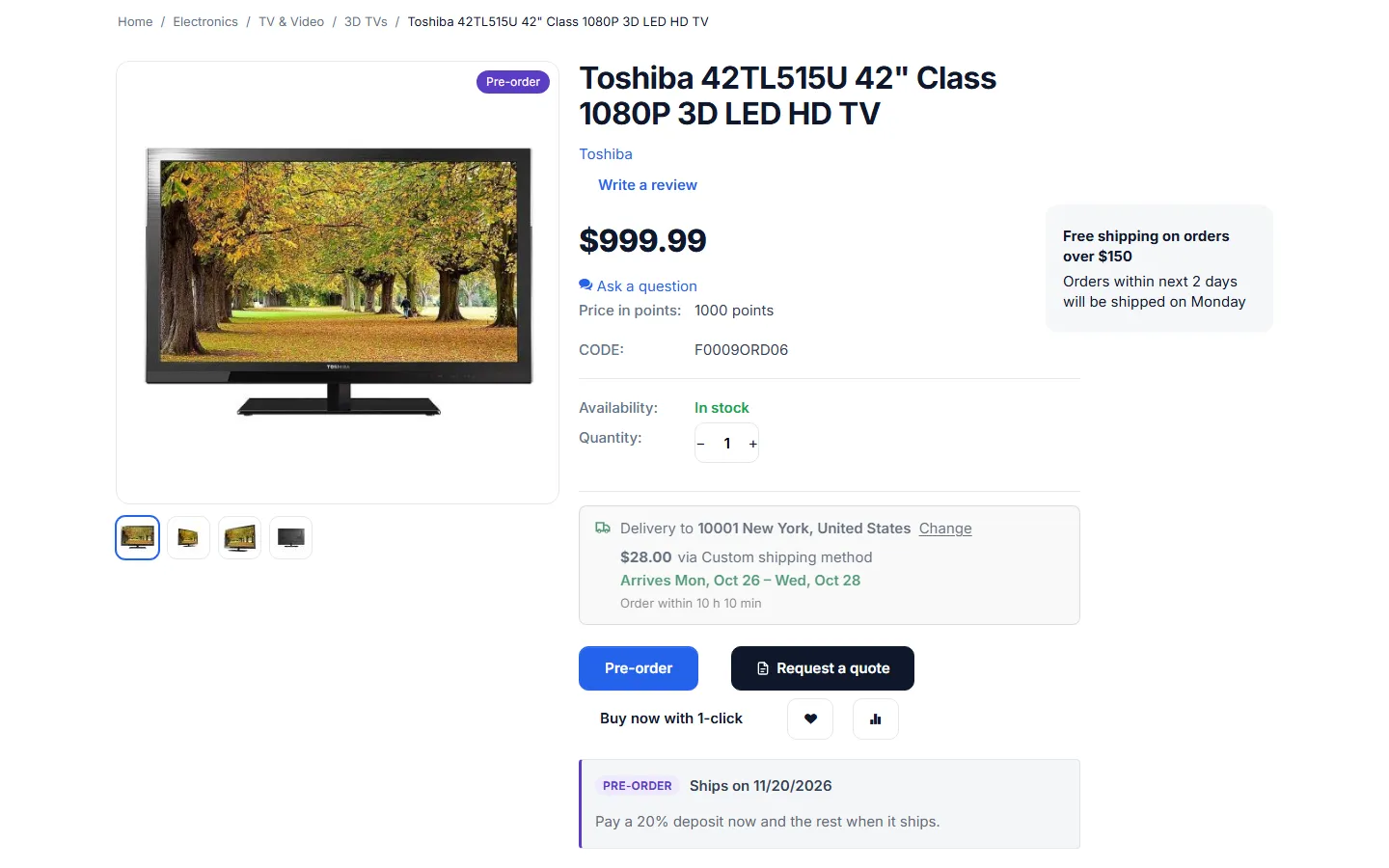
Pre-order with a release date and a 20% deposit.
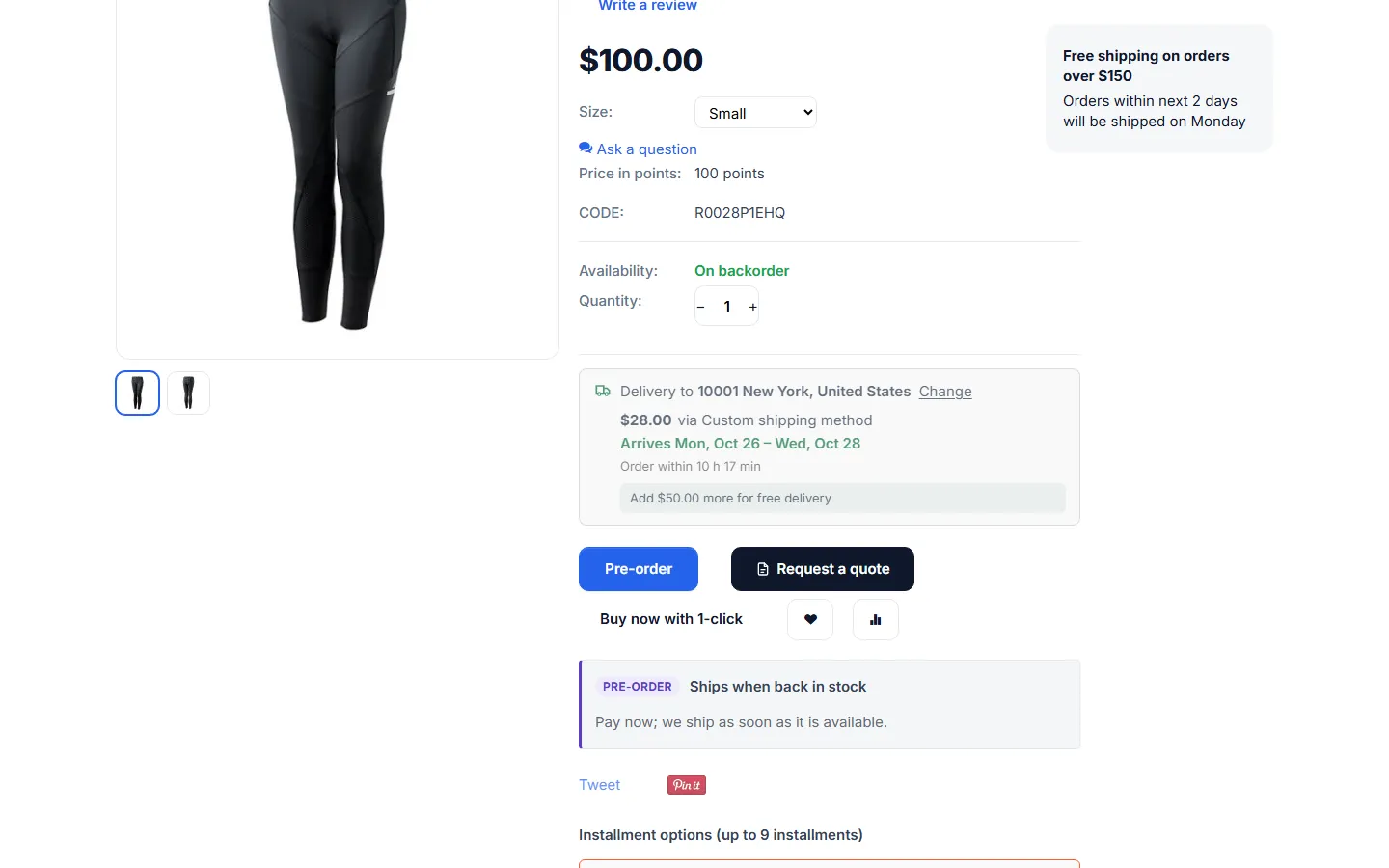
Backorder pre-order without a date: “Ships when back in stock”, full payment.
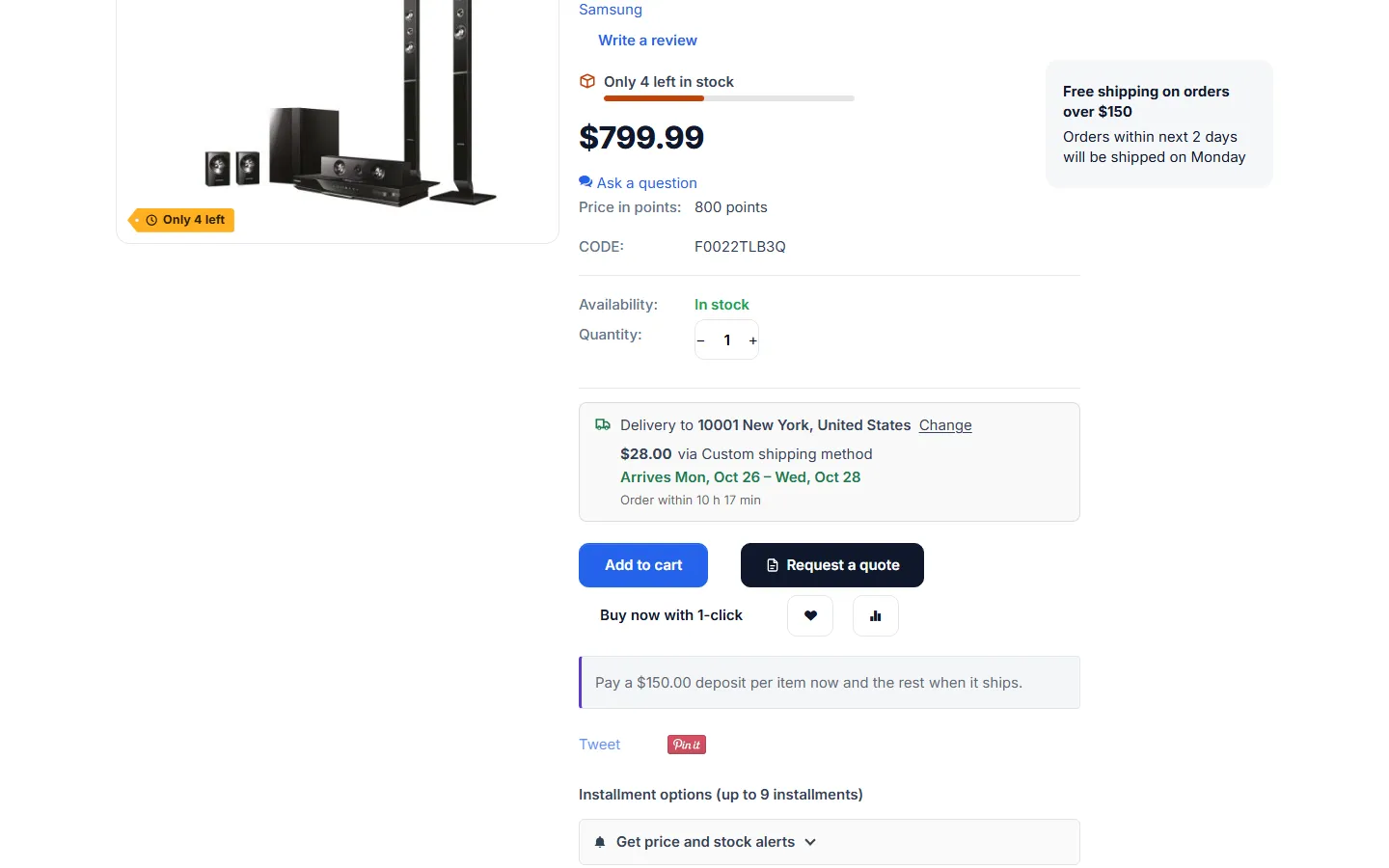
Made-to-order product with a fixed deposit per item (no pre-order label).
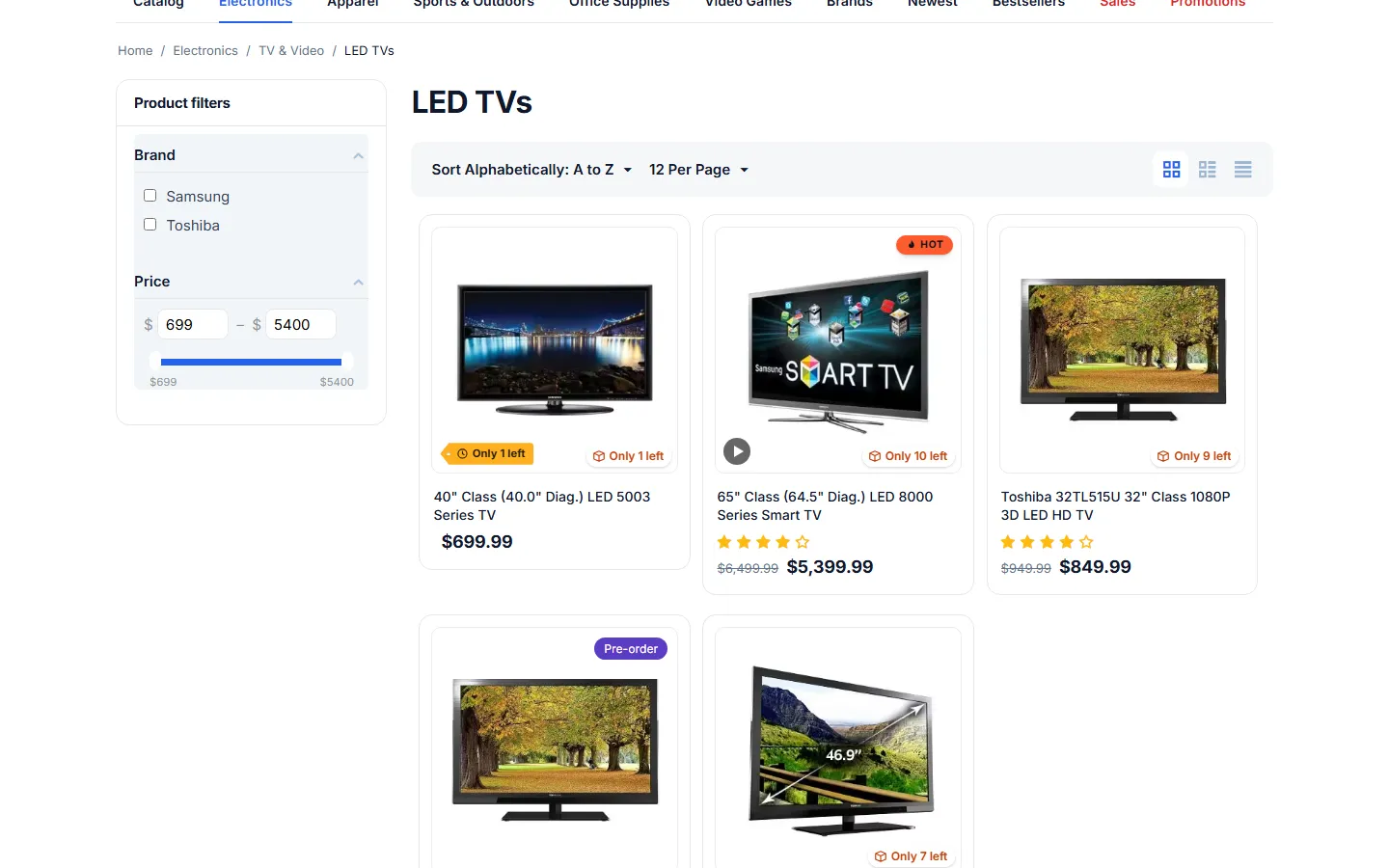
Category page: the “Pre-order” label on the product card.
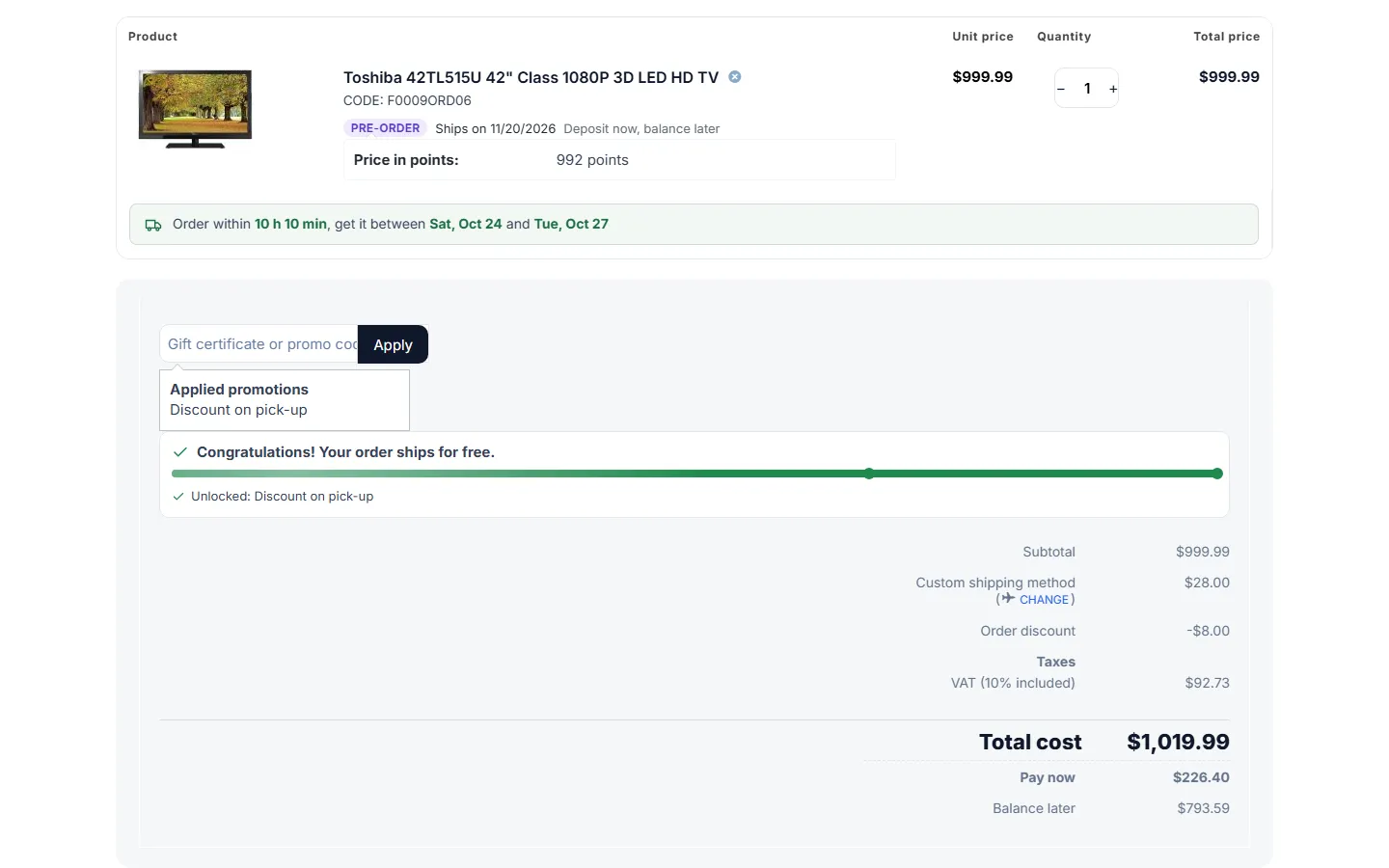
Cart: pre-order note on the item, “Pay now” and “Balance later” under the total.
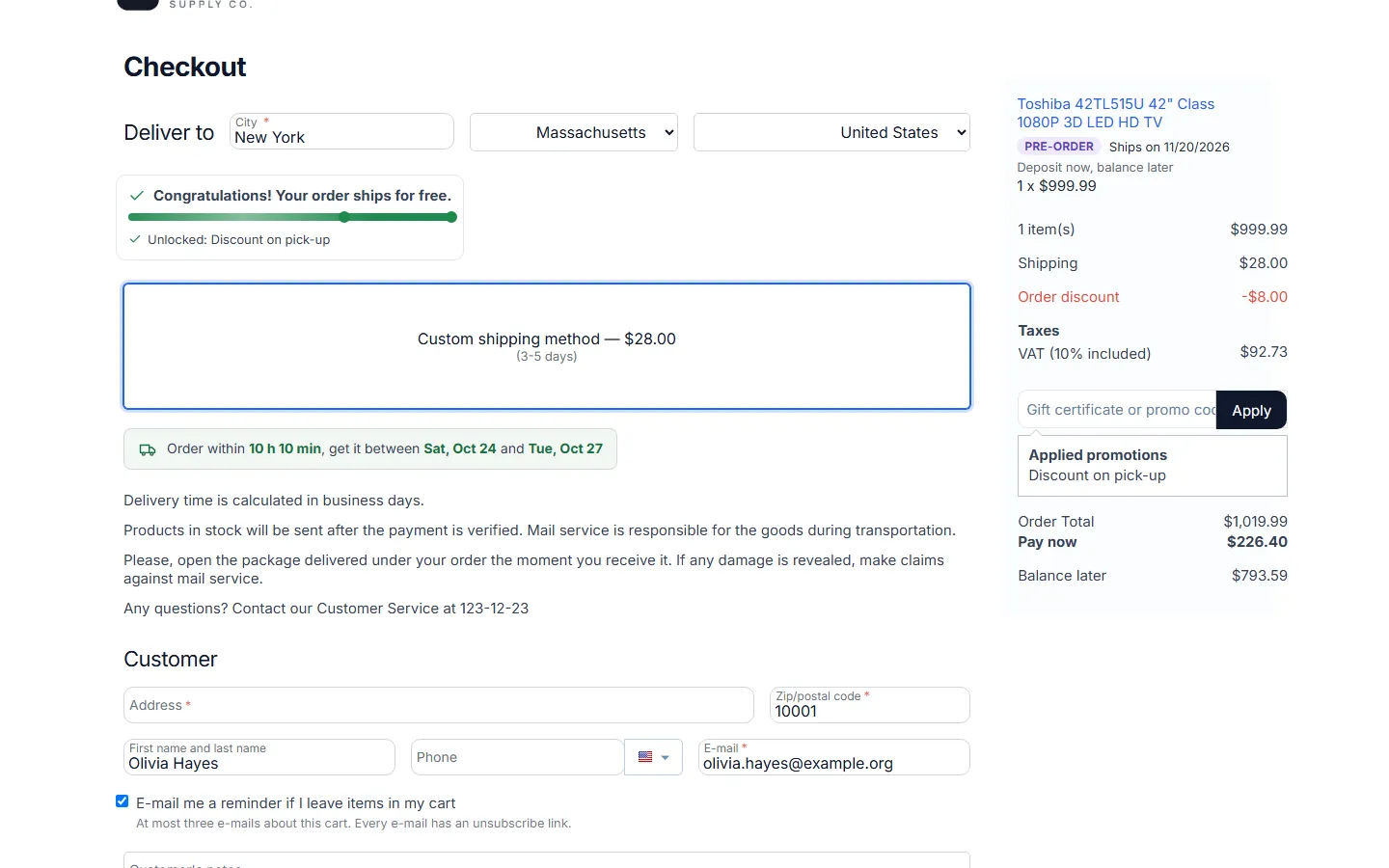
Checkout summary with the item note and the pay now / balance later rows.
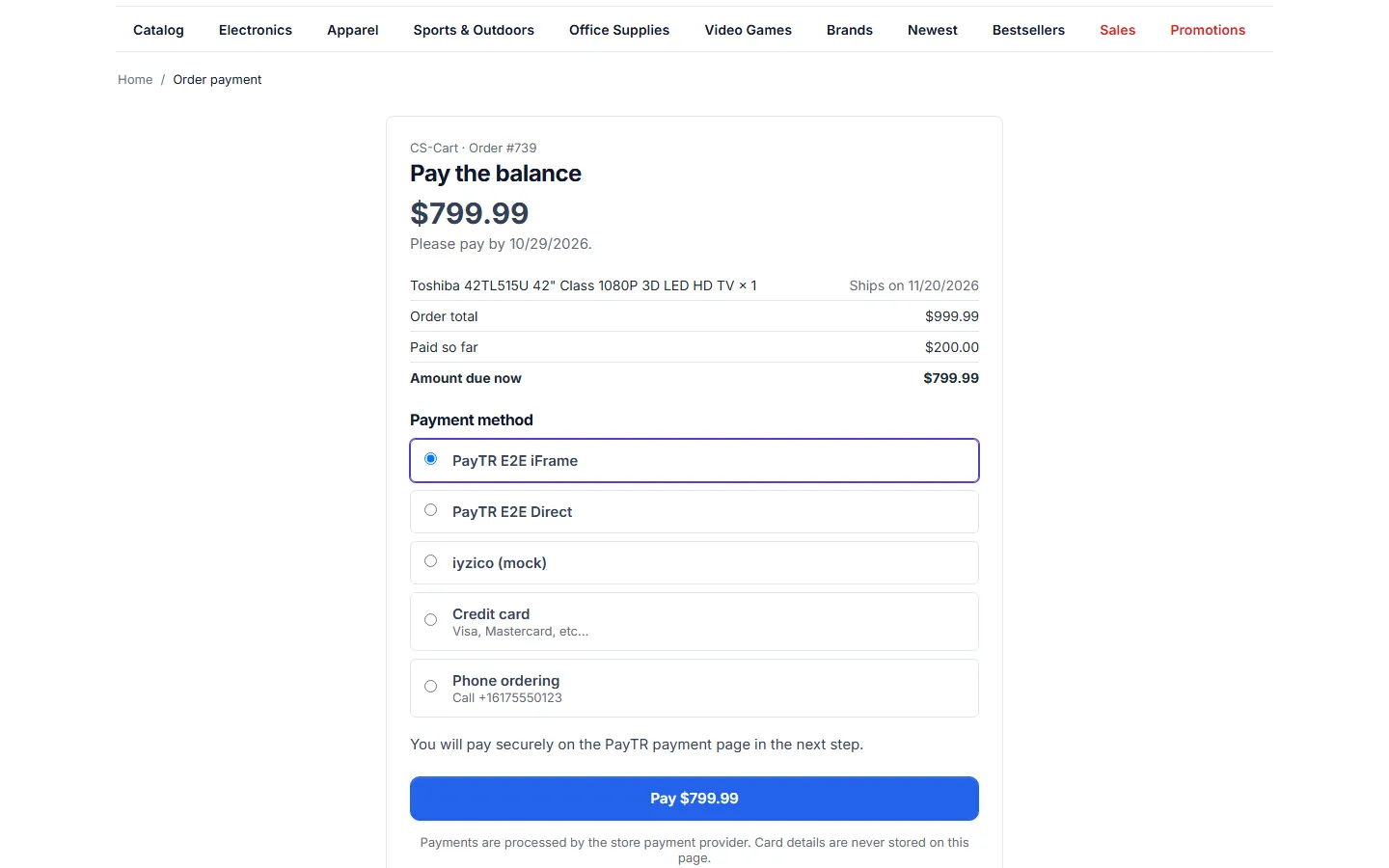
Secure balance payment page reached from the e-mail link.
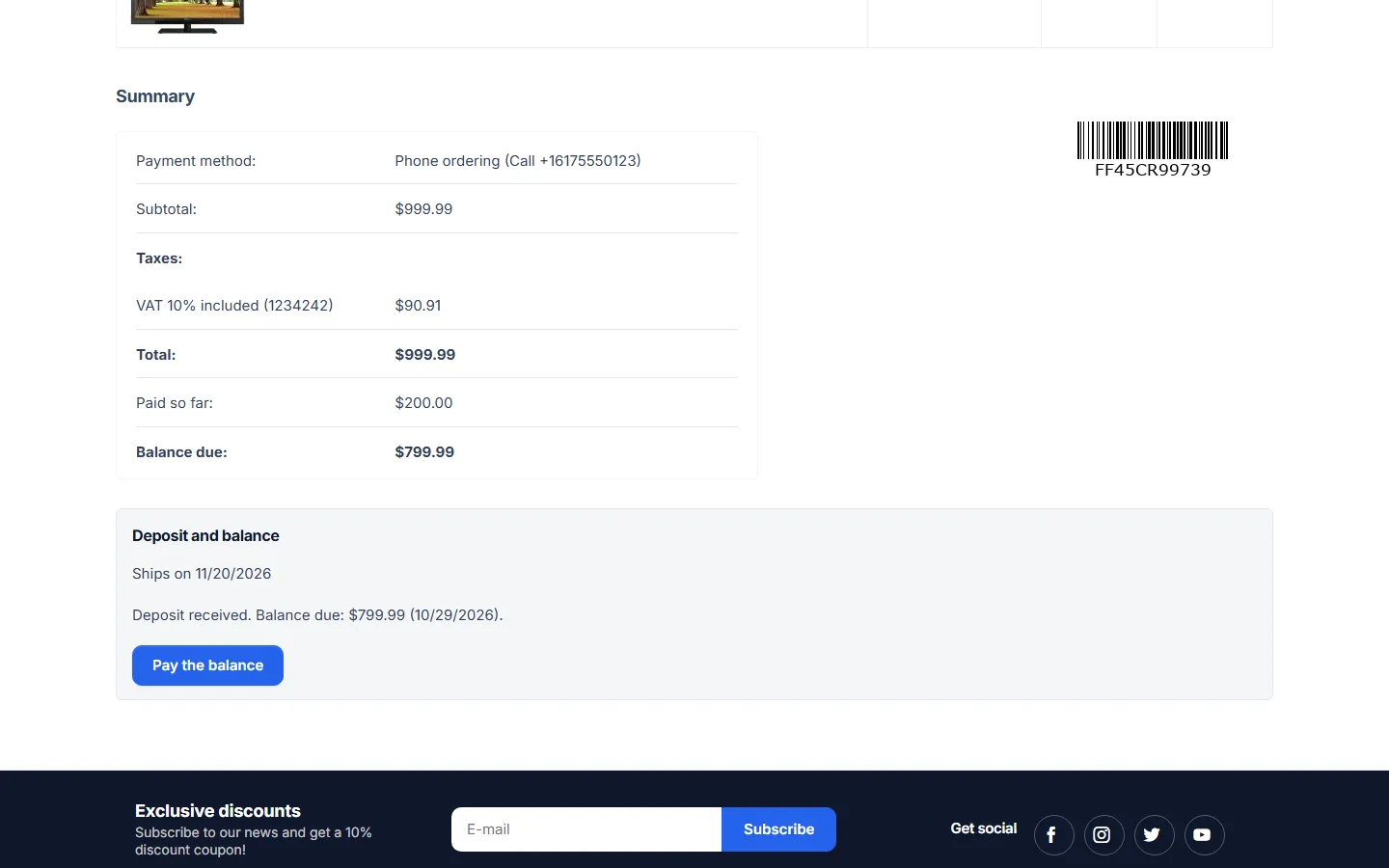
Customer order page: paid so far, balance due and the “Pay the balance” button.
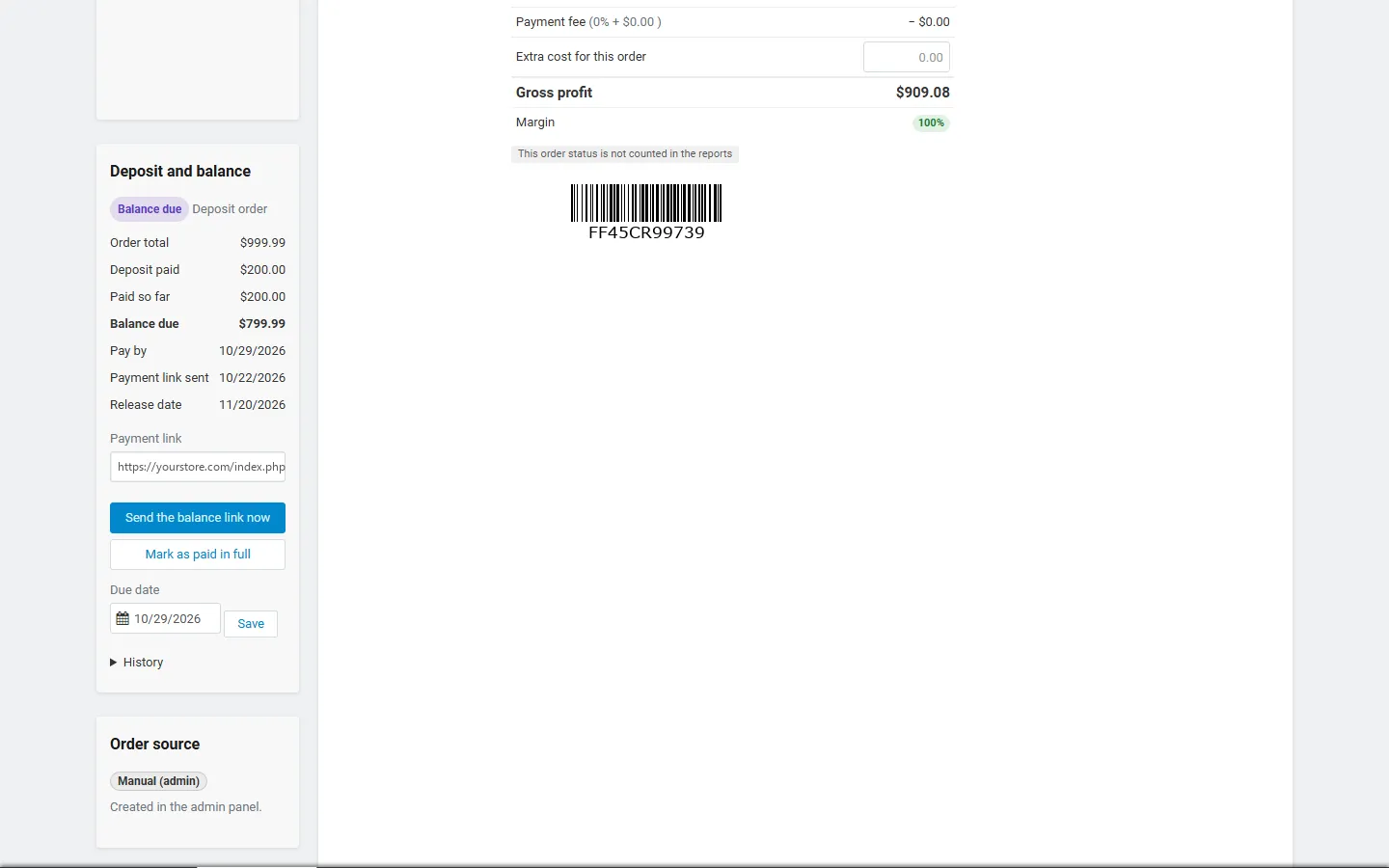
Admin order page: deposit and balance panel with link, actions, due date and history.
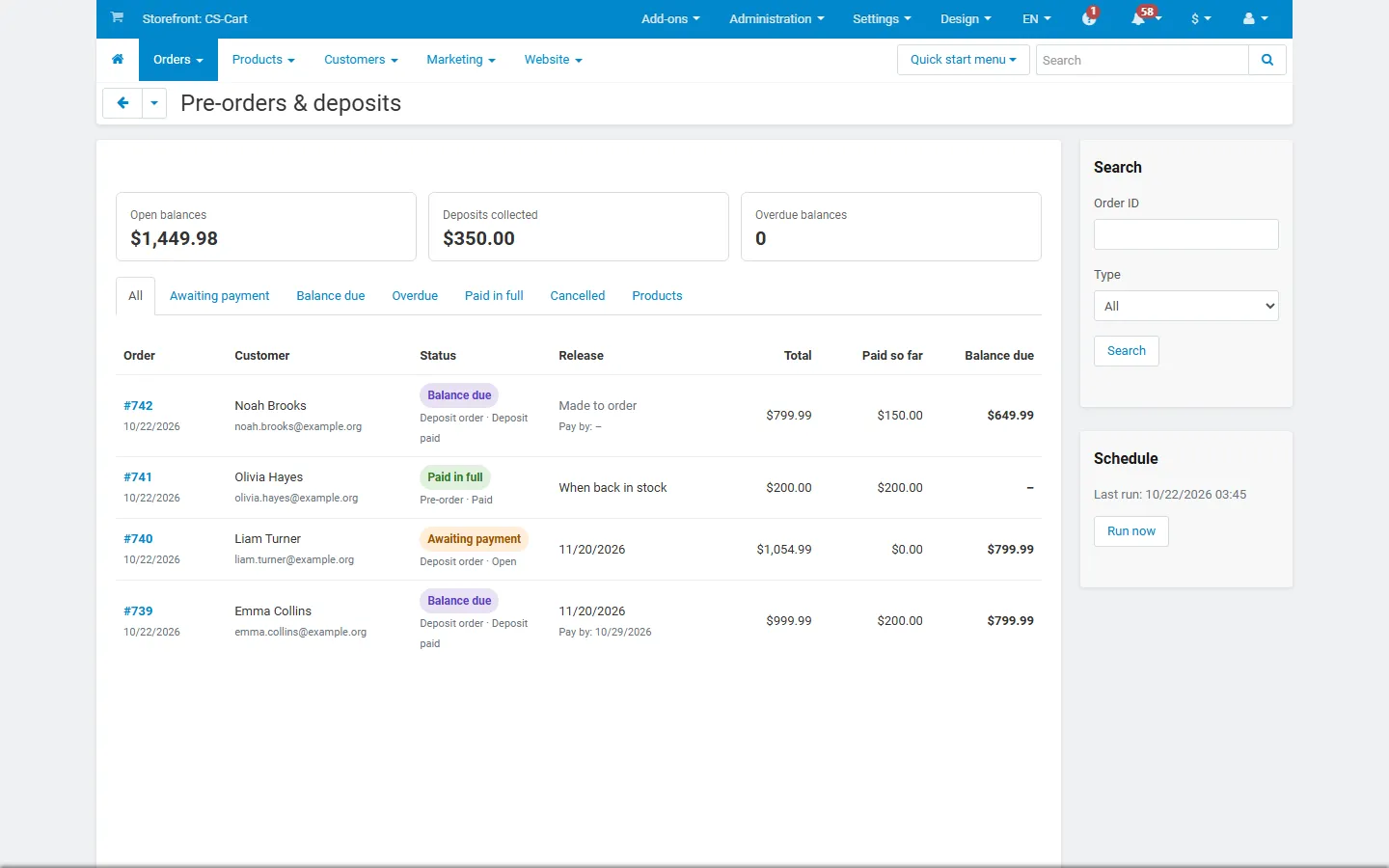
Orders → Pre-orders & deposits: open balances, deposits collected, orders by state.
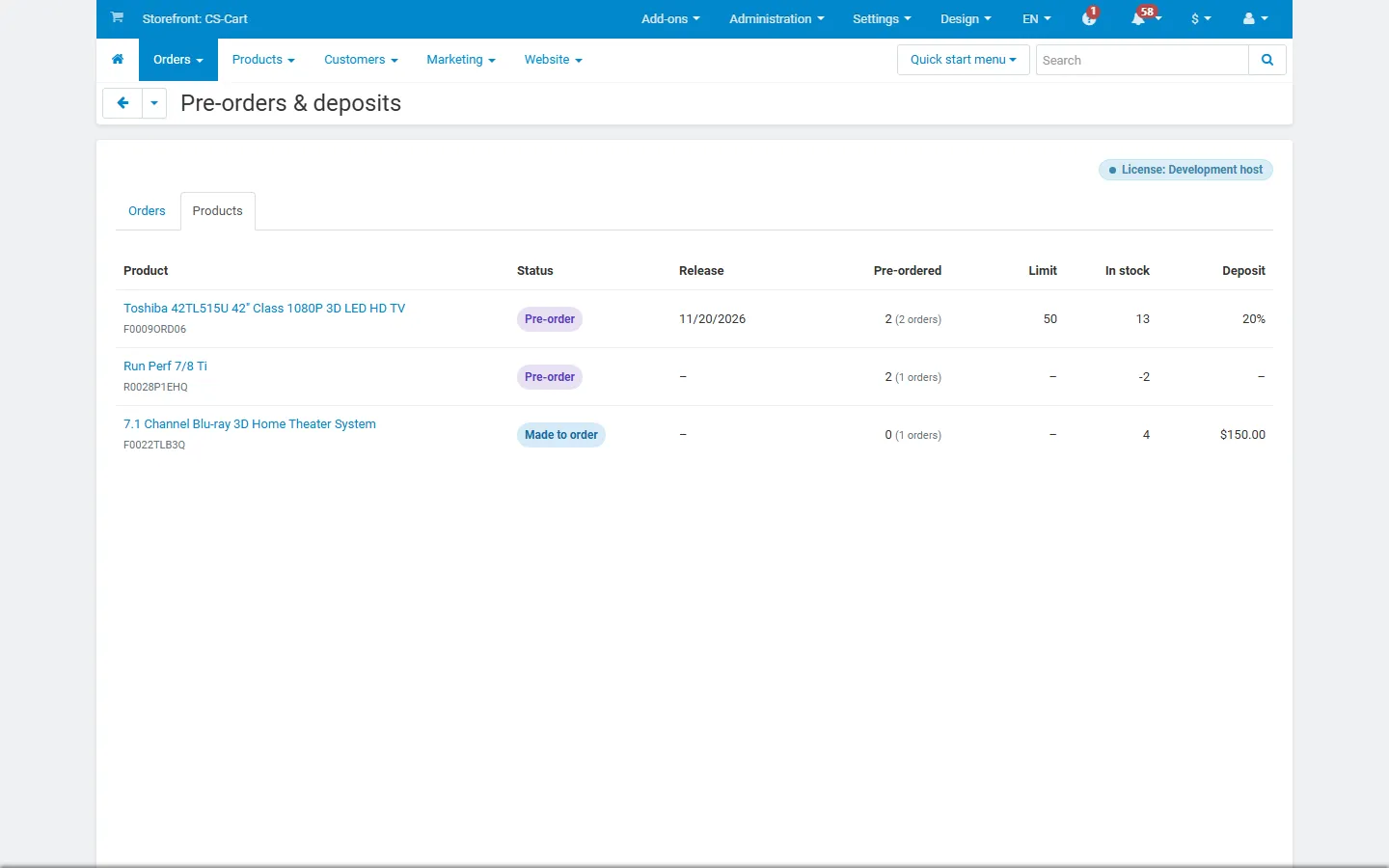
Products report: pre-ordered units, limits, stock and deposits per product.
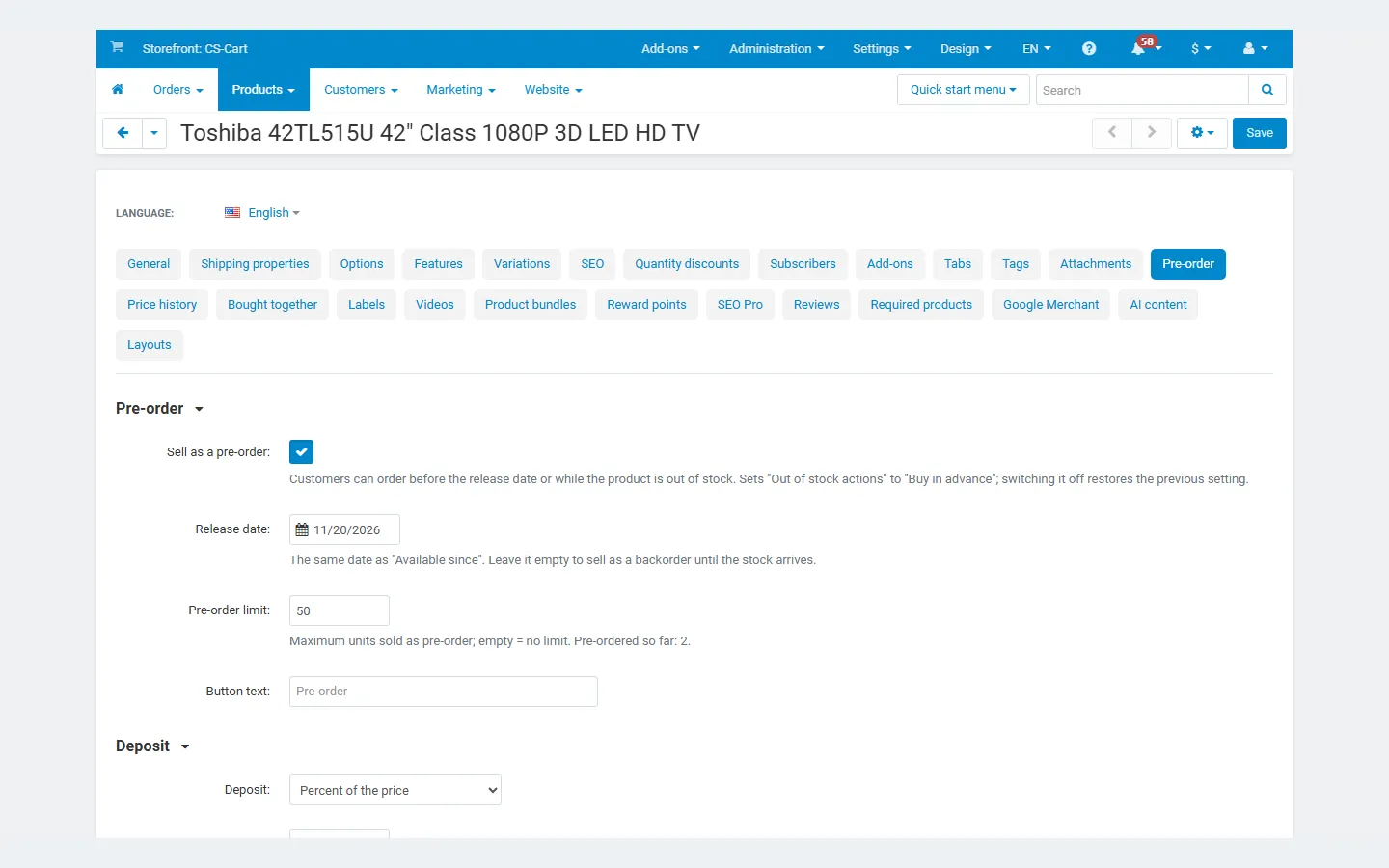
Product editor, Pre-order tab: mode, release date, limit, button text, deposit.
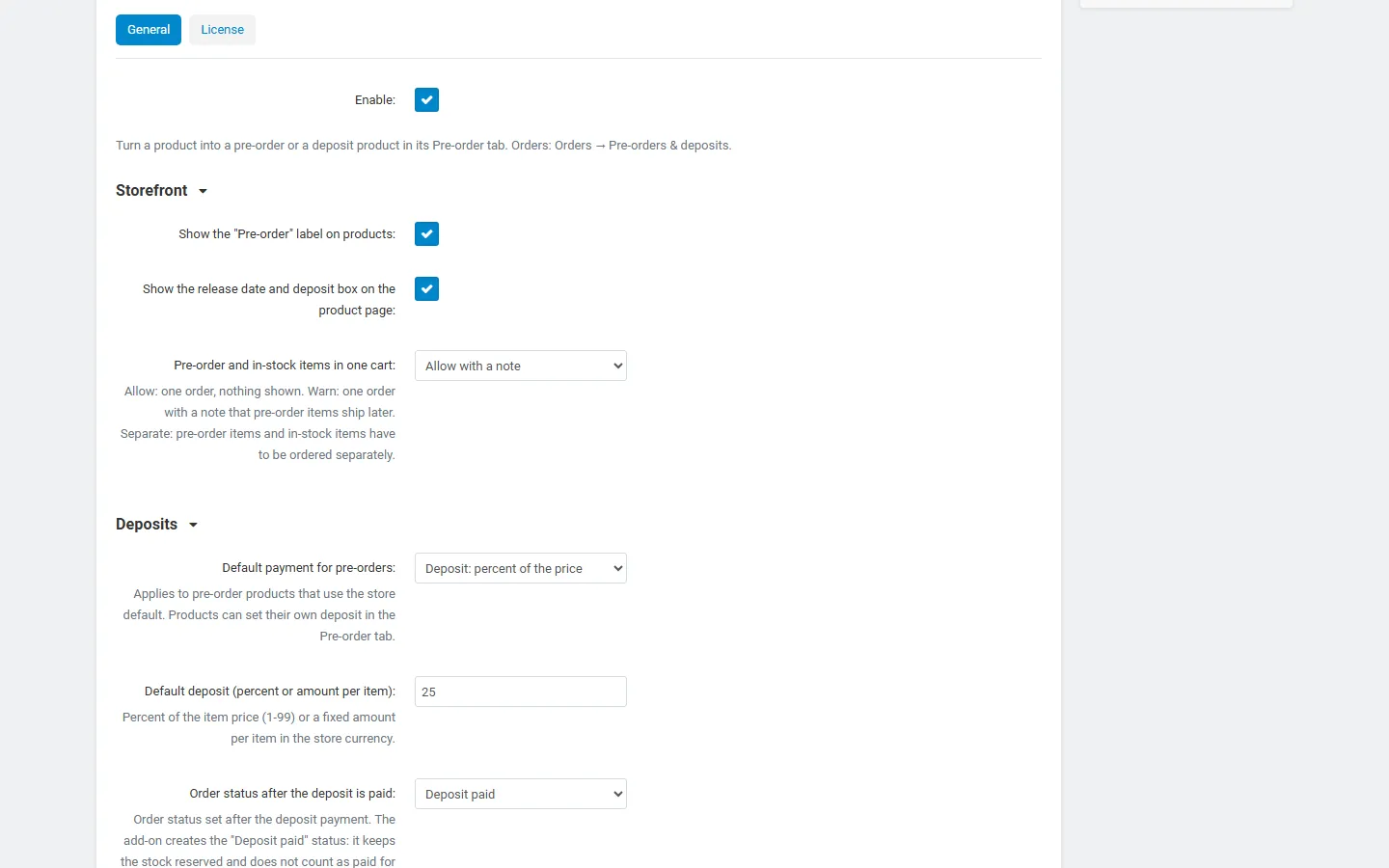
Settings: storefront, deposits, balance payment and reminders.
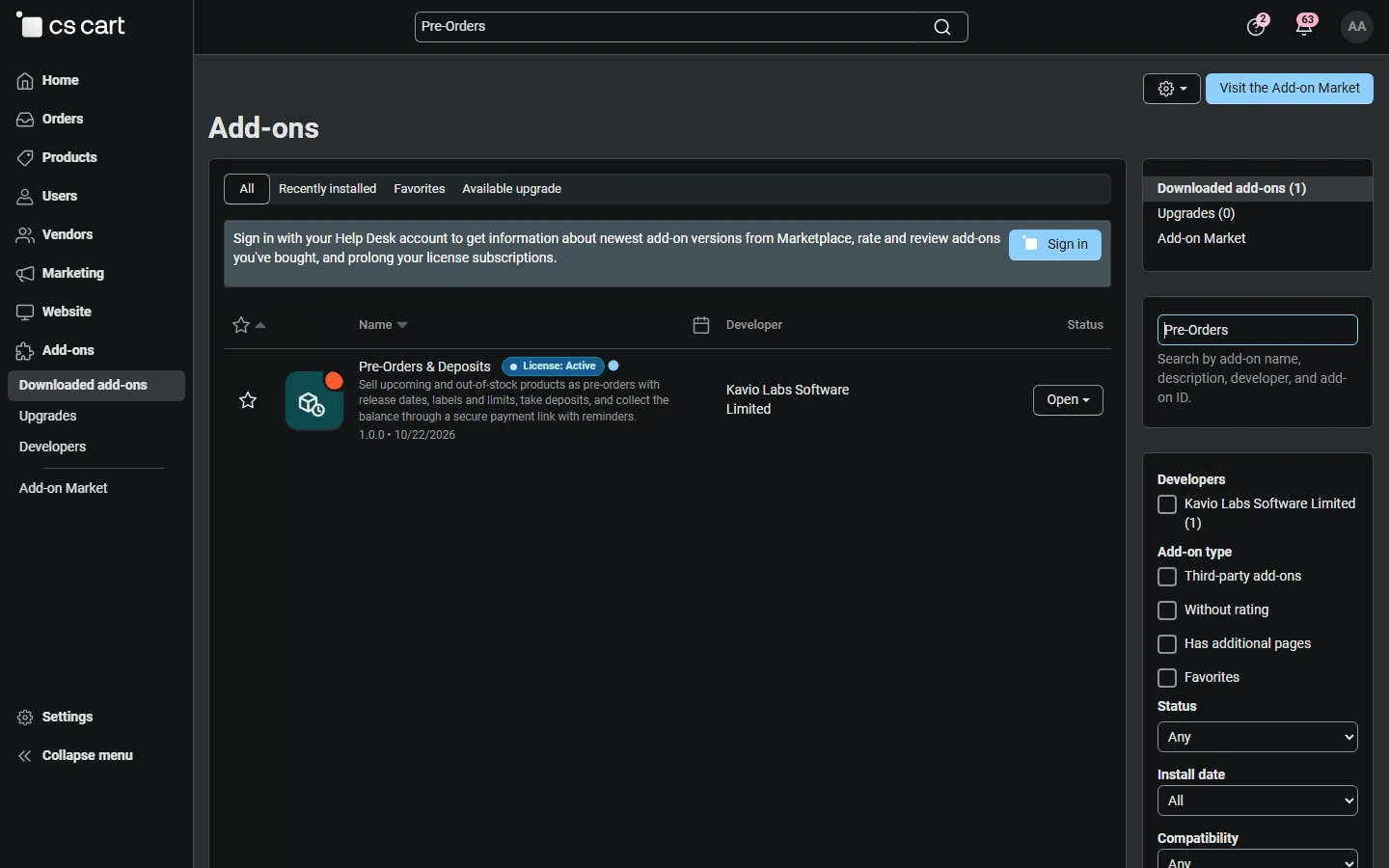
Add-ons list with Pre-Orders & Deposits (placeholder icon until the integration step).
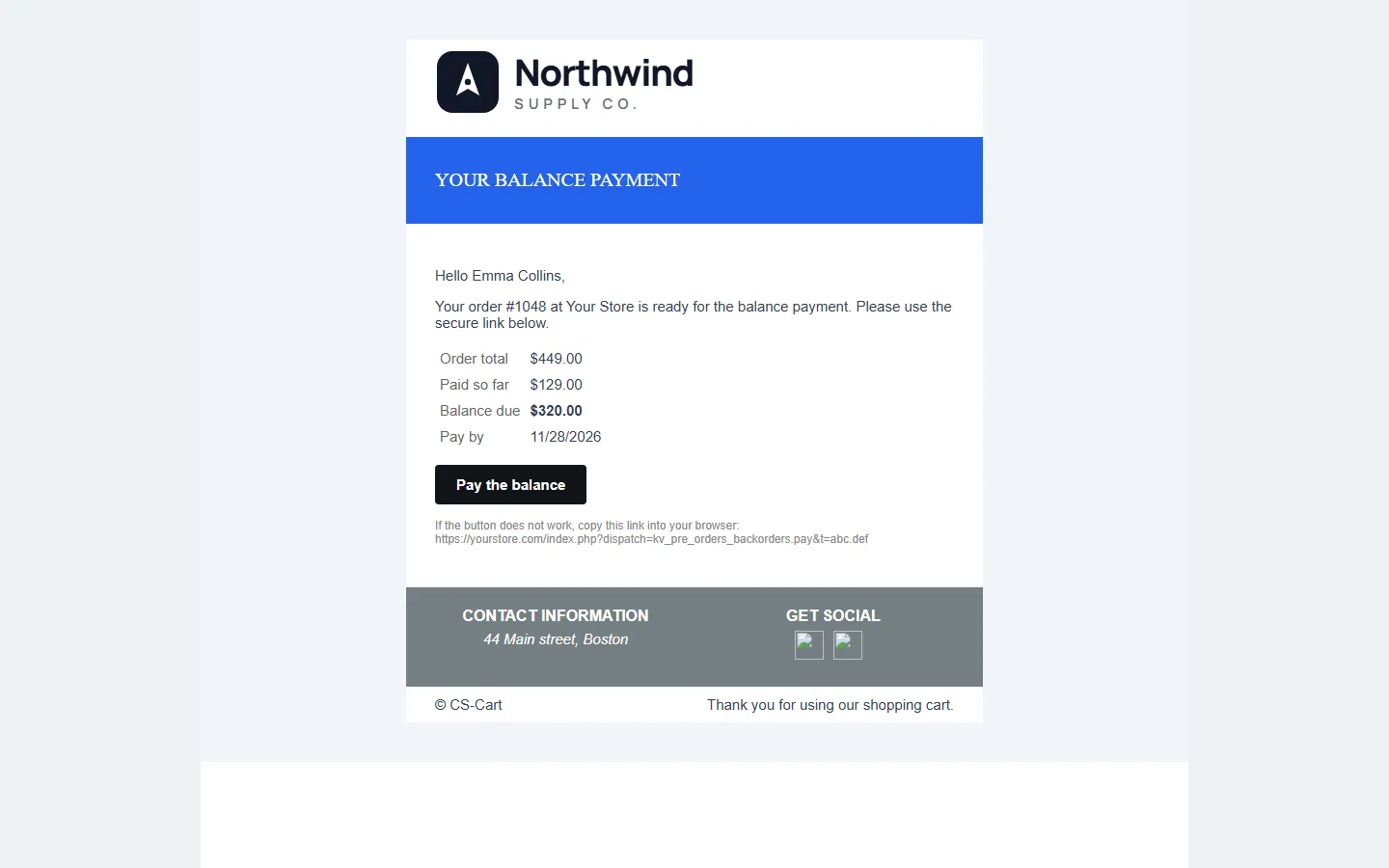
Balance request e-mail with the secure payment link.