

Usage
Overview · Installation · Configuration · Developer notes · FAQ
At checkout
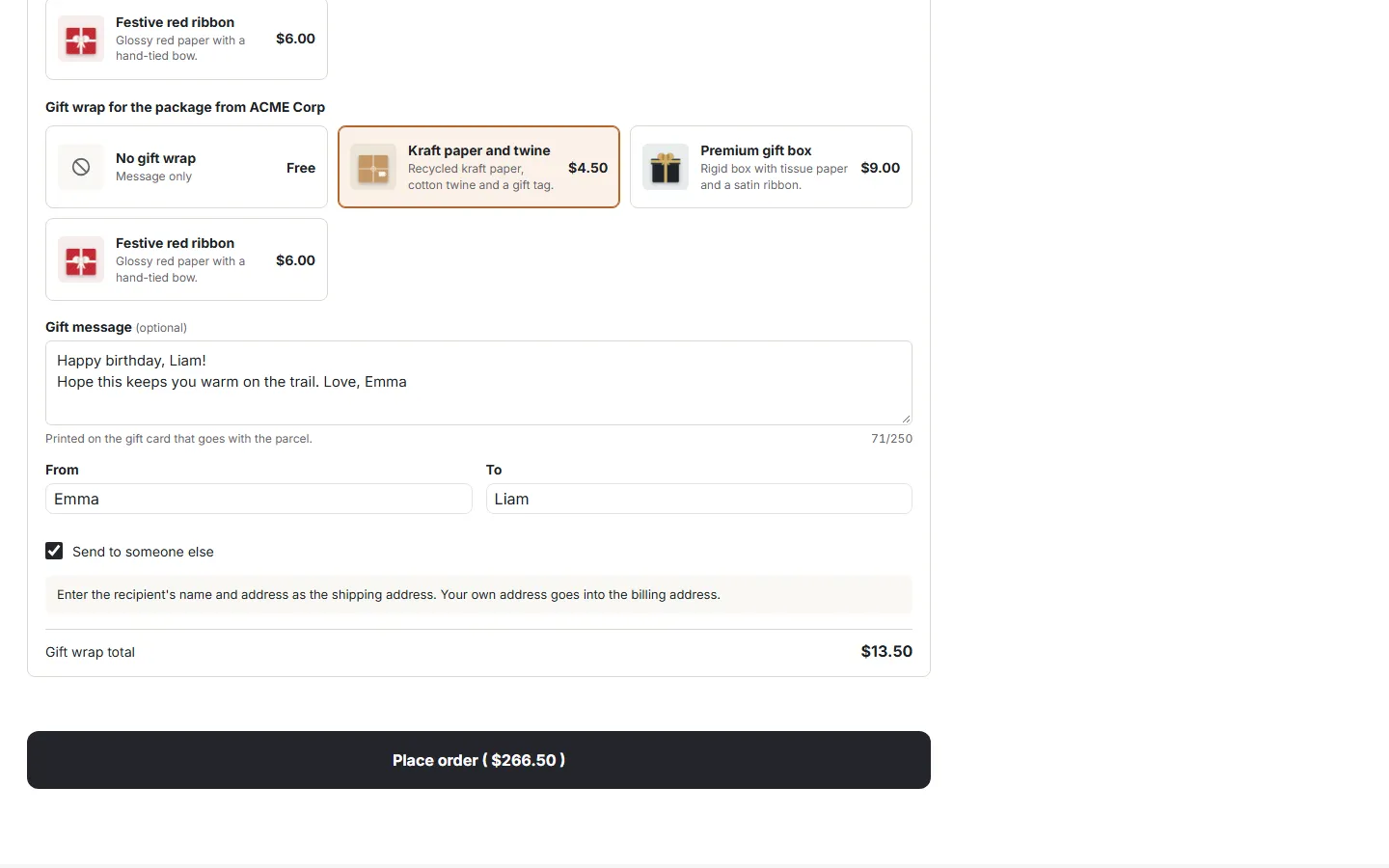
Section titled “At checkout”Above the Place order button the customer sees This order is a gift. Switching it on opens:
- Gift wrap: cards with picture, name, description and price, plus No gift wrap (message only). On Multi-Vendor there is one choice per vendor package (“Gift wrap for the package from …”). In per product mode each product has its own selection, charged per unit.
- Gift message with a character counter, and From / To.
- Send to someone else: a hint to enter the recipient’s name and address as the shipping address; the checkout’s “billing address is different” option is switched on for the customer’s own address.
Choosing a wrap updates the totals at once: the order summary shows a Gift wrap line and the new order total. The message and names are saved as the customer types.
Totals, taxes and payment surcharges
Section titled “Totals, taxes and payment surcharges”The wrap price is a separate line of the order, like a payment surcharge:
- it is added to the order total, not to the products, so product discounts and promotions do not change it;
- taxes are calculated with the taxes selected on the wrap and listed with the other taxes (included or added on top, as set on the tax);
- a percentage payment surcharge is calculated from the total including the wrap;
- the line is shown in the cart and checkout totals, on the customer’s and the admin order page, in the order editor, on invoices and in order e-mails.
Tax-exempt customers pay the wrap price without taxes.
Orders
Section titled “Orders”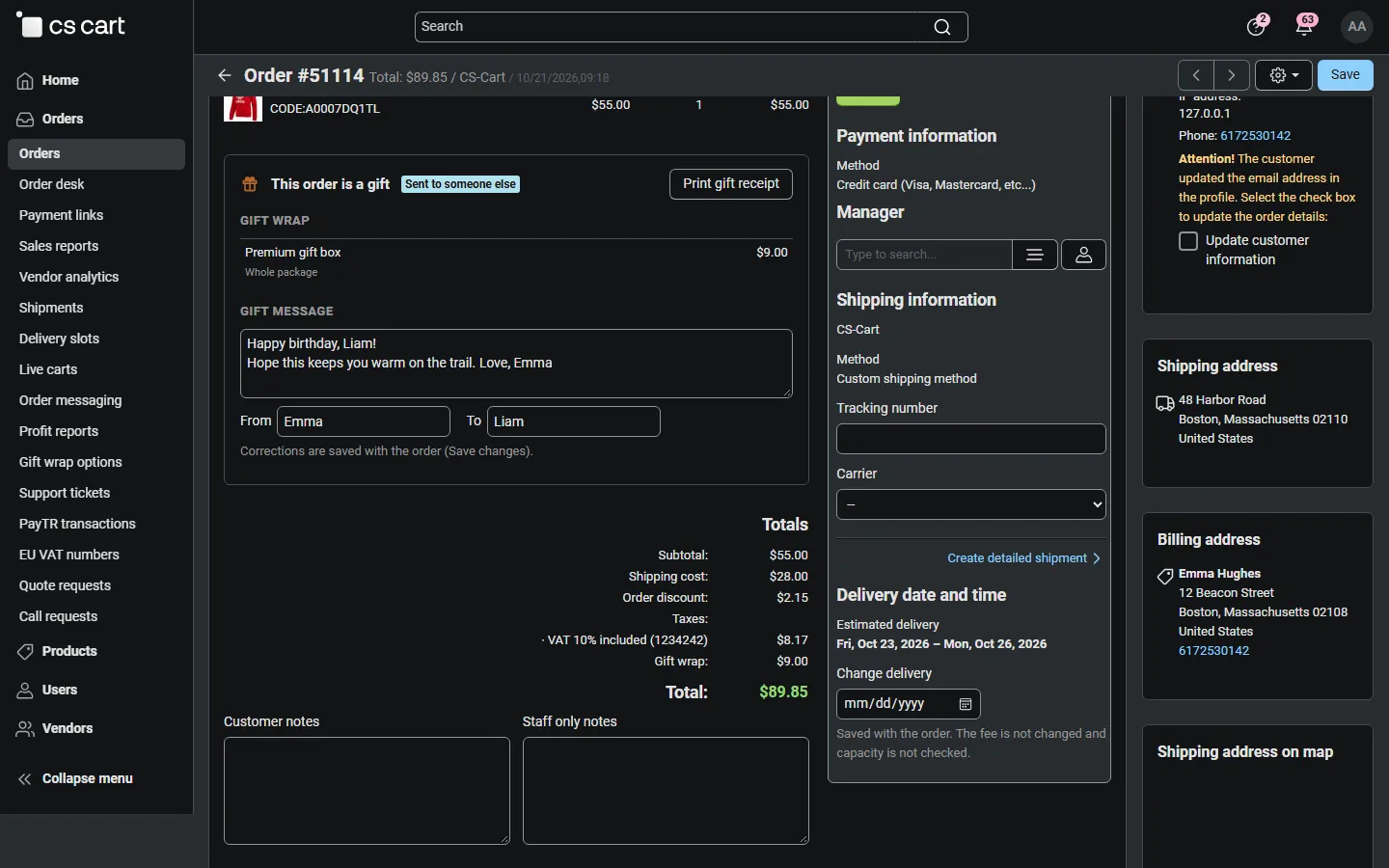
The admin order page shows a This order is a gift panel: the wraps with their prices, “Sent to someone else” when the customer ticked it, and the message with From and To. You can correct the message and the names there; they are saved with Save changes. Print gift receipt opens the receipt.
The customer’s order page shows the gift wrap line in the summary, the message card and Print gift receipt (setting).
When you edit an order (Edit order), the gift data and the wrap prices of the order are kept, even if you changed the wrap price since.
Gift receipt
Section titled “Gift receipt”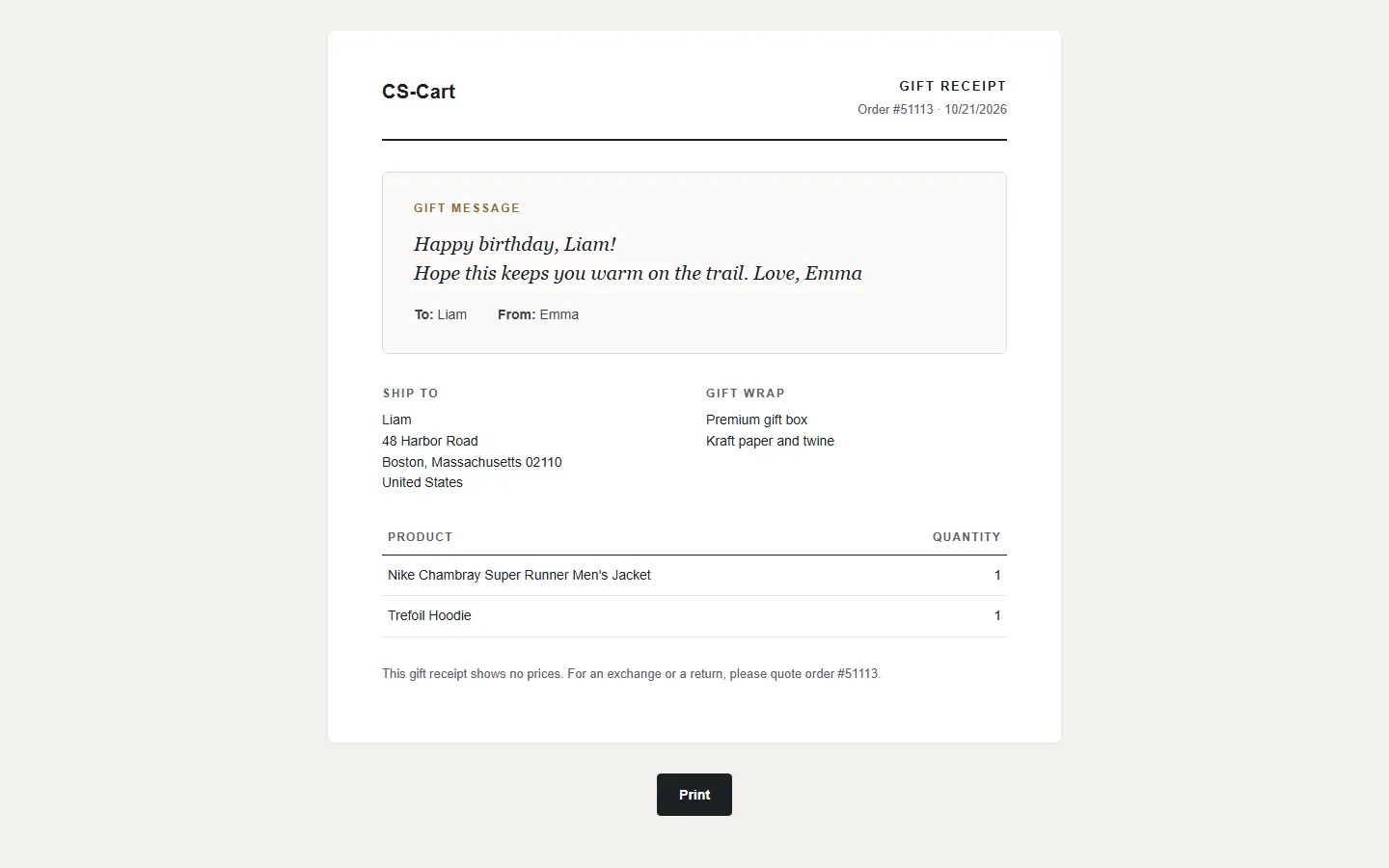
A one-page packing slip without any prices: the store name, order number and date, the gift message card with To and From, the ship-to address, the wraps and the items with their options and quantities. The Print button is not printed.
Invoices and e-mails
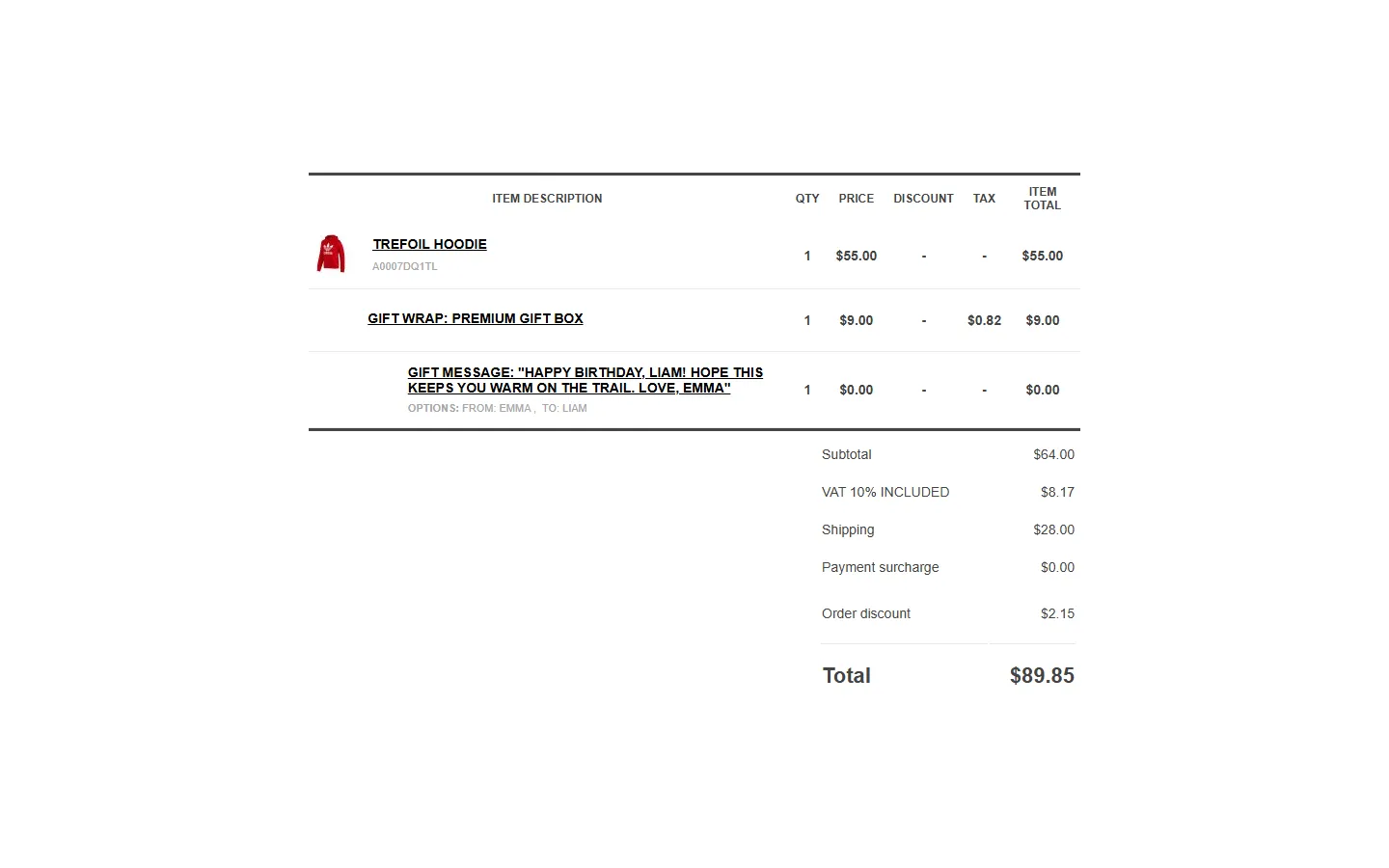
Section titled “Invoices and e-mails”On invoices and in the order e-mails (document templates) the products table gets a Gift wrap: … row with its price and tax, and a Gift message row with the message, From and To. The subtotal includes the wrap, so the rows, shipping and taxes add up to the total. With the classic e-mail templates the totals show a Gift wrap line and a gift box under the totals.
For gift orders the shipment notification e-mail contains no prices (setting).
Multi-Vendor
Section titled “Multi-Vendor”- Every vendor ships its own package, so the customer chooses a wrap per vendor package. When the order is split, each vendor sub-order gets its own wrap, fee and taxes; the sub-order totals add up to the order total.
- Vendors see the gift panel on their order page, can correct the message and print the gift receipt of their own orders. They cannot open other vendors’ receipts.
- Wrap options are managed by the marketplace administrator and offered for every vendor’s packages.
CS-Cart Ultimate
Section titled “CS-Cart Ultimate”Settings and wraps can differ per storefront. Wraps created for all storefronts are offered everywhere.
Product page
Section titled “Product page”With Show “Gift wrapping available” on, products with at least one wrap show a small note under the price. The note is the same for every visitor, so it works with the full page cache.