Pantry is a storefront theme for grocers, farm shops, bakeries, delis, meal-box and local delivery stores, and for food marketplaces on Multi-Vendor. Shoppers buy many items per order and come back every week, so Pantry puts quantity, price per kg and the basket total right where they shop.
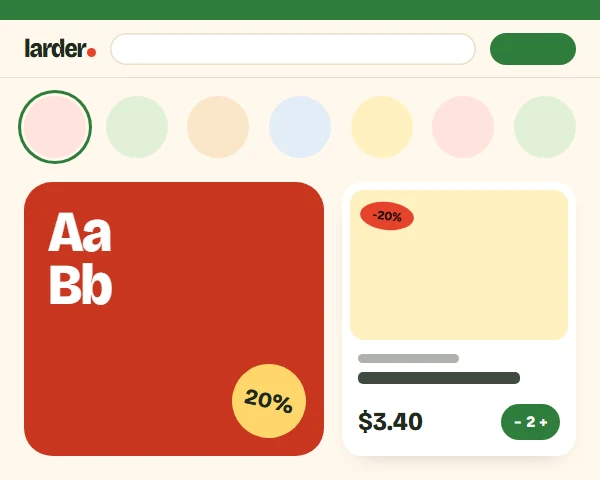
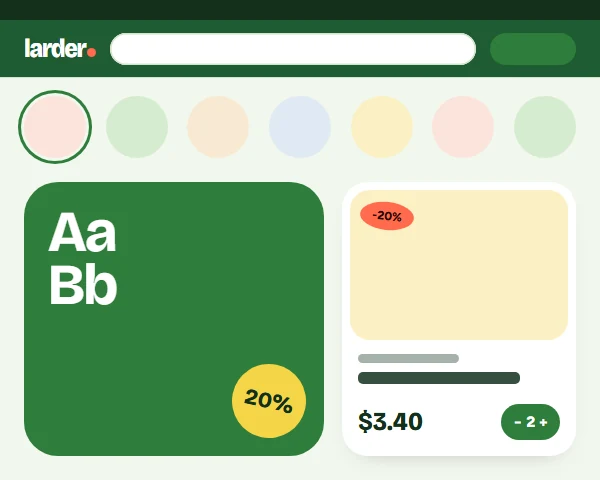
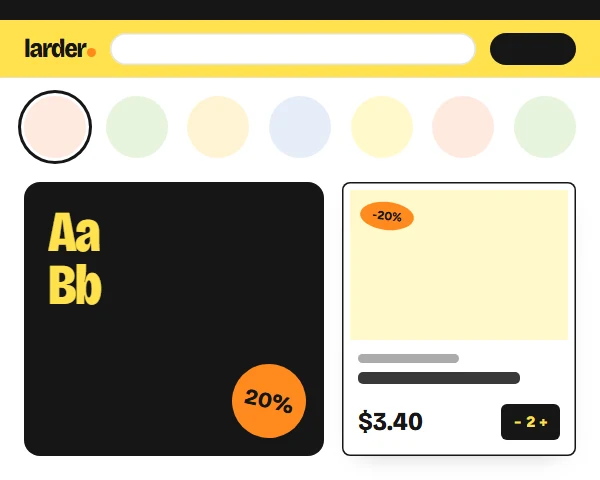
Four styles change more than the colours: Market (cream and tomato), Greenhouse (green header band), Citrus (lemon and ink outlines) and Deli (espresso and perforated ticket cards).
Four styles, one theme
Each style changes the ground, bands, type weight and card treatment, not only the accent colour. Open any of them in the live demo.
Add and the quantity stepper on every card, also in category grids
Unit prices calculated from the pack size, never out of date
Shop-the-recipe block adds several products with one click
Free-delivery progress in the phone basket bar raises basket sizes
Text contrast of at least 4.5:1 in every style, self-hosted fonts
Works with the 4.21 full page cache and with Kavio Labs add-ons
How it works
Install the package in Add-ons: it adds the Pantry theme without touching your storefront. Activate Pantry in Website, Themes and pick a style. Set your free-delivery threshold and delivery texts on the settings page. Add product features with the codes PACK_SIZE, ORIGIN, ORGANIC or NUTRITION to show unit prices, facts, stickers and the nutrition table. Choose the recipe ingredients in the Block Manager and upload your logo per style.
Features
Round aisle bubbles for categories and sub-aisles, with produce icons when a category has no image
Product cards with unit price, produce stickers and Add that turns into a quantity stepper
Shop-the-recipe block that adds all ticked ingredients to the cart at once
Nutrition table, allergen chips and product facts from product features
Delivery pill in the header and a free-delivery note in the top bar
Basket bar on phones with item count, total and free-delivery progress
Four styles: Market, Greenhouse, Citrus and Deli
Installs with full demo content: every section and demo products are ready after activation
Mega menu with a "More" item, sticky header and mobile bottom bar
Child of Responsive: add-on hooks keep working
CS-Cart and Multi-Vendor 4.17.2 to 4.21.x
What you get
Package
kv_theme_pantry-1.0.3.zip: the theme and its wrapper add-on, installed through Add-ons → Manage add-ons. Activate it in Website → Themes and pick a style.
Editions
CS-Cart, CS-Cart Ultimate, Multi-Vendor and Multi-Vendor Ultimate 4.17.2 – 4.21.x, one package. A child theme of Responsive: no core files are changed and add-on templates keep working.
Updates & support
12 months included. Updates keep the theme files you changed; your layouts are never replaced.
License
1 production installation; subdomains, staging, dev and localhost are free. The theme checks its license for your domain once a day from the admin panel. Without a valid license the storefront shows the standard Responsive look instead of the Pantry design; cart, checkout and orders keep working. How licensing works
Compatibility
We list only the builds we install and test on. “Tested” means the full test plan was run on that build; “Supported” means the build is inside the supported range and uses the same hooks.
CS-Cart version and edition compatibility
CS-Cart version
CS-Cart
CS-Cart Ultimate
Multi-Vendor
Multi-Vendor Ultimate
4.22 and later
Testing next
Testing next
Testing next
Testing next
4.21.2
Supported
Supported
Tested
Supported
4.20.x
Supported
Supported
Supported
Supported
4.19.x
Supported
Supported
Supported
Supported
4.18.x
Supported
Supported
Supported
Supported
4.17.2
Tested
Supported
Tested
Supported
Before 4.17.2
Not supported
Not supported
Not supported
Not supported
Last tested build: Multi-Vendor 4.21.2, Oct 16, 2026Tested on: CS-Cart 4.17.2, Multi-Vendor 4.21.2, Multi-Vendor 4.17.2
Requirements
Platform
CS-Cart (incl. Ultimate) or Multi-Vendor 4.17.2 – 4.21.x
Requirement
Administrator access to the admin panel
Core changes
None. Hooks and template overrides only
1.0.3
Oct 16, 2026
Latest
Fixed 1
Product page "At the same price!" list (and other compact product lists): the pack size, price per kg and produce stickers no longer overlap the old and new price; each row reads image, name and code, unit line over the price.
Changed 2
Demo content: products show realistic product codes instead of internal demo codes.
Built on the Kavio theme kit 1.1.2 (demo content: visible product codes, optional quantity discounts and taxes for demo products).
Tested on CS-Cart 4.17.2, Multi-Vendor 4.21.2, Multi-Vendor 4.17.2. No breaking changes.
1.0.2
Oct 16, 2026
Changed 2
Demo content matches the live demo: products keep their realistic age (new arrivals and older items) and secondary categories.
Built on the Kavio theme kit 1.1.1 (demo content: optional "show in product list" flag per demo feature and optional time-limited demo deals for themes with deal countdowns).
Fixed 3
Demo content: product features no longer show an internal tag as their tooltip text in the Features tab; upgrading clears the tag from demo features added by version 1.0.1.
Demo content: select and multiple-choice features (for example dietary, country of origin) now get their values, product filters for them are added to the demo categories, and blog posts show their images in the blog list.
Demo content: nutrition values are grouped under "Nutrition per 100 g" like in the live demo.
Tested on CS-Cart 4.17.2, Multi-Vendor 4.21.2, Multi-Vendor 4.17.2. No breaking changes.
1.0.1
Oct 16, 2026
Added 2
Demo content on activation: when a storefront switches to the theme, the theme adds its own demo catalogue (categories, products with images, options and features, blog posts, reviews and a main menu; on Multi-Vendor also a demo shop) on the next admin page and points the homepage blocks of the theme layout at it, so the storefront looks complete at once. Runs once per storefront; re-activating or upgrading never adds duplicates; your own products, categories and pages are never changed. New setting "Install the demo content when the theme is activated" (on by default). Demo items are normal items: delete the ones you do not need in the standard admin pages.
Built on the Kavio theme kit 1.1: department rail, search with departments, header icons and phone blocks, card countdown/spec chip/seller partials, tabbed blocks, in-grid promo tiles and phone helpers (sticky buy bar, filter sheet, swipe gallery, basket bar) are available to the theme.
Fixed 2
The "More" menu no longer leaves a small gap before the first top-menu item.
Phones: the art of the weekly-box hero card was drawn wider than its box (a stylesheet width was miscalculated).
Tested on CS-Cart 4.17.2, Multi-Vendor 4.21.2, Multi-Vendor 4.17.2. No breaking changes.
1.0.0
Oct 16, 2026
Added 4
Pantry theme for CS-Cart and Multi-Vendor 4.17.2 - 4.21.x: aisle bubbles block template (row and aisle list) and
Settings: free-delivery threshold, delivery pill texts, delivery note, basket bar.
Kavio theme kit 1.0: mega menu with "More", sticky header, mobile bottom bar, card styles, hover image, product page
Tested on CS-Cart 4.17.2, Multi-Vendor 4.21.2, Multi-Vendor 4.17.2. First release.
Does Pantry work with my add-ons?
Yes. Pantry is a child of the standard Responsive theme and does not override product, cart or checkout templates, so add-on hooks keep working. Kavio Labs add-ons are styled to match each style.
Does Pantry let customers pick a delivery slot?
No. The header pill and the delivery notes are texts you set in the theme settings. Real slot selection needs a shipping add-on with time slots; Pantry's checkout styling is ready for it. Keep the texts true for your store.
Where does the unit price ("$9.75/kg") come from?
From the product feature with the code PACK_SIZE (e.g. 400 g): Pantry divides the current price by the pack size. Products without that feature show no unit line. See Usage.
How do I add the nutrition table?
Create a feature group with the code NUTRITION (for example "Nutrition per 100 g") and add features such as Energy, Fat, Carbohydrate and Protein inside it (suffix kcal or g). Fill the values per product.
Does the stepper work with the full page cache?
Yes. The basket state comes from the cart block, which the core renders for each visitor; cached pages contain no visitor data.
Does it work with Multi-Vendor?
Yes, on CS-Cart (incl. Ultimate) and Multi-Vendor. On Multi-Vendor the "Our growers and makers" vendors block shows round logo bubbles and the vendor pages use the Pantry grid.
I use the Free Shipping Progress Bar add-on. Do the two bars clash?
No. When that add-on shows its bar in the mini cart, the Pantry basket bar shows the add-on's message and progress (your real shipping rules) instead of its own threshold; when the add-on's sticky bar is on, the basket bar shows no second progress line.
What happens without a licence?
A new installation works for 14 days. After that, without a valid licence, the storefront shows the standard Responsive look; cart, checkout and orders keep working and visitors see no message. The admin panel tells you why and how to fix it. See Configuration.
Does the theme work on my staging copy?
Yes. Subdomains of your licensed domain and local development hosts are covered by the same licence.
Does the licence check slow down my storefront?
No. It runs in the admin panel or from cron, once a day; the storefront only reads the stored result.
Will an update overwrite my changes?
No. Files you changed are kept (a notice lists them), and layouts and blocks are never replaced.
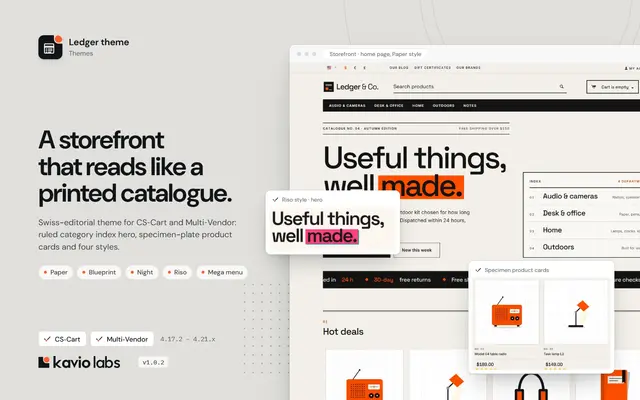
A Swiss-editorial storefront theme with oversized type, a ruled category index and four bold styles, built on Responsive so every add-on keeps working.
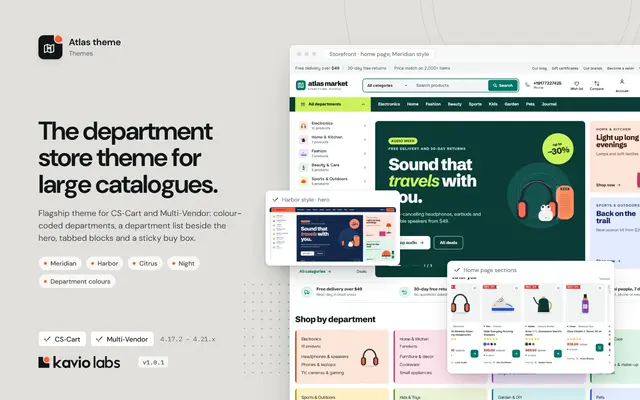
A department-store theme for large catalogues: colour-coded departments, a department list beside the hero, tabbed product blocks and a sticky buy box.