Serve every product image as WebP or AVIF with a safe fallback, lazy-load the rest and cut image weight by half or more.
Available Updated Oct 15, 2026Version 1.0.0CS-Cart, Multi-Vendor 4.17.2 – 4.21.x No core file edits
Built for
Image Optimizer (WebP/AVIF & Lazy Load): overview1 of 15
What it does
For stores and marketplaces whose pages are heavy with product photos and banners. The add-on converts thumbnails, full-size product and category images, banners and other store images to WebP and AVIF with PHP only (GD or Imagick, no external programs), keeps a copy only when it is smaller, and never touches the originals unless you ask it to. It works on the core image template of Responsive, Bright and Nova and with CS-Cart and Multi-Vendor 4.17.2 to 4.21.x.
How it works
Install, open Website, Image optimizer and click Optimise now: the page scans the images folder and converts the images in short batches with a progress bar. After that, a cron line or short background batches while you work in the admin panel pick up new and changed images by themselves. On the storefront each image gets AVIF and WebP sources with the original as the fallback, images further down load lazily, and the main product image loads first. The files list shows every image, its copies and the saving.
Features
WebP and AVIF copies of thumbnails, product and category images, banners and other images
Picture element with the original as fallback, identical markup for every visitor
Works with the 4.21 full page cache and the CloudFront CDN
Only smaller copies are used, stale copies of replaced images never
Native lazy loading below the top of the page, never for the logo and the hero banner
High fetch priority for the main product image and the home page banner
Optional compression of original JPEG and PNG images with backups and one-click restore
Bulk optimisation with cron, an Optimise now progress bar or background batches
Savings report per format and image group, files list with reasons and exclusions
Exclusions by image group, file pattern or single file
Server check for GD, Imagick, WebP and AVIF; no external programs or exec()
Uninstall restores compressed originals and removes all copies
What you get
Package
kv_image_optimizer_webp-1.0.0.zip, installed through Add-ons → Manage add-ons
Updates & support
12 months included. Download new versions from your account and install them in Add-ons → Manage add-ons or the Upgrade Center.
License
1 production installation. Staging, dev and localhost are free and unlimited. The add-on keeps working after the update period ends. How licensing works
Compatibility
We list only the builds we install and test on. “Tested” means the full test plan was run on that build; “Supported” means the build is inside the supported range and uses the same hooks.
CS-Cart version and edition compatibility
CS-Cart version
CS-Cart
CS-Cart Ultimate
Multi-Vendor
Multi-Vendor Ultimate
4.22 and later
Testing next
Testing next
Testing next
Testing next
4.21.2
Supported
Supported
Tested
Supported
4.20.x
Supported
Supported
Supported
Supported
4.19.x
Supported
Supported
Supported
Supported
4.18.x
Supported
Supported
Supported
Supported
4.17.2
Tested
Supported
Tested
Supported
Before 4.17.2
Not supported
Not supported
Not supported
Not supported
Last tested build: Multi-Vendor 4.21.2, Oct 15, 2026Tested on: Multi-Vendor 4.17.2, CS-Cart 4.17.2, Multi-Vendor 4.21.2
Requirements
PHP
CS-Cart or CS-Cart Multi-Vendor 4.17.2 – 4.21.x (tested on CS-Cart Ultimate 4.17.2 with PHP 8.1, Multi-Vendor 4.17.2 with PHP 8.1 and Multi-Vendor 4.21.2 with PHP 8.3)
PHP
PHP 7.2.5 – 8.3, as supported by your CS-Cart version
PHP
At least one way to write WebP or AVIF with PHP: the GD extension with WebP support (standard on most hosts), or Imagick. AVIF needs PHP 8.1 or newer with AVIF in GD, or Imagick with AVIF. The add-on checks this for you (see Server support)
Requirement
No external programs and no exec(): hosts that disable shell functions are fine
Requirement
The images of the store on the server's file system (the default). A CDN in front of the store works
Requirement
Disk space for the copies: roughly half to two thirds of the size of your images/ folder for WebP and AVIF together (copies that would not be smaller are not kept)
Requirement
No other add-on is required
Core changes
None. Hooks and template overrides only
1.0.0
Oct 15, 2026
Latest
Added 10
WebP and AVIF copies of thumbnails, product and category images, banners and other store images, written with GD or Imagick (no external programs); a copy is kept only when it is at least the minimum saving smaller.
Delivery through a <picture> element with AVIF and WebP sources and the original as the fallback (same markup for every visitor, safe with the 4.21 full page cache and CDNs); optional "Replace with WebP" mode; copies older than their image are never served.
Native lazy loading for images further down the page (never the logo, the first images or the home page banner) and fetchpriority="high" for the main product image and the first home banner.
Optional compression of original JPEG (quality setting) and PNG (lossless) images with metadata removal, backups and Restore originals.
Website → Image optimizer: counters, savings per format and image group, server support, Optimise now with a progress bar, files list with filters, reasons and per-file exclude/include/optimise again, retry, create copies again, delete optimised copies.
Background processing: cron command, short batches while an administrator works in the admin panel, thumbnail hints from the core, daily scan; runs never block storefront requests.
Handling of EXIF orientation, transparency, animated images (kept), colour profiles and CMYK (Imagick; skipped with GD), memory and megapixel limits, Amazon S3 storage (detected, not supported).
Domain-bound license check with the license card, the Add-ons badge and the status bar on the image optimizer page.
Uninstall restores compressed originals and removes all copies and work files.
Compatible with CS-Cart and Multi-Vendor 4.17.2 – 4.21.x and PHP 7.2.5 – 8.3.
Tested on Multi-Vendor 4.17.2, CS-Cart 4.17.2, Multi-Vendor 4.21.2. First release.
Does the add-on change my original images?
No, unless you switch on Compress original images. Then every original is backed up before it is re-saved, Restore originals puts it back, and uninstalling the add-on restores it too. WebP and AVIF copies are separate files in images/kv_image_optimizer_webp/.
CS-Cart can already save thumbnails as WebP. Why this add-on?
The core setting Settings → Thumbnails → Format: WebP converts thumbnails only, sends WebP to every browser without a fallback and has no AVIF, no compression of originals, no lazy loading and no report. This add-on also covers the full-size product images (zoom and lightbox), banners and other images, adds AVIF, keeps the original as the fallback and shows what it saved. Both can be used together: thumbnails the core already writes as WebP get an AVIF copy only.
Will customers with old browsers see broken images?
No. With the default Picture element delivery the original image stays in the page; browsers that do not know AVIF or WebP simply load it.
Does it work with the full page cache (Performance Booster) in CS-Cart 4.21?
Yes. Every visitor gets the same markup and the browser picks the format, so a cached page is correct for everyone. Storefront requests never write to the database.
Does it work with a CDN?
Yes, with the CloudFront CDN of CS-Cart: the copies are served by the CDN like any other image. Images stored on Amazon S3 instead of the server are not supported.
My host disables exec() and shell functions. Is that a problem?
No. The add-on uses only PHP's GD or Imagick extension, never external programs.
The page says AVIF is not supported.
AVIF needs PHP 8.1 or newer with AVIF in GD, or Imagick with AVIF. Without it the add-on creates WebP copies, which already save most of the bytes. When your host adds AVIF support, click Create all copies again.
How much disk space do the copies need?
Roughly half to two thirds of your images folder for WebP and AVIF together. Copies that would not be smaller are not kept. Turn AVIF or image groups off, or exclude files, to save space.
Will optimising slow down my store?
No. Images are converted by cron, by the Optimise now batches or in short background batches while you use the admin panel, never while customers browse. The storefront only checks whether a copy exists.
I replaced a product image. Will the old WebP show?
No. A copy is only served while it is newer than its image, and the add-on deletes the copies of replaced images at once. The new image shows as the original until its copies are made by the next run.
Some images are skipped.
The files list shows the reason: animated images (kept as they are so they keep moving), images over the megapixel limit, images with a colour profile other than sRGB or in CMYK when only GD is available (Imagick converts them), unreadable files, or a copy that would not be smaller.
What happens if the license lapses?
Without a valid license (no key after the 14-day start period, an invalid or revoked key, a domain the license does not cover, or no successful check for 14 days), no new images are converted or compressed and the storefront shows the original images without the picture element or lazy-loading changes. Nothing is deleted and no image breaks: compressed originals stay valid, the copies stay on disk, and Restore originals and Delete optimised copies keep working. Once the license is valid again, everything is back.
The admin panel shows a license notice.
Open Add-ons → Manage add-ons → Image Optimizer (WebP/AVIF & Lazy Load) → Settings → License. The status line says what is wrong: no key, a key for another add-on, a revoked license, or a domain that the license does not cover. Fix it and click Check now. See License.
Does the add-on work on my staging copy?
Yes. Subdomains of your licensed domain (for example staging.example.com) and local development hosts (localhost, private IP addresses, .local, .test) are covered by the same license.
What happens if your license server is down?
Nothing changes for 14 days: the add-on keeps working and retries every hour. Only if no check succeeds for 14 days is it switched off until the next successful check.
Does the license check slow down my storefront?
No. The check runs only in the admin panel or from cron, at most once a day, never while customers browse.
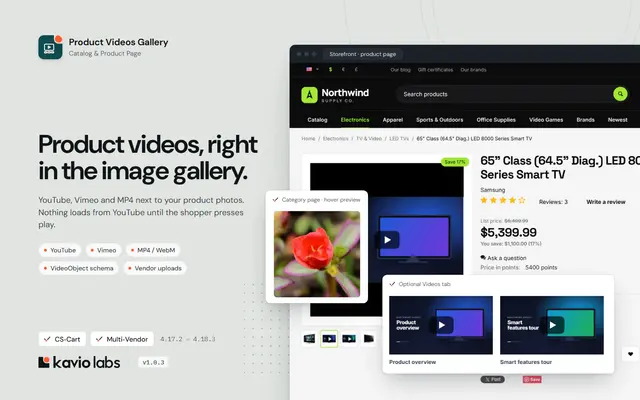
Product Videos GalleryShow YouTube, Vimeo and MP4 videos right in the product image gallery, with no third-party requests until the shopper clicks play.
$39
Also from Kavio Labs
Available now and coming next, tested on the same CS-Cart builds.