Let vendors pause their store for a vacation with dates, a message and automatic return, without angry customers or cancelled orders.
Available Updated Oct 13, 2026Version 1.1.1Multi-Vendor 4.17.2 – 4.21.x No core file edits
Built for
Vendor Vacation Mode: overview1 of 10
What it does
Vendor Vacation Mode is for CS-Cart Multi-Vendor marketplaces. When a vendor goes on vacation, their products stay for sale: orders pile up, nobody ships them, customers complain and you handle the cancellations.
With this add-on, vendors pause their store from their own panel. They pick optional start and end dates and write a message. The storefront shows that the vendor is away and until when, stops new purchases, and resumes selling on the return date automatically.
What it changes for your store
3 product modes. Keep selling with a "ships after" notice, replace Add to cart, or hide products from lists while direct links keep working for SEO.
3 checkout modes for items already in carts. Ignore, warn or block.
Server-side checks catch add to cart from bookmarks and old pages.
0 cron jobs and 0 core file changes.
How it works
Vendor
Open Vacation mode in the vendor panel, switch it on, set dates and a message, save.
Shopper
A banner with the message and return date appears on the vendor store and product pages, and products follow the mode you chose.
Admin
Vendors, Vacation mode lists every vendor with a status filter (on vacation, scheduled, ended), bulk end, editing and a lock the vendor cannot override. An optional email tells you when a vacation starts. Dates are checked on each request, so start and end happen on time.
Features
Vacation mode in the vendor panel: on/off, start and end dates, custom message
Automatic start and end by date, with no cron
Banner on vendor store pages and product pages, with the return date
Three product modes: keep selling with a notice, disable add to cart, or hide from the catalog
Checkout protection for products already in carts: none, warn or block
Admin overview with status filter, bulk end, edit, delete and lock
Optional admin email when a vendor goes on vacation (editable template)
Privileges for admin staff, compatible with Vendor privileges
No core file or core table changes, clean uninstall
What you get
Package
kv_vendor_holiday_mode-1.1.0.zip, installed through Add-ons → Manage add-ons
Updates & support
12 months included. Download new versions from your account and install them in Add-ons → Manage add-ons or the Upgrade Center.
License
1 production installation. Staging, dev and localhost are free and unlimited. The add-on keeps working after the update period ends. How licensing works
For developers
Uses 6 CS-Cart PHP hooks, and provides 3 hooks of its own. No core files are changed.
Compatibility
We list only the builds we install and test on. “Tested” means the full test plan was run on that build; “Supported” means the build is inside the supported range and uses the same hooks.
CS-Cart version and edition compatibility
CS-Cart version
CS-Cart
CS-Cart Ultimate
Multi-Vendor
Multi-Vendor Ultimate
4.22 and later
Not available
Not available
Testing next
Testing next
4.21.2
Not available
Not available
Tested
Supported
4.20.x
Not available
Not available
Supported
Supported
4.19.x
Not available
Not available
Supported
Supported
4.18.3
Not available
Not available
Tested
Supported
4.17.2
Not available
Not available
Tested
Supported
Before 4.17.2
Not available
Not available
Not supported
Not supported
Last tested build: Multi-Vendor 4.21.2, Oct 13, 2026Tested on: Multi-Vendor 4.17.2, Multi-Vendor 4.18.3, Multi-Vendor 4.21.2
Requirements
Platform
CS-Cart Multi-Vendor 4.17.2 – 4.21.x (tested on Multi-Vendor 4.17.2 and 4.21.2 with PHP 8.3). The add-on will not install on CS-Cart (Ultimate) because vacation mode only makes sense for vendors.
PHP
PHP 7.4 – 8.3, as supported by your CS-Cart version. The code avoids PHP 8-only syntax.
Other add-ons
None required. Works alongside Vendor panel configurator, Vendor privileges, Common products for vendors (master products), Product variations and Direct customer-to-vendor payments.
Core changes
None. Hooks and template overrides only
1.1.0
Oct 13, 2026
Latest
Added 3
License check. Enter your license key (or CS-Cart Marketplace license number) on the new License tab of the settings. The add-on verifies it with cs-cart.kaviolabs.com when the key is saved and then once a day, only from the admin panel or cron, never on storefront requests. The license covers the domain entered at purchase and all its subdomains; local development hosts are always allowed.
License card at the top of the add-on page (status in color, licensed domain, result per storefront, last and next check, end of the updates period, what switches off) with Check now, a license badge in Add-ons → Manage add-ons, a status bar on the add-on's own admin pages, and a cron entry point.
Without a valid license for the store's domain, vacations no longer affect the storefront (no vacation notices; products of vendors on vacation are shown and can be bought) and the admin panel shows a notice. Vendors and administrators can still manage vacations in the vendor panel and the admin panel. New installations and upgrades from 1.0.x work for 14 days before a key is required, and if the license server cannot be reached the add-on keeps working for 14 days.
Tested on Multi-Vendor 4.17.2, Multi-Vendor 4.18.3, Multi-Vendor 4.21.2. No breaking changes.
1.0.5
Oct 12, 2026
Changed 1
Compatible with Multi-Vendor 4.21 and PHP 8.3: tested on Multi-Vendor 4.21.2 with PHP 8.3 and the new Nova theme. The add-on now declares the supported range 4.17.2 – 4.21.x.
Tested on Multi-Vendor 4.17.2, Multi-Vendor 4.18.3, Multi-Vendor 4.21.2. No breaking changes.
1.0.4
Oct 12, 2026
Added 1
In-place upgrades now complete themselves. After the add-on files are replaced (uploading the new zip over the installed add-on in Add-ons → Manage add-ons, copying the files by FTP, or installing an Upgrade Center package), the next admin page view adds any missing tables, columns, settings, language variables and e-mail templates, and updates the stored add-on version and icon flag. Existing data and setting values are kept. A hidden schema_version setting records the last applied version.
Tested on Multi-Vendor 4.17.2, Multi-Vendor 4.18.3, Multi-Vendor 4.21.2. No breaking changes.
1.0.3
Oct 12, 2026
Fixed 1
The add-on icon is now shown in the admin add-ons list: the package ships a 150×150 icon and addon.xml declares has_icon.
Tested on Multi-Vendor 4.17.2, Multi-Vendor 4.18.3, Multi-Vendor 4.21.2. No breaking changes.
1.0.2
Oct 12, 2026
Removed 1
Unused language files from the package.
Tested on Multi-Vendor 4.17.2, Multi-Vendor 4.18.3, Multi-Vendor 4.21.2. No breaking changes.
1.0.1
Oct 11, 2026
Fixed 3
The "Buy now with one click" button of the Call requests add-on is hidden for products of vendors on vacation when purchasing is paused, and one-click order requests for those products are refused on the server.
Product lists: products with options showed "Select options" instead of the vacation note. The note now replaces every purchase button of the product.
The storefront product page, category and vendor pages now update right after a vacation is switched on, changed or ended. The cached main content blocks (and all other cached product and vendor blocks) are now refreshed when vacation data changes, with no manual cache clearing.
Tested on Multi-Vendor 4.17.2, Multi-Vendor 4.18.3, Multi-Vendor 4.21.2. No breaking changes.
1.0.0
Oct 11, 2026
Added 12
Vacation mode for vendors in the vendor panel: on/off switch, optional start and end dates, multilingual message.
Automatic start and end based on dates, with no cron. Block caches are refreshed when a vacation starts or ends.
Storefront banner on the vendor's store page, vendor information page and product pages, with an optional return date.
Product modes: keep selling with a "ships after" notice, disable add to cart, or hide products from the catalog, search and blocks.
Server-side add-to-cart protection for vendors on vacation.
Checkout protection for products already in carts: none, warn, or block.
Admin overview Vendors → Vacation mode with status filter, search, sorting, bulk end and delete.
Admin editing of any vendor's vacation, with an option to lock it for the vendor.
Optional email to the administrator when a vendor turns vacation mode on (editable email template).
Privileges Vacation mode: Can view / Can edit, compatible with the Vendor privileges add-on.
Links from the vendor list and vendor profile.
PHP hooks kv_vendor_holiday_mode_update_holiday_pre, kv_vendor_holiday_mode_update_holiday_post and kv_vendor_holiday_mode_get_storefront_holiday_post.
Tested on Multi-Vendor 4.17.2, Multi-Vendor 4.18.3, Multi-Vendor 4.21.2. First release.
Does the add-on work with CS-Cart (not Multi-Vendor)?
No. It is built for vendors and refuses to install on other editions.
Do I need a cron job for the start and end dates?
No. The state is calculated from the dates on each request, in the store's time zone. The start day begins at 00:00, and the end day lasts until 23:59:59.
A vendor's vacation ended, but the product list still hides their products.
The add-on refreshes cached product blocks when a vacation starts or ends, on the first storefront request after the date is crossed. If you use an external full-page cache (Varnish, Cloudflare APO and similar), purge it or lower its TTL. You can also clear the cache in Administration → Storage → Clear cache.
The vendor's products are hidden, but their product pages still open. Is that a bug?
No. In Hide mode products are removed from lists (categories, search, blocks, the vendor store), but direct links keep working. This protects your SEO, and customers following an old link see the vacation banner instead of a 404 page. Add-to-cart is disabled on those pages.
Can customers still buy from a vendor on vacation?
Only if Products of vendors on vacation is set to Keep selling. In the other modes, the button is replaced and the server rejects add-to-cart requests, even ones sent from old pages or bookmarks.
What about products that were already in carts?
That depends on Products already in the cart: nothing, a warning, or blocked checkout until the products are removed. Orders created by administrators are never blocked.
Can a vendor turn vacation off when the administrator wants it on?
Not if the administrator ticks Lock for the vendor. The vendor then sees the settings read-only.
Can I stop vendors from using vacation mode at all?
Turn off Allow vendors to manage their vacation mode. Vendors lose access to the page, and administrators can still manage vacations for them.
Is the vacation message translatable?
Yes. The first message saved is copied to all languages. Switch the content language at the top of the vacation page to translate it.
I use the Vendor privileges add-on and a vendor's staff cannot open Vacation mode.
Grant Vacation mode: Can view / Can edit to their vendor user group. Root vendor administrators without a user group always have access.
How does it work with Common products for vendors (master products)?
Common product pages show the best offer. If a customer adds a common product and the chosen offer belongs to a vendor on vacation, the add-to-cart request for that offer is rejected (in the modes that disable purchasing). In Hide mode the vendor's offers are excluded from offer lists. Banners are shown on vendor offer pages, not on the common product.
My theme does not show the banner on product pages.
The banner uses the products:main_info_title hook from the standard product templates. If your theme replaces the product template without that hook, ask your theme developer to add {hook name="products:main_info_title"}{/hook}, or render addons/kv_vendor_holiday_mode/components/banner.tpl yourself (see Developer notes).
Another add-on also replaces the Add to cart button (for example Catalog mode). Which one wins?
CS-Cart uses the last non-empty override by add-on priority. This add-on (priority 2100) only outputs something for products of vendors on vacation, so other add-ons work as usual for all other products.
What happens on uninstall?
Tables, settings, privileges, language variables, the email template and the templates are removed. Products are never modified, so nothing has to be restored.
Products of vendors on vacation are shown and buyable again, and the admin panel shows a license notice.
Open Add-ons → Manage add-ons → Vendor Vacation Mode. The License card at the top of the add-on page says what is wrong: no key, a key for another add-on, a revoked license, or a domain that the license does not cover. Enter or change the key on the License tab and click Check now. See License.
Does the add-on work on my staging copy?
Yes. Subdomains of your licensed domain (for example staging.example.com) and local development hosts (localhost, private IP addresses, .local, .test) are covered by the same license.
What happens if your license server is down?
Nothing visible: the add-on keeps the last verified result and keeps working for 14 days while it retries. The admin panel shows a notice from the first failed check.
Does the license check slow down my storefront?
No. The check runs in the admin panel or from cron, once a day. The storefront only reads the stored result.
Add a released add-on to this order and save 15% on it. It uses the same edition and store domain.
Vendor Vacation ModeThis add-on
+
Vendor Payouts AutomationPlanned Not for sale yet
+
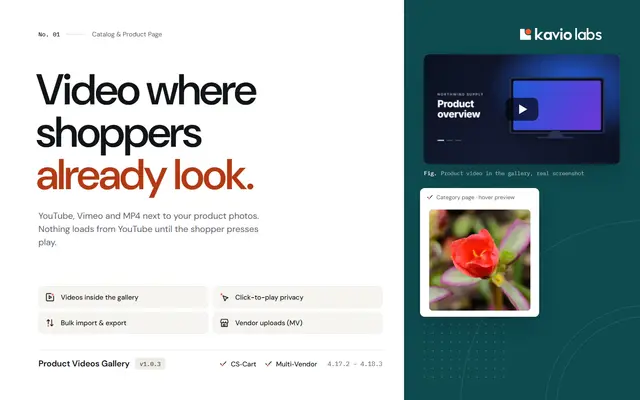
Product Videos GalleryShow YouTube, Vimeo and MP4 videos right in the product image gallery, with no third-party requests until the shopper clicks play.
$39
Also from Kavio Labs
Available now and coming next, tested on the same CS-Cart builds.