Charge the right commission for every vendor, category, product, price band, sales tier and promotion, on top of your vendor plans.
Available Updated Oct 13, 2026Version 1.1.1Multi-Vendor 4.17.2 – 4.21.x No core file edits
Built for
Advanced Commission Rules: overview1 of 12
What it does
Vendor plans give one commission per plan, and category fees one percent per category. Real marketplaces need more: a negotiated rate for a key vendor, a lower rate on expensive electronics, a launch promo for a new category, volume tiers, or a minimum fee per order.
Advanced Commission Rules adds these rules on top of your plans. Products without a matching rule keep the plan commission, so you only describe the exceptions.
What it changes for your store
8 condition types per rule. Vendor, plan, category with subcategories, product, unit price, order subtotal, monthly vendor sales and order dates.
Percent + fixed amount per order, with minimum and maximum caps.
Shipping, taxes and discounts in or out of the base, per rule.
A simulator shows the result before you save.
Earlier orders never change; an explicit tool recalculates selected orders.
0 core file changes; vendor balances, Accounting and payment splits use the result.
How it works
Admin
Open Vendors, Commission rules and add rules. Each product of a vendor order gets the most specific matching rule (or the lowest priority number, as you choose). Test any product in the simulator.
Order
When an order is placed, the vendor payout gets the rule-based commission. The order page shows the calculation per rule and product; edits and refunds follow it.
Vendor
The vendor panel gets a read-only My commission rates page. The report compares rule and plan commission and exports CSV.
Features
Rules by vendor, vendor plan, category (with subcategories), product, product price range, order subtotal range, monthly vendor sales and date range
Percent and fixed amount per order, minimum and maximum commission per order
Most-specific-wins or priority-order resolution, documented and visible in the simulator
Per-rule commission base: shipping, taxes, before or after discounts
Works on top of Vendor plans and Commissions by category; products without a rule keep those rates
Vendor balance, Accounting, order pages and payment splits use the rule-based commission
Order edits and refunds adjust the commission; earlier orders are never recalculated by themselves
Explicit recalculation tool with preview, adding adjustment entries instead of rewriting history
Commission simulator, per-order breakdown, commission report and CSV export
Read-only "My commission rates" page for vendors, with privileges for admin staff
No core file changes, clean uninstall that leaves earlier commissions intact
What you get
Package
kv_vendor_commission_rules-1.1.0.zip, installed through Add-ons → Manage add-ons
Updates & support
12 months included. Download new versions from your account and install them in Add-ons → Manage add-ons or the Upgrade Center.
License
1 production installation. Staging, dev and localhost are free and unlimited. The add-on keeps working after the update period ends. How licensing works
Compatibility
We list only the builds we install and test on. “Tested” means the full test plan was run on that build; “Supported” means the build is inside the supported range and uses the same hooks.
CS-Cart version and edition compatibility
CS-Cart version
CS-Cart
CS-Cart Ultimate
Multi-Vendor
Multi-Vendor Ultimate
4.22 and later
Not available
Not available
Testing next
Testing next
4.21.2
Not available
Not available
Tested
Supported
4.20.x
Not available
Not available
Supported
Supported
4.19.x
Not available
Not available
Supported
Supported
4.18.x
Not available
Not available
Supported
Supported
4.17.2
Not available
Not available
Tested
Supported
Before 4.17.2
Not available
Not available
Not supported
Not supported
Last tested build: Multi-Vendor 4.21.2, Oct 13, 2026Tested on: Multi-Vendor 4.17.2, Multi-Vendor 4.21.2
Requirements
PHP
CS-Cart Multi-Vendor 4.17.2 – 4.21.x (tested on Multi-Vendor 4.17.2 and Multi-Vendor 4.21.2 with PHP 8.3). The add-on is Multi-Vendor only; CS-Cart (Standard/Ultimate) refuses the installation with "Edition of your cart (ULTIMATE) is not supported. Required: MULTIVENDOR."
PHP
PHP 7.4 – 8.3, as supported by your CS-Cart version
Platform
The bundled Vendor plans add-on must be installed and active. It is a dependency and is active by default in Multi-Vendor
Requirement
Optional: Vendor plans: Commissions by category. When it is active, products without a matching rule keep their category rate
Core changes
None. Hooks and template overrides only
1.1.0
Oct 13, 2026
Latest
Added 5
License check. Enter your license key (or CS-Cart Marketplace license number) on the new License tab of the settings. The add-on verifies it with cs-cart.kaviolabs.com when the key is saved and then once a day, only from the admin panel or cron, never on storefront requests or while orders are placed. The license covers the domain entered at purchase and all its subdomains; local development hosts are always allowed.
License card at the top of the add-on page, visible on every tab: the status in color (valid, development host, pending or grace period with the days left, Marketplace number pending verification, or switched off: not activated, invalid key, revoked, domain mismatch, not verified), what is switched off in plain words, the licensed domain, the result per storefront, the end of the updates period and the last and next check. Actions: Enter/Change license key, Check now, Manage license and, without a valid license, Buy a license. A cron entry point checks without the admin panel.
License badge next to the add-on name in Add-ons → Manage add-ons (for example License: Valid or License: Pending · 9 days left). Only administrators who may manage add-ons see license information; vendors never do.
License status bar on the add-on's own admin pages (rules, simulator, report and recalculation pages and the commission rates page opened by an administrator): a small green chip when the license is valid, or a banner with the status, what is switched off and the actions.
Without a valid license for the marketplace's domain, commission rules are no longer applied to new orders: they get the core vendor plan / category commission. Orders placed before keep their commission (also when edited or refunded later); existing payouts, vendor balances and the report are not changed, and applying a recalculation is refused. The add-on's own pages say so in the status bar, and other admin pages show a notice. New installations and upgrades from 1.0.x work for 14 days before a key is required, and if the license server cannot be reached the add-on keeps working for 14 days.
Tested on Multi-Vendor 4.17.2, Multi-Vendor 4.21.2. No breaking changes.
1.0.0
Oct 13, 2026
Added 7
Commission rules by vendor, vendor plan, category (with subcategories), product (incl. master products and variations), product price range, order subtotal range, monthly vendor sales and order date range.
Percent and fixed amount per order, minimum and maximum commission per order; per-rule commission base (shipping, taxes, before/after discounts).
Rule resolution: most specific rule wins, or lowest priority number wins (setting).
Integration with the core payouts through vendor_plans_calculate_commission_for_payout_post: vendor balance, Accounting, vendor panel and payment splits use the rule-based commission; order edits and RMA refunds adjust it.
Commission simulator, order page breakdown, Accounting notes, commission report with CSV export.
Explicit recalculation of selected orders with preview (adjustment entries; earlier entries are never rewritten).
Vendor panel page "My commission rates"; privileges for admin staff and vendors.
Tested on Multi-Vendor 4.17.2, Multi-Vendor 4.21.2. First release.
Does it replace Vendor plans or Commissions by category?
No. It works on top of them. Products without a matching rule keep the plan commission (or the category rate). Rules describe the exceptions.
Will my existing orders change when I add or edit a rule?
No. Rules apply to orders placed after the change. To apply the current rules to earlier orders, use Recalculate orders, which shows a preview and adds adjustment entries instead of rewriting history.
Two rules match the same product. Which one is used?
By default the most specific one (product > category > vendor > plan, ranges add a little; ties go to the lower priority number). You can switch to "the rule with the lowest priority number wins" in the settings. The simulator shows all matching rules and the one applied.
Can a rule charge a fixed fee per order or a minimum fee?
Yes: Fixed amount per order is added once per vendor order, and Minimum / maximum commission per order limit the rule's commission within the order.
How do I set up a promotional rate for new vendors or a new category?
Create a rule with the vendors (or the category) and set the Order date range. Outside the dates the rule is ignored; it is shown as Scheduled before and Expired after.
How do volume tiers work?
Use Vendor sales this month: the total of the vendor's earlier orders in the same calendar month (in statuses calculated for payouts). Example: "Bronze plan, sales from $5,000: 9%". The order that crosses the threshold still uses the lower tier; the next orders use the new one.
What happens on refunds and cancellations?
Cancelled or declined orders leave the vendor balance exactly as in the core (status filter). For rule-based orders, RMA refunds return the commission at the order's effective rate, and a full refund returns everything charged. Edited orders are recalculated with the rules at the original order date.
Does the vendor see the commission?
Vendors see the commission per order on their Accounting page (core) and, if enabled, the breakdown on their order pages and the My commission rates page. They never see rules that are limited to other vendors or plans.
What if a vendor has no vendor plan?
The core does not calculate a commission for vendors without a plan, and rules do not apply to them either. Assign a plan (a 0% plan works) to use rules.
Does it work with Stripe Connect, PayPal Commerce Platform or Direct payments?
The add-on stores the result in the core payout. Payment add-ons that take their application fee from the payout commission (for example Stripe Connect) use the rule-based value. Direct payments keep the core behaviour (the vendor's balance becomes minus the commission).
What does uninstalling remove?
The rules, the log, the settings, the privileges and the texts. Payouts recorded while the add-on was active keep their commission; new orders get the plan commission again.
Is CS-Cart (not Multi-Vendor) supported?
No. Commissions exist only in Multi-Vendor; CS-Cart refuses the installation.
What happens to commissions if the license lapses?
Only new orders are affected. Without a valid license (no key after the 14-day start period, an invalid or revoked key, a domain the license does not cover, or no successful check for 14 days), orders placed from then on get the core commission of the vendor plan (and the category rate of Commissions by category when it is active). Orders placed before keep the commission they were charged, also when they are edited or refunded later. Existing payouts, vendor balances and the report do not change. Once the license is valid again, the rules apply to the next new orders; orders placed in between keep the core commission.
The admin panel shows a license notice.
Open Add-ons → Manage add-ons → Advanced Commission Rules → Settings → License. The status line says what is wrong: no key, a key for another add-on, a revoked license, or a domain that the license does not cover. Fix it and click Check now. See License.
Does the add-on work on my staging copy?
Yes. Subdomains of your licensed domain (for example staging.example.com) and local development hosts (localhost, private IP addresses, .local, .test) are covered by the same license.
What happens if your license server is down?
Nothing visible: the add-on keeps the last verified result and keeps working for 14 days while it retries. The admin panel shows a notice from the first failed check.
Does the license check slow down my storefront or checkout?
No. The check runs in the admin panel or from cron, once a day. Placing an order only reads the stored result.
Add a released add-on to this order and save 15% on it. It uses the same edition and store domain.
Advanced Commission RulesThis add-on
+
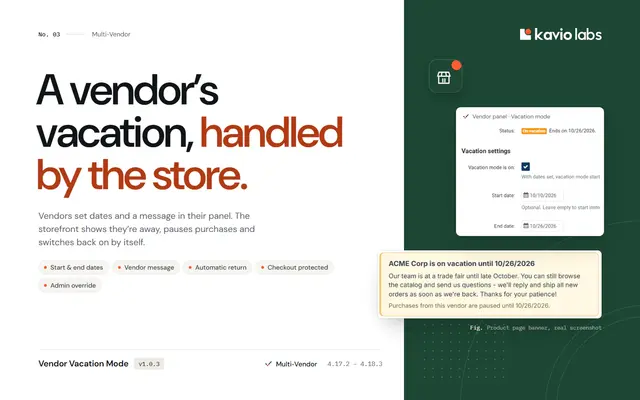
Vendor Vacation ModeLet vendors pause their store for a vacation with dates, a message and automatic return, without angry customers or cancelled orders.
$59
+
Help Desk & Support TicketsA complete help desk inside your store: customers open tickets from their account or orders, your team answers from the admin panel.
$79
Also from Kavio Labs
Available now and coming next, tested on the same CS-Cart builds.