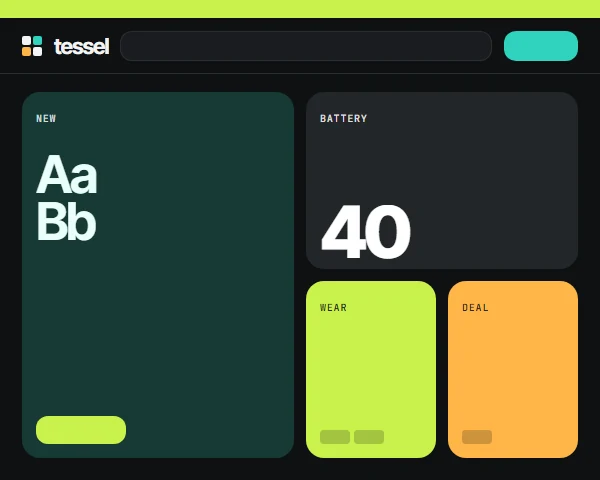
Bento is a storefront theme for gadget and accessory shops: audio, wearables, cameras, smart home, gaming, computing, power and phone accessories, new or refurbished, on CS-Cart or Multi-Vendor. Shoppers compare battery life, weight and wattage before they buy, so Bento shows those numbers first.
Four styles change more than the colours: Fog (soft tiles), Graphite (dark with hairline rims), Pop (chunky pastel blocks) and Lab (a ruled hairline grid).
Four styles, one theme
Each style changes the ground, bands, type weight and card treatment, not only the accent colour. Open any of them in the live demo.
Spec chips on every card from your own product features
Big-number spec tiles and a mono spec table on product pages
Compare toggle on cards, compare counter in the header
Deal tile with a countdown only from real promotion end dates
Text contrast of at least 4.5:1 in every style, self-hosted fonts
Works with the 4.21 full page cache and with Kavio Labs add-ons
How it works
Install the package in Add-ons: it adds the Bento theme without touching your storefront. Activate Bento in Website, Themes, pick a style and accept the recommended settings: the demo catalogue fills every section at once. Add your specs as product features with short values such as 40 h or 248 g; tick Show in product list for the card chips. Edit the hero tiles and the deal product in the Block Manager and upload your logo per style.
Features
Bento tile home: hero product tile, big-number stat tile, deal of the day, category and trade-in tiles
Deal-of-the-day tile with a countdown from the real promotion end date
Category mosaic with one big tile and eight category tiles
Mono spec chips on every product card from product features
Compare toggle on cards and a compare counter in the header
"The numbers" big-number tiles on product pages
Bento category header with product count and two promo tiles
Featured 2 x 2 product card, dark "inside the product" band, service and newsletter tiles
Four styles: Fog, Graphite, Pop and Lab (ruled hairline grid)
Installs with full demo content: every section and demo products are ready after activation
Mega menu with a "More" item, sticky header, mobile bottom bar, sticky buy bar and swipe gallery on phones
Child of Responsive: add-on hooks keep working
CS-Cart and Multi-Vendor 4.17.2 to 4.21.x
What you get
Package
kv_theme_bento-1.0.1.zip: the theme and its wrapper add-on, installed through Add-ons → Manage add-ons. Activate it in Website → Themes and pick a style.
Editions
CS-Cart, CS-Cart Ultimate, Multi-Vendor and Multi-Vendor Ultimate 4.17.2 – 4.21.x, one package. A child theme of Responsive: no core files are changed and add-on templates keep working.
Updates & support
12 months included. Updates keep the theme files you changed; your layouts are never replaced.
License
1 production installation; subdomains, staging, dev and localhost are free. The theme checks its license for your domain once a day from the admin panel. Without a valid license the storefront shows the standard Responsive look instead of the Bento design; cart, checkout and orders keep working. How licensing works
Compatibility
We list only the builds we install and test on. “Tested” means the full test plan was run on that build; “Supported” means the build is inside the supported range and uses the same hooks.
CS-Cart version and edition compatibility
CS-Cart version
CS-Cart
CS-Cart Ultimate
Multi-Vendor
Multi-Vendor Ultimate
4.22 and later
Testing next
Testing next
Testing next
Testing next
4.21.2
Supported
Supported
Tested
Supported
4.20.x
Supported
Supported
Supported
Supported
4.19.x
Supported
Supported
Supported
Supported
4.18.x
Supported
Supported
Supported
Supported
4.17.2
Tested
Supported
Tested
Supported
Before 4.17.2
Not supported
Not supported
Not supported
Not supported
Last tested build: Multi-Vendor 4.21.2, Oct 16, 2026Tested on: CS-Cart 4.17.2, Multi-Vendor 4.21.2, Multi-Vendor 4.17.2
Requirements
Platform
CS-Cart (incl. Ultimate) or Multi-Vendor 4.17.2 – 4.21.x
Requirement
Administrator access to the admin panel
Core changes
None. Hooks and template overrides only
1.0.1
Oct 16, 2026
Latest
Fixed 1
Product page: the previous/next product arrows show their icons again (they showed empty boxes).
Changed 3
Demo content: the Deal of the day tile carries a real time-limited demo promotion (live countdown after activation), and spec chips on product cards come from the demo features marked "Show in product list".
Demo content: products show realistic product codes instead of internal demo codes.
Built on the Kavio theme kit 1.1.2 (demo content: visible product codes, optional quantity discounts and taxes for demo products).
Tested on CS-Cart 4.17.2, Multi-Vendor 4.21.2, Multi-Vendor 4.17.2. No breaking changes.
1.0.0
Oct 16, 2026
Added 6
Bento theme for CS-Cart and Multi-Vendor 4.17.2 - 4.21.x: bento tile home (hero product tile, big-number stat tile
Mono spec chips on every product card from product features (features shown in product lists, else the first short
Product pages: SKU kicker, lead, spec chips, "The numbers" big-number tiles from features, tile gallery, mono spec
Four styles: Fog, Graphite, Pop, Lab (ruled hairline grid). Inter Tight + JetBrains Mono, self-hosted (SIL OFL).
Demo content on activation: the Tessel gadget catalogue (9 categories, 37 products with generated illustrations,
Kavio theme kit 1.1: mega menu with "More", sticky header, mobile bottom bar, sticky buy bar, swipe gallery, card
Tested on CS-Cart 4.17.2, Multi-Vendor 4.21.2, Multi-Vendor 4.17.2. First release.
Does Bento work with my add-ons?
Yes. Bento is a child of the standard Responsive theme and does not override product, cart or checkout templates, so add-on hooks keep working. Kavio Labs add-ons are styled to match each style.
Where do the spec chips come from?
From your product features. Tick Show in product list on the features you want on cards; otherwise Bento shows the first three short feature values. See Usage.
Why does the deal tile show no countdown?
The countdown shows only while the product has an active catalog promotion with an end date (Marketing → Promotions). Bento never shows an invented timer.
How do I get "The numbers" tiles on a product page?
Add at least two features whose values start with a number and a unit, such as 40 h, 248 g or −32 dB.
Does the compare toggle work with the full page cache?
Yes. It is a standard AJAX link to the comparison list; the ticked state lives in the visitor's browser and the header counter comes from the account block, which the core renders per visitor.
Does it work with Multi-Vendor?
Yes, on CS-Cart (incl. Ultimate) and Multi-Vendor. Vendor pages use the Bento cards; on Multi-Vendor the demo content creates one demo shop named after the demo brand.
Can I remove the demo content?
The demo catalogue is normal store data: delete what you do not need in Products, Categories and Website → Blog. Turn off "Install the demo content when the theme is activated" before activating the theme to start empty.
What happens without a licence?
A new installation works for 14 days. After that, without a valid licence, the storefront shows the standard Responsive look; cart, checkout and orders keep working and visitors see no message. The admin panel tells you why and how to fix it. See Configuration.
Does the theme work on my staging copy?
Yes. Subdomains of your licensed domain and local development hosts are covered by the same licence.
Does the licence check slow down my storefront?
No. It runs in the admin panel or from cron, once a day; the storefront only reads the stored result.
Will an update overwrite my changes?
No. Files you changed are kept (a notice lists them), and layouts and blocks are never replaced.
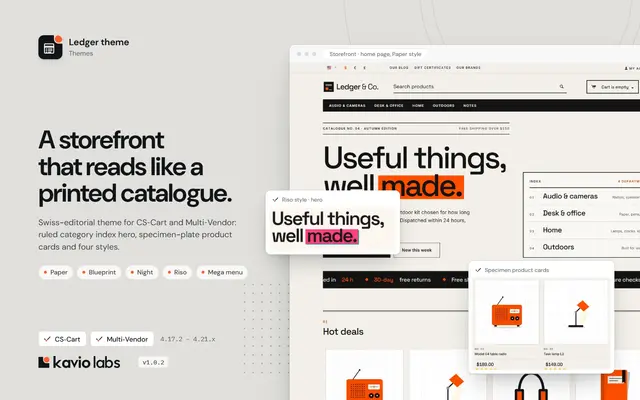
A Swiss-editorial storefront theme with oversized type, a ruled category index and four bold styles, built on Responsive so every add-on keeps working.
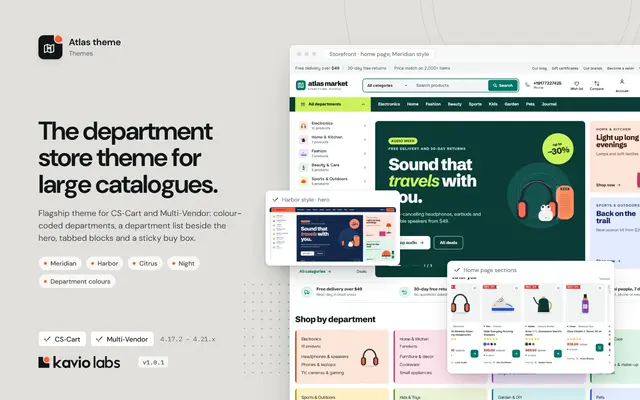
A department-store theme for large catalogues: colour-coded departments, a department list beside the hero, tabbed product blocks and a sticky buy box.