

Usage
Daily use
Section titled “Daily use”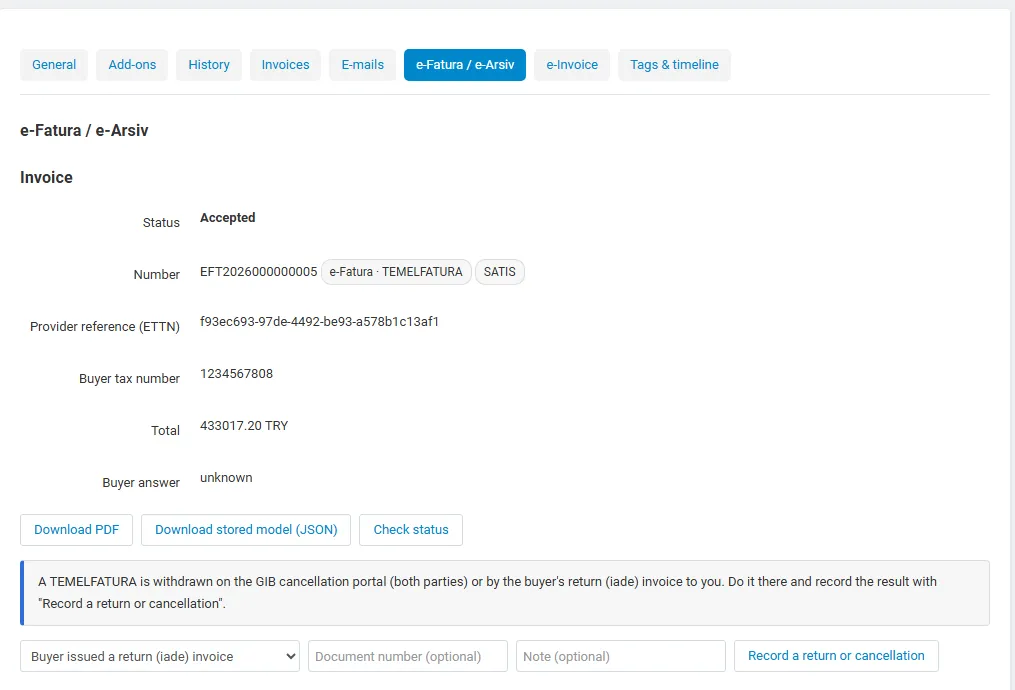
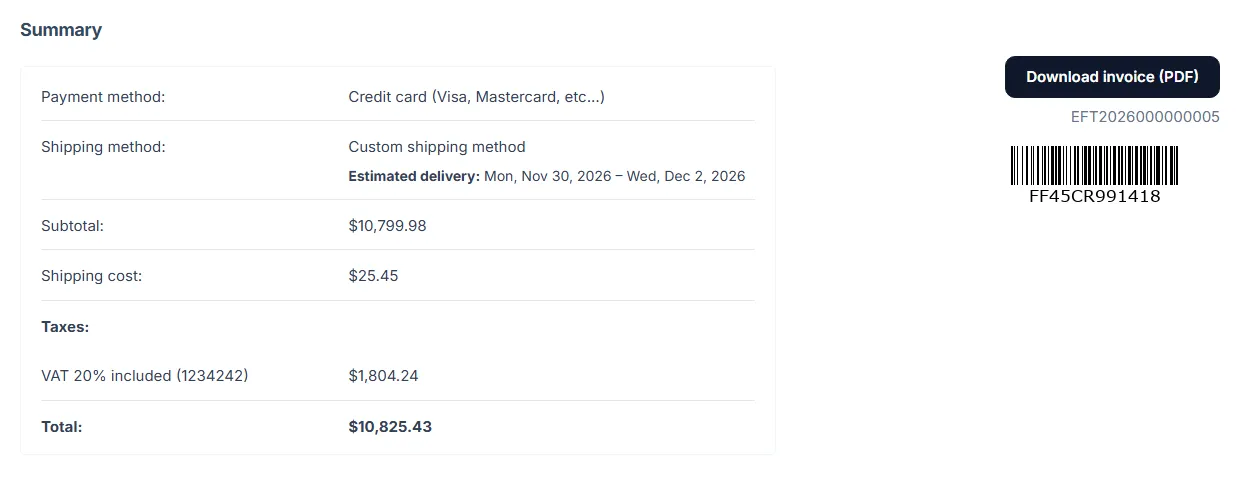
- When an order reaches the chosen status its invoice is created and queued. The order list shows the invoice status in the e-invoice column.
- The first queue run decides the scenario. A buyer with a valid VKN or TCKN is looked up at Nilvera: a registered e-Fatura taxpayer gets an e-Fatura, everyone else an e-Arsiv invoice. The invoice is then sent with your series and Nilvera answers with the invoice number.
- Nilvera and GIB process the invoice: the status goes from Sent to Accepted, or to Rejected with the reason (including a rejection by the buyer for TICARIFATURA).
- Open the order and the e-Fatura / e-Arsiv tab: number, scenario, UUID (ETTN), buyer number, status, Download PDF and the actions below. The customer sees Download invoice (PDF) on their order page once the invoice has a number.
Create an invoice by hand
Section titled “Create an invoice by hand”On the order page, tab e-Fatura / e-Arsiv, enter the buyer’s VKN or TCKN (and tax office) if the order has none and click Create invoice. Leave the number empty for a consumer invoice. Orders that are not placed yet, orders with a zero total and (Multi-Vendor) orders that belong to another invoicing level are refused with a reason.
Statuses
Section titled “Statuses”| Status | Meaning |
|---|---|
| Queued | Waiting for the next queue run. |
| Sent, waiting for the network | Nilvera has it; GIB processing is not finished. Checked again automatically. |
| Accepted | Delivered / registered. For an e-Fatura with TICARIFATURA the buyer answer is shown when Nilvera reports it. |
| Rejected | Nilvera, GIB or the buyer rejected it. The reason is shown. Use Issue a new invoice: the rejected document stays as a record and a new invoice with a new UUID is created. |
| Error | The invoice could not be built or sent (series unknown, missing exemption code, a total that does not add up, invalid buyer number). Fix the cause and use Send again. |
| Waiting for connection | No API key is saved yet; the invoice is sent after you connect. |
| Cancelled | An e-Arsiv invoice was cancelled, or an invoice was dropped before it was ever sent. |
Returns and cancellations
Section titled “Returns and cancellations”An iade (return) invoice is issued by the party that returns the goods, to the seller. The shop therefore never sends one to its own buyer. What you do depends on the invoice (the order tab shows the text for your invoice; sources: GIB “e-Fatura / e-Arsiv Iptal, Ihtar/Itiraz Bildirim Kilavuzu” on ebelge.gib.gov.tr and the VUK general communique no. 509; rules and periods change, confirm them with your tax adviser):
| Invoice | What happens |
|---|---|
| e-Arsiv | Cancel e-Arsiv invoice asks Nilvera to cancel it, within the period GIB allows: 8 days from the date the invoice was delivered to the buyer, in every case (GIB “e-Arsiv Uygulamalari Iptal, Ihtar/Itiraz Bildirim Kilavuzu” v1.1, November 2024, section 3; the integrator reports it to GIB with a cancellation report). If Nilvera refuses, or it is too late, a consumer return is documented with a gider pusulasi issued by you; record it with Record a return or cancellation. |
| e-Fatura TICARIFATURA | The buyer can reject it within 8 days; the add-on keeps polling for 10 days after sending and, when the buyer rejects, shows the invoice as Rejected with the buyer’s note and records “Rejected by the buyer”. After that period the buyer issues the iade invoice to you: record its number with Record a return or cancellation. |
| e-Fatura TEMELFATURA | The buyer cannot reject it. Both parties cancel it on the GIB cancellation portal, or the buyer issues the iade invoice to you. Do that there, then record the result. |
Record a return or cancellation sends nothing: it stores the type (buyer’s return invoice, gider pusulasi, cancelled through the GIB portal), the document number and a note on the invoice. A GIB cancellation marks the invoice Cancelled; the other types leave it Accepted and show the record. After a rejection by the buyer use Issue a new invoice to invoice again.
With Withdraw the invoice when the order status becomes set, an e-Arsiv invoice is cancelled by itself and an e-Fatura only gets the guidance text and a log warning; an invoice that was never sent is dropped locally. Partial returns are not handled by the add-on: record the document you actually received or issued.
Jobs, log and connection
Section titled “Jobs, log and connection”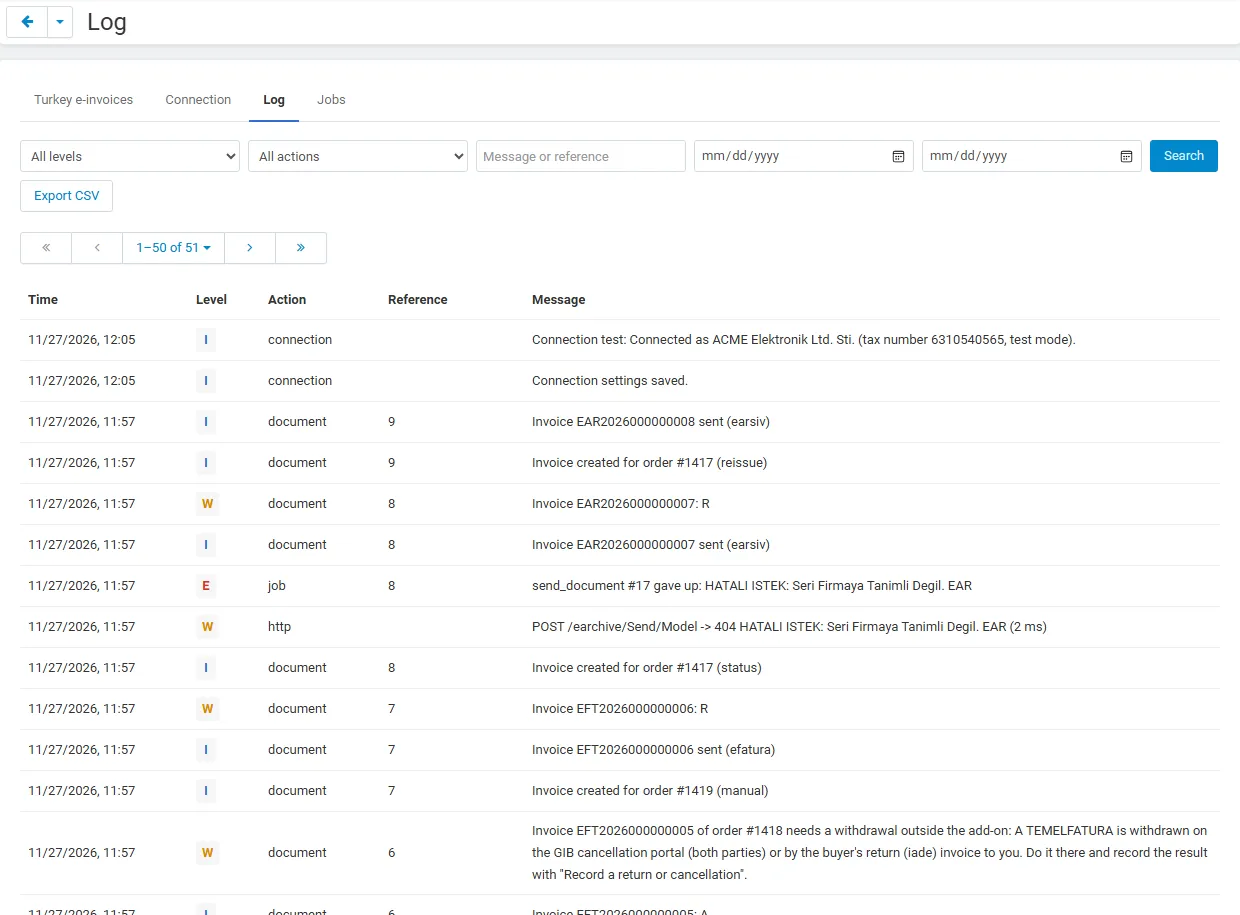
- Jobs: counts per state, the list with the last error, Retry, Remove and Run the queue now.
- Log: filter and export what happened and when.
- Connection: key, tax number, series, Test connection, the seller read from Nilvera.
When you click an action on the order page the queue runs at once; otherwise the cron job does the work.