

Turkey e-Fatura and e-Arsiv
Edition: CS-Cart & Multi-Vendor · Latest version: 1.0.0 · Compatible with: CS-Cart & Multi-Vendor 4.17.2 – 4.21.x, PHP 7.4 – 8.3 · Changelog: view
Issues Turkish e-Fatura and e-Arsiv invoices for CS-Cart and Multi-Vendor orders through a GIB special integrator (Nilvera): buyer VKN/TCKN check, e-Arsiv cancellation, return records and guidance, PDF for the buyer, retry queue and log.
What it does
Section titled “What it does”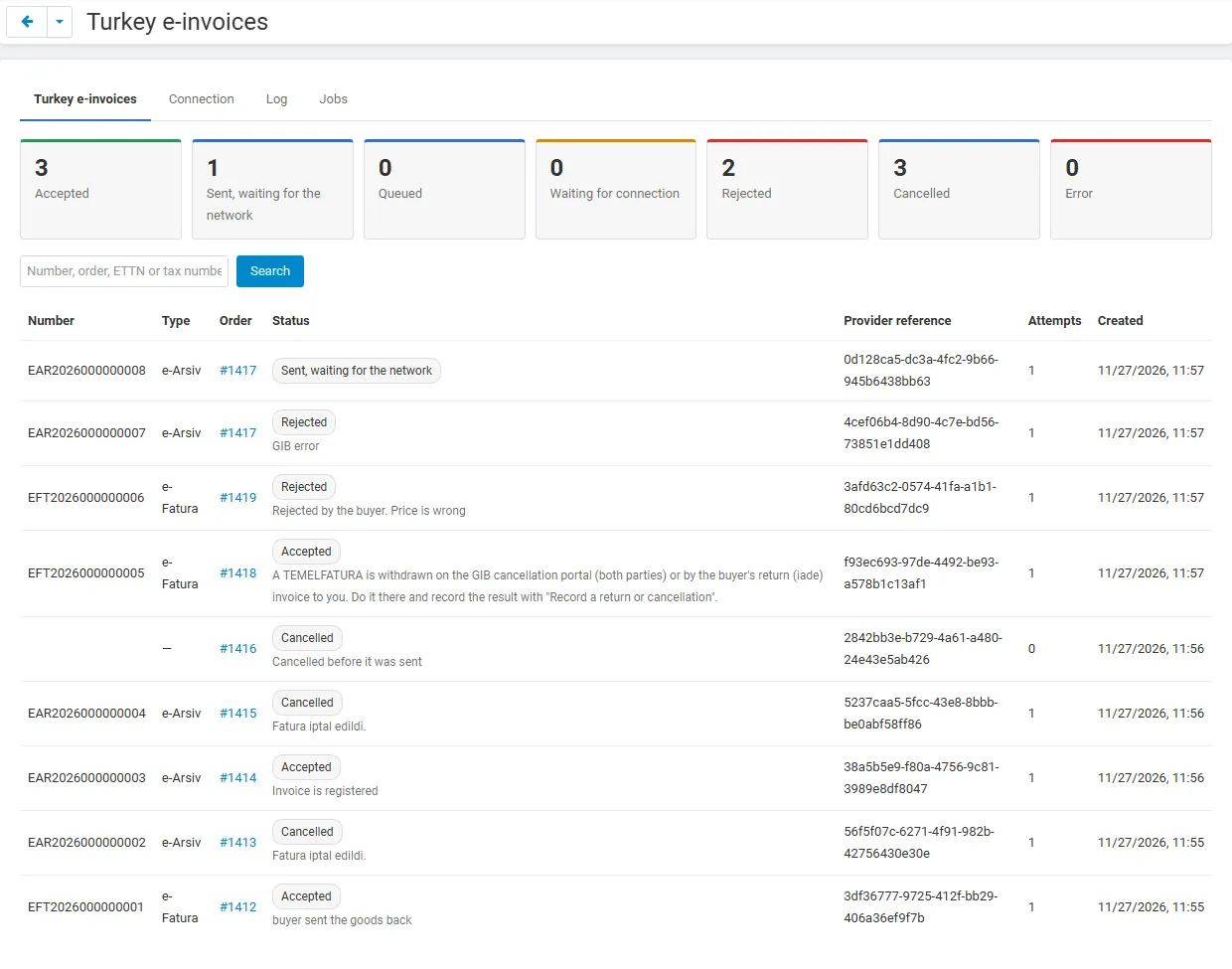
- Creates an invoice for each order at the status you choose and sends it to Nilvera, which builds, signs and delivers the UBL-TR document through the GIB e-Document system.
- Decides the scenario per buyer: a valid VKN or TCKN is looked up at Nilvera. A registered e-Fatura taxpayer gets an e-Fatura (TEMELFATURA or TICARIFATURA, your choice), everybody else gets an e-Arsiv invoice for an internet sale.
- VAT rates 1, 10 and 20 percent and VAT-free lines (exemption invoice with your reason code); shipping and payment fees become invoice lines; line and order discounts are spread correctly; in both CS-Cart tax calculation methods.
- Invoices are issued in TRY (the store’s primary currency, or a TRY currency of the store).
- Withdrawing an invoice follows Turkish practice: an e-Arsiv invoice is cancelled through Nilvera (while GIB allows it); a TICARIFATURA can be rejected by the buyer, and the add-on follows that answer; for everything else the add-on tells you what to do and records the result (the buyer’s return invoice, the GIB cancellation, your gider pusulasi). The shop never issues a return (iade) invoice to its own buyer: that document is issued by the party that returns the goods.
- Shows the invoice number, status and PDF on the order page and as a column in the order list; the buyer gets a link to the PDF on the order page.
- Safe to repeat: every invoice owns its UUID (ETTN) from creation, an answer that never arrived is found again by that UUID, nothing is issued twice.
- Retry queue (5 minutes, 15 minutes, 1 hour, 3 hours, 12 hours), a log with filters and CSV export, encrypted API key, separate test and live mode.
- Multi-Vendor: the marketplace owner issues the invoices (one account) or every vendor connects their own Nilvera account.
- Invoices stay when the add-on is uninstalled (they are tax records), unless you ask for them to be deleted.
What you need
Section titled “What you need”- A Nilvera account with the e-Fatura and e-Arsiv modules, an API key (test and live), and the invoice series you want to use created in the Nilvera portal. The add-on is not a Nilvera product and does not replace the accounting advice of your tax adviser.
- CS-Cart or Multi-Vendor 4.17.2 to 4.21.x, PHP 7.4 to 8.3, a cron job.
Compatibility
Section titled “Compatibility”- CS-Cart, CS-Cart Ultimate, Multi-Vendor and Multi-Vendor Ultimate 4.17.2 to 4.21.x.
- The queue needs a cron job (a command line or a secret web address; see Configuration).
Next steps
Section titled “Next steps”Nilvera is a trademark of its owner; this add-on is not affiliated with or endorsed by Nilvera.