

Settings
Open Add-ons > Manage add-ons > Turkey e-Fatura and e-Arsiv > Settings.
General
Section titled “General”| Setting | Default | Description |
|---|---|---|
| Enable | On | When off, no new invoices are started. Jobs and status checks of invoices that are already under way are still processed. |
| Marketplace owner mode | On | Multi-Vendor only. On: the marketplace owner issues the invoices with one account. Off: each vendor connects their own account. |
| Debug log | Off | Also stores every HTTP call with masked request and response. The API key is never stored. |
| Log retention (days) | 90 | Older log entries are removed by the cron run. |
| Issue the invoice when the order status becomes | P (Processed) | The invoice is created once per order at this status. You can also create it by hand on the order page. |
| Withdraw the invoice when the order status becomes | none | Optional. An e-Arsiv invoice is cancelled at Nilvera. An e-Fatura is never reversed by a document of yours: it only gets the guidance text (see Usage). An invoice that was never sent is simply dropped. Leave empty to do it by hand. |
| Scenario for e-Fatura buyers | TEMELFATURA | Used when the buyer is a registered e-Fatura taxpayer. TICARIFATURA lets the buyer accept or reject the invoice. |
| Profile field with the buyer tax number | none | A text profile field holding the buyer’s VKN (10 digits) or TCKN (11 digits). Spaces and dots are ignored; a number with a wrong check digit stops the invoice with a clear message. |
| Profile field with the buyer tax office | none | Optional, printed next to a company buyer. |
| Number for buyers without a tax number | 11111111111 | The GIB convention for an end consumer on an e-Arsiv invoice who gives no number. Use it only for final consumers; for a foreign (non-resident) consumer the convention is 2222222222. Whether an amount limit applies to such invoices is a question for your tax adviser; the add-on has no limit built in. |
| VAT exemption reason code | empty | Needed when an order has lines without VAT: the code from the GIB exemption list that fits your goods. The invoice is then an exemption invoice (ISTISNA) and the code is sent with it; with code 351 (0 % VAT that is not an exemption) it stays a sales invoice (SATIS). |
| Invoice line name for shipping | Kargo Bedeli | Text printed on the invoice for the shipping line (it carries the shipping tax rate). |
| Invoice line name for payment fees | Odeme Hizmet Bedeli | Text printed for a payment surcharge line. |
| Carrier tax numbers (e-Arsiv) | empty | Optional, one per line: Shipping method name = VKN (compared with the order’s shipping method, case-insensitive); a line with only a number is the default. Sent as the carrier register number of an e-Arsiv internet sale. |
| Payment intermediary name (e-Arsiv) | empty | Optional. Printed on an e-Arsiv internet sale paid through a gateway. Empty: the name of the payment processor of the order. |
| Permanently delete all invoice data on uninstall | Off | See Installation. |
Connection
Section titled “Connection”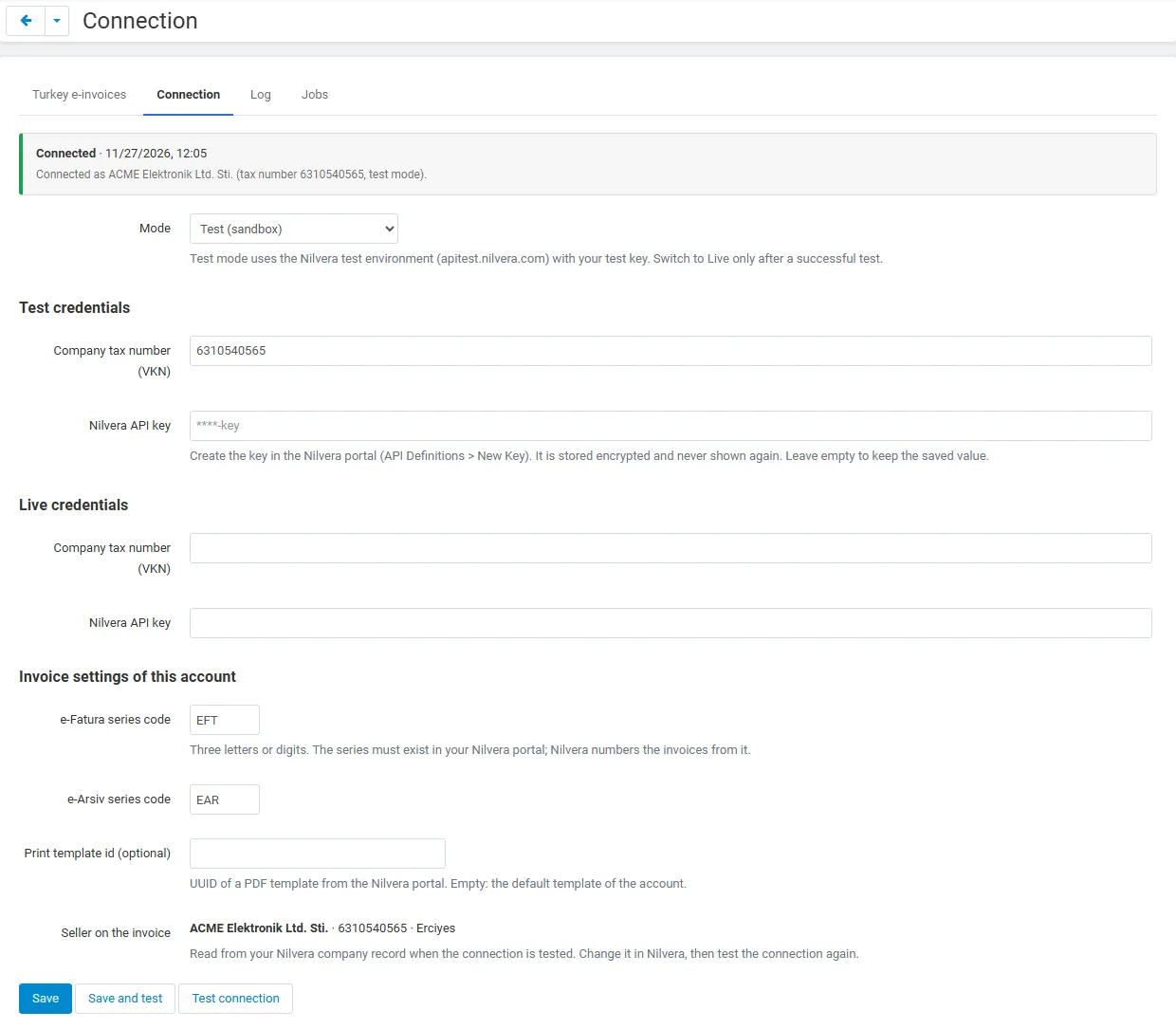
The API key is not an ordinary setting: it is entered on the Connection page and stored encrypted (AES-256-GCM, key derived from your store’s own secret). It is never shown again; leave the key field empty to keep the saved value.
| Field | Description |
|---|---|
| Mode | Test uses apitest.nilvera.com with the test key; Live uses api.nilvera.com with the live key. |
| Company tax number | Your VKN or TCKN. “Test connection” checks that the key belongs to it. |
| Nilvera API key | Created in the Nilvera portal. |
| e-Fatura / e-Arsiv series code | Three letters or digits. The series must exist in the Nilvera portal; Nilvera assigns the numbers. |
| Print template id | Optional UUID of a PDF template in the Nilvera portal. |
The seller block of every invoice (name, tax office, address, e-mail) is read from your Nilvera company record when you test the connection.
Taxes and amounts
Section titled “Taxes and amounts”- Percentage taxes only. The rates 0, 1, 10 and 20 percent are valid on a new invoice; any other rate stops that invoice with a message naming the rate.
- Both CS-Cart tax calculation methods (unit price and subtotal) and both price modes (prices with or without tax) are read from the order’s own tax data.
- Order and line discounts reduce the invoice lines; the invoice must add up to the order total (a difference of a few kurus from rounding is accepted, more stops the invoice).
- The invoice date and time are those of sending (Turkish time); a resend after an error carries the new date.
- Invoices are issued in TRY. If the primary currency is not TRY, the rate of the store’s TRY currency converts every amount.
The queue runs from cron. Use either the command line or the secret web address shown in the Cron section of the settings:
php /path/to/store/admin.php --dispatch=kv_efatura_tr.cronhttps://your-store.example/index.php?dispatch=kv_efatura_tr.cron&key=<secret>
Log and jobs
Section titled “Log and jobs”- Log lists every call and job with filters (level, action, text, dates) and a CSV export.
- Jobs lists the queue. A job that fails is retried after 5 minutes, 15 minutes, 1 hour, 3 hours and 12 hours, then marked “Gave up”; use Retry to queue it again.
Multi-Vendor
Section titled “Multi-Vendor”- Owner mode (default). The marketplace owner is the seller of record: one Nilvera account, one invoice per customer order on the parent order. Vendors can see the invoices of their orders but cannot create, send, cancel or correct them.
- Vendor mode. Each vendor connects their own account (Connection tab in the vendor panel) and invoices their own part of the order; the parent order is skipped. A vendor sees and handles only their own invoices.