

Usage
How it works
Section titled “How it works”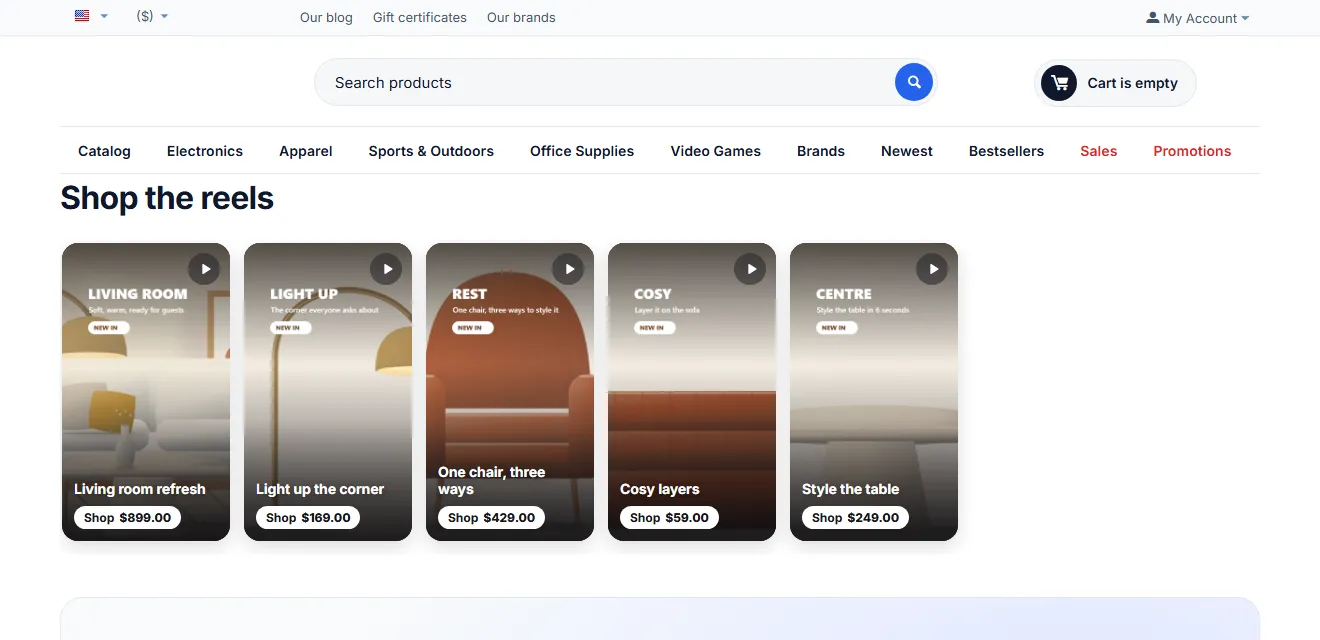
Shoppers see a row or grid of 9:16 cards with a poster and a “Shop” price chip. Tapping a card opens a full screen player: swipe up or down (or use the arrow keys or the buttons) to move between reels, tap the video to pause, use the buttons for sound and captions. The buy sticker at the bottom shows the tagged products; the button adds the product to the cart, or shows an options button when the product has options (it opens quick view when the theme offers it, else the product page).
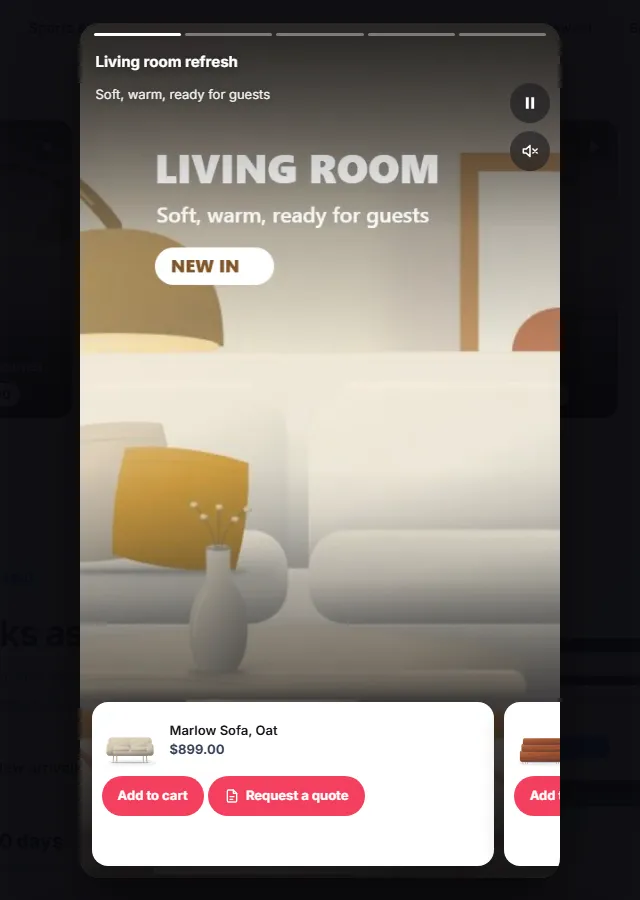
Nothing from a video is downloaded until a shopper opens a reel, so the cards cost one lazy poster image each.
Common tasks
Section titled “Common tasks”Add a reel
Section titled “Add a reel”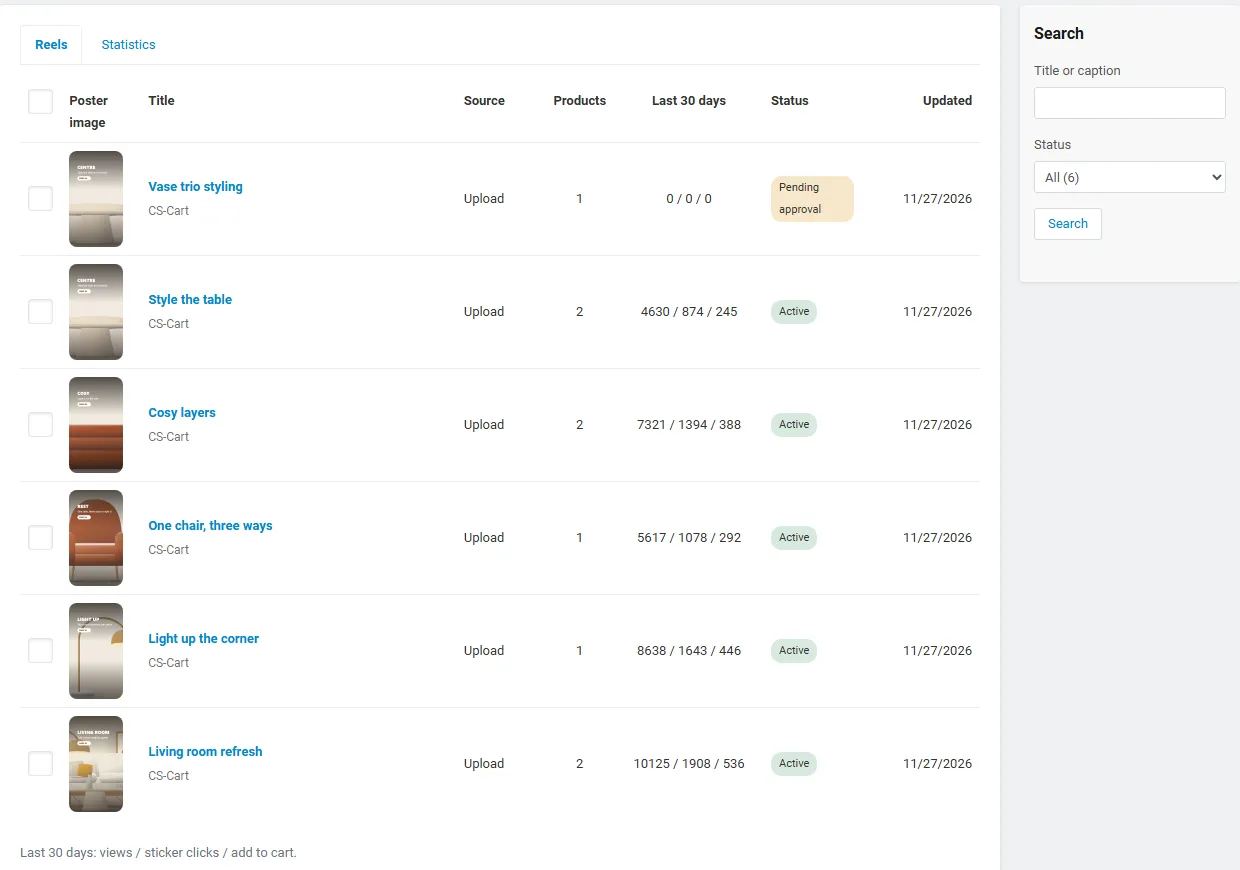
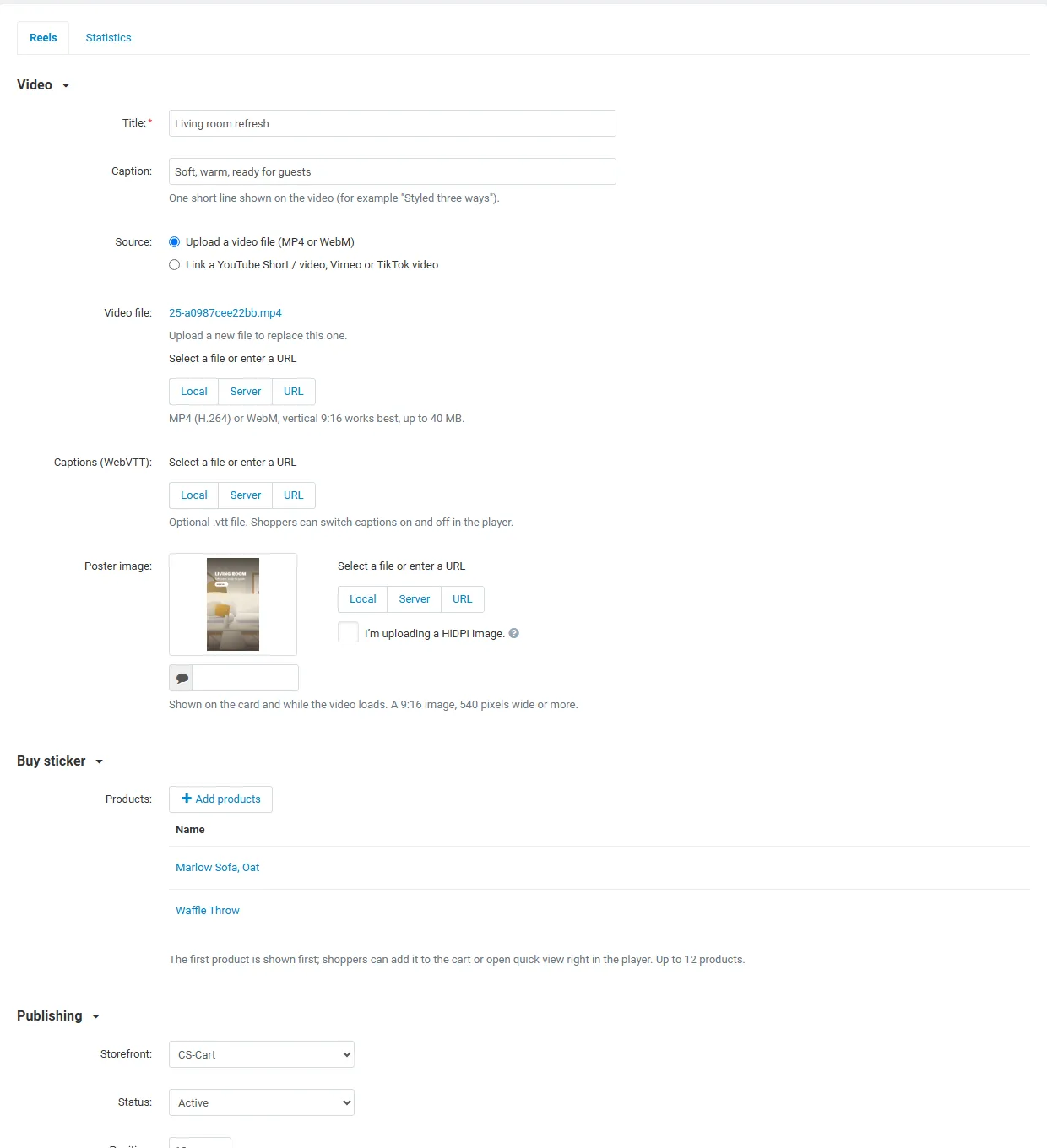
- Open Website > Shoppable Reels and click Add reel.
- Enter a title and an optional one-line caption.
- Upload an MP4 or WebM file, or choose the link option and paste a YouTube Short or video, Vimeo or TikTok video address (full address, not a short link).
- Add a poster image (9:16, 540 pixels wide or more) and, for uploaded files, optional WebVTT captions.
- Pick the products for the sticker and save.
Show reels on your pages
Section titled “Show reels on your pages”- Open Design > Layouts and add the block Shoppable Video Reels to the home page, a category page or the product page.
- Choose the template and “Match the page” (product page: the product’s reels; category page: reels of its products; other pages: the latest reels).
Read the numbers
Section titled “Read the numbers”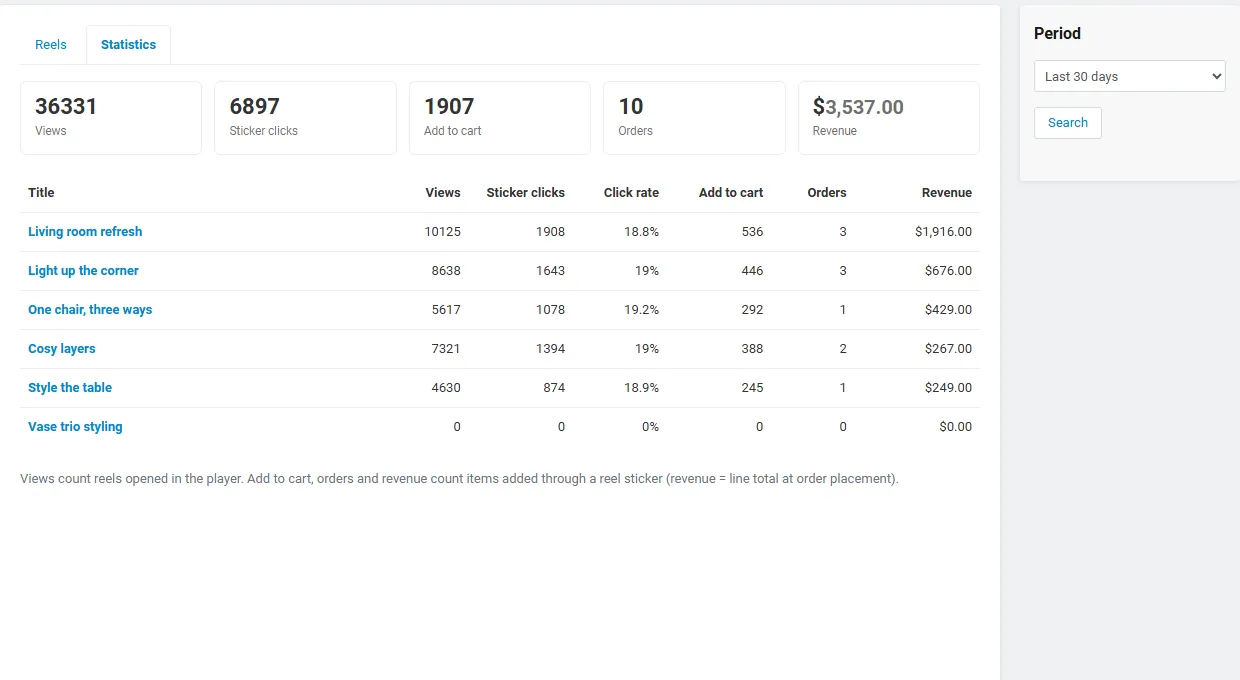
Open Website > Shoppable Reels > Statistics. Views count reels opened in the player; add-to-cart, orders and revenue count items added through a reel sticker (revenue is the line total when the order is placed).
Vendors (Multi-Vendor)
Section titled “Vendors (Multi-Vendor)”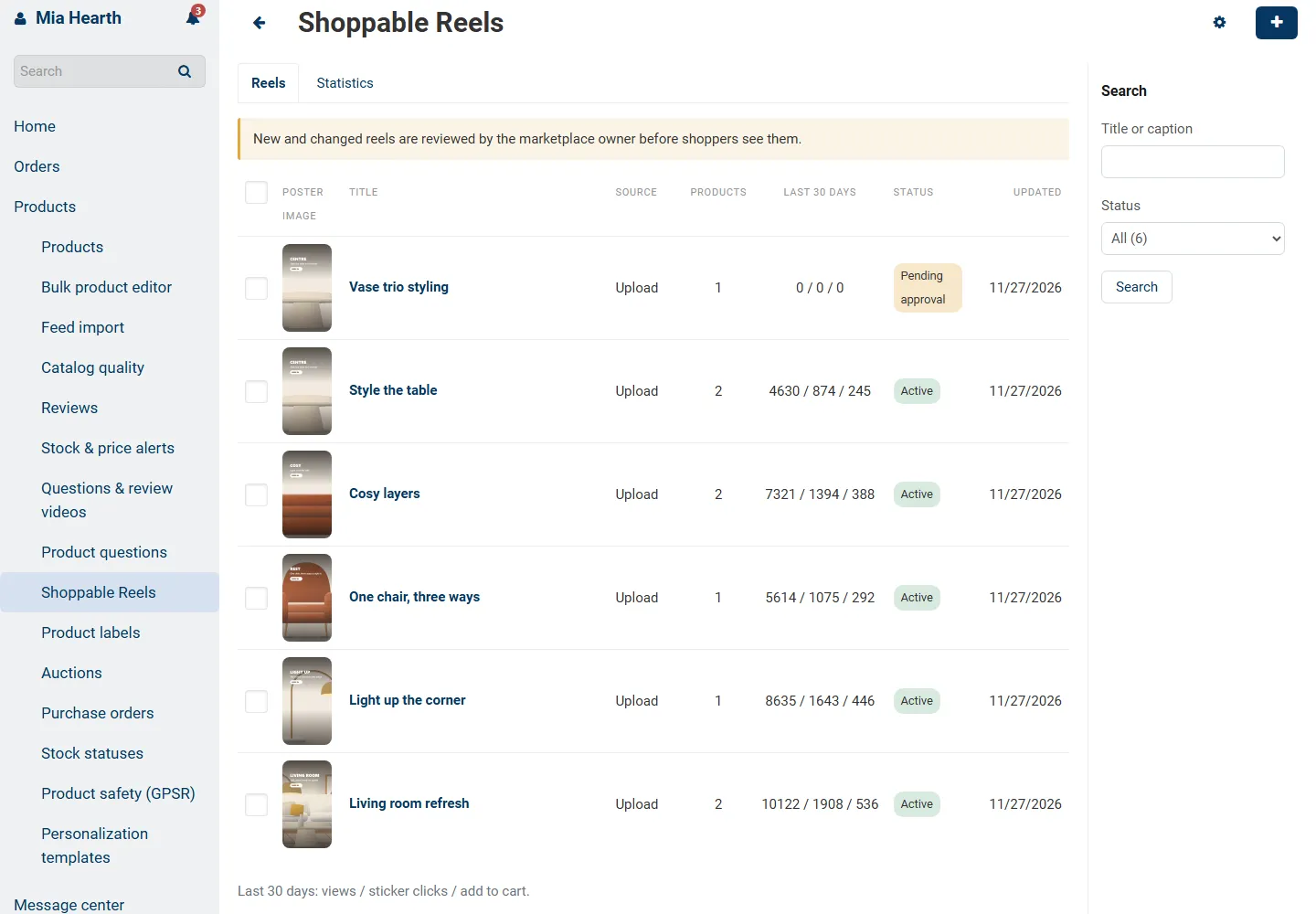
Vendors open Products > Shoppable Reels in the vendor panel. They can tag only their own products. With moderation on, new and changed reels show as pending until you set them to Active.
Embeds and the providers’ terms
Section titled “Embeds and the providers’ terms”YouTube, Vimeo and TikTok videos are shown with the providers’ own embed players after the shopper opens the reel, so their controls (including sound) are used and the page makes no request to them before that. Embed only videos you may embed and follow each provider’s terms.
Privacy and cookies: YouTube reels use the privacy-enhanced domain youtube-nocookie.com and Vimeo reels ask the player not to track (dnt=1). TikTok’s embed player has no such mode. Once a shopper opens a linked reel, the provider’s player loads in the shopper’s browser and the provider may store data on the device under its own privacy policy. If your store asks for cookie consent, list these providers in your cookie notice or use uploaded MP4 / WebM reels, which are served from your own store and make no third-party request. Embedded players start muted by default; a shopper who prefers reduced motion gets no autoplay.