

Usage
What shoppers see
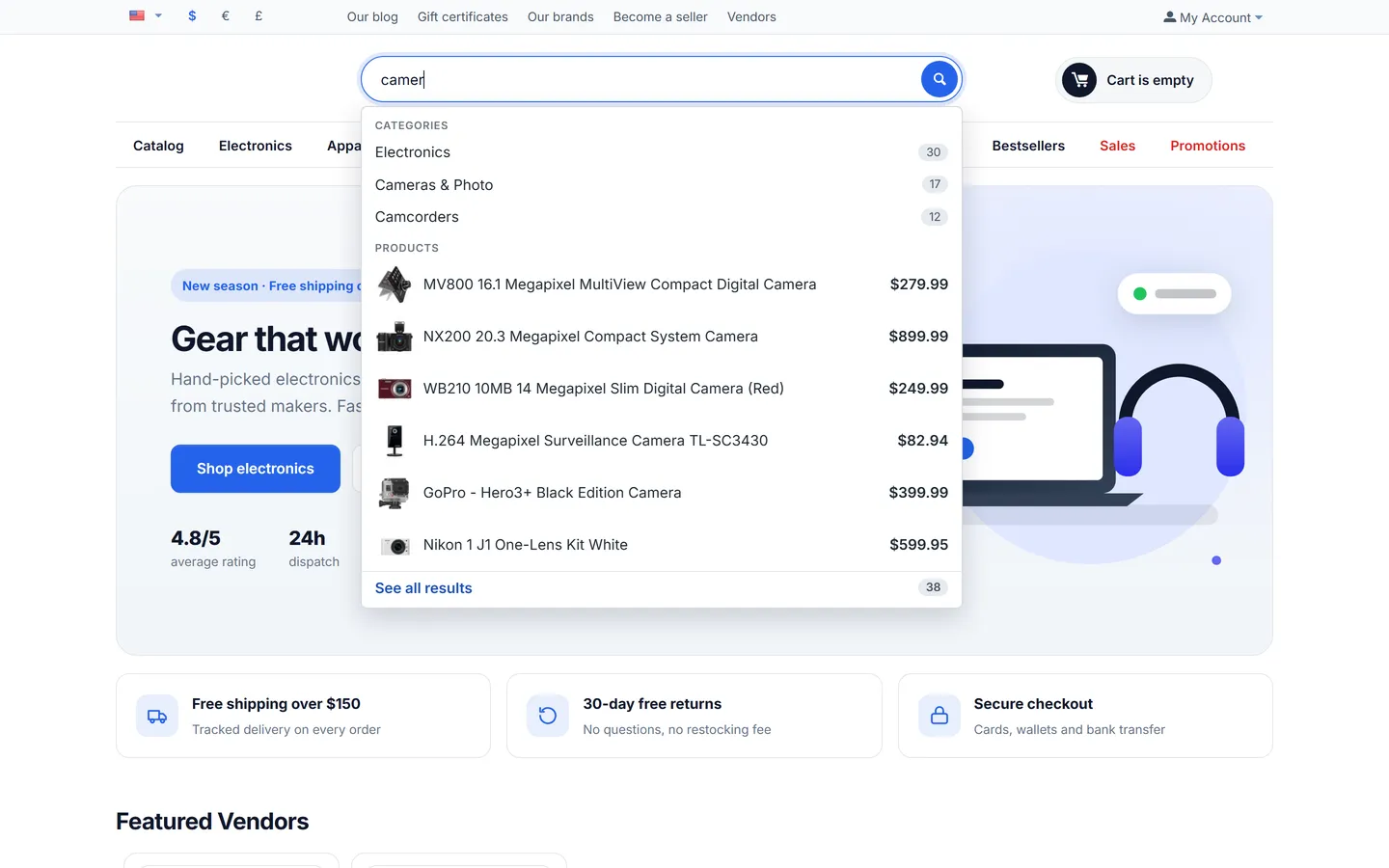
Section titled “What shoppers see”The dropdown. After two typed letters the search box shows up to six products (image, name, price) and up to three categories that hold matches, with the number of matches. Arrow keys, Enter and Escape work; screen readers announce the list (ARIA combobox). “See all results” opens the results page. Prices follow the visitor’s currency and user group, and only products the visitor may see are listed.
The results page. The standard results page, ranked by the engine: “Sort by Relevance” is the default, the other sortings (price, name, date) and the pagination of CS-Cart keep working. Above the list a filter bar offers categories, brands, (Multi-Vendor) vendors, up to three product features and a price range. Each chip toggles one filter and keeps the rest of the address, so filtered pages can be shared and bookmarked. The page shows the best 500 matches; the counts in the bar cover all matches.
When nothing is found. If the engine finds nothing for a phrase, the standard CS-Cart search tries its own matching before “no results” is shown. If the engine is not reachable, the standard search answers (see below).
Admin page
Section titled “Admin page”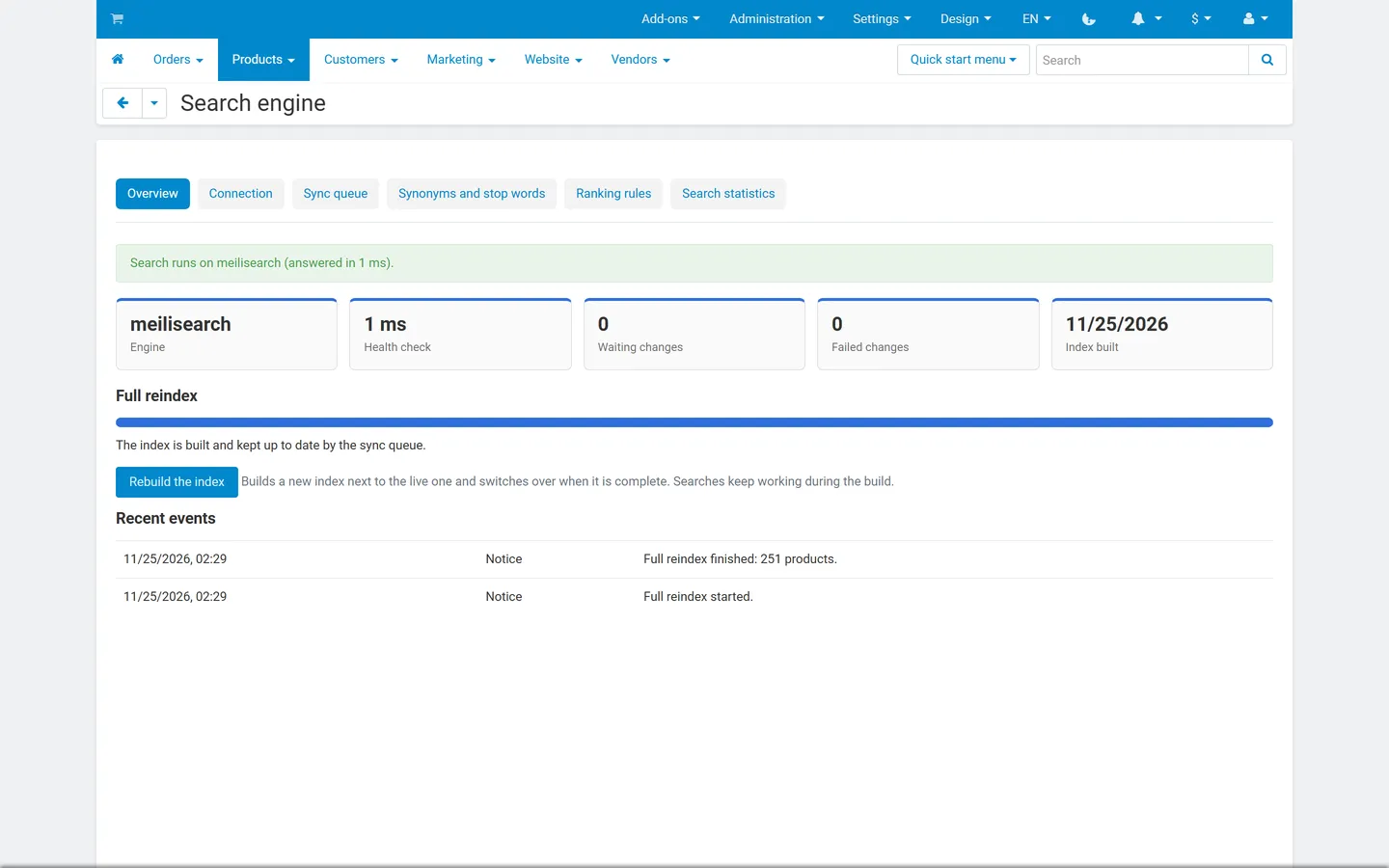
Products → Search engine (marketplace owner).
| Tab | What it does |
|---|---|
| Overview | One status line: connected and answering, not configured, engine down, paused after repeated failures, or no index yet. Engine, health check time, waiting and failed changes, date of the last build. Rebuild the index starts a full reindex with a progress bar; Resume continues an interrupted one. Recent events (no visitor data). |
| Connection | Engine, address, admin API key (stored encrypted), prefix, languages, timeout, cron address. |
| Sync queue | Waiting, running and failed changes. Re-sync all products queues everything again without a rebuild. Failed changes (after six attempts) can be retried or discarded. |
| Synonyms and stop words | Equivalent words (leave “Search word” empty) and one-way synonyms (“laptop” also finds “notebook, ultrabook”). CSV import (two columns). Saved changes are sent to the engine immediately. |
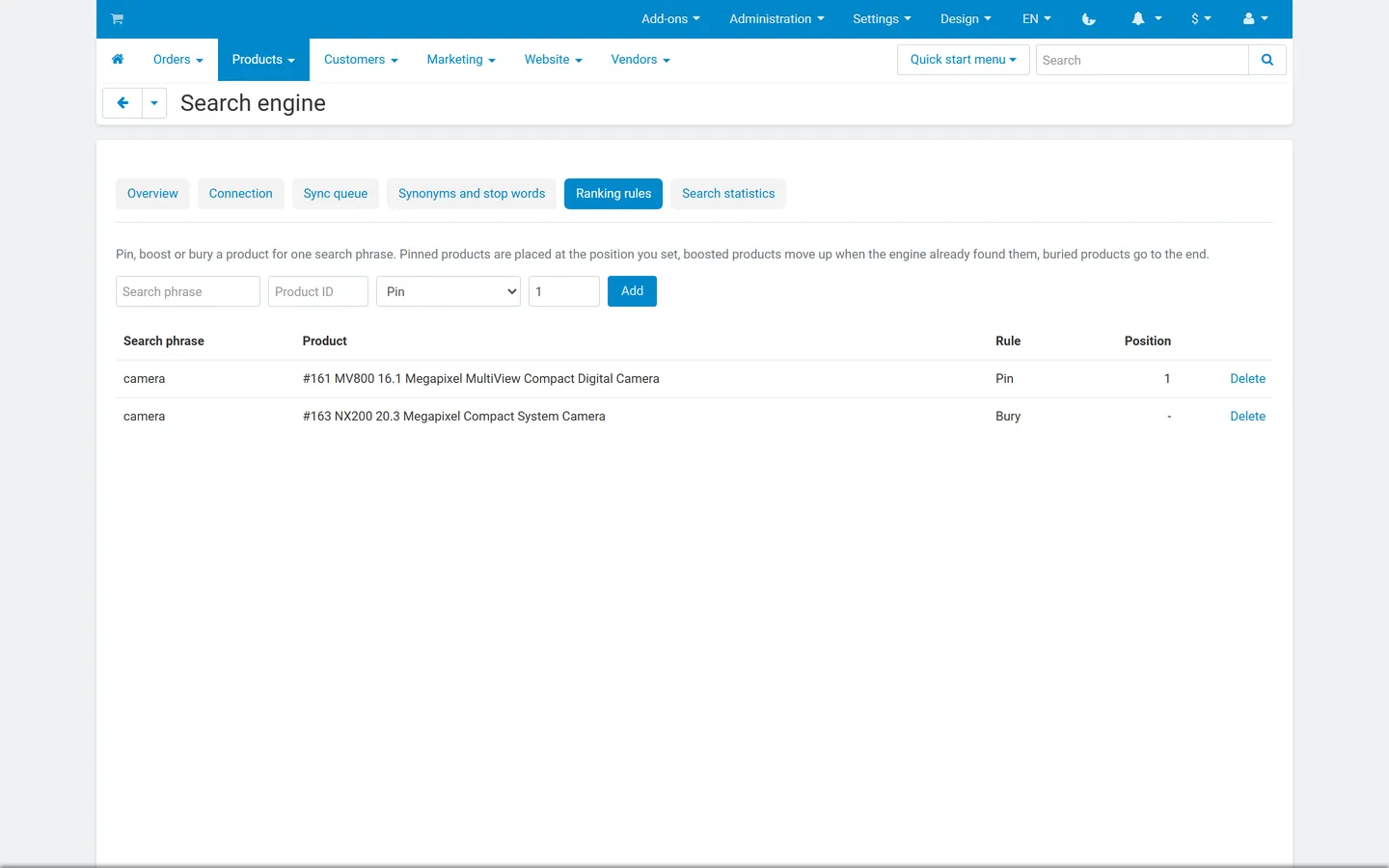
| Ranking rules | For a search phrase: Pin puts a product at a position, Boost moves it up when the engine already found it, Bury moves it to the end. |
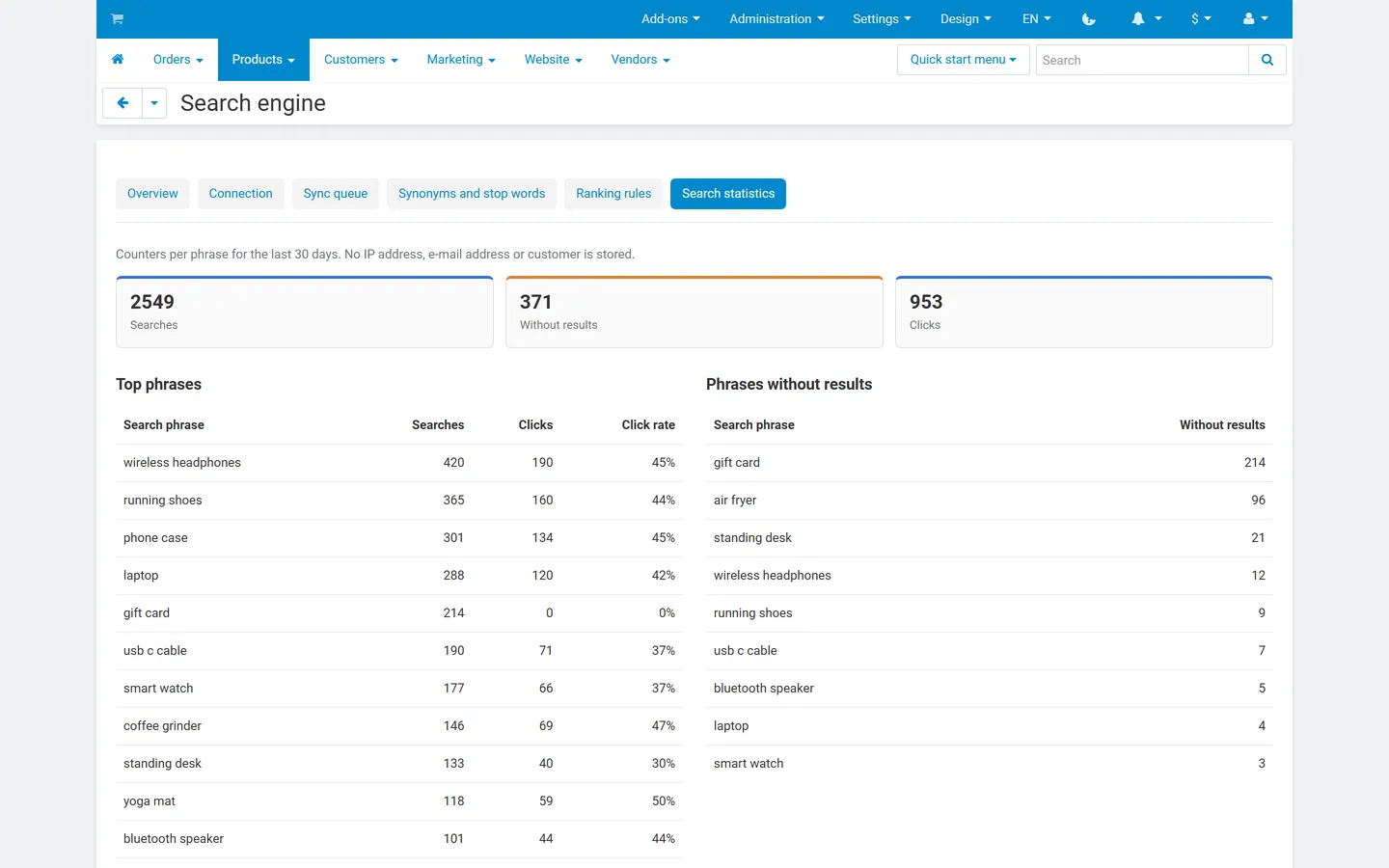
| Search statistics | Last 30 days: searches, searches without results, clicks, click rate, top phrases, phrases without results. Clear statistics deletes them. |
How the index stays current
Section titled “How the index stays current”- Creating, editing, importing (CSV / XML), cloning and deleting products, price and stock changes (also by orders), category, feature and vendor changes (also a vendor being approved or disabled) all put the affected products into a queue. One queue row exists per product, so a burst of saves is sent once.
- Right after an admin save the queue is processed in the background of that request; the cron job processes the rest, retries failures with growing pauses (10 s, 30 s, 90 s …) and moves a change to the failed list after six attempts.
- A full rebuild creates a new index beside the live one. Changes made while it runs are written to both and re-checked just before the switch, so nothing is lost. Only one rebuild can run at a time.
If the search engine is down
Section titled “If the search engine is down”A short timeout (default 1.5 s) protects every search. After three failures in a row the add-on stops calling the engine for 45 seconds and the standard CS-Cart search (or Instant Live Search, if installed) answers; the first success after that closes the breaker. The Overview tab shows the state. Nothing else on the storefront depends on the engine.
Instant Live Search
Section titled “Instant Live Search”If Instant Live Search is installed, Search Engine Pack serves the search box and the results page while the engine answers and Instant Live Search stays idle. When the engine does not answer, Instant Live Search takes over again. Nothing has to be configured.
Multi-Vendor
Section titled “Multi-Vendor”- The Search engine page, its settings, synonyms, rules, statistics and every action behind them are for the marketplace owner. A vendor cannot open them and the server refuses vendor requests even when they are sent by hand.
- On a vendor’s own storefront (vendor page search) results are limited to that vendor’s products; the vendor facet disappears there.
- Products of inactive vendors are removed from the index and come back when the vendor is activated.
Ultimate
Section titled “Ultimate”Documents carry the storefronts a product belongs to (its own and shared ones) and a search on a storefront only returns that storefront’s products. Ranking rules and statistics are per storefront; connection, queue, synonyms and stop words are installation-wide.
Privacy
Section titled “Privacy”Statistics are counters per day and phrase. Phrases that look like an e-mail address or a long number are not stored. To ignore a repeated search or click the add-on keeps, for two days, a hash of a random token that the browser creates for the session, mixed with the date; the token itself, the IP address and any customer data are never stored. Logs never contain the API key.