

Configuration
Open Add-ons → Manage add-ons → Bulk Tracking Import & Notify → Settings.
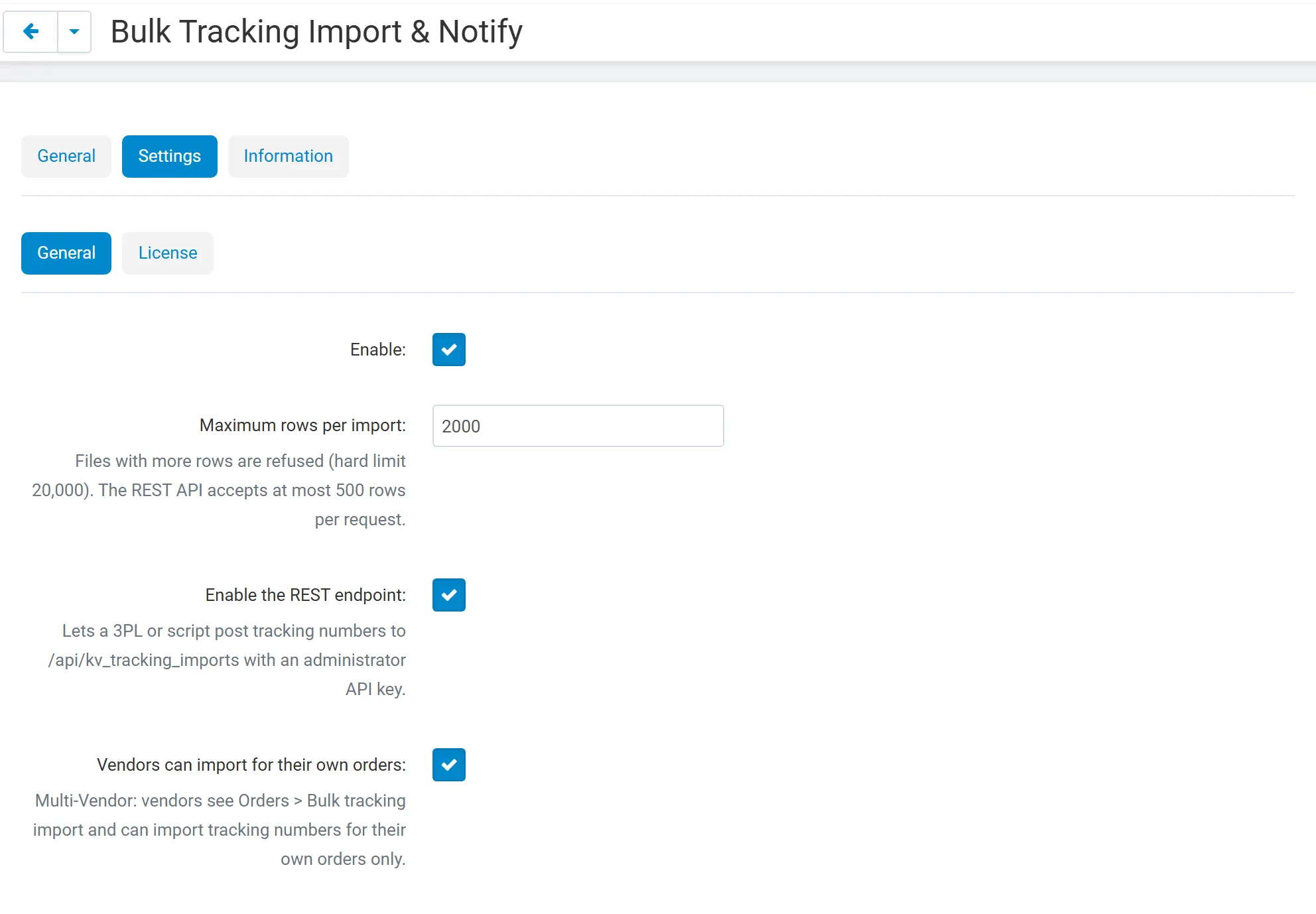
General
Section titled “General”| Setting | Default | What it does |
|---|---|---|
| Enable | Yes | Turns the add-on on. When it is off, imports and the REST endpoint refuse; the import log, carriers and presets stay readable. |
| Maximum rows per import | 2000 | Files with more rows are refused (the hard limit is 5,000; the check of every row runs in one request, and 2,000 rows took about 22 seconds on our test store, so keep the default when your site is behind a proxy with a time limit). The REST endpoint takes at most 500 rows per request. |
| Enable the REST endpoint | Yes | Lets a 3PL or a script post tracking numbers to /api/kv_tracking_imports with an administrator API key (on Multi-Vendor also a vendor API key, for its own orders, while the core Vendor privileges add-on is active). |
| Vendors can import for their own orders | Yes | Multi-Vendor only. Vendors see Orders → Bulk tracking import and can import for their own orders. |
License
Section titled “License”
Enter your license key here, or the CS-Cart Marketplace license number in Add-ons → Manage add-ons. The license card at the top of the add-on page shows the status. Without a valid license importing is switched off: you can still open the import log, the carriers and the presets, and every shipment that was created earlier stays.
Vendors
Section titled “Vendors”On Multi-Vendor a vendor sees only the orders, imports, carriers and presets of its own company. The administrator sees everything, including the imports of vendors. A vendor can add its own carriers; they are invisible to other vendors. Carriers added by the administrator are shared with every vendor.
Customer e-mails
Section titled “Customer e-mails”The add-on has no e-mail of its own. Every import has the choice Follow the shipment notification settings of CS-Cart (the standard shipment e-mail is sent, or not, as set in CS-Cart) or Do not send e-mails for this import. Change the shipment e-mail text in Administration → E-mail notifications (or Design → E-mail templates on older versions). If you also set an order status, the status e-mail of CS-Cart follows the same choice.
Carriers
Section titled “Carriers”Orders → Bulk tracking import → Carriers lists the carriers of the CS-Cart shipping services (they are matched by name or code) and your own carriers. For your own carrier give:
- a name (shown on the order page and in the e-mail);
- other names that mean this carrier in your files, comma separated;
- an optional tracking page link with
{tracking}where the number goes, for examplehttps://tracking.example.com/?number={tracking}.
A carrier that shipments still use cannot be deleted; disable it instead.
Privileges
Section titled “Privileges”The add-on follows the core order privileges. View orders opens the pages. Importing, undoing, carriers and presets need Edit order details (the privilege of the core shipment pages). Setting an order status during an import needs Change order status, as on the core order page: without it the order status option is hidden, and an undo deletes the shipments but leaves the order statuses as they are. On Multi-Vendor with the core Vendor privileges add-on the vendor user groups decide the same way.